
Résultats de la recherche pour "physik OR experimente OR mit OR arduino OR pdf"
-
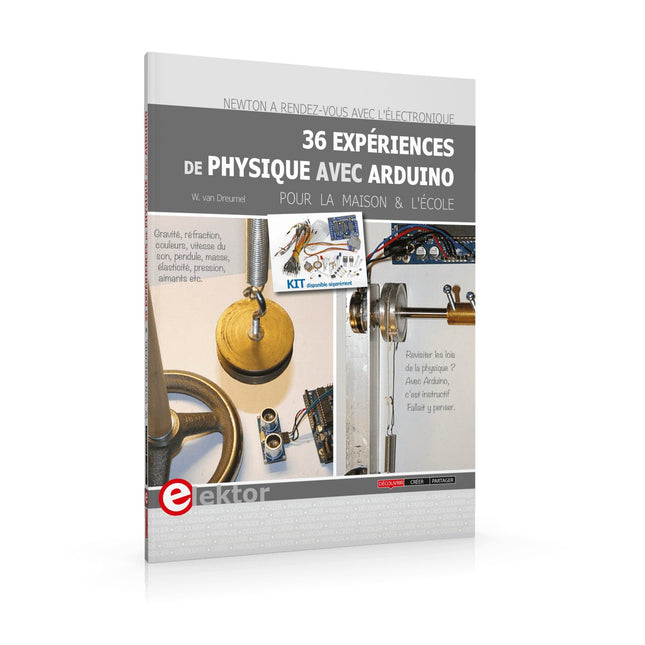
Elektor Digital 36 Expériences de Physique avec Arduino (E-book)
Points forts Un peu d'électronique et beaucoup d'experimentation : un livre ludique ! Gravité, réfraction, couleurs, vitesse du son, pendule, masse, élasticité, pression, aimants : une approche nouvelle et créative des leçons de physique Matériel peu coûteux et facilement disponible Logiciels gratuits Kit disponible séparément La rencontre de la physique et du microcontrôleur ne devrait plus étonner personne. Il existe d’excellents enregistreurs de données, ainsi que de nombreux programmes pour les traiter et les présenter sous forme de graphiques colorés et attrayants. La physique rébarbative, c’est fini ! J’ai choisi l’Arduino, car cette plate-forme est d’un accès facile et sa documentation abondante. La famille Arduino offre des ressources extraordinaires à un prix dérisoire. Ajoutez-y le logiciel gratuit CoolTerm, et vous pouvez enregistrer toutes les données de mesure pour les retravailler sous Excel et créer aisément des tableaux ou des graphiques. Ce livre n’est pas un manuel de physique. Vous n’y trouverez ni équations différentielles ni courbes abstraites. Nous étudierons des phénomènes physiques de la vie de tous les jours. Sans chercher à être exhaustif, mon modeste ouvrage apporte aux leçons de physique une approche nouvelle et créative grâce aux techniques modernes de mesure et de traitement des données. L’électronique utilisée est simple, et constitue une belle démonstration des possibilités.
€ 19,95
Membres : € 17,96
-

Elektor Publishing Arduino & Co – Measure, Control, and Hack
Clever Tricks with ATmega328 Pro Mini Boards With a simple Pro Mini board and a few other components, projects that 20 or 30 years ago were unthinkable (or would have cost a small fortune) are realized easily and affordably in this book: From simple LED effects to a full battery charging and testing station that will put a rechargeable through its paces, there’s something for everyone. All the projects are based on the ATmega328 microcontroller, which offers endless measuring, switching, and control options with its 20 input and output lines. For example, with a 7-segment display and a few resistors, you can build a voltmeter or an NTC-based thermometer. The Arduino platform offers the perfect development environment for programming this range of boards. Besides these very practical projects, the book also provides the necessary knowledge for you to create projects based on your own ideas. How to measure, and what? Which transistor is suitable for switching a certain load? When is it better to use an IC? How do you switch mains voltage? Even LilyPad-based battery-operated projects are discussed in detail, as well as many different motors, from simple DC motors to stepper motors. Sensors are another exciting topic: For example, a simple infrared receiver that can give disused remote controls a new lease on life controlling your home, and a tiny component that can actually measure the difference in air pressure between floor and table height!
€ 39,95
Membres : € 35,96
-

Elektor Publishing Mikrocontroller-Praxiskurs für Arduino-Fortgeschrittene
32 neue Projekte, praktische Beispiele und Übungen mit dem Elektor Arduino Nano MCCAB Trainingsboard Die Elektronik und die Mikrocontrollertechnik bieten die Möglichkeit, kreativ tätig zu sein. Mit diesem Mikrocontroller-Praxiskurs besteht die Möglichkeit, eigene Arduino-Projekte zu realisieren und solche Erfolgsmomente erleben zu können. Im Idealfall funktioniert beim ersten Einschalten alles so, wie man es sich vorgestellt hat. In der Praxis läuft es dagegen selten wie erwartet. Dann braucht man Kenntnisse, um den Grund für das Nichtfunktionieren effizient suchen und finden zu können. In diesem Buch für Fortgeschrittene steigen wir tief in die Welt der Mikrocontroller und der Arduino IDE ein, um neue Verfahren und Details kennen zu lernen, und erfolgreich noch anspruchsvollere Situationen angehen und lösen zu können. Mit diesem Buch gibt der Autor dem Leser das nötige Rüstzeug, um eigenständig Projekte zu kreieren und auch schnell Fehler finden zu können. Anstatt nur fertige Lösungen zu bieten, erklärt er die Hintergründe, die verwendete Hardware und die eventuell benötigten Tools. Er stellt Aufgaben, bei denen der Leser seine eigene Kreativität einbringt und den Arduino-Sketch selbst schreibt. Falls man einmal keine vernünftige Idee hat und nicht weiterkommt, gibt es natürlich zu jedem Projekt und zu jeder Aufgabe einen Lösungsvorschlag mit zugehöriger Software, der im Buch ausführlich kommentiert und erklärt wird. Sie erfahren mit diesem Praxiskurs mehr über das Innenleben des Arduino Nano und des darauf befindlichen Mikrocontrollers. Sie lernen Hardware-Module kennen, mit denen Sie neue interessante Projekte realisieren werden. Sie beschäftigen sich mit Softwareverfahren wie z. B. "Zustandsmaschinen", durch deren Anwendung sich Aufgabenstellungen oft einfacher und übersichtlicher lösen lassen. Die zahlreichen praktischen Projekt- und Übungs-Sketche realisieren wir wieder auf dem vom "Mikrocontroller-Praxiskurs für Arduino-Einsteiger" bekannten MCCAB Trainingsboard, das die gesamte Hardware-Peripherie und die Bedienungselemente enthält, die wir für die Ein-/Ausgabe-Operationen unserer Sketche benötigen. Leser, die das MCCAB Trainingsboard noch nicht besitzen, können die benötigte Hardware separat erwerben, oder alternativ auch auf einem Breadboard aufbauen.
€ 49,95
Meilleur prix
-

Elektor Digital Arduino UNO Q and AI (E-book)
Learn to Build Intelligent Embedded Systems Build smarter embedded systems with Arduino UNO Q. This book gives you the tools, knowledge, and confidence to turn ideas into intelligent, working solutions using the Arduino UNO Q platform. Discover how to build intelligent embedded systems with the Arduino UNO Q and AI. Unlock the full potential of the Arduino UNO Q, a next-generation platform that combines the real-time power of the STM32U585 microcontroller with the flexibility of a Qualcomm Dragonwing QRB2210 microprocessor. Learn how to rapidly prototype real-world applications using the Arduino IDE for low-level embedded control and Python in Arduino App Lab for high-level development. Build confidence through hands-on projects that guide you step by step from basic board features to complete working systems. Explore ready-to-use, AI based Arduino App Lab examples and see how they can jump-start your development and reduce time to deployment. Step into the world of Edge AI with a clear, practical introduction to Edge Impulse Studio—no prior AI experience required. Follow a complete, real-world workflow to create a Keyword Spotting AI application, covering data collection, model training, optimization, and on-device inference using the Edge Impulse Studio. Bridge the gap between embedded systems and machine learning and learn how to bring intelligence directly onto your hardware. Perfect for embedded engineers, educators, students, and makers looking to stay ahead in AI-enabled product development.
€ 29,95
Membres : € 26,96
-

Elektor Digital The ESP32 Cheap Yellow Display Book (PDF)
Projects Using Arduino IDE and the LVGL Graphics Library The ESP32 is probably one of the most popular microcontrollers used by many people, including students, hobbyists, and professional engineers. Its low cost, coupled with rich features makes it a popular device to use in many projects. Recently, a board called the ESP32 Cheap Yellow Display (CYD for short) is available from its manufacturers. The board includes a standard ESP32 microcontroller together with a 320x240 pixel TFT display. Additionally, the board provides several connectors for interfaces such as GPIO, serial port (TX/RX), power and Ground. The inclusion of a TFT display is a real advantage as it enables users to design complex graphics-based projects without resorting to an external LCD or graphics displays. The book describes the basic hardware of the ESP32 CYD board and provides details of its on-board connectors. Many basic, simple, and intermediate-level projects are given in the book based on the ESP32 CYD, using the highly popular Arduino IDE 2.0 integrated development environment. The use of both the basic graphics functions and the use of the popular LVGL graphics library are discussed in the book and projects are given that use both types of approaches. All the projects given in the book have been tested and are working. The block diagram, circuit diagram, and the complete program listings and program descriptions of all the projects are given with explanations. Readers can use the LVGL graphics library to design highly popular eye-catching full-color graphics projects using widgets such as buttons, labels, calendars, keypads, keyboards, message boxes, spinboxes, sliders, charts, tables, menus, bars, switches, drop-down lists, animations, and many more widgets.
€ 29,95
Membres : € 26,96
-
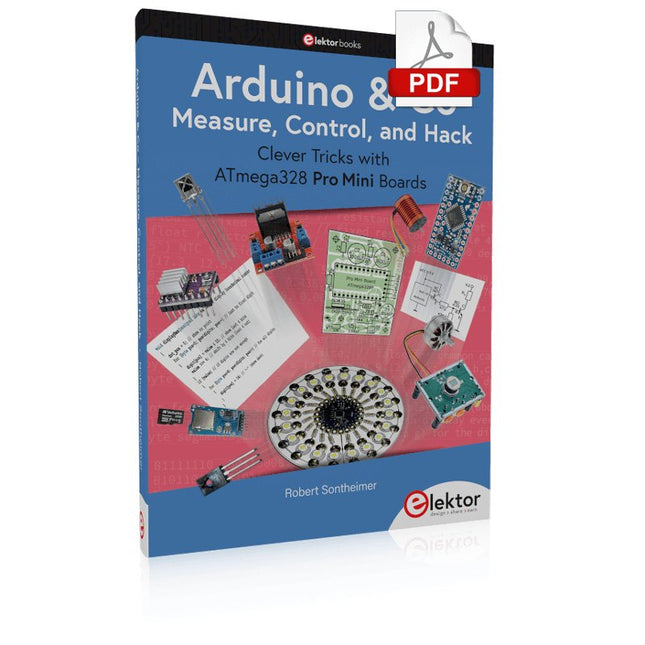
Elektor Digital Arduino & Co – Measure, Control, and Hack (E-book)
Clever Tricks with ATmega328 Pro Mini Boards With a simple Pro Mini board and a few other components, projects that 20 or 30 years ago were unthinkable (or would have cost a small fortune) are realized easily and affordably in this book: From simple LED effects to a full battery charging and testing station that will put a rechargeable through its paces, there’s something for everyone. All the projects are based on the ATmega328 microcontroller, which offers endless measuring, switching, and control options with its 20 input and output lines. For example, with a 7-segment display and a few resistors, you can build a voltmeter or an NTC-based thermometer. The Arduino platform offers the perfect development environment for programming this range of boards. Besides these very practical projects, the book also provides the necessary knowledge for you to create projects based on your own ideas. How to measure, and what? Which transistor is suitable for switching a certain load? When is it better to use an IC? How do you switch mains voltage? Even LilyPad-based battery-operated projects are discussed in detail, as well as many different motors, from simple DC motors to stepper motors. Sensors are another exciting topic: For example, a simple infrared receiver that can give disused remote controls a new lease on life controlling your home, and a tiny component that can actually measure the difference in air pressure between floor and table height!
€ 32,95
Membres : € 29,66
-
Elektor Classics The Elektor Arduino Collection (clé USB)
Cette clé USB contient une sélection de plus de 300 articles liés à Arduino publiés dans le magazine Elektor. Le contenu comprend à la fois des articles de fond et des projets sur les sujets suivants : Développement logiciel et matériel : tutoriels sur le développement logiciel avec l’IDE Arduino, Atmel Studio, les shield, et les concepts essentiels de programmation. Apprentissage : le Microcontroller Bootcamp propose une approche structurée pour programmer des systèmes embarqués. Acquisition et mesure de données : projets comme un enregistreur de données 16 bits, un tachymètre pour tour, et un analyseur de réseau électrique pour capturer et analyser des signaux en temps réel. Communication sans fil : apprenez à mettre en œuvre des réseaux sans fil, créer une interface Android, et communiquer efficacement avec des microcontrôleurs. Robotique et automatisation : le Arduino Nano Robot Controller, des cartes de support pour l'automatisation, et l'exploration de divers shield Arduino pour enrichir les fonctionnalités. Projets à construire soi-même : Des projets uniques tels qu’un projecteur laser, une horloge et un thermomètre Numitron, un récepteur TBF, Theremino, et des interfaces LED tactiles mettent en valeur des applications créatives. Que vous soyez débutant ou expérimenté, cette collection est une ressource précieuse pour apprendre, expérimenter et repousser les limites de la technologie Arduino.
€ 49,95€ 34,95Meilleur prix
-

Elektor Publishing PID-based Practical Digital Control with Raspberry Pi and Arduino Uno
The Arduino Uno is an open-source microcontroller development system encompassing hardware, an Integrated Development Environment (IDE), and a vast number of libraries. It is supported by an enormous community of programmers, electronic engineers, enthusiasts, and academics. The libraries in particular really smooth Arduino programming and reduce programming time. What’s more, the libraries greatly facilitate testing your programs since most come fully tested and working. The Raspberry Pi 4 can be used in many applications such as audio and video media devices. It also works in industrial controllers, robotics, games, and in many domestic and commercial applications. The Raspberry Pi 4 also offers Wi-Fi and Bluetooth capability which makes it great for remote and Internet-based control and monitoring applications. This book is about using both the Raspberry Pi 4 and the Arduino Uno in PID-based automatic control applications. The book starts with basic theory of the control systems and feedback control. Working and tested projects are given for controlling real-life systems using PID controllers. The open-loop step time response, tuning the PID parameters, and the closed-loop time response of the developed systems are discussed together with the block diagrams, circuit diagrams, PID controller algorithms, and the full program listings for both the Raspberry Pi and the Arduino Uno. The projects given in the book aim to teach the theory and applications of PID controllers and can be modified easily as desired for other applications. The projects given for the Raspberry Pi 4 should work with all other models of Raspberry Pi family. The book covers the following topics: Open-loop and closed-loop control systems Analog and digital sensors Transfer functions and continuous-time systems First-order and second-order system time responses Discrete-time digital systems Continuous-time PID controllers Discrete-time PID controllers ON-OFF temperature control with Raspberry Pi and Arduino Uno PID-based temperature control with Raspberry Pi and Arduino Uno PID-based DC motor control with Raspberry Pi and Arduino Uno PID-based water level control with Raspberry Pi and Arduino Uno PID-based LED-LDR brightness control with Raspberry Pi and Arduino Uno
€ 39,95
Membres : € 35,96
-
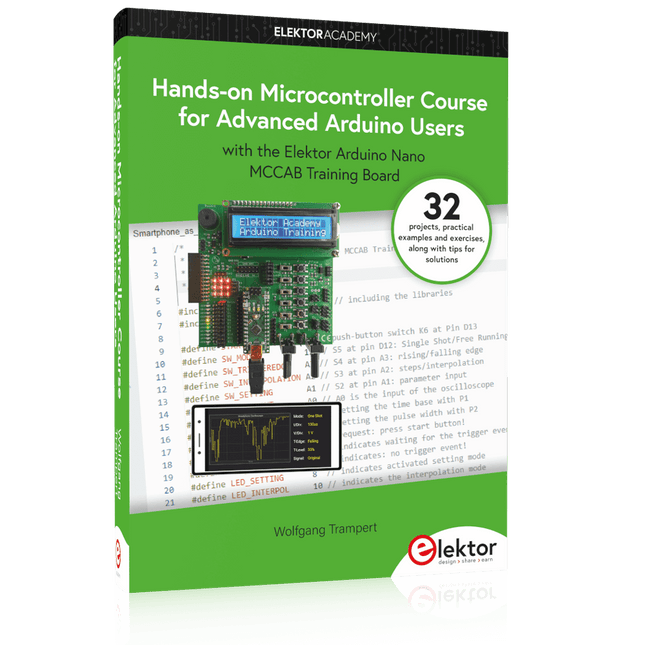
Elektor Publishing Hands-on Microcontroller Course for Advanced Arduino Users
32 new Projects, Practical Examples and Exercises with the Elektor Arduino Nano MCCAB Training Board Electronics and microcontroller technology offer the opportunity to be creative. This practical microcontroller course provides you with the chance to bring your own Arduino projects and experience such moments of success. Ideally, everything works as you imagined when you switch it on for the first time. In practice, however, things rarely work as expected. At that point, you need knowledge to efficiently search for and find the reason for the malfunction. In this book for advanced users, we delve deep into the world of microcontrollers and the Arduino IDE to learn new procedures and details, enabling you to successfully tackle and solve even more challenging situations. With this book, the author gives the reader the necessary tools to create projects independently and also to be able to find errors quickly. Instead of just offering ready-made solutions, he explains the background, the hardware used, and any tools required. He sets tasks in which the reader contributes their own creativity and writes the Arduino sketch themselves. If you don’t have a good idea and get stuck, there is, of course, a suggested solution for every project and every task, along with the corresponding software, which is commented on and explained in detail in the book. This practical course will teach you more about the inner workings of the Arduino Nano and its microcontroller. You will get to know hardware modules that you can use to realize new and interesting projects. You will familiarize yourself with software methods such as ‘state machines,’ which can often be used to solve problems more easily and clearly. The numerous practical projects and exercise sketches are once again realized on the Arduino Nano MCCAB Training Board, which you may already be familiar with from the course book ‘Microcontrollers Hands-on Course for Arduino Starters’, and which contains all the hardware peripherals and operating elements we need for the input/output operations of our sketches. Readers who do not yet own the Arduino Nano MCCAB Training Board can purchase the required hardware separately, or alternatively, build it on a breadboard.
€ 49,95€ 39,95Meilleur prix
-

Elektor Bundles Mikrocontroller-Praxiskurs für Arduino-Einsteiger (Bundle)
Mit dem Elektor Arduino Nano Trainingsboard (MCCAB) eigene Projekte realisieren Der Mikrocontroller ist das wohl faszinierendste Teilgebiet der Elektronik, denn aufgrund der Vielzahl von Funktionen, die er auf seinem Chip vereinigt, ist er für den Entwickler ein universelles Multi-Tool zur Realisierung seiner Projekte. Praktisch jedes Gerät des täglichen Gebrauchs wird heute von einem Mikrocontroller gesteuert. Für einen elektronischen Laien blieb es aufgrund der Komplexität bisher allerdings ein Wunschtraum, eigene Ideen mit einem Mikrocontroller zu realisieren. Das Arduino-Konzept hat den Einsatz von Mikrocontrollern weitgehend vereinfacht, sodass jetzt auch Laien eigene Elektronik-Ideen mit einem Mikrocontroller verwirklichen können. Buch & Hardware im Bundle: 'Learning by Doing' Dieses im Bundle mitgelieferte Buch (im großen A4-Format) zeigt, wie man auch ohne große Erfahrung in Elektronik und Programmiersprachen eigene Projekte mit einem Mikrocontroller realisieren kann. Es ist ein Mikrocontroller-Praxiskurs für Einsteiger, denn nach einem Überblick über die Interna des Mikrocontrollers und einer Einführung in die Programmiersprache C liegt der Schwerpunkt des Kurses auf den praktischen Übungen. Der Leser eignet sich die erforderlichen Kenntnisse durch 'Learning by Doing' an: in dem umfangreichen Praxisteil mit 12 Projekten und 46 Übungen wird das im vorderen Teil des Buches Gelernte mit vielen Beispielen unterlegt. Die Übungen sind dabei so aufgebaut, dass der Bearbeiter eine Aufgabenstellung erhält, die er mit seinem im Theorieteil des Buches aufgebauten Wissen löst. Für jede Übung gibt es anschließend eine ausführlich erklärte und kommentierte Musterlösung, die dem Bearbeiter bei Problemen weiterhilft und die er mit seiner eigenen Lösung vergleichen kann. Arduino IDE In der Arduino IDE, einer Software-Entwicklungsumgebung, die kostenlos auf den eigenen PC heruntergeladen werden kann und die das gesamte Softwarepaket enthält, das für ein eigenes Mikrocontroller-Projekt benötigt wird, schreibt der Bearbeiter mit dem Editor der IDE seine Programme („Apps“) in der Programmiersprache C. Der in die Arduino IDE integrierte Compiler übersetzt sie in die Bits und Bytes, die der Mikrocontroller versteht und die dann über ein USB-Kabel in den Speicher des Mikrocontrollers auf dem Elektor Arduino Nano Trainingsboard (MCCAB) geladen werden. Externe Sensoren, Motoren oder Baugruppen abfragen oder steuern Das Elektor Arduino Nano Trainingsboard (MCCAB) enthält neben einem Mikrocontrollermodul Arduino Nano alle für die Übungen benötigten Bauteile wie Leuchtdioden, Schalter, Taster, akustische Signalgeber usw. Auch externe Sensoren, Motoren oder Baugruppen können mit diesem Mikrocontroller-Übungssystem abgefragt oder gesteuert werden. Technische Daten (Arduino Nano Trainingsboard MCCAB) Stromversorgung Über die USB-Verbindung des zur Erstellung der Programme sowieso angeschlossenen PCs oder ein externes Netzteil (nicht im Lieferumfang enthalten) Betriebsspannung +5 Vcc Eingangsspannung Alle Eingänge 0 V bis +5 V VX1 und VX2 +8 V bis +12 V (nur bei Verwendung eines externen Netzteils) Mikrocontrollermodul Arduino Nano Hardwareperipherie LCD 2x16 Zeichen Potenziometer P1 & P2 JP3: Auswahl der Betriebsspannung von P1 & P2 Verteiler SV4: Verteiler für die BetriebsspannungenSV5, SV6: Verteiler für die Ein-/Ausgänge des Mikrocontrollers Schalter und Taster RESET-Taster auf dem Arduino Nano-Modul6x Tastschalter K1 … K66x Schiebeschalter S1 … S6JP2: Verbindung der Schalter mit den Eingängen des Mikrocontrollers Summer Piezo-Summer Buzzer1 mit Steckbrücke auf JP6 Leuchtanzeigen LED L auf dem Arduino Nano-Modul, verbunden mit GPIO D1311x LED: Zustandsanzeige für die Ein-/AusgängeJP6: Verbindung der LEDs LD10 … LD20 mit den GPIOs D2 … D12 Serielle SchnittstellenSPI & I²C JP4: Auswahl des Signals an Pin X der SPI-Steckerleiste SV12SV9 bis SV12: SPI-Interface (3,3 V/5 V) bzw. I²C-Interface Schaltausgang für externe Geräte SV1, SV7: Schaltausgang (maximal +24 V/160 mA, extern zugeführt)SV2: 2x13 Pins zum Anschluss externer Module 3x3 LED-Matrix (9 rote LEDs) SV3: Spalten der 3x3 LED-Matrix (Ausgänge D6 … D8)JP1: Verbindung der Reihen mit den GPIOs D3 … D5 Software Library MCCABLib Steuerung der Hardware-Komponenten (Schalter, Taster, Leuchtdioden, 3x3 LED-Matrix, Summer) auf dem MCCAB Trainingsboard Betriebstemperatur bis +40 °C Abmessungen 100 x 100 x 20 mm Technische Daten (Arduino Nano) Mikrocontroller ATmega328P Architektur AVR Betriebsspannung 5 V Flashspeicher 32 KB, davon 2 KB vom Bootloader belegt SRAM 2 KB Taktfrequenz 16 MHz Analoge IN-Pins 8 EEPROM 1 KB DC-Strom pro I/O-Pin 40 mA an einem I/O-Pin, insgesamt maximal 200 mA an allen Pins gemeinsam Eingangsspannung 7-12 V Digitale I/O-Pins 22 (6 davon sind PWM-fähig) PWM-Ausgänge 6 Stromverbrauch 19 mA Abmessungen 18 x 45 mm Gewicht 7 g Lieferumfang Elektor Arduino Nano MCCAB Trainingsboard Arduino Nano Buch: Mikrocontroller-Praxiskurs für Arduino-Einsteiger
€ 139,95€ 119,95Meilleur prix


-

, par Lobna Belarbi Cartes, kits et outils indispensables pour commencer votre parcours Arduino avec Elektor
Que vous soyez un débutant désireux d'explorer l’univers des microcontrôleurs ou un maker expérimenté souhaitant étoffer sa panoplie d’outils, Elektor propose une sélection soignée de...
-
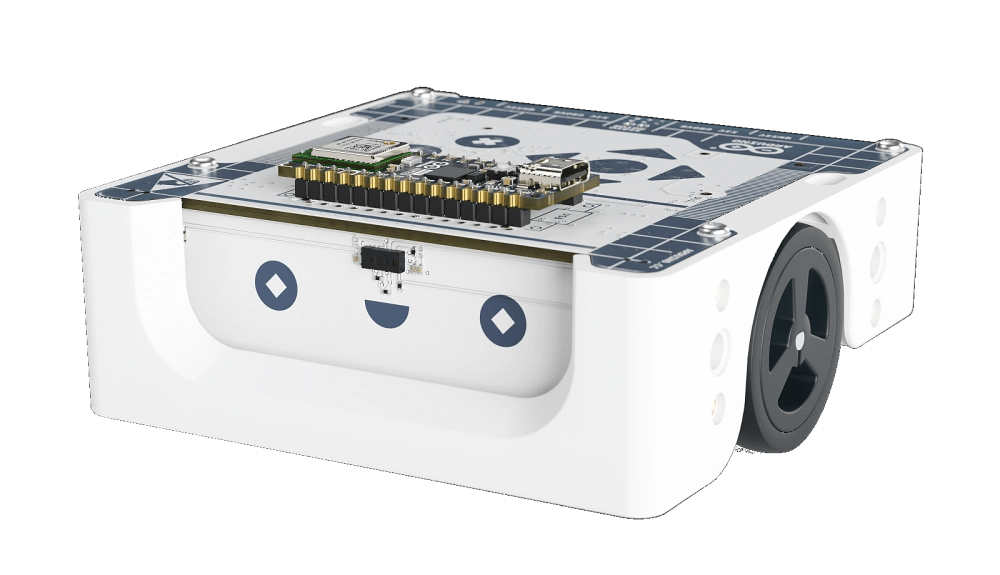
, par Clemens Valens Arduino Alvik, un robot qui change la donne en matière d'éducation STE(A)M ? (avis)
L'une des façons de trouver et de créer les ingénieurs de demain est de s'adresser à nos enfants. L'idée est de leur fournir des outils...
