
Résultats de la recherche pour "pimoroni OR maker OR essentials OR 50 OR colorful OR leds OR resistors"
-
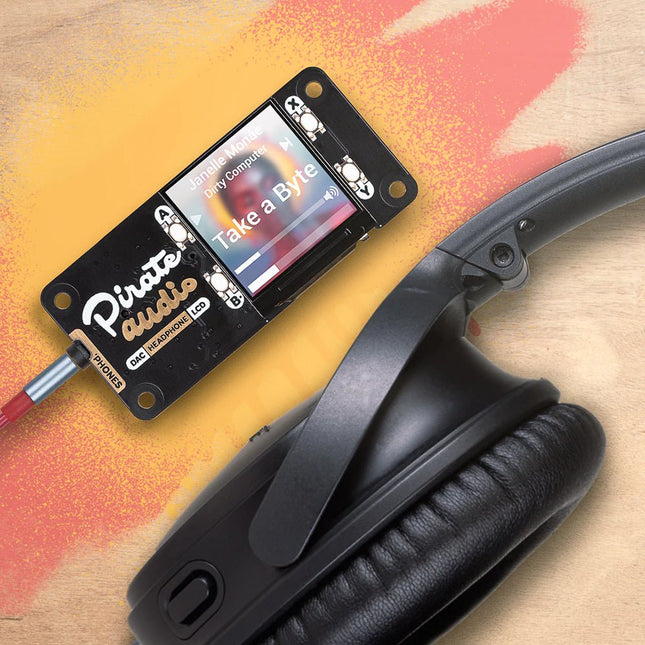
Pimoroni Pimoroni Pirate Audio : Amplificateur de casque pour Raspberry Pi
Vous pouvez utiliser l'amplificateur de casque Pirate Audio pour construire un lecteur de poche bien rangé pour les fichiers audio locaux (MP3, FLAC, etc.) ou pour la diffusion de musique en continu à partir de services en ligne comme Spotify. Pour vous aider à démarrer, Pimoroni a créé des plugins pour Mopidy qui vous permettront d'afficher de superbes pochettes d'album, de lire et pauser vos morceaux et de régler le volume. Le convertisseur numérique-analogique et l'amplificateur pour casque d'écoute vous permettront de bénéficier d'un son numérique amplifié d'une grande netteté dans votre casque. Pirate Audio est une gamme de cartes audio tout-en-un pour Raspberry Pi, avec un son numérique de haute qualité, des écrans IPS d'une grande netteté pour les pochettes d'album, des boutons tactiles pour la commande de lecture, et un logiciel et un installateur Pirate Audio personnalisés pour faciliter la configuration.CaractéristiquesAudio numérique amplifié (24 bits / 192 KHz) sur I2SPuce amplificateur PAM8908 pour casqueCommutateur à faible gain / gain élevé (le gain élevé augmente de 12dB)Puce CNA PCM5100ASortie stéréo 3.5 mmÉcran LCD couleur IPS de 1,3 pouce (240 x 240 px) (Pilote ST7789)Quatre boutons tactiles/li>Carte au format Mini HATEntièrement assembléCompatible avec tous les modèles de Raspberry Pi à 40 broches.Dimensions : 65x30.5x9.5 mmLogicielLe logiciel et le programme d'installation de Pirate Audio installent la bibliothèque Python pour l'écran LCD, configurent l'audio I2S et le SPI, puis installent Mopidy et nos plugins Pirate Audio personnalisés pour afficher la pochette de l'album et les informations sur les pistes, et pour utiliser les boutons pour contrôler la lecture.Voici comment démarrer :Configurer une carte SD avec la dernière version du système d'exploitation de Raspberry Pi.Connectez-vous à un réseau wifi ou à un réseau filaire.Ouvrez un terminal et tapez ce qui suit :git clone https://github.com/pimoroni/pirate-audiocd pirate-audio/mopidysudo ./install.shRedémarrez votre RPiTéléchargementsFiche technique du PAM8908Fiche technique du PCM5100ALogiciel Pirate Audio
€ 26,95€ 17,95
Membres identique
-
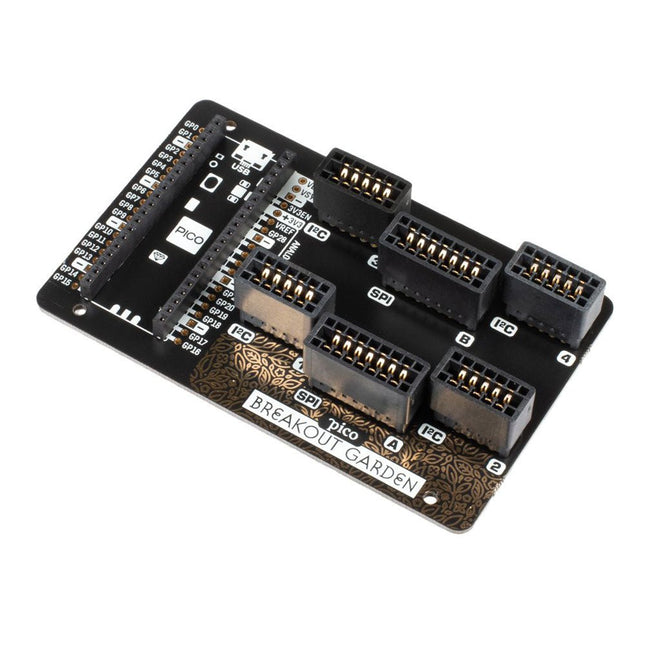
Pimoroni Pimoroni Raspberry Pi Pico Breakout Base de jardin
La base de jardin Pico Breakout se trouve sous votre Pico et vous permet d'y connecter jusqu'à six de notre vaste sélection de sorties Pimoroni. Qu'il s'agisse de capteurs environnementaux pour que vous puissiez suivre la température et l'humidité dans votre bureau, de toute une série de petits écrans pour les notifications et lectures importantes et, bien sûr, de LED. Faites défiler vers le bas pour une liste des sous-commissions actuellement compatibles avec nos bibliothèques C++/MicroPython ! En plus d'une zone d'atterrissage étiquetée pour votre Pico, il existe également un ensemble complet de connexions Pico découpées, au cas où vous auriez besoin de connecter encore plus de capteurs, de fils et de circuits. Nous avons ajouté des pieds en caoutchouc pour maintenir la base bien stable et pour l'empêcher de rayer votre bureau, ou il y a des trous de montage M2,5 dans les coins afin que vous puissiez la boulonner sur une surface solide si vous préférez. Les six emplacements noirs robustes sont des connecteurs de bord qui relient les sorties aux broches de votre Pico. Il y a deux emplacements pour les sorties SPI et quatre emplacements pour les sorties I²C. Parce qu'I²C est un bus, vous pouvez utiliser plusieurs appareils I²C en même temps, à condition qu'ils n'aient pas la même adresse I²C (nous nous sommes assurés que toutes nos sorties ont des adresses différentes, et nous les imprimons au dos de chaque bus). les éruptions cutanées pour qu'elles soient faciles à trouver). En plus d'être un moyen pratique d'ajouter des fonctionnalités à votre Pico, Breakout Garden est également très utile pour les projets de prototypage sans avoir besoin de câblage, de soudure ou de planches à pain compliqués, et vous pouvez agrandir ou modifier votre configuration à tout moment. Caractéristiques Six emplacements de connecteur de bord robustes pour les ruptures 4x emplacements I²C (5 broches) 2x emplacement SPI (7 broches) Zone d'atterrissage avec embases femelles pour Raspberry Pi Pico Pas de 0,1", connecteurs 5 ou 7 broches Des épingles cassées Protection contre l'inversion de polarité (intégrée aux breakouts) 99% assemblé – il suffit de coller les pieds ! Compatible avec Raspberry Pi Pico
€ 17,95€ 7,18
Membres identique
-
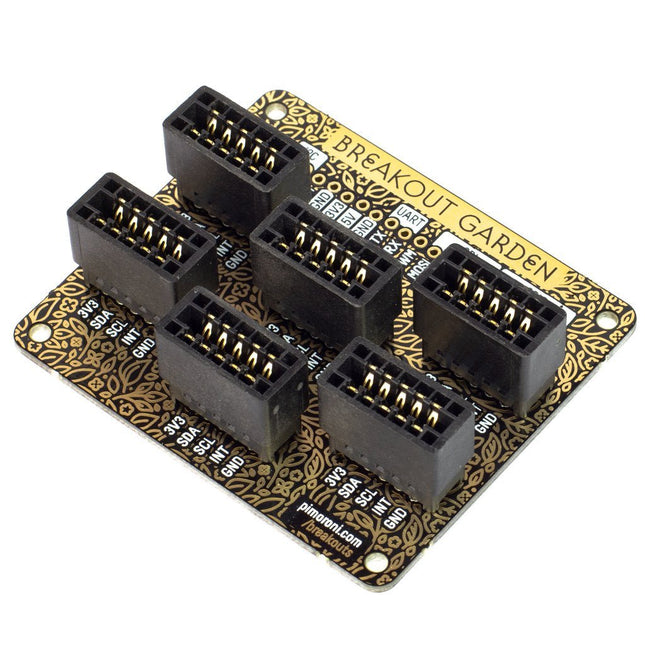
Pimoroni Pimoroni Breakout Garden pour Raspberry Pi (I²C)
Grâce à ses six emplacements robustes, Breakout Garden permet aux utilisateurs de simplement brancher et jouer avec diverses petites cartes de dérivation. Insérez simplement une ou plusieurs planches dans les emplacements du Breakout Garden HAT et vous êtes prêt à partir. Les mini-breakouts se sentent suffisamment en sécurité dans les fentes des connecteurs de bord et il est très peu probable qu'elles tombent. Il y a un certain nombre de broches utiles en haut de Breakout Garden, qui vous permettent de connecter d'autres appareils et de les intégrer dans votre projet. Vous ne devriez pas vous inquiéter si vous insérez une carte dans le mauvais sens grâce à la protection contre l'inversion de polarité fournie. Peu importe non plus l'emplacement que vous utilisez pour chaque dérivation, car l'adresse I²C de la dérivation sera reconnue par le logiciel et il les détectera correctement au cas où vous les déplaceriez. Caractéristiques Six emplacements de connecteur de bord robustes pour les sorties Pimoroni Pas de 0,1", connecteurs à 5 broches Broches cassées (bande 1 × 10 ou embase mâle incluse) Entretoises (M2,5, hauteur 10 mm) incluses pour maintenir votre Breakout Garden en toute sécurité Protection contre l'inversion de polarité (intégrée aux breakouts) Carte format HAT Compatible avec Raspberry Pi 3 B+, 3, 2, B+, A+, Zero et Zero W Il est suggéré d'utiliser les entretoises incluses pour fixer Breakout Garden à votre Raspberry Pi. Logiciel Breakout Garden ne nécessite aucun logiciel propre, mais chaque breakout que vous utiliserez aura besoin d'une bibliothèque Python. Sur la page GitHub de Breakout Garden, vous trouverez un programme d'installation automatique, qui installera le logiciel approprié pour une évasion donnée. Il existe également quelques exemples qui vous montrent ce que vous pouvez faire d'autre avec Breakout Garden.
€ 19,95€ 7,98
Membres identique
-
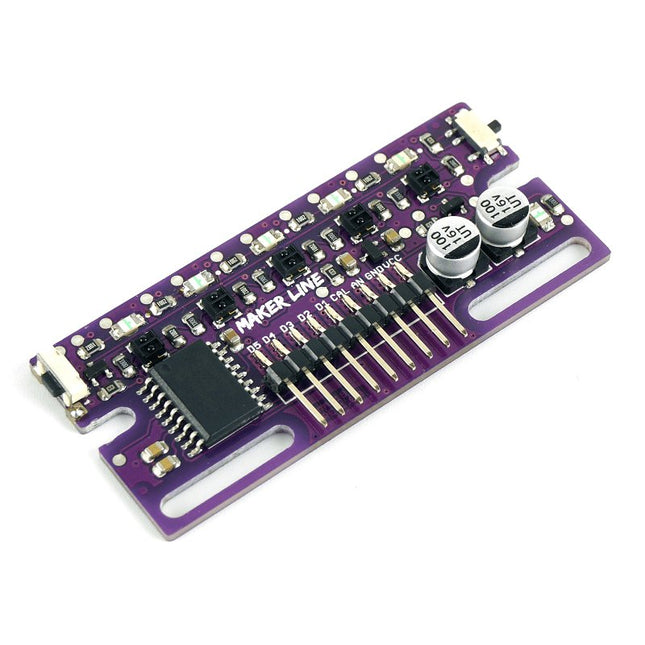
Cytron Capteur de ligne Cytron Maker
Maker Line est un capteur de ligne doté d'un réseau de 5 capteurs IR capable de suivre des lignes de 13 mm à 30 mm de largeur. L'étalonnage du capteur a également été simplifié. Il n'est pas nécessaire d'ajuster le potentiomètre pour chaque capteur IR. Il vous suffit d'appuyer sur le bouton de calibrage pendant 2 secondes pour accéder au mode de calibrage. Ensuite, vous devez faire glisser les capteurs sur la ligne, appuyer à nouveau sur le bouton et vous êtes prêt à partir. Les données d'étalonnage sont stockées dans l'EEPROM et restent intactes même lorsque le capteur est éteint. L'étalonnage ne doit donc être effectué qu'une seule fois, sauf si la hauteur du capteur, la couleur de la ligne ou la couleur de fond ont changé. Maker Line prend également en charge deux sorties : 5 sorties numériques pour l'état de chaque capteur indépendamment, ce qui est similaire au capteur IR classique, mais vous bénéficiez d'un étalonnage facile, et également une sortie analogique, où la tension représente la position de la ligne. La sortie analogique offre également une résolution plus élevée par rapport aux sorties numériques séparées. Ceci est particulièrement utile lorsqu’une grande précision est requise lors de la construction d’un robot suiveur de ligne avec contrôle PID. Caractéristiques Tension de fonctionnement : compatible DC 3,3 V et 5 V (avec protection contre l'inversion de polarité) Largeur de trait recommandée : 13 mm à 30 mm Couleur de ligne sélectionnable (claire ou foncée) Distance du capteur (hauteur) : 4 mm à 40 mm (Vcc = 5 V, ligne noire sur surface blanche) Taux de rafraîchissement du capteur : 200 Hz Processus d'étalonnage facile Types de sortie double : 5 sorties numériques représentent chaque état du capteur IR, 1 sortie analogique représente la position de la ligne. Prend en charge une large gamme de contrôleurs, tels que Arduino, Raspberry Pi, etc. Téléchargements Fiche de données Tutoriel : Construire un robot de suivi de ligne bon marché
€ 14,95€ 5,98
Membres identique
-
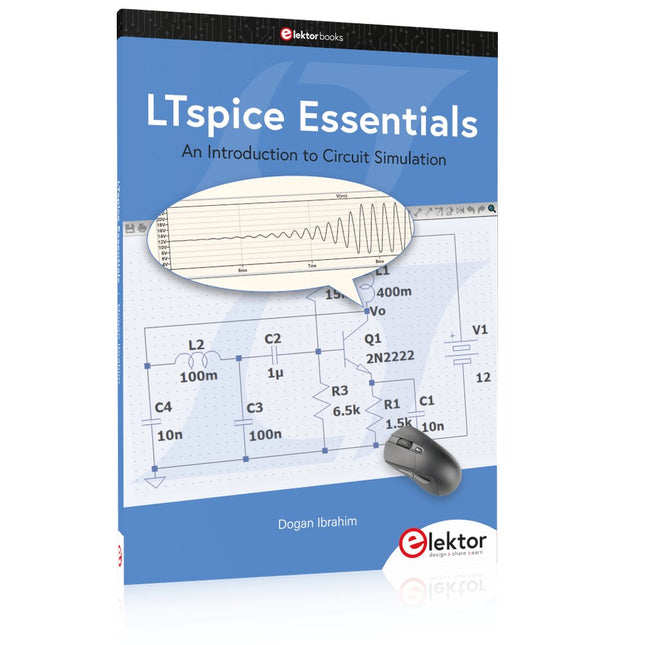
Elektor Publishing LTspice Essentials
An Introduction to Circuit Simulation LTspice, developed by Analog Devices, is a powerful, fast, and free SPICE simulator, schematic capture, and waveform viewer with a large database of components supported by SPICE models from all over the world. Drawing a schematic in LTspice is easy and fast. Thanks to its powerful graphing features, you can visualize the voltages and currents in a circuit, and also the power consumption of its components and much more. This book is about learning to design and simulate electronic circuits using LTspice. Among others, the following topics are treated: DC and AC circuits Signal diodes and Zener diodes Transistor circuits including oscillators Thyristor/SCR, diac, and triac circuits Operational amplifier circuits including oscillators The 555 timer IC Filters Voltage regulators Optocouplers Waveform generation Digital logic simulation including the 74HC family SPICE modeling LTspice is a powerful electronic circuit simulation tool with many features and possibilities. Covering them all in detail is not possible in a book of this size. Therefore, this book presents the most common topics like DC and AC circuit analysis, parameter sweeping, transfer functions, oscillators, graphing, etc. Although this book is an introduction to LTspice, it covers most topics of interest to people engaged in electronic circuit simulation. The book is aimed at electronic/electrical engineers, students, teachers, and hobbyists. Many tested simulation examples are given in the book. Readers do not need to have any computer programming skills, but it will help if they are familiar with basic electronic circuit design and operation principles. Readers who want to dive deeper can find many detailed tutorials, articles, videos, design files, and SPICE circuit models on the Internet. All the simulation examples used in the book are available as files at the webpage of this book. Readers can use these example circuits for learning or modify them for their own applications.
€ 39,95
Membres € 35,96
-
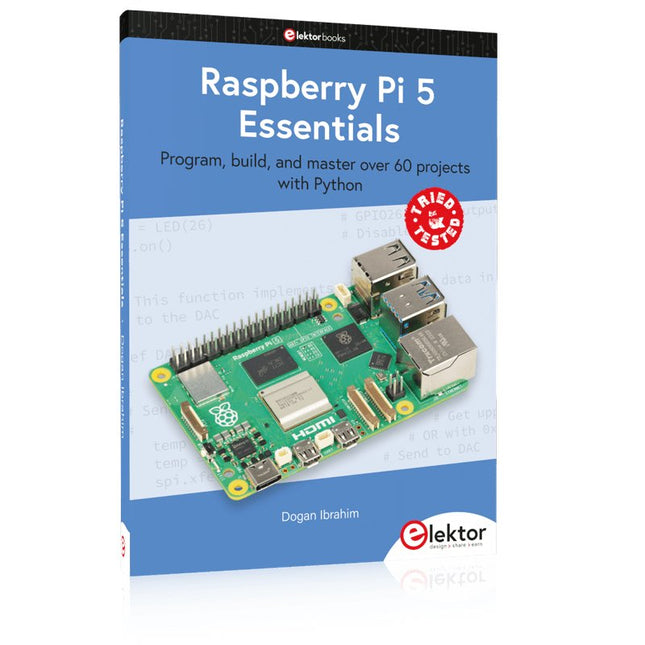
Elektor Publishing Raspberry Pi 5 Essentials
Program, build, and master over 60 projects with Python The Raspberry Pi 5 is the latest single-board computer from the Raspberry Pi Foundation. It can be used in many applications, such as in audio and video media centers, as a desktop computer, in industrial controllers, robotics, and in many domestic and commercial applications. In addition to the well-established features found in other Raspberry Pi computers, the Raspberry Pi 5 offers Wi-Fi and Bluetooth (classic and BLE), which makes it a perfect match for IoT as well as in remote and Internet-based control and monitoring applications. It is now possible to develop many real-time projects such as audio digital signal processing, real-time digital filtering, real-time digital control and monitoring, and many other real-time operations using this tiny powerhouse. The book starts with an introduction to the Raspberry Pi 5 computer and covers the important topics of accessing the computer locally and remotely. Use of the console language commands as well as accessing and using the desktop GUI are described with working examples. The remaining parts of the book cover many Raspberry Pi 5-based hardware projects using components and devices such as LEDs and buzzers LCDs Ultrasonic sensors Temperature and atmospheric pressure sensors The Sense HAT Camera modules Example projects are given using Wi-Fi and Bluetooth modules to send and receive data from smartphones and PCs, and sending real-time temperature and atmospheric pressure data to the cloud. All projects given in the book have been fully tested for correct operation. Only basic programming and electronics experience are required to follow the projects. Brief descriptions, block diagrams, detailed circuit diagrams, and full Python program listings are given for all projects described.
€ 39,95
Membres € 35,96
-
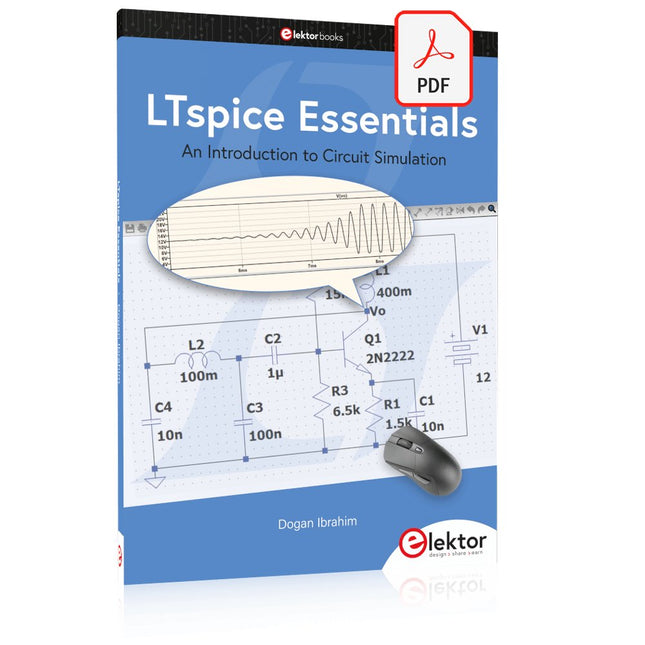
Elektor Digital LTspice Essentials (E-book)
An Introduction to Circuit Simulation LTspice, developed by Analog Devices, is a powerful, fast, and free SPICE simulator, schematic capture, and waveform viewer with a large database of components supported by SPICE models from all over the world. Drawing a schematic in LTspice is easy and fast. Thanks to its powerful graphing features, you can visualize the voltages and currents in a circuit, and also the power consumption of its components and much more. This book is about learning to design and simulate electronic circuits using LTspice. Among others, the following topics are treated: DC and AC circuits Signal diodes and Zener diodes Transistor circuits including oscillators Thyristor/SCR, diac, and triac circuits Operational amplifier circuits including oscillators The 555 timer IC Filters Voltage regulators Optocouplers Waveform generation Digital logic simulation including the 74HC family SPICE modeling LTspice is a powerful electronic circuit simulation tool with many features and possibilities. Covering them all in detail is not possible in a book of this size. Therefore, this book presents the most common topics like DC and AC circuit analysis, parameter sweeping, transfer functions, oscillators, graphing, etc. Although this book is an introduction to LTspice, it covers most topics of interest to people engaged in electronic circuit simulation. The book is aimed at electronic/electrical engineers, students, teachers, and hobbyists. Many tested simulation examples are given in the book. Readers do not need to have any computer programming skills, but it will help if they are familiar with basic electronic circuit design and operation principles. Readers who want to dive deeper can find many detailed tutorials, articles, videos, design files, and SPICE circuit models on the Internet. All the simulation examples used in the book are available as files at the webpage of this book. Readers can use these example circuits for learning or modify them for their own applications.
€ 32,95
Membres € 26,36
-
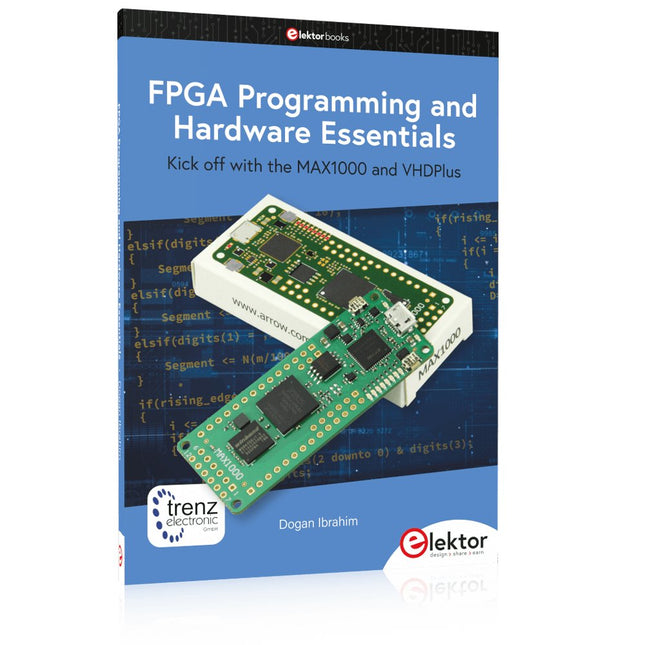
Elektor Publishing FPGA Programming and Hardware Essentials
Kick off with the MAX1000 and VHDPlus Ready to Master FPGA Programming? In this guide, we’re diving into the world of Field Programmable Gate Arrays (FPGAs) – a configurable integrated circuit that can be programmed after manufacturing. Imagine bringing your ideas to life, from simple projects to complete microcontroller systems! Meet the MAX1000: a compact and budget-friendly FPGA development board packed with features like memory, user LEDs, push-buttons, and flexible I/O ports. It’s the ideal starting point for anyone wanting to learn about FPGAs and Hardware Description Languages (HDLs). In this book, you’ll get hands-on with the VHDPlus programming language – a simpler version of VHDL. We’ll work on practical projects using the MAX1000, helping you gain the skills and confidence to unleash your creativity. Get ready for an exciting journey! You’ll explore a variety of projects that highlight the true power of FPGAs. Let’s turn your ideas into reality and embark on your FPGA adventure – your journey starts now! Exciting Projects You’ll Find in This Book Arduino-Driven BCD to 7-Segment Display Decoder Use an Arduino Uno R4 to supply BCD data to the decoder, counting from 0 to 9 with a one-second delay Multiplexed 4-Digit Event Counter Create an event counter that displays the total count on a 4-digit display, incrementing with each button press PWM Waveform with Fixed Duty Cycle Generate a PWM waveform at 1 kHz with a fixed duty cycle of 50% Ultrasonic Distance Measurement Measure distances using an ultrasonic sensor, displaying the results on a 4-digit 7-segment LED Electronic Lock Build a simple electronic lock using combinational logic gates with push buttons and an LED output Temperature Sensor Monitor ambient temperature with a TMP36 sensor and display the readings on a 7-segment LED Téléchargements Software
€ 39,95
Membres € 35,96
-
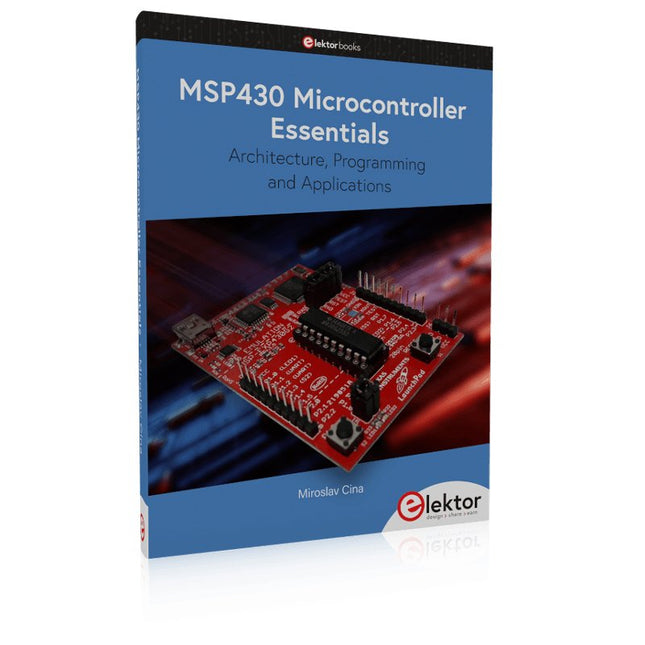
Elektor Publishing MSP430 Microcontroller Essentials
Architecture, Programming and Applications The MSP430 is a popular family of microcontrollers from Texas Instruments. In this book we will work with the smallest type, which is the powerful MSP430G2553. We will look at the capabilities of this microcontroller in detail, as it is well-suited for self-made projects because it is available in a P-DIP20 package. We will take a closer look at the microcontroller and then build, step by step, some interesting applications, including a 'Hello World' blinking LED and a nice clock application, which can calculate the day of the week based on the date. You also will learn how to create code for the MSP microcontroller in assembler. In addition to that, we will work with the MSP-Arduino IDE, which makes it quite easy to create fast applications without special in-depth knowledge of the microcontrollers. All the code used in the book is available for download from the Elektor website.
€ 39,95
Membres € 35,96
-

Elektor Digital Assembly Language Essentials (E-book)
A Guide to Powerful Programming for Embedded Systems You must be a well-rounded professional to excel in the ever-evolving, rapidly developing embedded design and programming industry. Simply put, when it comes to electronics design and programming, the more topics you can master, the more you’ll flourish at your workplace and at your personal workbench. This shouldn’t be a surprise, as the line between the skills of a hardware engineer and software engineer is blurring. The former should have a good grasp of programming in order to build efficient systems. The latter should understand the details of the design (whether it’s a physical or virtual application) for which he or she is writing code. Thus, to be successful, a modern professional electronics engineer must have a solid grasp of both hardware design and programming. Assembly Language Essentials is a matter-of-fact guide to Assembly that will introduce you to the most fundamental programming language of a processor. Unlike other resources about Assembly that focus exclusively on specific processors and platforms, this book uses the architecture of a fictional processor with its own hardware and instruction set. This enables you to consider the importance of Assembly language without having to deal with predetermined hardware or architectural restrictions. You’ll immediately find this thorough introduction to Assembly to be a valuable resource, whether you know nothing about the language or you have used it before. The only prerequisite is that you have a working knowledge of at least one higher-level programming language, such as C or Java. Assembly Language Essentials is an indispensible resource for electronics engineering professionals, academics, and advanced students looking to enhance their programming skills. The book provides the following, and more: An introduction to Assembly language and its functionality Significant definitions associated with Assembly language, as well as essential terminology pertaining to higher-level programming languages and computer architecture Important algorithms that may be built into high-level languages, but must be done the “hard way” in Assembly language — multiplication, division, and polynomial evaluation A presentation of Interrupt Service Routines with examples A free, downloadable Assembler program for experimenting with Assembly
€ 29,95
Membres € 23,96
-
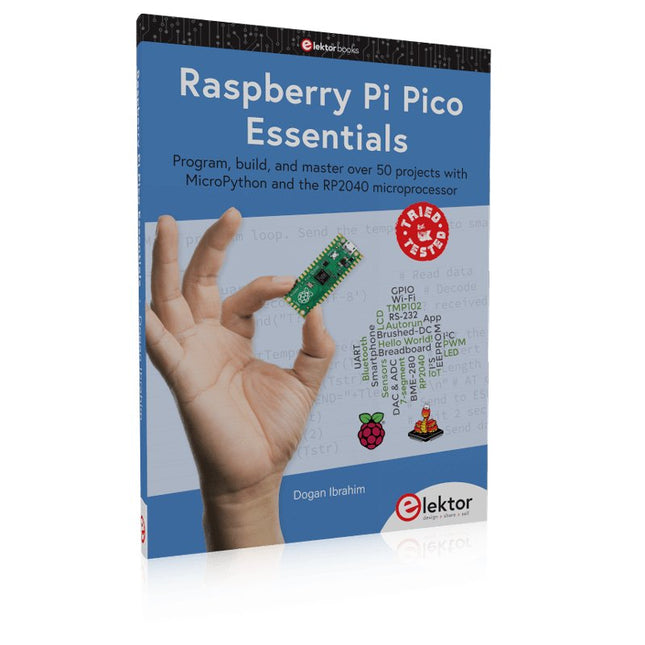
Elektor Publishing Raspberry Pi Pico Essentials
Program, build, and master over 50 projects with MicroPython and the RP2040 microprocessor The Raspberry Pi Pico is a high-performance microcontroller module designed especially for physical computing. Microcontrollers differ from single-board computers, like the Raspberry Pi 4, in not having an operating system. The Raspberry Pi Pico can be programmed to run a single task very efficiently within real-time control and monitoring applications requiring speed. The ‘Pico’ as we call it, is based on the fast, efficient, and low-cost dual-core ARM Cortex-M0+ RP2040 microcontroller chip running at up to 133 MHz and sporting 264 KB of SRAM, and 2 MB of Flash memory. Besides its large memory, the Pico has even more attractive features including a vast number of GPIO pins, and popular interface modules like ADC, SPI, I²C, UART, and PWM. To cap it all, the chip offers fast and accurate timing modules, a hardware debug interface, and an internal temperature sensor. The Raspberry Pi Pico is easily programmed using popular high-level languages such as MicroPython and or C/C++. This book is an introduction to using the Raspberry Pi Pico microcontroller in conjunction with the MicroPython programming language. The Thonny development environment (IDE) is used in all the projects described. There are over 50 working and tested projects in the book, covering the following topics: Installing the MicroPython on Raspberry Pi Pico using a Raspberry Pi or a PC Timer interrupts and external interrupts Analogue-to-digital converter (ADC) projects Using the internal temperature sensor and external temperature sensor chips Datalogging projects PWM, UART, I²C, and SPI projects Using Wi-Fi and apps to communicate with smartphones Using Bluetooth and apps to communicate with smartphones Digital-to-analogue converter (DAC) projects All projects given in the book have been fully tested and are working. Only basic programming and electronics experience is required to follow the projects. Brief descriptions, block diagrams, detailed circuit diagrams, and full MicroPython program listings are given for all projects described. Readers can find the program listings on the Elektor web page created to support the book.
€ 39,95
Membres € 35,96
-

Elektor Digital FPGA Programming and Hardware Essentials (E-book)
Kick off with the MAX1000 and VHDPlus Ready to Master FPGA Programming? In this guide, we’re diving into the world of Field Programmable Gate Arrays (FPGAs) – a configurable integrated circuit that can be programmed after manufacturing. Imagine bringing your ideas to life, from simple projects to complete microcontroller systems! Meet the MAX1000: a compact and budget-friendly FPGA development board packed with features like memory, user LEDs, push-buttons, and flexible I/O ports. It’s the ideal starting point for anyone wanting to learn about FPGAs and Hardware Description Languages (HDLs). In this book, you’ll get hands-on with the VHDPlus programming language – a simpler version of VHDL. We’ll work on practical projects using the MAX1000, helping you gain the skills and confidence to unleash your creativity. Get ready for an exciting journey! You’ll explore a variety of projects that highlight the true power of FPGAs. Let’s turn your ideas into reality and embark on your FPGA adventure – your journey starts now! Exciting Projects You’ll Find in This Book Arduino-Driven BCD to 7-Segment Display Decoder Use an Arduino Uno R4 to supply BCD data to the decoder, counting from 0 to 9 with a one-second delay Multiplexed 4-Digit Event Counter Create an event counter that displays the total count on a 4-digit display, incrementing with each button press PWM Waveform with Fixed Duty Cycle Generate a PWM waveform at 1 kHz with a fixed duty cycle of 50% Ultrasonic Distance Measurement Measure distances using an ultrasonic sensor, displaying the results on a 4-digit 7-segment LED Electronic Lock Build a simple electronic lock using combinational logic gates with push buttons and an LED output Temperature Sensor Monitor ambient temperature with a TMP36 sensor and display the readings on a 7-segment LED Téléchargements Software
€ 32,95
Membres € 26,36
