
Résultats de la recherche pour "red OR pitaya OR calibrated OR diagnostic OR kit"
-

Elektor Digital Red Pitaya for Test and Measurement (E-book)
The Red Pitaya (STEMlab) is a credit card-sized, open-source test and measurement board that can be used to replace most measurement instruments used in electronics laboratories. With a single click, the board can transform into a web-based oscilloscope, spectrum analyser, signal generator, LCR meter, Bode plotter, and microcontroller. The Red Pitaya (STEMlab) can replace the many pieces of expensive measurement equipment found at professional research organisations and teaching laboratories. The device, that based on Linux, includes an FPGA, digital signal processing (DSP), dual core ARM Cortex processor, signal acquisition and generation circuitry, micro USB socket, microSD card slot, RJ45 socket for Ethernet connection, and USB socket – all powered from an external mains adaptor. This book is an introduction to electronics. It aims to teach the principles and applications of basic electronics by carrying out real experiments using the Red Pitaya (STEMlab). The book includes many chapters on basic electronics and teaches the theory and use of electronic components including resistors, capacitors, inductors, diodes, transistors, and operational amplifiers in electronic circuits. Many fun and interesting Red Pitaya (STEMlab) experiments are included in the book. The book also makes an introduction to visual programming environment. The book is written for college level and first year university students studying electrical or electronic engineering.
€ 29,95
Membres € 23,96
-

Elektor Digital Programming with Node-RED (E-book)
Design IoT Projects with Raspberry Pi, Arduino and ESP32 The Internet of Things (IoT) is becoming a major application area for embedded systems. As a result, more and more people are becoming interested in learning about embedded design and programming. Technical colleges and universities are moving away from legacy 8 and 16-bit microcontrollers and are introducing 32-bit embedded microcontrollers to their curriculums. Many IoT applications demand precision, high processing power, and low power consumption. Produced by IBM, Node-RED is an open-source visual editor for wiring the Internet of Things. Node-RED comes with a large number of nodes to handle a multitude of tasks. The required nodes are selected and joined together to perform a particular task. Node-RED is based on flow type programming where nodes are configured and joined together to form an application program. There are nodes for performing complex tasks, including web access, Twitter, E-mail, HTTP, Bluetooth, MQTT, controlling GPIO ports, etc. One particularly nice aspect of Node-RED is that the programmer does not need to learn how to write complex programs. For example, an email can be sent by simply joining nodes together and writing only a few lines of code. The aim of this book is to teach how Node-RED can be used in projects. The main hardware platform used with most of the projects in this book is Raspberry Pi 4. Chapters are included to show how Node-RED can be also be used with Arduino Uno, ESP32 DevKitC, and the ESP8266 NodeMCU microcontroller development boards.
€ 34,95
Membres € 27,96
-
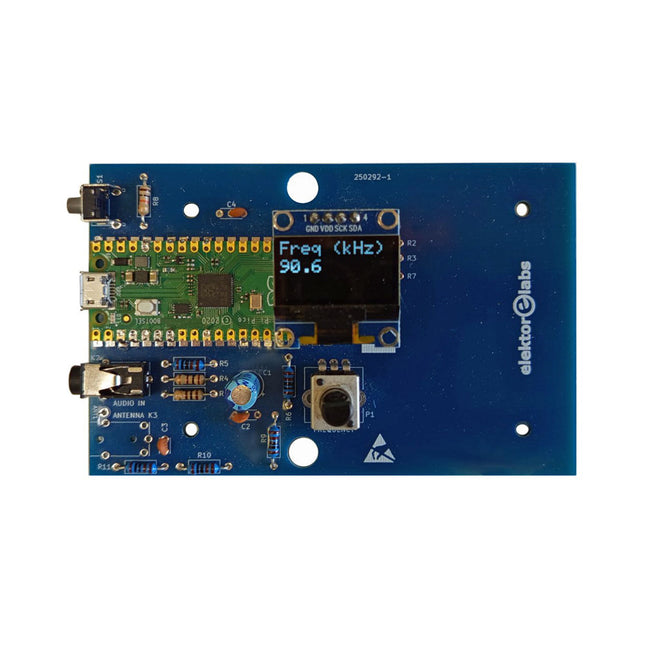
Elektor Labs Kit émetteur AM Elektor
Construisez votre propre émetteur radio vintage Le kit émetteur AM Elektor permet de diffuser de l’audio vers des récepteurs radio AM vintage. Basé sur un module microcontrôleur Raspberry Pi Pico, l’émetteur AM peut transmettre sur 32 fréquences dans la bande AM, de 500 kHz jusqu’à 1,6 MHz en 32 pas d’environ 35 kHz. La fréquence est sélectionnée à l’aide d’un potentiomètre et affichée sur un écran OLED de 0,96". Un bouton-poussoir permet de basculer le mode d’émission entre Marche et Arrêt. La portée de l’émetteur dépend de l’antenne. L’antenne intégrée offre une portée de quelques centimètres, nécessitant de placer l’émetteur AM à proximité ou à l’intérieur de la radio. Une antenne boucle externe (non incluse) peut être connectée pour augmenter la portée. Le kit émetteur AM Elektor est livré en kit de pièces que vous devez souder vous-même sur la carte. Caractéristiques La carte est compatible avec un boîtier Hammond 1593N (non inclus).Une alimentation 5 VDC avec connecteur micro-USB (par exemple, un ancien chargeur de téléphone) est nécessaire pour alimenter le kit (non incluse). Consommation de courant : 100 mA. Le logiciel Arduino (nécessitant le package RP2040 Boards d’Earle Philhower) pour le kit émetteur AM Elektor ainsi que plus d’informations sont disponibles sur la page Elektor Labs de ce projet. Liste des composants Résistances R1, R4 = 100 Ω R2, R3, R8 = 10 kΩ R5, R6, R9, R10, R11 = 1 kΩ R7 = optionnelle (non incluse) P1 = potentiomètre 100 kΩ, linéaire Condensateurs C1 = 22 µF 16V C2, C4 = 10 nF C3 = 150 pF Divers K1 = barrette 4×1 broches K2, K3 = prise 3,5 mm Raspberry Pi Pico Bouton-poussoir, montage en angle Afficheur OLED I²C monochrome 0,96" PCB 150292-1
€ 34,95€ 29,95
Membres identique
-

iFixit iFixit Manta Driver Kit
Ce kit comprend le plus large assortiment d'embouts iFixit, ainsi que toutes les têtes de tournevis dont vous aurez besoin pour entreprendre tout projet de réparation ou de bricolage. Il comprend des embouts standard comme Phillips et Flathead dans une gamme complète de tailles pour tout gérer, de la réparation électronique de précision aux projets de bricolage à domicile. Et ce ne serait pas un ensemble de bits iFixit s'il n'incluait pas tous les éléments exotiques, des Pentalobes pour la réparation d'iPhone et de MacBook d'Apple aux Gamebits pour vos consoles Nintendo vintage. Tous les jeux d'embouts de nouvelle génération ont été repensés afin de maximiser la commodité et la convivialité. Le couvercle du jeu d'embouts est maintenu en place avec des aimants pour augmenter la durée de vie du produit (plus de charnières ou de fermoirs cassés) et se monte également à l'arrière du boîtier du jeu d'embouts pour le garder à l'écart pendant que vous faites votre travail. Si vous avez besoin d'aide pour organiser vos vis et pièces, vous pouvez utiliser le plateau de tri intégré au couvercle. Les embouts de 4 mm ont été ajustés et ont désormais un col plus long pour une portée plus profonde et plus précise. La boîte à outils comprend Étui aimanté facile à ouvrir Membre avec plateau de tri intégré Tournevis en aluminium de 4 mm Tourne-embout en aluminium 1/4' Embouts de tournevis de 4 mm Phillips - 000, 00, 0 Tête plate - 1, 1,5, 2, 2,5, 3, 3,5 mm Torx-T2, T3, T4, T5 Sécurité Torx - TR6, TR7, TR8 Pentalobes-P2, P5, P6 JIS-000, 00, 0, 1 Hex - 0,7, 0,9, 1,3, 1,5 mm Sécurité hexagonale - 2, 2,5, 3, 3,5 mm Tripoint - Y000, Y00, Y0, Y1 Tourne-écrou - 2,5, 3, 3,5, 4, 4,5, 5, 5,5 mm Mors de jeu - 3,8, 4,5 mm Tendeur - 4, 6 Triangles - 2, 2,2, 2,6, 3 mm Mors ovale Embout d'espacement pour iPhone Bit d'éjection Sim Embout de ramassage magnétique Embouts de tournevis 1/4' Phillips - 1, 2, 3 Tête plate - 4, 5, 6, 7, 8 mm Sécurité hexagonale - 4, 5, 6, 7, 8 mm Sécurité hexagonale SAE - 1/8, 9/64, 5/32, 3/16, 7/32, 1/4 Pozidriv-PZ0, PZ1, PZ2, PZ3 Jeu de couples - 6, 8, 10 Tendeur - 8, 10, 12 Carré - 0, 1, 2, 3 Cannelure-M5, M6, M8 Sécurité Torx - TR9, TR10, TR15, TR20, TR25, TR27, TR30, TR35, TR40 Tri-aile 1, 2, 3, 4 Embrayage 1, 2, 3 Vanne Schrader Entraînement à crochet Adaptateur 1/4' à 4 mm Pilote 1/4' à douille 1/4' Pilote 1/4' à douille 3/8' Douille 1/4' vers pilote 1/4' Caractéristiques Embout métal : acier 6150 Matériau du pilote : aluminium anodisé Matériau du boîtier: ABS Mousse : EVA
€ 64,41
-
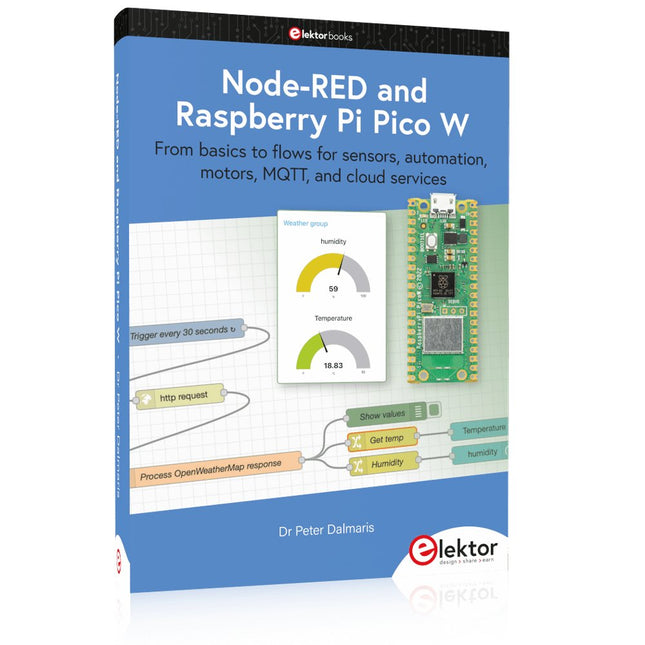
Elektor Publishing Node-RED and Raspberry Pi Pico W
From basics to flows for sensors, automation, motors, MQTT, and cloud services This book is a learning guide and a reference. Use it to learn Node-RED, Raspberry Pi Pico W, and MicroPython, and add these state-of-the-art tools to your technology toolkit. It will introduce you to virtual machines, Docker, and MySQL in support of IoT projects based on Node-RED and the Raspberry Pi Pico W. This book combines several elements into a platform that powers the development of modern Internet of Things applications. These elements are a flow-based server, a WiFi-enabled microcontroller, a high-level programming language, and a deployment technology. Combining these elements gives you the tools you need to create automation systems at any scale. From home automation to industrial automation, this book will help you get started. Node-RED is an open-source flow-based development tool that makes it easy to wire together devices, APIs, and online services. Drag and drop nodes to create a flowchart that turns on your lights at sunset or sends you an email when a sensor detects movement. Raspberry Pi Pico W is a version of the Raspberry Pi Pico with added 802.11n Wi-Fi capability. It is an ideal device for physical computing tasks and an excellent match to the Node-RED. Quick book facts Project-based learning approach. Assumes no prior knowledge of flow-based programming tools. Learn to use essential infrastructure tools in your projects, such as virtual machines, Docker, MySQL and useful web APIs such as Google Sheets and OpenWeatherMap. Dozens of mini-projects supported by photographs, wiring schematics, and source code. Get these from the book GitHub repository. Step-by-step instructions on everything. All experiments are based on the Raspberry Pi Pico W. A Wi-Fi network is required for all projects. Hardware (including the Raspberry Pi Pico W) is available as a kit. Downloads GitHub
€ 49,95
Membres € 44,96
-
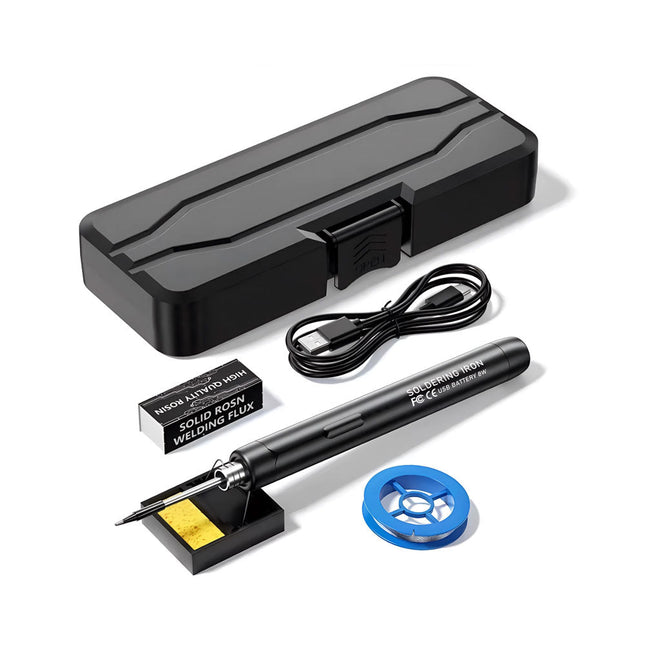
Generic Kit de fer à souder USB intelligent
Le kit fer à souder USB intelligent est une solution compacte et sans fil, conçue pour allier précision et portabilité. Doté d'un contrôle intelligent de la température à trois vitesses (300-450°C) et d'un écran LED facile à lire, il chauffe en seulement 10 secondes et fond la soudure en seulement 6 secondes. Sa batterie rechargeable de 1000 mAh offre jusqu'à 30 minutes d'autonomie continue, ce qui le rend idéal pour les réparations rapides, les projets électroniques et les travaux de bricolage. Doté d'une panne remplaçable prête à l'emploi et d'une coque isolée résistante aux hautes températures, il est sûr, facile à utiliser et parfait pour les débutants comme pour les professionnels en déplacement. Caractéristiques Réglage intelligent de la température à trois vitesses : Écran LED avec températures réglables entre 300 et 450°C. Basculement facile entre Celsius et Fahrenheit. Panne de fer à souder intégrée Conception prête à l'emploi. La panne se remplace par simple dévissage, pour une utilisation rapide et pratique. Conception sûre et durable : Coque isolée résistante aux hautes températures pour une sécurité accrue pendant l'utilisation. Capacité de la batterie : Batterie rechargeable de 1000 mAh offrant jusqu'à 30 minutes d'autonomie en continu avec une charge complète, idéale pour les tâches quotidiennes. Performances efficaces ; Puissance de 8 W avec noyau chauffant intégré pour une chauffe rapide. Fond l'étain en seulement 6 secondes, offrant une excellente conductivité thermique. Facile à utiliser : Après l'avoir allumé via USB, réglez la température souhaitée. Le fer à souder chauffe en 10 secondes. Une fois terminé, placez la panne sur le support ; elle refroidit en 1 minute. Idéal pour les débutants, les bricoleurs, les réparations domestiques de base et la formation des ingénieurs. Innovation sans fil : Ce kit de soudage sans fil comprend une batterie lithium-ion rechargeable intégrée, éliminant ainsi le besoin de câbles. Polyvalent pour le soudage de circuits imprimés, les réparations électriques, la fabrication de bijoux, les travaux manuels, la maintenance informatique et les projets de bricolage. Spécifications Température réglable : 300-450°C Temps de fusion de l’étain : <15 secondes Tension de fonctionnement : 5 V Puissance de sortie : 8 W Capacité de la batterie : 1000 mAh Fonction veille automatique : Activation après 10 minutes d’inactivité Temps de charge : Environ 90 minutes Autonomie de la batterie : Jusqu’à 30 minutes d’utilisation continue Interface de charge : USB-C Matériau principal : Alliage d’aluminium Dimensions : 190 x 16 mm Inclus 1x Fer à souder USB 1x Panne à souder 1x Colophane à souder 1x Support pour fer à souder (avec éponge) 1x Câble de charge USB-C 1x Fil à souder 1x Boîte de rangement
€ 34,95€ 17,50
Membres identique
-
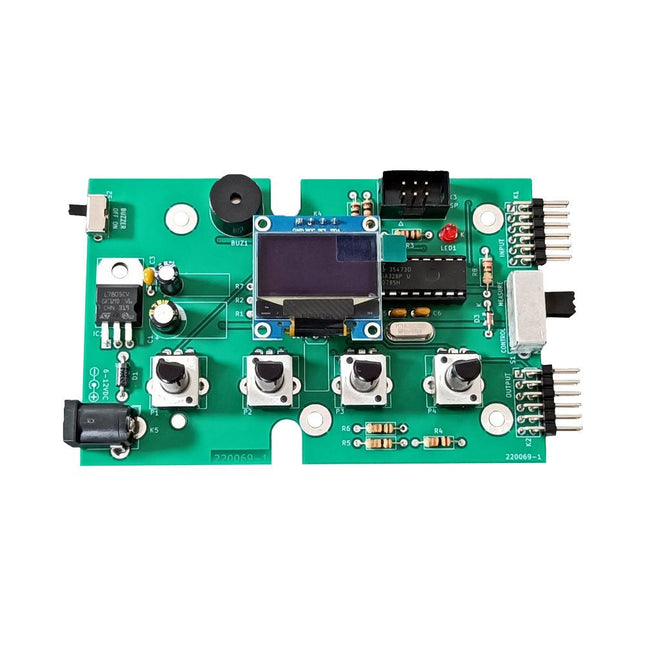
Elektor Labs Kit de test Super Servo Elektor
Le kit de test Super Servo Elektor permet le contrôle des servomoteurs et la mesure de leurs signaux. Il permet le test simultané de quatre servomoteurs. Le testeur est fourni en kit. Tous les composants nécessaires à l'assemblage du dispositif sont fournis dans le kit. Une expérience basique de soudure électronique est nécessaire pour réaliser l'assemblage du kit. Le microcontrôleur est préprogrammé. Le testeur Super Servo est doté de deux modes de fonctionnement: Control/Manual et Measure/Inputs : Dans le mode Control/Manual, le Testeur Super Servo délivre à ses sorties , les signaux de contrôle pour quatre servomoteurs, ou pour un contrôleur de vol ou un contrôleur de vitesse ESC (Electronic Speed Controller) pour moteur sans balai (brushless). Les signaux sont contrôlés par quatre potentiomètres. Dans le mode Measure/Inputs le Testeur Super Servo mesure les signaux des servomoteurs reliés à ses entrées. Ces signaux peuvent par exemple provenir d'un ESC, d'un contrôleur de vol, d'un récepteur ou de tout autre dispositif. Les signaux sont également dirigés vers ses sorties afin de contrôler les servomoteurs, l'ESC ou le contrôleur de vol. Les résultats sont visualisés sur l'écran. Spécifications Modes de fonctionnement Control/Manual et Measure/Inputs (Contrôle manuel et mesures) Nombre de canaux 3 Entrées des signaux des servomoteurs 4 Sorties des signaux vers les servomoteurs 4 Alarme Buzzer & LED Affichage Écran OLED de 0,96' (128 x 32 pixels) Tension d'entrée K5 7-12 V CC Tension d'entrée K1 5-7,5 V CC Courant d'entrée 30 mA (9 VDC sur K5, K1 et K2 non reliés) Dimensions 113 x 66 x 25 mm Poids 60 g Inclus Résistances (0,25 W) R1, R3 1 kΩ, 5% R2, R4, R5, R6, R7, R9, R10 10 kΩ, 5% R8 22 Ω, 5% P1, P2, P3, P4 10 kΩ, potentiomètre vertical linéaire/B Condensateurs C1 100 µF 16 V C2 10 µF 25 V C3, C4, C7 100 nF C5, C6 22 pF Semiconducteurs D1 1N5817 D2 LM385Z-2.5 D3 BZX79-C5V1 IC1 7805 IC2 ATmega328P-PU, programmé LED1 LED, 3 mm, rouge T1 2N7000 Divers BUZ1 Buzzer Piezo avec oscillateur K1, K2 Connecteur à 2 rangées de 12 broches à 90° K5 Connecteur jack K4 Connecteur à 1 rangée de 4 broches K3 Connecteur à 2 rangées de 6 broches S1 Interrupteur à glissière 2P2T S2 Interrupteur à glissière 1P2T X1 Quartz, 16 MHz Support DIP 28 broches pour IC2 Circuit imprimé Elektor Afficheur OLED de 0,96', 128 x 32 pixels, interface I²C à 4 broches Liens Elektor Magazine Elektor Labs
€ 59,95€ 49,95
Membres identique
-

Velleman Whadda kit arbre de Noël 3D
Le kit Whadda 3D Xmas Tree est destiné aux amateurs et aux débutants intéressés par la soudure et l'électronique. Avec ce kit DIY, vous pouvez construire un sapin de Noël LED festif. Caractéristiques 16 LED rouges clignotantes LED vertes et jaunes supplémentaires fournies pour personnaliser votre arbre Peut être accroché et alimenté par des fils Fonctionne sur 12 V CC (par exemple dans les voitures) Spécifications Faible consommation d'énergie 8 mA Alimentation Pile 9 V (non incluse) Dimensions 102 x 88 x 80 mm Poids 65 g Téléchargements Manuel
€ 10,86


-
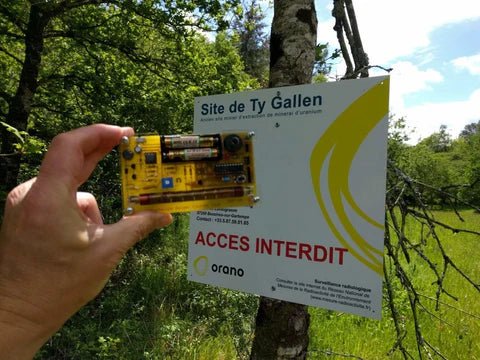
, par Clemens Valens Banc d’essai : détecter la radioactivité avec le compteur Geiger en kit de MightyOhm
Le compteur Geiger de MightyOhm sert à détecter les rayonnements bêta et gamma. Les dangers résultant de ces rayonnements vous convaincront peut-être de surveiller de...
-
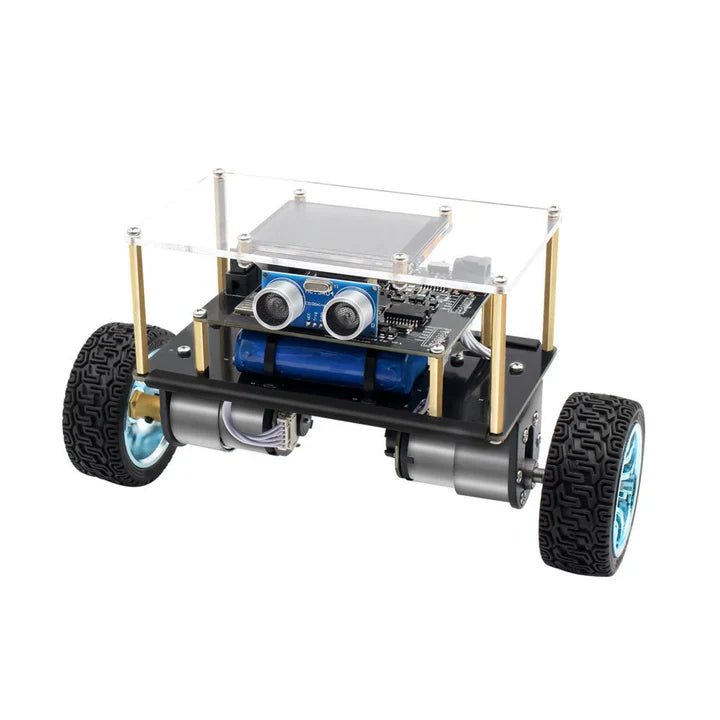
, par Lobna Belarbi Affordable Robot Kits to Kickstart Your Robotics Journey
Robotics is an exciting and rewarding field, but getting started can be intimidating—especially when it comes to choosing the right kit. Fortunately, Elektor offers a...
-
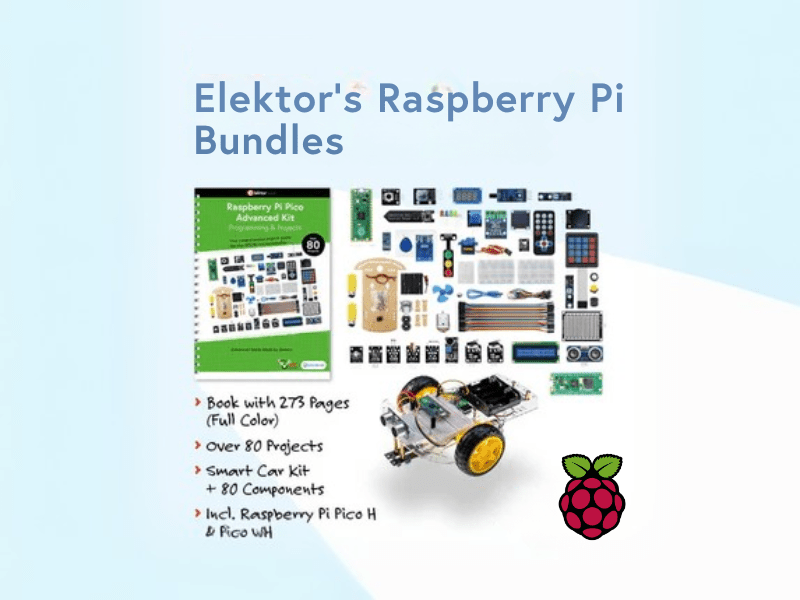
, par Lobna Belarbi Les offres groupées Raspberry Pi d'Elektor : Des kits pour débutants aux kits avancés
Find the Perfect Raspberry Pi Bundle for Your Skill Level Whether you're a beginner eager to explore the world of Raspberry Pi or an advanced...
-

, par Lobna Belarbi Cartes, kits et outils indispensables pour commencer votre parcours Arduino avec Elektor
Que vous soyez un débutant désireux d'explorer l’univers des microcontrôleurs ou un maker expérimenté souhaitant étoffer sa panoplie d’outils, Elektor propose une sélection soignée de...
