
Résultats de la recherche pour "elektor OR circuit OR special OR 2023 OR fr"
-

Elektor Digital Audio 3 (PDF)
Inhalt Röhrentechnik Entwicklung von DCMB-Verstärkern: Die Regeln der Kunst 50-W-Gegentaktverstärker mit EL34 und Autobias: Einmal und nie wieder – der Ruhestrom-Abgleich Kann ein Röhrenverstärker Mikrodetails wiedergeben: Bremst der Ausgangsübertrager die Auflösung Doppelter Röhrentester Comra BT0801: Testen und Selektieren in einem Rutsch 300B-Single-Ended Stereo-Verstärker: Kompromisslose Schaltungsauslegung mit der Triode schlechthin Lautsprecher Freedom von Monacor International: Gelungene Kombination aus Horn und Reflexsystem Symphonie von Visaton: Großer Auftritt der großen Kalotte Apollon von ASE: Das Flaggschiff mit Scan Speaks Illuminator-Bestückung TL-Sub von Quint-Audio: Der Subwoofer für reichlich Druck in der untersten Oktave Hans von Henkjan Olthuis: Zweiwege-Standbox mit Design-Qualität Avisio vom Lautsprechershop Strassacker: Der Einstand in die Home-Cinema-Riege XT612 von Ground Sound: Vollaktive Box, die selber messen kann Der Markt: Neues und Nützliches Halbleitertechnik DIY CD-Player von Tentlabs: Digitaltechnik und Röhrenschaltungen geschickt kombiniert SMPS 180 von Hypex: Das Schaltnetzteil zur Klasse-D-Technik UcD 2k von Hypex: Klasse-D-Technik für die PA im kW-Bereich
€ 16,90
Membres : € 15,21
-

€ 9,95
Membres : € 8,96
-

€ 17,50
Membres : € 15,75
-
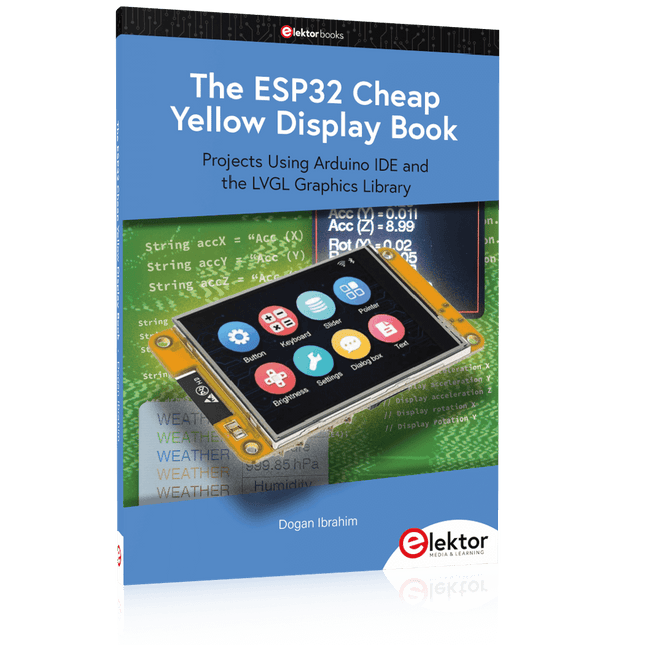
Elektor Publishing The ESP32 Cheap Yellow Display Book
Projects Using Arduino IDE and the LVGL Graphics Library The ESP32 is probably one of the most popular microcontrollers used by many people, including students, hobbyists, and professional engineers. Its low cost, coupled with rich features makes it a popular device to use in many projects. Recently, a board called the ESP32 Cheap Yellow Display (CYD for short) is available from its manufacturers. The board includes a standard ESP32 microcontroller together with a 320x240 pixel TFT display. Additionally, the board provides several connectors for interfaces such as GPIO, serial port (TX/RX), power and Ground. The inclusion of a TFT display is a real advantage as it enables users to design complex graphics-based projects without resorting to an external LCD or graphics displays. The book describes the basic hardware of the ESP32 CYD board and provides details of its on-board connectors. Many basic, simple, and intermediate-level projects are given in the book based on the ESP32 CYD, using the highly popular Arduino IDE 2.0 integrated development environment. The use of both the basic graphics functions and the use of the popular LVGL graphics library are discussed in the book and projects are given that use both types of approaches. All the projects given in the book have been tested and are working. The block diagram, circuit diagram, and the complete program listings and program descriptions of all the projects are given with explanations. Readers can use the LVGL graphics library to design highly popular eye-catching full-color graphics projects using widgets such as buttons, labels, calendars, keypads, keyboards, message boxes, spinboxes, sliders, charts, tables, menus, bars, switches, drop-down lists, animations, and many more widgets.
€ 34,95
Membres : € 31,46
-

Elektor Academy Pro Raspberry Pi Pico with MicroPython (cours de programmation)
Ce cours complet de programmation de microcontrôleurs basé sur le Raspberry Pi Pico comprend un manuel, un kit de composants, des projets pratiques ainsi qu’un cours en ligne complet avec simulations. Il est idéal pour apprendre pas à pas la programmation des systèmes embarqués avec MicroPython grâce à une approche pratique. Une introduction pratique aux systèmes embarqués avec le Raspberry Pi Pico Ce cours s’adresse aux débutants en systèmes embarqués recherchant une approche structurée et basée sur des exemples. Un kit de composants comprenant des LED et des résistances, des interrupteurs, des capteurs et actionneurs, des afficheurs, une breadboard et des fils est inclus. Ceux-ci sont utilisés dans le cours pour illustrer des applications concrètes. Aucune expérience préalable avec Arduino ou le développement embarqué n’est requise. Chaque section propose des exemples pratiques et des mini-projets conçus pour renforcer les concepts clés et encourager l’exploration. À la fin du cours, vous serez capable non seulement de reproduire les exemples, mais aussi de développer vos propres idées et applications. Que allez-vous apprendre ? Programmation de microcontrôleurs en MicroPython sur le Raspberry Pi Pico via l'IDE Thonny Utilisation des entrées/sorties numériques, lecture de boutons et encodeurs, commande de LED et relais Lecture des entrées analogiques, tensions et capteurs analogiques Génération de signaux analogiques et PWM Utilisation des communications série comme UART, I²C et SPI pour piloter des afficheurs et lire des capteurs numériques et cartes SD Gestion du temps Utilisation des interruptions Entrées capteurs en temps réel et contrôle via boutons, LED et afficheurs Commande d’actionneurs comme relais et servomoteurs À qui s’adresse ce cours ? Étudiants et autodidactes explorant les systèmes embarqués Makers et passionnés d’IoT souhaitant améliorer leurs compétences en hardware Formateurs et enseignants à la recherche de matériel pédagogique prêt à l’emploi Contenu de la boîte Accès au cours complet sur la plateforme Elektor Academy Pro Carte microcontrôleur Raspberry Pi Pico + câble USB Livre : Programming Microcontrollers in MicroPython Fichiers de projet téléchargeables pour chaque module Boîte de composants : 2× LED, rouge, 5 mm LED, verte, 5 mm 3× résistance, 470 Ω, 0,25 W LDR Potentiomètre, 10 kΩ, linéaire Bouton-poussoir Module encodeur rotatif Module relais Capteur DHT22 (température & humidité) Afficheur 7 segments 4 digits compatible TM1637 MPU-6050 IMU avec connecteurs Afficheur OLED I²C compatible SSD1306 Adaptateur carte micro SD avec connecteur Buzzer Micro servo SG90 Écran TFT SPI 240×320 compatible ILI9341 20× fils jumper Breadboard Tous les cours de programmation (et différences de contenu) Cours Arduino Raspberry Pi Pico with Arduino C/C++ ESP32 with Arduino C/C++ Raspberry Pi Pico with MicroPython ESP32 with MicroPython Cours en ligne Access to Arduino Course Access to Pico with Arduino C/C++ Course Access to ESP32 with Arduino C/C++ Course Access to Pico with MicroPython Course Access to ESP32 with MicroPython Course Carte Uno R3 Raspberry Pi Pico ESP32 Raspberry Pi Pico ESP32 Livre Programming Microcontrollers in C/C++ Using Arduino Programming Microcontrollers in C/C++ Using Arduino Programming Microcontrollers in C/C++ Using Arduino Programming Microcontrollers in MicroPython Programming Microcontrollers in MicroPython Kit Boîte de composants (40 pièces) Boîte de composants (40 pièces) Boîte de composants (40 pièces) Boîte de composants (40 pièces) Boîte de composants (40 pièces)
€ 69,95
Membres : € 62,96
-

Elektor Digital Elektor January/February 2020 (PDF) EN
GUI with Touch — for ESP32, RPi & Co.Graphical user interfaces with the LittlevGL library "Not Just Any Guy's Project”Interview with Gábor Kiss-Vámosi, the developer of LittlevGL Capaci-Meterwith two-digit Dekatron-style LED display How To: Debounce a Mechanical Contact or SwitchA switch is either open or closed, isn't It? Developer's ZoneTips & Tricks, Best Practices and Other Useful Information Extendable Environmental Monitoring Systempublishes data on IoT platforms Practical ESP32 MultitaskingTask programming with FreeRTOS and the Arduino IDE InteractiveCorrections & Updates || Questions & Answers Automotive Headlight TuningLegal, illegal — it matters! Review: Toolcraft Digital Soldering Station Arduino Pro IDE - First Impressions Two Thermal Imaging Cameras ComparedSeek ShotPro and Seek Compact Steeped in ElectronicsOutfitting the e-lab and e-workshop Monsanto MAN1 LED DisplayPeculiar Parts, the series Thermoelectric Tea TimerFirst dealings with energy harvesting Single-Phase 1-Kilowatt AC Motor DriveThree-mode design: integral-cycle switching, phase-cut trailing, or phase-cut leading edge. RPi Gets a Fast 3.5" Touch DisplayMore power at no extra charge Lab, Sweet LabA glimpse of The Holy Place — no unauthorized entry. First Steps with RISC-VTrying out the LoFive Board Elektor Labs Challenged: a DIY LoRa Tracker Glitches and results in electronics development Sigfox and the IoT (2)Registration in the Sigfox network Starting Out in ElectronicsEasier than imagined! Analogue Electronics Design Case Study #1 — Section 1: MEMS Microphone… Testing 1-2-3 Small Circuits RevivalCapita Selecta from the Elektor Project Suggestions Box In a Nutshell: Text for MicrocontrollersUsing compression to save memory Focus On: Autonomous DrivingState of the art at a glance Start-Up Leaders and Innovators Talk “Innovation 4.0” in Munich Lego Electronic Train Set from 196850 years on, electronic toys still fascinate Beyond ElectronicsThe MX3D Bridge Senses the City
€ 7,50
-

Elektor Digital Microcontrôleur 4 au format PDF (DE)
Microcontrôleur 4 au format PDF (DE)
€ 16,90
Membres : € 15,21
-

Elektor Bundles Arduino UNO Q (offre groupée)
Cette offre groupée comprend l'Arduino UNO Q (2 Go) et le livre « Arduino UNO Q and AI ». L'Arduino UNO Q est la première carte UNO dotée d'une architecture hybride à double cœur, combinant un puissant processeur Linux et un microcontrôleur temps réel, ce qui permet d'allier puissance de calcul avancée et contrôle précis sur une seule et même carte. Équipée d’un MPU Qualcomm Dragonwing QRB2210 fonctionnant sous Debian Linux et d’un microcontrôleur STM32U585 pour les tâches en temps réel, l’UNO Q est conçue pour les applications de nouvelle génération. De l’Edge Computing et l’IA à la robotique et l’automatisation, elle offre des performances élevées sans sacrifier la facilité d’utilisation. Il suffit de connecter vos périphériques pour commencer – aucun matériel supplémentaire n'est nécessaire. Caractéristiques Architecture double cœur : MPU Linux + MCU temps réel Qualcomm Dragonwing QRB2210 avec prise en charge de Debian Linux Microcontrôleur STM32U585 pour le contrôle déterministe Exécute les sketches Arduino via le système d'exploitation Zephyr Idéal pour l'IA, l'IoT, la robotique et les projets industriels Spécifications Microprocesseur (MPU) Qualcomm Dragonwing QRB2210 :Quad-core Arm Cortex-A53 à 2,0 GHzAccélérateur graphique 3D Adreno GPU2× ISP (13 MP + 13 MP ou 25 MP) à 30 fps Microcontrôleur (MCU) STM32U585Arm Cortex-M33 jusqu'à 160 MHz2 Mo de mémoire flash786 Ko de SRAM RAM 2 Go LPDDR4 Alimentation Connecteur USB-C : 5 V max à 3 ATension d'entrée (VIN) : 7-24 V Mémoire 16 Go eMMC USB 1 port USB-C avec commutation hôte/périphérique, interrupteur d'alimentation et sortie vidéo Connectivité Wi-Fi 5 (2,4/5 GHz) avec antenne intégréeBluetooth 5.1 avec antenne intégrée Antenne Interfaces I²C/I³CSPIPWMCANUARTPSSIGPIOJTAGADC Vidéo Sortie vidéo via USB-CBroches MIPI DSI sur connecteur JMEDIA Supplémentaire 4× LED RVB contrôlables par l'utilisateur8× 13 Matrice de LED bleues1× connecteur Qwiic (3,3 V, I²C)1× bouton-poussoir utilisateurJCTL : Débogage à distance du microprocesseur Connecteur Audio Entrée microphone / Sortie casque / Sortie ligne sur JMISC Système d'exploitation MPU Linux Debian avec support amont Système d'exploitation temps réel Arduino Core sur Zephyr OS Conteneurisation Prise en charge de Docker et Docker Compose Systèmes d'exploitation compatibles avec Arduino App Lab Windows : Windows 10 ou version ultérieure (64 bits)macOS : macOS 11 ou version ultérieure (64 bits)Linux : Ubuntu 22.04 ou version ultérieure et Debian Trixie (64 bits) Dimensions 68,85 × 53,34 mm (format UNO) Téléchargements Datasheet User Manual Pinout Schematics Livre : Arduino UNO Q and AI – Learn to Build Intelligent Embedded Systems Développez des systèmes embarqués plus intelligents avec l’Arduino UNO Q. Ce livre vous fournit les outils, les connaissances et la confiance nécessaires pour transformer vos idées en solutions intelligentes et fonctionnelles grâce à la plateforme Arduino UNO Q. Découvrez comment créer des systèmes embarqués intelligents avec l’Arduino UNO Q et l’IA. Exploitez tout le potentiel de l’Arduino UNO Q, une plateforme de nouvelle génération qui associe la puissance temps réel du microcontrôleur STM32U585 à la flexibilité du microprocesseur Qualcomm Dragonwing QRB2210. Apprenez à prototyper rapidement des applications concrètes en utilisant l’Arduino IDE pour le contrôle embarqué bas niveau et Python dans Arduino App Lab pour le développement haut niveau. Gagnez en assurance grâce à des projets pratiques qui vous guident pas à pas, des fonctionnalités de base de la carte jusqu’à des systèmes entièrement opérationnels. Explorez des exemples prêts à l’emploi basés sur l’IA dans Arduino App Lab et découvrez comment ils peuvent accélérer votre développement et réduire le délai de mise sur le marché. Entrez dans le monde de l’Edge AI avec une introduction claire et pratique à Edge Impulse Studio – aucune expérience préalable en IA n’est requise. Suivez un workflow complet et concret pour créer une application d’IA de reconnaissance de mots-clés, couvrant la collecte de données, l’entraînement du modèle, l’optimisation et l’inférence embarquée avec Edge Impulse Studio. Faites le lien entre systèmes embarqués et apprentissage automatique et apprenez à intégrer l’intelligence directement dans votre matériel. Idéal pour les ingénieurs en systèmes embarqués, les enseignants, les étudiants et les makers souhaitant rester à la pointe du développement de produits basés sur l’IA. Cette offre groupée contient : Arduino UNO Q (2 Go) (d'une valeur de 50 €) Livre : Arduino UNO Q and AI (d'une valeur de 35 €)
€ 84,95€ 74,95Meilleur prix
-

Elektor Digital Digital Electronics (E-book)
The Basics, New Ideas & Applications Build digital electronics from the ground up—and take it all the way to practical circuits you can use. This book guides you through the core principles of digital technology with a strongly hands-on approach. You’ll begin with the essentials: signals, devices for working with them, and what "logic 0" and "logic 1" mean in real hardware. Simple demonstration setups made from easy-to-find parts (LEDs, diodes, resistors, switches) help you see how logic behaves, making the theory click before you move on. From there, you’ll explore a wide range of logic elements and how they’re implemented, including classic logic families such as TTL and CMOS. The fundamentals section covers the building blocks of digital systems: flip-flops, Schmitt triggers, registers, counters and dividers, encoders/ decoders, multiplexers/demultiplexers, plus A/D and D/A conversion and timing circuits. Next, the book invites you into "new ideas" in digital electronics—universal logic elements, unconventional approaches (including thyristor-based and fractional logic), and creative logic functions that can inspire original designs. Finally, a large, well-organized collection of application circuits turns knowledge into projects: electronic switches and selectors, pulse generators, PWM regulators, frequency multipliers/dividers, phase shifters, and digital filters. Study it deeply, and you’ll gain not only understanding—but the ability to design and debug digital circuits independently.
€ 32,95
Membres : € 29,66
-
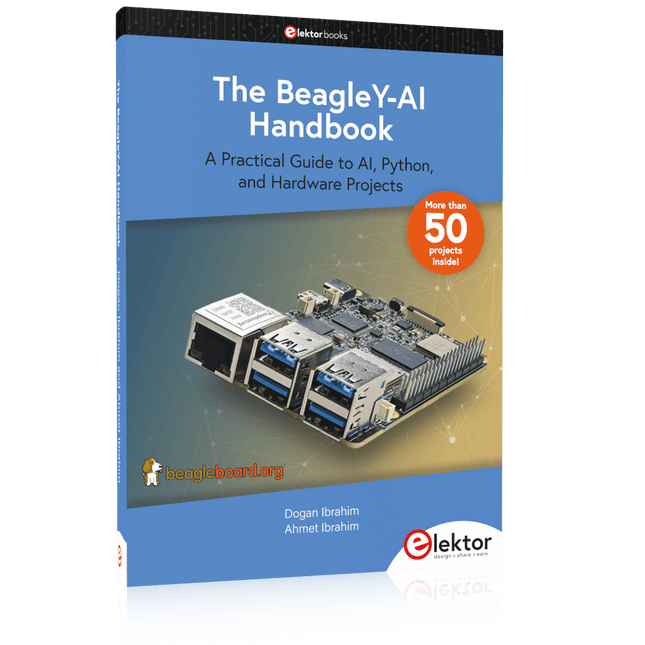
Elektor Publishing The BeagleY-AI Handbook
A Practical Guide to AI, Python, and Hardware Projects Welcome to your BeagleY-AI journey! This compact, powerful, and affordable single-board computer is perfect for developers and hobbyists. With its dedicated 4 TOPS AI co-processor and a 1.4 GHz Quad-core Cortex-A53 CPU, the BeagleY-AI is equipped to handle both AI applications and real-time I/O tasks. Powered by the Texas Instruments AM67A processor, it offers DSPs, a 3D graphics unit, and video accelerators. Inside this handbook, you‘ll find over 50 hands-on projects that cover a wide range of topics—from basic circuits with LEDs and sensors to an AI-driven project. Each project is written in Python 3 and includes detailed explanations and full program listings to guide you. Whether you‘re a beginner or more advanced, you can follow these projects as they are or modify them to fit your own creative ideas. Here’s a glimpse of some exciting projects included in this handbook: Morse Code Exerciser with LED or BuzzerType a message and watch it come to life as an LED or buzzer translates your text into Morse code. Ultrasonic Distance MeasurementUse an ultrasonic sensor to measure distances and display the result in real time. Environmental Data Display & VisualizationCollect temperature, pressure, and humidity readings from the BME280 sensor, and display or plot them on a graphical interface. SPI – Voltmeter with ADCLearn how to measure voltage using an external ADC and display the results on your BeagleY-AI. GPS Coordinates DisplayTrack your location with a GPS module and view geographic coordinates on your screen. BeagleY-AI and Raspberry Pi 4 CommunicationDiscover how to make your BeagleY-AI and Raspberry Pi communicate over a serial link and exchange data. AI-Driven Object Detection with TensorFlow LiteSet up and run an object detection model using TensorFlow Lite on the BeagleY-AI platform, with complete hardware and software details provided.
€ 44,95
Membres : € 40,46
-

€ 11,90
-

€ 15,90
Membres : € 14,31


