
Résultats de la recherche pour "lolin OR esp32 OR oled OR module OR with OR wifi"
-

Elektor Publishing Programming Microcontrollers in C/C++ Using Arduino
With Examples for Arduino UNO, Raspberry Pi Pico and ESP32 Programming small electronic systems has never been more accessible. Tasks that once demanded expensive tools, specialized hardware, and deep electrical engineering expertise can now be tackled with low-cost development boards and approachable software. At the centre of this shift is the Arduino environment, which provides a unified and familiar way to program a wide range of microcontroller platforms—from classic AVR boards like the Arduino UNO to modern ARM-based boards such as the Raspberry Pi Pico, and powerful Wi-Fi-enabled devices like the ESP32. This book introduces embedded programming through the core idea that defines all microcontrollers: reading inputs, processing information, and controlling outputs in a predictable loop. The Arduino environment abstracts much of the hardware complexity, allowing you to focus on behaviour rather than implementation details. With just a few lines of code, you can blink LEDs, read sensors, control motors, and communicate with other devices. While the Arduino UNO, Raspberry Pi Pico, and ESP32 boards differ greatly in performance and features, they share the same fundamental building blocks: digital and analog I/O, timers, serial communication, PWM, interrupts, and power management. Learning these concepts within the Arduino framework builds skills that transfer easily across platforms and scale toward more advanced applications. By exploring multiple boards while maintaining a consistent programming approach, this book helps you progress from simple experiments to confidently produce well-structured designs—showing that embedded development can be both practical and enjoyable.
€ 29,95
Membres : € 26,96
-

Elektor Digital Elektor Circuit Special 2025 (PDF) DE
Diese Ausgabe steht allen GOLD- und GREEN-Mitgliedern auf der ElektorMagazine-Website zum Download bereit! Sie sind noch kein Mitglied? Hier klicken! USB-MessadapterStrom und Signalqualität von USB-Anschlüssen testen 4...20 mA Stromausgang für Arduino UnoEine zuverlässige, EMI-unempfindliche Stromschleifenschnittstelle Automatische StaubsaugersteuerungHalten Sie den Arbeitsbereich Ihrer Werkzeuge sauber DDS-Generator mit ATtiny Opamp-Tester V2Neue Platine – nun auch für SMDs geeignet 550-mW-„Lamp“-AudioverstärkerDer warme Klang von Röhren – ganz einfach SicherungswächterSicherung mit Blink-LED überwachen Hochwertiger RIAA-VorverstärkerHolen Sie das Beste aus Ihren Vinyl-Schallplatten heraus! Drahzahlkalibrator für PlattenspielerEin Arduino-basierter Stroboskopgenerator mit 100–120 Hz Infrarot-fernbedienbarer DimmerSteuern Sie Ihre Halogen- oder LED-Stehleuchte mühelos und mit Stil Wie man switch…case mit Strings in C++/Arduino IDE verwendet Magnetfindermit einfachem Hall-Effekt-Sensor Intelligenter Einschaltknopf für Raspberry PiEine Lösung für Raspberry Pi bis zum Modell 4 Essenzielle Maker-TippsProfessionelle Einblicke für den Maker-Alltag Praktische Projekte mit dem 555-TimerGleichstrommotorsteuerung und Reaktionszeitschallungen Einfacher AC-Last-Ein-MonitorEnergie sparen mit einem einfachen Gerät Powerbanks parallel schaltenEine durchgehende Stromversorgung für drei Tage VFO bis 15 MHzMit Raspberry Pi Pico Geigen-Stimmgerät mit ATtiny202 Elektor Classics: Video-Eingangsverstärker für S/W-Fernseher Kapazitätsmesser20 pF bis 600 nF Quasi-analoges Uhrwerk MkIIZwei LED-Ringe für Stunden und Minuten Sie können alles tun, was Sie wollen(mit dem Arduino-Ökosystem an Ihrer Seite) Neon-Würfel mit Glimmlampen Elektor Classics: Video-Verstärker Inspirierende Hardware-Designs für Ihre ESPs Elektor Classics: RTTY-Abgleichanzeige RGB-LEDs mit integrierter SteuerschaltungLicht mit Präzision: ICLEDs setzen Maßstäbe Experiment: Auf dem Weg zu einem Mixed-Signal-Theremin?Moderne Time-of-Flight-Sensoren im Zusammenspiel mit dem zeitlosen XR2206-Analoggenerator ESP32-Audio-Transceiver-Board (Teil 1)SD-Karten-WAV-Player-Demo Infografiken: Schaltungen & Schaltungsdesign 2025 Kleiner Audio-MixerEinfaches und vielseitiges skalierbares Design Intelligenter Treppenlicht-TimerEffiziente Lichtsteuerung zur Reduzierung des Energieverbrauchs Machen Sie Ihre Rollläden smartVelux-Hardware steuern mit ESP32 und MQTT Solid-State-FußwärmerEnergieeffizienter Komfort Ist der M5Stamp Fly Quadcopter der nächste Tello? Erhöhung der WLAN-Reichweite des ESP32-C3 SuperMiniEine einfache und wirkungsvolle Antennenmodifikation ZD-8968 Heißluft-LötstationEin preisgünstiges Arbeitstier oder nur heiße Luft? Parksensor-TesterDefekte beim PDC-System am Auto finden
€ 11,90
-
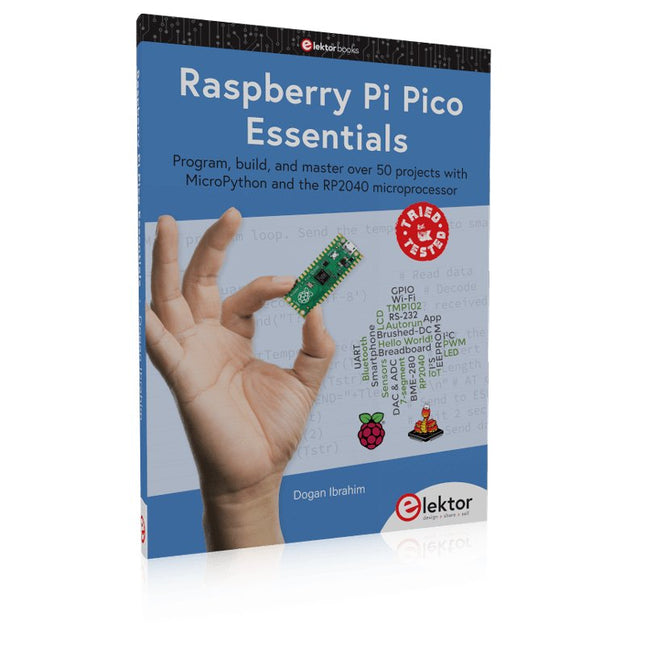
Elektor Publishing Raspberry Pi Pico Essentials
Program, build, and master over 50 projects with MicroPython and the RP2040 microprocessor The Raspberry Pi Pico is a high-performance microcontroller module designed especially for physical computing. Microcontrollers differ from single-board computers, like the Raspberry Pi 4, in not having an operating system. The Raspberry Pi Pico can be programmed to run a single task very efficiently within real-time control and monitoring applications requiring speed. The ‘Pico’ as we call it, is based on the fast, efficient, and low-cost dual-core ARM Cortex-M0+ RP2040 microcontroller chip running at up to 133 MHz and sporting 264 KB of SRAM, and 2 MB of Flash memory. Besides its large memory, the Pico has even more attractive features including a vast number of GPIO pins, and popular interface modules like ADC, SPI, I²C, UART, and PWM. To cap it all, the chip offers fast and accurate timing modules, a hardware debug interface, and an internal temperature sensor. The Raspberry Pi Pico is easily programmed using popular high-level languages such as MicroPython and or C/C++. This book is an introduction to using the Raspberry Pi Pico microcontroller in conjunction with the MicroPython programming language. The Thonny development environment (IDE) is used in all the projects described. There are over 50 working and tested projects in the book, covering the following topics: Installing the MicroPython on Raspberry Pi Pico using a Raspberry Pi or a PC Timer interrupts and external interrupts Analogue-to-digital converter (ADC) projects Using the internal temperature sensor and external temperature sensor chips Datalogging projects PWM, UART, I²C, and SPI projects Using Wi-Fi and apps to communicate with smartphones Using Bluetooth and apps to communicate with smartphones Digital-to-analogue converter (DAC) projects All projects given in the book have been fully tested and are working. Only basic programming and electronics experience is required to follow the projects. Brief descriptions, block diagrams, detailed circuit diagrams, and full MicroPython program listings are given for all projects described. Readers can find the program listings on the Elektor web page created to support the book.
€ 39,95
Membres : € 35,96
-

Elektor Digital Elektor Januari/Februari 2020 (PDF)
Touch-GUI voor ESP32 en Raspberry & cografische gebruikersinterface met de LittlevGL-bibliotheek “Niet zomaar een project”vraaggesprek met Gábor Kiss-Vámosi, ontwikkelaar van LittlevGL Capaci-metermet tweecijferig LED-display in dekatron-stijl Hoe... een mechanisch contact of schakelaar ontdendereneen schakelaar is open of gesloten – toch? Developer's Zonetips & trucs, vakkunstigheden en andere nuttige informatie Uitbreidbaar milieumonitorsysteempubliceert gegevens op IoT-platforms Multitasking met de ESP32Multitasking met de ESP32 taakgeoriënteerd programmeren met FreeRTOS en de Arduino IDE Interactiefcorrecties & updates || vragen & antwoorden Autoverlichting tunenlegaal, illegaal – maakt wél uit! Review Toolcraft digitaal soldeerstation Arduino Pro IDEeen eerste indruk Twee warmtebeeldcamera’s vergeleken Uit het leven gegrepende inrichting van een lab en werkplaats Monsanto MAN1 LED-displayvreemde onderdelen Theetimereen experiment met energy harvesting Eenfase 1 kW AC-motorsturingdrie bedrijfsmodi: perioderegeling, fase-afsnijding en fase-aansnijding Snel 3,5'-touchscreen voor de Raspberry Pipresteert beter voor hetzelfde geld Oost West Lab Besteen blik in het allerheiligste, waar onbevoegden geen toegang hebben... Eerste stappen met RISC-Vhet LoFive-board onder de loep LoRa-Tracker: een uitdaging voor het labproblemen en oplossingen bij de ontwikkeling van elektronica Met de vos in het IoT (2)aanmelden in het Sigfox-netwerk Alle begin......hoeft niet zo moeilijk te zijn Analoge elektronica ontwerpencase-study #1 – deel 1: MEMS-microfoon... test-een-twee-drie Wie het kleine niet eertuit de ideeënbus van Elektor In het kort: teksten voor microcontrollersspaar geheugen met compressie In de schijnwerpers: de autonome autooverzicht van de stand van de techniek Leidende start-ups en innovatoren over “Innovation 4.0” in München Lego Electronic anno 1968elektronisch speelgoed fascineert na 50 jaar nog steeds Beyond ElectronicsThe MX3D Bridge Senses the City Hexadoku
€ 9,95
-
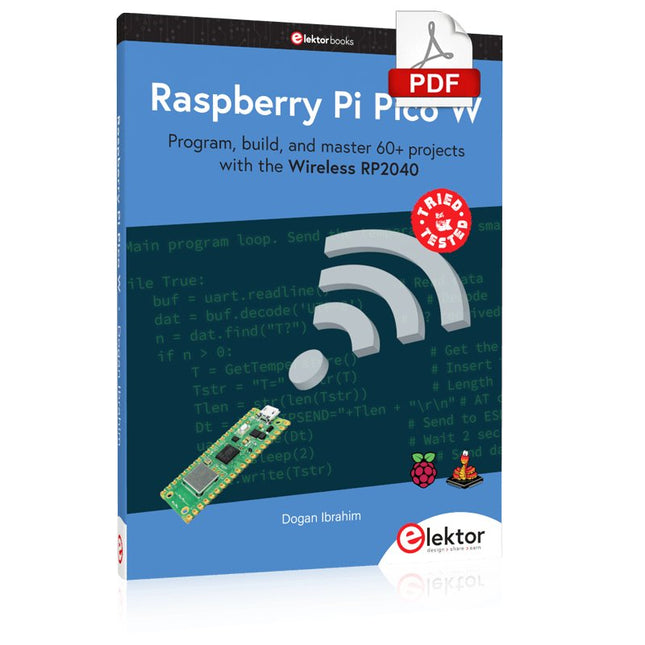
Elektor Digital Raspberry Pi Pico W (E-book)
Program, build, and master 60+ projects with the Wireless RP2040 The Raspberry Pi Pico and Pico W are based on the fast, efficient, and low-cost dual-core ARM Cortex M0+ RP2040 microcontroller chip running at up to 133 MHz and sporting 264 KB of SRAM and 2 MB of Flash memory. Besides spacious memory, the Pico and Pico W offer many GPIO pins, and popular peripheral interface modules like ADC, SPI, I²C, UART, PWM, timing modules, a hardware debug interface, and an internal temperature sensor. The Raspberry Pi Pico W additionally includes an on-board Infineon CYW43439 Bluetooth and Wi-Fi chipset. At the time of writing this book, the Bluetooth firmware was not yet available. Wi-Fi is however fully supported at 2.4 GHz using the 802.11b/g/n protocols. This book is an introduction to using the Raspberry Pi Pico W in conjunction with the MicroPython programming language. The Thonny development environment (IDE) is used in all of the 60+ working and tested projects covering the following topics: Installing the MicroPython on Raspberry Pi Pico using a Raspberry Pi or a PC Timer interrupts and external interrupts Analogue-to-digital converter (ADC) projects Using the internal temperature sensor and external sensor chips Using the internal temperature sensor and external temperature sensor chips Datalogging projects PWM, UART, I²C, and SPI projects Using Bluetooth, WiFi, and apps to communicate with smartphones Digital-to-analogue converter (DAC) projects All projects are tried & tested. They can be implemented on both the Raspberry Pi Pico and Raspberry Pi Pico W, although the Wi-Fi-based subjects will run on the Pico W only. Basic programming and electronics experience are required to follow the projects. Brief descriptions, block diagrams, detailed circuit diagrams, and full MicroPython program listings are given for all projects.
€ 34,95
Membres : € 31,46
-

Elektor Digital Elektor Mei/Juni 2020 (PDF)
Open-netwerk weerstation mk2deel 1: inleiding en hardware-elementen AI voor beginners (1)objectherkenning met het Maixduino-board Universele triac-stuurmodule met ATmegaschakelen en dimmen van verschillende belastingen Hoe... iets van GitHub downloadenGitHub Voor Dummies My IoT-Button: de knop voor het netdeel 2: prototyping met board en cloud TMS0280 spraaksynthesizervreemde onderdelen Interactiefcorrecties & updates | vragen & antwoorden BASIC voor ESP32/ESP8266 (2)zandloper met ESP8266 en Annex WiFi RDS Developer’s Zonetips & trucs, vakkunstigheden en andere nuttige informatie BalBot: een zelfbalancerende robotmoderne versnellingssensoren vergemakkelijken de bouw Alle begin......hoeft niet zo moeilijk te zijn Wie het kleine niet eertuit de ideeënbus van Elektor Verzendbox met manipulatie-indicatiegegevens veilig met de post verzenden Nieuwe Nauwkeurige Nixie-klok: verbeteringentechnisch nieuwsbulletin voor nieuwe en bestaande enthousiaste gebruikers Multitasking met de ESP32 (3)software-timers Met de vos in het IoT (4)inrichten van het dashboard Start-up update: het Elektor Investment Program Review: Elektronische USB-belasting Joy-IT HD35test de belastbaarheid van USB-poorten CAN-bus + Arduino houden zonnepanelen in de gatenlokaliseer panelen in grote arrays die onderhoud nodig hebben Analoge elektronica ontwerpencase-study #1 – deel 3: optimalisatie van de responsie van de voorversterker en compromissen Sound Blinkdraagbare zelfbouwspeaker met LED-lichtshow USB-stroombewakingintelligente bescherming voor USB-poorten Oost West Lab Besteen blik in het allerheiligste, waar onbevoegden geen toegang hebben... Review: Labvoeding PeakTech 6080 Aveel voeding voor weinig geld Een grote uitdagingveilige producten in het IoT-tijdperk Elektor 1,2-GHz-universeelteller (1992/93)voorbij de magische 1GHz-grens Hexadoku
€ 9,95
-
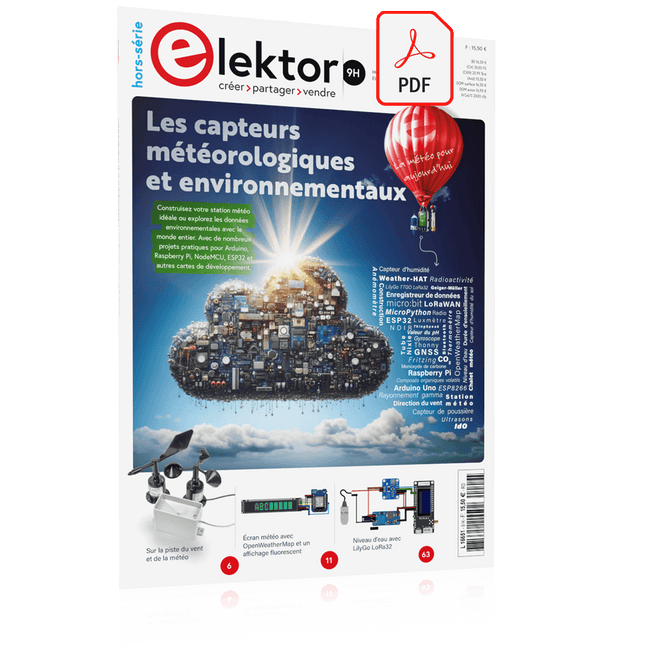
Elektor Digital Édition spéciale : Les capteurs météorologiques et environnementaux (PDF)
Construisez votre station météo idéale ou explorez les données environnementales avec le monde entier. Avec de nombreux projets pratiques pour Arduino, Raspberry Pi, NodeMCU, ESP32 et autres cartes de développement. Les stations météo jouissent d’une grande popularité depuis des décennies. Tous les magazines d’électronique, qu’ils soient récents ou non, ont publié et publient régulièrement des articles sur la construction d’une station météo. Au fil des années, elles sont devenues de plus en plus sophistiquées et peuvent aujourd’hui être entièrement intégrées dans la maison intelligente. Ceci implique toutefois souvent une fidélité à un fabricant de produits de marque (coûteux) pour tous les composants. Cependant, avec votre propre station météo, vous pouvez facilement suivre le rythme et même capturer des relevés que les appareils commerciaux ne peuvent pas réaliser. Le plaisir ne manque pas : vous développerez de manière ludique vos connaissances en électronique, en cartes de développement de microcontrôleurs modernes et en langages de programmation. Pour moins de dix euros, vous pouvez collecter des données environnementales initiales et étendre votre système au fur et à mesure que votre intérêt grandit. Dans ce numéro Sur la route du vent et de la météo Écran météo OpenWeatherMap à affichage fluorescent Les composés organiques volatils dans l‘air que nous respirons Travailler avec les capteurs MQ : mesurer le monoxyde de carbone Détecteur de CO2 avec connexion IdO vers ThingSpeak Un arrosage automatique pour vos plantes Un climat intérieur sain : la température et l‘humidité de l‘air sont importants Thermomètre avec tubes Nixie Une maison météo rétro pour toute la famille Mesurez la pression atmosphérique et la température avec précision Un détecteur de coups de soleil Capteur maison pour la durée d‘ensoleillement Le smartphone l‘indique : brouillard ou bonne visibilité ? Détecter les tremblements de terre Les niveaux des cours d‘eau et des réservoirs Évaluer la valeur du pH de l’eau Détecter les rayonnements radioactifs Avec le GPS, vous savez où se trouve votre capteur Enregistrer les fichiers journaux avec horodatage sur des cartes SD LoRaWAN, The Things Network et ThingSpeak Exploiter la passerelle LoRaWAN pour le TTN Affichage géant à led avec prévisions météo
€ 10,95
Membres : € 9,86
-

Elektor Digital Elektor March/April 2024 (PDF)
Elektor GREEN and GOLD members can download their digital edition here. Not a member yet? Click here. CaptureCountAn Object Detector and Counter on the Raspberry Pi 5 Voltage Reference With Arduino Pro MiniLinearize and Calibrate Your Analog Inputs FPGAs for BeginnersThe Path From MCU to FPGA Programming Update: STM32 Wireless Innovation Design Contest 2024 Bluetooth LE With MAUIControl Apps for Android & Co. Port-Expanding Breakout BoardIncrease the Number of I/Os on Your Dev Board AI SpecialistMachine Learning with the Jetson Nano 2024: An AI OdysseyFirst Forays Into TensorFlow 262,144 Ways to Play The Game of LifeA Reader’s Project in Brief From Life’s ExperienceThe Chinese Dragon Get Your (Brushed DC) Motor Running!Sample Projects from the Elektor Motor Control Development Bundle ESP32-RS-232 AdapterA Wireless Link for Classic Test Equipment Starting Out in Electronics……More About Opamps ESP Library Recommendations Piezoelectric DevicesPeculiar Parts, the Series A Smart Object CounterImage Recognition Made Easy with Edge Impulse Resolve Your Trickiest Embedded Development Challenges ESP32 TerminalA Handheld Device with a Touch-Capable Display Getting Started With the Zephyr RTOSAs Powerful as It Is Hard to Master Award-Winning EthicsA Dialog with CTO Alexander Gerfer of Würth Elektronik eiSos on Enabling Innovation and Mindful Behavior Err-lectronicsCorrections, Updates, and Readers’ Letters Infographics: Embedded and AI Square Wave Generation BenchmarksExploring ESP32, Pico, and Other Microcontrollers
€ 7,50
-
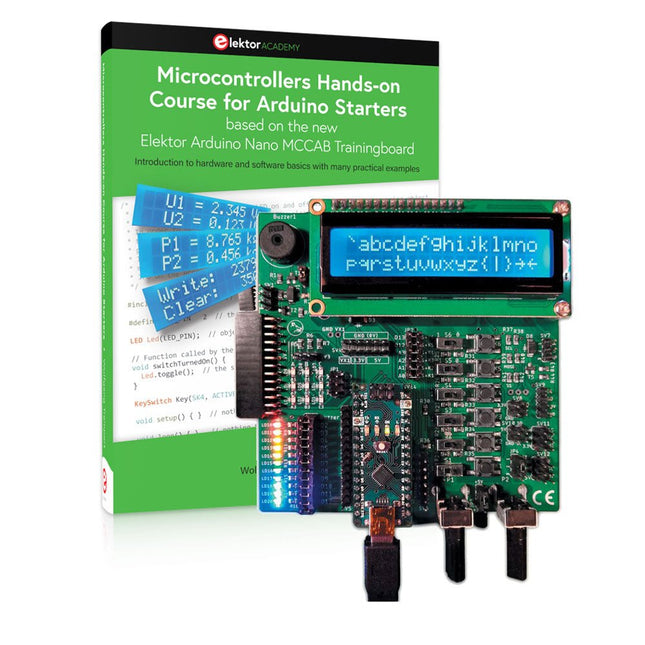
Elektor Bundles Cours pratique sur les microcontrôleurs pour les débutants Arduino (offre groupée)
Réalisez vos propres projets avec la carte d'apprentissage Elektor Arduino Nano MCCAB Le microcontrôleur est probablement le sous-domaine le plus fascinant de l'électronique. Grâce à la multitude de fonctions qu'il combine sur sa puce, il constitue un outil universel permettant aux développeurs de réaliser leurs projets. Pratiquement tous les appareils d'usage quotidien sont aujourd'hui dotés d'un microcontrôleur. Cependant, pour un débutant en électronique, réaliser ses propres idées avec un microcontrôleur est resté jusqu'à présent une chimère en raison de sa complexité. Le concept Arduino a largement simplifié l'utilisation des microcontrôleurs, de sorte que même les débutant peuvent désormais réaliser leurs propres idées électroniques avec un microcontrôleur. Livre et matériel dans un pack : apprendre par la pratique Ce livre, qui est inclus dans le pack, montre comment vous pouvez réaliser vos propres projets avec un microcontrôleur, même sans grande expérience en électronique et en langages de programmation. Il s'agit d'un cours pratique sur les microcontrôleurs pour débutants, car après un aperçu des éléments internes du microcontrôleur et une introduction au langage de programmation C, le cours se concentre sur les exercices pratiques. Le lecteur acquiert les connaissances nécessaires en apprenant par la pratique : dans la vaste section pratique comprenant 12 projets et 46 exercices, ce qui est appris dans la première partie du livre est étayé par de nombreux exemples. Les exercices sont structurés de telle sorte que l'utilisateur se voit confier une tâche à résoudre en utilisant les connaissances acquises dans la partie théorique du livre. Chaque exercice est suivi d'un exemple de solution qui est expliqué et commenté en détail, ce qui aide l'utilisateur à résoudre les problèmes et à les comparer avec sa propre solution. Arduino IDE L'Arduino IDE est un environnement de développement logiciel qui peut être téléchargé gratuitement sur votre PC et qui contient l'ensemble des logiciels nécessaires à la réalisation de vos propres projets de microcontrôleurs. Vous écrivez vos programmes (sketch) avec l'éditeur de l'IDE dans le langage de programmation C. Vous les traduisez en bits et octets que le microcontrôleur comprend à l'aide du compilateur intégré à l'IDE Arduino, puis vous les chargez dans la mémoire du microcontrôleur sur la carte d'apprentissage Elektor Arduino MCCAB Nano à l'aide d'un câble USB. Interroger ou contrôler des capteurs, des moteurs ou des ensembles externes Outre un module microcontrôleur Arduino Nano, la carte d'apprentissage Elektor Arduino Nano MCCAB contient tous les composants nécessaires aux exercices, tels que des diodes électroluminescentes, des interrupteurs, des boutons-poussoirs, des émetteurs de signaux acoustiques, etc. Ce système de formation à microcontrôleur permet également d'interroger ou de commander des capteurs, des moteurs ou des assemblages externes. Spécifications (Carte de formation Arduino Nano MCCAB) Alimentation électrique Via la connexion USB du PC connecté ou un bloc d'alimentation externe (non inclus) Tension de fonctionnement +5 Vcc Tension d'entrée Toutes les entrées 0 V to +5 V VX1 and VX2 +8 V to +12 V (uniquement en cas d'utilisation d'une alimentation externe) Périphérie du matériel LCD 2x16 caractères Potentiomètre P1 & P2 JP3 : sélection de la tension de fonctionnement de P1 et P2 Distributeur SV4 : Distributeur pour les tensions de fonctionnementSV5, SV6 : Distributeur pour les entrées/sorties du microcontrôleur Interrupteurs et boutons Bouton RESET sur le module Arduino Nano 6x interrupteurs à bouton poussoir K1 ... K6 6x interrupteurs à glissière S1 ... S6 JP2 : Connexion des interrupteurs avec les entrées du microcontrôleur Buzzer Buzzer piézo Buzzer1 avec cavalier sur JP6 Voyants lumineux 11 x LED : Indicateur d'état des entrées/sorties LED L sur le module Arduino Nano, connectée au GPIO D13 JP6 : Connexion des LED LD10 ... LD20 avec les GPIO D2 ... D12 Interfaces sérieSPI ET I²C JP4 : Sélection du signal à la broche X du connecteur SPI SV12 SV9 à SV12 : interface SPI (3,3 V/5 V) ou interface I²C Sortie de commutation pour les appareils externes SV1, SV7 : sortie de commutation (maximum +24 V/160 mA, alimentation externe) SV2 : 2x13 connecteurs pour la connexion de modules externes Matrice de 3x3 LED(9 LED rouges) SV3 : Colonnes de la matrice LED 3x3 (sorties D6 ... D8) JP1 : Connexion des lignes avec les GPIOs D3 ... D5 Logiciel Bibliothèque MCCABLib Contrôle des composants matériels (interrupteurs, boutons, DEL, matrice de DEL 3x3, buzzer) sur la carte de formation MCCAB. Température de fonctionnement Jusqu'à +40 °C Dimensions 100 x 100 x 20 mm Spécifications (Arduino Nano) Microcontrôleur ATmega328P Architecture AVR Tension de fonctionnement 5 V Mémoire flash 32 Ko, dont 2 Ko utilisés par le chargeur de démarrage SRAM 2 KB Vitesse d'horloge 16 MHz Connecteurs d'entrée analogique 8 EEPROM 1 KB Courant continu par connecteur d'E/S 40 mA sur un connecteur d'E/S, maximum total de 200 mA sur l'ensemble des connecteurs Tension d'entrée 7-12 V Connecteurs E/S numériques 22 (dont 6 PWM) Sortie PWMt 6 Consommation électrique 19 mA Dimensions 18 x 45 mm Poids 7 g Inclus Elektor Arduino Nano MCCAB Training Board Arduino Nano Livre : Microcontrollers Hands-on Course for Arduino Starters
€ 139,95
Membres : € 125,96
-

Elektor Digital Elektor 09-10/2026 (PDF) DE
Diese Ausgabe steht allen GOLD- und GREEN-Mitgliedern auf der ElektorMagazine-Website zum Download bereit! Sie sind noch kein Mitglied? Hier klicken! Der ESP-BLASTEine Mini-Raketendrohne mit ESP32, die über 100 km/h erreicht Wireless Workshop (1)Freigeschaltetes Funkmodul: 433-MHz-CC1101-Sub-GHz-Transceiver AM-Sendermit Rechteck-/Sinuswellengenerator auf Raspberry Pi Pico STM32Cube Innovations ChallengeTreten Sie mit Ihrem besten STM32C5-Design an CoffeeCallerWie ein langer Flur zu einer maßgefertigten Mesh-Netzwerk-Platine führte AudiotronicsKlirrfaktor Elektor ist 65Projekte aus früheren September/Oktober-Ausgaben Geräteortung durch Bluetooth Channel SoundingZentimetergenaue Entfernungsmessung im IoT der nächsten Generation 2026: Eine KI-OdysseeQuantencomputing ist nicht die nächste GPU Cloud-Schutz durch Edge-Sicherheit Erste Erfahrungen mit dem HackRF ProPraktische Tests mit der neuen SDR-Hardware Herausforderung ElektromobilitätEffiziente Lötlösungen für moderne Fahrzeugtechnik Modem-Update von GPRS/2G auf LTE/4Gam Beispiel einer Funk-Alarmzentrale Loop-Antenne mit RF BricksTeil 1: Kurzwellen-Antenne mit einstellbarer Richtwirkung im Selbstbau Internetradio-zu-AM-KonverterVerwendung eines ESP32-S3 als Sender Projekt 2.0 mioty – ein ÜberblickLPWAN à la Fraunhofer Werkbank-WeisheitPraktische Tipps von Experten Walter, das kompakte IoT-ModulTeil 2: Zugriff auf Wetter- und Datendienste
€ 11,90
-
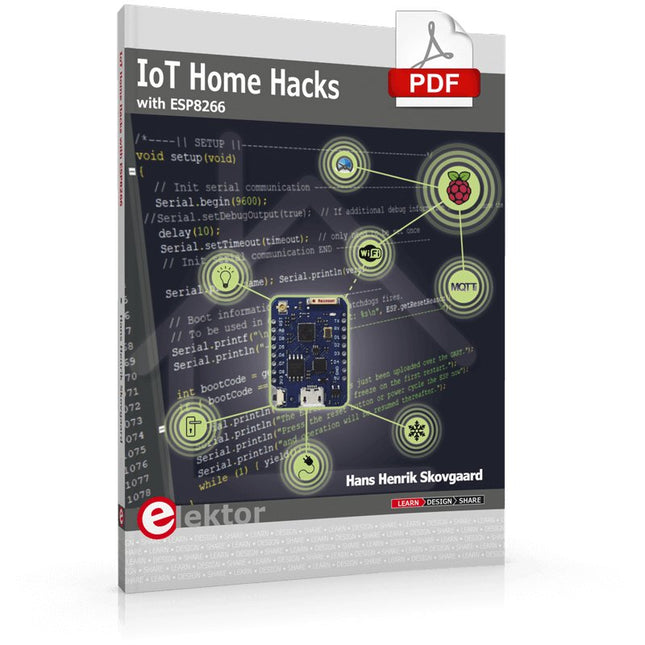
Elektor Digital IoT Home Hacks with ESP8266 (E-book)
There are many so-called 'Arduino compatible' platforms on the market. The ESP8266 – in the form of the WeMos D1 Mini Pro – is one that really stands out. This device includes WiFi Internet access and the option of a flash file system using up to 16 MB of external flash memory. Furthermore, there are ample in/output pins (though only one analogue input), PWM, I²C, and one-wire. Needless to say, you are easily able to construct many small IoT devices! This book contains the following builds: A colourful smart home accessory refrigerator controller 230 V power monitor door lock monitor and some further spin-off devices. All builds are documented together with relevant background information for further study. For your convenience, there is a small PCB for most of the designs; you can also use a perf board. You don’t need to be an expert but the minimum recommended essentials include basic experience with a PC, software, and hardware, including the ability to surf the Internet and assemble PCBs. And of course: A handle was kept on development costs. All custom software for the IoT devices and PCB layouts are available for free download from at Elektor.com.
€ 34,95
Membres : € 31,46
-

Andonstar Andonstar AD409 Pro-ES 10,1" Microscope numérique HDMI (avec endoscope)
L'AD409 Pro-ES est un microscope numérique d'un pied extra-haut qui est également équipé d'un endoscope. Le microscope permet d'observer clairement les côtés des composants, l'intérieur des tuyaux, etc, ce qui permet une observation à 360° sans angle mort. Le microscope est également équipé d'une télécommande qui permet de basculer facilement entre les modes d'image suivants : deux lentilles, microscope et endoscope. Caractéristiques Lentille et barillet de mise au point en métal de haute qualité Microscope numérique HDMI professionnel prenant en charge plusieurs méthodes de sortie Microscope à souder avec support métallique Pro Filtre UV unique 8 niveaux d'éclairage LED réglables Télécommande sans fil pratique Logiciel de mesure professionnel Spécifications Taille de l’écran 10,1 pouces (25,7 cm) Capteur d’image 4 MP Sortie vidéo UHD 2880x2160 (24fps)FHD 1920x1080 (60fps/30fps)HD 1280x720 (120fps) Format vidéo MP4 Agrandissement Jusqu'à 300 fois (moniteur HDMI de 27 pouces) Résolution photo Max. 12 MP (4032x3024) Format de la photo JPG Plage de mise au point Min. 5 cm Fréquence d'images Max. 120fps Interface vidéo HDMI Stockage carte microSD (jusqu'à 64 Go) Support PC Windows, logiciel PC avec mesure Prise en charge des téléphones mobiles et des tablettes Prise en charge de la connexion WiFi et des mesures Source d'alimentation 5 V DC Source lumineuse 2 LED avec le support Endoscope Oui Taille du support 18 x 20 x 32 cm Inclus 1x Microscope numérique Andonstar AD409 Pro-ES 1x Endoscope 1x Support métallique avec 2 LED 1x Filtre UV (déjà assemblé dans l'objectif) 1x Télécommande IR 1x Câble de commutation 1x Adaptateur d'alimentation 1x Clé à molette 2x Clips métalliques 1x Câble HDMI 1x Manuel de l'utilisateur Télechargements Manuel Logiciel
€ 289,00
Meilleur prix


