
Résultats de la recherche pour "io OR warrior56 OR module OR 130006 OR 91"
-

OWON Multimètre Bluetooth OWON OW18B
Caractéristiques Enregistreur de données, multimètre et thermomètre 3 (5/6) chiffres Test True RMS pris en charge Transmission sans fil BLE 4.0, plus stable, moins de consommation d'énergie Mode Graphique et Diagramme, pour analyser vos données Prend en charge la VNC La diffusion vocale simplifie les tests Fonction lampe de poche Fonction d'enregistrement hors ligne intégrée Prend en charge Android, iOS Inclus Fils d'essai Thermocouple de type K Pile 9V Tournevis Pince crocodile Guide rapide
€ 39,30
-
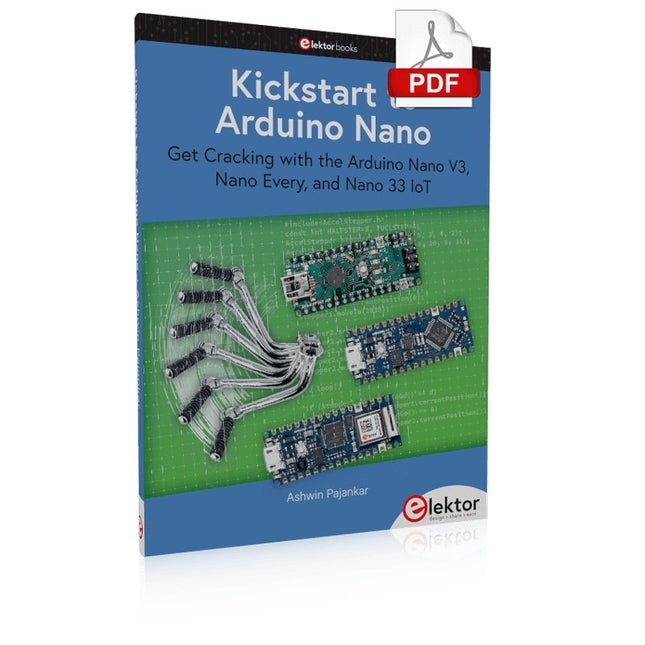
Elektor Digital Kickstart to Arduino Nano (E-book)
Get Cracking with the Arduino Nano V3, Nano Every, and Nano 33 IoT The seven chapters in this book serve as the first step for novices and microcontroller enthusiasts wishing to make a head start in Arduino programming. The first chapter introduces the Arduino platform, ecosystem, and existing varieties of Arduino Nano boards. It also teaches how to install various tools needed to get started with Arduino Programming. The second chapter kicks off with electronic circuit building and programming around your Arduino. The third chapter explores various buses and analog inputs. In the fourth chapter, you get acquainted with the concept of pulse width modulation (PWM) and working with unipolar stepper motors. In the fifth chapter, you are sure to learn about creating beautiful graphics and basic but useful animation with the aid of an external display. The sixth chapter introduces the readers to the concept of I/O devices such as sensors and the piezo buzzer, exploring their methods of interfacing and programming with the Arduino Nano. The last chapter explores another member of Arduino Nano family, Arduino Nano 33 IoT with its highly interesting capabilities. This chapter employs and deepens many concepts learned from previous chapters to create interesting applications for the vast world of the Internet of Things. The entire book follows a step-by-step approach to explain concepts and the operation of things. Each concept is invariably followed by a to-the-point circuit diagram and code examples. Next come detailed explanations of the syntax and the logic used. By closely following the concepts, you will become comfortable with circuit building, Arduino programming, the workings of the code examples, and the circuit diagrams presented. The book also has plenty of references to external resources wherever needed. An archive file (.zip) comprising the software examples and Fritzing-style circuit diagrams discussed in the book may be downloaded free of charge below.
€ 29,95
Membres : € 26,96
-

Elektor Digital Sprachsteuerung von IoT-Projekten mit Amazon Alexa (PDF)
Sprachsteuerung von IoT-Projekten mit Amazon Alexa gibt dem Leser einen tiefen Einblick in die Technik der Sprachsteuerung am Beispiel von Amazon Alexa. Es erklärt detailliert Schritt für Schritt, wie man Raspberry Pi, ESP8266/32 und Arduino mit einem Sprachassistenten verbindet und steuert. Dieses geschieht anhand von Projekten aus den Bereichen Hausautomation und Robotik. Der Leser erfährt, wie man Heizkessel, Roboter und Gartenhäuser mit dieser modernen Mensch-Maschine-Schnittstelle kommandieren kann. Der Autor Walter Trojan führt dabei den Leser in die vielschichtige Welt der Amazon Web Services ein, wo er neben dem Alexa Skills Kit weitere Module wie AWS Lambda und IoT Core kennenlernt. Das erwartet den Leser: Kapitel 1: Sprachassistenten setzen sich durch Kapitel 2: Alexa intern Kapitel 3: Der erste Alexa Skill Kapitel 4: Alexa Skills für Fortgeschrittene Kapitel 5: Erster Hardware-Skill auf Raspberry Pi Kapitel 6: Auch Alexa liebt die Arduino-IDE Kapitel 7: Hacks mit Schaltern Kapitel 8: Alexa steuert ein Gartenhaus Kapitel 9: Auch Roboter gehorchen Alexa Kapitel 10: Alexa geht fremd
€ 32,80
Membres : € 29,52
-

Elektor Digital Elektor AI Guest Edition 2024 (PDF) NL
Elektor GREEN en GOLD leden kunnen deze uitgave hier downloaden. Nog geen lid? Klik hier om een lidmaatschap af te sluiten. Het AlertAlfred AI-beveiligingssysteemmet Raspberry Pi 5 en Hailo 8L-module AI in elektronica-ontwikkelingeen update na slechts één jaar AI-algoritmen – een inleidingprompt: welke algoritmen implementeren AI-tools? Single-board computers voor AI-projectenachtergrond en overzicht Van sensordata naar machine learning-modelgebarendetectie met een versnellingsmeter en Edge Impulse Bouw uw eigen lekkend integreer-en-vuur neuronkunstmatige intelligentie zonder software Elektronica ontwerpen met ChatGPTdoet GPT-4o het beter? Breng AI naar de edgemet ESP32-P4 Spraakfuncties verkennen met een Raspberry Pi Zerooverklokken geeft recht van spreken De groeiende rol van Edge-AIeen trend die de toekomst vormgeeft De kracht van Edge-AI ontsluiteneen gesprek met François de Rochebouët van STMicroelectronics Een VHDL-klok gemaakt met ChatGPThoe AI de manier waarop we leren transformeert De werkelijke impact van AISayash Kapoor over ‘Haarlemmer AI-olie’ en meer Het laatste nieuws van BeagleBoardBeagleY-AI, BeagleV-Fire, BeagleMod, BeaglePlay en BeagleConnect Freedom Muggen detecterenmet open datasets en Arduino Nicla Vision AI nu en morgen:gedachten van Espressif, Arduino en SparkFun Tijdlijn kunstmatige intelligentie BeagleY-AIde nieuwste SBC voor AI-toepassingen AI in beeldgedachten uit de Elektor-community Machine vision met OpenMVmaak een frisdrankblik-detector Een gesprek met het digitale breinChatGPT versus Gemini “Skilling Me Softly with This Bot?”mislukt de AI-revolutie op elektronisch gebied door een gebrek aan sociale precisie?
€ 9,95
-

Elektor Publishing Robotik und Künstliche Intelligenz
Dieses Buch ist eine Einführung in das hochaktuelle Gebiet der Robotik. Dabei stehen praktische Anwendungsbeispiele im Vordergrund. Neben den technischen und mechanischen Grundlagen werden die elektronischen Komponenten und Module erläutert. Eine zentrale Rolle spielt dabei der Mikrocontroller. Für Robotik-Anwendungen haben sich zwei Controller-Boards etabliert: der Arduino und der Raspberry Pi. Dem trägt dieses Buch Rechnung und beschreibt praktische Nachbauprojekte mit diesen beiden populären Boards. Getreu der Philosophie des „Learning by Doing“ können sich auch ambitionierte, nichtprofessionelle Anwender mit dem Lernmaterial des Buches einen Überblick über den neuesten Stand der Robotertechnik und KI verschaffen. Für praktische Anwendungen können sowohl komplette Bausätze als auch einzelne Komponenten verwendet werden. Dabei wurde stets darauf geachtet, dass die Hardware möglichst universell einsetzbar ist.
€ 39,80
Meilleur prix
-

Elektor Digital Mastering Microcontrollers Helped by Arduino (3rd Edition) | E-book
Third, extended and revised edition with AVR Playground and Elektor Uno R4 Arduino boards have become hugely successful. They are simple to use and inexpensive. This book will not only familiarize you with the world of Arduino but it will also teach you how to program microcontrollers in general. In this book theory is put into practice on an Arduino board using the Arduino programming environment. Some hardware is developed too: a multi-purpose shield to build some of the experiments from the first 10 chapters on; the AVR Playground, a real Arduino-based microcontroller development board for comfortable application development, and the Elektor Uno R4, an Arduino Uno R3 on steroids. The author, an Elektor Expert, provides the reader with the basic theoretical knowledge necessary to program any microcontroller: inputs and outputs (analog and digital), interrupts, communication busses (RS-232, SPI, I²C, 1-wire, SMBus, etc.), timers, and much more. The programs and sketches presented in the book show how to use various common electronic components: matrix keyboards, displays (LED, alphanumeric and graphic color LCD), motors, sensors (temperature, pressure, humidity, sound, light, and infrared), rotary encoders, piezo buzzers, pushbuttons, relays, etc. This book will be your first book about microcontrollers with a happy ending! This book is for you if you are a beginner in microcontrollers, an Arduino user (hobbyist, tinkerer, artist, etc.) wishing to deepen your knowledge,an Electronics Graduate under Undergraduate student or a teacher looking for ideas. Thanks to Arduino the implementation of the presented concepts is simple and fun. Some of the proposed projects are very original: Money Game Misophone (a musical fork) Car GPS Scrambler Weather Station DCF77 Decoder Illegal Time Transmitter Infrared Remote Manipulator Annoying Sound Generator Italian Horn Alarm Overheating Detector PID Controller Data Logger SVG File Oscilloscope 6-Channel Voltmeter All projects and code examples in this book have been tried and tested on an Arduino Uno board. They should also work with the Arduino Mega and every other compatible board that exposes the Arduino shield extension connectors. Please note For this book, the author has designed a versatile printed circuit board that can be stacked on an Arduino board. The assembly can be used not only to try out many of the projects presented in this book but also allows for new exercises that in turn provide the opportunity to discover new techniques. Also available is a kit of parts including the PCB and all components. With this kit you can build most of the circuits described in the book and more. Datasheets Active Components Used (.PDF file): ATmega328 (Arduino Uno) ATmega2560 (Arduino Mega 2560) BC547 (bipolar transistor, chapters 7, 8, 9) BD139 (bipolar power transistor, chapter 10) BS170 (N-MOS transistor, chapter 8) DCF77 (receiver module, chapter 9) DS18B20 (temperature sensor, chapter 10) DS18S20 (temperature sensor, chapter 10) HP03S (pressure sensor, chapter 8) IRF630 (N-MOS power transistor, chapter 7) IRF9630 (P-MOS power transistor, chapter 7) LMC6464 (quad op-amp, chapter 7) MLX90614 (infrared sensor, chapter 10) SHT11 (humidity sensor, chapter 8) TS922 (dual op-amp, chapter 9) TSOP34836 (infrared receiver, chapter 9) TSOP1736 (infrared receiver, chapter 9) MPX4115 (analogue pressure sensor, chapter 11) MCCOG21605B6W-SPTLYI (I²C LCD, chapter 12) SST25VF016B (SPI EEPROM, chapter 13) About the author Clemens Valens, born in the Netherlands, lives in France since 1997. Manager at Elektor Labs and Webmaster of ElektorLabs, in love with electronics, he develops microcontroller systems for fun, and sometimes for his employer too. Polyglot—he is fluent in C, C++, PASCAL, BASIC and several assembler dialects—Clemens spends most of his time on his computer while his wife, their two children and two cats try to attract his attention (only the cats succeed). Visit the author’s website: www.polyvalens.com.Authentic testimony of Hervé M., one of the first readers of the book:'I almost cried with joy when this book made me understand things in only three sentences that seemed previously completely impenetrable.'
€ 34,95
Membres : € 31,46
-

Elektor Digital BBC micro:bit (E-book)
35 Touch Develop & MicroPython Projects The BBC micro:bit is a credit sized computer based on a highly popular and high performance ARM processor. The device is designed by a group of 29 partners for use in computer education in the UK and will be given free of charge to every secondary school student in the UK. The device is based on the Cortex-M0 processor and it measures 4 x 5 cm. It includes several important sensors and modules such as an accelerometer, magnetometer, 25 LEDs, 2 programmable push-button switches, Bluetooth connectivity, micro USB socket, 5 ring type connectors, and a 23-pin edge connector. The device can be powered from its micro USB port by connecting it to a PC, or two external AAA type batteries can be used. This book is about the use of the BBC micro:bit computer in practical projects. The BBC micro:bit computer can be programmed using several different programming languages, such as Microsoft Block Editor, Microsoft Touch Develop, MicroPython, and JavaScript. The book makes a brief introduction to the Touch Develop programming language and the MicroPython programming language. It then gives 35 example working and tested projects using these language. Readers who learn to program in Touch Develop and MicroPython should find it very easy to program using the Block Editor or any other languages. The following are given for each project: Title of the project Description of the project Aim of the project Touch Develop and MicroPython program listings Complete program listings are given for each project. In addition, working principles of the projects are described briefly in each section. Readers are encouraged to go through the projects in the order given in the book.
€ 24,95
Membres : € 22,46
-
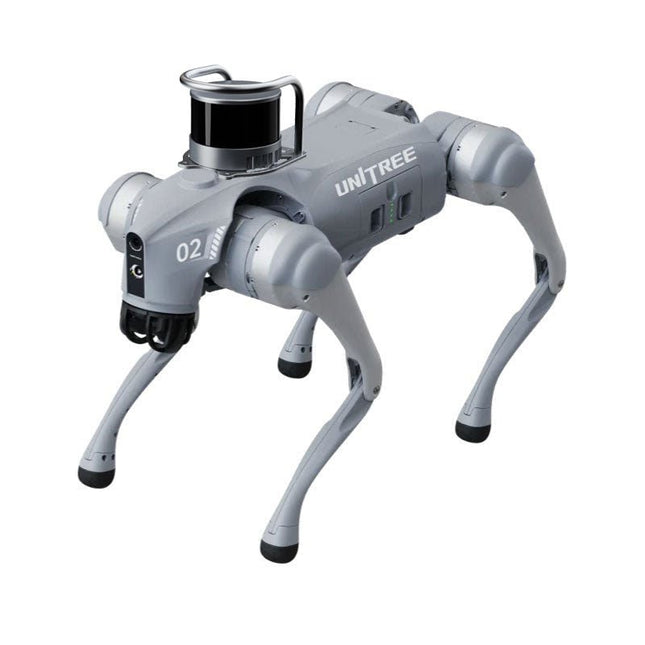
Unitree Unitree Go2 Edu Plus 3D LiDAR Robot quadrupède
Retard temporaire dans la livraison des robots Unitree Comme de nombreux autres fournisseurs, nous rencontrons actuellement des retards dans la livraison des robots Unitree. Un envoi de notre fournisseur est actuellement bloqué en douane, ce qui entraîne un retard dans la livraison des commandes déjà passées. Nous travaillons activement avec notre fournisseur pour résoudre ce problème et espérons obtenir plus de clarté bientôt, mais nous ne pouvons malheureusement pas garantir de délais précis pour le moment. Un nouvel envoi est également en cours d'acheminement, mais il faudra un certain temps avant qu'il n'arrive. Comme d'autres fournisseurs rencontrent les mêmes difficultés, changer de prestataire ne permettrait pas d’obtenir une solution plus rapide. Notre priorité est d’honorer les commandes existantes. Si vous avez des questions ou souhaitez modifier votre commande, n’hésitez pas à contacter notre service client. Nous vous tiendrons informés des prochains développements. La série Unitree Go2 se compose de robots quadrupèdes destinés à la recherche et au développement de systèmes autonomes dans les domaines de l'interaction homme-robot (HRI), du SLAM et du transport. Grâce à ses quatre pattes et à ses 12 degrés de liberté, ce robot peut évoluer sur des terrains variés. Le Go2 est équipé d'un système perfectionné de gestion de l'entraînement et de la puissance, qui permet une vitesse (selon la version) allant jusqu'à 3,7 m/s ou 11,88 km/h, avec une autonomie pouvant atteindre 4 heures. De plus, les moteurs ont un couple de 45 N.m au niveau du corps/des cuisses et des genoux, ce qui permet également des sauts ou des saltos arrière. Caractéristiques Système de reconnaissance ultra-performant : LIDAR 4D L1 Vitesse de course maximale : environ 5 m/s Couple d'articulation maximal : environ 45 N.m Module sans fil : Wi-Fi 6/Bluetooth/4G Autonomie ultra-longue : environ 2 à 4 h (longue durée de vie mesurée en conditions réelles) Système de suivi latéral intelligent : ISS 2.0 Spécifications Module de suivi : Suivi automatique ou télécommandé Caméra frontale : Résolution de transmission d'image : 1280 x 720, champ de vision : 120°, objectif ultra grand angle pour une clarté exceptionnelle. Feu avant : Éclaire intensément la route. LiDAR 4D L1 : Balayage omnidirectionnel ultra grand angle 360° x 90° permettant un évitement automatique avec un angle mort réduit et un fonctionnement stable. 12 moteurs d'articulation : Robuste et puissant, élégant et simple, une expérience visuelle inédite. Microphone interphone : Communication efficace sans restriction de scénario. Sangle auto-rétractable : Facile à transporter et à charger. Plus stable, plus puissant grâce à des appareils avancés. LiDAR 3D, carte ESIM 4G, Wi-Fi 6 bi-bande, Bluetooth 5.2 pour une connexion stable et un contrôle à distance. Puissant cœur de calcul : contrôleur de mouvement, processeur ARM hautes performances, processeur à algorithme d'intelligence artificielle amélioré, ORIN NX/NANO externe. Batterie intelligente : batterie standard de 8000 mAh, batterie longue durée de 15000 mAh, protection contre les surchauffes, les surcharges et les courts-circuits. Haut-parleur pour écouter de la musique : écoutez votre musique comme bon vous semble. Variantes de l'Unitree Go2 Le Go2 impressionne non seulement par ses capacités techniques, mais aussi par son design moderne et fin qui lui confère un look futuriste et attire tous les regards. Le Go2 Air est spécialement conçu pour les démonstrations et les présentations. Grâce à ses fonctionnalités de base, il offre une base solide pour démontrer les capacités de mouvement et les fonctionnalités d'un robot à quatre pattes. Important : Le Go2 Air est livré sans contrôleur. Celui-ci est disponible en option. Équipés d'un puissant processeur 8 cœurs hautes performances, les modèles Pro et Edu offrent une puissance de calcul impressionnante, indispensable aux tâches complexes et aux calculs exigeants. Cela permet un traitement des données plus rapide et plus efficace, faisant des modèles Pro et Edu des partenaires fiables pour vos projets. À partir de la version Edu, le Go2 est programmable et offre des possibilités infinies pour le développement et la recherche de vos propres applications robotiques. Le Go2 est également capable de gérer une hauteur de marche allant jusqu'à 14 cm. Cela en fait un outil idéal pour la recherche, l'éducation et l'initiation au monde de la robotique. Le Go2 Edu est livré avec une télécommande pour un contrôle simple et intuitif. Il dispose également d'une station d'accueil d'une puissance de calcul impressionnante de 100 TOPS, équipée de puissants algorithmes d'IA et d'une assistance technique. Le Go2 Edu est équipé d'une puissante batterie de 15000 mAh qui lui confère une autonomie impressionnante allant jusqu'à 4 heures. Cette longue durée de fonctionnement permet au robot d'effectuer des missions d'exploration plus longues et d'accomplir des tâches exigeantes. Le Go2 Edu Plus 3D LiDAR est équipé d'un puissant capteur LiDAR 3D Hesai XT16. Ce capteur LiDAR offre au robot une perception tridimensionnelle précise de son environnement, permettant une navigation fluide et une évitement intelligent des obstacles. Comparaison des modèles Air Pro Edu/Edu Plus Dimensions (debout) 70 x 31 x 40 cm 70 x 31 x 40 cm 70 x 31 x 40 cm Dimensions (accroupi) 76 x 31 x 20 cm 76 x 31 x 20 cm 76 x 31 x 20 cm Matériau Alliage d'aluminium + Plastique technique haute résistance Alliage d'aluminium + Plastique technique haute résistance Alliage d'aluminium + Plastique technique haute résistance plastique Poids (avec batterie) environ 15 kg environ 15 kg environ 15 kg Tension 28~33,6 V 28~33,6 V 28~33,6 V Puissance de pointe environ 3000 W environ 3000 W Charge utile ≈7 kg (MAX ~ 10 kg) ≈8 kg (MAX ~ 10 kg) ≈8 kg (MAX ~ 12 kg) Vitesse 0~2,5 m/s 0~3,5 m/s 0~3,7 m/s (MAX ~ 5 m/s) Hauteur de montée/chute max. environ 15 cm environ 16 cm environ 16 cm Angle de montée max. 30° 40° 40° Puissance de calcul de base N/A 8 cœurs hautes performances Processeur Processeur 8 cœurs hautes performances Moteur d'articulation du genou en aluminium Ensemble de 12 Ensemble de 12 Ensemble de 12 Circuit intra-articulaire (genou) ✓ ✓ ✓ Refroidisseur de caloduc articulaire ✓ ✓ ✓ Amplitude de mouvement Corps : −48~48° Corps : −48~48° Corps : −48~48° Cuisse : −200°~90° Cuisse : −200°~90° Cuisse : −200°~90° Jarret : −156°~−48° Jarret : −156°~−48° Couple max. N/A Environ 45 N.m Environ 45 N.m LiDAR 3D super grand-angle ✓ ✓ ✓ Module de suivi de positionnement vectoriel sans fil N/A ✓ ✓ Grand angle HD Caméra ✓ ✓ ✓ Capteur de force côté pied N/A N/A ✓ Action de base ✓ ✓ ✓ Sangle de mise à l'échelle automatique N/A ✓ N/A OTA intelligent amélioré ✓ ✓ ✓ Transmission d'images RTT 2.0 ✓ ✓ ✓ Télécommande de base via l'application ✓ ✓ ✓ Visualisation des données via l'application ✓ ✓ ✓ Programme graphique via l'application ✓ ✓ ✓ Lampe frontale (3) W) ✓ ✓ ✓ Wi-Fi 6 double bande ✓ ✓ ✓ Bluetooth 5.2/4.2/2.1 ✓ ✓ ✓ Module 4G N/A CN/GB CN/GB Voix Fonction N/A ✓ ✓ Lecture musicale N/A ✓ ✓ Système intelligent de suivi latéral ISS 2.0 N/A ✓ ✓ Détection et évitement intelligents ✓ ✓ ✓ Secondaire Développement N/A N/A ✓ Contrôleur manuel En option En option ✓ Module haute puissance de calcul N/A N/A Edu : 40 TOPS de puissance de calcul Edu Plus : 100 TOPS de puissance de calcul NVIDIA Jetson Orin (en option) Smart Batterie Standard (8000 mAh) Standard (8000 mAh) Longue autonomie (15000 mAh) Autonomie 1 à 2 h 1 à 2 h 2 à 4 h Chargeur Standard (33,6 V, 3,5 A) Standard (33,6 V, 3,5 A) Charge rapide (33,6 V, 9 A) Inclus 1x Unitree Go2 Edu Plus 3D LiDAR 1xHesai XT16 3D LiDAR 1x Unitree Go2 télécommande 1x Unitree Go2 batterie (15000 mAh) 1x Unitree station d'accueil avec une puissance de calcul de 100 TOPS Téléchargements Documentation iOS/Android apps GitHub
€ 20.599,00
Meilleur prix
-

€ 17,50
Membres : € 15,75
-

Elektor Publishing Das offizielle Raspberry Pi Handbuch
Von den Machern von MagPi, dem offiziellen Raspberry Pi Magazin Starten Sie jetzt mit dem Raspberry Pi 5, dem neuesten und besten Minicomputer von Raspberry Pi – und lernen Sie, mit diesem unglaublichen Computer zu programmieren und Projekte zu erstellen. In diesem Buch finden Sie außerdem jede Menge kreative Ideen und Tipps, die Sie mit dem Raspberry Pi 4, dem Raspberry Pi Zero 2 W und dem Raspberry Pi Pico W umsetzen können. Mit den neuesten Reviews, Tutorials, Projekten, Anleitungen und mehr ist dies Ihre ultimative Ressource für den Raspberry Pi! 228 Seiten über Raspberry Pi Alles, was Sie über den Raspberry Pi 5 wissen müssen Erste Schritte für jeden Raspberry Pi Viel Spaß mit Elektronik und dem Pico W Inspirierende Projekte für Ihre nächste Bauidee Lernen Sie MicroPython, indem Sie ein Handheld bauen Erste Schritte mit dem Raspberry Pi Camera Modul Künstliche Intelligenz: Bauen Sie Ihren eigenen GPT Chatbot
€ 34,80
Meilleur prix
-

SunFounder Kit SunFounder Kepler (Kit de démarrage ultime pour Raspberry Pi Pico W)
Votre passerelle vers la programmation IoT et microcontrôleurs Avec plus de 450 composants et 117 projets en ligne, ce kit complet stimule votre créativité. Les tutoriels de Paul McWhorter rendent l'apprentissage agréable pour les débutants et les utilisateurs avancés. Ce kit prend en charge MicroPython, C/C++ et Piper Make, offrant ainsi diverses options de programmation. Explorez les capteurs, les actionneurs, les DEL et les écrans à cristaux liquides pour des possibilités de projets infinies. De la domotique à la robotique, ce kit vous accompagne dans votre voyage technologique. Caractéristiques Kit de démarrage IoT pour les débutants : Ce kit offre une riche expérience d'apprentissage de l'IoT pour les débutants. Avec plus de 450 composants, 117 projets et des leçons vidéo dirigées par des experts, ce kit rend l'apprentissage de la programmation des microcontrôleurs et de l'IoT attrayant et accessible. Leçons vidéo guidées par des experts : Le kit comprend 27 tutoriels vidéo réalisés par l'éducateur de renom Paul McWhorter. Son style engageant simplifie les concepts complexes, garantissant une expérience d'apprentissage efficace de la programmation des microcontrôleurs. Large gamme de matériel : Le kit comprend un large éventail de composants tels que des capteurs, des actionneurs, des LED, des LCD, etc., vous permettant d'expérimenter et de créer une variété de projets avec le Raspberry Pi Pico W. Prise en charge de plusieurs langues : Le kit offre une polyvalence avec la prise en charge de trois langages de programmation – MicroPython, C/C++ et Piper Make, offrant une expérience d'apprentissage de la programmation diversifiée. Assistance dédiée : Bénéficiez de notre assistance permanente, notamment d'un forum communautaire et d'une aide technique opportune pour une expérience d'apprentissage sans faille. Inclus Raspberry Pi Pico W Carte de montage Fils de liaison Résistance Transistor Condensateur Diode Module chargeur Li-Po 74HC595 TA6586 – Puce de pilote de moteur LED LED RVB Graphique à barres LED Affichage à 7 segments Affichage à 4 chiffres et 7 segments Matrice de points LED I²C LCD1602 Bande WS2812 RVB 8 LED Avertisseur sonore Moteur à courant continu Servomoteur Pompe à eau CC Relais Bouton Micro-interrupteur Interrupteur à glissière Potentiomètre Récepteur infrarouge Module de manette Clavier 4x4 Module MPR121 Module CRFM522 Photorésistance Thermistance Commutateur d'inclinaison Commutateur à lames Module de capteur de mouvement PIR Module de capteur de niveau d'eau Module à ultrasons Capteur d'humidité DHT11 Module MPU6050 Documentation Tutoriels en ligne en 3 langues (EN, DE et JP)
-

Elektor Bundles Mikrocontroller-Praxiskurs für Arduino-Einsteiger (Bundle)
Mit dem Elektor Arduino Nano Trainingsboard (MCCAB) eigene Projekte realisieren Der Mikrocontroller ist das wohl faszinierendste Teilgebiet der Elektronik, denn aufgrund der Vielzahl von Funktionen, die er auf seinem Chip vereinigt, ist er für den Entwickler ein universelles Multi-Tool zur Realisierung seiner Projekte. Praktisch jedes Gerät des täglichen Gebrauchs wird heute von einem Mikrocontroller gesteuert. Für einen elektronischen Laien blieb es aufgrund der Komplexität bisher allerdings ein Wunschtraum, eigene Ideen mit einem Mikrocontroller zu realisieren. Das Arduino-Konzept hat den Einsatz von Mikrocontrollern weitgehend vereinfacht, sodass jetzt auch Laien eigene Elektronik-Ideen mit einem Mikrocontroller verwirklichen können. Buch & Hardware im Bundle: 'Learning by Doing' Dieses im Bundle mitgelieferte Buch (im großen A4-Format) zeigt, wie man auch ohne große Erfahrung in Elektronik und Programmiersprachen eigene Projekte mit einem Mikrocontroller realisieren kann. Es ist ein Mikrocontroller-Praxiskurs für Einsteiger, denn nach einem Überblick über die Interna des Mikrocontrollers und einer Einführung in die Programmiersprache C liegt der Schwerpunkt des Kurses auf den praktischen Übungen. Der Leser eignet sich die erforderlichen Kenntnisse durch 'Learning by Doing' an: in dem umfangreichen Praxisteil mit 12 Projekten und 46 Übungen wird das im vorderen Teil des Buches Gelernte mit vielen Beispielen unterlegt. Die Übungen sind dabei so aufgebaut, dass der Bearbeiter eine Aufgabenstellung erhält, die er mit seinem im Theorieteil des Buches aufgebauten Wissen löst. Für jede Übung gibt es anschließend eine ausführlich erklärte und kommentierte Musterlösung, die dem Bearbeiter bei Problemen weiterhilft und die er mit seiner eigenen Lösung vergleichen kann. Arduino IDE In der Arduino IDE, einer Software-Entwicklungsumgebung, die kostenlos auf den eigenen PC heruntergeladen werden kann und die das gesamte Softwarepaket enthält, das für ein eigenes Mikrocontroller-Projekt benötigt wird, schreibt der Bearbeiter mit dem Editor der IDE seine Programme („Apps“) in der Programmiersprache C. Der in die Arduino IDE integrierte Compiler übersetzt sie in die Bits und Bytes, die der Mikrocontroller versteht und die dann über ein USB-Kabel in den Speicher des Mikrocontrollers auf dem Elektor Arduino Nano Trainingsboard (MCCAB) geladen werden. Externe Sensoren, Motoren oder Baugruppen abfragen oder steuern Das Elektor Arduino Nano Trainingsboard (MCCAB) enthält neben einem Mikrocontrollermodul Arduino Nano alle für die Übungen benötigten Bauteile wie Leuchtdioden, Schalter, Taster, akustische Signalgeber usw. Auch externe Sensoren, Motoren oder Baugruppen können mit diesem Mikrocontroller-Übungssystem abgefragt oder gesteuert werden. Technische Daten (Arduino Nano Trainingsboard MCCAB) Stromversorgung Über die USB-Verbindung des zur Erstellung der Programme sowieso angeschlossenen PCs oder ein externes Netzteil (nicht im Lieferumfang enthalten) Betriebsspannung +5 Vcc Eingangsspannung Alle Eingänge 0 V bis +5 V VX1 und VX2 +8 V bis +12 V (nur bei Verwendung eines externen Netzteils) Mikrocontrollermodul Arduino Nano Hardwareperipherie LCD 2x16 Zeichen Potenziometer P1 & P2 JP3: Auswahl der Betriebsspannung von P1 & P2 Verteiler SV4: Verteiler für die BetriebsspannungenSV5, SV6: Verteiler für die Ein-/Ausgänge des Mikrocontrollers Schalter und Taster RESET-Taster auf dem Arduino Nano-Modul6x Tastschalter K1 … K66x Schiebeschalter S1 … S6JP2: Verbindung der Schalter mit den Eingängen des Mikrocontrollers Summer Piezo-Summer Buzzer1 mit Steckbrücke auf JP6 Leuchtanzeigen LED L auf dem Arduino Nano-Modul, verbunden mit GPIO D1311x LED: Zustandsanzeige für die Ein-/AusgängeJP6: Verbindung der LEDs LD10 … LD20 mit den GPIOs D2 … D12 Serielle SchnittstellenSPI & I²C JP4: Auswahl des Signals an Pin X der SPI-Steckerleiste SV12SV9 bis SV12: SPI-Interface (3,3 V/5 V) bzw. I²C-Interface Schaltausgang für externe Geräte SV1, SV7: Schaltausgang (maximal +24 V/160 mA, extern zugeführt)SV2: 2x13 Pins zum Anschluss externer Module 3x3 LED-Matrix (9 rote LEDs) SV3: Spalten der 3x3 LED-Matrix (Ausgänge D6 … D8)JP1: Verbindung der Reihen mit den GPIOs D3 … D5 Software Library MCCABLib Steuerung der Hardware-Komponenten (Schalter, Taster, Leuchtdioden, 3x3 LED-Matrix, Summer) auf dem MCCAB Trainingsboard Betriebstemperatur bis +40 °C Abmessungen 100 x 100 x 20 mm Technische Daten (Arduino Nano) Mikrocontroller ATmega328P Architektur AVR Betriebsspannung 5 V Flashspeicher 32 KB, davon 2 KB vom Bootloader belegt SRAM 2 KB Taktfrequenz 16 MHz Analoge IN-Pins 8 EEPROM 1 KB DC-Strom pro I/O-Pin 40 mA an einem I/O-Pin, insgesamt maximal 200 mA an allen Pins gemeinsam Eingangsspannung 7-12 V Digitale I/O-Pins 22 (6 davon sind PWM-fähig) PWM-Ausgänge 6 Stromverbrauch 19 mA Abmessungen 18 x 45 mm Gewicht 7 g Lieferumfang Elektor Arduino Nano MCCAB Trainingsboard Arduino Nano Buch: Mikrocontroller-Praxiskurs für Arduino-Einsteiger


