Le testeur de diodes Zener Elektor est essentiellement une source de courant constant commutable par paliers de 1 à 50 mA. Il peut être utilisé pour tester des diodes Zener jusqu’à un maximum de 54 V. Grâce à un convertisseur élévateur de 60 V, l’appareil peut être alimenté par une tension courante de 5 à 12 V.
Le principe de ce testeur est simple. Une diode Zener ou un autre DUT (device under test, dispositif sous test, comme une LED) est polarisé par une source de courant réglable. La tension aux bornes du DUT peut être mesurée avec un multimètre. La tension de la plupart des (petites) diodes Zener est spécifiée pour un courant de 5 mA. Selon l’application, la tension à d’autres courants peut également présenter un intérêt. C’est pourquoi six réglages de courant sont disponibles : 1, 2, 5, 10, 20 et 50 mA. Les LED sont souvent spécifiées pour un courant de 20 mA.
Il est possible de tester :
Si une diode Zener est défectueuse (court-circuit ou haute impédance).
Si une diode Zener présente la bonne tension Zener.
Comment une tension Zener évolue avec différents courants.
Quelle tension exacte est présente sur une référence de tension intégrée.
Si des LED montées en série présentent des différences de luminosité (d’où le courant de 20 mA).
Quel est le gain en courant pour différents courants de base dans des transistors (de puissance).
Le kit contient toutes les pièces indiquées dans la nomenclature, y compris le circuit imprimé et le boîtier.
Spécifications
Tension d'alimentation
5…12 V/2 A (USB-C)
Courant d'alimentation (Itest = 50 mA)
1,1 A à 5 V / 412 mA à 12 V
Courants sélectionnables
1, 2, 5, 10, 20 et 50 mA
Tension de test max.
>54 V à Itest ≥1 mA
Tension de sortie max.
60 V à Itest = 0 mA
Limite de tension à 5 V
4,5 V à Itest = 1 mA / 5,18 V à Itest = 50 mA
Dimensions du boîtier
110 x 82 x 44 mm
Dimensions du circuit imprimé
105,4 x 67,3 mm
Connexions
Douilles banane 4 mm pour multimètre
Douilles banane 2 mm pour pinces de test
Connecteur USB-C pour l'alimentation
Inclus
Résistances
R1 = 3.3 kΩ, 600 mW, 1%
R2 = 0.15 Ω, 1 W, 5%, LS 12.7 mm, ø 3.5 mm
R3, R8 = 180 Ω, 600 mW, 1%
R4, R6, R16 = 1 kΩ, 600 mW, 1%
R5, R19 = 47 kΩ, 600 mW, 1%
R7 = 3.9 kΩ, 1 W, 5%, LS 12.7 mm, ø 3.5 mm
R9, R10, R12 = 10 kΩ, 600 mW, 1%
R11, R13 = 100 Ω, 600 mW 1%
R14 = 249 Ω, 600 mW, 1%
R15 = 499 Ω, 600 mW, 1%
R17 = 2.49 kΩ, 250 mW, 1%
R18 = 4.99 kΩ, 250 mW, 1%
Condensateurs
C1 = 470 uF / 35 V, 20%, Ir = 1.86 A, ø 12.5 mm, LS 5 mm, ESR = 0.038 Ω (Panasonic EEUTP1V471)
C2 = 1 uF / 100 V, 10%, X7R, LS 5 mm
C3 = 2.2 nF / 50 V, 10%, X7R, LS 5 mm
C4, C7 = 100 nF / 100 V, 10%, X7R, LS 5 mm
C5 = 100 uF / 100 V, 20%, ø 14 mm max., LS 5 mm
C6 = 1 nF / 100 V, 10%, X7R, LS 5 mm
Inducteur
L1 = 100 uH, Irms = 2.4 A, Isat = 3.5 A, 0.09 Ω, radial, pitch 2.5/5/10 mm, ø 14 mm max. (Kemet SBC8-101-242)
Semi-conducteurs
D1 = MUR120G, DO-41
D2, D4 = STPS3150RL, DO-201AD
D3 = Z-diode, 18 V, 1.3 W (BZX85C18)
D5 = Z-diode, 5.1 V, 0.5 W (1N5231B)
LED1 = LED in pushbutton S1
LED2 = LED, green, 3 mm
IC1 = MC34063, DIP-8
IC2 = LM4040BIZ-5.0/NOPB, TO-92 (TO-226AA-3)
IC3 = TL051CP, DIP-8
T1 = BC327.25, TO-92
T2 = STP40NF10L, TO-220
T3 = IRF9510PBF, TO-220
T4 = 2N7000, TO-92
Autres
K1, K2, S1, S3 = 2-way screw terminal block, LS 3.5 mm, max. 1.5 mm²
connected to K1 = USB-C socket, 30 V/3 A, chassis mounted, wired, 9 x 16 mm
connected to K2 = Banana Connector, 2 mm, Socket, 60 VDC, Panel Mount, red (Multicomp 24.102.1)
connected to K2 = Banana Connector, 2 mm, Socket, 60 VDC, Panel Mount, black (Multicomp 24.102.2)
Test clip, red, 30 VAC/60 VDC (Hirschmann 931467101)
Test clip, black, 30 VAC/60 VDC (Hirschmann 931467100)
S1 = Pushbutton, panel mount, SPST-NO, 30 DC/100 mA, with red LED
S2 = Rotary Switch, 6 position, 2 pole, 30°, 250 V/150 mA
S3 = Toggle switch, panel mount, SPDT, solder lugs, 28 VDC
T2, T3 = Heat sink, 15°C/W, FK 214 SA-CB
Enclosure Hammond 1591XXSSBK, ABS, 110 x 82 x 44 mm
Knob for S2, round shaft 6 mm, ø 21 mm, with indicator line (Multicomp CP-LB21-6-6D)
4 x Self-tapping screw #4-1/4", carbon steel, pan head
Banana plug, red, 2 mm, 60 VDC (Multicomp 25.205.1)
Banana plug, black, 2 mm, 60 VDC (Multicomp 25.205.2)
Banana socket, black 4 mm, panel mount
Banana socket, red 4 mm, panel mount
for LED1, LED2 = Pin header, 1 x 2, vertical, pitch 2.54 mm
for LED1, LED2 = Pin socket, 1 x 2, vertical, pitch 2.54 mm
for T2, T3 = M3 screw, 10 mm, steel, pan head
2 x M3 washer, plain, steel
4 x M3 nut
for IC1, IC3 = DIP-8 socket
Wire, black, 0.25 mm² (24 AWG), stranded 14 x 0.15 mm, 1 m
Wire, red, 0.25 mm² (24 AWG), stranded 14 x 0.15 mm, 1 m
PCB 250772-1 v1.1
Liens
Article
Elektor Labs
Preiswerter Audio-MessplatzMit PC-Software und USB-Audio-Interface
Netzspannungs-FrequenzmessgerätNetzfrequenz und -spannung überwachen
Kleines InduktivitätsmessgerätEine erschwingliche Lösung für Ihr Heimlabor
Reiten auf der SchallwelleEin Blick auf das Makerfabs Acoustic Levitation Kit
Aller Anfang...muss nicht schwer sein: Dioden als Gleichrichter
E-FFWD: Der Blick wieder nach vorn gerichtet!
Erste Schritte mit dem OszilloskopFinden Sie den Weg durch den Knopf-und-Tasten-Dschungel
Raspberry Pi Pico als Software Defined RadioFür das MSF-Zeitsignal
Feuchtigkeitssensoren für GießanlagenAutomatische Bewässerung
Umbruch in der Mess- und PrüftechnikInnovationen kleinerer Akteure
Infografik 7-8/2022
Inspiration: Was wirklich wichtig istInterview mit dem Unternehmer Walter Arkesteijn von InnoFaith Beauty Sciences
EMV-Störungen durch Speicherdrosseln minimieren
Grafische Benutzeroberflächen mit Python:Tic-Tac-Toe
Reed-RelaisBemerkenswerte Bauteile
Einfaches analoges ESR-Messgerätmit Drehspulinstrument-Genauigkeit
CO2-Ampel mit Sigfox-InterfaceVom WLAN unabhängig!
Frauen in der Technik„Es geht nur so lange um Leistung, bis diese Leistung Titten hat.“
Low-Budget Tablet-Oszilloskop ADS1013DGutes Preis-/Leistungsverhältnis?
Aufgeschraubt und reingeschaut: Wireless Smart PlugsSmarte Funksteckdosen mit ESP8266 & Co.
Hautwiderstand und HautkapazitätKleine Experimente mit der menschlichen Hülle
Aus dem Leben gegriffenDer Prophet gilt nichts im Vaterland
Messgerät Pokit – die eierlegende Wollmilchsau?Klein und mit vielen Messmöglichkeiten
HexadokuSudoku für Elektroniker
Raspberry Pi 5 fournit deux connecteurs MIPI à quatre voies, chacun pouvant prendre en charge une caméra ou un écran. Ces connecteurs utilisent le même format FPC « mini » à 22 voies au pas de 0,5 mm que le kit de développement de module de calcul et nécessitent des câbles adaptateurs pour se connecter aux connecteurs au format « standard » à 15 voies au pas de 1 mm du Raspbery Pi actuel. produits d'appareil photo et d'affichage. Ces câbles adaptateurs mini vers standard pour caméras et écrans (notez qu'un câble de caméra ne doit pas être utilisé avec un écran, et vice versa) sont disponibles en longueurs de 200 mm, 300 mm et 500 mm.
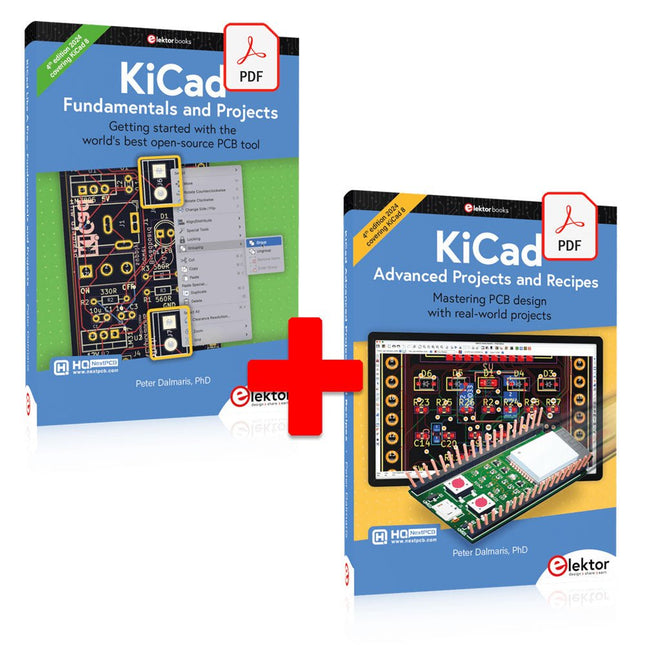
Cette offre groupée contient les deux volumes de « KiCad Like a Pro » (4e édition 2024). Dans Fundamentals and Projects (prix normal : 39,95 €), vous apprendrez à utiliser KiCad grâce à une approche pratique, vous aidant à devenir rapidement productif et à commencer à concevoir vos propres cartes. Advanced Projects and Recipes (prix normal : 34,95 €) vous permet de mettre en pratique vos nouvelles compétences KiCad en vous mettant au défi avec une série de projets réels.
La dernière version de KiCad, le meilleur outil gratuit de CAO au monde, est dotée de fonctionnalités que l'on ne trouve généralement que dans les outils de CAO commerciaux coûteux. Cette suite d'applications multiplateformes moderne, construite autour d'éditeurs de schémas et de conception, avec des applications auxiliaires, est un outil PCB stable et mature. KiCad 8 est parfait pour les ingénieurs et les créateurs en électronique.
Voici les améliorations et fonctionnalités les plus importantes de KiCad 8, à la fois en surface et sous le capot :
Interface utilisateur moderne, entièrement repensée par rapport aux versions précédentes
Vérificateurs de règles électriques et de conception améliorés et personnalisables
Éditeur de thèmes vous permettant de personnaliser KiCad sur votre écran
Possibilité d'importer des projets depuis Eagle, CADSTART, etc.
API de script Python
Simulateur de circuit SPICE intégré amélioré
Schémas multi-feuilles
Les filtres définissent les éléments sélectionnables
Le routeur interactif amélioré vous aide à dessiner des pistes simples et des paires différentielles avec précision
Des outils nouveaux ou améliorés pour dessiner des pistes, mesurer des distances, régler les longueurs de piste, etc.
Interactif avancé routeur
Générateur de nomenclature intégré
Visionneuse 3D réaliste avec fonction de lancer de rayons
Gouttes d'eau personnalisables
Gestionnaire de plug-ins pour une installation rapide de thèmes, de bibliothèques et de fonctionnalités telles que les autorouteurs et les générateurs de nomenclature
Le premier livre KiCad Like A Pro – Fundamentals and Projects vous apprendra à utiliser KiCad grâce à une approche pratique. Il vous aidera à devenir productif rapidement et à commencer à concevoir vos propres cartes. Des exemples de projets illustrent les fonctionnalités de base de KiCad, même si vous n'avez aucune connaissance préalable de la conception de PCB. L'auteur décrit l'intégralité du flux de travail, de la saisie des schémas aux subtilités de la finalisation des fichiers pour la production de PCB, et offre des conseils judicieux sur le processus.
Le deuxième livre KiCad Like A Pro – Advanced Projects and Recipes vous aidera à mettre en pratique vos nouvelles compétences KiCad en vous mettant au défi dans une série de projets du monde réel. Les projets sont soutenus par un ensemble complet de recettes avec des instructions détaillées sur la façon de réaliser une variété de tâches simples et complexes. Concevez les PCB pour une alimentation solaire, une matrice de LED, un enregistreur de données alimenté par Arduino et une carte ESP32 personnalisée. Comprenez les détails les plus fins du routeur interactif, comment gérer les équipes de projet KiCad avec Git, comment utiliser un autorouter sur des PCB à 2 et 4 couches, et bien plus encore.
Elektor GREEN and GOLD members can download their digital edition here.
Not a member yet? Click here.
Raspberry Pi Pico as Spectrum AnalyzerFFTs on a Low-Cost Hardware Basis
±40-V Linear Voltage RegulatorAn Alternative Power Supply for the Fortissimo-100 Power Amplifier… and Others!
MCU Wireless Communication Made FlexibleEEPROM Opens Networking Prospects for Wireless MCUs
€5,000 up for grabs!Join the STM32 Wireless Innovation Design Contest
2023: An AI OdysseyGetting Started with ChatGPT’s Code Interpreter
LoRa, a Swiss Army Knife (1)The LoRa Protocol and Its Advantages
Adjustable Current Sink with Integrated Clock GeneratorTest Power Supplies, Voltage Converters and Batteries
Two New Arduino UNO R4 Boards: Minima and WiFi
Logarithmic PotentiometersThey’re Exponential!
Motor Driver Breakout BoardA BoB for a 5 A DC Motor Driver with a 3×3 mm Size
From Life’s ExperienceHazardous Electronics
Is Cellular the Lowest-Power Option for IoT?LTE-M and NB-IoT Energy Requirements in LPWAN Deployments
Wireless Communication in IoT Systems – Using Arduino MKR ModulesThe Right Board for Wi-Fi, LoRa, and Many More Standards
AC Losses in Magnetic ComponentsAvoid Hot Inductors!
Measurement for Optimal Cloud Deployment
Matter Adoption: What does it take to deploy Matter devices?
YARD Stick OneA Sub-1 GHz Wireless Test Tool
Latching RelaysPeculiar Parts, the Series
PIC O’Clock – In Touch with TimeDesigning an SDR Time Signal Receiver
Due Diligence DirectiveBusiness as Usual Will Not Do
Starting Out in Electronics……Voltage Amplification
Infrasound Recorder with the Arduino Pro MiniA Sample Project from Elektor’s “Arduino & Co.” Book
Cloud-Based Energy MeterWith ESP32 Module and PZEM-004T Voltage/Current Sensor
A Bare-Metal Programming Guide (Part 2)Accurate Timing, the UART, and Debugging
Hexadoku
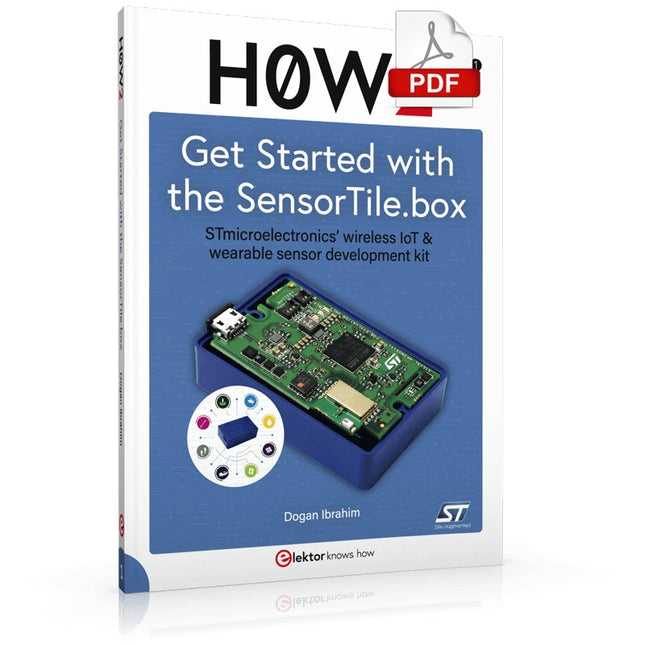
STmicroelectronics’ wireless IoT & wearable sensor development kit
‘SensorTile.box’ is a portable multi-sensor circuit board housed in a plastic box and developed by STMicroelectronics. It is equipped with a high-performance 32-bit ARM Cortex-M4 processor with DSP and FPU, and various sensor modules, such as accelerometer, gyroscope, temperature sensor, humidity sensor, atmospheric pressure sensor, microphone, and so on. SensorTile.box is ready to use with wireless IoT and Bluetooth connectivity that can easily be used with an iOS or Android compatible smartphone, regardless of the level of expertise of the users. SensorTile.box is shipped with a long-life battery and all the user has to do is connect the battery to the circuit to start using the box.
The SensorTile.box can be operated in three modes: Basic mode, Expert mode, and Pro mode. Basic mode is the easiest way of using the box since it is pre-loaded with demo apps and all the user has to do is choose the required apps and display or plot the measured data on a smartphone using an app called STE BLE Sensor. In Expert mode users can develop simple apps using a graphical wizard provided with the STE BLE Sensor. Pro mode is the most complex mode allowing users to develop programs and upload them to the SensorTile.box.
This book is an introduction to the SensorTile.box and includes the following:
Brief specifications of the SensorTile.box; description of how to install the STE BLE Sensor app on an iOS or Android compatible smartphone required to communicate with the box.
Operation of the SensorTile.box in Basic mode is described in detail by going through all of the pre-loaded demo apps, explaining how to run these apps through a smartphone.
An introduction to the Expert mode with many example apps developed and explained in detail enabling users to develop their own apps in this mode. Again, the STE BLE Sensor app is used on the smartphone to communicate with the SensorTile.box and to run the developed apps.
The book then describes in detail how to upload the sensor data to the cloud. This is an important topic since it allows the sensor measurements to be accessed from anywhere with an Internet connection, at any time.
Finally, Pro mode is described in detail where more experienced people can use the SensorTile.box to develop, debug, and test their own apps using the STM32 open development environment (STM32 ODE). The Chapter explains how to upload the developed firmware to the SensorTile.box using several methods. Additionally, the installation and use of the Unicleo-GUI package is described with reference to the SensorTile.box. This PC software package enables all of the SensorTile.box sensor measurements to be displayed or plotted in real time on the PC.
Using the RFID Starter Kit
An Arduino board has now become ‘the’ basic component in the maker community. No longer is an introduction to the world of microcontrollers the preserve of the expert. When it comes to expanding the capabilities of the basic Arduino board however, the developer is still largely on his own. If you really want to build some innovative projects it’s often necessary to get down to component level. This can present many beginners with major problems. That is exactly where this book begins.
This book explains how a wide variety of practical projects can be built using items supplied in a single kit together with the Arduino board. This kit, called the 'RFID Starter Kit for Arduino' (SKU 17240) is not just limited to RFID applications but contains more than 30 components, devices and modules covering all areas of modern electronics.
In addition to more simple components such as LEDs and resistors there are also complex and sophisticated modules that employ the latest technology such as:
A humidity sensor
A multicolor LED
A large LED matrix with 64 points of light
A 4-character 7-segment LED display
An infra red remote-controller unit
A complete LC-display module
A servo
A stepper motor and controller module
A complete RFID reader module and security tag
On top of that you will get to build precise digital thermometers, hygrometers, exposure meters and various alarm systems. There are also practical devices and applications such as a fully automatic rain sensor, a sound-controlled remote control system, a multifunctional weather station and so much more.
All of the projects described can be built using the components supplied in the Elektor kit.
Open-Source-Code mit Arduino IDE und PlatformIO
Autonomes Fahren: GPS, Accelerometer, Gyroskop
PS3-Controller
Mikrocontroller wie der Arduino und Einplatinenrechner wie der Raspberry Pi haben sich zu beliebten Komponenten entwickelt. Dritter im Bunde ist der ESP32 der Firma Espressif. Mikrocontroller dieser Baureihe zeichnen sich durch eine Vielzahl implementierter Funktionen aus, die bei einem Arduino konventioneller Prägung mit einem Atmel-AVR-Mikrocontroller erst mit weiterer Hardware möglich sind. Prominentes Beispiel sind hier die WiFi- und Bluetooth-Funktionalitäten. Gegenüber einem Raspberry Pi zeichnen sie sich durch einen deutlich geringeren Preis aus.
Allgemeine Informationen für die Realisierung eines Roboterauto-Projekts mit dem ESP32 sind leicht zu finden. Dabei handelt es sich aber oft nur um Ausführungen zu einem Teilaspekt, ohne inhaltliche oder funktionale Abstimmung. So ist nicht nur die Beschaffung der benötigten Informationen mühselig und zeitaufwändig, sie kann auch außerordentlich fehlerträchtig sein.
Ansatzpunkt dieses Buches ist, diese Lücke zu schließen. Es geht auf verschiedene Möglichkeiten eines Chassis ein, vermittelt nötige Kenntnisse und führt schrittweise von einer einfachen Motorsteuerung zu einem komplexen sensor- und sprachgesteuerten Roboterauto. Hacks rund um GPS und eine PlayStation 3 runden die Sache ab.
Inhalt
Bei der Reihenfolge der Kapitel wurde versucht – beginnend bei der Darstellung von grundlegenden Informationen – über die Lösung einfacher Aufgaben zu etwas anspruchsvolleren Techniken zu führen.
Der Mikrocontroller ESP32
Die Software erstellen
Die Stromversorgung
Rund um die Hardware
Das Chassis
Der Gleichstrommotor
Kabellose Steuerung über WiFi
Mit Sensoren Hindernisse erkennen
Eine eigene Roboterauto-App
Servo und Lichtsensor
GPS
Accelerometer / Gyroskop
PS3-Controller
Roboterauto-App
Hinweis zur Software
Die Dateien haben das Suffix (.cpp). Grund ist die Entwicklung mit PlatformIO. Mit Copy & Paste sollten sie auch in der Arduino-IDE verwendet werden können.
Les membres d'Elektor GREEN et GOLD peuvent télécharger ce numéro ici .
Pas encore membre? Cliquez ici pour souscrire une adhésion.
Raspberry Pi Pico comme analyseur de spectre FFT avec du matériel bon marché
Régulateur de tension linéaire ±40 V alimentation alternative pour l'amplificateur de puissance Fortissimo-100... et autres !
Communication sans fil flexible avec un MCU L'EEPROM ouvre des possibilités de mise en réseau pour les MCU sans fil
5 000 € à gagner ! participez au concours de conception d'innovation sans fil STM32
2023 : une odyssée de l’IA Premiers pas avec l'interpréteur de code de ChatGPT
LoRa – un couteau suisse partie 1 : le protocole LoRa et ses avantages
Puits de courant réglable avec générateur d'horloge intégré tester les alimentations, les convertisseurs de tension et les batteries
Deux nouvelles cartes Arduino UNO R4 : Minima et WiFi
Potentiomètres logarithmiques ils sont exponentiels !
Carte de dérivation du pilote de moteur un BoB pour un driver de moteur 5 A DC de 3×3 mm
Electronique extraite de la vie périculosa
Le cellulaire offre-t-il la consommation d’énergie la plus faible pour l’IoT ? besoins énergétiques du LTE-M et du NB-IoT dans les déploiements LPWAN
Communication sans fil dans les systèmes IoT avec les modules Arduino MKR la bonne carte pour WiFi, LoRa et autres standards
Pertes AC dans les composants magnétiques évitez les coils chauds !
Mesurez pour une connectivité cloud optimale
Implémentation de Matter : que faut-il pour déployer des appareils Matter ?
YARD Bâton Un outil de test sans fil inférieur à 1 GHz
Relais de maintien parties étrangères
PIC avant dix heures – pile à l’heure conception d'un récepteur de signaux horaires SDR
Directive sur le devoir de diligence Le statu quo ne suffira pas
Tous les débuts... ...amplifie les tensions
Enregistreur d'infrasons avec l'Arduino Pro Mini un exemple de projet de la publication Elektor « Arduino & Co »
Compteur d'énergie basé sur le cloud avec un module ESP32 et un capteur tension/courant PZEM-004T
Un guide de programmation puriste (partie 2) timing précis, l'UART et le débogage
Elektor GREEN en GOLD leden kunnen deze uitgave hier downloaden.
Nog geen lid? Klik hier om een lidmaatschap af te sluiten.
ESP32 Audio Transceiver Board (Deel 2)Draadloze audio-overdracht
Inductieve AM-zenderGebruikt Pico's PIO in een Arduino-sketch
Navigeren door draadloze protocollen navigerenEen technische gids
Satelliettracking met behulp van LoRaHet TinyGS-netwerk brengt gegevens uit de ruimte naar de aarde.
4G-Compatibele SMS afstandsbedieningBedien je apparatuur op afstand
Hogesnelheids-probeIngangen met hoge impedantie voor signalen tot 200 MHz
Uit het leven gegrepenKafka
KrakenSDR
Prestatietests met de RP2350Is een upgrade van Raspberry Pi Pico 1 naar versie 2 de moeite waard?
Contactloze E-veldmetingen (2)Een laservibrometer voor het beoordelen van de trillingen van het membraan
Kristallen en oscillatorenVerbetering van de kristalnauwkeurigheid door gerichte keuze van condensatoren
Alle begin......gaat audio!
Zelf firmware coderen voor embedded projecten
SPECTRAN® V6 MobileModulaire, configureerbare realtime-spectrumanalyzer voor betrouwbare metingen over alle frequentiebereiken
De toekomst van AI wordt gesmeed in siliciumEen interview met Anastasiia Nosova
Autonome Sensor-Node v2.0 (Systeemarchitectuur)Zonne-energieplatform met geïntegreerde GPS, LoRaWAN en meer
Precieze positioneringBluetooth channel sounding getest
Testgestuurd ontwikkelen bij het schrijven van firmware
Telefoon gestuurde modelautoWi-Fi + ESP32 + Smartphone = Afstandsbediening
2025: Een AI-odysseeAI-redeneermodellen: De gedachtegang-revolutie
Zonne-laadregelaar met MPP-tracking (3)Software en Inbedrijfstelling
Raspberry Pi Zero Web Streaming CameraDe ZeroTier VPN gebruiken
Beste soldeerder van de Beneluxvakmanschap in de schijnwerpers
Seminaroverzicht Electronics & ApplicationsLeer, ontdek en netwerk op E&A 2025
Eurocircuits at E&A 2025
E&A gadget 2025: racen over de beursvloer met slimme printplaat op wielenVijf vragen aan Casper van Doorne, ontwerper van de beursgadget
Beursgadget E&A bekendontwerp en bestuur je eigen raceauto
Vakbeurs E&A is het elektronicaparadijs van de Benelux“Techneuten blijven kinderen”
Rohde & SchwarzPioneering Innovation in Test & Measurement
Diederik Jekel opent Electronics & Applications
Elektor GREEN and GOLD members can download their digital edition here.
Not a member yet? Click here.
Small Thermal Imaging CameraAn Arduino UNO-Based DIY Solution
Project Update #3: ESP32-Based Energy MeterIntegration and Testing with Home Assistant
2024: An AI OdysseyEnhancing Object Detection: Integrating Refined Techniques
Raspberry Pi Goes AINew Kit Incorporates M.2 HAT+ With AI Accelerator
Weather Station SensorsWhich One Should You Choose?
AI-Based Water Meter Reading (1)Get Your Old Meter Onto the IoT!
A GSM AlarmHarnessing GSM Technology for Remote Garage Safety
Low-Power Thread Devices Optimized and ScrutinizedLow Power … Low Effort?
From Life’s ExperienceThe Gender Gap
DIY Cloud ChamberMaking Invisible Radiation Visible
SparkFun Thing Plus MatterA Versatile Matter-Based IoT Development Board
IoT RetrofittingMaking RS-232 Devices Fit for Industry 4.0
Enabling IoT with 8-Bit MCUs
Technology Drives SustainabilityAdvances Lead to More Efficient Use of Energy in Many Applications
AWS for Arduino and Co. (1)Using AWS IoT ExpressLink in Real Life
Airflow Detector Using Arduino OnlyNo External Sensors Needed!
Water Leak DetectorConnected to Arduino Cloud
CrystalsPeculiar Parts, the Series
Universal Garden LoggerA Step Towards AI Gardening
Analog 1 kHz GeneratorSine Waves with Low Distortion
Miletus: Using Web Apps OfflineSystem and Device Access Included!
From 4G to 5GIs It Such an Easy Step?
Starting Out in Electronics……Balances Out
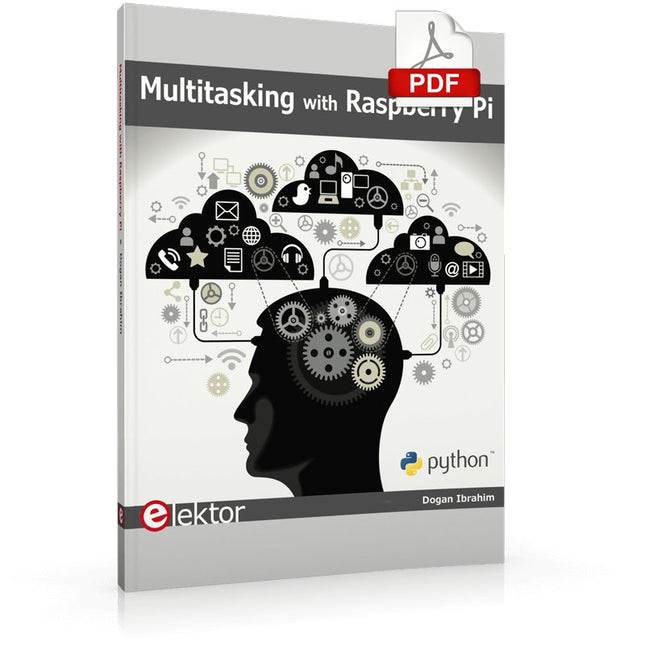
Multitasking and multiprocessing have become a very important topic in microcontroller-based systems, namely in complex commercial, domestic, and industrial automation applications. As the complexity of projects grows, more functionalities are demanded from the projects. Such projects require the use of multiple inter-related tasks running on the same system and sharing the available resources, such as the CPU, memory, and input-output ports. As a result of this, the importance of multitasking operations in microcontroller-based applications has grown steadily over the last few years. Many complex automation projects now make use of some form of a multitasking kernel.
This book is project-based and its main aim is to teach the basic features of multitasking using the Python 3 programming language on Raspberry Pi. Many fully tested projects are provided in the book using the multitasking modules of Python. Each project is described fully and in detail. Complete program listings are given for each project. Readers should be able to use the projects as they are, or modify them to suit their own needs.
The following Python multitasking modules have been described and used in the projects:
Fork
Thread
Threading
Subprocess
Multiprocessing
The book includes simple multitasking projects such as independently controlling multiple LEDs, to more complex multitasking projects such as on/off temperature control, traffic lights control, 2-digit, and 4-digit 7-segment LED event counter, reaction timer, stepper motor control, keypad based projects, car park controller, and many more. The fundamental multitasking concepts such as process synchronization, process communication, and memory sharing techniques have been described in projects concerning event flags, queues, semaphores, values, and so on.