
Résultats de la recherche pour "basic OR kit OR for OR raspberry OR pi OR pico OR incl OR pico"
-

Elektor Digital IoT GET-U-GOING (E-book)
In 35 Projects with the Raspberry Pi and Arduino The Internet of Things (IoT) is a trend with a strong technological impulse. At home, we want to do everything on our tablets, from browsing Facebook to watching TV, from operating lights to keeping an eye on the temperature. In 35 fun projects, this book will show you how to build your own Internet of Things system. We'll cover the hardware (primarily the Raspberry Pi and Arduino) and the software that makes control via Internet possible. We employ Wi-Fi and radio links so no requirement any longer to install cabling crisscross through your home. Assuming the projects in the book are finished, you have a complete Internet of Things system that allows you to control and view of everything in your home. For example, if there's something in the mail box or the car is securely in the garage. Also, you can switch on the lights and the alarm from your couch. The crisp explanations allow the projects to be customized with ease, for example, to turn on your coffee machine or TV remotely. The index gives easy access to creative projects that can serve as an example, enabling you to do all the connecting to the IoT independently. All project software can be downloaded free of charge from the Elektor website. In this unique book, Raspberry Pi, Arduino and HTML webpages with stylesheets and JavaScript come together in clearly-described, easy-to-build projects. This special book is an essential part of your collection!
€ 34,95
Membres : € 31,46
-

Elektor Digital Das CAN-Bus Praxisbuch (PDF)
Projekte mit Arduino Uno und Raspberry Pi In diesem Buch werden Anwendungen von Arduino Uno und Raspberry Pi 4 in praxisnahen Projekten auf Basis von CAN-Bus detailliert beschrieben. Durch den Einsatz von entweder Arduino Uno oder Raspberry Pi in Verbindung mit handelsüblichen CAN-Bus-Schnittstellenmodulen werden die Entwicklung, Fehlersuche und Fehlerbeseitigung sowie die Überprüfung von Projekten auf CAN-Bus-Basis erheblich erleichtert. Dieses Buch richtet sich an jeden, der mehr über den CAN-Bus lernen möchte und mit den Grundlagen der Elektronik vertraut ist. Hilfreich ist auch Erfahrung mit den Programmiersprachen C und Python sowie mit der Programmierung von Arduino Uno unter Verwendung seiner IDE und von Raspberry Pi zu haben. Das Buch ist eine nützliche Informationsquelle und ein Nachschlagewerk für jeden, der Antworten auf eine oder mehrere der folgenden Fragen sucht: Welche Bussysteme stehen für die Automobilindustrie zur Verfügung? Was sind die Grundprinzipien des CAN-Bus? Welche Arten von Frames (oder Datenpaketen) stehen in einem CAN-Bussystem zur Verfügung? Wie können Fehler in einem CAN-Bussystem erkannt werden, und wie zuverlässig ist ein CAN-Bussystem? Welche Arten von CAN-Bus-Controllern gibt es? Welches sind die Funktionsprinzipien des MCP2515 CAN-Bus-Controllers? Wie kann ich ein CAN-Bus-Projekt mit Arduino Uno realisieren? Wie kann ich Arduino oder Raspberry Pi CAN-Bus-Projekte mit 2 und 3 Knoten erstellen? Wie kann ich die Daten auf dem CAN-Bus analysieren? Wie kann ich ein CAN-Bus-Projekt mit Raspberry Pi ausführen?
€ 29,80
Membres : € 26,82
-
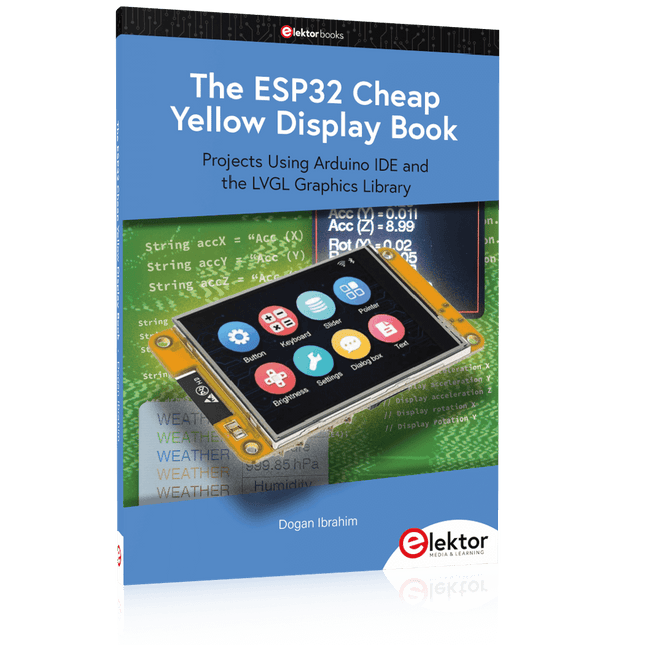
Elektor Publishing The ESP32 Cheap Yellow Display Book
Projects Using Arduino IDE and the LVGL Graphics Library The ESP32 is probably one of the most popular microcontrollers used by many people, including students, hobbyists, and professional engineers. Its low cost, coupled with rich features makes it a popular device to use in many projects. Recently, a board called the ESP32 Cheap Yellow Display (CYD for short) is available from its manufacturers. The board includes a standard ESP32 microcontroller together with a 320x240 pixel TFT display. Additionally, the board provides several connectors for interfaces such as GPIO, serial port (TX/RX), power and Ground. The inclusion of a TFT display is a real advantage as it enables users to design complex graphics-based projects without resorting to an external LCD or graphics displays. The book describes the basic hardware of the ESP32 CYD board and provides details of its on-board connectors. Many basic, simple, and intermediate-level projects are given in the book based on the ESP32 CYD, using the highly popular Arduino IDE 2.0 integrated development environment. The use of both the basic graphics functions and the use of the popular LVGL graphics library are discussed in the book and projects are given that use both types of approaches. All the projects given in the book have been tested and are working. The block diagram, circuit diagram, and the complete program listings and program descriptions of all the projects are given with explanations. Readers can use the LVGL graphics library to design highly popular eye-catching full-color graphics projects using widgets such as buttons, labels, calendars, keypads, keyboards, message boxes, spinboxes, sliders, charts, tables, menus, bars, switches, drop-down lists, animations, and many more widgets.
€ 34,95
Membres : € 31,46
-

Elektor Digital ESP32 by Example (E-book)
A Project-Based Introduction to Microcontrollers and Drone Control A Practical Introduction to Embedded Systems with the ESP32 This book is intended for readers who are new to embedded systems and looking for a structured, example-driven way to begin. If you’ve explored general-purpose electronics or Arduino-based resources but found them too broad or lacking in practical application, this guide offers a more focused alternative. With a small, affordable set of components – such as LEDs, sensors, an OLED screen and a motion sensor – you’ll build and work with the same hardware setup throughout the book. This allows you to focus on learning and experimenting without constant reconfiguration. Topics include: Understanding and programming the ESP32 microcontroller Using the Arduino IDE to write and deploy code Exploring cyber-physical systems, culminating in basic drone control No prior experience with Arduino or embedded development is required. Each section includes hands-on examples and mini-projects designed to reinforce core concepts and encourage deeper exploration. By the end, you’ll be equipped not only to reproduce the book’s examples, but also to extend them toward your own ideas and applications. Whether your interest is in learning embedded programming, building interactive systems, or exploring educational drone control, this book provides a clear and practical path to getting started.
€ 34,95
Membres : € 31,46
-
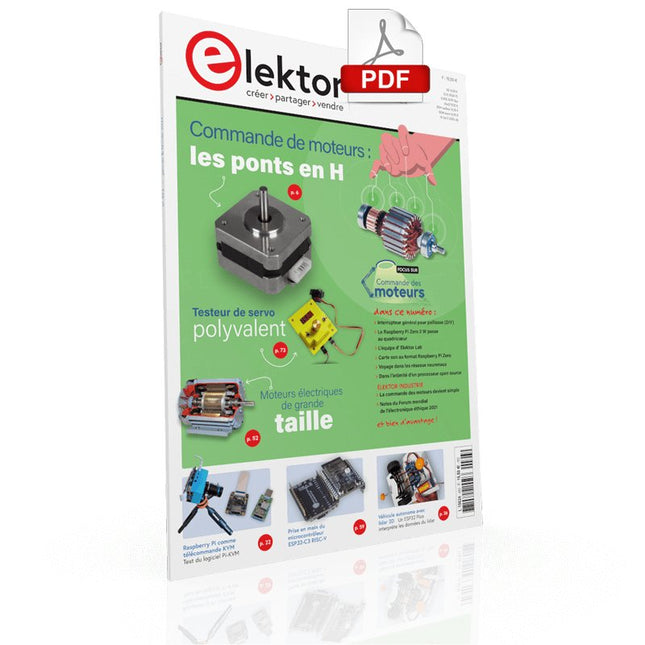
Elektor Digital Elektor Janvier/Février 2022 (PDF)
COMMANDE DE MOTEURS : LES PONTS EN HIntroduction aux moteurs CC, pas à pas et sans balaisL'ÉQUIPE D'ELEKTOR LABNotre approche, nos outils préférés et plus encoreRASPBERRY PI COMME TÉLÉCOMMANDE KVMTest du logiciel Pi-KVMIQAUDIO CODEC ZEROCarte son au format Raspberry Pi ZeroLE PROJET PIKVM ET SES ENSEIGNEMENTSEntretien avec Maxim DevaevVÉHICULE AUTONOME AVEC LIDAR 2DUn ESP32 Pico interprète les données du lidarLE RASPBERRY PI ZERO 2 W PASSE AU QUADRICOEURNOTES DU FORUM MONDIAL DE L'ÉLECTRONIQUE ÉTHIQUE 2021COMMANDE DE MONTEURLa commande des moteurs devient simpleMOTEURS ÉLECTRIQUES DE GRANDE TAILLEPrincipes de base et informations utilesPRISE EN MAIN DU MICROCONTRÔLEUR ESP32-C3 RISC-VPROTÉGEZ-VOUS ET PROTÉGEZ LES AUTRES !Interrupteur général pour paillasse (DIY)CRÉATION D'INTERFACES GRAPHIQUES EN PYTHON ÈME 2Mon nom n'est pas BondGAGNANTS DU CONCOURS FAST FORWARD 2021 DU SALON PRODUCTRONICATESTEUR DE SERVO POLYVALENTVérification du comportement en l'absence de fiche techniqueMODBUS SANS FIL (PARTIE 2)Logiciel de la carte Modbus TCP sans filVOYAGE DANS LES RÉSEAUX NEURONAUX (3E PARTIE)Les neurones pratiquesDANS L'INTIMITÉ D'UN PROCESSEUR OPEN SOURCEExtrait : résultats des FPGA Lattice et XilinxDÉMARRER EN ÉLECTRONIQUE... (10)Toujours la bobine, mais avec ses applications pratiques dans l'audio.PROJET 2.0Corrections, mises à jour et courriers des lecteursDE LA COULEUR AUSONComment exploiter un capteur de couleurs avec l'I2CSOURCEMÈTRE BATTLAB-ONEMesurer et optimiser la durée de vie des batteries des appareils IdOTRACEUR DE FUITES À LA TERRE SIMPLEMesure de l'isolation du secteurPAUVRETÉ ET ÉLECTRONIQUEQuand le courant économique passe malHEXADOKUcasse-tête pour elektorniciens
€ 10,95
-

Elektor Digital Motorsteuerung mit Arduino und Raspberry Pi (PDF)
Dieses Buch beschäftigt sich mit DC-Elektromotoren und deren Einsatz in Arduino und Raspberry Pi Zero W-Projekten. Das Buch enthält zahlreiche Motorsteuerungsprojekte, wobei jedes Projekt denselben Aufbau besitzt: Projekttitel Beschreibung des Projekts Blockschaltbild Schaltplan Zusammenbau Vollständiges Programmlisting Umfassende Erläuterung des Programms Die Projekte im Buch umfassen die Standard-DC-Motoren, Schrittmotoren, Servomotoren und mobile Roboter. Das Buch richtet sich an Elektronik-Bastler, die Projekte mit dem Arduino Uno oder dem Raspberry Pi Zero W entwickeln und dabei Motoren einsetzen möchten. Ein besonders reizvolles Projekt dieses Buches ist die Fernsteuerung eines mobilen Roboters von einem Mobiltelefon aus mit dem Arduino Uno sowie dem Raspberry Pi Zero W. Dieses Projekt wird sowohl über Wi-Fi als auch über Bluetooth mit dem Handy gesteuert. Die Leser sollten in der Lage sein, einen Roboter vorwärts, rückwärts, links oder rechts zu bewegen, indem sie einfache Befehle vom Mobiltelefon aus senden. Die vollständigen Programmlistings aller Projekte sowie die detaillierten Programmbeschreibungen finden Sie im Buch. Der Leser kann die Projekte Schritt für Schritt nachbauen oder sie an die eigenen Bedürfnisse anpassen.
€ 32,80
Membres : € 29,52
-

Elektor Special: Sensoren für Wetter und Umwelt
Bauen Sie Ihre perfekte Wetterstation oder forschen Sie zusammen mit der ganzen Welt an Umweltdaten. Mit vielen praktischen Projekten für Arduino, Raspberry Pi, NodeMCU, ESP32 und weiteren Developmentboards. Wetterstationen erfreuen sich seit Jahrzehnten großer Beliebtheit. Ob in aktuellen oder längst eingestellten Elektronik-Magazinen – regelmäßig finden sich Beiträge zum Eigenbau einer Wetterstation. Im Laufe der Jahre wurden diese Systeme immer ausgefeilter und können heute nahtlos in das Smart Home integriert werden. Allerdings erfordert dies oft die Bindung an einen (teuren) Markenhersteller, der sämtliche Komponenten abdeckt. Mit Ihrer eigenen Wetterstation können Sie jedoch mühelos mithalten – und sogar Messwerte erfassen, die kommerzielle Geräte nicht bieten. Dabei kommt der Spaß nicht zu kurz: Sie erweitern spielerisch Ihr Wissen über Elektronik, moderne Mikrocontroller-Developmentboards und Programmiersprachen. Schon für weniger als zehn Euro können Sie erste Umweltdaten erfassen und Ihr System Schritt für Schritt mit wachsendem Interesse weiter ausbauen. Aus dem Inhalt: Wind und Wetter auf der Spur Wetterdisplay mit OpenWeatherMap und Vakuum-Fluoreszenzanzeige Flüchtige organische Verbindungen in der Atemluft Mit MQ-Sensoren arbeiten: Kohlenmonoxid messen – geruchlos aber extrem giftig CO2-Ampel mit ThingSpeak-IoT-Anbindung Ein Gießautomat für Ihre Pflanzen Gutes Raumklima: Temperatur und Luftfeuchtigkeit sind wichtige Kriterien Schickes Thermometer mit alter Röhrentechnik Nostalgisches Wetterhäuschen für die ganze Familie Luftdruck und Temperatur genau messen Sonnenbrand-Warngerät DIY-Sensor für die Sonnenscheindauer Das Smartphone zeigt’s an: Nebel oder klare Sicht? Erdbeben erkennen Pegelstände von Gewässern und Behältern pH-Wert von Gewässern bestimmen Radioaktive Strahlung erkennen Mit GPS wissen Sie weltweit, wo ihr Sensor ist Logdateien mit Zeitstempel auf SD-Karten speichern LoRaWAN, The Things Network und ThingSpeak LoRaWAN-Gateway für TTN betreiben Mega-Display mit Wettervorhersage
€ 14,90
Membres : € 13,41
-
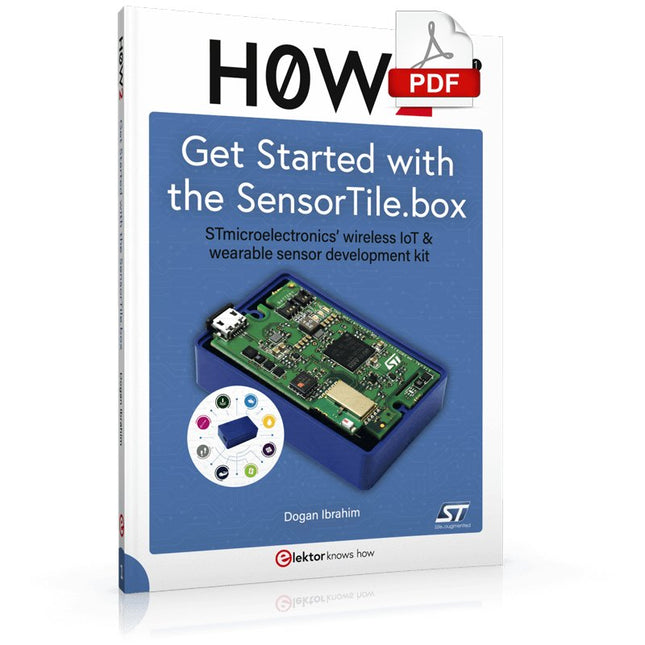
Elektor Digital H0W2: Get Started with the SensorTile.box (E-book)
STmicroelectronics’ wireless IoT & wearable sensor development kit ‘SensorTile.box’ is a portable multi-sensor circuit board housed in a plastic box and developed by STMicroelectronics. It is equipped with a high-performance 32-bit ARM Cortex-M4 processor with DSP and FPU, and various sensor modules, such as accelerometer, gyroscope, temperature sensor, humidity sensor, atmospheric pressure sensor, microphone, and so on. SensorTile.box is ready to use with wireless IoT and Bluetooth connectivity that can easily be used with an iOS or Android compatible smartphone, regardless of the level of expertise of the users. SensorTile.box is shipped with a long-life battery and all the user has to do is connect the battery to the circuit to start using the box. The SensorTile.box can be operated in three modes: Basic mode, Expert mode, and Pro mode. Basic mode is the easiest way of using the box since it is pre-loaded with demo apps and all the user has to do is choose the required apps and display or plot the measured data on a smartphone using an app called STE BLE Sensor. In Expert mode users can develop simple apps using a graphical wizard provided with the STE BLE Sensor. Pro mode is the most complex mode allowing users to develop programs and upload them to the SensorTile.box. This book is an introduction to the SensorTile.box and includes the following: Brief specifications of the SensorTile.box; description of how to install the STE BLE Sensor app on an iOS or Android compatible smartphone required to communicate with the box. Operation of the SensorTile.box in Basic mode is described in detail by going through all of the pre-loaded demo apps, explaining how to run these apps through a smartphone. An introduction to the Expert mode with many example apps developed and explained in detail enabling users to develop their own apps in this mode. Again, the STE BLE Sensor app is used on the smartphone to communicate with the SensorTile.box and to run the developed apps. The book then describes in detail how to upload the sensor data to the cloud. This is an important topic since it allows the sensor measurements to be accessed from anywhere with an Internet connection, at any time. Finally, Pro mode is described in detail where more experienced people can use the SensorTile.box to develop, debug, and test their own apps using the STM32 open development environment (STM32 ODE). The Chapter explains how to upload the developed firmware to the SensorTile.box using several methods. Additionally, the installation and use of the Unicleo-GUI package is described with reference to the SensorTile.box. This PC software package enables all of the SensorTile.box sensor measurements to be displayed or plotted in real time on the PC.
€ 29,95
Membres : € 26,96
-

QuantAsylum QuantAsylum QA403 Analyseur Audio 24 bits
Le QA403 est le quatrième générateur d'analyse audio de QuantAsylum. Le QA403 étend les fonctionnalités du QA402 avec une meilleure performance de bruit et de distorsion, en plus d'une réponse plus plate aux extrémités de bande. Sa taille compacte signifie que vous pouvez l'emporter presque partout. Caractéristiques ADC/DAC 24 bits Jusqu'à 192 kS/s Totalement isolé du PC Entrée/Sortie différentielle Alimenté par USB Atténuateur intégré Démarrage Rapide et Sans Pilote Le QA403 est un périphérique USB sans pilote, ce qui signifie qu'il est prêt dès que vous le branchez. Le logiciel est gratuit et il est rapide et facile de déplacer le matériel d'une machine à l'autre. Donc, si vous devez vous rendre à l'usine pour résoudre un problème ou emmener le QA403 chez vous pour une journée de travail à domicile, vous pouvez le faire sans tracas. Conception Sans Étalonnage Le QA403 est livré avec un étalonnage d'usine dans sa mémoire flash, assurant une performance cohérente d'une unité à l'autre. Sur votre ligne de production, vous pouvez installer un autre QA403 et être sûr que ce que vous lisez sur une unité sera très similaire à la suivante. Il n'est pas prévu que l'étalonnage soit nécessaire à intervalles réguliers. Mesures Faire des mesures de base est rapide et facile. En quelques clics, vous comprendrez la réponse en fréquence, la THD(+N), le gain, le rapport S/B, etc., de votre dispositif en test. Plage Dynamique Le QA403 offre 8 plages de gain en entrée (0 à +42 dBV en 6 paliers) et 4 plages de gain en sortie (-12 à +18 dBV en paliers de 10 dB). Cela garantit des performances constantes sur des plages très étendues de niveaux d'entrée et de sortie. L'entrée CA maximale du QA403 est de +32 dBV = 40 Veff. Le courant continu maximum est de ±40 V et le courant CA maximum + CC = ±56 V. Facilité de Programmation Le QA403 prend en charge une interface REST, ce qui facilite l'automatisation des mesures dans presque tous les langages que vous pourriez anticiper. De Python à C++ en passant par Visual Basic, si vous savez comment charger une page web dans votre langage préféré, vous pouvez contrôler le QA403 à distance. Les mesures sont rapides et réactives, avec généralement des dizaines de commandes traitées par seconde. Isolé et Alimenté par USB Le QA403 est isolé du PC, ce qui signifie que vous mesurez votre DUT (Device Under Test) et que vous ne suivez pas des boucles de masse fantômes. Le QA403 est alimenté par USB, comme presque tous nos instruments. Si vous configurez à distance, ajoutez un hub alimenté dans votre sac et votre configuration de test complète peut fonctionner avec un minimum de câbles. Au Revoir Carte Son, Bonjour QA403 Marre d'essayer de faire fonctionner une carte son ? Le cauchemar de l'étalonnage ? Le manque d'étages de gain ? La puissance limitée ? En avez-vous assez de traiter avec des plages d'entrée fixes ? La crainte de la détruire avec trop de courant continu ou alternatif ? Assez des boucles de masse ? C'est pourquoi QuantAsylum a construit le QA403. Spécifications Matériau du boîtier Aluminium avec revêtement en poudre (panneau avant de 2 mm d'épaisseur, dessus/dessous de 1.6 mm d'épaisseur) Dimensions 177 x 44 x 97 mm (L x H x P) Poids 435 g Téléchargements Datasheet Manual GitHub
€ 799,00
Meilleur prix
-
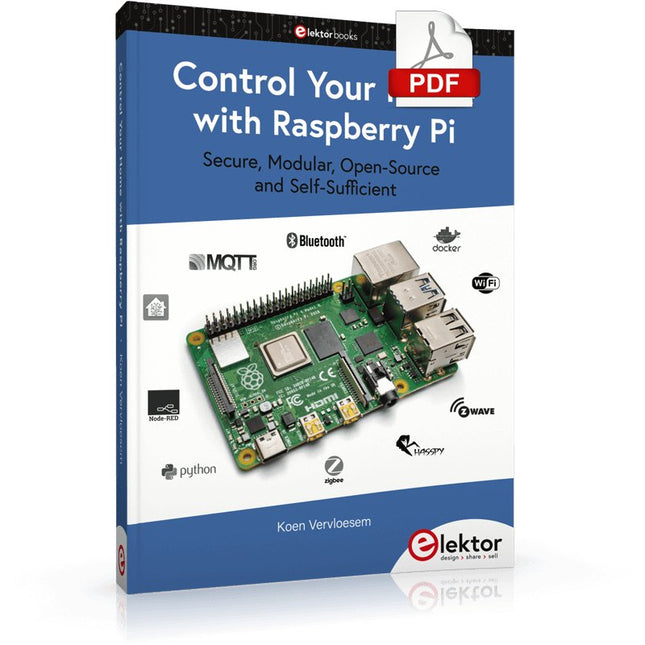
Elektor Digital Control Your Home with Raspberry Pi (E-book)
Secure, Modular, Open-Source and Self-Sufficient Ever since the Raspberry Pi was introduced, it has been used by enthusiasts to automate their homes. The Raspberry Pi is a powerful computer in a small package, with lots of interfacing options to control various devices. This book shows you how you can automate your home with a Raspberry Pi. You’ll learn how to use various wireless protocols for home automation, such as Bluetooth, 433.92 MHz radio waves, Z-Wave, and Zigbee. Soon you’ll automate your home with Python, Node-RED, and Home Assistant, and you’ll even be able to speak to your home automation system. All this is done securely, with a modular system, completely open-source, without relying on third-party services. You’re in control of your home, and no one else. At the end of this book, you can install and configure your Raspberry Pi as a highly flexible home automation gateway for protocols of your choice, and link various services with MQTT to make it your own system. This DIY (do it yourself) approach is a bit more laborious than just installing an off-the-shelf home automation system, but in the process, you can learn a lot, and in the end, you know exactly what’s running your house and how to tweak it. This is why you were interested in the Raspberry Pi in the first place, right? Turn your Raspberry Pi into a reliable gateway for various home automation protocols. Make your home automation setup reproducible with Docker Compose. Secure all your network communication with TLS. Create a video surveillance system for your home. Automate your home with Python, Node-RED, Home Assistant and AppDaemon. Securely access your home automation dashboard from remote locations. Use fully offline voice commands in your own language. Download the software and view the errata for the book on GitHub.
€ 34,95
Membres : € 31,46
-

Elektor Digital Elektor March/April 2021 (PDF) EN
The Vision and Engineering Behind SparkFun Getting Started with MicroMod Leveling Up Your SparkFun JetBotHow I Expanded the Functionality of My JetBot, Powered by the NVIDIA Jetson Nano Programming an FPGA How to Build a DIY GNSS Reference Station The ClockClock Project Under the Hood: SparkFun Inventor's Kit SparkFun’s Glenn Samala on Product Development and New Ventures Creating Custom Circuit Boards with SparkFun À La Carte Designing with the SparkFun Artemis Getting Started with the Qwiic Ecosystem for Rapid Prototyping Poster - Qwiic Under the Hood: The GreatScott! / Elektor DIY LiPo Supercharger Kit Memorable Electronics from SparkFun Past Perfect Parking with LiDAR Buried Pad PCB Fixing Design to Sale: the SparkFun RTK Surveyor Hello World from the Raspberry Pi Pico and RP2040A Look at Raspberry Pi’s First Microcontroller and Microcontroller Chip DIY Quadrupedal Robots Poster - Micromod RISC-V IoT Development in AWS Using FreeRTOS Libraries Yep, Electronics = Fun!A Conversation Among Electronics Enthusiasts Sparkfun Product Catalog HexadokuThe Original Elektorized Sudoku
€ 7,50
-

Elektor Digital Elektor September/October 2021 (PDF)
UNDERSTANDING THE NEURONS IN NEURAL NETWORKS (PART 1)Artificial Neurons EMC PRE-COMPLIANCE TEST FOR YOUR DC-POWERED PROJECT (PART 1)Dual DC LISN ELECTRONIC LOAD FOR DC AND ACUp to 400 V and 10 A (Peak) STARTING OUT IN ELECTRONICSEasier Than Imagined! ...Taking on the Choke! IMAGE PROCESSING WITH THE NVIDIA JETSON NANO (PART 1)The Hardware and Software AN IN-DEPTH LOOK AT MAINS TRANSFORMERSHow Do They Behave When They Are Switched On and Off? YES WE CAN WITH PICAN 3A CAN Bus HAT for the Raspberry Pi 4 BALCONY POWER PLANTDIY Solar Balcony = Speedy Payback! IMAGING AND VIDEO-STREAMING WITH A RASPBERRY PI 4The Raspberry Pi High-Quality Camera in Practice USING DISPLAYS IN RASPBERRY PI PROJECTSSample Chapter: Organic Light Emitting Diode Displays (OLED) HANDS ON THE PARALLAX PROPELLER 2 (PART 4)Sending Strings ELEKTOR @ 60A Look Back at Previous Septembers HOMELAB TOURSIn the Friesian Countryside, Where the Tubes Bloom ... HYBRIDSPeculiar Parts, the series A COMPASS ROSE USING THE GY-271Or Why We Move in Figures of Eight to Calibrate a Sensor FINDING YOUR FOOTPRINTCalculate the Carbon Footprint of Your Electronics ESP32-CONNECTED THERMOSTATKeep Your Wine at the Right Temperature! MAGNETIC LEVITATION THE DIGITAL WAYESP32 Pico Replaces the Analog Comparator ULTIMATE ARDUINO UNO HARDWARE MANUALSample Chapter: Main Microcontroller Bootloader MICROPYTHON FOR THE ESP32 AND FRIENDS (PART 2)Control Matrix Displays Easily MADMACHINE SWIFTIO BOARDModern Language Meets Modern Hardware FROM LIFE’S EXPERIENCEOn-Again, Off-Again Relationship HEXADOKUThe Original Elektorized Sudoku
€ 7,50


