
Résultats de la recherche pour "sunfounder OR sensor OR kit OR v2 OR 0 OR for OR raspberry OR pi"
-

Elektor Digital Elektor May/June 2022 (PDF)
Your First Steps with an ESP32-C3 and the IoTA Wi-Fi Button and Relay IoT Cloud a la Arduino Dual Geiger-Müller Tube Arduino ShieldA High Sensitivity, Very Low-Power Radiation Sensor CO2 GuardA DIY Approach to Monitoring Air Quality MonkMakes Air Quality Kit for Raspberry PiMeasures Temperature and eCO2 Starting Out in ElectronicsWelcome to the Diode Tips & Tricks for Testing ComponentsNo Expensive Equipment Required Reducing the Power Consumption of Your Mole RepellerAn ATtiny13 Replaces a 555 Light Switch DeLuxA Solution for High-Precision Light-Controlled Switching The Challenges in Bringing IoT Solutions to MarketWorries Around Security, Scalability, and Competition Infographics 5-6/2022 Preferably Wired After AllTips for Developing a 1 Gbit/s Interface in an Industrial Environment Bringing Real-Time Object Detection to MCUs with Edge Impulse FOMO Traveling-Wave TubesPeculiar Parts, the Series Narrowband Internet of ThingsStandards, Coverage, Agreements, and Modules Dragino LPS8 Indoor GatewaySpeedy LoRaWAN Gateway Setup Explore ATtiny Microcontrollers Using C and Assembly LanguageSample Chapter: ATtiny I/O Ports Err-lectronicsCorrections, Updates and Readers’ Letters LoRa GPS Tracker UpdateReceive and Show Location Using a Raspberry Pi Circuit Simulation with TINA Design Suite & TINACloudSample Chapter: Sinusoidal Oscillators From Life’s ExperienceAssembly Line Work The WinUI Graphics Framework for Windows AppsA Small Demo Application GUIs with PythonWorst GUI of the world Off-Grid Solar SystemsElectrical Energy Independent of the Mains Grid The 10-Year SmartphoneRenew Your Expectations HexadokuThe Original Elektorized Sudoku
€ 7,50
-
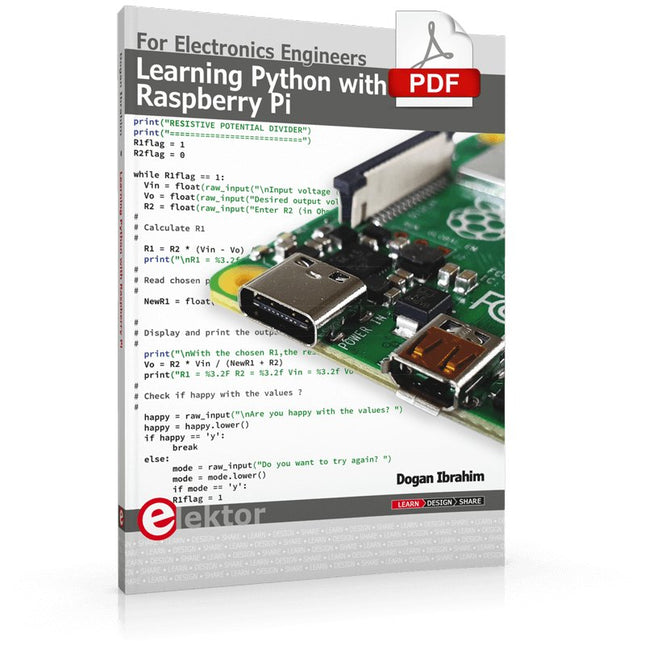
Elektor Digital Learning Python with Raspberry Pi (E-book)
This book is about teaching the Python programming language using the Raspberry Pi 4 computer. The book makes an introduction to Raspberry Pi 4 and then teaches Python with the topics: variables, strings, arrays, matrices, tuples, lists, dictionaries, user functions, flow of control, printing, keyboard input, graphics, GUI, object oriented programming and many more topics. The book is aimed for beginners, students, practising engineers, hobbyists, and for anyone else who may want to learn to program in Python. The book includes many example programs and case studies. All the example programs and case studies have been tested fully by the author and are all working. The example programs aim to teach the various programming concepts of Python. The case studies cover the use of Python in the analysis and design of electronic circuits. Some of the case study topics are: Resistor colour code identification Resistive potential divider circuits Resistive attenuator design Zener diode voltage regulator design RC and RLC transient circuits Circuit frequency response Saving data on external memory stick Mesh and node circuit analysis using matrices Resonance in RLC circuits Transistor Biasing analysis Transistor amplifier design Design of active filters Interfacing hardware with GPIO, I²C and SPI Using Wi-Fi with Python and TCP/IP and UDP programs Using Bluetooth from Python Full program listings of all the programs used in the book are available at the Elektor website of the book. Readers should be able just to copy and use these programs in their Raspberry Pi projects without any modifications.
€ 32,95
Membres : € 29,66
-

Elektor Digital Elektor 03-04/2022 (PDF)
Mein eigener RISC-V-ControllerErste Schritte mit dem NEORV32 RISC-V Softcore für preiswerte FPGAs Wie man den Seriellen Plotter der Arduino-IDE nutztEinfaches Plotten von Kurven mit Arduino CLUE - ein Clou von Adafruit?Angriff auf den micro:bit Puffer-Board für den Raspberry Pi 400Schützen Sie die I/Os! FrühjahrskollektionInteressante Raspberry Pi RP2040 Boards Ein DIY-Handbuch zu elektronischer Sicherheit und E-SpionageSRAM erhitzt oder tiefgefroren Identifizierung von BauteilenTipps & Tricks, Best Practices und andere nützliche Informationen Ein Touch-Schalter ohne TouchKonzeption und Umsetzung eines berührungslosen Lichtschalters Aller Anfang...ist gar nicht schwer: Anpassen und Transformieren Was gibt's Neues in der Embedded-Entwicklung?Rust und die Aktualisierung von IoT-Implementierungen Infografiken Elektor Industry Neue Wege für Industrie und Automobilbranche mit 5G DrehspulrelaisBemerkenswerte Bauteile Zutritt für Unbefugte verbotenAlles dreht sich um die Werkzeuge... Die Neuronen in neuronalen Netzen verstehenTeil 4: Eingebettete Neuronen Magnetische Levitation auf die sehr sehr einfache ArtDie dritte und kompakteste Version SPS-Programmierung mit dem Raspberry Pi und dem OpenPLC-ProjektVisualisierung von SPS-Programmen mit AdvancedHMI Aus dem Leben gegriffenEinpacken und weg damit Unter dem RadarUnbekannte Mikrocontroller, über die Sie Bescheid wissen sollten Drahtloses Monitoring und DebuggenSerielle Funk-Schnittstelle für Arduino, ESP32 und Co. Tragbares Temperatur- und FeuchtemessgerätGebaut mit vorgefertigten Modulen Lithium-Akkus reparierenGeld sparen + mehr Power! GUIs mit PythonMeme-Generator Die drei FragezeichenWarum? Was? Wer? Hexadoku
€ 11,90
-
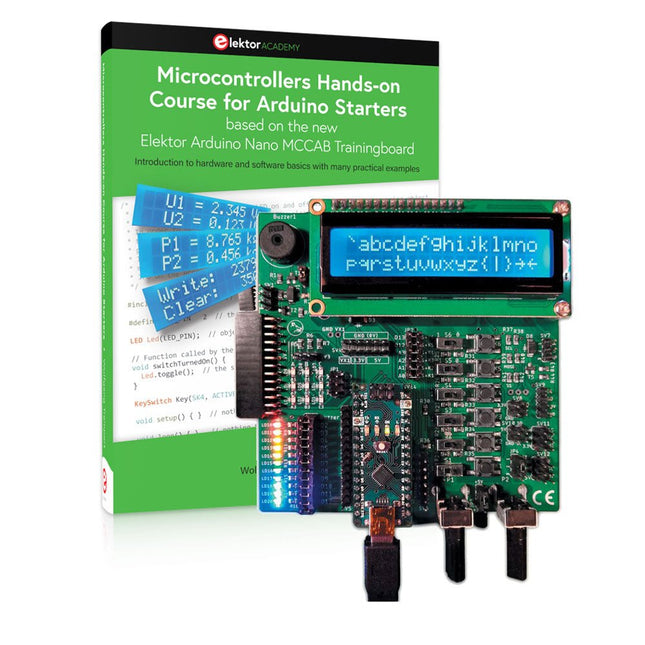
Elektor Bundles Cours pratique sur les microcontrôleurs pour les débutants Arduino (offre groupée)
Réalisez vos propres projets avec la carte d'apprentissage Elektor Arduino Nano MCCAB Le microcontrôleur est probablement le sous-domaine le plus fascinant de l'électronique. Grâce à la multitude de fonctions qu'il combine sur sa puce, il constitue un outil universel permettant aux développeurs de réaliser leurs projets. Pratiquement tous les appareils d'usage quotidien sont aujourd'hui dotés d'un microcontrôleur. Cependant, pour un débutant en électronique, réaliser ses propres idées avec un microcontrôleur est resté jusqu'à présent une chimère en raison de sa complexité. Le concept Arduino a largement simplifié l'utilisation des microcontrôleurs, de sorte que même les débutant peuvent désormais réaliser leurs propres idées électroniques avec un microcontrôleur. Livre et matériel dans un pack : apprendre par la pratique Ce livre, qui est inclus dans le pack, montre comment vous pouvez réaliser vos propres projets avec un microcontrôleur, même sans grande expérience en électronique et en langages de programmation. Il s'agit d'un cours pratique sur les microcontrôleurs pour débutants, car après un aperçu des éléments internes du microcontrôleur et une introduction au langage de programmation C, le cours se concentre sur les exercices pratiques. Le lecteur acquiert les connaissances nécessaires en apprenant par la pratique : dans la vaste section pratique comprenant 12 projets et 46 exercices, ce qui est appris dans la première partie du livre est étayé par de nombreux exemples. Les exercices sont structurés de telle sorte que l'utilisateur se voit confier une tâche à résoudre en utilisant les connaissances acquises dans la partie théorique du livre. Chaque exercice est suivi d'un exemple de solution qui est expliqué et commenté en détail, ce qui aide l'utilisateur à résoudre les problèmes et à les comparer avec sa propre solution. Arduino IDE L'Arduino IDE est un environnement de développement logiciel qui peut être téléchargé gratuitement sur votre PC et qui contient l'ensemble des logiciels nécessaires à la réalisation de vos propres projets de microcontrôleurs. Vous écrivez vos programmes (sketch) avec l'éditeur de l'IDE dans le langage de programmation C. Vous les traduisez en bits et octets que le microcontrôleur comprend à l'aide du compilateur intégré à l'IDE Arduino, puis vous les chargez dans la mémoire du microcontrôleur sur la carte d'apprentissage Elektor Arduino MCCAB Nano à l'aide d'un câble USB. Interroger ou contrôler des capteurs, des moteurs ou des ensembles externes Outre un module microcontrôleur Arduino Nano, la carte d'apprentissage Elektor Arduino Nano MCCAB contient tous les composants nécessaires aux exercices, tels que des diodes électroluminescentes, des interrupteurs, des boutons-poussoirs, des émetteurs de signaux acoustiques, etc. Ce système de formation à microcontrôleur permet également d'interroger ou de commander des capteurs, des moteurs ou des assemblages externes. Spécifications (Carte de formation Arduino Nano MCCAB) Alimentation électrique Via la connexion USB du PC connecté ou un bloc d'alimentation externe (non inclus) Tension de fonctionnement +5 Vcc Tension d'entrée Toutes les entrées 0 V to +5 V VX1 and VX2 +8 V to +12 V (uniquement en cas d'utilisation d'une alimentation externe) Périphérie du matériel LCD 2x16 caractères Potentiomètre P1 & P2 JP3 : sélection de la tension de fonctionnement de P1 et P2 Distributeur SV4 : Distributeur pour les tensions de fonctionnementSV5, SV6 : Distributeur pour les entrées/sorties du microcontrôleur Interrupteurs et boutons Bouton RESET sur le module Arduino Nano 6x interrupteurs à bouton poussoir K1 ... K6 6x interrupteurs à glissière S1 ... S6 JP2 : Connexion des interrupteurs avec les entrées du microcontrôleur Buzzer Buzzer piézo Buzzer1 avec cavalier sur JP6 Voyants lumineux 11 x LED : Indicateur d'état des entrées/sorties LED L sur le module Arduino Nano, connectée au GPIO D13 JP6 : Connexion des LED LD10 ... LD20 avec les GPIO D2 ... D12 Interfaces sérieSPI ET I²C JP4 : Sélection du signal à la broche X du connecteur SPI SV12 SV9 à SV12 : interface SPI (3,3 V/5 V) ou interface I²C Sortie de commutation pour les appareils externes SV1, SV7 : sortie de commutation (maximum +24 V/160 mA, alimentation externe) SV2 : 2x13 connecteurs pour la connexion de modules externes Matrice de 3x3 LED(9 LED rouges) SV3 : Colonnes de la matrice LED 3x3 (sorties D6 ... D8) JP1 : Connexion des lignes avec les GPIOs D3 ... D5 Logiciel Bibliothèque MCCABLib Contrôle des composants matériels (interrupteurs, boutons, DEL, matrice de DEL 3x3, buzzer) sur la carte de formation MCCAB. Température de fonctionnement Jusqu'à +40 °C Dimensions 100 x 100 x 20 mm Spécifications (Arduino Nano) Microcontrôleur ATmega328P Architecture AVR Tension de fonctionnement 5 V Mémoire flash 32 Ko, dont 2 Ko utilisés par le chargeur de démarrage SRAM 2 KB Vitesse d'horloge 16 MHz Connecteurs d'entrée analogique 8 EEPROM 1 KB Courant continu par connecteur d'E/S 40 mA sur un connecteur d'E/S, maximum total de 200 mA sur l'ensemble des connecteurs Tension d'entrée 7-12 V Connecteurs E/S numériques 22 (dont 6 PWM) Sortie PWMt 6 Consommation électrique 19 mA Dimensions 18 x 45 mm Poids 7 g Inclus Elektor Arduino Nano MCCAB Training Board Arduino Nano Livre : Microcontrollers Hands-on Course for Arduino Starters
€ 139,95€ 119,95Meilleur prix
-

Elektor Digital MIT App Inventor for AI and IoT (E-book)
Build Smart Applications with Raspberry Pi, Arduino, and ESP32 Discover how easy and exciting mobile app development can be with MIT App Inventor. This hands-on guide takes you from basic concepts to building real-world mobile applications using a simple visual programming approach—no prior coding experience required. You will create IoT and AI-powered apps for Android devices and explore how App Inventor can also be used with iPhones and iPads. Connect your applications to platforms such as Arduino UNO R4 WiFi, ESP32, Raspberry Pi Pico (2)W and Raspberry Pi 5, enabling you to build smart, connected systems. Inside the book, you will learn how to: Build interactive apps using buttons, images, sound, and multimedia Create text-to-speech and speech-recognition applications Develop camera-based and location-aware (GPS) apps Design useful tools such as calculators and educational apps Work with smartphone sensors like accelerometers and light sensors Build AI-powered applications, including voice assistants and image-generation features Send and receive messages, and create communication-based apps Connect mobile apps to hardware using Wi-Fi and Bluetooth Control real devices such as LEDs, motors, and sensors Designed for beginners, students, and hobbyists, this book focuses on learning by doing. By the end, you will have the skills and confidence to create your own innovative applications that interact with both the digital and physical worlds. Start building and turning your ideas into reality.
€ 34,95
Membres : € 31,46
-

Elektor Digital Elektor 01-02/2022 (PDF)
MOTORSTEUERUNG MIT H-BRÜCKENFür DC-, Schritt- und bürstenlose Motoren DAS TEAM IM ELEKTOR-LABORUnser Ansatz, unsere bevorzugten Werkzeuge und mehr RASPBERRY PI ALS KVM-FERNSTEUERUNGDie Software Pi-KVM im Elektor-Labor-Test REVIEW: IQAUDIO CODEC ZEROEine Soundkarte für die Raspberry Pi Familie DAS PIKVM-PROJEKT UND SEINE LEHRENEin Interview mit Maxim Devaev* (Entwickler von PiKVM) AUTONOMES FAHRZEUG MIT 2D-LIDARESP32 Pico interpretiert die Daten des Lidar-Moduls RASPBERRY PI ZERO 2 WEin erfreuliches und notwendiges Update IMPRESSIONEN VOM WORLD ETHICAL ELECTRONICS FORUM 2021 MOTORSTEUERUNGWie die Motorsteuerung weniger kompliziert wird GRÖSSERE ELEKTROMOTOREPrinzipien und Wissenswertes ESP32-C3: 32-BIT-RISC-EINKERNEREin erstes Hands-on im Elektor-Labor SCHÜTZEN SIE SICH SELBST UND ANDERE!Hauptnetzschalter für den Labortisch selbst gebaut PROGRAMMIEREN IN PYTHONNickname-Generator mit grafischer Benutzeroberfläche PRODUCTRONICA FAST FORWARD AWARD 2021: DIE PREISTRÄGER VIELSEITIGER SERVO-TESTERServos ohne Datenblatt analysieren MODBUS ÜBER WLANTeil 2: Software für das Modbus-TCP-WLAN-Modul NEURONEN IN NEURONALEN NETZEN VERSTEHENTeil 3: Praktische Neuronen IM INNEREN EINES OPEN-SOURCE-PROZESSORSEin Beispiel-Kapitel: Lattice- und Xilinx-FPGAs im Vergleich ALLER ANFANG ...muss nicht schwer sein: Die Spule lässt uns nicht los! PROJEKT 2.0Korrekturen, Updates und Leserbriefe COLOR TO SOUNDWie man einen Farbsensor über I2C ausliest BATTLAB ONEBetriebsdauer von batteriebetriebenen Geräten messen und optimieren! EINFACHER ERDSCHLUSSPRÜFERIsolationstester für Netzspannungsinstallationen ARMUT UND ELEKTRONIK1. Ziel für nachhaltige Entwicklung HEXADOKUThe Original Elektorized Sudoku
€ 11,90
-
Elektor Digital Multitasking with Raspberry Pi (E-book)
Multitasking and multiprocessing have become a very important topic in microcontroller-based systems, namely in complex commercial, domestic, and industrial automation applications. As the complexity of projects grows, more functionalities are demanded from the projects. Such projects require the use of multiple inter-related tasks running on the same system and sharing the available resources, such as the CPU, memory, and input-output ports. As a result of this, the importance of multitasking operations in microcontroller-based applications has grown steadily over the last few years. Many complex automation projects now make use of some form of a multitasking kernel. This book is project-based and its main aim is to teach the basic features of multitasking using the Python 3 programming language on Raspberry Pi. Many fully tested projects are provided in the book using the multitasking modules of Python. Each project is described fully and in detail. Complete program listings are given for each project. Readers should be able to use the projects as they are, or modify them to suit their own needs. The following Python multitasking modules have been described and used in the projects: Fork Thread Threading Subprocess Multiprocessing The book includes simple multitasking projects such as independently controlling multiple LEDs, to more complex multitasking projects such as on/off temperature control, traffic lights control, 2-digit, and 4-digit 7-segment LED event counter, reaction timer, stepper motor control, keypad based projects, car park controller, and many more. The fundamental multitasking concepts such as process synchronization, process communication, and memory sharing techniques have been described in projects concerning event flags, queues, semaphores, values, and so on.
€ 32,95
Membres : € 29,66
-

Elektor Digital Elektor March/April 2026 (PDF) EN
Elektor GREEN and GOLD members can download their digital edition here. Not a member yet? Click here. PIO Programming on the Raspberry Pi PicoNine Instructions, Many Possibilities Breaking AI Out of the BrowserUsing AI CLIs to Code, Compile, and Validate Embedded Projects The Scrutiny DebuggerDebug, Visualize, and Test Embedded C/C++ Code Sigfox Breakout Board (1)A Self-Built Radio BoB Low-Noise Power Supply (2)Construction, Assembly, and Practical Implementation Simple Signal Generator Using the RP2040Analog and Digital Signals for Around €10 Navigating the Future of Smart Homes with Matter and Edge AIAre Matter’s Latest Updates and the Rise of Edge AI Finally Giving Engineers the Tools to Build the Intelligent, Seamless Smart Homes Users Have Been Promised? Differential Pressure SensorsPredictive Maintenance in HVAC-Systems Security by DesignEngineering Fundamentals Limit Failure Embedded Security Is No Longer Optional CRA and PQC Are Rewriting Embedded Security PrioritiesWhy Even Small IoT and Industrial Firms Need an Upgrade Plan embedded world 2026An Interview With Benedikt Weyerer, Executive Director of embedded world Hands on with I3CUsing Hardware from ST and Microchip The BLEnky ProjectRapid Prototyping of Bluetooth Low Energy Applications Pulse Width ModulationFrom a Simple On/Off Thermostat to a Smoothed DC Analog Signal AudiotronicsEar-Pleasing Electronics for DIY Construction From Life’s ExperienceRead The F...ing Manual! ESP32 Audio Transceiver Board (Part 4)Tuning the Clocks - And a Wired Option 2026: An AI OdysseyThe 2025 Vibe-Coding Hangover Symmetrical DC LoadDC Load, Static or Dynamic, and Symmetrical Counting Faces with MaixCAMAn Easy Way to Capture Audience Sizes
€ 9,50
-

Elektor Digital Diagnostic du véhicule avec OBD II (E-book)
Diagnostic du véhicule avec OBD II (E-book)
€ 34,80
Membres : € 31,32
-

Sensepeek Sensepeek 6003 PCBite Kit incl. 4x sonde SQ10 et fils de test
Les sondes PCBite mains libres de la série SQ de Sensepeek sont isolées, fournies avec des supports de câble à code couleur et ont un point de gravité plus bas, ce qui les rend encore plus stables que les sondes originales de la série SP. Toutes les caractéristiques appréciées de la mesure mains libres, de l'aiguille de test à ressort interchangeable à pas fin et du design minimaliste sont maintenues pour rendre obsolètes les sondes de taille traditionnelle et les sondes à main. Caractéristiques Toutes les sondes mains libres de Sensepeek facilitent les mesures instantanées ou les longues sessions de déclenchement. Plus besoin de souder des fils pour connecter votre sonde ou d'outils compliqués pour l'installer, il suffit de positionner l'aiguille de la sonde sur n'importe quel point de test ou composant sur le trajet du signal et de relâcher. Il suffit de positionner l'aiguille de la sonde sur n'importe quel point de test ou composant sur le trajet du signal et de la relâcher. La conception minimaliste et l'aiguille de test à ressort permettent de mesurer simultanément des composants à pas fin et des signaux proches. La longueur et le poids des sondes SQ sont parfaitement équilibrés pour être utilisés avec les supports de circuits imprimés et la plaque de base inclus, ce qui est indispensable pour la fonction mains libres. Le support de sonde est doté d'un puissant aimant à la base, comme pour toutes les sondes et tous les supports PCBite, ce qui facilite le positionnement et le repositionnement de la sonde. Les sondes de la série SQ peuvent être utilisées à la main sans le porte-sonde car elles ont une poignée isolée, mais leur plein potentiel est utilisé lors des mesures en mode mains libres. Une face de la plaque de base incluse est mate et l'autre est polie miroir. La surface polie miroir permet de voir facilement les composants sur la face inférieure du circuit imprimé. Pour une protection accrue pendant les mesures, le couvercle isolant fourni peut être monté sur l'une des surfaces. Included 4x Supports de circuits imprimés PCBite 1x Jeu de rondelles d'isolation jaunes pour les supports de circuits imprimés 1x Grand support de base (A4) 1x Couvercle d'isolation pour le support de base (A4) 1x Tissu en microfibre 4x Sondes SQ10 et aiguilles de test à pointe (noires) 2x Fils de test banane à dupont (rouge/noir) 5x Fils de test Dupont à Dupont 1x Jeu de porte-câbles (4 couleurs) 4x Aiguilles de test supplémentaires Downloads Guide de l'utilisateur (kit PCBite) Guide de l'utilisateur (sondes SQ10)
€ 178,80
-

Elektor Digital 45 Elektronik-Projekte pour le Raspberry Pi (E-book)
45 Elektronik-Projekte pour le Raspberry Pi (E-book)
€ 32,80
Membres : € 29,52
-

Elektor Digital Elektor September/October 2020 (PDF) EN
USB to S/PDIF InterfaceDigital audio output for computer, laptop, tablet or smartphone Practical ESP32 Multitasking (4)Binary semaphores A Wireless Temperature Sensor for the Nixie Bargraph ThermometerA multipurpose solution with a design trick Multitasking with Raspberry PiShowcase: a traffic lights controller Timer for Headphone Amplifier Open-Network Weather Station Mk.2Part 2: Software Home Automation Made EasyWith ESPHome, Home Assistant & MySensors The Storage CRTPeculiar Parts, the series Artificial Intelligence for Beginners (3)A stand-alone neural network Programming PICs from the Ground UpAssembler routine to output a sine wave IKEA Lamp HackEquipping an inexpensive IKEA lamp with NeoPixel LEDs and WLAN Don't Let Your Hobby Project Collect Dust in a CornerSupply-side time management and spiral development Starting Out in Electronics (4)Easier than imagined! Homelab Tours: The Vinyl CutterReturning to the golden age of LPs The 8-Bit Microcontroller and BeyondInterview with Tam Hanna Small Circuits RevivalFrom the Elektor suggestions box Review: Owon OW18E Bluetooth Multimeter InteractiveCorrections & Updates || Questions & Answers Steeped in ElectronicsLead-free soldering and EU regulatory zeal Promising Project: New 50 Hz – 2 MHz LCR meterAccuracy and ease of use Error AnalysisTips on FMEA, High Current, and More Developer's ZoneTips & Tricks, Best Practices and Other Useful Information Review: Siglent SDL1020X Programmable DC Electronic Load High-Voltage Power Supply with Curve TracerGenerate voltages up to 400 V and trace characteristics curves for valves and transistors Hexadoku 2009EL Analogue Electronics DesignCase Study #2 — Part 1: Analogue filter theory The Elektor StoreNever expensive, always surprising How to Draw a Circuit Diagram
€ 7,50


