Plus de 180 projets avec Raspberry Pi, Pico W Arduino et ESP32
Cette offre groupée contient le kit de capteurs Universal Maker, composé de nombreux capteurs, actionneurs, écrans et moteurs. Il est idéal pour la surveillance environnementale, les projets de maison connectée, la robotique et les contrôleurs de jeu.
Le nouveau livre Elektor décrit la conception de nombreux projets utilisant ce kit avec les célèbres cartes de développement Raspberry Pi, Raspberry Pi Pico W, Arduino Uno et la famille ESP32. Vous pouvez choisir n'importe laquelle de ces cartes de développement pour vos projets et utiliser les programmes fournis tels quels ou les adapter à vos applications.
Cette offre groupée contient :
Livre : Universal Maker Sensor Kit (prix normal : 45 €)
Universal Maker Sensor Kit pour Raspberry Pi, Pico W, Arduino, ESP32 (prix normal : 70 €)
Livre : Universal Maker Sensor Kit
Apprendre à utiliser plus de 35 capteurs et actionneurs avec C++, Python et MicroPython
Ce livre contient plus de 180 projets pour les quatre principales cartes de développement (Arduino, Raspberry Pi, Pico W et ESP32). Selon la carte de développement, les projets sont disponibles dans les langages de programmation C, Python ou MicroPython.
Les titres des projets, de brèves descriptions, des schémas de câblage et des listes complètes des programmes ainsi que leurs descriptions détaillées sont donnés dans le livre.
Kit Universal Maker de capteurs (pour Raspberry Pi, Pico W, Arduino, ESP32)
Découvrez une créativité sans limite avec le kit de capteurs universels, conçu pour Raspberry Pi, Pico W, Arduino et ESP32. Ce kit polyvalent est compatible avec les plateformes de développement les plus populaires, notamment Arduino Uno R4 Minima/WiFi, Uno R3, Mega 2560, Raspberry Pi 5, 4, 3B+, 3B, Zero, Pico W et ESP32.
Avec plus de 35 capteurs, actionneurs et écrans, il est idéal pour des projets allant de la surveillance environnementale et de la domotique à la robotique et aux jeux interactifs. Des tutoriels pas à pas en C/C++, Python et MicroPython guident les créateurs débutants comme expérimentés à travers 169 projets passionnants.
Caractéristiques
Large compatibilité : Prise en charge complète d'Arduino (Uno R3, Uno R4 Minima/WiFi, Mega 2560), Raspberry Pi (5, 4, 3B+, 3B, Zero, Pico W) et ESP32, offrant une grande flexibilité sur de nombreuses plateformes de développement. Instructions pour la construction de 169 projets incluses.
Composants complets : Plus de 35 capteurs, actionneurs et modules d'affichage adaptés à divers projets tels que la surveillance environnementale, la domotique, la robotique et les contrôleurs de jeux interactifs.
Tutoriels détaillés : Des tutoriels clairs et détaillés couvrent Arduino, Raspberry Pi, Pico W, ESP32 et chaque composant inclus. Des tutoriels sont disponibles en C/C++, Python et MicroPython, s'adressant aussi bien aux débutants qu'aux créateurs expérimentés.
Adapté à tous les niveaux : Propose des projets structurés conçus pour guider les utilisateurs de manière fluide, du niveau débutant au niveau avancé en électronique et en programmation, améliorant ainsi leur créativité et leur expertise technique.
Le kit comprend
Plaque d'expérimentation
Module bouton
Module capacitif d'humidité du sol
Module capteur de flamme
Module capteur de gaz/fumée (MQ2)
Gyroscope et Module accéléromètre (MPU6050)
Module capteur à effet Hall
Module capteur de vitesse infrarouge
Module capteur d'évitement d'obstacles IR
Module joystick
Module convertisseur ADC/DAC PCF8591
Module photorésistance
Module de mouvement PIR (HC-SR501)
Module potentiomètre
Module oxymètre de pouls et capteur de fréquence cardiaque (MAX30102)
Module de détection de gouttes de pluie
Module horloge temps réel (DS1302)
Module codeur rotatif
Module capteur de température (DS18B20)
Module capteur de température et d'humidité (DHT11)
Température, humidité et Capteur de pression (BMP280)
Capteur de distance Micro-LIDAR à temps de vol (VL53L0X)
Module de capteur tactile
Module de capteur à ultrasons (HC-SR04)
Module de capteur de vibrations (SW-420)
Module de capteur de niveau d'eau
I²C LCD 1602
Module d'affichage OLED (SSD1306)
Module LED RVB
Module de feux de signalisation
Module relais 5 V
Pompe centrifuge
Module de commande de moteur L9110
Module d'avertisseur passif
Servomoteur (SG90)
TT Moteur
Module ESP8266
Module Bluetooth JDY-31
Module d'alimentation
Documentation
Tutoriels en ligne
Getting started with the world’s best open-source PCB tool
The latest iteration of KiCad, the world’s best free-to-use Printed Circuit Board tool, is packed with features usually found only in expensive commercial CAD tools. This modern, cross-platform application suite built around schematic and design editors, with auxiliary applications is a stable and mature PCB tool. KiCad 8 is a perfect fit for electronic engineers and makers.
Here are the most significant improvements and features in KiCad 8, both over and under the hood:
Modern user interface, completely redesigned from earlier versions
Improved and customizable electrical and design rule checkers
Theme editor allowing you to customize KiCad on your screen
Ability to import projects from Eagle, CADSTART, and more
Python scripting API
Improved integrated SPICE circuit simulator
Multi-sheet schematics
Filters define selectable elements
Enhanced interactive router helps you draw single tracks and differential pairs with precision
New or enhanced tools to draw tracks, measure distances, tune track lengths, etc.
Advanced interactive router
Built-in bill of materials generator
Realistic ray-tracing capable 3D viewer
Customizable teardrops
Plug-in manager for quick installation of themes, libraries and functionalities such as autorouters and BOM generators
This book will teach you to use KiCad through a practical approach. It will help you become productive quickly and start designing your own boards. Example projects illustrate the basic features of KiCad, even if you have no prior knowledge of PCB design.
The author describes the entire workflow from schematic entry to the intricacies of finalizing the files for PCB production and offers sound guidance on the process. Further full-fledged projects, of incremental difficulty, will be presented in a second book, together with a variety of advanced recipes.
Einführung in die SPS-Programmierung mit dem Open-Source-Projekt auf dem Raspberry Pi und Modbus-Beispiele mit dem Arduino Uno und ESP8266
Die SPS-Programmierung ist heute in der Industrie und in der Hausautomation sehr weit verbreitet. In diesem Buch beschreibt der Autor, wie der Raspberry Pi 4 als SPS eingesetzt werden kann. Angefangen mit der Softwareinstallation auf dem Raspberry Pi und dem SPS-Editor auf dem PC geht es nach einer Beschreibung der Hardware an das Programmieren.
Es folgen interessante Beispiele nach IEC 61131-3 in den verschiedenen Programmiersprachen. Ausführlich wird auch erklärt, wie der SPS-Editor benutzt wird und wie die Programme auf den Raspberry Pi geladen und ausgeführt werden. Angefangen mit der Programmierung mit KOP (Kontaktplan) über ST (Structured Control Language) bis zu AS (Special Function Chart) werden alle IEC-Sprachen mit Beispielen behandelt. Diese können auf der Website des Autors heruntergeladen werden.
Auch die Vernetzung kommt nicht zu kurz. Der Arduino Uno und der ESP8266 werden als ModbusRTU- bzw. ModbusTCP-Module programmiert, um Zugriff auf externe Peripherie zu erhalten. Damit ist es möglich, Sensoren einzulesen und Verbraucher zu schalten. Interessant dürften auch E/A-Schaltungen sein, die dem 24V-Industriestandard entsprechen.
Befehlsübersichten für ST und KOP runden das Buch ab.
Nach dem Durcharbeiten des Buches ist der Leser in der Lage, eigene SPS-Steuerungen mit dem Raspberry Pi zu verwirklichen.
Plot, Cut, Drill, Mill and Laser with the Z99
This book covers the construction, hardware, software, and operation of the Z99 – CNC machine. This is a multifunctional 4-axis machine for home construction.
The capabilities of the Z99 machine include:
large-format schematic plotting
PCB plotting with etch-resist pens
schematic plotting with conductive-ink pens
letter cutting out of vinyl
paper cutting
PCB/substrate drilling
PCB/substrate milling
text milling
laser engraving
laser cutting of solder paste masks
By making the support software available as freeware, readers of the book are challenged and encouraged to develop new applications for the Z99.
The machine would not be of much use if the user has no option to create suitable files for the designs in mind. A large part of this book is dedicated to creating source files in a variety of freeware software packages, including Inkscape, DesignSpark PCB, KiCad, and FlatCAM.
The book is also useful for readers keen to comprehend and then master the basic structure of HPGL, Gerber, Drill, and G-code files, as well as to have a go at deciphering them using software.
Mastering PCB design with real-world projects
This book builts on KiCad Like a Pro – Fundamentals and Projects and aims to help you practice your new KiCad skills by challenging you in a series of real-world projects. The projects are supported by a comprehensive set of recipes with detailed instructions on how to achieve a variety of simple and complex tasks. Design the PCBs for a solar power supply, an LED matrix array, an Arduino-powered datalogger, and a custom ESP32 board. Understand the finer details of the interactive router, how to manage KiCad project teams with Git, how to use an autorouter on 2 and 4-layer PCBs, and much more.
KiCad 8 is a modern, cross-platform application suite built around schematic and design editors. This stable and mature PCB tool is a perfect fit for electronic engineers and makers. With KiCad 8, you can create PCBs of any complexity and size without the constraints associated with the commercial packages.
Here are the most significant improvements and features in KiCad 8, both over and under the hood:
Modern user interface, completely redesigned from earlier versions
Improved and customizable electrical and design rule checkers
Theme editor allowing you to fully customize the look of KiCad on your screen
Ability to import projects from Eagle, CADSTART, and more
An improved and tightly integrated SPICE circuit simulator
Autorouting with the Freerouting plugin
Filters define which elements of a layout are selectable
Enhanced interactive router helps you draw single tracks and differential pairs with precision
New or enhanced tools to draw tracks, measure distances, tune track lengths, etc.
Enhanced tool for creating filled zones
A customizable coordinate system facilitates data exchange with other CAD applications
Realistic ray-tracing capable 3D viewer
Differential pair routing
Rich repositories of symbol, footprint, and 3D shape libraries
Python scripting API for programmatic customization and extensions
Improved footprint wizard for fast custom footprints
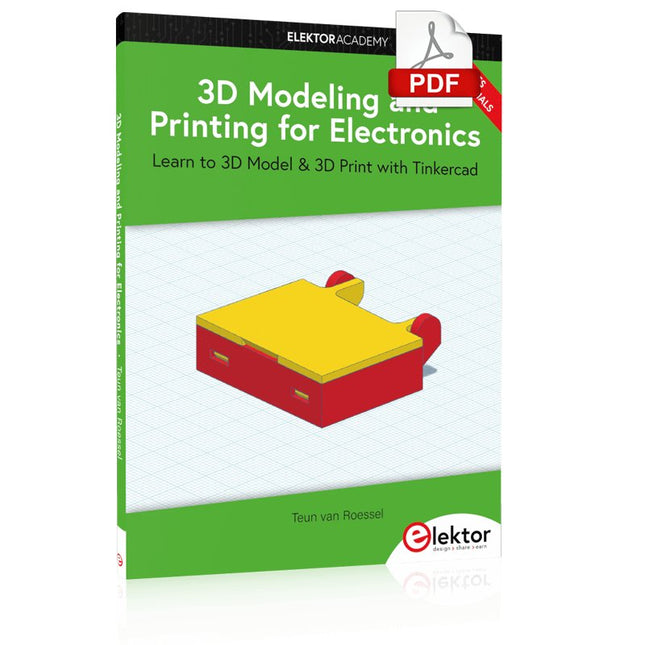
Learn to 3D Model & 3D Print with Tinkercad
With this book and the complementary videos, you’ll be 3D printing in no time at all. This course is meant to have you make casings for electronic components but also goes into optimizing your print technique as well as adding a little flair to your 3D creations. The course is perfect for you if you just bought your (first) 3D printer and want to print your own designs as soon as possible while also being able to get more background information.
You’ll get to know the workings of a 3D printer and what software to use to model your object, not forgetting to make it print perfectly. We’ll even use the magic of 3D printing to create things that appear impossible to make (this fast and simple) with any other rapid-prototyping technique.
At the end of this course, it’ll be second nature for you to design an object for 3D printing and fine-tune your print-setting to get the perfect print!
The book includes the following 7 video tutorials:
Introduction
Basic 3D modeling for 3D printing
Modeling a casing
Post-processing
Pushing the limits
Movable parts
Snap fits
ModbusRTU and ModbusTCP examples with the Arduino Uno and ESP8266
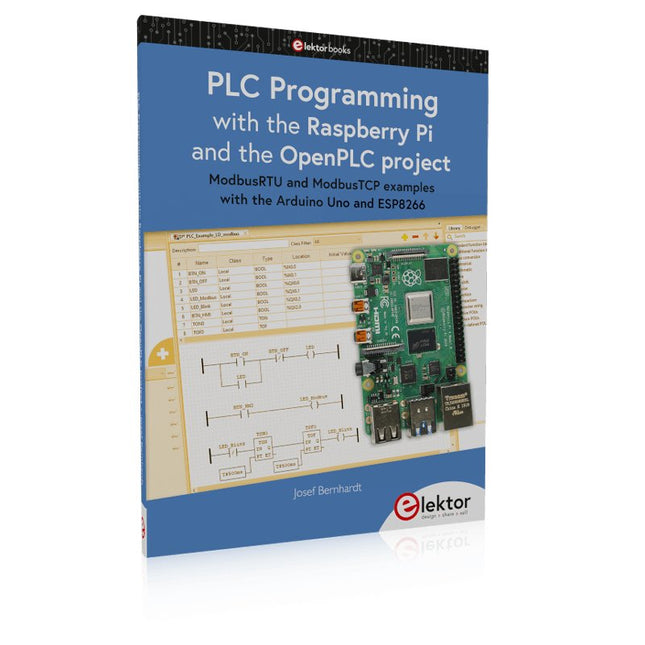
Introduction to PLC programming with OpenPLC, the first fully open source Programmable Logic Controller on the Raspberry Pi, and Modbus examples with Arduino Uno and ESP8266
PLC programming is very common in industry and home automation. This book describes how the Raspberry Pi 4 can be used as a Programmable Logic Controller. Before taking you into the programming, the author starts with the software installation on the Raspberry Pi and the PLC editor on the PC, followed by a description of the hardware.
You'll then find interesting examples in the different programming languages complying with the IEC 61131-3 standard. This manual also explains in detail how to use the PLC editor and how to load and execute the programs on the Raspberry Pi. All IEC languages are explained with examples, starting with LD (Ladder Diagram) over ST (Structured Control Language) to SFC (Special Function Chart). All examples can be downloaded from the author's website.
Networking gets thorough attention too. The Arduino Uno and the ESP8266 are programmed as ModbusRTU or ModbusTCP modules to get access to external peripherals, reading sensors and switching electrical loads. I/O circuits complying with the 24 V industry standard may also be of interest for the reader.
The book ends with an overview of commands for ST and LD. After reading the book, the reader will be able to create his own controllers with the Raspberry Pi.
Elektronica leren, ontwikkelen en begrijpen – met Elektor
Projecten, vakkennis, toegang tot het archief en exclusieve kortingen – alles in één lidmaatschap
Wilt u elektronica leren, uw eigen schakelingen ontwikkelen en moderne technologieën beter begrijpen? Elektor Magazine behoort al 65 jaar tot de toonaangevende informatiebronnen voor elektronica-ingenieurs, ontwikkelaars, start-ups en bedrijven. Met een Elektor Green Lidmaatschap verzekert u zich van:
✅ Het internationale elektronica-vakblad Elektor (als digitale uitgave)
✅ Toegang tot het Elektor-archief met 65 jaar elektronica-knowhow
✅ Zelfbouwprojecten, geteste schakelingen, in-depth reviews en tutorials
✅ Exclusieve ledenkortingen op Elektor.nl
Waarom Elektor?
Al 65 jaar staat Elektor voor gedegen elektronica-kennis, praktijkgerichte projecten en innovatieve technologieën.
Van microcontrollers en embedded systemen tot Raspberry Pi, Arduino en ESP32, en van IoT, AI en meettechniek tot audio, RF en robotica: Elektor bestrijkt de belangrijkste platforms en toepassingsgebieden van moderne elektronica.
Of u nu beginner, maker of professional bent – met Elektor tilt u uw vaardigheden naar een hoger niveau.
Voor wie is het lidmaatschap bedoeld?
Beginners – Stap de wereld van de elektronica binnen met begrijpelijke basisprincipes en eerste projecten
Makers – Ontdek nieuwe projecten, ideeën en inspiratie voor uw eigen ontwikkelingen
Professionals & ingenieurs – Blijf op de hoogte van de nieuwste technologieën en verdiep uw vakkennis
Uw voordelen in één oogopslag
Tijdschrift (digitaal) – Ontvang elke uitgave digitaal rechtstreeks in uw mailbox
65 jaar kennis van elektronica – Krijg op elk moment toegang tot het uitgebreide Elektor-archief
Praktijk & projecten – Breng uw eigen ideeën tot leven met handleidingen, schakelingen en tutorials
Exclusieve kortingen – Bespaar bij elke aankoop op Elektor.nl
Ontgrendel nu alle Elektor-voordelen!
Free Lidmaatschap
Green Lidmaatschap
❌ 8× Elektor Magazine (Digitale editie) als PDF
✅ 8× Elektor Magazine (Digitale editie) als PDF
❌ 12 maanden toegang tot het Elektor-archief
✅ 12 maanden toegang tot het Elektor-archief
❌ Toegang tot meer dan 5.000 Gerber-bestanden
✅ Toegang tot meer dan 5.000 Gerber-bestanden
❌ 10% ledenkorting op Elektor.nl
✅ 10% ledenkorting op Elektor.nl
✅ Lees Elektor wekelijks elke vrijdagochtend
✅ Lees Elektor wekelijks elke vrijdagochtend
ℹ️ Leest u Elektor liever in gedrukte vorm? Hier vindt u alles over het Elektor Gold-lidmaatschap (print).
L’OWON SDS1102 est un oscilloscope numérique de table abordable qui combine de solides performances avec des fonctions de mesure essentielles. Cet oscilloscope à 2 canaux offre une bande passante de 100 MHz, une fréquence d’échantillonnage de 1 GS/s, un écran LCD de 7 pouces et une profondeur mémoire de 10 kpts, ce qui en fait un choix pratique pour les tests électroniques quotidiens, le dépannage et l’enseignement.
Le SDS1102 dispose d’un système de déclenchement simplifié avec déclenchement sur niveau et sur front, ce qui facilite la capture et l’analyse des signaux courants. Il est conçu pour les applications qui ne nécessitent pas une grande profondeur mémoire ni des fonctions de déclenchement avancées, et offre une solution simple et économique pour l’analyse de signaux de base.
Caractéristiques
Bande passante : 100 MHz
2 voies
Taux d'échantillonnage : 1 GS/s
Boîtier ultra-fin
Écran LCD haute résolution de 7 pouces
Prise en charge de SCPI et LabVIEW
Spécifications
Bande passante
100 MHz
Échelle horizontale (s/div)
5 ns/div - 1000 s/div
Canal
2
Sensibilité verticale
5 mV/div - 5 V/div (en entrée)
Précision du Gain DC
3%
Résolution Verticale(A/D)
8 bits (2 canaux simultanément)
Entrée
Impédance d'entrée
1 MΩ, 10 pF
Couplage d'entrée
AC, DC, GND
Tension d'entrée maximale
±400 V, CATI, CATII
Sondes passives
х1; х10
Facteur d'atténuation de la sonde
х1; х10; х100; х1000
Système de déclenchement
Mode de déclenchement
Auto, Normal, Single
Type de déclenchement
Edge, Video
Source de déclenchement Edge
CH1, CH2
Video Trigger
Type d'échantillonnage
Real-time
Taux d'échantillonnage
1 GS/s
Taux d'échantillonnage Equivalent
No
Longueur d'onde
10K pts
Interpolation
sin(x)/x
Measurement and Mathematical Treatment System
Mesure automatique
Vpp, Vavg, RMS, Frequency, Period, Vmax, Vmin, Vtop, Vbase, Width, Overshoot, Pre-shoot Rise time, Fall time, +Width, -Width, +Duty, -Duty, Delay A→B, Delay A→B, area, cycle area
Fonctions mathématiques
Addition, Soustraction, Multiplication, Division, FFT
Caractéristiques générales
Type d'affichage
7" color LCD
Résolution d'affichage
800 x 480
Puissance
100-240 V, 45-440 Hz, <15 W
Dimensions
301 x 70 x 152 mm
Poids
1,1 kg
Inclus
1x OWON SDS1102 Oscilloscope
2x Sondes d'oscilloscope
1x Réglage de la sonde
1x Cordon d'alimentation secteur
1x Câble USB
1x CD-Rom
1x Guide rapide
Télechargements
Quick Guide
Manual
PC Software
SCPI Commands
ModbusRTU and ModbusTCP examples with the Arduino Uno and ESP8266
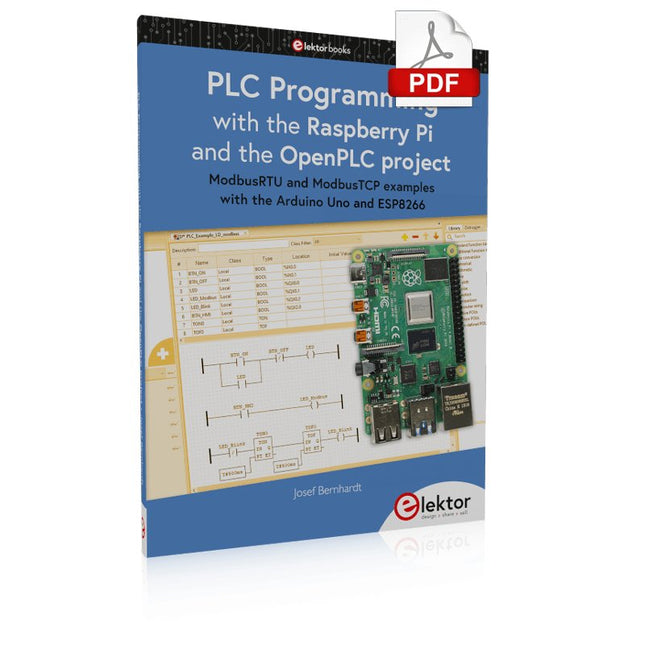
Introduction to PLC programming with OpenPLC, the first fully open source Programmable Logic Controller on the Raspberry Pi, and Modbus examples with Arduino Uno and ESP8266
PLC programming is very common in industry and home automation. This book describes how the Raspberry Pi 4 can be used as a Programmable Logic Controller. Before taking you into the programming, the author starts with the software installation on the Raspberry Pi and the PLC editor on the PC, followed by a description of the hardware.
You'll then find interesting examples in the different programming languages complying with the IEC 61131-3 standard. This manual also explains in detail how to use the PLC editor and how to load and execute the programs on the Raspberry Pi. All IEC languages are explained with examples, starting with LD (Ladder Diagram) over ST (Structured Control Language) to SFC (Special Function Chart). All examples can be downloaded from the author's website.
Networking gets thorough attention too. The Arduino Uno and the ESP8266 are programmed as ModbusRTU or ModbusTCP modules to get access to external peripherals, reading sensors and switching electrical loads. I/O circuits complying with the 24 V industry standard may also be of interest for the reader.
The book ends with an overview of commands for ST and LD. After reading the book, the reader will be able to create his own controllers with the Raspberry Pi.
Praktischer Einstieg mit Arduino, GnuRadio und FPGA
Das Thema „Software Defined Radio“ ist facettenreich: Neben der Schaltungstechnik ist auch eine Einarbeitung in die Programmierung von Hardware und PC wichtig. Ein schrittweises Vorgehen erleichtert Ihnen den Einstieg. Mit dem im Buch vorgestellten modularen „RF Bricks“-Konzept werden Sie zum Architekten Ihrer Signalkette. Auf einem Chassis angeordnet gewährleisten die Module einen soliden und gut abgeschirmten Aufbau, den Sie einfach verändern und mit eigenen Ideen anreichern können.
Der skalierbare Aufbau bildet Ihr Blockschaltbild auch mechanisch ab – die so gewonnene Übersicht kann in der Aus- und Weiterbildung nützlich sein. Ein Arduino in Ihrem Chassis kommuniziert nach einigen Anpassungen mit üblichen SDR-Programmen, z. B. SDRCPP, GQRX und CubicSDR auf einer Linux-Plattform. Damit können Sie Ihren Empfänger direkt per Mausklick abstimmen.
Wenn Sie Blockschaltbilder mögen, ist GnuRadio ein natürlicher Partner der „RF Bricks“. Mit einem selbst programmierten Python-Block gelingt Ihnen in GnuRadio die Fernsteuerung Ihres Empfängers. Im GnuRadio-Universum können Sie Ihre GUI stufenweise ausbauen, behalten dabei aber immer volle Kontrolle über die inneren Abläufe des Programms.
Mit einem FPGA können zeitaufwändige Operationen auch direkt in die Hardware verlagert werden. Sie bauen stufenweise einen Doppelsuperhet auf und entwickeln die Filterkoeffizienten für FIR-Filter mit Scilab. Das in VHDL realisierte Weaver-Schema rundet diesen Empfänger ab, der mit hoher Empfindlichkeit und Dynamik aufwarten kann.
Mit dem gewonnen Überblick und Ihrer neuen Hardware können Sie die einzelnen Aspekte des Themenkomplexes SDR beliebig weiter vertiefen.
Downloads
Software
Les oscilloscopes numériques de la série SDS2000X Plus de Siglent sont disponibles en bandes passantes de 100 MHz, 200 MHz et 350 MHz, ont une fréquence d'échantillonnage maximale de 2 GSa/s, une longueur d'enregistrement maximale de 200 Mpts/ch, et jusqu'à 4 canaux analogiques + 16 canaux numériques de capacité d'analyse de signaux mixtes.
La série SDS2000X Plus utilise la technologie SPO de Siglent avec un taux de capture de forme d'onde maximum de 120 000 wfm/s (mode normal, jusqu'à 500 000 wfm/s en mode séquence), une fonction d'affichage de 256 niveaux d'intensité et un mode d'affichage de la température de couleur. Il utilise également un système de déclenchement numérique innovant à haute sensibilité et faible gigue. Le système de déclenchement prend en charge plusieurs modes de déclenchement puissants, y compris le déclenchement par bus série. L'enregistrement de l'historique des formes d'onde, l'acquisition de séquences, les fonctions de recherche et de navigation permettent de capturer, de stocker et d'analyser des enregistrements de formes d'onde étendus. Le SDS2000X Plus dispose également d'une gamme impressionnante de capacités de mesure et de calcul, d'options pour un générateur de forme d'onde de 50 MHz, ainsi que de fonctions de décodage en série, de test de masque, de tracé de bode et d'analyse de puissance. Un mode d'acquisition 10 bits permet de satisfaire les applications qui nécessitent une résolution supérieure à 8 bits.
Le grand écran tactile capacitif de 10,1 pouces prend en charge les gestes multi-touch, tandis que la commande Web à distance, la souris et le clavier externe améliorent considérablement l'efficacité opérationnelle du SDS2000X Plus.
Caractéristiques
Modèles 100 MHz, 200 MHz, 350 MHz (extensible à 500 MHz)
Taux d'échantillonnage en temps réel jusqu'à 2 GSa/s
Longueur d'enregistrement jusqu'à 200 Mpts
Déclencheur et décodeur de bus série, supporte I²C, SPI, UART, CAN, LIN, CAN FD, FlexRay, I²S et MIL-STD-1553B
Mode 10 bits, zoom vertical et horizontal
L'écran tactile capacitif prend en charge les gestes multi-touch.
Oscilloscopes Siglent SDS2000X Plus
SDS2102X Plus
SDS2104X Plus
SDS2204X Plus
SDS2354X Plus
Bande passante
100 MHz
100 MHz
200 MHz
350 MHz
Canaux
2
4
4
4
Taux d'échantillonnage en temps réel
2 GSa/s
2 GSa/s
2 GSa/s
2 GSa/s
Taux de capture
120,000 wfm/s
120,000 wfm/s
120,000 wfm/s
120,000 wfm/s
Profondeur de la mémoire
200 Mpts/ch
200 Mpts/ch
200 Mpts/ch
200 Mpts/ch
Inclus
Siglent SDS2102X Plus Oscilloscope
Sondes passives
Cordon d'alimentation
Câble USB
Manuel d'utilisation
Téléchargements
Fiche technique
Manuel
Guide rapide
Manuel de l'utilisateur
Firmware