La carte d'apprentissage Elektor Arduino Nano MCCAB contient tous les composants (avec Arduino Nano) nécessaires aux exercices, tels que des diodes électroluminescentes, des interrupteurs, des boutons-poussoirs, des émetteurs de signaux acoustiques, etc. Ce système de formation à microcontrôleur permet également d'interroger ou de commander des capteurs, des moteurs ou des assemblages externes.
Spécifications (Carte de formation Arduino Nano MCCAB)
Alimentation électrique
Via la connexion USB du PC connecté ou un bloc d'alimentation externe (non inclus)
Tension de fonctionnement
+5 Vcc
Tension d'entrée
Toutes les entrées
0 V to +5 V
VX1 and VX2
+8 V to +12 V (uniquement en cas d'utilisation d'une alimentation externe)
Périphérie du matériel
LCD
2x16 caractères
Potentiomètre P1 & P2
JP3 : sélection de la tension de fonctionnement de P1 et P2
Distributeur
SV4 : Distributeur pour les tensions de fonctionnementSV5, SV6 : Distributeur pour les entrées/sorties du microcontrôleur
Interrupteurs et boutons
Bouton RESET sur le module Arduino Nano 6x interrupteurs à bouton poussoir K1 ... K6 6x interrupteurs à glissière S1 ... S6 JP2 : Connexion des interrupteurs avec les entrées du microcontrôleur
Buzzer
Buzzer piézo Buzzer1 avec cavalier sur JP6
Voyants lumineux
11 x LED : Indicateur d'état des entrées/sorties LED L sur le module Arduino Nano, connectée au GPIO D13 JP6 : Connexion des LED LD10 ... LD20 avec les GPIO D2 ... D12
Interfaces sérieSPI ET I²C
JP4 : Sélection du signal à la broche X du connecteur SPI SV12 SV9 à SV12 : interface SPI (3,3 V/5 V) ou interface I²C
Sortie de commutation pour les appareils externes
SV1, SV7 : sortie de commutation (maximum +24 V/160 mA, alimentation externe) SV2 : 2x13 connecteurs pour la connexion de modules externes
Matrice de 3x3 LED(9 LED rouges)
SV3 : Colonnes de la matrice LED 3x3 (sorties D6 ... D8) JP1 : Connexion des lignes avec les GPIOs D3 ... D5
Logiciel
Bibliothèque MCCABLib
Contrôle des composants matériels (interrupteurs, boutons, DEL, matrice de DEL 3x3, buzzer) sur la carte de formation MCCAB.
Température de fonctionnement
Jusqu'à +40 °C
Dimensions
100 x 100 x 20 mm
Spécifications (Arduino Nano)
Microcontrôleur
ATmega328P
Architecture
AVR
Tension de fonctionnement
5 V
Mémoire flash
32 Ko, dont 2 Ko utilisés par le chargeur de démarrage
SRAM
2 KB
Vitesse d'horloge
16 MHz
Connecteurs d'entrée analogique
8
EEPROM
1 KB
Courant continu par connecteur d'E/S
40 mA sur un connecteur d'E/S, maximum total de 200 mA sur l'ensemble des connecteurs
Tension d'entrée
7-12 V
Connecteurs E/S numériques
22 (dont 6 PWM)
Sortie PWMt
6
Consommation électrique
19 mA
Dimensions
18 x 45 mm
Poids
7 g
Inclus
1x Elektor Arduino Nano Training Board MCCAB
1x Arduino Nano
Dispositif de communication LoRa haute performance
L'Elecrow ThinkNode M5 est un dispositif de communication LoRa compact et portable, conçu pour la messagerie hors réseau, le partage de position et une utilisation en extérieur. Équipé d'un processeur ESP32-S3 et d'une puce LoRa SX1262, il est livré avec le micrologiciel Meshtastic préinstallé et se configure aisément via Bluetooth grâce à l'application officielle Meshtastic.
Son module multi-GNSS intégré prend en charge les systèmes GPS, GLONASS, BeiDou et QZSS pour assurer une localisation et un partage de position fiables. Les messages et les informations de l'appareil s'affichent sur un écran e-paper de 1,54 pouce économe en énergie, tandis que la batterie rechargeable intégrée de 1200 mAh permet une utilisation mobile prolongée.
Grâce à son antenne LoRa intégrée, son boîtier compact, son horloge temps réel (RTC) et sa compatibilité avec les micrologiciels Meshtastic et MeshCore, le ThinkNode M5 constitue une solution de communication pratique pour la randonnée, le camping, les zones isolées et les situations d'urgence où les réseaux mobiles conventionnels sont indisponibles.
Caractéristiques
Communication LoRa
Positionnement multi-GNSS
Batterie rechargeable de 1200 mAh
Écran à encre électronique de 1,54 pouce
Horloge en temps réel (RTC) intégrée
Compatible avec MeshCore
Compatible avec Meshtastic
Spécifications
Processeur principal (ESP32-S3)
CPU/SoC
Processeur double cœur Xtensa LX7 32 bits, cadencé jusqu'à 240 MHz
Mémoire système
512 Ko de SRAM, 8 Mo de PSRAM
Stockage
4 Mo de Flash, 384 Ko de ROM
Firmware
Entièrement compatible avec le firmware Meshtastic ; transmission du signal en mode LoRa
EPD (Écran à encre électronique)
Taille de l'écran
EPD de 1,54 pouce (écran à encre monochrome)
Technologie d'affichage
E-Ink (encre électronique)
Résolution
200 x 200
Contrôleur
SSD1681 (via interface SPI ou I²C)
Temps de rafraîchissement global
2 s
Communication sans fil
Bluetooth
Bluetooth Low Energy et Bluetooth 5.0 (configuration via smartphone)
LoRa
Module LoRa SX1262, bande EU 868 MHz (antenne externe)
Matériel
Interfaces
USB-C, RP-SMA
Fonctions
Localisation GPS (GPS, GLONASS, BeiDou, QZSS), affichage EPD, RTC, USB 2.0, gestion de l'alimentation PMU (batterie au lithium intégrée de 1200 mAh), buzzer, etc.
Boutons
Commutateur rotatif, bouton de fonction, bouton de changement de page, interrupteur GPS, bouton de réinitialisation
Indicateur LED
Alimentation, Indication GPS/LoRa
Autres
Alimentation
5 V/1 A, prise en charge de l'alimentation par USB ou batterie au lithium
Consommation électrique
Le courant de fonctionnement maximal est d'environ 340 mA (CPU + module LoRa) ; la consommation en mode basse consommation est d'environ 34 µA
Température de fonctionnement
-10 à 50°C
Température de stockage
-20 à 60°C
Humidité relative
10 à 95% à 40°C (sans condensation)
Boîtier
Plastique ABS
Dimensions
82 x 51,6 x 26,3 mm
Poids
81 g
Inclus
1x Elecrow ThinkNode M5
1x Antenne LoRa
1x Câble USB-C
1x Manuel
Téléchargements
Manual
Build your textbook weather station or conduct environmental research together with the whole world. With many practical projects for Arduino, Raspberry Pi, NodeMCU, ESP32, and other development boards.
Weather stations have enjoyed great popularity for decades. Every current and even every long discontinued electronics magazine has regularly featured articles on building your own weather station. Over the years, they have become increasingly sophisticated and can now be fully integrated into an automated home — although this often requires loyalty to an (expensive) brand manufacturer across all components.
With your own weather and environmental data, you can keep up and measure things that no commercial station can. It’s also fun: expand your knowledge of electronics, current microcontroller development boards and programming languages in a fun and meaningful way. For less than 10 euros you can get started and record your first environmental data — with time and growing interest, you will continue to expand your system.
In this Edition
Which Microcontroller Fits My Project?
The Right Development Environment
Tracking Wind and Weather
Weather Display with OpenWeatherMap and Vacuum Fluorescent Display
Volatile Organic Compounds in the Air We Breathe
Working with MQ Sensors: Measuring Carbon Monoxide — Odorless but Toxic
CO2 Traffic Light with ThingSpeak IoT Connection
An Automatic Plant Watering System
Good Indoor Climate: Temperature and Humidity are Important criteria
Classy Thermometer with Vintage Tube Technology
Nostalgic Weather House for the Whole Family
Measuring Air Pressure and Temperature Accurately
Sunburn Warning Device
DIY Sensor for Sunshine Duration
Simple Smartphone Says: Fog or Clear View?
Identifying Earthquakes
Liquid Level Measurement for Vessels and Reservoirs
Water pH Value Measurement
Detecting Radioactive Radiation
GPS: Sensor Location Service Across the Globe
Saving and Timestamping Log Files on SD Cards
LoRaWAN, The Things Network, and ThingSpeak
Operating a LoRaWAN Gateway for TTN
Defying "Wind and Weather"
Mega Display with Weather Forecasz
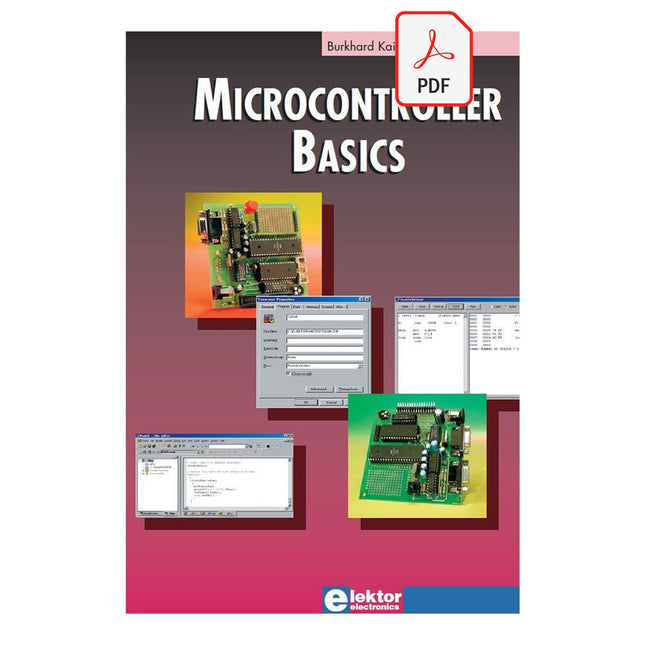
Microcontrollers have become an indispensable part of modern electronics. They make things possible that vastly exceed what could be done previously. Innumerable applications show that almost nothing is impossible.
There’s thus every reason to learn more about them, but that raises the question of where to find a good introduction to this fascinating technology. The answer is easy: this Microcontroller Basics book, combined with the 89S8252 Flash Board project published by Elektor Electronics.
However, this book offers more than just a basic introduction. It clearly explains the technology using various microcontroller circuits and programs written in several different programming languages. Three microcontrollers from the 8051 family are used in the sample applications, ranging from the simple 89C2051 to the AN2131, which is designed to support USB applications. The programming tools include assemblers, Basic-52 and BASCOM-51, and several C compilers. Every reader can thus find the programming environment most suitable to his or her needs.
In the course of the book, the reader gradually develops increased competence in converting his or her ideas into microcontroller circuitry. All of the sample programs can be downloaded from the Elektor Electronics website or the author’s website. That has the added advantage that the latest versions are always available.
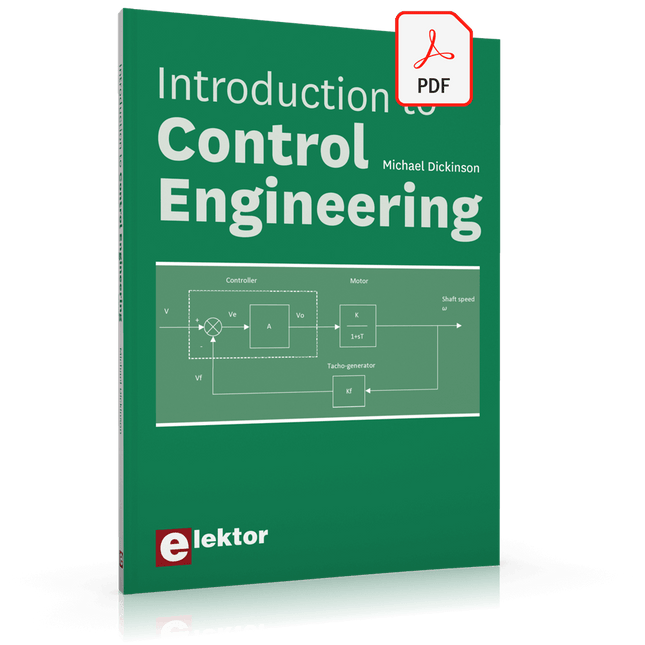
This book is aimed at practising engineers, students and hobbyists. It is intended as a source of reference for hardware and software associated with instrumentation and control engineering. Examples are presented from a range of industries and applications.
Throughout the book, circuit diagrams and software listings are described, typical of many measurement and control applications. The hardware and software designs may be used as a basis for application by the reader.
The book contains examples of PIC, PLC, PAC and PC programming. All code samples are available to download free of charge from the support website.
After an introductory section on control theory and modelling, the text focus is upon software for control system simulation and implementation, with appropriate reference to interfacing, electronic hardware and computing platforms.
Introduction to Control Engineering is a sourcebook of solutions for control system applications!
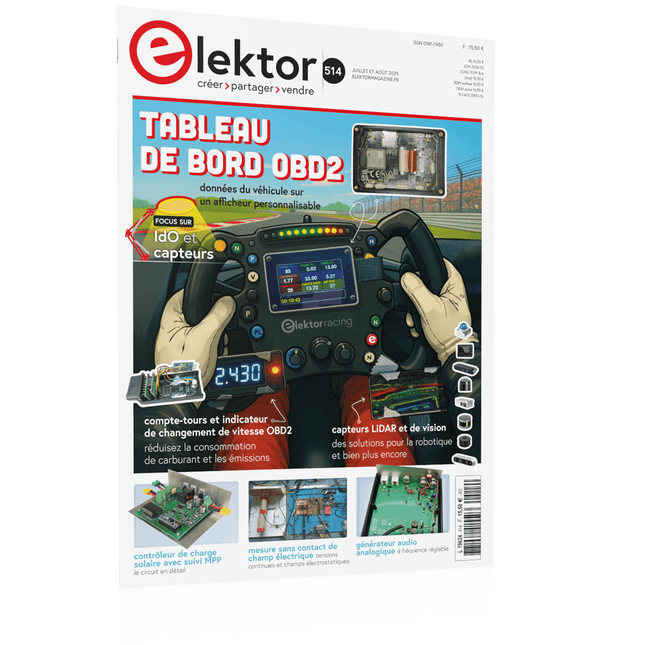
Le téléchargement intégral de ce numéro est disponible pour nos membres GOLD et GREEN sur le site Elektor Magazine !
Pas encore membre ? Cliquez ici.
tableau de bord OBD2Des cadrans anciens aux données en temps réel
OBD2 : ajoutez un compte-tours et un indicateur de changement de vitesse à votre voitureRétro, mais extrêmement utile
capteurs de vision et LiDAR pour la robotique
Sensor+Test 2025 et PCIM 2025
mesures sans contact du champ électrique (1)Membrane vibrante pour mesurer des tensions continues ou des champs électriques statiques
détecteur de courrier sans filCapteurs optiques, radars… quelques options à explorer
Elektor Mini-WheelieUn robot auto-équilibré
cellules solairesDrôles de composants, la série
premiers pas avec un capteur radar moderneUn capteur précis qui ne passe pas inaperçu
sur le vifUsine de papier
CybersécuritéDes temps difficiles pour les hackers
Infographie : IdO et capteurs
le Bluetooth 6.0 pour des applications de télémétrie amélioréesCette nouvelle version offre des fonctions de localisation améliorées
découvrez la communication sans fil avec BeagleY-AI
Projet 2.0Corrections, mises à jour et courrier des lecteurs
démarrer en électronique……Conclusion sur les ampli-op
un puissant assistant de codage de l'IAAccélérez votre développement avec Continue et Visual Studio Code
contrôleur de charge solaire avec MPPT (2)Le circuit
détecteur d'obstacles à ultrasonsUn projet simple pour aider les malvoyants
une odyssée de l'IABilan du premier semestre
synthétiseur MIDI autonome Raspberry Pi (3)plus intelligent avec une interface utilisateur
Meshtastic : un projet de démoUn réseau intelligent de noeuds LoRa
générateur analogique de fréquences audioGénérateur de signaux sinusoïdaux de haute qualité à fréquence réglable
310 Schakelingen – alweer het elfde boek uit de bekende „driehonderd“-reeks. De 310 schakelingen, tips en ideeën in dit boek vormen een (bijna) onuitputtelijke schatkamer op alle terreinen die de elektronica rijk is: audio en video, hobby en modelbouw, hoogfrequenttechniek, huis en tuin, meten en testen, microprocessor, PC-hardware en -software, voedingen en acculaders plus al dat andere dat niet zo gemakkelijk in een van deze categorieën kan worden ondergebracht.
310 Schakelingen – bevat veel complete oplossingen of in elk geval de aanzet daartoe. En de 310 beschreven schakelingen vormen in elk geval een bron van inspiratie voor nieuwe eigen ontwikkelingen!
310 Schakelingen – samengesteld uit de Halfgeleidergidsen van 2006, 2007 en 2008. De Halfgeleidergids is het jaarlijkse dubbeldikke juli/augustus-zomernummer van het maandblad Elektor.
310 Schakelingen – een must voor iedereen die creatief met elektronica bezig is, beroepsmatig of als hobby.
310 Schakelingen – met dit jaar een speciaal aan robots en robotica gewijde sectie.
MOTOREN AANSTUREN MET H-BRUGGENeen inleiding tot gelijkstroom-, stappen- en borstelloze motoren
HET ELEKTOR LAB-TEAMonze aanpak, onze tools – en meer...
RASPBERRY PI ALS KVM-AFSTANDSBEDIENINGsoftwaretest Pi-KVM
IQAUDIO CODEC ZEROgeluidskaart voor de Raspberry Pi-familie
WAT WE KUNNEN LEREN VAN HET PIKVM-PROJECTeen vraaggesprek met Maxim Devaev
AUTONOOM RIJDEN MET 2D-LIDARESP32 Pico interpreteert gegevens van de lidar-module DE RASPBERRY PI ZERO 2 W GAAT QUAD-CORE NOTITIES BIJ VAN HET WORLD ETHICAL ELECTRONICS FORUM 2021
MOTORBESTURINGhoe de complexiteit van motorbesturing wordt gereduceerd
GROTE ELEKTROMOTORENbasisprincipes en nuttige informatie AAN DE SLAG MET DE ESP32-C3 RISC-V MCU
BESCHERM UZELF EN ANDEREN!DHZ-hoofdschakelaar voor uw werkbank
GUI'S MAKEN MET PYTHON (DEEL 2)Spionnennaamkiezer
PRODUCTRONICA FAST FORWARD 2021: DE WINNAARSspannende technologieën en creatieve engineeringoplossingen
VEELZIJDIGE SERVOTESTERcontroleer het gedrag, ook zonder datasheet
MODBUS VIA WLANdeel 2: software voor de Modbus TCP WLAN-module
KENNISMAKING MET NEURONEN IN NEURALE NETWERKENdeel 3: neuronen in de praktijk
IN EEN OPEN SOURCE-PROCESSORvoorbeeldhoofdstuk: vergelijking van Lattice- en Xilinx-FPGA’s
ALLE BEGIN......is nog niet klaar met de spoel
PROJECT 2.0correcties, updates en brieven van lezers
KLEUR NAAR GELUIDeen kleursensor via I2C uitlezen
BATTLAB-ONEmeet en optimaliseer de gebruiksduur van IoT-accu’s
EENVOUDIGE AARDLEKTESTERisolatietest voor lichtnetinstallaties
ARMOEDE EN ELEKTRONICAhet streven naar duurzame ontwikkeling
HEXADOKUpuzzelen voor elektronici
Although the Arduino isn’t a novelty any longer, there are still many beginners who want to try programming and development with a microcontroller, and to them, it is all new. All beginnings can be difficult, though they should be light and enjoyable.
You do not need much or expensive equipment for the examples. The circuits are built on a small breadboard, and, if necessary, connected to an Arduino Uno, which you can program on a Windows PC. You will find clear examples of how to build all circuits, ensuring easy and error-free reproduction.
Projects Discussed
Current & Voltage – How it all began
Arduino Hardware
Arduino Programming
The Electrical Circuit
Measuring with the Multimeter
Circuit Diagrams and Breadboards
Creating Circuit Diagrams
Breadboard Views with Fritzing
Online Circuit Simulation
Indispensable: Resistors (Part 1)
Hands-on with Resistors (Part 2)
Variable Resistors
Diodes: One-way Street for Current
The Transistor Switch
Electromagnetism
Relays and Motors
op-amps: Operational Amplifiers
Capacitors
The NE555 Timer
PWM and Analogue Values with Arduino
7-Segment Temperature Display
Introduction to Soldering and LCDs
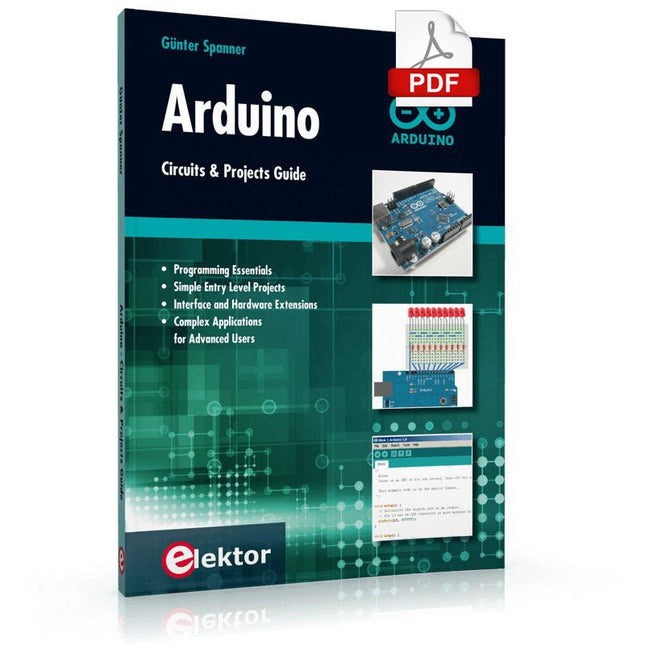
Two reasons can be identified for the immense success of the Arduino platform. First, the cheap, ready to go processor board greatly simplifies the introduction to hardware. The second success factor is the free and open-source programming suite that does not require an installation procedure.
Simple entry-level examples ensure rapid successes. Complex selection procedures for parameters like the microprocessor version or interface settings are not required. The first sample programs can be uploaded to the Arduino board, and tested, in a matter of minutes.
The Arduino user is supported by an array of software libraries. However, the daily increasing volume of libraries poses initial problems to the newcomer, and the way ahead may be uncertain after a few entry-level examples. In many cases, detailed descriptions are missing, and poorly described projects tend to confuse rather than elucidate. Clear guidance and a single motto are missing, usually owing to the projects having been created by several different persons—all with different aims in mind.
This book represents a different approach. All projects are presented in a systematical manner, guiding into various theme areas. In the coverage of must-know theory great attention is given to practical directions users can absorb, including essential programming techniques like A/D conversion, timers and interrupts—all contained in the hands-on projects. In this way readers of the book create running lights, a wakeup light, fully functional voltmeters, precision digital thermometers, clocks of many varieties, reaction speed meters, or mouse controlled robotic arms. While actively working on these projects the reader gets to truly comprehend and master the basics of the underlying controller technology.
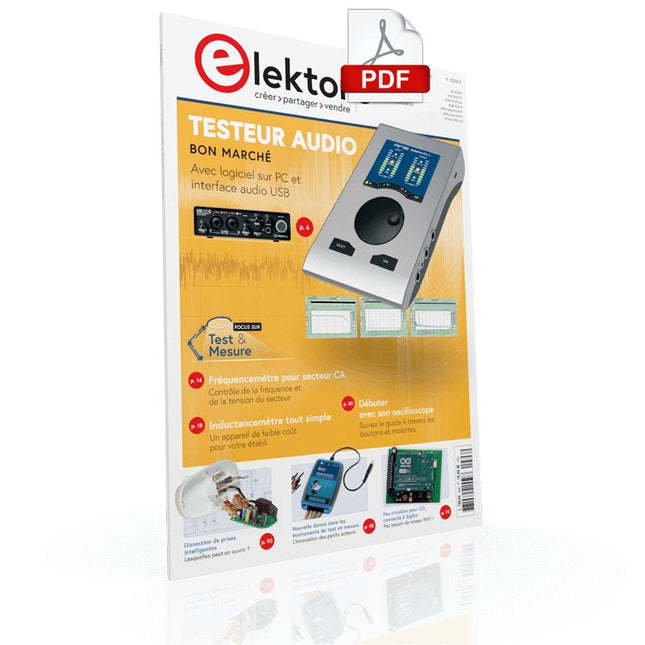
Testeur audio à prix modéré Et avec une base logique sur PC et une interface audio USB
Fréquencemètre secteur CA Contrôler la fréquence et la tension du secteur
Inductancemètre très simple Une tenue facile à porter
Lévitation avec ondes acoustiques Un aperçu du kit de lévitation acoustique de Makerfabs
Démarrer en électronique? Les redresseurs
E-FFWD : regardons à nouveau vers l'avenir !
Débutant avec son oscilloscope Suivez le guide pour parcourir les boutons et molettes
Radio logique MSF utilisant un Raspberry Pi Pico Décodeur à signal temporel à logique radio (SDR) basé sur le RPi Pico
Capteurs d'humidité pour systèmes d'arrosage Arrosage automatique
Nouvelle donne dans les instruments de test et mesure L'innovation des petits acteurs
Infographie 07-08/2022
L?inspiration, c?est ça qui compte Entretien avec Walter Arkesteijn, l'entreprise InnoFaith Beauty Sciences et lecteur d'Elektor
Minimiser les interférences CEM même avec le stockage
Création d'interfaces graphiques et Python avec guide : Jeu de Morpion
Relais Reed Drôles de composants
ESR-mètre analogique simple et précis en galvanomètre en cadre mobile
Feu tricolore pour CO2, connecté à Sigfox N'oubliez pas de vérifier le WiFi !
Femmes de technologie « On juge au mérite, jusqu'à ce que le mérite ait des seins. »
Tablette oscilloscope ADS1013D à petit prix Bon rapport qualité/prix ?
Dissection des prix intelligents Lesquelles peut-on ouvrir ?
Impédance et capacité de la peau Petites expériences
Sur le vif Nul n'est prophète en son pays
Prise en main du Pokit Meter Couteau suisse pour la mesure
Hexadoku Casse-tête pour électriciens