
Résultats de la recherche pour "elektor OR embedded OR systems OR design OR and OR programming OR course"
-

Elektor Digital Home Automation and Electronics for Starters (E-book)
Projets avec Arduino, ESPHome, Home Assistant, et Raspberry Pi & Co. Ce livre électronique contient plusieurs exemples de projets, en commençant par une introduction à l'électronique. Il explique également comment installer Home Assistant sur un Raspberry Pi, comment utiliser des capteurs de climat intérieur pour la température et l'humidité, comment mettre en œuvre le protocole MQTT et d'autres interfaces, et comment utiliser ESPHome pour intégrer des capteurs et des actionneurs dans Home Assistant. De nombreux tutoriels vidéo complètent le livre. Fundamentals of electrical engineering The book begins with an introduction to electrical engineering. You will learn the basics of voltage, current, resistors, diodes and transistors. Arduino and microcontrollers A complete section is dedicated to the Arduino Uno. You will get to know the structure, write your first programs and work on practical examples. Home Assistant and automation You will learn how to set up Home Assistant on a Raspberry Pi and how to use automations, scenes and devices. In addition, Zigbee, MQTT and ESP-NOW – important technologies for home automation – will be discussed. ESP8266, ESP32 and ESP32-CAM The popular ESP microcontrollers are covered in detail. A theoretical introduction is followed by practical projects that show you how to get the most out of these devices. Sensors and actuators The book explains the functionality and application of numerous sensors such as temperature and humidity sensors, motion detectors and RFID readers. For actuators, stepper motors, e-ink displays, servo motors and much more are covered. There are practical application examples for all devices. ESPHome This chapter shows you how to integrate sensors and actuators into Home Assistant without any programming effort. You will be guided step by step through the setup with ESPHome. LEDs and lighting technology In this chapter, you will learn about different types of LEDs and how they can be used. The basics of lighting technology are also explained. Node-RED A whole chapter is dedicated to Node-RED. You will learn the basics of this powerful tool and be guided step by step through its setup and use. Integrated Circuits (ICs) In electronics, there are numerous ICs that make our lives easier. You will get to know the most important ones and apply your knowledge in practical projects. Professional programming Advanced topics such as the correct use of buttons, the use of interrupts and the use of an NTP server for time synchronisation are covered in detail in this chapter. Downloads GitHub
€ 59,95
Meilleur prix
-

Elektor Digital Compilation ESP32 & ESP8266 (FR) | (E-book)
L'ESP8266 d'Espressif est une puce Wi-Fi dotée d'une pile TCP/IP complète et d'une capacité de microcontrôleur. Il a fait des vagues dans la communauté des fabricants grâce à son prix bas. Mais de nombreux développeurs étaient mécontents de la consommation électrique élevée de l'ESP8266. L'ESP32, équipé d'un coprocesseur ULP (Ultra Low Power), propose un remède à cela. Cet e-book présente un certain nombre de projets mettant en vedette ESP32 et ESP8266 et démontre leurs performances dans différentes applications. Des articles Journal lumineux défiant512 pilotes LED pour Wi-Fi dotés d'un ESP-12F Regarder avec VFD et ESP32À la précision d'Internet L'ESP32 est idéal pour la consommationProgrammation du coprocesseur ULP Adaptateur de programmation USB pour ESP8266Dans la famille Espressif, je voudrais l'ESP-01 et l'ESP-012 Émulateur DCF77 à ESP8266 Des ondes radio à l'internet Thermostat sur le bureau WiFiSurveillance de la température flexible et programmable Minutes pour le thermostat du bureau WiFiSept canaux de temporisation d'une précision atomique Coûteau suisse pour microcontrôleursPlatformIO, un outil de programmation universel Station Météo NucleoInformations mises à jour sur l'affichage sur l'écran LCD AllerNotifierUne interface flexible pour les captureurs d'IdO Regarder RGBChiffreAffiche avec 7 segments et couleur ESP32 pour les utilitaires exigeantsProgrammation avec les outils d'origine Mutation de l'ESP8266Découvrons l'ESP32 avec l'EDI d'Arduino MicroPythonLe Python des petits systèmes MicroPython et PyBoardLa LED qui clignote…Au serveur web qui fait clignoter une LED Machine de surveillance pour ESP8266Domotique pour la transition énergétique WLAN compact et autonomeOu comment utiliser la puce ESP8266 sans µC ESP8266 sur la carte d'entrées/sorties AndroidLancez-vous dans la mise à jour du micrologiciel WLAN pour microcontrôleursAvec la puce ESP8266 Carte de commande Wi-Fi : le retourRelies des objets à votre ordiphone
€ 9,95
Membres : € 8,96
-

Elektor Digital Elektor May/June 2020 (PDF) EN
Open-Network Weather Station Mk.2Part 1: Introduction and hardware elements Artificial Intelligence for Beginners (1)Object recognition using the Maixduino board Universal Triac Control Module with ATmegaSwitch and dim a variety of loads GitHub For DummiesHow to download something from GitHub My IoT Button: A Button for the WebPart 2: Prototyping with board and cloud TMS0280 Speech SynthesizerPeculiar Parts, the series InteractiveCorrections & Updates || Questions & Answers BASIC for the ESP32/ESP8266 (2)An hourglass with the ESP8266 and Annex WiFi RDS Developer's ZoneTips & Tricks, Best Practices and Other Useful Information BalBot: a Self-Balancing RobotModern acceleration sensors ease the construction process Starting Out in Electronics (3)Easier than imagined! Small Circuits RevivalCapita Selecta from the Elektor Project Suggestions Box Tamper-Evident BoxSend data securely through postal services Elektor New Precise Nixie Clock RevisitedAn engineering bulletin for enthusiastic users new and old Practical ESP32 Multitasking (3)Software timers SigFox and the IoT (4)Setting up a dashboard Start-Up Update: The Elektor Investment Program Review: Joy-IT HD35 Electronic USB LoadTest & verify USB power performance CAN Bus + Arduino for Solar PV Cell MonitoringDetect and locate serviceable panels in large arrays Analogue Electronics Design (3)Case Study #1 — Section 3: Preamplifier response optimization and trade-offs Inexpensive E-ScooterHow does Lidl's "road approved" 300 euro E-scooter perform? Steeped in ElectronicsLead-free soldering and EU regulatory zeal Lab, Sweet LabA glimpse of The Holy Place — no unauthorized entry. Review: The PeakTech 6080 A Lab Power SupplyA neat lab PSU for not much money A Big ChallengeSafe products in the IoT era Elektor 1.2 GHz Multifunction Frequency Meter (1992/93)Crossing the magic 1 GHz border Hexadoku
€ 7,50
-

Elektor Digital AVR (DE) | E-book
AVR nouveau (DE) | Livre électronique
€ 32,80
Membres : € 29,52
-
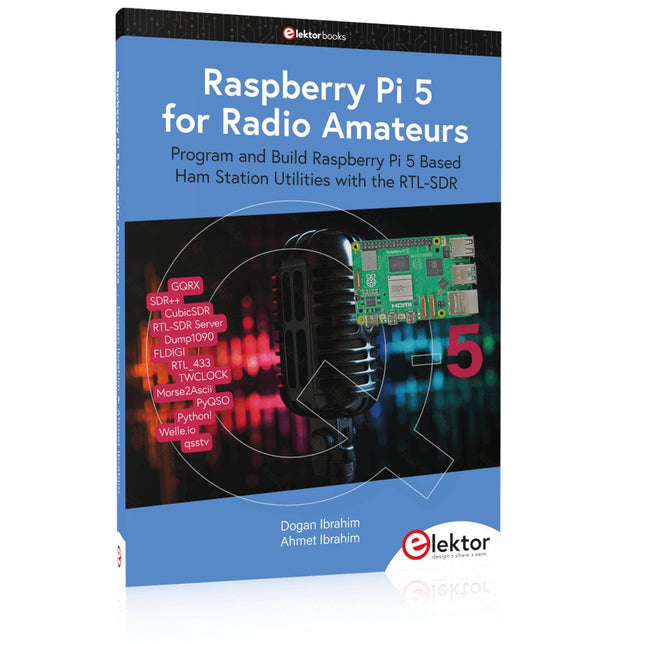
Elektor Publishing Raspberry Pi 5 for Radio Amateurs
Program and Build Raspberry Pi 5 Based Ham Station Utilities with the RTL-SDR The RTL-SDR devices (V3 and V4) have gained popularity among radio amateurs because of their very low cost and rich features. A basic system may consist of a USB based RTL-SDR device (dongle) with a suitable antenna, a Raspberry Pi 5 computer, a USB based external audio input-output adapter, and software installed on the Raspberry Pi 5 computer. With such a modest setup, it is possible to receive signals from around 24 MHz to over 1.7 GHz. This book is aimed at amateur radio enthusiasts and electronic engineering students, as well as at anyone interested in learning to use the Raspberry Pi 5 to build electronic projects. The book is suitable for both beginners through experienced readers. Some knowledge of the Python programming language is required to understand and eventually modify the projects given in the book. A block diagram, a circuit diagram, and a complete Python program listing is given for each project, alongside a comprehensive description. The following popular RTL-SDR programs are discussed in detail, aided by step-by-step installation guides for practical use on a Raspberry Pi 5: SimpleFM GQRX SDR++ CubicSDR RTL-SDR Server Dump1090 FLDIGI Quick RTL_433 aldo xcwcp GPredict TWCLOCK CQRLOG klog Morse2Ascii PyQSO Welle.io Ham Clock CHIRP xastir qsstv flrig XyGrib FreeDV Qtel (EchoLink) XDX (DX-Cluster) WSJT-X The application of the Python programming language on the latest Raspberry Pi 5 platform precludes the use of the programs in the book from working on older versions of Raspberry Pi computers.
€ 39,95
Membres : € 35,96
-

Elektor Digital Elektor September/October 2022 (PDF)
Elektor GREEN and GOLD members can download their digital edition here. Not a member yet? Click here. electronica fast forward 2022 Start- & Scale-Up AwardsPreparations Speeding Up! Bluetooth Low Energy with ESP32-C3 and ESP32You Don’t Always Need to Choose Wi-Fi! Bluetooth Low Energy SnifferHacking a makerdiary nRF52840 MDK USB Dongle Magic RGB LED CubeHardware Design Around an RP2040 Auto On/Off for Solder Paste Compressor Elektor Video ContentLivestreams, Webinars, and Courses for Engineers and Pro Makers Bicycle ElectrificationHands-On with an E-Bike Retrofit Kit Starting Out in ElectronicsMultiplying Voltages From Life’s ExperienceSidelines Teensy 4.0Why Is This Board So Fast? Audio Power Amplifier Simulation with TINAThe Try-Before-You-Build Approach Develop and Operate Your LoRaWAN IoT NodesSample Chapter: Dragino LHT65, LDS01, and LDS02 LoRaWAN Modules Err-lectronicsCorrections, Updates and Readers’ Letters 5G Just for MeGaining Complete Control of 5G Deployments with Private Cellular Networks Infographics 7-8/2022 How Does My Device Learn to Transmit?Applications with Wi-Fi Interfaces Smartphones are the Heart of the IoT Audio Spectrum Analyzer with DekatronsA New Way to Use Vintage Tubes Sending Data to TelegramGet It Done with an ESP32 and a Few Parts A Fliege Notch Filter for Audio MeasurementsMake Better Measurements with a Notch Filter CO2 Meter TeardownIs It Hackable for Your Projects? PUT-ting It All TogetherThe Programmable Unijunction Transistor Explained Round Touchscreen for Raspberry PiHyperPixel 2.1 Round from Pimoroni Remote Sensing with Connection Loss DetectionUsing nRF24L01+ Modules Digital FM Receiver with Arduino and TEA5767Stayed Tuned with an Arduino Nano Changing an OLED Interface from SPI to I²C HomeLab ToursA Hobby Does Not Retire A Decade of Ethics in ElectronicsTessel Renzenbrink Reflects on the Digital Society and More HexadokuThe Original Elektorized Sudoku
€ 7,50
-
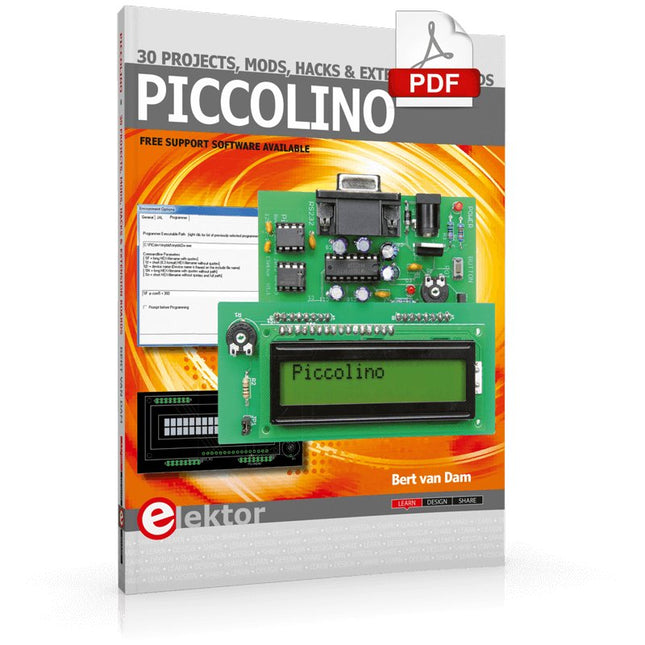
Elektor Digital Piccolino - 30 Projects, mods, hacks and extension (E-book)
The Piccolino rapid development board can be used to design microcontroller circuits quickly. The Piccolino has a fast 16f887 PIC microcontroller, voltage regulator, and communications module, and can be easily extended using its four headers. This e-book contains 30 projects based on the Piccolino. We'll use its unique communications facilities and get the Piccolino to communicate with programs on a PC. On the PC, we use the free programming language Small Basic. You can use this to create Windows programs with buttons and graphs quickly. You will learn how to analyze components such as inductors, capacitors, and OPAMPs, and how to display the measurement results in a graphical format. This will help you to design your circuits easily. We will then start to adapt to the Piccolino. We'll add components to it to make it more powerful, with extra features such as flow control and digital to analog conversion. The clear instructions will enable you to design and build your adaptations. This way you can make your custom designed Piccolino. We'll end up making an extension: a PCB that that can be mounted on the Piccolino headers. As an example, we'll design and build an extension for an LCD. You can use the included board layout to make your PCB or have it made for you. At the same time, you will learn how to make your extensions. The only limitation is your imagination! The clear descriptions along with circuit diagrams and photos, will make the building of these projects an enjoyable experience. Each project has a clear explanation of the reasons why it was designed in a particular way. This helps you learn a lot about the Piccolino, as well as Small Basic, and the components that are used in this e-book. You can adapt the projects to suit your requirements or combine several projects.
€ 34,95
Membres : € 31,46
-

Elektor Digital Programming Microcontrollers in C/C++ Using Arduino (E-book)
With Examples for Arduino UNO, Raspberry Pi Pico and ESP32 Programming small electronic systems has never been more accessible. Tasks that once demanded expensive tools, specialized hardware, and deep electrical engineering expertise can now be tackled with low-cost development boards and approachable software. At the centre of this shift is the Arduino environment, which provides a unified and familiar way to program a wide range of microcontroller platforms—from classic AVR boards like the Arduino UNO to modern ARM-based boards such as the Raspberry Pi Pico, and powerful Wi-Fi-enabled devices like the ESP32. This book introduces embedded programming through the core idea that defines all microcontrollers: reading inputs, processing information, and controlling outputs in a predictable loop. The Arduino environment abstracts much of the hardware complexity, allowing you to focus on behaviour rather than implementation details. With just a few lines of code, you can blink LEDs, read sensors, control motors, and communicate with other devices. While the Arduino UNO, Raspberry Pi Pico, and ESP32 boards differ greatly in performance and features, they share the same fundamental building blocks: digital and analog I/O, timers, serial communication, PWM, interrupts, and power management. Learning these concepts within the Arduino framework builds skills that transfer easily across platforms and scale toward more advanced applications. By exploring multiple boards while maintaining a consistent programming approach, this book helps you progress from simple experiments to confidently produce well-structured designs—showing that embedded development can be both practical and enjoyable.
€ 24,95
Membres : € 22,46
-

Elektor Digital ARM Microcontrollers 2 (NL) | E-book
Dit is een ideaal boek voor hobbyisten, studenten en ingenieurs die op een leuke manier C en het gebruik van een mbed ARM microcontroller willen leren, rechtstreeks op internet zonder ingewikkelde software-installatie. De projecten in dit boek zijn bedoeld voor gevorderden op het gebied van ARM microcontrollers of de programmeertaal C. Dat wil zeggen dat de kennis uit deel 1 van deze serie bekend verondersteld wordt. Cloud technologie De in dit boek gebruikte mbed NXP LPC1768 maakt gebruik van cloud-technologie, een revolutionair concept voor software-ontwikkeling. Dit houdt in dat u geen software hoeft te installeren om de mbed te kunnen programmeren! Het enige dat u nodig heeft, is een internet-browser zoals Microsoft Internet Explorer, en een USB-poort op uw PC. U kunt vanaf elke willekeurige PC waar dan ook ter wereld toegang krijgen tot uw project en er aan verder werken. Wanneer u klaar bent, kunt u met een paar eenvoudige klikjes met uw muis het programma overzetten naar uw mbed-hardware. Uiteraard kunt u de projecten ook downloaden en op uw eigen PC opslaan wanneer u dat liever heeft. In een deel van de projecten wordt Visual Basic gebruikt; dit gratis pakket is nog niet in de cloud beschikbaar en moet wel op uw PC geïnstalleerd worden. Onderwerpen die aan de orde komen Leer het programmeren van een ARM microcontroller via cloud-technologie. Geen ARM ontwikkelsoftware-installatie op uw eigen PC. Leer hoe u een ARM microcontroller met internet kunt verbinden, hoe u via internet uw ARM kunt bedienen en hoe u vanaf de ARM microcontroller tweets kunt versturen. Leer hoe u een CMUcam camera kunt aansturen en toepassen in uw applicaties, bijvoorbeeld als alarm. Leer hoe u met behulp van de gratis PC programmeertaal Visual Basic met uw ARM microcontroller kunt communiceren met gebruik van multi-threading. Voorbeelden van projecten in dit boek: internet-server, automatisch twitteren, digitaal naar analoog conversie, USB HID, automatisch metingen in een spreadsheet plaatsen, met een camera bewegingen waarnemen, seriële communicatie met een zelfgeschreven PC-programma, gebruik van een LCD en SPI en I²C communicatie.
€ 29,95
Membres : € 26,96
-
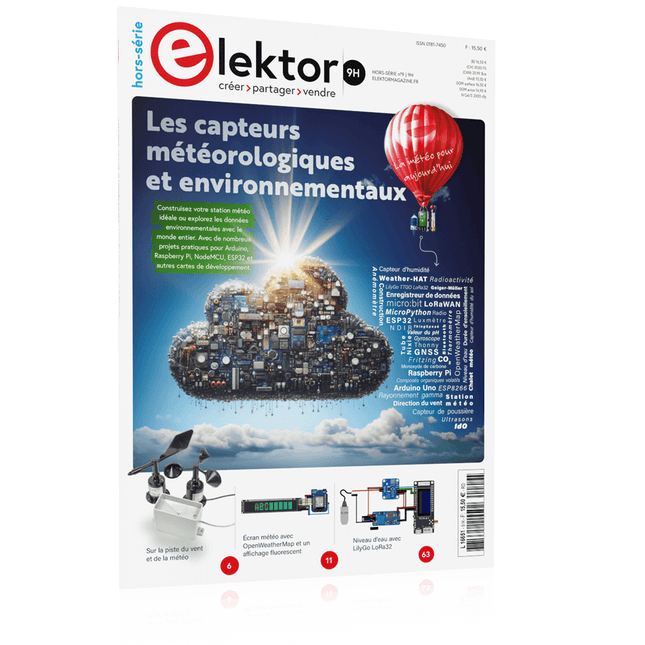
Édition spéciale : Les capteurs météorologiques et environnementaux
Construisez votre station météo idéale ou explorez les données environnementales avec le monde entier. Avec de nombreux projets pratiques pour Arduino, Raspberry Pi, NodeMCU, ESP32 et autres cartes de développement. Les stations météo jouissent d’une grande popularité depuis des décennies. Tous les magazines d’électronique, qu’ils soient récents ou non, ont publié et publient régulièrement des articles sur la construction d’une station météo. Au fil des années, elles sont devenues de plus en plus sophistiquées et peuvent aujourd’hui être entièrement intégrées dans la maison intelligente. Ceci implique toutefois souvent une fidélité à un fabricant de produits de marque (coûteux) pour tous les composants. Cependant, avec votre propre station météo, vous pouvez facilement suivre le rythme et même capturer des relevés que les appareils commerciaux ne peuvent pas réaliser. Le plaisir ne manque pas : vous développerez de manière ludique vos connaissances en électronique, en cartes de développement de microcontrôleurs modernes et en langages de programmation. Pour moins de dix euros, vous pouvez collecter des données environnementales initiales et étendre votre système au fur et à mesure que votre intérêt grandit. Dans ce numéro Sur la route du vent et de la météo Écran météo OpenWeatherMap à affichage fluorescent Les composés organiques volatils dans l‘air que nous respirons Travailler avec les capteurs MQ : mesurer le monoxyde de carbone Détecteur de CO2 avec connexion IdO vers ThingSpeak Un arrosage automatique pour vos plantes Un climat intérieur sain : la température et l‘humidité de l‘air sont importants Thermomètre avec tubes Nixie Une maison météo rétro pour toute la famille Mesurez la pression atmosphérique et la température avec précision Un détecteur de coups de soleil Capteur maison pour la durée d‘ensoleillement Le smartphone l‘indique : brouillard ou bonne visibilité ? Détecter les tremblements de terre Les niveaux des cours d‘eau et des réservoirs Évaluer la valeur du pH de l’eau Détecter les rayonnements radioactifs Avec le GPS, vous savez où se trouve votre capteur Enregistrer les fichiers journaux avec horodatage sur des cartes SD LoRaWAN, The Things Network et ThingSpeak Exploiter la passerelle LoRaWAN pour le TTN Affichage géant à led avec prévisions météo
€ 15,50
Membres : € 13,95
-

Elektor Publishing MIT App Inventor for AI and IoT
Build Smart Applications with Raspberry Pi, Arduino, and ESP32 Discover how easy and exciting mobile app development can be with MIT App Inventor. This hands-on guide takes you from basic concepts to building real-world mobile applications using a simple visual programming approach—no prior coding experience required. You will create IoT and AI-powered apps for Android devices and explore how App Inventor can also be used with iPhones and iPads. Connect your applications to platforms such as Arduino UNO R4 WiFi, ESP32, Raspberry Pi Pico (2)W and Raspberry Pi 5, enabling you to build smart, connected systems. Inside the book, you will learn how to: Build interactive apps using buttons, images, sound, and multimedia Create text-to-speech and speech-recognition applications Develop camera-based and location-aware (GPS) apps Design useful tools such as calculators and educational apps Work with smartphone sensors like accelerometers and light sensors Build AI-powered applications, including voice assistants and image-generation features Send and receive messages, and create communication-based apps Connect mobile apps to hardware using Wi-Fi and Bluetooth Control real devices such as LEDs, motors, and sensors Designed for beginners, students, and hobbyists, this book focuses on learning by doing. By the end, you will have the skills and confidence to create your own innovative applications that interact with both the digital and physical worlds. Start building and turning your ideas into reality.
€ 44,95
Membres : € 40,46
-

Elektor Digital ARM Microcontrollers 1 (NL) | E-book
Dit is een ideaal boek voor hobbyisten, studenten en ingenieurs die op een eenvoudige manier C en het gebruik van een mbed ARM microcontroller willen leren, rechtstreeks op internet zonder ingewikkelde software installatie. ARM mbed microcontroller NXP LPC1768 De projecten in dit boek zijn bedoeld voor beginners op het gebied van ARM microcontrollers of de programmeertaal C. Dat wil niet zeggen dat de projecten allemaal eenvoudig zijn, maar wel dat ze gemakkelijk te begrijpen zijn. We maken bijvoorbeeld gebruik van USB communicatie, een onderwerp dat door de mbed zo eenvoudig wordt gemaakt dat het geschikt is voor een beginners boek. Cloud technologie De mbed NXP LPC1768 maakt gebruik van cloud technologie, een revolutionair concept voor software ontwikkeling. Dit houdt in dat u geen software hoeft te installeren om de mbed te kunnen programmeren! Het enige dat u nodig heeft is een internet browser zoals Microsoft Internet Explorer, en een USB poort op uw PC. U kunt vanaf elke willekeurige PC waar dan ook ter wereld toegang krijgen tot uw project en er aan verder werken. Wanneer u klaar bent kunt u met een paar eenvoudige klikjes met uw muis het programma overzetten naar uw mbed hardware. Uiteraard kunt u de projecten ook downloaden en op uw eigen PC opslaan wanneer u dat liever heeft. Onderwerpen die aan de orde komen Leer het programmeren van een ARM microcontroller via cloud technologie. Geen moeilijke software installatie op uw eigen PC. Leer de programmeertaal C door leuke en interessante projecten uit te voeren. Geen ervaring of kennis noodzakelijk. Voorbeelden van projecten in dit boek: knipperlicht, tijdschakelaar, donkerschakelaar, digitale thermometer, mensen detector, USB communicatie, pratende microcontroller, fout zoeken, geluidsschakelaar, en nog veel meer - totaal 35 projecten. Voorbeelden van C onderwerpen in dit boek: variabelen, opdrachten, functies, programmaverloop, pointers (inleidend).
€ 29,95
Membres : € 26,96


