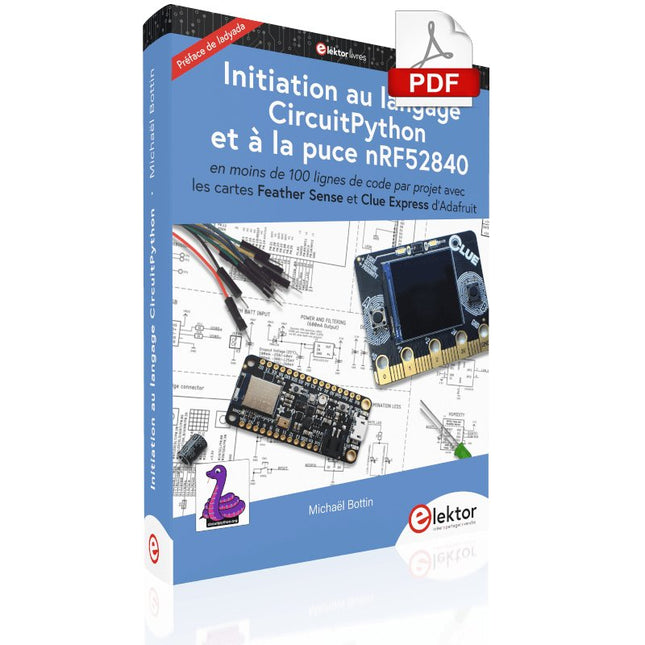
En moins de 100 lignes de code par projet avec les cartes Feather Sense et Clue Express d'Adafruit
Le langage de programmation Python est apprécié par les pédagogues parce que sa syntaxe le rend facile à comprendre. Il s'est également imposé chez les informaticiens expérimentés. La société Adafruit a développé une version spéciale de Python pour l'embarquer sur les microcontrôleurs à 32 bits : CircuitPython.
Ce livre permettra au lecteur de s'initier à la programmation en CircuitPython sur deux cartes : Feather BlueFruit Sense (également appelée Feather nRF52840 Sense) et CLUE nRF52840 Express. Chacune est animée par le SoC nRF52840 de NORDIC avec une architecture à 32 bits.
Pour ce voyage dans le monde de la programmation embarquée, l'auteur sort du chemin classique, à savoir un cours complet sur la programmation orientée objet appliquée à ce langage. Il préfère emmener le lecteur directement sur le terrain avec des projets qui mettent en oeuvre les cartes et différents périphériques. Plus d'une quarantaine d'exemples et de montages permettent de découvrir la richesse de CircuitPython. Toutefois l'auteur s'est imposé une limite pour ne pas décourager les novices : le code de chaque projet ne dépasse jamais la centaine de lignes. Pour ce qui est du matériel, là aussi la simplicité domine : aucun programmateur, un simple PC suffit ; aucun soudage grâce au câblage sur platine d'essai. Les cartes d'extension FeatherWing à enficher sur la Feather nRF52840 Sense permettent de démultiplier ses fonctions : matrice de LED, enregistreur de données, écran à encre électronique, écran OLED, écran TFT, commande de moteurs, audio, relais…
Toutes les étapes (assemblage des différents composants, installation des bibliothèques requises, programmation, tests…) sont expliquées en détail. Le code des différents exemples et projets est disponible sur Github. Le résultat de chaque projet est même présenté sur de courtes vidéos disponibles sur YouTube.
À la fin de sa lecture, le nouveau Pythonien pourra facilement approfondir les notions abordées et donner vie à ses propres projets grâce aux outils qu'il aura essayés.
Ce livre s'adresse aux lycéens et étudiants ainsi qu'à toute la communauté des makers.
Chaîne YouTube de l'auteur :
YouTube (Michaël Bottin)
Clever Tricks with ATmega328 Pro Mini Boards
With a simple Pro Mini board and a few other components, projects that 20 or 30 years ago were unthinkable (or would have cost a small fortune) are realized easily and affordably in this book: From simple LED effects to a full battery charging and testing station that will put a rechargeable through its paces, there’s something for everyone.
All the projects are based on the ATmega328 microcontroller, which offers endless measuring, switching, and control options with its 20 input and output lines. For example, with a 7-segment display and a few resistors, you can build a voltmeter or an NTC-based thermometer. The Arduino platform offers the perfect development environment for programming this range of boards.
Besides these very practical projects, the book also provides the necessary knowledge for you to create projects based on your own ideas. How to measure, and what? Which transistor is suitable for switching a certain load? When is it better to use an IC? How do you switch mains voltage? Even LilyPad-based battery-operated projects are discussed in detail, as well as many different motors, from simple DC motors to stepper motors.
Sensors are another exciting topic: For example, a simple infrared receiver that can give disused remote controls a new lease on life controlling your home, and a tiny component that can actually measure the difference in air pressure between floor and table height!
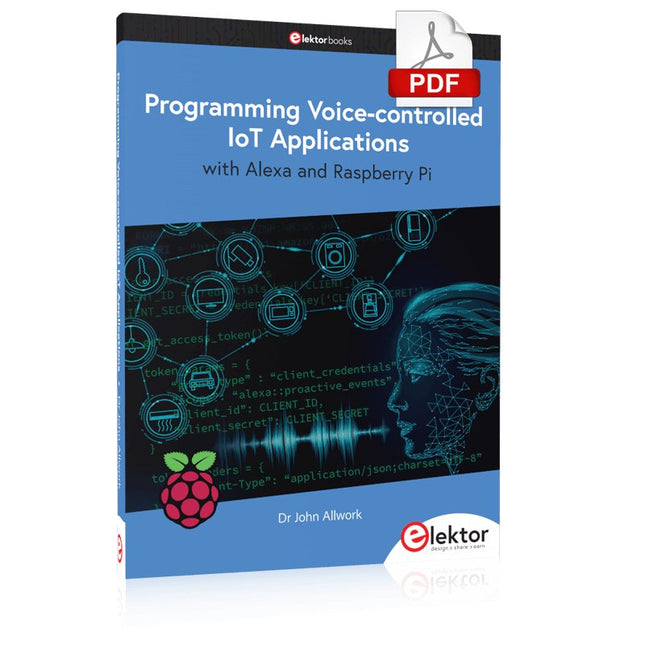
Learn programming for Alexa devices, extend it to smart home devices and control the Raspberry Pi
The book is split into two parts: the first part covers creating Alexa skills and the second part, designing Internet of Things and Smart Home devices using a Raspberry Pi.
The first chapters describe the process of Alexa communication, opening an Amazon account and creating a skill for free. The operation of an Alexa skill and terminology such as utterances, intents, slots, and conversations are explained. Debugging your code, saving user data between sessions, S3 data storage and Dynamo DB database are discussed.
In-skill purchasing, enabling users to buy items for your skill as well as certification and publication is outlined. Creating skills using AWS Lambda and ASK CLI is covered, along with the Visual Studio code editor and local debugging. Also covered is the process of designing skills for visual displays and interactive touch designs using Alexa Presentation Language.
The second half of the book starts by creating a Raspberry Pi IoT 'thing' to control a robot from your Alexa device. This covers security issues and methods of sending and receiving MQTT messages between an Alexa device and the Raspberry Pi.
Creating a smart home device is described including forming a security profile, linking with Amazon, and writing a Lambda function that gets triggered by an Alexa skill. Device discovery and on/off control is demonstrated.
Next, readers discover how to control a smart home Raspberry Pi display from an Alexa skill using Simple Queue Service (SQS) messaging to switch the display on and off or change the color.
A node-RED design is discussed from the basic user interface right up to configuring MQTT nodes. MQTT messages sent from a user are displayed on a Raspberry Pi.
A chapter discusses sending a proactive notification such as a weather alert from a Raspberry Pi to an Alexa device. The book concludes by explaining how to create Raspberry Pi as a stand-alone Alexa device.
La station de soudage ZD-8962B offre une plage de température réglable de 160°C à 480°C et une puissance de 70 W. Grâce à son élément chauffant intégré à la panne, elle atteint la température de fonctionnement souhaitée en seulement 8 secondes.
Un grand écran numérique permet un contrôle précis de la température en temps réel, affichant à la fois la température cible préréglée et la température actuelle du fer. De plus, la station est protégée contre les décharges électrostatiques (ESD), garantissant ainsi la protection des composants électroniques sensibles contre les décharges électrostatiques pendant son utilisation.
Spécifications
Puissance
70 W
Tension d'entrée
220-240 V CA/50 Hz
Tension de sortie
20 V
Plage de température
160°C – 480°C
Temps de chauffe
~8 s
Écran
Grand écran LED à deux lignes affichant la température cible et la température réelle
Fonctions spéciales
Protection contre les décharges électrostatiques, Mode veille/économie d'énergie, Basculer entre °C et °F
Inclus
ZD-8962B Station de soudage
Fer à souder
Pointe à souder N12-1
Support pour fer à souder avec brosse en cuivre et éponge
Support pour fil à souder avec fil à souder sans plomb (10 g)
Câble d'alimentation (UE)
Manuel
Die Programmiersprache „Python“ hat in den letzten Jahren einen enormen Aufschwung erlebt. Nicht zuletzt haben verschiedene Einplatinensysteme wie der Raspberry Pi zu deren Bekanntheitsgrad beigetragen. Aber auch in anderen Gebieten, wie der Künstlichen Intelligenz oder dem Machine Learning, hat Python weite Verbreitung gefunden. Es ist daher naheliegend, Python bzw. die Variante „MicroPython“ auch für den Einsatz in SoCs (Systems on Chip) zu verwenden.
Leistungsfähige Controller wie der ESP32 der Firma Espressif Systems bieten eine hervorragende Performance sowie Wi-Fi- und Bluetooth-Funktionalität zu einem günstigen Preis. Mit diesen Eigenschaften wurde die Maker-Szene im Sturm erobert. Im Vergleich zu anderen Controllern weist der ESP32 einen deutlich größeren Flash und SRAM-Speicher, sowie eine wesentlich höhere CPU-Geschwindigkeit auf. Aufgrund dieser Leistungsmerkmale eignet sich der Chip nicht nur für klassische C-Anwendungen, sondern insbesondere auch für die Programmierung mit MicroPython.
Das vorliegende Buch führt in die Anwendung der modernen Ein-Chip-Systeme ein. Neben den technischen Hintergründen steht vor allem MicroPython selbst im Vordergrund. Nach der Einführung in die Sprache werden die erlernten Programmierkenntnisse umgehend in die Praxis umgesetzt. Die einzelnen Projekte sind sowohl für den Einsatz im Labor als auch für Alltagsanwendungen geeignet. Neben dem eigentlichen Lerneffekt steht also auch die Freude am Aufbau kompletter und nützlicher Geräte im Vordergrund. Durch die Verwendung von Laborsteckboards können Schaltungen aller Art mit geringem Aufwand realisiert werden, sodass das Austesten der selbstgebauten Geräte zum lehrreichen Vergnügen wird.
Durch die verschiedenen Anwendungen wie Wetterstationen, Digitalvoltmeter, Ultraschall-Entfernungsmesser, RFID-Kartenleser oder Funktionsgeneratoren sind die vorgestellten Projekte auch für Praktika oder Fach- und Studienarbeiten in den Naturwissenschaften bzw. im Natur- und Technikunterricht bestens geeignet.
Le SDRplay RSP1B est une version améliorée du populaire RSP1A : un SDR 14 bits puissant, large bande et complet, couvrant le spectre RF de 1 kHz à 2 GHz. Le RSP1B est livré dans un boîtier robuste en acier peint en noir et offre des performances de bruit nettement améliorées.
Il suffit d'un ordinateur et d'une antenne pour offrir d'excellentes fonctionnalités de réception. Il inclut SDRuno pour Windows et le logiciel multiplateforme SDRconnect pour Windows, macOS et Linux (fourni gratuitement par SDRplay). Vous pouvez surveiller jusqu'à 10 MHz de spectre simultanément.
Une API documentée permet aux développeurs de créer de nouveaux démodulateurs ou applications pour la plateforme.
Caractéristiques
Couvre toutes les fréquences de 1 kHz à 2 GHz, en passant par VLF, LF, MW, HF, VHF, UHF et la bande L, sans aucune lacune
Réception, contrôle et enregistrement d'un spectre allant jusqu'à 10 MHz à la fois
Utilisation gratuite du logiciel SDRuno basé sur Windows, qui offre un ensemble de fonctions de plus en plus complet.
Réseau d'assistance logicielle solide et en pleine expansion
S-mètre étalonné / mesure de la puissance RF et du SNR avec SDRuno (y compris l'enregistrement de données dans un fichier .CSV)
API documentée fournie pour permettre le développement de démodulateurs ou d'applications sur de multiples plates-formes
Excellente plage dynamique pour les conditions de réception difficiles
Fonctionne avec les logiciels SDR tiers les plus répandus (y compris HDSDR, SDR Console et Cubic SDR)
Plugin ExtIO disponible
Mise à jour du logiciel pour les normes futures
Réseau d'assistance logicielle solide et en pleine expansion
API fournie pour permettre le développement de démodulateurs ou d'applications
Prise en charge de pilotes et d'API multiplateformes, y compris Windows, Linux, Mac, Android et Raspberry Pi
Jusqu'à 16 récepteurs individuels dans une tranche de spectre de 10 MHz à l'aide de SDRuno
S-mètre calibré et mesures de puissance avec SDRuno
Logiciel d'analyse de spectre autonome basé sur Windows disponible (avec fonctions de balayage, d'échantillonnage et de maintien)
Idéal pour la surveillance des bandes ISM/IoT/Télémétrie <2 GHz
Idéal pour un fonctionnement portable
Spécifications
Gamme de fréquences
1 kHz – 2 GHz
Connecteur d’antenne
SMA
Impédance de l’antenne
50 Ω
Consommation de courant (typique)
185 mA (excl. Bias-T)
Connecteur USB
USB Type B
Puissance d’entrée maximale
+0 dBm en continu+10 dBm courte durée
Taux d'échantillonnage de l'ADC
2 - 10.66 MSPS
Nombre de bits du CAN
14 bit 2 - 6.048 MSPS12 bit 6.048 - 8.064 MSPS10 bit 8.064 - 9.216 MSPS8 bit >9.216 MSPS
Bias-T
4.7 V100 mA garanti
Référence
0.5 ppm 24 MHz TCXO.Erreur de fréquence réglable à 0.01 ppm.
Plage de température de fonctionnement
-10°C à +60°C
Dimensions
98 x 88 x 34 mm
Poids
110 g
Téléchargements
Datasheet
Software
RSP1B vs RSPdx vs RSPduo
RSP1B
RSPdx
RSPduo
Couverture continue de 1 kHz à 2 GHz
✓
✓
✓
Largeur de bande visible jusqu'à 10 Mhz
✓
✓
✓
Technologie silicium CAN 14 bits et multiples filtres d'entrée haute performance
✓
✓
✓
Filtres coupe-bande AM/FM et DAB sélectionnables par logiciel
✓
✓
✓
Bias-T de 4,7 V pour l'alimentation de l'amplificateur d'antenne distant externe
✓
✓
✓
Alimentation par le câble USB avec une simple prise de type B
✓
✓
✓
Entrée(s) d'antenne SMA 50Ω pour un fonctionnement de 1 kHz à 2 GHz (sélectionnable par logiciel)
1
2
2
Entrée Hi-Z supplémentaire sélectionnable par logiciel pour un fonctionnement jusqu'à 30 Mhz
✓
Entrée BNC 50Ω supplémentaire sélectionnable par logiciel pour un fonctionnement jusqu'à 200 MHz
✓
Filtre LF/VLF supplémentaire pour les fréquences inférieures à 500 kHz
✓
Entrée horloge de référence 24 MHz (+ sortie sur RSPduo)
✓
✓
Deux syntoniseurs permettant la réception sur 2 plages de 2 MHz totalement indépendantes
✓
Deux syntoniseurs permettant la réception en diversité à l'aide de SDRuno
✓
Boîtier en plastique robuste et résistant (avec couche interne de blindage RF)
✓
Boîtier robuste en acier peint en noir
✓
✓
Performances globales en dessous de 2 MHz pour les ondes hectométriques et kilométriques
+
++
+
Applications multiples simultanées
+
+
++
Performance dans des conditions d'évanouissement difficiles (*en utilisant la syntonisation en diversité)
+
+
*++
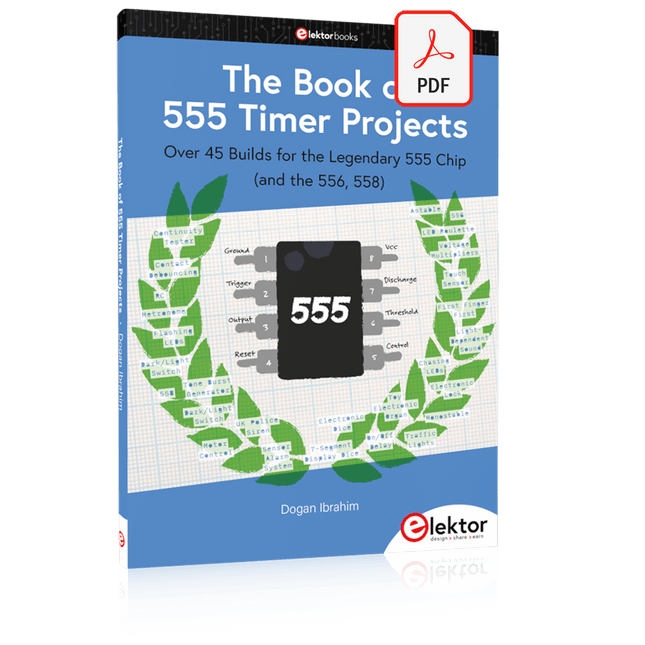
Over 45 Builds for the Legendary 555 Chip (and the 556, 558)
The 555 timer IC, originally introduced by the Signetics Corporation around 1971, is sure to rank high among the most popular analog integrated circuits ever produced. Originally called the IC Time Machine, this chip has been used in many timer-related projects by countless people over decades.
This book is all about designing projects based on the 555 timer IC. Over 45 fully tested and documented projects are presented. All projects have been fully tested by the author by constructing them individually on a breadboard. You are not expected to have any programming experiences for constructing or using the projects given in the book. However, it’s definitely useful to have some knowledge of basic electronics and the use of a breadboard for constructing and testing electronic circuits.
Some of the projects in the book are:
Alternately Flashing Two LEDs
Changing LED Flashing Rate
Touch Sensor On/Off Switch
Switch On/Off Delay
Light-Dependent Sound
Dark/Light Switch
Tone Burst Generator
Long Duration Timer
Chasing LEDs
LED Roulette Game
Traffic Lights
Continuity Tester
Electronic Lock
Switch Contact Debouncing
Toy Electronic Organ
Multiple Sensor Alarm System
Metronome
Voltage Multipliers
Electronic Dice
7-Segment Display Counter
Motor Control
7-Segment Display Dice
Electronic Siren
Various Other Projects
The projects given in the book can be modified or expanded by you for your very own applications. Electronic engineering students, people engaged in designing small electronic circuits, and electronic hobbyists should find the projects in the book instructive, fun, interesting, and useful.
Elektor GREEN en GOLD leden kunnen deze uitgave hier downloaden.Nog geen lid? Klik hier om een lidmaatschap af te sluiten.
Kiesschijftelefoon als afstandsbedieningvoor licht kies 1; voor koffie kies 2
GPS-gebaseerde snelheidsmeternooit meer bekeuringen
RGB-stroboscoop met Arduinokleurige toepassing van een nuttig instrument
Draadloze nooddrukknopmeer veiligheid met LoRa
Alle begin......volgt de emitter
Vrij te kiezen onafhankelijke hystereseniveaus voor comparatorenmet simulaties, spreadsheets en algebra
Impedantie-analyzer op basis van een ESP32simpel, weinig onderdelen en goedkoop!
Oost West Lab Bestzelfbouw moet gestimuleerd!
Het MCCAB Arduino Nano Training Boardalle hardware voor de “Microcontrollers Hands-On Course”
Uit het leven gegrepenmodern luddisme
Sensor-ABC: de DS18B20 temperatuursensoraansluiting op de 1-Wire bus
Gaan Matter en Thread het Smart Home redden?nieuwe standaarden om het slimme huis te vereenvoudigen
Een kwestie van samenwerkingontwikkelen met het Thing Plus Matter Board en Simplicity Studio
Elektor IIIIinfographicIoT en sensoren
Matter, ExpressLink, Rainmaker – waar hebben we het over?vraaggesprek met Amey Inamdar van Espressif
De juiste keuze van microcontroller-ontwikkelkitsvoor IoT- en IIoT-toepassingen
Condensatoren gedragen zich niet altijd capacitief!
Een NTP-klok met CircuitPythonwaarom zou je deze programmeertaal gebruiken?
Bouw een cool IoT-display'met de Phambili Newt
De doppler-bewegingssensor HB100theorie en praktijk
Een gids voor puristisch programmeren (deel 1)voor STM32 en andere controllers
Siglent SDM3045X-multimeter
Microprocessoren voor embedded systemenvreemde onderdelen
Microcontroller-documentatie verklaarddeel 3: blokschema’s en meer
Low-power LoRa-weerstationbouw zelf een weerstation met een groot bereik
Transverter voor de 70cm-band
Klimaat aan ingenieurssnelheid is geboden!
Hexadoku
Open-Source-Code mit Arduino IDE und PlatformIO
Autonomes Fahren: GPS, Accelerometer, Gyroskop
PS3-Controller
Mikrocontroller wie der Arduino und Einplatinenrechner wie der Raspberry Pi haben sich zu beliebten Komponenten entwickelt. Dritter im Bunde ist der ESP32 der Firma Espressif. Mikrocontroller dieser Baureihe zeichnen sich durch eine Vielzahl implementierter Funktionen aus, die bei einem Arduino konventioneller Prägung mit einem Atmel-AVR-Mikrocontroller erst mit weiterer Hardware möglich sind. Prominentes Beispiel sind hier die WiFi- und Bluetooth-Funktionalitäten. Gegenüber einem Raspberry Pi zeichnen sie sich durch einen deutlich geringeren Preis aus.
Allgemeine Informationen für die Realisierung eines Roboterauto-Projekts mit dem ESP32 sind leicht zu finden. Dabei handelt es sich aber oft nur um Ausführungen zu einem Teilaspekt, ohne inhaltliche oder funktionale Abstimmung. So ist nicht nur die Beschaffung der benötigten Informationen mühselig und zeitaufwändig, sie kann auch außerordentlich fehlerträchtig sein.
Ansatzpunkt dieses Buches ist, diese Lücke zu schließen. Es geht auf verschiedene Möglichkeiten eines Chassis ein, vermittelt nötige Kenntnisse und führt schrittweise von einer einfachen Motorsteuerung zu einem komplexen sensor- und sprachgesteuerten Roboterauto. Hacks rund um GPS und eine PlayStation 3 runden die Sache ab.
Inhalt
Bei der Reihenfolge der Kapitel wurde versucht – beginnend bei der Darstellung von grundlegenden Informationen – über die Lösung einfacher Aufgaben zu etwas anspruchsvolleren Techniken zu führen.
Der Mikrocontroller ESP32
Die Software erstellen
Die Stromversorgung
Rund um die Hardware
Das Chassis
Der Gleichstrommotor
Kabellose Steuerung über WiFi
Mit Sensoren Hindernisse erkennen
Eine eigene Roboterauto-App
Servo und Lichtsensor
GPS
Accelerometer / Gyroskop
PS3-Controller
Roboterauto-App
Hinweis zur Software
Die Dateien haben das Suffix (.cpp). Grund ist die Entwicklung mit PlatformIO. Mit Copy & Paste sollten sie auch in der Arduino-IDE verwendet werden können.
STM32 Nucleo family of processors are manufactured by STMicroelectronics. These are low-cost ARM microcontroller development boards. This book is about developing projects using the popular Nucleo development board. In the early chapters of the book, the architecture of the Nucleo family is briefly described.
Software development tools that can be used with the Nucleo boards such as the Mbed, Keil MDK, TrueSTUDIO, and the System Workbench are described briefly in later Chapters.
The book covers many projects using most features of the STM32 Nucleo development boards where the full software listings for Mbed and System Workbench are given for every project. The projects range from simple flashing LEDs to more complex projects using modules and devices such as GPIO, ADC, DAC, I²C, LCD, analog inputs and others.
In addition, several projects are given using the Nucleo Expansion Boards, including popular expansion boards such as solid-state relay, MEMS and environmental sensors, DC motor driver, Wi-Fi, and stepper motor driver.
These Expansion Boards plug on top of the Nucleo development boards and simplify the task of project development considerably.
Features of this book
Learn the architecture of the STM32 microcontrollers
Learn how to use the Nucleo development board in projects using Mbed and System Workbench Toolchains
Learn how to use the Nucleo Expansion Boards with the Nucleo development boards
Update
The Mbed compiler has been replaced with two software packages: The Mbed Studio and Keil Studio Cloud. Both of these software packages are free of charge and are available on the Internet. If you need assistance using the Keil Studio Cloud, please download the Guide below.
Elektor GREEN and GOLD members can download their digital edition here.
Not a member yet? Click here.
electronica fast forward 2022 Start- & Scale-Up AwardsPreparations Speeding Up!
Bluetooth Low Energy with ESP32-C3 and ESP32You Don’t Always Need to Choose Wi-Fi!
Bluetooth Low Energy SnifferHacking a makerdiary nRF52840 MDK USB Dongle
Magic RGB LED CubeHardware Design Around an RP2040
Auto On/Off for Solder Paste Compressor
Elektor Video ContentLivestreams, Webinars, and Courses for Engineers and Pro Makers
Bicycle ElectrificationHands-On with an E-Bike Retrofit Kit
Starting Out in ElectronicsMultiplying Voltages
From Life’s ExperienceSidelines
Teensy 4.0Why Is This Board So Fast?
Audio Power Amplifier Simulation with TINAThe Try-Before-You-Build Approach
Develop and Operate Your LoRaWAN IoT NodesSample Chapter: Dragino LHT65, LDS01, and LDS02 LoRaWAN Modules
Err-lectronicsCorrections, Updates and Readers’ Letters
5G Just for MeGaining Complete Control of 5G Deployments with Private Cellular Networks
Infographics 7-8/2022
How Does My Device Learn to Transmit?Applications with Wi-Fi Interfaces
Smartphones are the Heart of the IoT
Audio Spectrum Analyzer with DekatronsA New Way to Use Vintage Tubes
Sending Data to TelegramGet It Done with an ESP32 and a Few Parts
A Fliege Notch Filter for Audio MeasurementsMake Better Measurements with a Notch Filter
CO2 Meter TeardownIs It Hackable for Your Projects?
PUT-ting It All TogetherThe Programmable Unijunction Transistor Explained
Round Touchscreen for Raspberry PiHyperPixel 2.1 Round from Pimoroni
Remote Sensing with Connection Loss DetectionUsing nRF24L01+ Modules
Digital FM Receiver with Arduino and TEA5767Stayed Tuned with an Arduino Nano
Changing an OLED Interface from SPI to I²C
HomeLab ToursA Hobby Does Not Retire
A Decade of Ethics in ElectronicsTessel Renzenbrink Reflects on the Digital Society and More
HexadokuThe Original Elektorized Sudoku
If you have the right tools, designing a microprocessor shouldn’t be complicated. The Verilog hardware description language (HDL) is one such tool. It can enable you to depict, simulate, and synthesize an electronic design, and thus increase your productivity by reducing the overall workload associated with a given project.Monte Dalrymple’s Microprocessor Design Using Verilog HDL is a practical guide to processor design in the real world. It presents the Verilog HDL in a straightforward fashion and serves as a detailed introduction to reducing the computer architecture and as an instruction set to practice. You’re led through the microprocessor design process from start to finish, and essential topics ranging from writing in Verilog to debugging and testing are laid bare.The book details the following, and more:
Verilog HDL Review: data types, bit widths/labeling, operations, statements, and design hierarchy
Verilog Coding Style: files vs. modules, indentation, and design organization
Design Work: instruction set architecture, external bus interface, and machine cycle
Microarchitecture: design spreadsheet and essential worksheets (e.g., Operation, Instruction Code, and Next State)
Writing in Verilog: choosing encoding, assigning states in a state machine, and files (e.g., defines.v, hierarchy.v, machine.v)
Debugging, Verification, and Testing: debugging requirements, verification requirements, testing requirements, and the test bench
Post Simulation: enhancements and reduction to practice
Monte Dalrymple received a BSEE (with highest honors) and an MSEE from the University of California at Berkeley, where he was elected to Phi Beta Kappa. Monte started his career at Zilog, where he designed a number of successful products, including the Serial Communication Controller (SCC) family and the Universal Serial Controller (USC) family. He was also the architect and lead designer of the Z380 microprocessor. Monte started his own company, Systemyde International Corp., in 1995, and has been doing contract design work ever since. He designed all five generations of Rabbit microprocessors, a Z180 clone that is flying on the Juno mission to Jupiter, and a Z8000 clone that flies in a commercial avionics air data computer. Monte holds 16 patents as well as both amateur and commercial radio licenses. Monte wrote 10 articles for Circuit Cellar magazine between 1996 and 2010. He recently completed a side project to replace the CPU in an HP-41C calculator with a modern FPGA-based version.