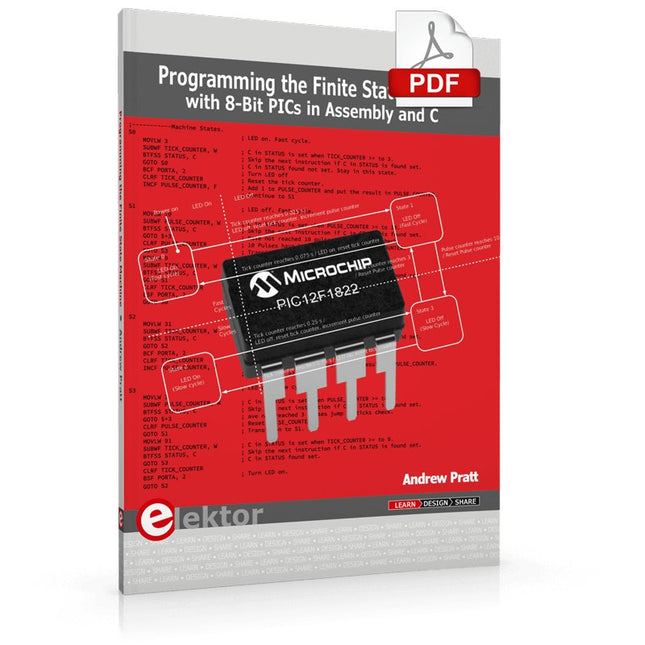
Programming the Finite State Machine with 8-Bit PICs in Assembly and C
Andrew Pratt provides a detailed introduction to programming PIC microcontrollers, as well as a thorough overview of the Finite State Machine (FSM) approach to programming. Most of the book uses assembly programming, but do not be deterred. The FSM gives a structure to a program, making it easy to plan, write, and modify. The last two chapters introduce programming in C, so you can make a direct comparison between the two techniques. The book references the relevant parts of the Microchip datasheet as familiarity with it is the best way to discover detailed information.
This book is aimed at Microsoft Windows and Linux users. To keep your costs to a minimum and to simplify the toolchain, specific applications are provided as a free download to enable you to use an FTDI serial lead as the programmer. The assembler used is the open-source "gpasm". All programming can be done in a text editor. There are detailed instructions on how to perform the necessary installations on Windows, Linux Debian, and derivatives such as Ubuntu and Fedora. For programming in C, Microchip's XC8 compiler is used from the command line. In addition to the programming applications, two serial read and serial write applications can be used for communicating with the PICs from a computer.
A voltmeter project including practical instructions on building a circuit board from scratch is included. All theory is covered beforehand, including how to do integer arithmetic in assembly.
Two PICs are covered: the PIC12F1822 and the PIC16F1823. Both can run at 32 MHz with an internal oscillator. You do not need to buy a factory-made development board and programmer. With relatively inexpensive parts including a serial lead, microcontroller, a few resistors, and LEDs, you can get started exploring embedded programming.
Links
Updated Programmer
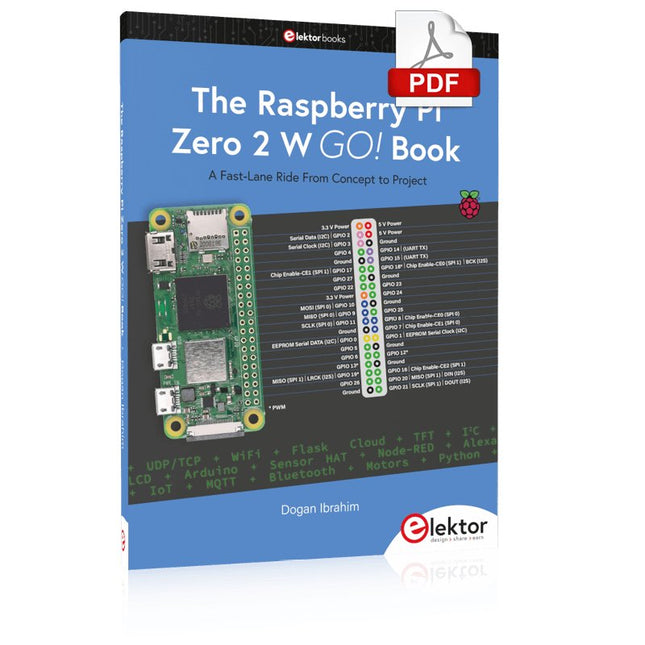
A Fast-Lane Ride From Concept to Project
The core of the book explains the use of the Raspberry Pi Zero 2 W running the Python programming language, always in simple terms and backed by many tested and working example projects. On part of the reader, familiarity with the Python programming language and some experience with one of the Raspberry Pi computers will prove helpful. Although previous electronics experience is not required, some knowledge of basic electronics is beneficial, especially when venturing out to modify the projects for your own applications.
Over 30 tested and working hardware-based projects are given in the book, covering the use of Wi-Fi, communication with smartphones and with a Raspberry Pi Pico W computer. Additionally, there are Bluetooth projects including elementary communication with smartphones and with the popular Arduino Uno. Both Wi-Fi and Bluetooth are key features of the Raspberry Pi Zero 2 W.
Some of the topics covered in the book are:
Raspberry Pi OS installation on an SD card
Python program creation and execution on the Raspberry Pi Zero 2 W
Software-only examples of Python running on the Raspberry Pi Zero 2 W
Hardware-based projects including LCD and Sense HAT interfacing
UDP and TCP Wi-Fi based projects for smartphone communication
UDP-based project for Raspberry Pi Pico W communication
Flask-based webserver project
Cloud storage of captured temperature, humidity, and pressure data
TFT projects
Node-RED projects
Interfacing to Alexa
MQTT projects
Bluetooth-based projects for smartphone and Arduino Uno communications
The Red Pitaya (STEMlab) is a credit card-sized, open-source test and measurement board that can be used to replace most measurement instruments used in electronics laboratories. With a single click, the board can transform into a web-based oscilloscope, spectrum analyser, signal generator, LCR meter, Bode plotter, and microcontroller.
The Red Pitaya (STEMlab) can replace the many pieces of expensive measurement equipment found at professional research organisations and teaching laboratories. The device, that based on Linux, includes an FPGA, digital signal processing (DSP), dual core ARM Cortex processor, signal acquisition and generation circuitry, micro USB socket, microSD card slot, RJ45 socket for Ethernet connection, and USB socket – all powered from an external mains adaptor.
This book is an introduction to electronics. It aims to teach the principles and applications of basic electronics by carrying out real experiments using the Red Pitaya (STEMlab). The book includes many chapters on basic electronics and teaches the theory and use of electronic components including resistors, capacitors, inductors, diodes, transistors, and operational amplifiers in electronic circuits. Many fun and interesting Red Pitaya (STEMlab) experiments are included in the book. The book also makes an introduction to visual programming environment.
The book is written for college level and first year university students studying electrical or electronic engineering.
Kick off with the MAX1000 and VHDPlus
Ready to Master FPGA Programming? In this guide, we’re diving into the world of Field Programmable Gate Arrays (FPGAs) – a configurable integrated circuit that can be programmed after manufacturing. Imagine bringing your ideas to life, from simple projects to complete microcontroller systems!
Meet the MAX1000: a compact and budget-friendly FPGA development board packed with features like memory, user LEDs, push-buttons, and flexible I/O ports. It’s the ideal starting point for anyone wanting to learn about FPGAs and Hardware Description Languages (HDLs).
In this book, you’ll get hands-on with the VHDPlus programming language – a simpler version of VHDL. We’ll work on practical projects using the MAX1000, helping you gain the skills and confidence to unleash your creativity.
Get ready for an exciting journey! You’ll explore a variety of projects that highlight the true power of FPGAs. Let’s turn your ideas into reality and embark on your FPGA adventure – your journey starts now!
Exciting Projects You’ll Find in This Book
Arduino-Driven BCD to 7-Segment Display Decoder
Use an Arduino Uno R4 to supply BCD data to the decoder, counting from 0 to 9 with a one-second delay
Multiplexed 4-Digit Event Counter
Create an event counter that displays the total count on a 4-digit display, incrementing with each button press
PWM Waveform with Fixed Duty Cycle
Generate a PWM waveform at 1 kHz with a fixed duty cycle of 50%
Ultrasonic Distance Measurement
Measure distances using an ultrasonic sensor, displaying the results on a 4-digit 7-segment LED
Electronic Lock
Build a simple electronic lock using combinational logic gates with push buttons and an LED output
Temperature Sensor
Monitor ambient temperature with a TMP36 sensor and display the readings on a 7-segment LED
Téléchargements
Software
Elektor GREEN and GOLD members can download their digital edition here.
Not a member yet? Click here.
USB Measurement AdapterTesting Current and Signal Quality of USB Ports
4...20 mA Current Output for Arduino UnoA Reliable, EMI-Insensitive Current Loop Interface
Vacuum Cleaner Automatic ControlKeep Your Tools’ Work Area Clean
DDS Generator with ATtiny
Opamp-Tester V2New PCB – Now Also Suitable for SMDs
550-mW “Lamp” Audio AmplifierGet the Warm Sound of Vacuum Tubes With Ease
Fuse GuardMonitoring a Fuse with a Flashing LED
HQ RIAA PreamplifierGet the Most Out of Your Vinyl Records!
Turntable Speed CalibratorAn Arduino-Based 100–120 Hz Strobe Light Generator
Elektor Classics: video buffer/repeater
Infrared Remote-Controlled DimmerControl Your Halogen or LED Floor Lamp Effortlessly and With Style
How to Use switch…case on Strings in C++/Arduino IDE
Magnet FinderWith a Simple Hall-Effect Sensor
Raspberry Pi Smart Power ButtonA Solution for Raspberry Pi Up to Model 4
Essential Maker TipsProfessional Insights for Everyday Making
Practical Projects with the 555 TimerDC Motor Control and Fast Reaction Challenges
Basic AC-Load-On MonitorSave Energy with a Simple Device
Power Banks in ParallelA Three-Day Continuous Power Solution
VFO Up to 15 MHzAn Implementation With Raspberry Pi Pico
Violin Tuner with ATtiny202
Elektor Classics: video amplifier for B/W television sets
Capacitance Meter20 pF to 600 nF
Quasi-Analog Clockwork Mk IITwo LED Rings for Hours and Minutes
You Can Do Anything You Want(with the Arduino Ecosystem at Your Side)
Neon Lamp Dice
Elektor Classics: RTTY calibrator indicator
Inspiring Hardware Designs for Your ESPs
Elektor Classics: variable 3 A power supply
RGB LEDs with Integrated Control CircuitLight with Precision: ICLEDs Set Standards
Experiment: Towards a Mixed-Signal Theremin?Blending Modern Time-of-Flight Sensors With the Timeless XR2206 Analog Generator
ESP32 Audio Transceiver Board (Part 1)SD Card WAV File Player Demo
Infographics: Circuits and Circuit Design 2025
Small Audio MixerA Simple and Versatile Scalable Design
Smart Staircase Light TimerSave More Money on the Energy Bill!
Smarten Up Your ShuttersControlling Velux Hardware With an ESP32 and MQTT
Solid-State Foot WarmerEnergy-Efficient Comfort
Is the M5Stamp Fly Quadcopter the Next Tello?
Boosting Wi-Fi Range of the ESP32-C3 SuperMiniA Simple and Effective Antenna Mod
ZD-8968 Hot-Air Soldering StationA Budget-Friendly Workhorse or Just Hot Air?
Parking Sensor TesterFinding Defects in the PDC System of a Car
Les membres d'Elektor GREEN et GOLD peuvent télécharger ce numéro ici .
Pas encore membre? Cliquez ici pour souscrire une adhésion.
L’innovation IoT au galop
Un cadre photo couleur E-Ink WiFi
Tutoriel ESP Launchpad de zéro à flasher en quelques minutes
ESP32 et ChatGPT en route vers un système d’auto-programmation…
Talkie-walkie avec ESP-NOW pas tout à fait WiFi, pas tout à fait Bluetooth, mais...
De l'idée au circuit avec l'ESP32-S3 voici comment construire un prototype avec les puces Espressif
Innovation en matière de puce AIoT une interview avec Teo Swee-Ann, PDG d'Espressif
Simulez ESP32 avec Wokwi le jumeau numérique de votre projet
Test de l'ESP32-S3-BOX-3 une plateforme complète de développement AIoT
pour votre poste de travail électronique Considérations et conseils des techniciens Espressif
L'histoire d'ESP RainMaker comment nous avons construit « votre » cloud IoT
Construction de l'Elektor Cloc 2.0 un produit Elektor déballé par Espressif
L'ESP32-P4 se déchaîne la prochaine ère des microcontrôleurs
Reste + intégré un puissant duo de développement
Qui sont les intrépides développeurs Rust embarqués ? c'est ainsi qu'Espressif cultive Rust embarqué pour l'ESP32
la série SoC d'Espressif
Un automate avec les solutions Espressif avec les possibilités et fonctionnalités du protocole ISOBUS
La carte VGA ESP32-S3 suivez Bitluni pendant le processus de conception
Prise d'empreintes acoustiques avec l'ESP32 reconnaissance de chansons avec le projet open-source Olaf
Sapin de Noël rond 2023 une façon high-tech de célébrer les vacances
Une vie plus simple et plus pratique un projet amateur basé sur le module ESP8266 d'Espressif
Créer des applications IoT sans expertise logicielle avec la plateforme Blynk IoT et le matériel Espressif
Créez une interface utilisateur intelligente sur ESP32
Développement IoT rapide et facile avec M5Stack
Prototype d'un compteur d'énergie basé sur ESP32
Un distributeur à valeur ajoutée pour l'IoT et plus encore
Dans les coulisses : entretien avec Arduino à propos du Nano ESP32 Alessandro Ranellucci et Martino Facchin sur la collaboration avec Espressif
les coulisses d'Espressif
Rationalisez le développement de MCU avec la séparation des privilèges ESP-IDF
Un serveur de reconnaissance vocale open source... ...et la BOÎTE ESP
L'œil pensant, la reconnaissance faciale et bien plus encore avec l'ESP32-S3-EYE
Interrupteur à pile bouton avec ESP32-C2 conception axée sur la performance
La matière fait avancer la maison intelligente libère le potentiel de l'IoT pour la maison intelligente
Tech the Future : où aller avec Smarthome IoT ?
La plateforme ROS la plus populaire au monde
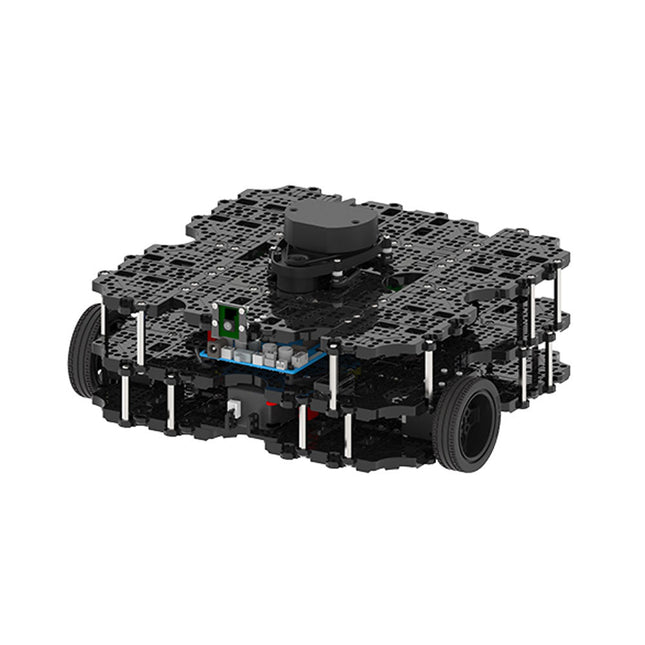
TurtleBot est le robot open source le plus populaire pour l'éducation et la recherche. La nouvelle génération de TurtleBot3 est un petit robot mobile, peu coûteux, entièrement programmable et basé sur ROS. Il est destiné à être utilisé pour l'éducation, la recherche, les loisirs et le prototypage de produits.
Coût abordable
TurtleBot a été développé pour répondre aux besoins économiques des écoles, des laboratoires et des entreprises. TurtleBot3 est le robot le plus abordable parmi les robots mobiles SLAM équipés d'un capteur de distance laser 360° LDS-01.
Norme ROS
La marque TurtleBot est gérée par Open Robotics, qui développe et maintient ROS. Aujourd'hui, ROS est devenu la plateforme de référence pour tous les roboticiens du monde. TurtleBot peut être intégré à des composants robotiques existants basés sur ROS, mais TurtleBot3 peut être une plateforme abordable pour ceux qui veulent commencer à apprendre ROS.
Extensibilité
TurtleBot3 encourage les utilisateurs à personnaliser sa structure mécanique à l'aide d'options alternatives : carte embarquée open source (en tant que carte de contrôle), ordinateur et capteurs. TurtleBot3 Waffle Pi est une plate-forme à deux roues à entraînement différentiel, mais sa structure et sa mécanique peuvent être personnalisées de nombreuses façons : voitures, vélos, remorques, etc. Développez vos idées au-delà de l'imagination avec différents SBC, capteurs et moteurs sur une structure évolutive.
Actionneur modulaire pour robot mobile
TurtleBot3 est capable d'obtenir des données spatiales précises en utilisant 2 DYNAMIXEL dans les articulations des roues. Les DYNAMIXEL de la série XM peuvent être utilisés selon l'un des 6 modes de fonctionnement (série XL : 4 modes de fonctionnement) : Mode de contrôle de la vitesse pour les roues, mode de contrôle du couple ou mode de contrôle de la position pour les articulations, etc. DYNAMIXEL peut même être utilisé pour fabriquer un manipulateur mobile qui est léger mais qui peut être contrôlé avec précision grâce au contrôle de la vitesse, du couple et de la position. DYNAMIXEL est un composant c?ur qui rend TurtleBot3 parfait. Il est facile à assembler, à entretenir, à remplacer et à reconfigurer.
Carte de contrôle ouverte pour ROS
La carte de contrôle est open-source au niveau du matériel et du logiciel pour la communication ROS. La carte de contrôle OpenCR1.0 est suffisamment puissante pour contrôler non seulement les capteurs DYNAMIXEL mais aussi les capteurs ROBOTIS qui sont fréquemment utilisés pour des tâches de reconnaissance de base de manière rentable. Différents capteurs tels que les capteurs tactiles, les capteurs infrarouges, les capteurs de couleur et bien d'autres sont disponibles. L'OpenCR1.0 possède un capteur IMU à l'intérieur de la carte afin d'améliorer la précision du contrôle pour d'innombrables applications. La carte dispose d'alimentations de 3,3 V, 5 V et 12 V pour renforcer les gammes d'appareils informatiques disponibles.
Source ouverte
Le matériel, le micrologiciel et le logiciel de TurtleBot3 sont des logiciels libres, ce qui signifie que les utilisateurs sont invités à télécharger, modifier et partager les codes sources. Tous les composants de TurtleBot3 sont fabriqués en plastique moulé par injection afin de réduire les coûts, mais les données de CAO 3D sont également disponibles pour l'impression 3D.
Spécifications
Vitesse de translation maximale
0.26 m/s
Vitesse de rotation maximale
1.82 rad/s (104.27 deg/s)
Charge utile maximale
30 kg
Taille (L x L x H)
281 x 306 x 141 mm
Poids (+ SBC + batterie + capteurs)
1.8 kg
Seuil de montée
Max 10 mm
Durée d'utilisation prévue
2 h
Temps de charge prévu
2 h 30 m
SBC (ordinateur à carte unique)
Raspberry Pi 4 (2 Go RAM)
MCU
32-bit ARM Cortex-M7 with FPU (216 MHz, 462 DMIPS)
Contrôleur à distance
RC-100B + BT-410 Set (Bluetooth 4, BLE)
Actionneur
XL430-W210
LDS (capteur de distance laser)
360 Laser Distance Sensor LDS-01 or LDS-02
Caméra
Raspberry Pi Camera Module v2.1
IMU
Gyroscope 3 axesAccelerometer 3 axes
Connecteurs d'alimentation
3.3 V/800 mA5 V/4 A12 V/1 A
Connecteurs d'extension
GPIO 18 brochesArduino 32 broches
Périphériques
3x UART, 1x bus CAN, 1x SPI, 1x I²C, 5x CAN, 4x 5-pin OLLO
Ports DYNAMIXEL
3x RS485, 3x TTL
Audio
Plusieurs séquences programmables
LED programmables
4x User LED
LED d'état
1x Board status LED1x Arduino LED1x Power LED
Boutons et interrupteurs
2x boutton poussoir, 1x bouton Reset, 2x DIPswitch
Batterie
Lithium polymer 11.1 V 1800 mAh / 19.98 Wh 5C
Connexion PC
USB
Mise à jour du micrologiciel
par USB / par JTAG
Adaptateur d'alimentation (SMPS)
Entrée: 100-240 VCA 50/60 Hz, 1.5 A @maxSortie: 12 VCC, 5 A
Téléchargements
Programmation de robots ROS
GitHub
Manuel électronique
Communauté
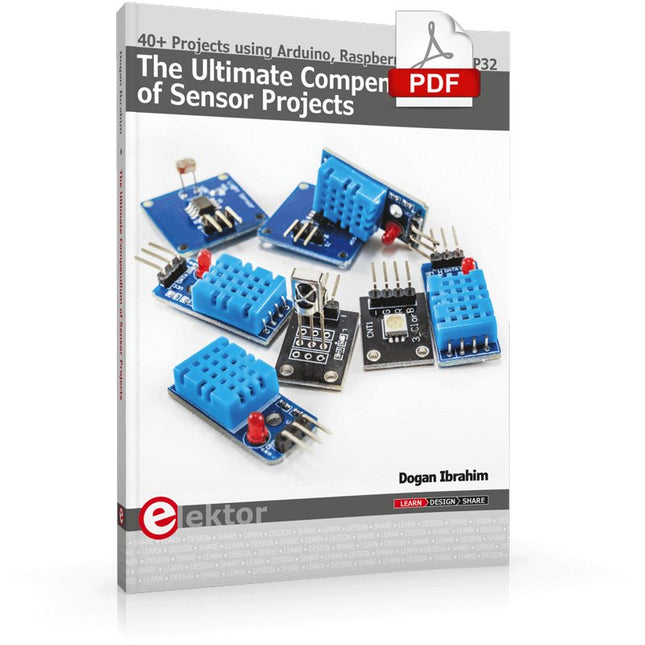
40+ Projects using Arduino, Raspberry Pi and ESP32
This book is about developing projects using the sensor-modules with Arduino Uno, Raspberry Pi and ESP32 microcontroller development systems. More than 40 different sensors types are used in various projects in the book. The book explains in simple terms and with tested and fully working example projects, how to use the sensors in your project. The projects provided in the book include the following:
Changing LED brightness
RGB LEDs
Creating rainbow colours
Magic wand
Silent door alarm
Dark sensor with relay
Secret key
Magic light cup
Decoding commercial IR handsets
Controlling TV channels with IT sensors
Target shooting detector
Shock time duration measurement
Ultrasonic reverse parking
Toggle lights by clapping hands
Playing melody
Measuring magnetic field strength
Joystick musical instrument
Line tracking
Displaying temperature
Temperature ON/OFF control
Mobile phone-based Wi-Fi projects
Mobile phone-based Bluetooth projects
Sending data to the Cloud
The projects have been organized with increasing levels of difficulty. Readers are encouraged to tackle the projects in the order given. A specially prepared sensor kit is available from Elektor. With the help of this hardware, it should be easy and fun to build the projects in this book.
Elektor GREEN en GOLD leden kunnen deze uitgave hier downloaden.
Nog geen lid? Klik hier om een lidmaatschap af te sluiten.
OBD2-sensordashboardOude meters vormden het startpunt van een zoektocht naar echte gegevens
OBD2: voeg een toerenteller en schakelindicator toe aan je autoRetro, maar uiterst nuttig
LiDAR- en Visiesensoren voor Robotica
Sensor+Test 2025 en PCIM 2025
Contactloze E-Veldmetingen (1)Een Trillende Membraan voor het Detecteren van Gelijkspanningen of Statische Elektrische Velden
Draadloze brievenbusmeldervan optische sensoren tot radar: enkele mogelijkheden
Elektor Mini-Wheelieeen zelfbalancerende robot
ZonnecellenVreemde onderdelen, de serie
Aan de slag met een moderne radarsensorStaat een nauwkeurige meting op uw radar?
Uit het leven gegrepenpapierfabriek
CybersecurityZware tijden voor hackers
Infographics: IoT en sensoren 2025
Bluetooth 6.0 brengt verbeterde toepassingen voor afstandsbepalingNieuwe versie biedt betere apparaatpositionerings- en -locatieservices
Draadloze communicatie verkennen met BeagleY-AI
Err-lectronicsCorrecties, updates en lezerspost
Alle begin......sluit het thema opamps af
Een krachtige AI-codeerassistentsneller ontwikkelen met Continue en Visual Studio Code
Zonne-laadregelaar met MPPT (2)Het schema
Ultrasone obstakeldetectoreen eenvoudig project om slechtzienden te helpen
2025: Een AI-odysseeHalfjaaroverzicht
Raspberry Pi Standalone MIDI-synthesizer (3)Het slimmer maken en een gebruikersinterface toevoegen
Meshtastic: een demonstratieprojectEen slim netwerk van LoRa-radio's
Analoge audio-frequentiegeneratorHoogwaardige sinusgenerator met instelbare frequentie
Modular and Scalable Control Systems Using Structured Text
This book offers a structured and practical approach to modern PLC development using object-oriented principles. It is a guide for engineers, programmers, and students seeking to harness the power of object-oriented programming (OOP) in the context of industrial automation with PLCs.
The content focuses on the CODESYS development environment and Structured Text (ST), both of which support modern programming techniques while maintaining compatibility with real-time automation requirements. Through step-by-step demos and instructional examples, it demonstrates how modular, reusable code can enhance development efficiency, simplify ongoing maintenance, and enable scalable and flexible control system architectures.
Key topics include:
Structured Text fundamentals: conditions, loops, arrays, and functions
Object-oriented concepts: classes, methods, and inheritance
Advanced techniques: polymorphism, interfaces, and access control
Modular design with reusable components and structured program flow
Implementation of finite state machines and scalable application design
Built around instructional demos and clear explanations, this book helps readers develop maintainable and modern control software in the CODESYS environment using proven programming techniques.
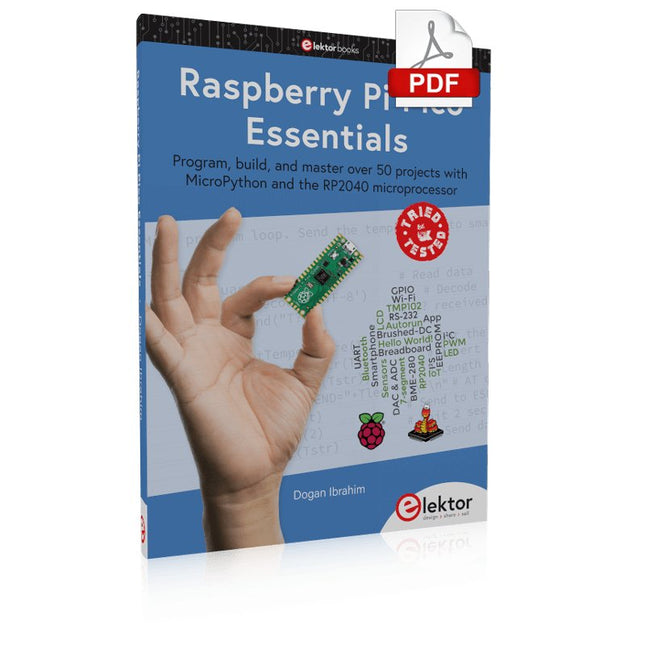
Program, build, and master over 50 projects with MicroPython and the RP2040 microprocessor The Raspberry Pi Pico is a high-performance microcontroller module designed especially for physical computing. Microcontrollers differ from single-board computers, like the Raspberry Pi 4, in not having an operating system. The Raspberry Pi Pico can be programmed to run a single task very efficiently within real-time control and monitoring applications requiring speed. The ‘Pico’ as we call it, is based on the fast, efficient, and low-cost dual-core ARM Cortex-M0+ RP2040 microcontroller chip running at up to 133 MHz and sporting 264 KB of SRAM, and 2 MB of Flash memory. Besides its large memory, the Pico has even more attractive features including a vast number of GPIO pins, and popular interface modules like ADC, SPI, I²C, UART, and PWM. To cap it all, the chip offers fast and accurate timing modules, a hardware debug interface, and an internal temperature sensor. The Raspberry Pi Pico is easily programmed using popular high-level languages such as MicroPython and or C/C++. This book is an introduction to using the Raspberry Pi Pico microcontroller in conjunction with the MicroPython programming language. The Thonny development environment (IDE) is used in all the projects described. There are over 50 working and tested projects in the book, covering the following topics: Installing the MicroPython on Raspberry Pi Pico using a Raspberry Pi or a PC Timer interrupts and external interrupts Analogue-to-digital converter (ADC) projects Using the internal temperature sensor and external temperature sensor chips Datalogging projects PWM, UART, I²C, and SPI projects Using Wi-Fi and apps to communicate with smartphones Using Bluetooth and apps to communicate with smartphones Digital-to-analogue converter (DAC) projects All projects given in the book have been fully tested and are working. Only basic programming and electronics experience is required to follow the projects. Brief descriptions, block diagrams, detailed circuit diagrams, and full MicroPython program listings are given for all projects described. Readers can find the program listings on the Elektor web page created to support the book.
Home Information SystemUsing Windows on a Raspberry Pi
Starting with Node-REDAn open-source visual block-based programming tool
Elektor Summer GiveAway
Simple Function Generator: With Reverse-Order Signal Creation
GreatScott! Builds a LoRa Alarm System
Review: Joy-iT RD6006 Benchtop Power Supply Kit
Review: The GreatFET One Interface Board
Small Circuits Revival – XXLEscaped from the Suggestions Box
Poorest Man's External 2.4 GHz Wi-Fi Antenna
Simple On-Off Temperature Controller with Raspberry Pi HAT
How to Take (Successful) Photos of ElectronicsShowing your projects in their best light
Review: The I2CDriver Tool
Review: JOY-iT Joy-View Portable Touchscreen
LED Booster for MicrocontrollersWith just one component
Experimental Ultrasonic Clothes Washer
Review: The Joy-iT JDS2915 Signal GeneratorA 2-Channel Signal Generator and Frequency Counter
Traffic Lights Programmed in PIC Assembly Code
E-E-E-ternal Blinker
Experimental Hall Sensor
Tracing Shorts with the Milli-Ohm or ESR Meter
Review: Elektor SDR Hands-on Kit
Elektor Labs Pipeline
Elektor KickstarterWell, you get the idea.
Do You Really Need All That Stuff???This is where I spend many hours working on electronics projects
Homelab Tours: The Kinetic Clock MakerStargate jigsawed!
Hello, World! We’re Elektor, and We’re Social
M4 + 2x A7 + GPU: An Unbalanced Dream TeamLatest STM32MP1-SoCs can tackle demanding applications
Test Rig for 16F18877 & Similar Big PICs
Inter-Microcontroller Traffic with the SPI Bus and ATmega328p
Six Shades of LF/AF OSC (and the Miller’s Tale)
BBC micro:bit Absolute Minimalist Oscilloscope with LED Display
‘Knight Rider’ LED Chaser with the ESP32
LW/MW AM Signal Generator with ATtiny13
Absolute Minimalist Dip Meter
Photovoltaic Regulator UpdateNew function for measuring battery temperature
Wireless SignallingTransmitting switching signals over LPR
Ultrasonic Reverse Parking Aid with Arduino Uno
Distortion Pedal with Op Amp and Space Charge Tubes
Electronics Workspace Essentials
Hexadoku
Artificial Intelligence for Beginners (2)Neural networks with Linux and Python