
Résultats de la recherche pour "the or elektor or power or supply or collection or usb or stick"
-

Elektor Digital Oszilloskope (PDF)
Verstehen und effektiv einsetzen Was in der Elektronik geschieht, ist mit bloßem Auge unsichtbar. Das Instrument, mit dem sich elektrische Signale präzise visualisieren lassen und die Effekte der Elektronik für uns sichtbar werden, ist das Oszilloskop. Leider wagt man sich beim Einstieg in die Elektronik oft ohne Oszilloskop vor. Man tappt dann im Dunkeln, sowohl praktisch als auch gedanklich. Die erste Beobachtung eines elektrischen Signals auf einem Bildschirm ist eine Offenbarung. Niemand möchte dieses Erlebnis danach noch einmal missen. Es gibt kein Zurück mehr. Wer in der Elektronik mit Freude und Verständnis vorankommen möchte, braucht unbedingt ein Oszilloskop. Dann stellt sich zunächst die Frage: Wie wählt man das richtige Oszilloskop aus? Und kaum ist diese Frage beantwortet, tauchen bereits die nächsten auf, die sich letztlich auf eine zentrale Frage reduzieren lassen: Wie nutzt man das Oszilloskop so, dass die Anzeige die Realität der Signale korrekt widerspiegelt? Rémy Mallard ist ein leidenschaftlicher Vermittler komplexer technischer Themen mit dem Talent, diese verständlich und fesselnd zu präsentieren. In diesem Buch beantwortet er wichtige Fragen zur Verwendung eines Oszilloskops und bietet zahlreiche Anleitungen, um die elektrischen Signale elektronischer Systeme zu erforschen und zu verstehen. Dank seines verständlichen Stils und seiner praktischen Einblicke ist dieses Buch ein wertvolles Werkzeug für alle, die ihr Elektronikwissen vertiefen möchten.
€ 34,80
Membres : € 31,32
-
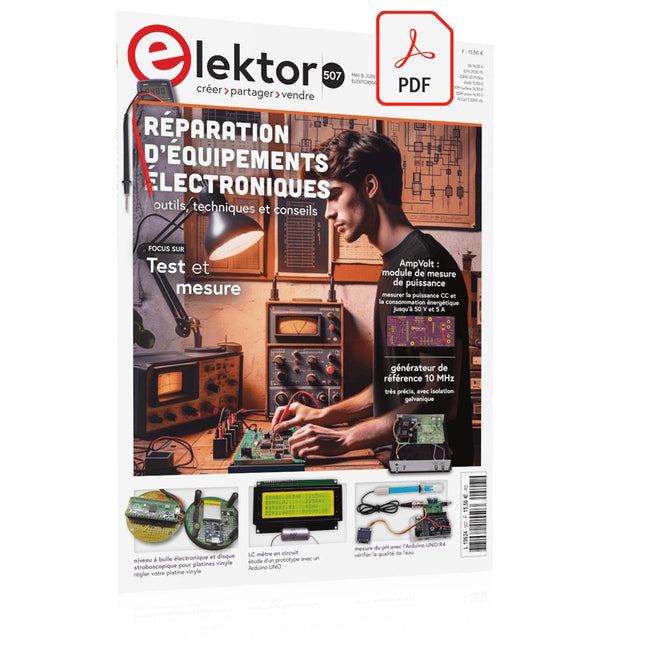
Elektor Digital Elektor Mai/Juin 2024 (PDF)
Le téléchargement intégral de ce numéro est disponible pour nos membres GOLD et GREEN sur le site Elektor Magazine ! Pas encore membre ? Cliquez ici. STM32 Wireless Innovation Design Contest Winners : les gagnants LC mètre en circuitétude de prototype AmpVolt : module de mesure de puissance (1)mesure de la puissance CC et de la consommation énergétique jusqu'à 50 V et 5 A Embedded world 2024 réparation d'équipements électroniquesoutils, techniques et conseils démarrer en électronique...plus de théorie sur les ampli-op un générateur de signaux simplePure synthèse numérique directe Sparkplug en un coup d'œilune spécification pour les données MQTT contrôleur de tube cathodique éclairage à commande radarcomment éclairer automatiquement un escalier en détectant une présence humaine niveau à bulle électronique et disque stroboscopique actif pour platines vinylerégler votre platine vinyle avec cet outil tout-en-un explorer les défis et la valeur commerciale de l’électronique open source le connecteur circulaire codé Aune solution de choix pour les applications industrielles The Arduino-Inside Measurement Labun instrument de test et de mesure 8 en 1 pour le labo d’électronique analyseur de gain-phase avec une carte sonpour les fréquences de 100 Hz à 90 kHz mesure du pH avec l'Arduino UNO R4vérifier la qualité de l'eau sur le vifdouble détente oscilloscope numérique FNIRSI 1014Dde bonnes performances pour des budgets serrés 2024 : l'odyssée de l'IAdétection d'objets générateur de référence 10 MHztrès précis, avec distributeur et isolation galvanique mise à jour #2 : compteur d'énergie basé sur l'ESP32quelques améliorations projet 2.0corrections, Mises à jour, et Courrier des lecteurs entretien avec Eben Upton, PDG de Raspberry PiRaspberry Pi 5 et au delà
€ 10,95
-
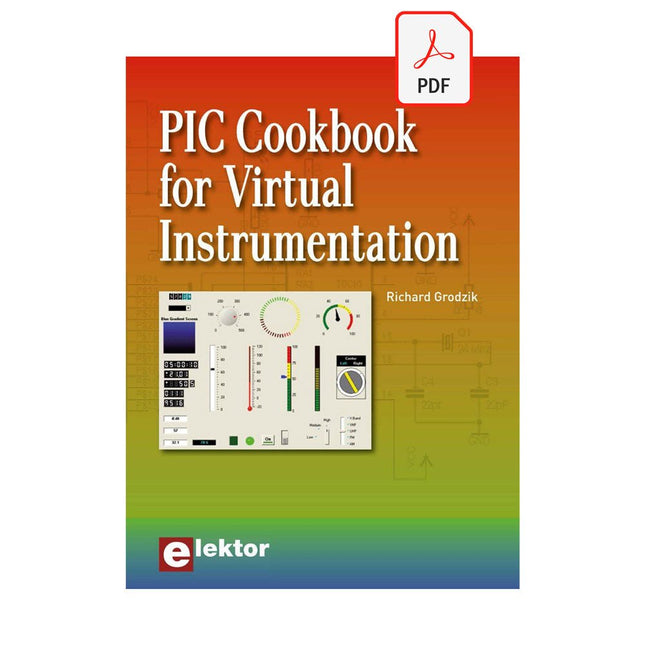
Elektor Digital PIC Cookbook for Virtual Instrumentation (E-book)
The software simulation of gauges, control-knobs, meters and indicators which behave just like real hardware components on a PC’s screen is known as virtual instrumentation. In this book, the Delphi program is used to create these mimics and PIC based external sensors are connected via a USB/RS232 converter communication link to a PC. Detailed case studies in this Book include a virtual compass displayed on the PC’s screen, a virtual digital storage oscilloscope, virtual -50 to +125 degree C thermometer, and FFT sound analyser, a joystick mouse and many examples detailing virtual instrumentation Delphi components. Arizona’s embedded microcontrollers – the PIC's are used in the projects and include PIC16F84A, PIC16C71, DSPIC30F6012A, PIC16F877, PIC12F629 and the PIC16F887. Much use is made of Microchip’s 44 pin development board (a virtual instrument ‘engine)’, equipped with a PIC16F887 with an onboard potentiometer in conjunction with the PIC’s ADC to simulate the generation of a variable voltage from a sensor/transducer, a UART to enable PC RS232 communications and a bank of 8 LED's to monitor received data is also equipped with an ISP connector to which the ‘PICKIT 2’ programmer may easily be connected. Full source code examples are provided both for several different PIC’s, both in assembler and C, together with the Pascal code for the Delphi programs which use different 3rd party Delphi virtual components.
€ 19,95
Membres : € 17,96
-

Elektor Digital Elektor Special: Introduction to Electronics with Arduino (PDF)
Although the Arduino isn’t a novelty any longer, there are still many beginners who want to try programming and development with a microcontroller, and to them, it is all new. All beginnings can be difficult, though they should be light and enjoyable. You do not need much or expensive equipment for the examples. The circuits are built on a small breadboard, and, if necessary, connected to an Arduino Uno, which you can program on a Windows PC. You will find clear examples of how to build all circuits, ensuring easy and error-free reproduction. Projects Discussed Current & Voltage – How it all began Arduino Hardware Arduino Programming The Electrical Circuit Measuring with the Multimeter Circuit Diagrams and Breadboards Creating Circuit Diagrams Breadboard Views with Fritzing Online Circuit Simulation Indispensable: Resistors (Part 1) Hands-on with Resistors (Part 2) Variable Resistors Diodes: One-way Street for Current The Transistor Switch Electromagnetism Relays and Motors op-amps: Operational Amplifiers Capacitors The NE555 Timer PWM and Analogue Values with Arduino 7-Segment Temperature Display Introduction to Soldering and LCDs
€ 11,95
Membres : € 10,76
-

Siglent Siglent SDM3045X Multimètre True RMS
Le Siglent SDM3045X est un multimètre numériques à 4½ digits (66 000 points, taux d'échantillonnage 150 ech/s) qui offre un affichage double et est spécialement conçu pour les applications nécessitant une précision élevée et des mesures automatiques. Grâce à son grand écran couleur TFT de 4,3 pouces (10,9 cm) (480x272 pixels), la navigation dans les menus est très conviviale et la lisibilité est excellente. Spécifications Résolution de lectures de 4½ chiffres (66000 points). Vitesse de mesure jusqu'à 150 lecture/s Mesure de la tension et du courant alternatifs True-RMS 1 Go de mémoire flash NON-ET pour le stockage de configuration et des fichiers de données Built-in cold terminal compensation for thermocouple Logiciel PC simple, pratique et polyvalent : EasyDMM Interface standard : appareil USB, hôte USB, LAN Les interfaces distantes USB LAN prennent en charge les commandes SCPI usuelles. Compatible avec d'autres DMM répandus sur le marché. Applications Labo de recherche Labo de développement Détection et entretien Étalonnage Test de production automatique Fonctions de mesure DC Voltage: 600 mV – 1000 V DC Current: 600 μA – 10 A AC Voltage: True-RMS, 600 mV – 750 V AC Current: True-RMS, 60 mA – 10 A 2/4-Wire Resistance: 600 Ω – 100 MΩ Capacitance: 2 nF – 10000 μF Continuity Test: Range is fixed at 2 kΩ Diode Test: Adjustable range is 0-4 V Frequency Measurement: 20 Hz – 500 KHz Period Measurement: 2 μs – 0.05 s Temperature: Support for TC and RTD sensor Max, Min, Average, Standard Deviation, dBm/dB, Relative Measurement, Pass/Fail, Histogram, Trend Chart Spécifications Tension CC 200 mV, 2 V, 20 V, 200 V, 1000 V Courant CC 200 μA, 2 mA, 20 mA, 200 mA, 2 A, 10 A Tension CA True-RMS, 200 mV, 2 V, 20 V, 200 V, 750 V Courant alternatif True-RMS, 20 mA, 200 mA, 2 A, 10 A Mesure de résistances en configuration 2 ou 4 fils 200 Ω, 2 K, 20 K, 200 K, 2 M, 10 M, 100 MΩ Capacité 2 nF, 20 nF, 200 nF, 2 μF, 20 μF, 200 μF, 10000 μF Test de continuité 2 KΩ Test de diode 2 V Fréquence 20 Hz ~ 1 MHz Période 1 μs ~ 0.05 s Température thermocouple, Capteur de temperature RTD Tension d'entrée maximale 1000 V Interfaces USB Device, USB Host, LAN Inclus 1x Multimètre SDM3065X de Siglent 1x Câble USB 2x Sondes de multimètre 1x Cordon d'alimentation 1x Guide d'initiation Téléchargements User Manual Datasheet Remote Manual Service Manual
€ 431,73
-

Elektor Digital The Bottle Builder (E-book)
The author, Johan Basse Bergqvist, is an engineer, a musician, and an audiophile with a knack for building projects that produce the desired results. The combination of these skills leads to a uniquely valuable perspective on audio design that is routinely reflected in the book and passed on to the readers. Several design projects are provided, 40 in total. The designs are explained, and the unique features or methods he uses are described in further detail. Each design includes detailed schematics and a complete parts list. Many of the projects also include layout documentation in the form of CAD photos of the PCB layouts. The range of projects is very diverse and includes something that will appeal to everyone. Stereo amplifiers, guitar and bass amplifiers, preamplifiers for phono, and microphones are all covered. Several variants for each type are included, and the power amplifier designs range from a few watts to several hundred watts, which meet almost any power level you might tackle.
€ 64,95
Membres : € 58,46
-

Elektor Digital Elektor 01-02/2020 en PDF (DE)
Elektor 01-02/2020 en PDF (DE)
€ 11,90
Membres : € 10,71
-

Elektor Digital Elektor March/April 2023 (PDF)
Elektor GREEN and GOLD members can download their digital edition here. Not a member yet? Click here. Cloc 2.0The Alarm Clock You've Always Wanted RP2040 PIO in PracticeExperiments Using the RP2040’s Programmable I/O Poor Man's ChipTweakerWe Have (Low-Budget) Ways of Making You Talk USB True Random Number GeneratorTwo PICs for the Price of One AVR Pimp My MicSelf-Designed Level Booster FFT with a MaixduinoFrequency spectrum display From Life’s ExperienceDesign Logic (or Non-Logic) UCN5804 Stepper Motor DriverPeculiar Parts, the Series Circuit Simulation With Micro-CapFirst Steps in a Complicated World PAUL Award 2022Young Technical Talents and Their Creative Solutions My First Software-Defined RadioBuilt in Less Than 15 Minutes Microcontroller Documentation Explained (Part 1)Datasheet structure What’s Next for AI and Embedded Systems?Tools, Platforms, and Writer Replacements Digitizing Vertical Farming Infographics: Embedded and AI Today and Tomorrow An Introduction to TinyML JetCarrier96A Versatile NVIDIA Jetson Development System Case Study: Taking EV Charging Global with a Universal RFID Solution High-Performance in Every ClassComputer-on-Module Standards Starting Out in ElectronicsLet’s Get Active! I²C Communication Using Node.js and a Raspberry PiSee Your Sensor Data in a Browser Video Output with Microcontrollers (2)VGA and DVI Output The Metronom Real-Time Operating SystemAn RTOS for AVR Processors DVI on the RP2040An Interview with Luke Wren, Chip Developer at Raspberry Pi Display HAT MiniShow the Weather Forecast on Raspberry Pi! WEEF 2022 Awards: Celebrate the Good Hexadoku
€ 7,50
-

Elektor Digital BBC micro:bit (E-book)
35 Touch Develop & MicroPython Projects The BBC micro:bit is a credit sized computer based on a highly popular and high performance ARM processor. The device is designed by a group of 29 partners for use in computer education in the UK and will be given free of charge to every secondary school student in the UK. The device is based on the Cortex-M0 processor and it measures 4 x 5 cm. It includes several important sensors and modules such as an accelerometer, magnetometer, 25 LEDs, 2 programmable push-button switches, Bluetooth connectivity, micro USB socket, 5 ring type connectors, and a 23-pin edge connector. The device can be powered from its micro USB port by connecting it to a PC, or two external AAA type batteries can be used. This book is about the use of the BBC micro:bit computer in practical projects. The BBC micro:bit computer can be programmed using several different programming languages, such as Microsoft Block Editor, Microsoft Touch Develop, MicroPython, and JavaScript. The book makes a brief introduction to the Touch Develop programming language and the MicroPython programming language. It then gives 35 example working and tested projects using these language. Readers who learn to program in Touch Develop and MicroPython should find it very easy to program using the Block Editor or any other languages. The following are given for each project: Title of the project Description of the project Aim of the project Touch Develop and MicroPython program listings Complete program listings are given for each project. In addition, working principles of the projects are described briefly in each section. Readers are encouraged to go through the projects in the order given in the book.
€ 24,95
Membres : € 22,46
-

Elektor Digital Elektor Special: Raspberry Pi und Pico (PDF)
Inhalt Projekte Pico-VoiceSprachverfremdung und Soundeffekte mit dem Raspberry Pi Pico Navi mit Vibrations-Feedback POV-Anzeige Impulsbreitenmodulation (PWM) mit dem Raspberry Pi Pico Verwendung von Wi-Fi mit dem Raspberry Pi Pico „Hello World“ vom Raspberry Pi Pico und RP2040Ein Blick auf den ersten Mikrocontroller der Raspberry Pi Foundation Einfacher Ein-Aus-Temperaturregler mit Raspberry-Pi-HAT Multitasking mit dem Raspberry PiBeispiel: Ampelsteuerung Das Raspberry-Pi-LinealSpaß mit einem Laufzeitsensor Puffer-Board für Raspberry Pi (Mk. 1)Nie wieder defekte I/O-Ports FM-Radio mit RDSEin HAT für den Raspberry Pi LoRa mit dem Raspberry Pi PicoViel Spaß mit MicroPython! Tutorials Qt für Raspberry Pi Raspberry Pi Pico Programmierungmit MicroPython und Thonny Raspberry Pi Full StackRPi und RF24 als Herzstück eines Sensornetzwerks Raspberry Pi – Bash-Befehle in der Übersicht Community Java auf dem Raspberry PiEin Interview mit Buch-Autor Frank Delporte Reviews Buchvorstellung: Raspberry Pi for Radio Amateurs Secure-Boot-Lösung für Raspberry PiViel Sicherheit zum vernünftigen Preis Review: SmartPi – Smartmeter-Erweiterung für Raspberry Pi Review: RPi-HAT Enviro+Umweltdaten messen mit Raspberry Pi und der HAT Enviro+ Review: Raspberry Pi 4Alles neu und doch gut? Schnelles 3,5“-Touch-Display für RPiMehr Leistung ohne Aufpreis
€ 11,90
Membres : € 10,71
-
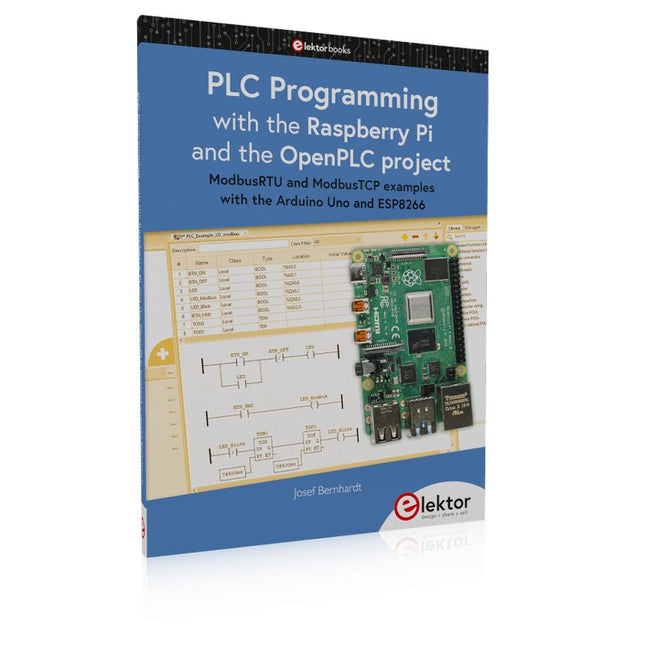
Elektor Publishing PLC Programming with the Raspberry Pi and the OpenPLC Project
ModbusRTU and ModbusTCP examples with the Arduino Uno and ESP8266 Introduction to PLC programming with OpenPLC, the first fully open source Programmable Logic Controller on the Raspberry Pi, and Modbus examples with Arduino Uno and ESP8266 PLC programming is very common in industry and home automation. This book describes how the Raspberry Pi 4 can be used as a Programmable Logic Controller. Before taking you into the programming, the author starts with the software installation on the Raspberry Pi and the PLC editor on the PC, followed by a description of the hardware. You'll then find interesting examples in the different programming languages complying with the IEC 61131-3 standard. This manual also explains in detail how to use the PLC editor and how to load and execute the programs on the Raspberry Pi. All IEC languages are explained with examples, starting with LD (Ladder Diagram) over ST (Structured Control Language) to SFC (Special Function Chart). All examples can be downloaded from the author's website. Networking gets thorough attention too. The Arduino Uno and the ESP8266 are programmed as ModbusRTU or ModbusTCP modules to get access to external peripherals, reading sensors and switching electrical loads. I/O circuits complying with the 24 V industry standard may also be of interest for the reader. The book ends with an overview of commands for ST and LD. After reading the book, the reader will be able to create his own controllers with the Raspberry Pi.
€ 39,95
Membres : € 35,96
-

Elektor Digital Professional SMD Assembly (E-book)
Practical Low-Cost Methods for Reliable PCB Production This book explains how to carry out reliable SMD assembly using affordable tools and small-scale equipment. It follows the complete workflow step by step, including tool selection, solder paste handling, stencil use, component placement, reflow methods, inspection, and rework. The focus is on bench-level and small-lab production rather than industrial assembly lines. It shows practical methods for building single and double-sided SMD boards with repeatable results. Topics include solder paste and flux, temperature profiles, hot air and hotplate techniques, small reflow ovens, inspection methods, and defect correction. Checklists and example workflows are included to help reduce errors and improve consistency. Key features: Tools and supplies for SMD assembly and rework Solder paste types, storage, and handling Stencils and paste application methods Pick and place workflow and component orientation Temperature profiles and reflow methods Hot air, hotplate, and reflow oven processes Inspection and quality control Common defects such as tombstoning and solder bridges Practical rework and component replacement Bench-level professional workflows and checklists This book is designed as a practical bench reference for anyone who wants to assemble and troubleshoot their own SMD boards with reliable results.
€ 19,95
Membres : € 17,96


