
Résultats de la recherche pour "arduino or giga or display or shield"
-
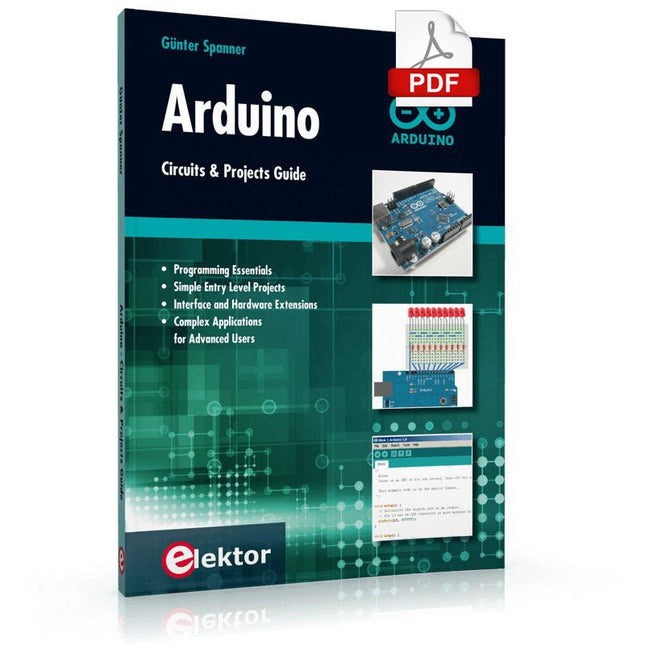
Elektor Digital Arduino – Circuits & Projects Guide (E-book)
Two reasons can be identified for the immense success of the Arduino platform. First, the cheap, ready to go processor board greatly simplifies the introduction to hardware. The second success factor is the free and open-source programming suite that does not require an installation procedure. Simple entry-level examples ensure rapid successes. Complex selection procedures for parameters like the microprocessor version or interface settings are not required. The first sample programs can be uploaded to the Arduino board, and tested, in a matter of minutes. The Arduino user is supported by an array of software libraries. However, the daily increasing volume of libraries poses initial problems to the newcomer, and the way ahead may be uncertain after a few entry-level examples. In many cases, detailed descriptions are missing, and poorly described projects tend to confuse rather than elucidate. Clear guidance and a single motto are missing, usually owing to the projects having been created by several different persons—all with different aims in mind. This book represents a different approach. All projects are presented in a systematical manner, guiding into various theme areas. In the coverage of must-know theory great attention is given to practical directions users can absorb, including essential programming techniques like A/D conversion, timers and interrupts—all contained in the hands-on projects. In this way readers of the book create running lights, a wakeup light, fully functional voltmeters, precision digital thermometers, clocks of many varieties, reaction speed meters, or mouse controlled robotic arms. While actively working on these projects the reader gets to truly comprehend and master the basics of the underlying controller technology.
€ 29,95
Membres : € 26,96
-
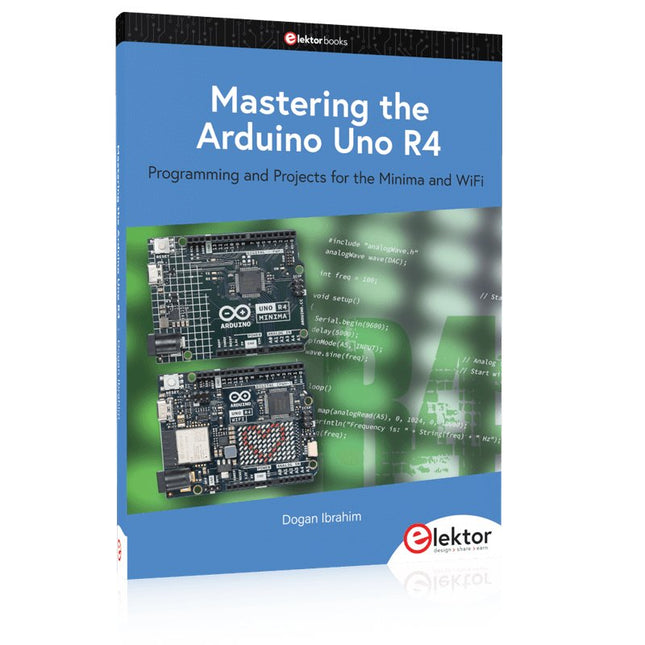
Elektor Publishing Mastering the Arduino Uno R4
Programming and Projects for the Minima and WiFi Based on the low-cost 8-bit ATmega328P processor, the Arduino Uno R3 board is likely to score as the most popular Arduino family member, and this workhorse has been with us for many years. Eleven years later, the long-overdue successor, the Arduino Uno R4, was released. It is built around a 48 MHz, 32-bit Arm Cortex-M4 microcontroller and provides significantly expanded SRAM and Flash memory. Additionally, a higher-precision ADC and a new DAC are added to the design. The Uno R4 board also supports the CAN Bus with an interface. Two versions of the board are available: Uno R4 Minima, and Uno R4 WiFi. This book is about using these new boards to develop many different and interesting projects with just a handful of parts and external modules. All projects described in the book have been fully tested on the Uno R4 Minima or the Uno R4 WiFi board, as appropriate. The project topics include the reading, control, and driving of many components and modules in the kit as well as on the relevant Uno R4 board, including LEDs 7-segment displays (using timer interrupts) LCDs Sensors RFID Reader 4x4 Keypad Real-time clock (RTC) Joystick 8×8 LED matrix Motors DAC (Digital-to-analog converter) LED matrix WiFi connectivity Serial UART CAN bus Infrared controller and receiver Simulators … all in creative and educational ways with the project operation and associated software explained in great detail.
€ 44,95
Membres : € 40,46
-

Elektor Digital Coding Modbus TCP/IP for Arduino (E-book)
Example projects with Node-RED, MQTT, WinCC SCADA, Blynk, and ThingSpeak This comprehensive guide unlocks the power of Modbus TCP/IP communication with Arduino. From the basics of the Modbus protocol right up to full implementation in Arduino projects, the book walks you through the complete process with lucid explanations and practical examples. Learn how to set up Modbus TCP/IP communication with Arduino for seamless data exchange between devices over a network. Explore different Modbus functions and master reading and writing registers to control your devices remotely. Create Modbus client and server applications to integrate into your Arduino projects, boosting their connectivity and automation level. With detailed code snippets and illustrations, this guide is perfect for beginners and experienced Arduino enthusiasts alike. Whether you‘re a hobbyist looking to expand your skills or a professional seeking to implement Modbus TCP/IP communication in your projects, this book provides all the knowledge you need to harness the full potential of Modbus with Arduino. Projects covered in the book: TCP/IP communication between two Arduino Uno boards Modbus TCP/IP communication within the Node-RED environment Combining Arduino, Node-RED, and Blynk IoT cloud Interfacing Modbus TCP/IP with WinCC SCADA to control sensors Using MQTT protocol with Ethernet/ESP8266 Connecting to ThingSpeak IoT cloud using Ethernet/ESP8266
€ 32,95
Membres : € 29,66
-

Elektor Digital Ultimate Arduino Mega 2560 Hardware Manual (E-book)
A Reference and User Guide for the Arduino Mega 2560 Hardware and Firmware A manual providing up-to-date hardware information for the Arduino Mega 2560. The Arduino Mega 2560 is an upgrade to the popular Arduino Uno board, providing more pins, serial ports and memory. Arduino is the easy to use open-source electronics platform used by hobbyists, makers, hackers, experimenters, educators and professionals. Get all the information that you need on the hardware and firmware found on Arduino Mega 2560 boards in this handy reference and user guide. Ideal for the workbench or desktop. This manual covers the Arduino Mega 2560 hardware and firmware, and is a companion volume to the Ultimate Arduino Uno Hardware Manual, which covers the Arduino Uno hardware and firmware. Contains all of the Arduino Mega 2560 hardware information in one place Covers Arduino / Genuino Mega 2560 revision 3 and earlier boards Easily find hardware technical specifications with explanations Pin reference chapter with interfacing examples Diagrams and illustrations for easy reference to pin functions and hardware connections Learn to back up and restore firmware on the board, or load new firmware Basic fault finding and repair procedures for Arduino Mega 2560 boards Power supply circuits simplified and explained Mechanical dimensions split into five easy to reference diagrams Contains circuit diagrams, parts list and board layout to easily locate components A chapter on shield compatibility explains how shields work across different Arduino boards
€ 32,95
Membres : € 29,66
-
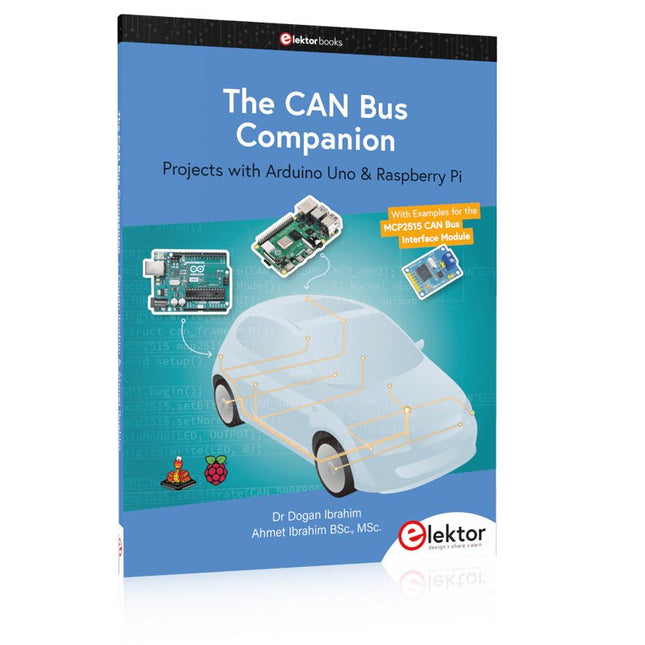
Elektor Publishing The CAN Bus Companion
This book details the use of the Arduino Uno and the Raspberry Pi 4 in practical CAN bus based projects. Using either the Arduino Uno or the Raspberry Pi with off-the-shelf CAN bus interface modules considerably ease developing, debugging, and testing CAN bus based projects. This book is written for students, practicing engineers, enthusiasts, and for everyone else wanting to learn more about the CAN bus and its applications. The book assumes that the reader has some knowledge of basic electronics. Knowledge of the C and Python programming languages and programming the Arduino Uno using its IDE and Raspberry Pi will be useful, especially if the reader intends to develop microcontroller-based projects using the CAN bus. The book should be a useful source of reference material for anyone interested in finding answers to questions such as: What bus systems are available for the automotive industry? What are the principles of the CAN bus? How can I create a physical CAN bus? What types of frames (or data packets) are available in a CAN bus system? How can errors be detected in a CAN bus system and how dependable is a CAN bus system? What types of CAN bus controllers exist? How do I use the MCP2515 CAN bus controller? How do I create 2-node Arduino Uno-based CAN bus projects? How do I create 3-node Arduino Uno-based CAN bus projects? How do I set the acceptance masks and acceptance filters? How do I analyze data on the CAN bus? How do I create 2-node Raspberry Pi-based CAN bus projects? How do I create 3-node Raspberry Pi-based CAN bus projects?
€ 39,95
Membres : € 35,96
-

Elektor Academy Pro Raspberry Pi Pico with Arduino C/C++ (cours de programmation)
Ce cours complet de programmation de microcontrôleurs basé sur le Raspberry Pi Pico comprend un manuel, un kit de composants, des projets pratiques ainsi qu’un cours en ligne complet avec simulations. Il est idéal pour apprendre pas à pas la programmation des systèmes embarqués avec Arduino grâce à une approche pratique. Une introduction pratique aux systèmes embarqués avec le Raspberry Pi Pico Ce cours s’adresse aux débutants en systèmes embarqués recherchant une approche structurée et basée sur des exemples. Un kit de composants comprenant des LED et des résistances, des interrupteurs, des capteurs et actionneurs, des afficheurs, une breadboard et des fils est inclus. Ceux-ci sont utilisés dans le cours pour illustrer des applications concrètes. Aucune expérience préalable avec Arduino ou le développement embarqué n’est requise. Chaque section propose des exemples pratiques et des mini-projets conçus pour renforcer les concepts clés et encourager l’exploration. À la fin du cours, vous serez capable non seulement de reproduire les exemples, mais aussi de développer vos propres idées et applications. Que allez-vous apprendre ? Programmation de microcontrôleurs en C/C++ avec le Raspberry Pi Pico via l’IDE Arduino Utilisation des entrées/sorties numériques, lecture de boutons et encodeurs, commande de LED et relais Lecture des entrées analogiques, tensions et capteurs analogiques Génération de signaux analogiques et PWM Utilisation des communications série comme UART, I²C et SPI pour piloter des afficheurs et lire des capteurs numériques et cartes SD Gestion du temps Utilisation des interruptions Entrées capteurs en temps réel et contrôle via boutons, LED et afficheurs Commande d’actionneurs comme relais et servomoteurs À qui s’adresse ce cours ? Étudiants et autodidactes explorant les systèmes embarqués Makers et passionnés d’IoT souhaitant améliorer leurs compétences en hardware Formateurs et enseignants à la recherche de matériel pédagogique prêt à l’emploi Contenu de la boîte Accès au cours complet sur la plateforme Elektor Academy Pro Carte microcontrôleur Raspberry Pi Pico + câble USB Livre : Programming Microcontrollers in C/C++ Using Arduino Fichiers de projet téléchargeables pour chaque module Boîte de composants : 2× LED, rouge, 5 mm LED, verte, 5 mm 3× résistance, 470 Ω, 0,25 W LDR Potentiomètre, 10 kΩ, linéaire Bouton-poussoir Module encodeur rotatif Module relais Capteur DHT22 (température & humidité) Afficheur 7 segments 4 digits compatible TM1637 MPU-6050 IMU avec connecteurs Afficheur OLED I²C compatible SSD1306 Adaptateur carte micro SD avec connecteur Buzzer Micro servo SG90 Écran TFT SPI 240×320 compatible ILI9341 20× fils jumper Breadboard Tous les cours de programmation (et différences de contenu) Cours Arduino Raspberry Pi Pico with Arduino C/C++ ESP32 with Arduino C/C++ Raspberry Pi Pico with MicroPython ESP32 with MicroPython Cours en ligne Access to Arduino Course Access to Pico with Arduino C/C++ Course Access to ESP32 with Arduino C/C++ Course Access to Pico with MicroPython Course Access to ESP32 with MicroPython Course Carte Uno R3 Raspberry Pi Pico ESP32 Raspberry Pi Pico ESP32 Livre Programming Microcontrollers in C/C++ Using Arduino Programming Microcontrollers in C/C++ Using Arduino Programming Microcontrollers in C/C++ Using Arduino Programming Microcontrollers in MicroPython Programming Microcontrollers in MicroPython Kit Boîte de composants (40 pièces) Boîte de composants (40 pièces) Boîte de composants (40 pièces) Boîte de composants (40 pièces) Boîte de composants (40 pièces)
€ 69,95
Membres : € 62,96
-
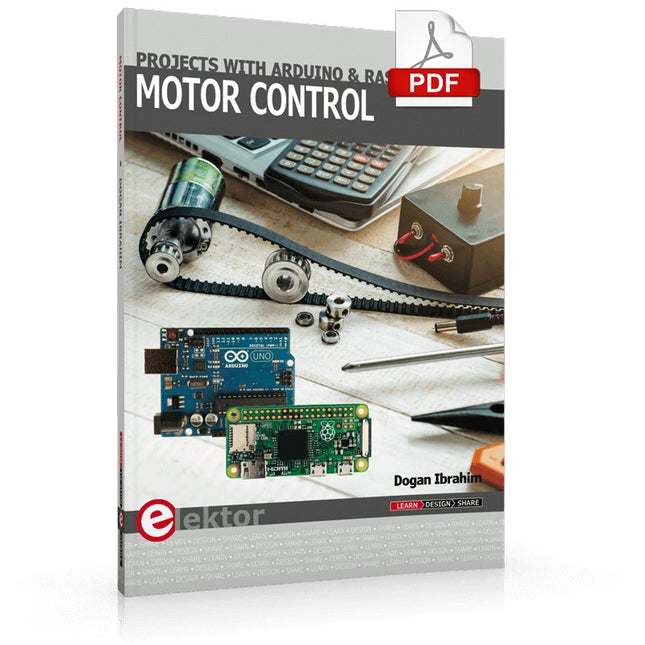
Elektor Digital Motor Control - Projects with Arduino & Raspberry Pi (E-book)
This book is about DC electric motors and their use in Arduino and Raspberry Pi Zero W based projects. The book includes many tested and working projects where each project has the following sub-headings: Title of the project Description of the project Block diagram Circuit diagram Project assembly Complete program listing of the project Full description of the program The projects in the book cover the standard DC motors, stepper motors, servo motors, and mobile robots. The book is aimed at students, hobbyists, and anyone else interested in developing microcontroller based projects using the Arduino Uno or the Raspberry Pi Zero W. One of the nice features of this book is that it gives complete projects for remote control of a mobile robot from a mobile phone, using the Arduino Uno as well as the Raspberry Pi Zero W development boards. These projects are developed using Wi-Fi as well as the Bluetooth connectivity with the mobile phone. Readers should be able to move a robot forward, reverse, turn left, or turn right by sending simple commands from a mobile phone. Full program listings of all the projects as well as the detailed program descriptions are given in the book. Users should be able to use the projects as they are presented, or modify them to suit to their own needs.
€ 29,95
Membres : € 26,96
-

Arduino Câble USB-C officiel d'Arduino (2-en-1)
Maintenant, vous pouvez connecter vos cartes Arduino avec le câble USB officiel d'Arduino. Grâce à une connexion USB-C vers USB-C avec un adaptateur USB-A, ce câble USB de données peut facilement relier vos cartes Arduino à l'appareil de programmation de votre choix. Le câble USB d'Arduino possède une gaine tressée en nylon aux couleurs typiques d'Arduino, blanc et teal (bleu-vert). Les connecteurs ont une coque en aluminium qui protège votre câble tout en ayant un aspect élégant. Longueur : 100 cm Coque en aluminium avec logo Gaine tressée en nylon blanc et teal
€ 12,95
Membres : € 11,66
-
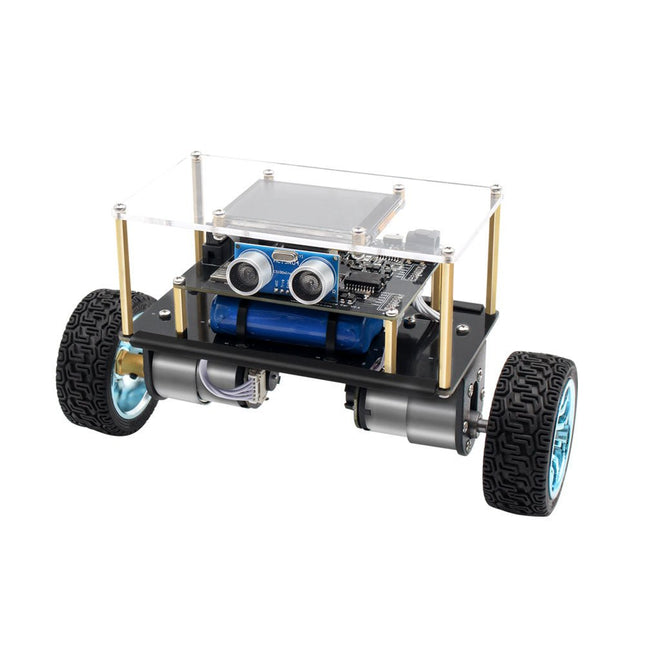
Elektor Labs Elektor Mini-Wheelie Robot auto-équilibrant
Robot à équilibrage sur deux roues compatible Arduino et alimenté par ESP32 L'Elektor Mini-Wheelie est une plateforme robotique expérimentale autonome et auto-équilibrée. Basé sur un microcontrôleur ESP32-S3, le robot auto-équilibré est entièrement programmable à l'aide de l'environnement Arduino et de bibliothèques open source. Ses capacités sans fil lui permettent d'être contrôlé à distance via Wi-Fi, Bluetooth ou ESP-NOW ou de communiquer avec un utilisateur ou même un autre robot. Un transducteur à ultrasons est disponible pour détecter les obstacles. Son écran couleur peut être utilisé pour afficher de jolies expressions faciales ou, pour les utilisateurs les plus terre-à-terre, des messages de débogage énigmatiques. Le robot est livré en kit complet avec des pièces à assembler soi-même. Tout est inclus, même un tournevis. Remarque : Le Mini-Wheelie est une plateforme de développement pédagogique destinée à l'apprentissage, à l'expérimentation et au développement de la robotique. Il n'est pas considéré comme un jouet pour enfants, et ses caractéristiques, sa documentation et le public auquel il s'adresse reflètent cet objectif. Le produit est destiné aux étudiants, aux éducateurs et aux développeurs qui souhaitent explorer la robotique, la programmation et l'intégration de matériel dans un cadre éducatif. Spécifications Microcontrôleur ESP32-S3 avec Wi-Fi et Bluetooth MPU6050 unité de mesure inertielle (IMU) à 6 axes Deux moteurs électriques 12 V à commande indépendante avec tachymètre Transducteur à ultrasons Écran couleur TFT 2,9 pouces (320 x 240) Emplacement pour carte MicroSD Moniteur de puissance de la batterie Batterie Li-Po rechargeable 3S (11,1 V/2200 mAh) Chargeur de batterie inclus Logiciel Open Source basé sur Arduino Dimensions (L x L x H) : 23 x 8 x 13 cm Inclus 1x Carte mère ESP32-S3 + module MPU6050 1x Carte LCD (2,9 pouces) 1x Capteur à ultrasons 1x Batterie (2200 mAh) 1x Chargeur de batterie 1x Kit de pneus moteur 1x Tableau de caisse 1x Tableau acrylique 1x Tournevis 1x Bande de protection 1x Câble flexible B (8 cm) 1x Câble flexible A (12 cm) 1x Câble flexible C 4x Colonnes A en cuivre (25 mm) 4x Colonnes B en cuivre (55 mm) 4x Colonnes C en cuivre (5 mm) 2x Colonnes en plastique et nylon 8x Vis A (10 mm) 24 Vis B (M3x5) 8x Noix 24x Rondelles métalliques 2x Attaches zippées 1x Carte MicroSD (32 Go) Téléchargements Documentation
€ 89,95
Membres : € 80,96
-

Elektor Labs Elektor Sapin de Noël LED 'lumineux'
Kit DIY multilingue (avec 27 LED RGB + Raspberry Pi Pico) Ajoutez une touche d'ingénierie à votre période de Noël avec le sapin de Noël LED « lumineux » d'Elektor. Ce sapin de Noël 3D au design raffiné combine onze circuits imprimés, un Raspberry Pi Pico et 27 LED RVB adressables pour faire briller des messages festifs en sept langues : danois, néerlandais, anglais, français, allemand, italien et espagnol. Contrairement aux sapins LED classiques, chaque mot à l'intérieur du sapin possède sa propre chambre lumineuse, créant un éclairage raffiné et doux, sans son ni scintillement. Les LED sont entièrement compatibles WS2812 et pilotées par la bibliothèque Adafruit NeoPixel, ce qui facilite la création d'animations personnalisées et d'effets de couleur. Idéal pour les makers, les bricoleurs et les passionnés d'électronique festive, ce kit offre à la fois un montage agréable et une décoration originale qui ne manquera pas de susciter la conversation. Le sapin de Noël LED Elektor est le projet de bricolage idéal pour les fêtes ! Caractéristiques Messages d'accueil multilingues (7 langues) gravés sur le panneau avant Construction 3D à partir de 11 circuits imprimés emboîtables Alimenté par Raspberry Pi Pico 27 LED RGB adressables individuellement (pré-montées) Animations d'apparition et de disparition fluides Entièrement programmable avec l'IDE Arduino Une alimentation 5 V (avec connecteur micro-USB) capable de fournir au moins 1 A est recommandée pour une luminosité maximale (non fournie) Dimensions (H x L x P) : 130 x 115 x 75 mm Inclus Toutes les cartes de circuits imprimés nécessaires avec LED et autres composants CMS montés Raspberry Pi Pico (à souder et programmer par l'utilisateur) Connecteur à 3 broches (à souder par l'utilisateur) Support à 3 broches (à souder par l'utilisateur) 4x Tampons en caoutchouc autocollants Page du projet Elektor Labs
€ 59,95€ 47,95Meilleur prix
-

Elektor Digital Programming Microcontrollers in C/C++ Using Arduino (E-book)
With Examples for Arduino UNO, Raspberry Pi Pico and ESP32 Programming small electronic systems has never been more accessible. Tasks that once demanded expensive tools, specialized hardware, and deep electrical engineering expertise can now be tackled with low-cost development boards and approachable software. At the centre of this shift is the Arduino environment, which provides a unified and familiar way to program a wide range of microcontroller platforms—from classic AVR boards like the Arduino UNO to modern ARM-based boards such as the Raspberry Pi Pico, and powerful Wi-Fi-enabled devices like the ESP32. This book introduces embedded programming through the core idea that defines all microcontrollers: reading inputs, processing information, and controlling outputs in a predictable loop. The Arduino environment abstracts much of the hardware complexity, allowing you to focus on behaviour rather than implementation details. With just a few lines of code, you can blink LEDs, read sensors, control motors, and communicate with other devices. While the Arduino UNO, Raspberry Pi Pico, and ESP32 boards differ greatly in performance and features, they share the same fundamental building blocks: digital and analog I/O, timers, serial communication, PWM, interrupts, and power management. Learning these concepts within the Arduino framework builds skills that transfer easily across platforms and scale toward more advanced applications. By exploring multiple boards while maintaining a consistent programming approach, this book helps you progress from simple experiments to confidently produce well-structured designs—showing that embedded development can be both practical and enjoyable.
€ 24,95
Membres : € 22,46
-

Elektor Digital Elektor Special: Introduction to Electronics with Arduino (PDF)
Although the Arduino isn’t a novelty any longer, there are still many beginners who want to try programming and development with a microcontroller, and to them, it is all new. All beginnings can be difficult, though they should be light and enjoyable. You do not need much or expensive equipment for the examples. The circuits are built on a small breadboard, and, if necessary, connected to an Arduino Uno, which you can program on a Windows PC. You will find clear examples of how to build all circuits, ensuring easy and error-free reproduction. Projects Discussed Current & Voltage – How it all began Arduino Hardware Arduino Programming The Electrical Circuit Measuring with the Multimeter Circuit Diagrams and Breadboards Creating Circuit Diagrams Breadboard Views with Fritzing Online Circuit Simulation Indispensable: Resistors (Part 1) Hands-on with Resistors (Part 2) Variable Resistors Diodes: One-way Street for Current The Transistor Switch Electromagnetism Relays and Motors op-amps: Operational Amplifiers Capacitors The NE555 Timer PWM and Analogue Values with Arduino 7-Segment Temperature Display Introduction to Soldering and LCDs
€ 11,95
Membres : € 10,76


