
Résultats de la recherche pour "develop or and or operate or your or lorawan or iot or nodes"
-

Elektor Digital Praxisbuch Workflow Automation mit n8n (PDF)
No-Code KI für Maker und Entwickler Dieses Buch nimmt Heraklits Leitsatz "Panta rhei – alles fließt" als Ausgangspunkt, um den Wandel und die Dynamik moderner Lebens- und Arbeitswelten zu beleuchten. Arbeitsabläufe – sogenannte Workflows – durchziehen sowohl das private als auch das geschäftliche Umfeld. Sie entstehen aus dem Zusammenspiel einzelner, oft banaler Handlungen, die in eine sinnvolle Reihenfolge gebracht werden. Diese Abläufe lassen sich manuell ausführen, doch durch Automatisierung und digitale Hilfsmittel werden sie deutlich effizienter und belastbarer. Ein besonderer Fokus liegt auf dem Einsatz Künstlicher Intelligenz (KI), die sich mit rasanter Geschwindigkeit in immer mehr Lebensbereiche integriert. Ob automatische Übersetzungen, persönliche Assistenzen oder intelligente Infrastrukturen – KI-Systeme wie ChatGPT oder DeepSeek bieten vielfältige Möglichkeiten zur Prozessvereinfachung. Im privaten Bereich sind smarte Häuser ein Beispiel, im geschäftlichen Umfeld sind es komplexe Reaktionsketten auf bestimmte Situationen, bei denen KI gezielt eingesetzt wird. Für die praktische Umsetzung solcher Prozesse bietet das Buch eine Einführung in das Low-Code-Tool n8n, das es ermöglicht, auch komplexe Workflows ohne klassische Programmierung zu gestalten. Mit über 500 fertigen Integrationen verbindet n8n verschiedenste Anwendungen miteinander und kann durch KI-Module ergänzt werden. Das Buch zeigt auf leicht verständliche Weise, wie sich solche Systeme sowohl im Alltag als auch in Unternehmen nutzen lassen – für mehr Effizienz, Struktur und technologische Souveränität. Alle Linux-Befehle und Dateieinträge zur Konfiguration von Anwendungen stehen für Sie als Download bereit. Downloads GitHub
€ 32,80€ 26,90Meilleur prix
-

Elektor Bundles Arduino Uno R4 WiFi (offre groupée)
Livre : Mastering the Arduino Uno R4 Basée sur le processeur ATmega328P 8 bits économique, la carte Arduino Uno R3 est sans doute la plus populaire de la famille Arduino, et ce modèle robuste nous accompagne depuis de nombreuses années. Onze ans plus tard, son successeur tant attendu, l'Arduino Uno R4, a vu le jour. Elle est conçue autour d'un microcontrôleur Arm Cortex-M4 32 bits cadencé à 48 MHz et offre une mémoire SRAM et Flash considérablement étendue. De plus, un convertisseur analogique-numérique (CAN) plus précis et un nouveau convertisseur numérique-analogique (CNA) ont été ajoutés. La carte Uno R4 prend également en charge le bus CAN grâce à une interface dédiée. Deux versions de la carte sont disponibles : Uno R4 Minima et Uno R4 WiFi. Ce livre explique comment utiliser ces nouvelles cartes pour développer de nombreux projets variés et intéressants avec seulement quelques composants et modules externes. Tous les projets décrits dans ce livre ont été entièrement testés sur la carte Uno R4 Minima ou la carte Uno R4 WiFi, selon le cas. Les sujets abordés incluent la lecture, le contrôle et le pilotage de nombreux composants et modules du kit ainsi que sur la carte Uno R4 correspondante, y compris LED Afficheurs à 7 segments (utilisant des interruptions programmées) LCD Capteurs Lecteur RFID Clavier 4×4 Horloge en temps réel (RTC) Joystick Matrice de LED 8×8 Moteurs DAC (convertisseur numérique-analogique) Matrice LED Connectivité Wi-Fi UART série Bus CAN Contrôleur et récepteur infrarouge Simulateurs … le tout de manière créative et pédagogique, le fonctionnement du projet et les logiciels associés étant expliqués en détail. Arduino Uno R4 WiFi La carte Arduino Uno R4 est équipée du processeur Renesas RA4M1 ARM Cortex-M4 32 bits, offrant une puissance de traitement, une mémoire et des fonctionnalités considérablement améliorées. La version WiFi intègre un module WiFi ESP32-S3 en plus du RA4M1, élargissant ainsi les possibilités créatives des makers et des ingénieurs. L'Arduino Uno R4 fonctionne à 48 MHz, soit trois fois plus que la populaire Uno R3. De plus, la mémoire SRAM a été augmentée de 2 Ko à 32 Ko et la mémoire flash de 32 Ko à 256 Ko afin de prendre en charge des projets plus complexes. Suite aux retours de la communauté, le port USB est désormais de type USB-C et la tension d'alimentation maximale a été portée à 24 V, avec une conception thermique optimisée. La carte comprend un bus CAN et un port SPI, permettant aux utilisateurs de réduire le câblage et d'effectuer des tâches en parallèle en connectant plusieurs shields. Un convertisseur numérique-analogique (CNA) analogique 12 bits est également intégré. Spécifications Microcontrôleur Renesas RA4M1 (ARM Cortex-M4) USB USB-C Port de programmation Broches Broches d'E/S numériques 14 Broches Broches d'entrée analogiques 6 CNA 1 TCR 1 Broches PWM 6 Communication UART 1x I²C 1x SPI 1x Connecteur I²C Qwiic 1x CAN 1x Bus CAN Alimentation Tension de fonctionnement du circuit 5 V Tension d'entrée (VIN) 6-24 V Courant continu par broche d'E/S 8 mA Fréquence d'horloge Noyau principal 48 MHz Mémoire RA4M1 256 ko Flash, 32 ko RAM Matrice LED 12 x 8 (96 LED rouges) Dimensions 68,9 x 53,4 mm Téléchargements Datasheet Schematics Cette offre groupée contient : Livre : Mastering the Arduino Uno R4 (d'une valeur de 45 €) Arduino Uno R4 WiFi (d'une valeur de 30 €)
€ 74,95€ 64,95Meilleur prix
-
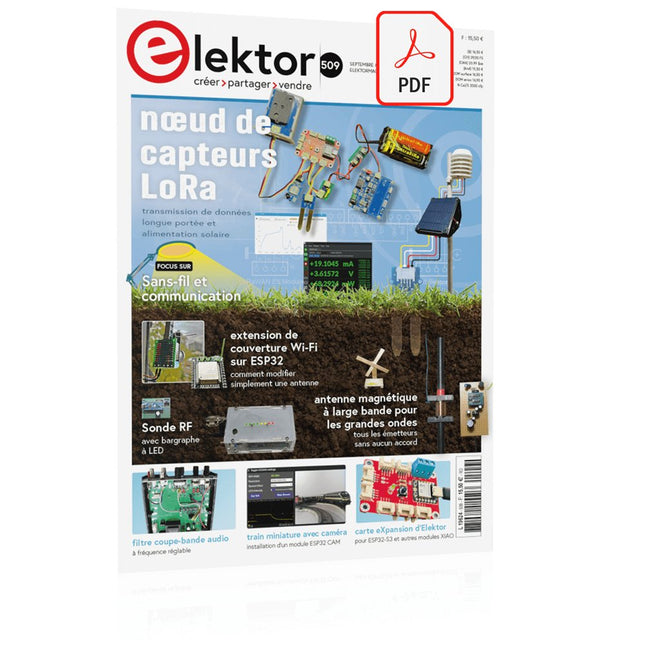
Elektor Digital Elektor Septembre/Octobre 2024 (PDF)
Le téléchargement intégral de ce numéro est disponible pour nos membres GOLD et GREEN sur le site Elektor Magazine ! Pas encore membre ? Cliquez ici. un nœud de capteurs autonometransmission de données basée sur LoRa et alimentation en énergie par cellules solaires la carte eXpansion V1.0 d'Elektorpour ESP32S3 et autres cartes XIAO une caméra dans un train miniatureinstallation d’un module ESP32 CAM antenne magnétique à large bande pour les grandes ondestous les émetteurs sans aucun accord TensorFlow Lite pour microcontrôleurspar un débutant, pour les débutants un concentrateur pour les appareils RS-422 et RS-485câbler votre bus comme une star sonde RFWith LED Bar Graph démarrer en électronique...…plus de montages à ampli-op Open Variovariomètre multifonction open source pour vol en parapente sur le vifÀ propos de prendre les choses pour acquises relevé des compteurs d'eau basé sur l'IA (Partie 2)intégrez votre ancien compteur dans l'IdO ! agriculture intelligentedétection des nuisibles basée sur l’apprentissage machine avec connectivité IdO Anybus CompactCom est le choix idéal pour la communication industrielle embarquée – voici pourquoi norme de communication IQRFfiabilité des réseaux maillés sans fil à faible débit avec perte comment construire un robot agricole intelligentquelles sont les considérations essentielles que les concepteurs de robots agricoles doivent prendre en compte et à quels défis techniques sont-ils confrontés ? filtre coupe-bande audio à fréquence réglablesolution universelle de suppression de fréquences dans le domaine audio le système LeoINAGPSsurveillez votre véhicule électrique nœud LoRa alimenté par énergie solaireune solution IdO modulaire, compacte et polyvalente AWS pour Arduino et cie. (2)transmission de données avec AWS IoT ExpressLink projet 2.0corrections, mises à jour et courrier des lecteurs 2024 : l'odyssée de l'IAexamen des Accélérateurs IA : comparaison extension de couverture Wi-Fi sur ESP32comment modifier simplement une antenne
€ 10,95
-

Elektor Digital Elektor May/June 2022 (PDF)
Your First Steps with an ESP32-C3 and the IoTA Wi-Fi Button and Relay IoT Cloud a la Arduino Dual Geiger-Müller Tube Arduino ShieldA High Sensitivity, Very Low-Power Radiation Sensor CO2 GuardA DIY Approach to Monitoring Air Quality MonkMakes Air Quality Kit for Raspberry PiMeasures Temperature and eCO2 Starting Out in ElectronicsWelcome to the Diode Tips & Tricks for Testing ComponentsNo Expensive Equipment Required Reducing the Power Consumption of Your Mole RepellerAn ATtiny13 Replaces a 555 Light Switch DeLuxA Solution for High-Precision Light-Controlled Switching The Challenges in Bringing IoT Solutions to MarketWorries Around Security, Scalability, and Competition Infographics 5-6/2022 Preferably Wired After AllTips for Developing a 1 Gbit/s Interface in an Industrial Environment Bringing Real-Time Object Detection to MCUs with Edge Impulse FOMO Traveling-Wave TubesPeculiar Parts, the Series Narrowband Internet of ThingsStandards, Coverage, Agreements, and Modules Dragino LPS8 Indoor GatewaySpeedy LoRaWAN Gateway Setup Explore ATtiny Microcontrollers Using C and Assembly LanguageSample Chapter: ATtiny I/O Ports Err-lectronicsCorrections, Updates and Readers’ Letters LoRa GPS Tracker UpdateReceive and Show Location Using a Raspberry Pi Circuit Simulation with TINA Design Suite & TINACloudSample Chapter: Sinusoidal Oscillators From Life’s ExperienceAssembly Line Work The WinUI Graphics Framework for Windows AppsA Small Demo Application GUIs with PythonWorst GUI of the world Off-Grid Solar SystemsElectrical Energy Independent of the Mains Grid The 10-Year SmartphoneRenew Your Expectations HexadokuThe Original Elektorized Sudoku
€ 7,50
-
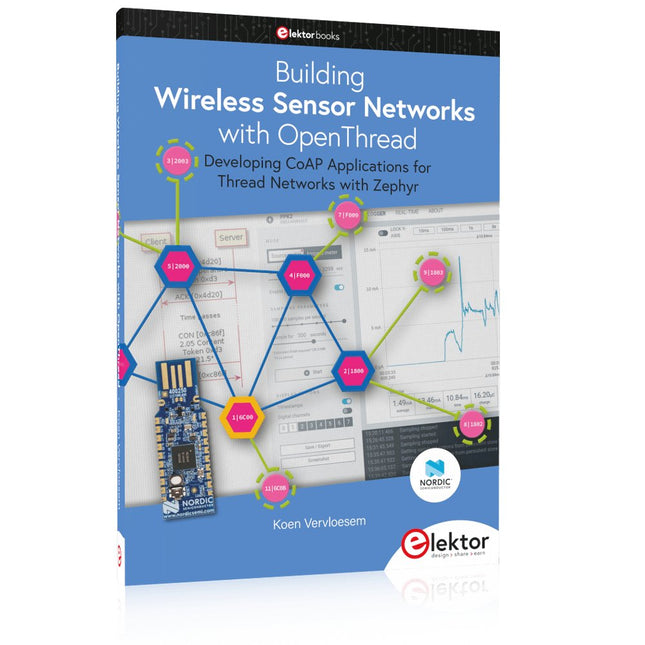
Elektor Publishing Building Wireless Sensor Networks with OpenThread
Developing CoAP applications for Thread networks with Zephyr This book will guide you through the operation of Thread, the setup of a Thread network, and the creation of your own Zephyr-based OpenThread applications to use it. You’ll acquire knowledge on: The capture of network packets on Thread networks using Wireshark and the nRF Sniffer for 802.15.4. Network simulation with the OpenThread Network Simulator. Connecting a Thread network to a non-Thread network using a Thread Border Router. The basics of Thread networking, including device roles and types, as well as the diverse types of unicast and multicast IPv6 addresses used in a Thread network. The mechanisms behind network discovery, DNS queries, NAT64, and multicast addresses. The process of joining a Thread network using network commissioning. CoAP servers and clients and their OpenThread API. Service registration and discovery. Securing CoAP messages with DTLS, using a pre-shared key or X.509 certificates. Investigating and optimizing a Thread device’s power consumption. Once you‘ve set up a Thread network with some devices and tried connecting and disconnecting them, you’ll have gained a good insight into the functionality of a Thread network, including its self-healing capabilities. After you’ve experimented with all code examples in this book, you’ll also have gained useful programming experience using the OpenThread API and CoAP.
€ 39,95
Membres : € 35,96
-

Elektor Labs Carte de formation Elektor Arduino Nano MCCAB
La carte d'apprentissage Elektor Arduino Nano MCCAB contient tous les composants (avec Arduino Nano) nécessaires aux exercices, tels que des diodes électroluminescentes, des interrupteurs, des boutons-poussoirs, des émetteurs de signaux acoustiques, etc. Ce système de formation à microcontrôleur permet également d'interroger ou de commander des capteurs, des moteurs ou des assemblages externes. Spécifications (Carte de formation Arduino Nano MCCAB) Alimentation électrique Via la connexion USB du PC connecté ou un bloc d'alimentation externe (non inclus) Tension de fonctionnement +5 Vcc Tension d'entrée Toutes les entrées 0 V to +5 V VX1 and VX2 +8 V to +12 V (uniquement en cas d'utilisation d'une alimentation externe) Périphérie du matériel LCD 2x16 caractères Potentiomètre P1 & P2 JP3 : sélection de la tension de fonctionnement de P1 et P2 Distributeur SV4 : Distributeur pour les tensions de fonctionnementSV5, SV6 : Distributeur pour les entrées/sorties du microcontrôleur Interrupteurs et boutons Bouton RESET sur le module Arduino Nano 6x interrupteurs à bouton poussoir K1 ... K6 6x interrupteurs à glissière S1 ... S6 JP2 : Connexion des interrupteurs avec les entrées du microcontrôleur Buzzer Buzzer piézo Buzzer1 avec cavalier sur JP6 Voyants lumineux 11 x LED : Indicateur d'état des entrées/sorties LED L sur le module Arduino Nano, connectée au GPIO D13 JP6 : Connexion des LED LD10 ... LD20 avec les GPIO D2 ... D12 Interfaces sérieSPI ET I²C JP4 : Sélection du signal à la broche X du connecteur SPI SV12 SV9 à SV12 : interface SPI (3,3 V/5 V) ou interface I²C Sortie de commutation pour les appareils externes SV1, SV7 : sortie de commutation (maximum +24 V/160 mA, alimentation externe) SV2 : 2x13 connecteurs pour la connexion de modules externes Matrice de 3x3 LED(9 LED rouges) SV3 : Colonnes de la matrice LED 3x3 (sorties D6 ... D8) JP1 : Connexion des lignes avec les GPIOs D3 ... D5 Logiciel Bibliothèque MCCABLib Contrôle des composants matériels (interrupteurs, boutons, DEL, matrice de DEL 3x3, buzzer) sur la carte de formation MCCAB. Température de fonctionnement Jusqu'à +40 °C Dimensions 100 x 100 x 20 mm Spécifications (Arduino Nano) Microcontrôleur ATmega328P Architecture AVR Tension de fonctionnement 5 V Mémoire flash 32 Ko, dont 2 Ko utilisés par le chargeur de démarrage SRAM 2 KB Vitesse d'horloge 16 MHz Connecteurs d'entrée analogique 8 EEPROM 1 KB Courant continu par connecteur d'E/S 40 mA sur un connecteur d'E/S, maximum total de 200 mA sur l'ensemble des connecteurs Tension d'entrée 7-12 V Connecteurs E/S numériques 22 (dont 6 PWM) Sortie PWMt 6 Consommation électrique 19 mA Dimensions 18 x 45 mm Poids 7 g Inclus 1x Elektor Arduino Nano Training Board MCCAB 1x Arduino Nano
€ 79,95€ 69,95Meilleur prix
-

Elektor Digital Arduino UNO Q and AI (E-book)
Learn to Build Intelligent Embedded Systems Build smarter embedded systems with Arduino UNO Q. This book gives you the tools, knowledge, and confidence to turn ideas into intelligent, working solutions using the Arduino UNO Q platform. Discover how to build intelligent embedded systems with the Arduino UNO Q and AI. Unlock the full potential of the Arduino UNO Q, a next-generation platform that combines the real-time power of the STM32U585 microcontroller with the flexibility of a Qualcomm Dragonwing QRB2210 microprocessor. Learn how to rapidly prototype real-world applications using the Arduino IDE for low-level embedded control and Python in Arduino App Lab for high-level development. Build confidence through hands-on projects that guide you step by step from basic board features to complete working systems. Explore ready-to-use, AI based Arduino App Lab examples and see how they can jump-start your development and reduce time to deployment. Step into the world of Edge AI with a clear, practical introduction to Edge Impulse Studio—no prior AI experience required. Follow a complete, real-world workflow to create a Keyword Spotting AI application, covering data collection, model training, optimization, and on-device inference using the Edge Impulse Studio. Bridge the gap between embedded systems and machine learning and learn how to bring intelligence directly onto your hardware. Perfect for embedded engineers, educators, students, and makers looking to stay ahead in AI-enabled product development.
€ 29,95
Membres : € 26,96
-

Elektor Digital Das Sigfox-Praxisbuch (PDF)
Im vorliegenden Buch wird das weltweit verbreitete 0G-Netzwerk Sigfox zunächst detailliert vorgestellt. Danach wird auf der Basis eines leistungsfähigen Arduino-Sigfox-Boards eine universelle Sigfox-Test-, Mess- und Simulations-Plattform hardwaremäßig entwickelt und softwaremäßig betrieben. Diese Sigfox-Feldstation stellt dem Anwender eine Vielzahl von Möglichkeiten zur Verfügung: Sensoren, Aktoren und Displays inkl. GPS-Modul und Solargenerator. Alle Schaltungsteile (inkl. den 3D-Plott-Vorlagen für ein passendes Stationsgehäuse) und sämtlichen Softwaremodule werden offen gelegt, so dass der Leser damit weitere Sigfox-Feldstationen nach seinen eigenen Vorstellungen und Bedürfnissen entwickeln und problemlos einsetzen kann. Die Visualisierung, Auswertung und Speicherung der erfassten Felddaten wird anhand eines Freeware Dashboard Programms, mit Schnittstelle zu Google Maps, ausführlich beschrieben. Themenauswahl: Industrie 4.0, Internet of Things, 0G-Netzwerke Das Sigfox-Netzwerk: Übertragungstechnik, Uplink/Downlink, das Monarch-Konzept, Geolokalisierung, Sigfox-Atlas-Konzept Das Sigfox-Backend, die Callbacks und die REST-API Aufbau der universellen Sigfox-Test-, Mess- und Simulations-Plattform auf der Basis des Arduino-Sigfox-Moduls MKR FOX1200 Die grundlegende Betriebssoftware für alle Komponenten Die Arduino-Sigfox-Bibliothek und der Sigfox-Betrieb – Anmeldung bei der Sigfox-Cloud, Aussendung von Mess- und Zustandswerten Die Sigfox-Callbacks – Der Datentransfer von der Sigfox-Cloud zum Anwender: E-Mails, Mess- und Zustandswerte, GeoLoc-Daten Die individuelle Gestaltung von Anwender-Dashboards Hardwareerweiterungen: HMI-Display, Thermoelementverstärker, Multichannel-Gassensor, Feinstaubsensor, GPS-Modul und vieles mehr Kommerzielle Sigfox-Stationen
€ 39,80
Membres : € 35,82
-

Elektor Digital Object-Oriented PLC Programming in CODESYS (E-book)
Modular and Scalable Control Systems Using Structured Text This book offers a structured and practical approach to modern PLC development using object-oriented principles. It is a guide for engineers, programmers, and students seeking to harness the power of object-oriented programming (OOP) in the context of industrial automation with PLCs. The content focuses on the CODESYS development environment and Structured Text (ST), both of which support modern programming techniques while maintaining compatibility with real-time automation requirements. Through step-by-step demos and instructional examples, it demonstrates how modular, reusable code can enhance development efficiency, simplify ongoing maintenance, and enable scalable and flexible control system architectures. Key topics include: Structured Text fundamentals: conditions, loops, arrays, and functions Object-oriented concepts: classes, methods, and inheritance Advanced techniques: polymorphism, interfaces, and access control Modular design with reusable components and structured program flow Implementation of finite state machines and scalable application design Built around instructional demos and clear explanations, this book helps readers develop maintainable and modern control software in the CODESYS environment using proven programming techniques.
€ 29,95
Membres : € 26,96
-

Elektor Special: Robotics and Automation
AI in Practice Dive into the fascinating world of robotics and automation! This Elektor Special shows you how to build your own robots with creativity, a little know-how, and affordable technology. From your first DIY project with Arduino or Raspberry Pi to intelligent systems with AI – this issue makes modern robotics understandable and accessible. Discover practical instructions, inspiring projects, and exciting insights into the maker scene. Learn how experimentation, community, and openness give rise to true innovation – and why robotics is so much more than just a technical hobby. Contents Imagination turns into reality Arduino-controlled Drawing Robot GalaxyRVR Mars Rover Kit for Arduino YDLIDAR X4Pro Lidar xHuskyLens AI Camera DOF Robot Arm with Raspberry Pi Pico Manufacturing Robots with Fischertechnik Pneumatic Industrial Robot Why Do We Keep Building Robot Dogs? Elektor Mini-Wheelie Robot Vehicles and Autonomous Driving
€ 19,95
Membres : € 17,96
-

Elektor Publishing Arduino UNO Q and AI
Learn to Build Intelligent Embedded Systems Build smarter embedded systems with Arduino UNO Q. This book gives you the tools, knowledge, and confidence to turn ideas into intelligent, working solutions using the Arduino UNO Q platform. Discover how to build intelligent embedded systems with the Arduino UNO Q and AI. Unlock the full potential of the Arduino UNO Q, a next-generation platform that combines the real-time power of the STM32U585 microcontroller with the flexibility of a Qualcomm Dragonwing QRB2210 microprocessor. Learn how to rapidly prototype real-world applications using the Arduino IDE for low-level embedded control and Python in Arduino App Lab for high-level development. Build confidence through hands-on projects that guide you step by step from basic board features to complete working systems. Explore ready-to-use, AI based Arduino App Lab examples and see how they can jump-start your development and reduce time to deployment. Step into the world of Edge AI with a clear, practical introduction to Edge Impulse Studio—no prior AI experience required. Follow a complete, real-world workflow to create a Keyword Spotting AI application, covering data collection, model training, optimization, and on-device inference using the Edge Impulse Studio. Bridge the gap between embedded systems and machine learning and learn how to bring intelligence directly onto your hardware. Perfect for embedded engineers, educators, students, and makers looking to stay ahead in AI-enabled product development.
€ 34,95
Membres : € 31,46
-
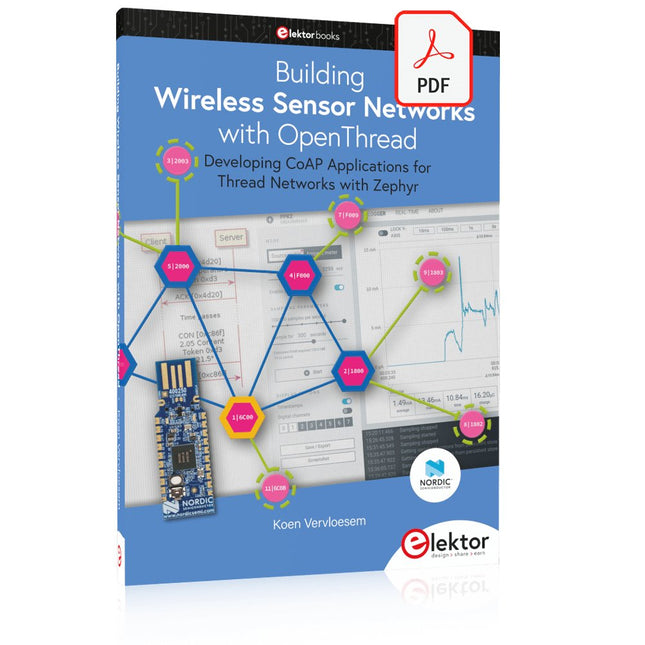
Elektor Digital Building Wireless Sensor Networks with OpenThread (E-book)
Developing CoAP applications for Thread networks with Zephyr This book will guide you through the operation of Thread, the setup of a Thread network, and the creation of your own Zephyr-based OpenThread applications to use it. You’ll acquire knowledge on: The capture of network packets on Thread networks using Wireshark and the nRF Sniffer for 802.15.4. Network simulation with the OpenThread Network Simulator. Connecting a Thread network to a non-Thread network using a Thread Border Router. The basics of Thread networking, including device roles and types, as well as the diverse types of unicast and multicast IPv6 addresses used in a Thread network. The mechanisms behind network discovery, DNS queries, NAT64, and multicast addresses. The process of joining a Thread network using network commissioning. CoAP servers and clients and their OpenThread API. Service registration and discovery. Securing CoAP messages with DTLS, using a pre-shared key or X.509 certificates. Investigating and optimizing a Thread device’s power consumption. Once you‘ve set up a Thread network with some devices and tried connecting and disconnecting them, you’ll have gained a good insight into the functionality of a Thread network, including its self-healing capabilities. After you’ve experimented with all code examples in this book, you’ll also have gained useful programming experience using the OpenThread API and CoAP.
€ 32,95
Membres : € 29,66


