
Résultats de la recherche pour "raspberry pi debug probe"
-

Elektor Bundles Learn Edge AI with Raspberry Pi
Cette offre groupée pratique vous permet de créer de véritables applications d’IA en périphérie avec le Raspberry Pi Raspberry Pi AI HAT+ (13 TOPS) Le Raspberry Pi AI HAT+ est une carte d'extension conçue pour le Raspberry Pi 5, dotée d'un accélérateur Hailo AI intégré. Ce module complémentaire offre une approche rentable, efficace et accessible pour intégrer des capacités d'IA hautes performances, avec des applications couvrant le contrôle des processus, la sécurité, la domotique et la robotique. L'AI HAT+ se connecte via l'interface PCIe Gen3 du Raspberry Pi 5. Lorsque le Raspberry Pi 5 exécute une version actuelle du système d'exploitation Raspberry Pi, il détecte automatiquement l'accélérateur Hailo intégré, rendant l'unité de traitement neuronal (NPU) disponible pour les tâches d'IA. De plus, les applications de caméra rpicam-apps incluses dans Raspberry Pi OS prennent en charge de manière transparente le module AI, en utilisant automatiquement le NPU pour les fonctions de post-traitement compatibles. Raspberry Pi Camera Module 3 Le module Caméra Raspberry Pi 3 est un appareil photo compact de Raspberry Pi. Il est doté d'un capteur IMX708 de 12 mégapixels avec HDR et d'un autofocus à détection de phase. Le Camera Module 3 est disponible en version standard et en version grand angle, toutes deux avec ou sans filtre infrarouge. Le Camera Module 3 peut être utilisé pour prendre des vidéos full HD ainsi que des photos, et dispose d'un mode HDR jusqu'à 3 mégapixels. Son fonctionnement est entièrement pris en charge par la bibliothèque libcamera, y compris la fonction d'autofocus rapide de Camera Module 3 : cela le rend facile à utiliser pour les débutants, tout en offrant beaucoup pour les utilisateurs avancés. Camera Module 3 est compatible avec tous les ordinateurs Raspberry Pi. Livre : Edge AI Made Practical – AI Projects for the Raspberry Pi with the AI HAT+ L'intelligence artificielle embarquée (Edge AI) transforme les appareils du quotidien en intégrant l'intelligence là où elle est la plus utile : directement au cœur du matériel. Grâce à l'inférence embarquée, une caméra peut reconnaître instantanément un visiteur, un téléphone peut traduire la parole sans envoyer l'audio vers le cloud et un objet connecté peut détecter les anomalies en temps réel – rapidement, en toute confidentialité et de manière fiable, même en cas de perte de réseau. Ce livre est votre guide pratique pour construire précisément ce type de systèmes avec le Raspberry Pi AI HAT+ et l'accélérateur Hailo-8L. Vous commencerez par des bases solides : les concepts fondamentaux de l'IA et de l'apprentissage automatique, le fonctionnement des réseaux neuronaux et ce qui distingue véritablement l'Edge AI de l'IA cloud – ainsi qu'une analyse franche des considérations éthiques et des impacts futurs. Cette offre groupée contient : Livre : Edge AI Made Practical Raspberry Pi AI HAT+ (13 TOPS) Raspberry Pi Camera Module 3 Refroidisseur actif pour Raspberry Pi 5 Câble d'écran FPC pour Raspberry Pi 5 (300 mm) Kit de composants Elektor Connecteur GPIO 40 broches Module de feux de signalisation LED rouge 5 V avec résistance intégrée LED jaune 5 V avec résistance intégrée LED verte 5 V avec résistance intégrée LED bleue 5 V avec résistance intégrée Plaque d'essai (400 points de connexion) 10 connecteurs Dupont Câbles (mâle-femelle) Module de capteur DHT22 Servomoteur Requis Raspberry Pi 5
€ 169,95
Meilleur prix
-
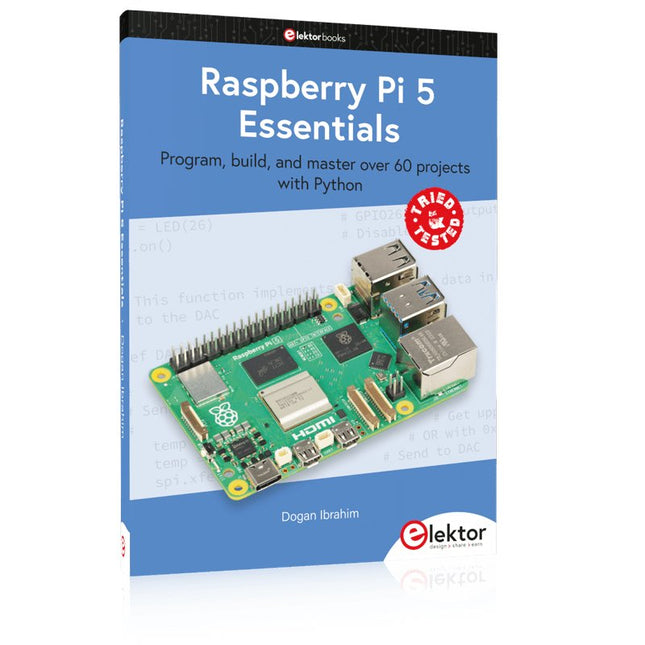
Elektor Publishing Raspberry Pi 5 Essentials
Program, build, and master over 60 projects with Python The Raspberry Pi 5 is the latest single-board computer from the Raspberry Pi Foundation. It can be used in many applications, such as in audio and video media centers, as a desktop computer, in industrial controllers, robotics, and in many domestic and commercial applications. In addition to the well-established features found in other Raspberry Pi computers, the Raspberry Pi 5 offers Wi-Fi and Bluetooth (classic and BLE), which makes it a perfect match for IoT as well as in remote and Internet-based control and monitoring applications. It is now possible to develop many real-time projects such as audio digital signal processing, real-time digital filtering, real-time digital control and monitoring, and many other real-time operations using this tiny powerhouse. The book starts with an introduction to the Raspberry Pi 5 computer and covers the important topics of accessing the computer locally and remotely. Use of the console language commands as well as accessing and using the desktop GUI are described with working examples. The remaining parts of the book cover many Raspberry Pi 5-based hardware projects using components and devices such as LEDs and buzzers LCDs Ultrasonic sensors Temperature and atmospheric pressure sensors The Sense HAT Camera modules Example projects are given using Wi-Fi and Bluetooth modules to send and receive data from smartphones and PCs, and sending real-time temperature and atmospheric pressure data to the cloud. All projects given in the book have been fully tested for correct operation. Only basic programming and electronics experience are required to follow the projects. Brief descriptions, block diagrams, detailed circuit diagrams, and full Python program listings are given for all projects described.
€ 39,95
Membres : € 35,96
-

Elektor Digital PIO-Programmierung mit dem Raspberry Pi Pico (PDF)
Praxisnahe Projekte, Profi-Tricks und eigene Anwendungen Dieses Buch führt Sie Schritt für Schritt in die faszinierende Welt der State Machines ein und zeigt, wie Sie Hardware direkt und effizient ansteuern können – jenseits klassischer CPU-gesteuerter Ansätze. In diesem Buch lernen Sie: LEDs und NeoPixel kreativ steuern: Blinken, Dimmen, Farbwechsel und komplexe Animationen Taster und Encoder zuverlässig auslesen und in Echtzeit in Ihre Projekte integrieren Analoge Eingänge (ADC) nutzen und Signale digital steuern Servos präzise ansteuern und Bewegungsabläufe automatisieren SPI mit PIO umsetzen, um Displays, Sensoren und Module anzusteuern Menüsysteme und Submenüs auf SPI-Displays realisieren, inklusive Navigation über mehrere Taster PWM, Signalgenerierung und Frequenzsteuerung für akustische oder visuelle Effekte Debugging-Strategien und Tipps, um Ihre PIO-Programme effizient zu entwickeln Alle Beispiele sind praxisnah, sofort umsetzbar und zuverlässig. Mit klaren Anleitungen, Hintergrundwissen und fertigen Codebeispielen lernen Sie, die PIO-Fähigkeiten des Pico maximal zu nutzen – egal ob für Maker-Projekte, Prototypen oder professionelle Anwendungen. Erleben Sie, wie Sie komplexe Hardwaresteuerung elegant mit dem Pico realisieren können – schneller, flexibler und leistungsfähiger als je zuvor.
€ 29,80
Membres : € 26,82
-

Elektor Publishing Raspberry Pi Pico W (Book)
Program, build, and master 60+ projects with the Wireless RP2040 The Raspberry Pi Pico and Pico W are based on the fast, efficient, and low-cost dual-core ARM Cortex M0+ RP2040 microcontroller chip running at up to 133 MHz and sporting 264 KB of SRAM and 2 MB of Flash memory. Besides spacious memory, the Pico and Pico W offer many GPIO pins, and popular peripheral interface modules like ADC, SPI, I²C, UART, PWM, timing modules, a hardware debug interface, and an internal temperature sensor. The Raspberry Pi Pico W additionally includes an on-board Infineon CYW43439 Bluetooth and Wi-Fi chipset. At the time of writing this book, the Bluetooth firmware was not yet available. Wi-Fi is however fully supported at 2.4 GHz using the 802.11b/g/n protocols. This book is an introduction to using the Raspberry Pi Pico W in conjunction with the MicroPython programming language. The Thonny development environment (IDE) is used in all of the 60+ working and tested projects covering the following topics: Installing the MicroPython on Raspberry Pi Pico using a Raspberry Pi or a PC Timer interrupts and external interrupts Analogue-to-digital converter (ADC) projects Using the internal temperature sensor and external sensor chips Using the internal temperature sensor and external temperature sensor chips Datalogging projects PWM, UART, I²C, and SPI projects Using Bluetooth, WiFi, and apps to communicate with smartphones Digital-to-analogue converter (DAC) projects All projects are tried & tested. They can be implemented on both the Raspberry Pi Pico and Raspberry Pi Pico W, although the Wi-Fi-based subjects will run on the Pico W only. Basic programming and electronics experience are required to follow the projects. Brief descriptions, block diagrams, detailed circuit diagrams, and full MicroPython program listings are given for all projects.
€ 44,95
Meilleur prix
-
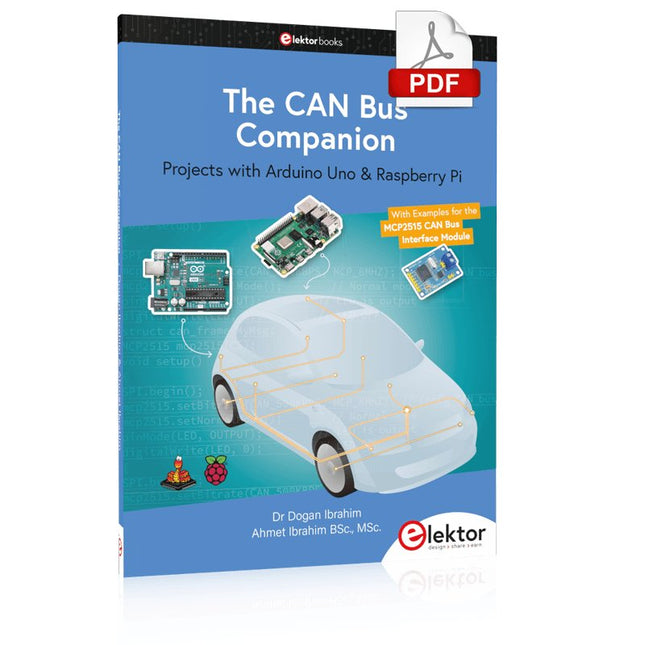
Elektor Digital The CAN Bus Companion (E-book)
Projects with Arduino Uno & Raspberry Pi with Examples for the MCP2515 CAN Bus Interface Module This book details the use of the Arduino Uno and the Raspberry Pi 4 in practical CAN bus based projects. Using either the Arduino Uno or the Raspberry Pi with off-the-shelf CAN bus interface modules considerably ease developing, debugging, and testing CAN bus based projects. This book is written for students, practicing engineers, enthusiasts, and for everyone else wanting to learn more about the CAN bus and its applications. The book assumes that the reader has some knowledge of basic electronics. Knowledge of the C and Python programming languages and programming the Arduino Uno using its IDE and Raspberry Pi will be useful, especially if the reader intends to develop microcontroller-based projects using the CAN bus. The book should be a useful source of reference material for anyone interested in finding answers to questions such as: What bus systems are available for the automotive industry? What are the principles of the CAN bus? How can I create a physical CAN bus? What types of frames (or data packets) are available in a CAN bus system? How can errors be detected in a CAN bus system and how dependable is a CAN bus system? What types of CAN bus controllers exist? How do I use the MCP2515 CAN bus controller? How do I create 2-node Arduino Uno-based CAN bus projects? How do I create 3-node Arduino Uno-based CAN bus projects? How do I set the acceptance masks and acceptance filters? How do I analyze data on the CAN bus? How do I create 2-node Raspberry Pi-based CAN bus projects? How do I create 3-node Raspberry Pi-based CAN bus projects?
€ 32,95
Membres : € 29,66
-

Elektor Digital Raspberry Pi Pico (DE) PDF
Mehr als 50 Grundlagenprojekte mit MicroPython und dem RP2040-Mikrocontroller Der Raspberry Pi Pico ist eine leistungsstarke Mikrocontroller-Platine, die speziell für das Physical Computing – also hardwarenahe Anwendungen – entwickelt wurde. Der Raspberry Pi Pico kann so programmiert werden, dass er eine einzelne Aufgabe sehr effizient ausführt und ermöglicht so schnelle Steuerungs- und Überwachungsanwendungen in Echtzeit. Der 'Pico', wie wir ihn nennen, basiert auf dem schnellen, effizienten und kostengünstigen Dual-Core ARM Cortex-M0+ RP2040 Mikrocontroller-Chip, der mit bis zu 133 MHz läuft und über 264 KB SRAM und 2 MB Flash-Speicher verfügt. Neben dem großen Speicher hat der Pico noch weitere attraktive Eigenschaften, darunter eine große Anzahl von GPIO-Pins sowie gängige Schnittstellen wie ADC, SPI, I²C, UART und PWM. Als Krönung bietet der Chip schnelle und genaue Timer, eine Hardware-Debug-Schnittstelle und einen internen Temperatursensor. Zur Programmierung lassen sich leicht die gängigen Hochsprachen wie MicroPython oder C/C++ verwenden. Dieses Buch ist eine Einführung in die Verwendung des Pico mit der Programmiersprache MicroPython. In allen Projekten wird die Thonny-Entwicklungsumgebung (IDE) eingesetzt. Über 50 Projekte decken folgende Themen ab: Installation von MicroPython auf dem Raspberry Pi Pico Timer-Interrupts und externe Interrupts Projekte mit Analog-Digital-Wandler (ADC) Verwendung des internen sowie externer Temperatursensoren Datenlogger Projekte zur PWM, UART, I²C-Bus und SPI-Bus Wi-Fi und Bluetooth für die Kommunikation mit Smartphones Projekte mit dem Digital-Analog-Wandler (DAC) Alle in diesem Buch vorgestellten Projekte wurden vollständig getestet und sind funktionsfähig. Es werden keine Programmier- oder Elektronikkenntnisse vorausgesetzt, um sie nachzuvollziehen. Für alle beschriebenen Projekte gibt es kurze Beschreibungen, Blockdiagramme, detaillierte Schaltpläne und vollständige MicroPython-Programmlistings. Die Listings sind auch auf der zum Buch gehörenden Elektor-Webseite zu finden.
€ 32,80
Membres : € 29,52
-

Elektor Digital Logic Analyzers in Practice (E-book)
PC USB Logic Analyzers with Arduino, Raspberry Pi, and Co. Step-by-step instructions guide you through the analysis of modern protocols such as I²C, SPI, UART, RS-232, NeoPixel, WS28xx, HD44780 and 1-Wire. With the help of numerous experimental circuits based on the Raspberry Pi Pico, Arduino Uno and the Bus Pirate, you will learn the practical application of popular USB logic analyzers. All the experimental circuits presented in this book have been fully tested and are fully functional. The necessary program listings are included – no special programming or electronics knowledge is required for these circuits. The programming languages used are MicroPython and C along with the development environments Thonny and Arduino IDE. This book uses several models of flexible and widely available USB logic analyzers and shows the strengths and weaknesses of each price range. You will learn about the criteria that matter for your work and be able to find the right device for you. Whether Arduino, Raspberry Pi or Raspberry Pi Pico, the example circuits shown allow you to get started quickly with protocol analysis and can also serve as a basis for your own experiments. After reading this book, you will be familiar with all the important terms and contexts, conduct your own experiments, analyze protocols independently, culminating in a comprehensive knowledge set of digital signals and protocols.
€ 29,95
Membres : € 26,96
-
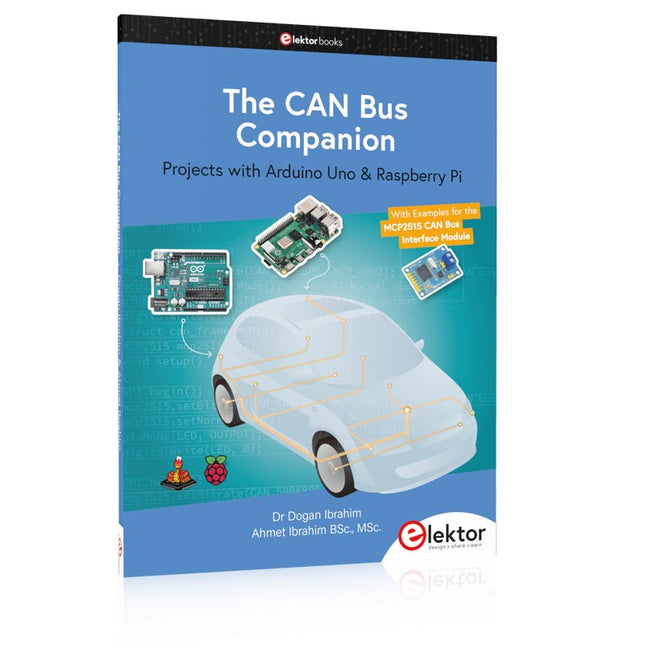
Elektor Publishing The CAN Bus Companion
This book details the use of the Arduino Uno and the Raspberry Pi 4 in practical CAN bus based projects. Using either the Arduino Uno or the Raspberry Pi with off-the-shelf CAN bus interface modules considerably ease developing, debugging, and testing CAN bus based projects. This book is written for students, practicing engineers, enthusiasts, and for everyone else wanting to learn more about the CAN bus and its applications. The book assumes that the reader has some knowledge of basic electronics. Knowledge of the C and Python programming languages and programming the Arduino Uno using its IDE and Raspberry Pi will be useful, especially if the reader intends to develop microcontroller-based projects using the CAN bus. The book should be a useful source of reference material for anyone interested in finding answers to questions such as: What bus systems are available for the automotive industry? What are the principles of the CAN bus? How can I create a physical CAN bus? What types of frames (or data packets) are available in a CAN bus system? How can errors be detected in a CAN bus system and how dependable is a CAN bus system? What types of CAN bus controllers exist? How do I use the MCP2515 CAN bus controller? How do I create 2-node Arduino Uno-based CAN bus projects? How do I create 3-node Arduino Uno-based CAN bus projects? How do I set the acceptance masks and acceptance filters? How do I analyze data on the CAN bus? How do I create 2-node Raspberry Pi-based CAN bus projects? How do I create 3-node Raspberry Pi-based CAN bus projects?
€ 39,95
Membres : € 35,96
-

Elektor Digital Multitask-Programmierung mit dem Raspberry Pi Pico (PDF)
Zeitsteuerung, Scheduler, PIO und Zustandsmaschinen Multitasking ist der Schlüssel zu leistungsfähigen Embedded-Systemen, und zugleich eine der größten Herausforderungen in der Mikrocontroller-Programmierung. Dieses Buch zeigt Ihnen Schritt für Schritt, wie Sie von einem einfachen Ein-Task-Programm zu einem strukturierten, reaktionsfähigen und skalierbaren System gelangen. Dabei steht nicht nur das Wie, sondern vor allem das Warum im Mittelpunkt. Sie lernen: warum scheinbare Parallelität entsteht weshalb blockierende Programme instabil werden wie Aufgaben effizient und kontrolliert parallel ablaufen Ausgehend vom klassischen Superloop vermittelt das Buch moderne Multitasking-Strategien – von nicht-blockierender Programmierung und Tick-Systemen bis zu Task-Schedulern, Zustandsmaschinen und ereignisgesteuerten Konzepten. Der Fokus liegt auf der Praxis: Sensoren, Displays, Kommunikation und reale Anwendungen werden Schritt für Schritt integriert und mit verständlich kommentierten Beispielprogrammen erklärt. Fortgeschrittene Themen umfassen: Multicore-Programmierung mit dem Raspberry Pi Pico asynchrones Programmieren mit uasyncio RTOS-Grundlagen mit FreeRTOS die Kombination aus Multicore und RTOS Dabei werden auch die Grenzen dieser Techniken, insbesondere unter MicroPython, klar aufgezeigt. Das Buch richtet sich an ambitionierte Einsteiger und fortgeschrittene Entwickler, die Embedded-Systeme fundiert verstehen und robuste, wartbare Multitasking-Anwendungen entwickeln möchten.
€ 32,80
Membres : € 29,52
-

Red Pitaya Kit de démarrage Red Pitaya STEMlab 125-14 PRO Gen 2 (avec livre)
Cette offre groupée comprend le kit de démarrage Red Pitaya STEMlab 125-14 PRO Gen 2 et le nouveau livre « Experimenting with Red Pitaya STEMlab Gen 2 ». Le kit de démarrage Red Pitaya STEMlab 125-14 PRO Gen 2 est une plateforme puissante et flexible destinée aux applications de traitement du signal, d'acquisition de données et de mesure électronique. Conçu pour les ingénieurs, les développeurs, les chercheurs et les enseignants, ce kit fournit tout le nécessaire pour commencer à développer des systèmes avancés de mesure et de contrôle. Au cœur du kit se trouve la carte STEMlab 125-14 PRO Gen 2, une version améliorée et ultra-légère. Équipée du SoC Xilinx Zynq-7010 avec 512 Mo de RAM, elle combine la programmabilité d’un FPGA avec la puissance de traitement d’un processeur ARM pour permettre la mise en œuvre d’instruments haute performance et de solutions de traitement de signaux personnalisées. La carte offre une résolution ADC et DAC de 14 bits, un taux d’échantillonnage de 125 MS/s, une plage d’entrée de ±20 V et une bande passante pouvant atteindre 60 MHz. Son frontal analogique à faible bruit amélioré, sa connectivité USB-C et sa conception compacte la rendent adaptée aux applications exigeantes telles que le développement RF, les systèmes radar, la recherche en photonique, la radio logicielle (SDR) et l’automatisation industrielle. Le kit de démarrage comprend tous les accessoires essentiels pour une utilisation immédiate : une carte microSD avec système d’exploitation préinstallé, une alimentation, un câble Ethernet pour l’accès à distance, deux sondes d’oscilloscope de 100 MHz et des adaptateurs SMA-BNC pour des connexions de signaux flexibles. Le kit de démarrage Red Pitaya STEMlab 125-14 PRO Gen 2 constitue une excellente plateforme pour le prototypage rapide, le développement FPGA, l'instrumentation de mesure et l'expérimentation électronique avancée. Caractéristiques Résolution ADC et DAC 14 bits Fréquence d'échantillonnage de 125 MS/s Plage d'entrée de ±20 V Bande passante jusqu'à 60 MHz SoC Xilinx Zynq-7010 (FPGA + processeur ARM) 512 Mo de RAM Frontières analogiques à faible bruit Applications Développement et tests RF Radar et systèmes sans fil Radio logicielle (Software Defined Radio, SDR) Photonique et recherche optique Automatisation industrielle et systèmes de contrôle Analyse et instrumentation du signal Rapide prototypage de systèmes de mesure électroniques Spécifications Processeur Dual core ARM Cortex-A9 FPGA SoC AMD Xilinx Zynq-7010 RAM 512 Mo (4 Go) Stockage Carte microSD (jusqu'à 32 Go) Système d'exploitation Red Pitaya OS basé sur Linux Résolution ADC 14 bits DAC Résolution 14 bits Bande passante 60 MHz (CC) Fréquence d'échantillonnage 125 Méch/s Nombre d'entrées analogiques 2 Nombre de sorties analogiques 2 Plage de tension d'entrée ±1 V (BT) / ±20 V (HT) Impédance d'entrée 1 MΩ / 10 Ω pF Plage de tension de sortie ±1 V Ethernet 1 port Gigabit Ethernet (RJ45) USB 2 ports USB-C 2.0 (alimentation et console) E/S numériques 16 E/S à usage général (3,3 V) Interfaces de communication I²C, SPI, UART, CAN Alimentation 5 V/3 A via USB-C Dimensions 106,8 x 60,0 x 17,9 mm Inclus 1x Carte Red Pitaya STEMlab 125-14 PRO Gen 2 2x Sondes d'oscilloscope 100 MHz 2x Adaptateurs SMA vers BNC 1x Carte microSD avec système d'exploitation préinstallé 1x Alimentation USB-C 1x Câble Ethernet Téléchargements Documentation Schematics Livre : Experimenting with Red Pitaya STEMlab Gen 2 Avec ce nouveau livre, Red Pitaya va bien au-delà d’une simple carte polyvalente. Il devient un puissant instrument de laboratoire pour la mesure, l’analyse et le contrôle de précision. Des bases du développement de projets électroniques, de la surveillance, du contrôle et de la conception jusqu’aux tests, ce livre vous guide pas à pas à travers tout ce que vous devez savoir pour exploiter pleinement le potentiel du matériel et des logiciels Red Pitaya. L’ouvrage présente des projets en temps réel basés sur FPGA, développés sur PC à l’aide de l’environnement Vivado, puis transférés sur Red Pitaya pour exécution et test. Vous découvrirez des performances améliorées, des capacités d’E/S étendues, des fonctionnalités FPGA optimisées ainsi que des options de connectivité avancées, ouvrant de nouvelles perspectives pour la mesure, la surveillance et le contrôle de précision dans vos applications embarquées. Dans ce livre, vous découvrirez : Une analyse approfondie de l’architecture et du design matériel de Red Pitaya Des expériences électroniques utilisant Red Pitaya pour la mesure et la surveillance Des projets pratiques utilisant le langage de programmation Python Des conseils pratiques pour la programmation FPGA avec Red Pitaya Des projets FPGA Red Pitaya utilisant le Verilog HDL sous Vivado IDE La conception pratique de projets électroniques incluant mesure et tests Des exemples pas à pas reliant la théorie à la mise en œuvre réelle Que vous conceviez vos propres circuits électroniques, développiez des outils d’analyse de signaux ou créiez des systèmes de contrôle ou de surveillance en temps réel, ce livre vous apporte les connaissances et la confiance nécessaires pour maîtriser et personnaliser pleinement la plateforme Red Pitaya.
€ 799,00
Meilleur prix
-
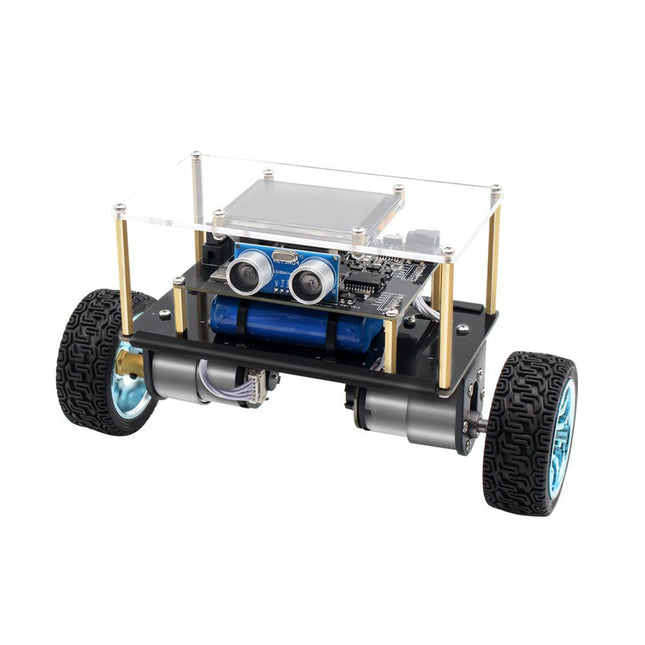
Elektor Labs Elektor Mini-Wheelie Robot auto-équilibrant
Robot à équilibrage sur deux roues compatible Arduino et alimenté par ESP32 L'Elektor Mini-Wheelie est une plateforme robotique expérimentale autonome et auto-équilibrée. Basé sur un microcontrôleur ESP32-S3, le robot auto-équilibré est entièrement programmable à l'aide de l'environnement Arduino et de bibliothèques open source. Ses capacités sans fil lui permettent d'être contrôlé à distance via Wi-Fi, Bluetooth ou ESP-NOW ou de communiquer avec un utilisateur ou même un autre robot. Un transducteur à ultrasons est disponible pour détecter les obstacles. Son écran couleur peut être utilisé pour afficher de jolies expressions faciales ou, pour les utilisateurs les plus terre-à-terre, des messages de débogage énigmatiques. Le robot est livré en kit complet avec des pièces à assembler soi-même. Tout est inclus, même un tournevis. Remarque : Le Mini-Wheelie est une plateforme de développement pédagogique destinée à l'apprentissage, à l'expérimentation et au développement de la robotique. Il n'est pas considéré comme un jouet pour enfants, et ses caractéristiques, sa documentation et le public auquel il s'adresse reflètent cet objectif. Le produit est destiné aux étudiants, aux éducateurs et aux développeurs qui souhaitent explorer la robotique, la programmation et l'intégration de matériel dans un cadre éducatif. Spécifications Microcontrôleur ESP32-S3 avec Wi-Fi et Bluetooth MPU6050 unité de mesure inertielle (IMU) à 6 axes Deux moteurs électriques 12 V à commande indépendante avec tachymètre Transducteur à ultrasons Écran couleur TFT 2,9 pouces (320 x 240) Emplacement pour carte MicroSD Moniteur de puissance de la batterie Batterie Li-Po rechargeable 3S (11,1 V/2200 mAh) Chargeur de batterie inclus Logiciel Open Source basé sur Arduino Dimensions (L x L x H) : 23 x 8 x 13 cm Inclus 1x Carte mère ESP32-S3 + module MPU6050 1x Carte LCD (2,9 pouces) 1x Capteur à ultrasons 1x Batterie (2200 mAh) 1x Chargeur de batterie 1x Kit de pneus moteur 1x Tableau de caisse 1x Tableau acrylique 1x Tournevis 1x Bande de protection 1x Câble flexible B (8 cm) 1x Câble flexible A (12 cm) 1x Câble flexible C 4x Colonnes A en cuivre (25 mm) 4x Colonnes B en cuivre (55 mm) 4x Colonnes C en cuivre (5 mm) 2x Colonnes en plastique et nylon 8x Vis A (10 mm) 24 Vis B (M3x5) 8x Noix 24x Rondelles métalliques 2x Attaches zippées 1x Carte MicroSD (32 Go) Téléchargements Documentation
€ 99,95€ 79,95Meilleur prix
-

Elektor Labs Elektor Sapin de Noël LED 'lumineux'
Kit DIY multilingue (avec 27 LED RGB + Raspberry Pi Pico) Ajoutez une touche d'ingénierie à votre période de Noël avec le sapin de Noël LED « lumineux » d'Elektor. Ce sapin de Noël 3D au design raffiné combine onze circuits imprimés, un Raspberry Pi Pico et 27 LED RVB adressables pour faire briller des messages festifs en sept langues : danois, néerlandais, anglais, français, allemand, italien et espagnol. Contrairement aux sapins LED classiques, chaque mot à l'intérieur du sapin possède sa propre chambre lumineuse, créant un éclairage raffiné et doux, sans son ni scintillement. Les LED sont entièrement compatibles WS2812 et pilotées par la bibliothèque Adafruit NeoPixel, ce qui facilite la création d'animations personnalisées et d'effets de couleur. Idéal pour les makers, les bricoleurs et les passionnés d'électronique festive, ce kit offre à la fois un montage agréable et une décoration originale qui ne manquera pas de susciter la conversation. Le sapin de Noël LED Elektor est le projet de bricolage idéal pour les fêtes ! Caractéristiques Messages d'accueil multilingues (7 langues) gravés sur le panneau avant Construction 3D à partir de 11 circuits imprimés emboîtables Alimenté par Raspberry Pi Pico 27 LED RGB adressables individuellement (pré-montées) Animations d'apparition et de disparition fluides Entièrement programmable avec l'IDE Arduino Une alimentation 5 V (avec connecteur micro-USB) capable de fournir au moins 1 A est recommandée pour une luminosité maximale (non fournie) Dimensions (H x L x P) : 130 x 115 x 75 mm Inclus Toutes les cartes de circuits imprimés nécessaires avec LED et autres composants CMS montés Raspberry Pi Pico (à souder et programmer par l'utilisateur) Connecteur à 3 broches (à souder par l'utilisateur) Support à 3 broches (à souder par l'utilisateur) 4x Tampons en caoutchouc autocollants Page du projet Elektor Labs
€ 59,95€ 49,95Meilleur prix


