
Résultats de la recherche pour "arduino or alvik"
-

UFactory UFactory xArm 7
Ce robot multi-axes équilibre parfaitement puissance et taille. Caractéristiques 6 axes Charge utile : 3,5 kg Portée : 700 mm Répétabilité : 0,1 mm Vitesse maximale 1000 mm/s Applications Entretien des machines Cueillette des bacs Plateforme mobile Automatisation du laboratoire Recherche robotique Des robots collaboratifs durables pour votre automatisation L'entraînement harmonique et les servomoteurs de qualité industrielle garantissent un fonctionnement 24h/24 et 7j/7 sans arrêt. Fabriqué en fibre de carbone, son poids de 15 kg permet un déploiement plus facile. Déploiement flexible avec fonctionnalité sécurisée Enseignement manuel, léger, peu encombrant et facile à redéployer vers plusieurs applications sans modifier votre organisation de production. Parfaitement pour les tâches récurrentes. La détection des collisions est disponible pour tous nos cobots. Votre sécurité est toujours la priorité absolue. Interface graphique pour une programmation conviviale pour les débutants Compatible avec divers systèmes d'exploitation, notamment macOS et Windows. Technologie Web compatible avec tous les principaux navigateurs. Glissez et déposez pour créer votre code en quelques minutes. Un SDK puissant et open source à portée de main Le SDK Python/C++ open source entièrement fonctionnel offre une programmation plus flexible. Les packages ROS/ROS2 sont prêts à l'emploi. Des exemples de codes vous aident à déployer le bras robotique en douceur. Caractéristiques UFactory 850 xArm 5 xArm 6 xArm 7 Charge utile 5 kg 3 kg 5 kg 3,5 kg Atteindre 850 mm 700mm 700mm 700mm Degrés de liberté 6 5 6 7 Répétabilité ±0,02 mm ±0,1mm ±0,1mm ±0,1mm Vitesse maximum 1 m/s 1 m/s 1 m/s 1 m/s Poids (bras du robot uniquement) 20 kg 11,2 kg 12,2 kg 13,7 kg Vitesse maximum 180°/s 180°/s 180°/s 180°/s Articulation 1 ±360° ±360° ±360° ±360° Articulation 2 -132°~132° -118°~120° -118°~120° -118°~120° Articulation 3 -242°~3,5° -225°~11° -225°~11° ±360° Articulation 4 ±360° -97°~180° ±360° -11°~225° Articulation 5 -124°~124° ±360° -97°~180° ±360° Articulation 6 ±360° ±360° -97°~180° Articulation 7 ±360° Matériel Plage de température ambiante 0-50°C Consommation d'énergie Min 8,4 W, typique 200 W, max 400 W Alimentation d'entrée 24 V CC, 16,5 A Empreinte Ø 126 mm Matériaux Aluminium, fibre de carbone Type de connecteur de base M5x5 Salle blanche de classe ISO 5 Montage de robots N'importe lequel Protocole de communication de l'effecteur final Modbus RTU(rs485) E/S de l'effecteur final 2x DI/2x DO/2x AI/1x RS485 Mode de communication Ethernet Inclus 1x bras robotique xArm 5 1x boîtier de commande AC 1x câble d'alimentation du bras robotique 1x câble adaptateur d'effecteur d'extrémité de bras robotique 1x câble de signal pour bras robotique 1x câble d'alimentation du boîtier de commande 1x câble réseau 1x outil de montage 1x Guide de démarrage rapide
€ 14.569,00
Meilleur prix
-

Elektor Digital Elektor 03-04/2025 (PDF) DE
Diese Ausgabe steht allen GOLD- und GREEN-Mitgliedern auf der ElektorMagazine-Website zum Download bereit! Sie sind noch kein Mitglied? Hier klicken! Die Open-Source-Prozessorarchitektur RISC-V16 Boards und MCUs, die Sie kennen sollten Audio-Player mit FPGA und EqualizerTeil 1. Digitale Audiosignale mischen mit einem MKR Vidor 4000 von Arduino Laserkopf für Pico-basierte SanduhrZeichnen mit Licht Nehmen Sie teil am STM32 Edge AI Contest! Umweltüberwachung von Pflanzen mit mehreren SensorenDrahtlose Messung der Wasserversorgung und Lichtverhältnisse Maixduino: Automatischer KI-TüröffnerGesichtserkennung mit einer Kamera Embedded-Elektronik 2024KI wird die Branche neu definieren Ladungsbasiertes In-Memory Compute bei EnCharge AI KI-Inferencing bei 10-fach geringerer Leistungsaufnahme zu 20-fach geringeren Kosten Click-Board hilft bei der Entwicklung und dem Training von ML-Modellen für die Schwingungsanalyse Der Elektor Mini-WheelieEin Bausatz für einen selbstbalancierenden Roboter MCU, ich sehe dich!MCUViewer, ein Open-Source-Multiplattform-Debugging-Werkzeug USB-2.0-IsolatorGeräte galvanisch isoliert per USB verbinden Eingriff vor dem SchadenPredictive Maintenance in der Praxis SPoE - Elektromagnetische VerträglichkeitSingle-Pair mit Power-over-Ethernet im EMV-Fokus Retro-TechnikWie das Farbfernsehen eine neue Welt schuf EKG-MonitorMit Hexabitz-Modulen und einem STM32CubeMonitor Der Kampf um KI at the Edge HaLow erreicht Rekorddistanz von 16 km für WLAN bei 900 MHz Erster CHERI RISC-V-Embedded Chip und Early Access Programm Die dritte Generation der Waldbrandfrüherkennung nutzt Satellitenverbindungen Aus dem Leben gegriffenDie Qual der Wahl Aller Anfang......ist nicht schwer: Wir setzen die Filterung und Klangregelung fort. Riesen-LED-UhrNeuauflage eines Elektor-Klassikers Ein modularer Ansatz für die SensorprüfungDas Sensor Evaluation Board mit ESP32-S3 2025: Eine Odyssee in die KIDer Aufstieg der Basismodelle und ihre Rolle bei der Demokratisierung der KImocratizing AI Standalone MIDI-Synthesizer mit Raspberry PTeil 1: Eine Plattform für Edge-KI-Experimente vorbereiten Projekt 2.0Korrekturen, Updates und Leserbriefe CPU, GPU, DSP, FPGA; ein universeller KI-RISC-V-Prozessor kann alles! CEO-Interview: Ventivas dünne und kühle Technologie Dual-Core-Programmierung beim Raspberry Pi PicoEinstieg in die Welt der parallelen Programmierung
€ 11,90
-
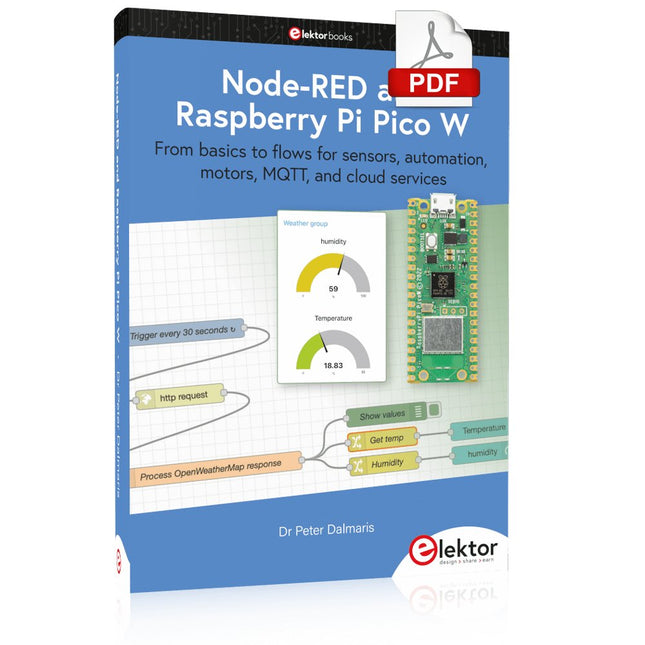
Elektor Digital Node-RED and Raspberry Pi Pico W (E-book)
From basics to flows for sensors, automation, motors, MQTT, and cloud services This book is a learning guide and a reference. Use it to learn Node-RED, Raspberry Pi Pico W, and MicroPython, and add these state-of-the-art tools to your technology toolkit. It will introduce you to virtual machines, Docker, and MySQL in support of IoT projects based on Node-RED and the Raspberry Pi Pico W. This book combines several elements into a platform that powers the development of modern Internet of Things applications. These elements are a flow-based server, a WiFi-enabled microcontroller, a high-level programming language, and a deployment technology. Combining these elements gives you the tools you need to create automation systems at any scale. From home automation to industrial automation, this book will help you get started. Node-RED is an open-source flow-based development tool that makes it easy to wire together devices, APIs, and online services. Drag and drop nodes to create a flowchart that turns on your lights at sunset or sends you an email when a sensor detects movement. Raspberry Pi Pico W is a version of the Raspberry Pi Pico with added 802.11n Wi-Fi capability. It is an ideal device for physical computing tasks and an excellent match to the Node-RED. Quick book facts Project-based learning approach. Assumes no prior knowledge of flow-based programming tools. Learn to use essential infrastructure tools in your projects, such as virtual machines, Docker, MySQL and useful web APIs such as Google Sheets and OpenWeatherMap. Dozens of mini-projects supported by photographs, wiring schematics, and source code. Get these from the book GitHub repository. Step-by-step instructions on everything. All experiments are based on the Raspberry Pi Pico W. A Wi-Fi network is required for all projects. Hardware (including the Raspberry Pi Pico W) is available as a kit. Downloads GitHub
€ 39,95
Membres : € 35,96
-

Elektor Digital Elektor September/October 2021 (PDF)
UNDERSTANDING THE NEURONS IN NEURAL NETWORKS (PART 1)Artificial Neurons EMC PRE-COMPLIANCE TEST FOR YOUR DC-POWERED PROJECT (PART 1)Dual DC LISN ELECTRONIC LOAD FOR DC AND ACUp to 400 V and 10 A (Peak) STARTING OUT IN ELECTRONICSEasier Than Imagined! ...Taking on the Choke! IMAGE PROCESSING WITH THE NVIDIA JETSON NANO (PART 1)The Hardware and Software AN IN-DEPTH LOOK AT MAINS TRANSFORMERSHow Do They Behave When They Are Switched On and Off? YES WE CAN WITH PICAN 3A CAN Bus HAT for the Raspberry Pi 4 BALCONY POWER PLANTDIY Solar Balcony = Speedy Payback! IMAGING AND VIDEO-STREAMING WITH A RASPBERRY PI 4The Raspberry Pi High-Quality Camera in Practice USING DISPLAYS IN RASPBERRY PI PROJECTSSample Chapter: Organic Light Emitting Diode Displays (OLED) HANDS ON THE PARALLAX PROPELLER 2 (PART 4)Sending Strings ELEKTOR @ 60A Look Back at Previous Septembers HOMELAB TOURSIn the Friesian Countryside, Where the Tubes Bloom ... HYBRIDSPeculiar Parts, the series A COMPASS ROSE USING THE GY-271Or Why We Move in Figures of Eight to Calibrate a Sensor FINDING YOUR FOOTPRINTCalculate the Carbon Footprint of Your Electronics ESP32-CONNECTED THERMOSTATKeep Your Wine at the Right Temperature! MAGNETIC LEVITATION THE DIGITAL WAYESP32 Pico Replaces the Analog Comparator ULTIMATE ARDUINO UNO HARDWARE MANUALSample Chapter: Main Microcontroller Bootloader MICROPYTHON FOR THE ESP32 AND FRIENDS (PART 2)Control Matrix Displays Easily MADMACHINE SWIFTIO BOARDModern Language Meets Modern Hardware FROM LIFE’S EXPERIENCEOn-Again, Off-Again Relationship HEXADOKUThe Original Elektorized Sudoku
€ 7,50
-

Elektor Digital Elektor Espressif Guest Edition 2023 (PDF) DE
Diese Ausgabe steht allen GOLD- und GREEN-Mitgliedern auf der ElektorMagazine-Website zum Download bereit! Sie sind noch kein Mitglied? Hier klicken! Beschleunigung der IoT-Innovation Ein WLAN-Bilderrahmen mit farbigem E-Ink-Display Tutorial ESP-LaunchpadVon Null auf Flash in wenigen Minuten ESP32 und ChatGPTAuf dem Weg zu einem selbst-programmierenden System Walkie-Talkie mit ESP-NOWNicht ganz WLAN, nicht ganz Bluetooth, aber... Von der Idee zur Schaltung mit dem ESP32-S3Ein Leitfaden für die Prototypentwicklung mit Espressif-Chips AIoT-Chip-InnovationEin Interview mit Espressif-CEO Teo Swee-Ann ESP32 mit Wokwi simulierenDer virtuelle Zwilling Ihres Projekts Ausprobiert: die ESP32-S3-BOX-3Eine umfassende AIoT-Entwicklungsplattform Mein Elektronik-ArbeitsplatzEinblicke und Tipps von Espressif-Ingenieuren Die ESP-RainMaker-StoryWie wir „Ihre“ IoT-Cloud entwickelten Zusammenbau des Elektor-Kits Cloc 2.0Ein Elektor-Produkt, ausprobiert von Espressif Ausgepackt: der ESP32-P4Die nächste Ära der Mikrocontroller Rust + EmbeddedEin Power-Duo für die Entwicklung Wer sind die Rust-begeisterten Embedded-Entwickler?Wie Espressif Embedded Rust für den ESP32 kultiviert Zeitleiste der SoC-Reihe von Espressif Aufbau einer SPS mit Espressif-LösungenMit den Fähigkeiten und Funktionen des ISOBUS-Protokolls Das ESP32-S3-VGA-BoardBitlunis aufregende Reise in die Produktentwicklung Akustischer Fingerabdruck mit ESP32Songerkennung mit dem Open-Source-Projekt Olaf Zirkularer Weihnachtsbaum 2023Weihnachtszeit, eine High-Tech-Annäherung Für ein einfacheres und komfortableres LebenEin Amateurprojekt basierend auf dem ESP8266-Modul von Espressif Wie man IoT-Apps ohne Software-Expertise erstelltMit der Blynk IoT-Plattform und Espressif-Hardware Erstellung einer intelligenten Benutzeroberfläche auf ESP32 Schnelle und einfache IoT-Entwicklung mit M5Stack Prototyping eines Energiezählers mit ESP32 Ein Distributor für IoT und mehr – mit Mehrwert Tiefe Einblicke: Ein Interview mit Arduino über den Nano ESP32Alessandro Ranellucci und Martino Facchin diskutieren über die Zusammenarbeit mit Expressif IoT-Chip-InnovationenEinblicke von und in Espressif Rationelle MCU-Programmierung dank ESP Privilege Separation Ein Open-Source-Spracherkennungsserver...und die ESP-BOX Das mitdenkende AugeGesichtserkennung und mehr mit ESP32-S3-EYE Knopfzellen-Sender mit ESP32-C2Entwurf und Leistungsbewertung Matter – ein Meilenstein für das Smart HomeSo schalten Sie das IoT-Potenzial von Smart Home frei Tech the Future: Wohin steuert Smart Home IoT?
€ 11,90
-

Elektor Digital Mikrocontroller-Module (PDF)
Grundlagen und Selbstbau Weshalb nicht damit beginnen, Mikrocontroller-Module selbst zu entwickeln, zumindest aber sich in Gedanken mit solchen Aufgaben zu beschäftigen? Wie Mikrocontroller-Module aufgebaut sind und wozu sie verwendet werden, soll in 'Mikrocontroller-Module – Grundlagen und Selbstbau' dargestellt werden. Das vorliegende Buch beleuchtet Mikrocontroller-Module, die vor allem zum Experimentieren, zum Lernen und zum Einarbeiten in die Entwicklung und Programmierung von Embedded Systems gedacht sind. Die Entwurfsgrundsätze, Lösungsvorschläge und Projekte, die in diesem Buch beschrieben werden, sind aus zwei Ideen hervorgegangen: Erstens können neue Entwicklungen zwischen den weit verbreiteten kostengünstigen Mikrocontroller-Modulen und der industriellen Computer- und Steuerungstechnik ihren Platz finden und zweitens ist es eine Herausforderung an sich, solche Module zu entwickeln und einzusetzen. In den ersten sieben Kapiteln dieses Buches werden die technischen Grundlagen diskutiert und anhand eigener Entwicklungen veranschaulicht. Das achte Kapitel gibt einen Überblick über diesen Modulbaukasten. Alle Fotos aus dem Buch können hier vierfarbig heruntergeladen werden.
€ 32,80
Membres : € 29,52
-

Elektor Digital Elektor May/June 2023 (PDF)
Elektor GREEN and GOLD members can download their digital edition here. Not a member yet? Click here. Knowledge for All! Super Servo TesterTest Up to Four Servos Stand-Alone or In-System Analog Signals and MicrocontrollersADCs, DACs, Current Measurement, and More embedded world 2023 Sub-Nyquist Sampling in PracticeReliably Capturing Higher Frequencies Using Subsampling Android Smartphone Here, ESP32 There?Practical Pproject Using the Android Wi-Fi API Active 1-kHz Filter for Distortion MeasurementBetter Measurements Through Optimization of the Measurement Signal Starting Out in Electronics......Multivibrating Cheerfully Further! Err-lectronicsCorrections, Updates and Readers’ Letters The New I3C ProtocolA Worthy Successor to I²C, or Just More Hot Air? BlueRC: IR Remote Control with Smartphone and ESP32Adaptive and Universal Microcontroller Documentation Explained (Part 2)Registers and Block Diagrams Automating Test and MeasurementProgramming Test Equipment to Do What You Want Infographics: Test and Measurement Overvoltage Protection for Safe OperationTransient Protection for Non-Isolated DC/DC Power Modules Wiha Measuring EquipmentReliable Electrical Testers and Meters Automating Testing and Collaborating on Test Results From Life’s ExperienceHigh-Level Electronics Energy LoggerMeasuring and Recording Power Consumption Assembling the 4tronix M.A.R.S. Rover Kit Parking Disk with E-Paper DisplayAn Innovative Digital Replacement eCO₂ Telegram botAir-Quality Measurement with Telegram Notification Behind the Scenes of DIY High-End AudioElektor’s Ton Giesberts Interviewed on the Fine Art of Analog Design HomeLab ToursWork in Progress... RFID Tag Reading and RFID Door LockSample Projects from the Elektor Arduino Experimenting Bundle Oscilloscope Current Probe for RFRF Current Measurements Made Easy Not for the Faint-Hearted: Robot Arm KitWith Raspberry Pi Pico and MicroPython Generative AIWho Made This Anyway? Hexadoku
€ 7,50
-

Elektor Digital Hardware Projects for Raspberry Pi (E-book)
The Raspberry Pi is a $35 credit-card sized computer with many applications, such as in desktop computing, audio and video playback, and as a controller in many industrial, commercial and domestic applications. This book is about the Raspberry Pi computer and its use in control applications. The book explains in simple terms, with examples, how to configure the RPi, how to install and use the Linux operating system, how to write programs using the Python programming language and how to develop hardware based projects. The book starts with an introduction to the Raspberry Pi computer and covers the topics of purchasing all the necessary equipment and installing/using the Linux operating system in command mode. Use of the user-friendly graphical desktop operating environment is explained using example applications. The RPi network interface is explained in simple steps and demonstrates how the computer can be accessed remotely from a desktop or a laptop computer. The remaining parts of the book cover the Python programming language, hardware development tools, hardware interface details, and RPi based hardware projects. All the 23 projects given in the book have been tested and are working. The following headings are given for each project: Project title Project description Project block diagram Project circuit diagram Project program description using the Program Description Language (PDL) Complete program listing Description of the program The book is ideal for self-study, and is intended for electronic/electrical engineering students, practising engineers, research students, and hobbyists.
€ 34,95
Membres : € 31,46
-
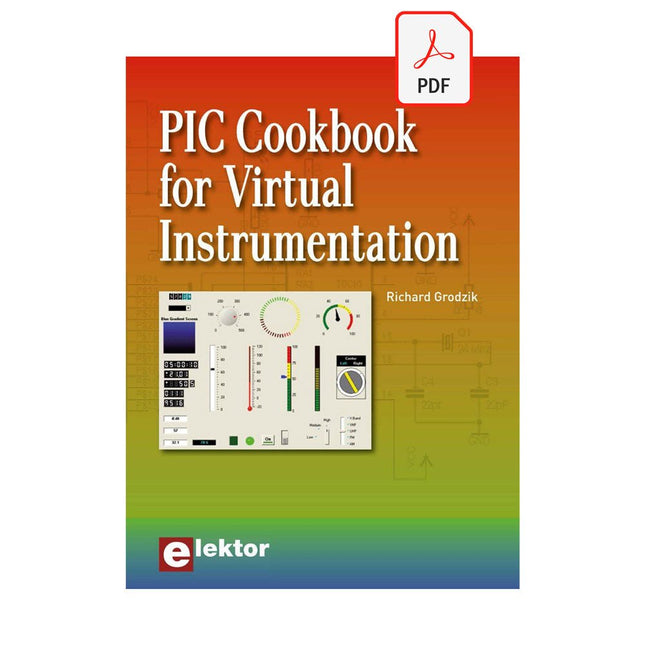
Elektor Digital PIC Cookbook for Virtual Instrumentation (E-book)
The software simulation of gauges, control-knobs, meters and indicators which behave just like real hardware components on a PC’s screen is known as virtual instrumentation. In this book, the Delphi program is used to create these mimics and PIC based external sensors are connected via a USB/RS232 converter communication link to a PC. Detailed case studies in this Book include a virtual compass displayed on the PC’s screen, a virtual digital storage oscilloscope, virtual -50 to +125 degree C thermometer, and FFT sound analyser, a joystick mouse and many examples detailing virtual instrumentation Delphi components. Arizona’s embedded microcontrollers – the PIC's are used in the projects and include PIC16F84A, PIC16C71, DSPIC30F6012A, PIC16F877, PIC12F629 and the PIC16F887. Much use is made of Microchip’s 44 pin development board (a virtual instrument ‘engine)’, equipped with a PIC16F887 with an onboard potentiometer in conjunction with the PIC’s ADC to simulate the generation of a variable voltage from a sensor/transducer, a UART to enable PC RS232 communications and a bank of 8 LED's to monitor received data is also equipped with an ISP connector to which the ‘PICKIT 2’ programmer may easily be connected. Full source code examples are provided both for several different PIC’s, both in assembler and C, together with the Pascal code for the Delphi programs which use different 3rd party Delphi virtual components.
€ 19,95
Membres : € 17,96
-

Elektor Digital Elektor Maart/April 2026 (PDF) NL
Elektor GREEN en GOLD leden kunnen deze uitgave hier downloaden. Nog geen lid? Klik hier om een lidmaatschap af te sluiten. PIO programmeren op de Raspberry Pi PicoNegen instructies, veel mogelijkheden AI buiten de browser brengenAI-CLI's gebruiken voor het coderen, compileren en valideren van embedded projecten De Scrutiny DebuggerDebuggen, visualiseren en testen van code in Embedded C/C++ Sigfox breakout board (1)Een zelfgebouwde radio BoB Low-Noise voeding (2)Constructie, montage en praktische implementatie Eenvoudige signaalgenerator met de RP2040Analoge en digitale signalen voor ongeveer €10 De toekomst van slimme huizen verkennen met Matter en Edge AIBieden de nieuwste updates van Matter en de opkomst van Edge AI technici eindelijk de tools om de intelligente, slimme huizen te bouwen die gebruikers zijn beloofd? Differentiële druksensorenVoorspellend onderhoud in HVAC-systemen Security by designTechnische basisprincipes beperken storingen Embedded security is niet langer optioneel CRA en PQC herzien prioriteiten voor embedded securityWaarom zelfs kleine IoT- en industriële bedrijven een upgradeplan nodig hebben embedded world 2026Een interview met Benedikt Weyerer, Executive Director embedded world Praktijkervaring met I3CGebruik van hardware van ST en Microchip Het BLEnky-projectSnelle prototyping voor Bluetooth Low Energy toepassingen Pulsbreedtemodulatievan een eenvoudige aan/uit-thermostaat naar een rimpelloos DC-signaal AudiotronicaOorstrelende elektronica voor zelfbouw Uit het leven gegrepenRead the f...ing manual! ESP32 audio transceiver board (Deel 4)Afstemmen van de kloksignalen en een bekabelde versie 2026: An AI OdysseyDe kater van Vibe-Coding in 2025 Symmetrische DC-belastingStatische of dynamische en symmetrische gelijkstroombelasting Gezichten tellen met MaixCAMEen eenvoudige methode om de omvang van het publiek vast te leggen
€ 9,95
-

Elektor Digital PIC Microcontollers Programmeren (E-book)
Met behulp van de lessen in dit boek leert u hoe u zelf een microcontroller kunt programmeren. We maken daarbij gebruik van JAL, een gratis maar uiterst krachtige programmeertaal voor PIC microcontrollers, die in de hobbywereld erg populair is. We starten aan het absolute begin, en bouwen vandaar de kennis op. U heeft dus geen voorkennis nodig: iedereen kan met dit boek aan de slag. Wanneer u alle lessen volgt (dat wil zeggen: de oefeningen ook daadwerkelijk maakt) dan kunt u wanneer u het boek uit heeft zelf PIC microcontroller programma’s schrijven, en programma’s van anderen lezen. JAL opdrachten U leert de functie van JAL opdrachten zoals include, pin, delay, forever loop, while loop, case, exit loop, repeat until, if then, en het gebruik van functies, procedures en timer- en poortinterrupts. JAL programma’s U laat een LED knipperen, maakt een tijdschakelaar, meet de stand van een potmeter, maakt geluiden, voorkomt contactdender en regelt de helderheid van een LED. En uiteraard leert u debuggen: hoe u in uw programma’s fouten kunt vinden en oplossen. Hardware U leert verschillende onderdelen zoals PIC microcontroller, potmeter en kristal herkennen, en hoe u een PIC microcontroller aan moet sluiten en met uw PC moet verbinden. U maakt hierbij gebruik van een steekbord zodat u de opstelling gemakkelijk kunt aanpassen om verder te experimenteren.
€ 29,95
Membres : € 26,96
-

Elektor Digital Microprocessor Design Using Verilog HDL (E-book)
If you have the right tools, designing a microprocessor shouldn’t be complicated. The Verilog hardware description language (HDL) is one such tool. It can enable you to depict, simulate, and synthesize an electronic design, and thus increase your productivity by reducing the overall workload associated with a given project.Monte Dalrymple’s Microprocessor Design Using Verilog HDL is a practical guide to processor design in the real world. It presents the Verilog HDL in a straightforward fashion and serves as a detailed introduction to reducing the computer architecture and as an instruction set to practice. You’re led through the microprocessor design process from start to finish, and essential topics ranging from writing in Verilog to debugging and testing are laid bare.The book details the following, and more: Verilog HDL Review: data types, bit widths/labeling, operations, statements, and design hierarchy Verilog Coding Style: files vs. modules, indentation, and design organization Design Work: instruction set architecture, external bus interface, and machine cycle Microarchitecture: design spreadsheet and essential worksheets (e.g., Operation, Instruction Code, and Next State) Writing in Verilog: choosing encoding, assigning states in a state machine, and files (e.g., defines.v, hierarchy.v, machine.v) Debugging, Verification, and Testing: debugging requirements, verification requirements, testing requirements, and the test bench Post Simulation: enhancements and reduction to practice Monte Dalrymple received a BSEE (with highest honors) and an MSEE from the University of California at Berkeley, where he was elected to Phi Beta Kappa. Monte started his career at Zilog, where he designed a number of successful products, including the Serial Communication Controller (SCC) family and the Universal Serial Controller (USC) family. He was also the architect and lead designer of the Z380 microprocessor. Monte started his own company, Systemyde International Corp., in 1995, and has been doing contract design work ever since. He designed all five generations of Rabbit microprocessors, a Z180 clone that is flying on the Juno mission to Jupiter, and a Z8000 clone that flies in a commercial avionics air data computer. Monte holds 16 patents as well as both amateur and commercial radio licenses. Monte wrote 10 articles for Circuit Cellar magazine between 1996 and 2010. He recently completed a side project to replace the CPU in an HP-41C calculator with a modern FPGA-based version.
€ 29,95
Membres : € 26,96


