Design IoT Projects with Raspberry Pi, Arduino and ESP32 The Internet of Things (IoT) is becoming a major application area for embedded systems. As a result, more and more people are becoming interested in learning about embedded design and programming. Technical colleges and universities are moving away from legacy 8 and 16-bit microcontrollers and are introducing 32-bit embedded microcontrollers to their curriculums. Many IoT applications demand precision, high processing power, and low power consumption. Produced by IBM, Node-RED is an open-source visual editor for wiring the Internet of Things. Node-RED comes with a large number of nodes to handle a multitude of tasks. The required nodes are selected and joined together to perform a particular task. Node-RED is based on flow type programming where nodes are configured and joined together to form an application program. There are nodes for performing complex tasks, including web access, Twitter, E-mail, HTTP, Bluetooth, MQTT, controlling GPIO ports, etc. One particularly nice aspect of Node-RED is that the programmer does not need to learn how to write complex programs. For example, an email can be sent by simply joining nodes together and writing only a few lines of code. The aim of this book is to teach how Node-RED can be used in projects. The main hardware platform used with most of the projects in this book is Raspberry Pi 4. Chapters are included to show how Node-RED can be also be used with Arduino Uno, ESP32 DevKitC, and the ESP8266 NodeMCU microcontroller development boards.
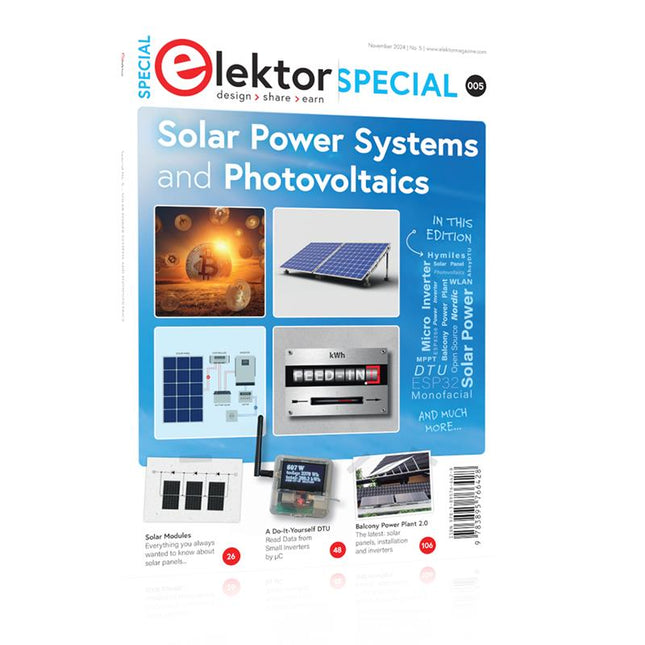
As demand for solar panel installation has risen sharply, especially for installations larger than balcony power plants, the order books of solar companies are full. If you ask for a quote today, you may have to wait a while, if your request isn't simply postponed indefinitely. Another consequence of the solar boom is that some companies are charging very high prices for installations.
Yet there is an obvious and radical solution to the problem of excessive prices: Do it yourself, as the English say. The price of materials is currently affordable, and it's the ideal time for those who do the work themselves. They couldn't save more. Add to this the satisfaction of doing something useful, both economically and ecologically, and the pleasure of building yourself.
In this special issue, you'll find a wide selection of Elektor assemblies, from solar panel controllers to solar water heaters and solar panel orientation systems. The issue also contains practical information on solar panel installation and the technology behind them. Finally, there are a number of articles on the subject of balcony power plants, from how to install them to how to connect them to the Internet...
Contents
BASICS
Dimensioning Photovoltaic Panel ArraysAn introduction to photovoltaic energy and the commonest techniques,followed by simplified calculation models and setup guidelines.
Light Sensor TechnologyMeasuring daylight using LEDs.
Solar Power Made SimpleSolar charging with and without a controller.
Cable Cross-sections and Energy Losses in Solar SystemsKey considerations on the minimum values to respect for electricalcurrent in solar panel cabling.
Solar ModulesEverything you always wanted to know about solar panels...
Ideal Diode ControllerDiode Circuits with Low Power Dissipation.
TIPS
Tracking for Solar Modules
zBot Solar/Battery Power Supply
Solar Cell Array Charger with Regulator
Solar Cell Voltage Regulator
Solar-Powered Night Light
Alternative Solar Battery Charger
PROJECTS
Energy LoggerMeasuring and Recording Power Consumption.
Tiny Solar SupplySunlight In, 3.3 V Out.
A Do-It-Yourself DTURead Data from Small Inverters by μC.
Solar ChargerPortable energy for people on the move.
Solar Thermal Energy RegulatorMaximum power point tracking explored.
2-amp Maximum Power Tracking ChargerSolar Power To The Max.
Computer-driven HeliostatFollow the sun or the stars.
Garden LightingUsing solar cells.
Solar Panel Voltage Converter for IoT DevicesYes we CAN exploit indoor lighting.
Travel ChargerFree power in the mountains.
Solar Cell Battery Charger/MonitorWith protection against deep discharge.
Solar-powered Battery ChargerPIC12C671 avoids overcharging and deep charging.
Converters for Photovoltaic PanelsContributed by TME (Transfer MultisortElektronik).
Solar Charging RegulatorFor panels up to 53 watts.
Solar-Powered ChargerFor lead-acid batteries.
CAN Bus + Arduino for Solar PV Cell MonitoringDetect and locate serviceable panels in large arrays.
Balcony Power Plant 2.0The latest: solar panels, installation and inverters
With Examples for Raspberry Pi Pico and ESP32
Creating and programming small electronic systems is now easier than ever before. With inexpensive development boards and modern software tools, anyone curious about embedded design can quickly move from an idea to a working piece of hardware. At the heart of this change is MicroPython—a clear, interactive, and beginner-friendly way to program microcontrollers while still remaining closely connected to the underlying electronics.
This book introduces embedded programming through MicroPython on popular platforms such as the Raspberry Pi Pico and the ESP32. You will discover how to use microcontrollers for reading inputs, processing data, and controlling outputs in a predictable, real-time loop. With just a few lines of code, you can blink LEDs, read sensors, drive motors, and communicate with the outside world. The interactive REPL programming interface encourages experimentation and fast learning, making concepts tangible from the very first chapter.
While different boards offer different capabilities, they all share the same core principles. Timers, GPIO, analog I/O, PWM, interrupts, and communication interfaces form the foundation of every embedded system.
By focusing on these universal building blocks, this book helps you build skills that transfer across platforms and scale naturally toward more advanced development. Whether you are a beginner or an experienced programmer entering embedded systems, you will find that working with MicroPython is both practical and genuinely enjoyable.
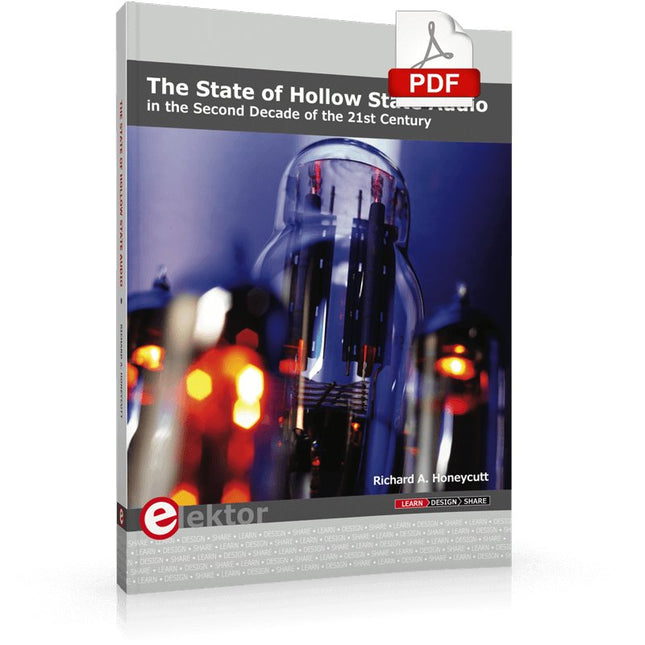
The State of Hollow State Audio in the Second Decade of the 21st Century
Vacuum-tube (or valve, depending upon which side of the pond you live on) technology spawned the Age of Electronics early in the 20th Century. Until the advent of solid-state electronics near mid-century, hollow-state devices were the only choice. But following the invention of the transistor (after their process fell to reasonable levels), within a couple of decades, the death of vacuum tubes was widely heralded. Yet here we are some five decades later, and hollow-state equipment is enjoying something of a comeback, especially in the music and high-end audio industries.
Many issues surround hollow-state audio:
Does it produce—as some claim—better sound? If so, is there science to back up these claims?
How do hollow-state circuits work?
How do you design hollow-state audio circuits?
If hollow-state equipment fails, how do you go about troubleshooting and repairing it?
Can we recreate some of the classic hollow-state audio devices for modern listening rooms and recording studios?
How can we intelligently modify hollow-state amplifiers to our taste?
These and other topics are covered in The State of Hollow State Audio.
Hands-on in more than 50 projects
STM32 Nucleo family of processors are manufactured by STMicroelectronics. These are low-cost ARM microcontroller development boards. This book is about developing projects using the popular STM32CubeIDE software with the Nucleo-L476RG development board. In the early Chapters of the book the architecture of the Nucleo family is briefly described.
The book covers many projects using most features of the Nucleo-L476RG development board where the full software listings for the STM32CubeIDE are given for each project together with extensive descriptions. The projects range from simple flashing LEDs to more complex projects using modules, devices, and libraries such as GPIO, ADC, DAC, I²C, SPI, LCD, DMA, analogue inputs, power management, X-CUBE-MEMS1 library, DEBUGGING, and others. In addition, several projects are given using the popular Nucleo Expansion Boards. These Expansion Boards plug on top of the Nucleo development boards and provide sensors, relays, accelerometers, gyroscopes, Wi-Fi, and many others. Using an expansion board together with the X-CUBE-MEMS1 library simplifies the task of project development considerably.
All the projects in the book have been tested and are working. The following sub-headings are given for each project: Project Title, Description, Aim, Block Diagram, Circuit Diagram, and Program Listing for the STM32CubeIDE.
In this book you will learn about
STM32 microcontroller architecture;
the Nucleo-L476RG development board in projects using the STM32CubeIDE integrated software development tool;
external and internal interrupts and DMA;
DEBUG, a program developed using the STM32CubeIDE;
the MCU in Sleep, Stop, and in Standby modes;
Nucleo Expansion Boards with the Nucleo development boards.
What you need
a PC with Internet connection and a USB port;
STM32CubeIDE software (available at STMicroelectronics website free of charge)
the project source files, available from the book’s webpage hosted by Elektor;
Nucleo-L476RG development board;
simple electronic devices such as LEDs, temperature sensor, I²C and SPI chips, and a few more;
Nucleo Expansion Boards (optional).
Dispositif de communication LoRa haute performance
L'Elecrow ThinkNode M5 est un dispositif de communication LoRa compact et portable, conçu pour la messagerie hors réseau, le partage de position et une utilisation en extérieur. Équipé d'un processeur ESP32-S3 et d'une puce LoRa SX1262, il est livré avec le micrologiciel Meshtastic préinstallé et se configure aisément via Bluetooth grâce à l'application officielle Meshtastic.
Son module multi-GNSS intégré prend en charge les systèmes GPS, GLONASS, BeiDou et QZSS pour assurer une localisation et un partage de position fiables. Les messages et les informations de l'appareil s'affichent sur un écran e-paper de 1,54 pouce économe en énergie, tandis que la batterie rechargeable intégrée de 1200 mAh permet une utilisation mobile prolongée.
Grâce à son antenne LoRa intégrée, son boîtier compact, son horloge temps réel (RTC) et sa compatibilité avec les micrologiciels Meshtastic et MeshCore, le ThinkNode M5 constitue une solution de communication pratique pour la randonnée, le camping, les zones isolées et les situations d'urgence où les réseaux mobiles conventionnels sont indisponibles.
Caractéristiques
Communication LoRa
Positionnement multi-GNSS
Batterie rechargeable de 1200 mAh
Écran à encre électronique de 1,54 pouce
Horloge en temps réel (RTC) intégrée
Compatible avec MeshCore
Compatible avec Meshtastic
Spécifications
Processeur principal (ESP32-S3)
CPU/SoC
Processeur double cœur Xtensa LX7 32 bits, cadencé jusqu'à 240 MHz
Mémoire système
512 Ko de SRAM, 8 Mo de PSRAM
Stockage
4 Mo de Flash, 384 Ko de ROM
Firmware
Entièrement compatible avec le firmware Meshtastic ; transmission du signal en mode LoRa
EPD (Écran à encre électronique)
Taille de l'écran
EPD de 1,54 pouce (écran à encre monochrome)
Technologie d'affichage
E-Ink (encre électronique)
Résolution
200 x 200
Contrôleur
SSD1681 (via interface SPI ou I²C)
Temps de rafraîchissement global
2 s
Communication sans fil
Bluetooth
Bluetooth Low Energy et Bluetooth 5.0 (configuration via smartphone)
LoRa
Module LoRa SX1262, bande EU 868 MHz (antenne externe)
Matériel
Interfaces
USB-C, RP-SMA
Fonctions
Localisation GPS (GPS, GLONASS, BeiDou, QZSS), affichage EPD, RTC, USB 2.0, gestion de l'alimentation PMU (batterie au lithium intégrée de 1200 mAh), buzzer, etc.
Boutons
Commutateur rotatif, bouton de fonction, bouton de changement de page, interrupteur GPS, bouton de réinitialisation
Indicateur LED
Alimentation, Indication GPS/LoRa
Autres
Alimentation
5 V/1 A, prise en charge de l'alimentation par USB ou batterie au lithium
Consommation électrique
Le courant de fonctionnement maximal est d'environ 340 mA (CPU + module LoRa) ; la consommation en mode basse consommation est d'environ 34 µA
Température de fonctionnement
-10 à 50°C
Température de stockage
-20 à 60°C
Humidité relative
10 à 95% à 40°C (sans condensation)
Boîtier
Plastique ABS
Dimensions
82 x 51,6 x 26,3 mm
Poids
81 g
Inclus
1x Elecrow ThinkNode M5
1x Antenne LoRa
1x Câble USB-C
1x Manuel
Téléchargements
Manual
Praktische Anwendungen und Projekte mit Arduino, ESP32 und RP2040
Tauchen Sie ein in die faszinierende Welt der Regelungstechnik mit Arduino und ESP32! Dieses Buch bietet Ihnen einen praxisnahen Einstieg in die klassischen und modernen Methoden der Regelung, darunter PID-Regler, Fuzzy-Logik und Sliding-Mode-Regler.
Im ersten Teil lernen Sie die Grundlagen der beliebten Arduino-Controller, wie den Arduino Uno und den ESP32, sowie die Integration von Sensoren für Temperatur- und pH-Messung (NTC, PT100, PT1000, pH-Sensor). Sie erfahren, wie diese Sensoren in verschiedenen Projekten eingesetzt werden und wie Sie Daten auf einem Nextion TFT-Display visualisieren.
Weiter geht es mit der Einführung in Stellglieder wie MOSFET-Schalter, H-Brücken und Solid-State-Relais, die zur Steuerung von Motoren und Aktoren verwendet werden. Sie lernen, Regelstrecken zu analysieren und zu modellieren, einschließlich PT1- und PT2-Regelungen.
Der Schwerpunkt des Buches liegt auf der Implementierung von Fuzzy- und PID-Reglern zur Regelung von Temperatur und DC-Motoren. Dabei werden sowohl der Arduino Uno als auch der ESP32 eingesetzt. Zudem wird der Sliding-Mode-Regler vorgestellt.
Im vorletzten Kapitel erkunden Sie die Grundlagen neuronaler Netze und lernen, wie maschinelles Lernen auf einem Arduino eingesetzt werden kann. Im letzten Kapitel gibt es noch ein praktisches Beispiel für einen Fuzzy-Regler zur Stromeinspeisung ins Hausnetz.
Dieses Buch ist die perfekte Wahl für Ingenieure, Studierende und Elektroniker, die ihre Projekte mit innovativen Regelungstechniken erweitern möchten.
Cours complet sur le microcontrôleur ESP32, comprenant une carte d’extension MCU spécialement conçue, des projets pratiques et un guide en ligne complet – idéal pour apprendre le matériel, la programmation et la connectivité étape par étape.
Introduction pratique aux systèmes embarqués avec l'ESP32
Ce cours est conçu pour les débutants en systèmes embarqués qui recherchent une approche structurée et concrète pour se lancer. Si vous avez déjà exploré l'électronique générale ou les ressources basées sur Arduino, mais que vous les avez trouvées trop générales ou manquant de conseils pratiques, ce cours offre une alternative plus ciblée.
Grâce au kit « ESP32 by Example » (EEK) – un ensemble de composants compacts et abordables comprenant des LED, des capteurs, un écran OLED et un processeur de mouvement – vous travaillerez avec une configuration matérielle cohérente tout au long du cours. Une fois assemblé, l'EEK reste quasiment inchangé, ce qui vous permet de vous concentrer sur l'apprentissage et l'expérimentation sans reconfiguration constante.
Sujets abordés :
Comprendre et programmer le microcontrôleur ESP32
Écrire et déployer du code avec l’IDE Arduino
Explorer les systèmes cyberphysiques, jusqu’au pilotage de drones de base
Aucune expérience préalable avec Arduino ou le développement embarqué n’est requise. Chaque section propose des exemples pratiques et des mini-projets conçus pour consolider les concepts clés et encourager une exploration plus approfondie. À la fin de ce cours, vous serez capable non seulement de reproduire les exemples du livre, mais aussi de les enrichir avec vos propres idées et applications.
Que vous soyez intéressé par la programmation embarquée, les systèmes interactifs ou le pilotage de drones, ce cours vous offre une approche claire et pratique pour débuter.
Ce que vous apprendrez ?
Programmation embarquée avec l'ESP32 à l'aide de l'IDE Arduino
Acquisition et contrôle en temps réel des données de capteurs via boutons, LED et écrans
Interaction gestuelle grâce au capteur de mouvement MPU6050
Intégration d'une manette de jeu Bluetooth et simulation de contrôle de drone
Réseaux Wi-Fi et UDP, serveurs web locaux et NTP
Communication MQTT avec des plateformes cloud telles qu'AWS et Arduino IoT
Comment concevoir et déployer des systèmes IoT complets
Idéal pour
Étudiants et autodidactes explorant les systèmes embarqués
Créateurs et passionnés d'IoT souhaitant perfectionner leurs compétences en matériel
Enseignants et formateurs à la recherche de ressources pédagogiques prêtes à l'emploi
Développeurs souhaitant aller au-delà des bases de Raspberry Pi ou Arduino
Une assistance en cas de besoin
Accès aux formateurs via Elektor Academy
Forums communautaires utiles et documentation essentielle
Que contient la boîte (cours) ?
Nouveau livre de 384 pages : « ESP32 by Example » (valeur : 45 €)
Kit Elektor ESP32 by Example (EEK) : Carte d’extension pour microcontrôleur avec 6 LED et 6 boutons intégrés + écran OLED, module accéléromètre et gyroscope 3 axes MPU6050 (valeur : 40 €)
Carte Adafruit HUZZAH32 – ESP32 Feather MCU (valeur : 30 €)
Carte ESP32 Cheap Yellow Display (valeur : 25 €)
Capteur d’humidité et de température DHT11
Plaque d'essai
Câbles de connexion
Câble USB-C
Accès au cours complet sur la plateforme d'apprentissage Elektor Academy Pro
Vidéos pédagogiques
Fichiers de projet Arduino téléchargeables pour chaque module
Matériel pédagogique (de cette boîte/ce cours)
▶ Cliquez ici pour ouvrir
Module 1 – Getting Started with the ESP32 & EEK
Module 2 – Digital Output – LEDs and GPIO
Module 3 – Switches and Input Handling
Module 4 – EEK and PWM
Module 5 – OLED and Display Output
Module 6 – Motion Sensing with the MPU6050
Module 7 – Capstone Project (EEK in Action)
Module 8 – WiFi and Web Control with ESP32
Module 9 – Cloud Concepts using EEK
Module 10 – Hands-on: Arduino IoT Cloud and EEK
Module 11 – BlueTooth and EEK GamePad Integration
Module 12 – Why Drones?
Module 13 – Drone Simulator Concepts
Module 14 – Simple Drone Flight Control
Module 15 – Real-Time Drone Flight Control
Module 16 – Drone Control Mini-Projects
Module 17 – Middleware and Python Scripting
Module 18 – Python Applications for Drone Control
Module 19 – Capstone EEK Control Project and Presentation
À propos de l'auteur
Jim Solderitsch est un enseignant, architecte logiciel, développeur de systèmes et chercheur en cybersécurité spécialisé dans les systèmes cyberphysiques. Il est actuellement professeur associé en sciences informatiques à l'Villanova University en Pennsylvanie.
Qu'est-ce qu'Elektor Academy Pro ?
Elektor Academy Pro propose des solutions d’apprentissage spécialisées, conçues pour les professionnels, les équipes d’ingénieurs et les experts techniques du secteur de l’électronique et des systèmes embarqués. Elle permet aux individus et aux organisations d’approfondir leurs connaissances pratiques, de perfectionner leurs compétences et de garder une longueur d’avance grâce à des ressources de haute qualité et des outils de formation concrets.
Des projets réels aux formations animées par des spécialistes, en passant par des analyses techniques approfondies, Elektor donne aux ingénieurs les moyens de relever les défis actuels du secteur. Notre offre de formation inclut des livres Academy, des coffrets Pro, des webinaires, des conférences et des magazines B2B spécialisés – tous conçus pour favoriser le développement professionnel.
Que vous soyez ingénieur, expert R&D ou décideur technique, Elektor Academy Pro fait le lien entre la théorie et la pratique, vous aide à maîtriser les technologies émergentes et à faire progresser l’innovation dans votre entreprise.
Whatever the methods or even then financial means you have to make your circuits work, the power supply should rank high if not Number One in your considerations. The design block simply called “power supply” is hugely underrated both in electronics creation and repair. Yet, the “PSU” has enormous diversity and comes in wildly differing guises like AC/DC, generator, battery (rechargeable or not), PV panel, benchtop, linear or switch-mode, to mention but a few. The output ranges are also staggering like nano-amps to kiloamps and the same for voltages.This special covers the features and design aspects of power supplies.ContentsBasics
Battery ManagementWhat to be aware of when using (Lithium) batteries.
Fixed-Voltage Power Supply using Linear RegulatorsThe best result right after batteries.
Light Energy HarvestingA small solar panel is used in an energy harvesting project to manage and charge four AAA cells.
Mains Powered Adapter DesignBasic circuits and tips for transformers, rectification, filtering and stabilization.
LM317 Soft StartThe high inrush current pulse should be avoided.
Controllable RectifiersSome suggestions to keep the power loss in the linear regulator as low as possible.
Components
Worksheet: The LM117 / LM217 / LM317 Voltage Regulators
SupercapsLow voltage but lots of current… or not?
Reviews
JOY-iT RD6006 Benchtop Power Supply Kit
Siglent SDL1020X Programmable DC Electronic Load
Projects
Balcony Power PlantDIY solar balcony = speedy payback!
DIY LiPo Supercharger KitFrom handcrafted to mass market
Dual-Anode MOSFET ThyristorFaster and less wasteful than the old SCR
Battery JuicerDo not throw away, squeeze!
High-Voltage Power Supply with Curve TracerGenerate voltages up to 400 V and trace characteristics curves for valves and transistors
High Voltage Supply for RIAAFor RIAA tube preamps and other applications.
MicroSupplyA lab power supply for connected devices
Phantom Power Supply using Switched CapacitorsVoltage tripler using three ICs
The SMPS800RE Switch-Mode Supply for the Elektor Fortissimo-100Reliable, light and affordable
Soft Start for PSUBe nice to your power supply – and its load
UniLab 20-30 V, 3 A compact switch-mode lab power supply
Tips
Soft Start for Step-Down Switching Regulators
Low Loss Current Limit
Powerbank Surprise
A Virtual Ground
Battery Maintainer
Battery Pack Discharger
Connecting Voltage Regulators in Parallel
Programming and Projects for the Minima and WiFi
Based on the low-cost 8-bit ATmega328P processor, the Arduino Uno R3 board is likely to score as the most popular Arduino family member, and this workhorse has been with us for many years. Eleven years later, the long-overdue successor, the Arduino Uno R4, was released. It is built around a 48 MHz, 32-bit Arm Cortex-M4 microcontroller and provides significantly expanded SRAM and Flash memory. Additionally, a higher-precision ADC and a new DAC are added to the design. The Uno R4 board also supports the CAN Bus with an interface.
Two versions of the board are available: Uno R4 Minima, and Uno R4 WiFi. This book is about using these new boards to develop many different and interesting projects with just a handful of parts and external modules. All projects described in the book have been fully tested on the Uno R4 Minima or the Uno R4 WiFi board, as appropriate.
The project topics include the reading, control, and driving of many components and modules in the kit as well as on the relevant Uno R4 board, including
LEDs
7-segment displays (using timer interrupts)
LCDs
Sensors
RFID Reader
4x4 Keypad
Real-time clock (RTC)
Joystick
8×8 LED matrix
Motors
DAC (Digital-to-analog converter)
LED matrix
WiFi connectivity
Serial UART
CAN bus
Infrared controller and receiver
Simulators
… all in creative and educational ways with the project operation and associated software explained in great detail.
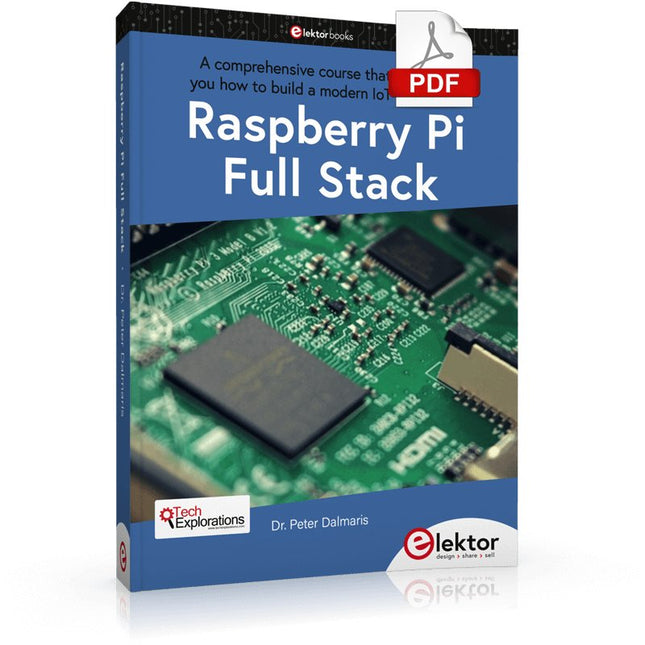
Ce livre vous emmène dans une visite éclair du développement d'applications Web full-stack à l'aide de Raspberry Pi. Vous apprendrez à créer une application à partir de zéro.
Vous acquerrez de l'expérience et des connaissances sur les technologies, notamment :
Le système d'exploitation Linux et la ligne de commande.
Le langage de programmation Python.
Les broches d'entrée-sortie à usage général (GPIO) du Raspberry Pi.
Le serveur Web Nginx.
Micro-framework Flask Python pour les applications Web.
JQuery et CSS pour créer des interfaces utilisateur.
Gérer les fuseaux horaires.
Création de graphiques avec Plotly et Google Charts.
Enregistrement des données avec Google Sheet.
Développement d'applets avec IFTTT.
Sécuriser votre application avec SSL.
Recevez des messages texte sur votre téléphone avec Twilio.
Ce livre vous apprend également comment configurer à distance un nœud de capteur Arduino sans fil et en collecter des données. Votre application Web Raspberry Pi sera capable de traiter les données du nœud Arduino de la même manière qu'elle traite les données de son capteur intégré.
Raspberry Pi Full Stack vous enseigne de nombreuses compétences essentielles à la création d'applications Web et Internet des objets.
L'application que vous construirez dans ce projet est une plate-forme sur laquelle vous pourrez vous développer. Ce n'est que le début de ce que vous pouvez faire avec un Raspberry Pi et les composants logiciels et matériels que vous apprendrez.
Ce livre est soutenu par l'auteur à travers un espace de discussion dédié.
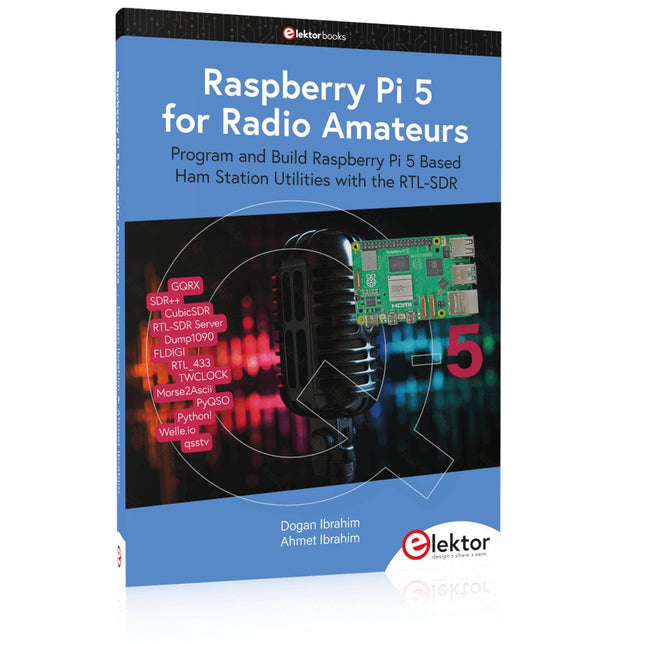
Program and Build Raspberry Pi 5 Based Ham Station Utilities with the RTL-SDR
The RTL-SDR devices (V3 and V4) have gained popularity among radio amateurs because of their very low cost and rich features. A basic system may consist of a USB based RTL-SDR device (dongle) with a suitable antenna, a Raspberry Pi 5 computer, a USB based external audio input-output adapter, and software installed on the Raspberry Pi 5 computer. With such a modest setup, it is possible to receive signals from around 24 MHz to over 1.7 GHz.
This book is aimed at amateur radio enthusiasts and electronic engineering students, as well as at anyone interested in learning to use the Raspberry Pi 5 to build electronic projects. The book is suitable for both beginners through experienced readers. Some knowledge of the Python programming language is required to understand and eventually modify the projects given in the book. A block diagram, a circuit diagram, and a complete Python program listing is given for each project, alongside a comprehensive description.
The following popular RTL-SDR programs are discussed in detail, aided by step-by-step installation guides for practical use on a Raspberry Pi 5:
SimpleFM
GQRX
SDR++
CubicSDR
RTL-SDR Server
Dump1090
FLDIGI
Quick
RTL_433
aldo
xcwcp
GPredict
TWCLOCK
CQRLOG
klog
Morse2Ascii
PyQSO
Welle.io
Ham Clock
CHIRP
xastir
qsstv
flrig
XyGrib
FreeDV
Qtel (EchoLink)
XDX (DX-Cluster)
WSJT-X
The application of the Python programming language on the latest Raspberry Pi 5 platform precludes the use of the programs in the book from working on older versions of Raspberry Pi computers.