DRIVING MOTORS WITH H-BRIDGESAn Introduction to DC, Stepper, and Brushless Motors
THE ELEKTOR LAB TEAMOur Approach, Preferred Tools, and More
RASPBERRY PI AS A KVM REMOTE CONTROLPi-KVM Software Test
IQAUDIO CODEC ZEROA Sound Card for the Raspberry Pi Family
THE PIKVM PROJECT AND LESSONS LEARNEDInterview with Maxim Devaev (Developer, PiKVM)
AUTONOMOUS VEHICLE WITH 2D LIDARESP32 Pico Interprets Data from the Lidar Module THE RASPBERRY PI ZERO 2 W GOES QUAD-CORE NOTES FROM THE 2021 WORLD ETHICAL ELECTRONICS FORUM
MOTOR CONTROLHow the Complexity of Motor Control Is Simplified
LARGE ELECTRIC MOTORSBasic Principles and Useful Information GETTING STARTED WITH THE ESP32-C3 RISC-V MCU
PROTECT YOURSELF AND OTHERS!DIY Master Power Switch for the Lab Bench
CREATE GUIS WITH PYTHON (PART 2)Spy name chooser
PRODUCTRONICA FAST FORWARD 2021 WINNERSExciting Technologies and Creative Engineering Solutions
VERSATILE SERVO TESTERCheck Behavior When There’s No Datasheet
MODBUS OVER WLAN (PART 2)Software for the Modbus TCP WLAN Module
UNDERSTANDING THE NEURONS IN NEURAL NETWORKS (PART 3)Practical Neurons
INSIDE AN OPEN-SOURCE PROCESSORSample Chapter: Lattice and Xilinx FPGA Results
STARTING OUT IN ELECTRONICSWe Are Not Yet Done with the Coil
ERR-LECTRONICSCorrections, Updates and Readers’ Letters
COLOR TO SOUNDHow to Read Out a Color Sensor via I2C
BATTLAB-ONEMeasure and Optimize the Battery Life of IoT Devices
SIMPLE EARTH-LEAKAGE TRACERTesting Isolation of Mains Supply
POVERTY AND ELECTRONICSSustainable Development Goal 1
HEXADOKUThe Original Elektorized Sudoku
Practical Applications and Project with Arduino, ESP32, and RP2040
Immerse yourself in the fascinating world of control engineering with Arduino and ESP32! This book offers you a practical introduction to classic and modern control methods, including PID controllers, fuzzy logic, and sliding-mode controllers.
In the first part, you will learn the basics of the popular Arduino controllers, such as the Arduino Uno and the ESP32, as well as the integration of sensors for temperature and pH measurement (NTC, PT100, PT1000, and pH sensor).
You will learn how to use these sensors in various projects and how to visualize data on a Nextion TFT display. The course continues with an introduction to actuators such as MOSFET switches, H-bridges, and solid-state relays, which are used to control motors and actuators. You will learn to analyze and model controlled systems, including PT1 and PT2 control.
The book focuses on the implementation of fuzzy and PID controllers for controlling temperature and DC motors. Both the Arduino Uno and the ESP32 are used. The sliding-mode controller is also introduced.
In the second-to-last chapter, you will explore the basics of neural networks and learn how machine learning can be used on an Arduino. In the last chapter, there is a practical example of a fuzzy controller for feeding electricity into the household grid.
This book is the perfect choice for engineers, students, and electronics engineers who want to expand their projects with innovative control techniques.
Le téléchargement intégral de ce numéro est disponible pour nos membres GOLD et GREEN sur le site Elektor Magazine !
Pas encore membre ? Cliquez ici.
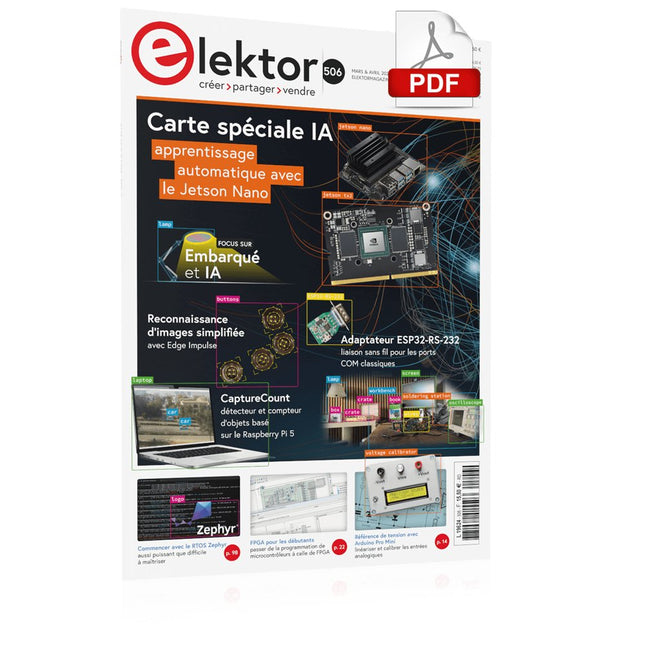
CaptureCountdétecteur et compteur d'objets basé sur le Raspberry Pi 5
référence de tension avec Arduino Pro Minilinéariser et calibrer les entrées analogiques
FPGA pour les débutantsThe Path From MCU to FPGA Programming
mise à jour : STM32 Wireless Innovation Design Contest 2024
Bluetooth LE avec MAUIControl Apps for Android & Co.
carte d'extension de portsaugmentez le nombre d'E/S de votre carte de développement
carte spéciale IAapprentissage automatique avec le Jetson Nano
2024 : l'Odyssée de l'IApremiers essais avec TensorFlow
262 144 façons de jouer au Jeu de la Vieun projet de lecteur en bref
sur le vifle souffle du dragon sur mon cou
faites tourner votre moteur CCSample Projects from the Elektor Motor Control Development Bundle
Adaptateur ESP32-RS-232A Wireless Link for Classic Test Equipment
démarrer en électronique…en savoir plus sur les ampli-op
bibliothèques ESP recommandées
composants piézoélectriques
compteur d'objets intelligentreconnaissance d'images simplifiée avec Edge Impulse
des solutions à vos problèmes de développement de systèmes embarqués les plus délicats
Terminal ESP32un appareil portable avec un écran tactile
commencer avec le RTOS Zephyraussi puissant que difficile à maîtriser
Award-Winning EthicsDialogue avec Alexander Gerfer, Directeur Technique chez Würth Elektronik eiSos sur la promotion du comportement respectueux et innovant
projet 2.0corrections, mises à jour et courrier des lecteurs
Praktische Anwendungen und Projekte mit Arduino, ESP32 und RP2040
Tauchen Sie ein in die faszinierende Welt der Regelungstechnik mit Arduino und ESP32! Dieses Buch bietet Ihnen einen praxisnahen Einstieg in die klassischen und modernen Methoden der Regelung, darunter PID-Regler, Fuzzy-Logik und Sliding-Mode-Regler.
Im ersten Teil lernen Sie die Grundlagen der beliebten Arduino-Controller, wie den Arduino Uno und den ESP32, sowie die Integration von Sensoren für Temperatur- und pH-Messung (NTC, PT100, PT1000, pH-Sensor). Sie erfahren, wie diese Sensoren in verschiedenen Projekten eingesetzt werden und wie Sie Daten auf einem Nextion TFT-Display visualisieren.
Weiter geht es mit der Einführung in Stellglieder wie MOSFET-Schalter, H-Brücken und Solid-State-Relais, die zur Steuerung von Motoren und Aktoren verwendet werden. Sie lernen, Regelstrecken zu analysieren und zu modellieren, einschließlich PT1- und PT2-Regelungen.
Der Schwerpunkt des Buches liegt auf der Implementierung von Fuzzy- und PID-Reglern zur Regelung von Temperatur und DC-Motoren. Dabei werden sowohl der Arduino Uno als auch der ESP32 eingesetzt. Zudem wird der Sliding-Mode-Regler vorgestellt.
Im vorletzten Kapitel erkunden Sie die Grundlagen neuronaler Netze und lernen, wie maschinelles Lernen auf einem Arduino eingesetzt werden kann. Im letzten Kapitel gibt es noch ein praktisches Beispiel für einen Fuzzy-Regler zur Stromeinspeisung ins Hausnetz.
Dieses Buch ist die perfekte Wahl für Ingenieure, Studierende und Elektroniker, die ihre Projekte mit innovativen Regelungstechniken erweitern möchten.
Open-Source-Code mit Arduino IDE und PlatformIO
Autonomes Fahren: GPS, Accelerometer, Gyroskop
PS3-Controller
Mikrocontroller wie der Arduino und Einplatinenrechner wie der Raspberry Pi haben sich zu beliebten Komponenten entwickelt. Dritter im Bunde ist der ESP32 der Firma Espressif. Mikrocontroller dieser Baureihe zeichnen sich durch eine Vielzahl implementierter Funktionen aus, die bei einem Arduino konventioneller Prägung mit einem Atmel-AVR-Mikrocontroller erst mit weiterer Hardware möglich sind. Prominentes Beispiel sind hier die WiFi- und Bluetooth-Funktionalitäten. Gegenüber einem Raspberry Pi zeichnen sie sich durch einen deutlich geringeren Preis aus.
Allgemeine Informationen für die Realisierung eines Roboterauto-Projekts mit dem ESP32 sind leicht zu finden. Dabei handelt es sich aber oft nur um Ausführungen zu einem Teilaspekt, ohne inhaltliche oder funktionale Abstimmung. So ist nicht nur die Beschaffung der benötigten Informationen mühselig und zeitaufwändig, sie kann auch außerordentlich fehlerträchtig sein.
Ansatzpunkt dieses Buches ist, diese Lücke zu schließen. Es geht auf verschiedene Möglichkeiten eines Chassis ein, vermittelt nötige Kenntnisse und führt schrittweise von einer einfachen Motorsteuerung zu einem komplexen sensor- und sprachgesteuerten Roboterauto. Hacks rund um GPS und eine PlayStation 3 runden die Sache ab.
Inhalt
Bei der Reihenfolge der Kapitel wurde versucht – beginnend bei der Darstellung von grundlegenden Informationen – über die Lösung einfacher Aufgaben zu etwas anspruchsvolleren Techniken zu führen.
Der Mikrocontroller ESP32
Die Software erstellen
Die Stromversorgung
Rund um die Hardware
Das Chassis
Der Gleichstrommotor
Kabellose Steuerung über WiFi
Mit Sensoren Hindernisse erkennen
Eine eigene Roboterauto-App
Servo und Lichtsensor
GPS
Accelerometer / Gyroskop
PS3-Controller
Roboterauto-App
Hinweis zur Software
Die Dateien haben das Suffix (.cpp). Grund ist die Entwicklung mit PlatformIO. Mit Copy & Paste sollten sie auch in der Arduino-IDE verwendet werden können.
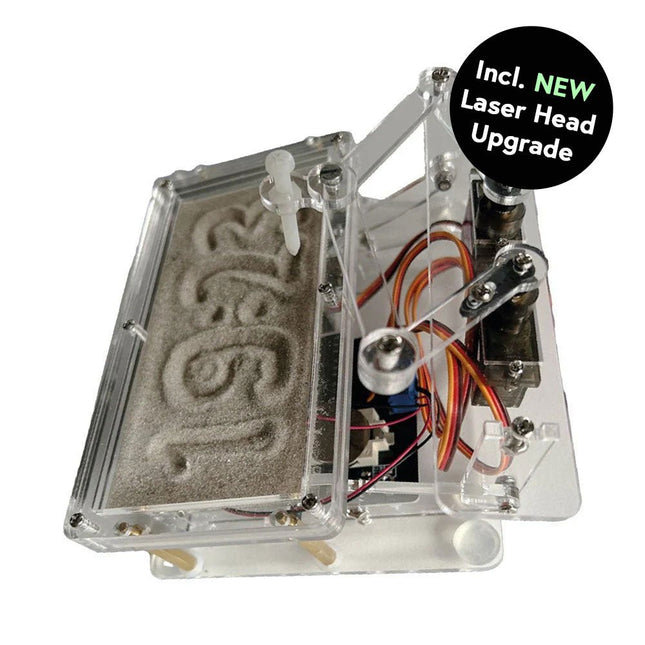
Cette offre groupée contient le populaire horloge de sable Elektor pour Raspberry Pi Pico et la nouvelle upgrade tête laser Elektor, offrant encore plus d'options d'affichage de l'heure. Non seulement vous pouvez « graver » l'heure actuelle dans le sable, mais vous pouvez désormais également l'écrire sur une feuille phosphorescente ou créer des dessins verts.
Contenu de l'offre groupée
Horloge de sable Elektor pour Raspberry Pi Pico (prix normal : 50 €)
Upgrade tête laser Elektor pour horloge de sable (prix normal : 35 €)
Horloge de sable Elektor pour Raspberry Pi Pico (Accroche-regard basé sur le Raspberry Pi)
Une horloge à sable standard ne fait qu'indiquer le temps qui passe. En revanche, cette horloge à sable contrôlée par le Raspberry Pi Pico indique l'heure exacte en 'gravant' les quatre chiffres de l'heure et des minutes dans la couche de sable. Après un temps réglable, le sable est aplati par deux moteurs vibrants et tout recommence.
Au cœur de l'horloge de sable se trouvent deux servomoteurs qui entraînent un stylo dans un mécanisme de pantographe. Un troisième servomoteur soulève le stylo de haut en bas. Le bac à sable est équipé de deux moteurs vibrants qui aplatissent le sable. La partie électronique de l'horloge des sables se compose d'un Raspberry Pi Pico et d'une carte RTC/driver avec une horloge en temps réel, ainsi que des circuits de commande pour les servomoteurs.
Un manuel de construction détaillé peut être téléchargé.
Caractéristiques
Dimensions: 135 x 110 x 80 mm
Temps de construction : environ. 1,5 à 2 heures
Inclus
3x Feuilles acryliques prédécoupées avec toutes les pièces mécaniques
3x Mini servomoteurs
2x moteurs de vibration
1x Raspberry Pi Pico
1x Carte RTC/pilote avec les pièces assemblées
Ecrous, boulons, entretoises et fils pour l'assemblage
Sable blanc à grains fins
Upgrade tête laser Elektor pour horloge de sablee
La nouvelle tête laser Elektor transforme l'horloge de sable dans une horloge qui écrit l'heure sur un film qui brille dans le noir au lieu de sable. En plus d’afficher l’heure, il peut également être utilisé pour créer des dessins éphémères. Le pointeur laser de 5 mW, avec une longueur d'onde de 405 nm, produit des dessins vert vif sur le film qui brille dans le noir. Pour de meilleurs résultats, utilisez le kit dans une pièce faiblement éclairée. Attention : ne regardez jamais directement dans le faisceau laser !
Le kit comprend tous les composants nécessaires, mais la soudure de trois fils est nécessaire.
Remarque : Ce kit est également compatible avec l'horloge de sable d'origine basée sur Arduino de 2017. Pour plus de détails, voir Elektor 1-2/2017 et Elektor 1-2/2018.
Elektor GREEN en GOLD leden kunnen deze uitgave hier downloaden.
Nog geen lid? Klik hier om een lidmaatschap af te sluiten.
CaptureCountobjectdetector en -teller op de Raspberry Pi 5
Spanningsreferentie met Arduino Pro Minilineariseer en kalibreer analoge ingangen
FPGA’s voor beginnersvan MCU naar FPGA-programmering
Update: STM32 Wireless Innovation Design Contest 2024
Bluetooth LE met MAUIbesturingsapps voor Android en co.
Port Expander breakout-boardmeer I/O’s op je development board
AI-specialistmachine learning met de Jetson Nano
2024: een AI-odysseeeen eerste verkenning van TensorFlow
262.144 manieren om Game of Life te spelenlezersproject in het kort
Uit het leven gegrepende Chinese draak
Draaien met die (DC-borstel)motor!voorbeeldprojecten uit de Elektor Motor Control Development Bundle
ESP32/RS-232-adapterdraadloze verbinding voor klassieke meetinstrumenten
Alle begin......gaat verder met de opamp
Aanbevolen ESP-bibliotheken
Piëzo-elektrische componentenvreemde onderdelen
Slimme objecttellereenvoudige beeldherkenning met Edge Impulse
Oplossingen voor de lastigste uitdagingen bij embedded ontwikkeling
ESP32 Terminalhandheld met aanraakscherm
Aan de slag met Zephyr RTOSkrachtig – maar lastig...
Bekroonde ethiekeen vraaggesprek met Alexander Gerfer, CTO van Würth Elektronik eiSos, over het faciliteren van innovatie en bewust gedrag
Project 2.0correcties, updates en brieven van lezers
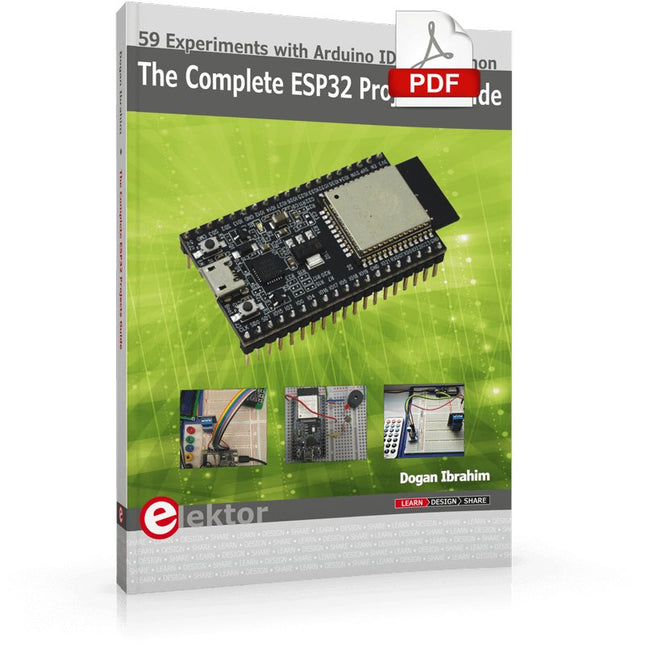
59 Experiments with Arduino IDE and Python
The main aim of this book is to teach the Arduino IDE and MicroPython programming languages in ESP32 based projects, using the highly popular ESP32 DevKitC development board. Many simple, basic, and intermediate level projects are provided in the book using the Arduino IDE with ESP32 DevKitC. All projects have been tested and work. Block diagrams, circuit diagrams, and complete program listings of all projects are given with explanations. In addition, several projects are provided for programming the ESP32 DevKitC using MicroPython. The projects provided in this book are designed to teach the following features of the ESP32 processor:
GPIOs
Touch sensors
External interrupts
Timer interrupts
I²C and I²S
SPI
PWM
ADC
DAC
UART
Hall sensor
Temperature sensor
Infrared controller
Reading and writing to SD card
Reading and writing to flash memory
RTC timer
Chip ID
Security and encryption
Wi-Fi and network programming
Bluetooth BLE programming
Communication mobile devices
Low power design
ESP-IDF programming
The projects have been organized with increasing levels of difficulty. Readers are encouraged to tackle the projects in the order given. A specially prepared hardware kit (SKU 18305) is available from Elektor. With the help of this hardware, it should be easy and fun to build the projects in this book.
Theory, LTspice Simulation, and Hands-On Projects
MOSFETs are essential components in modern electronics, used in switching, amplification, motor control, power conversion, digital logic, and audio circuits. This book offers a practical introduction to MOSFET technology, combining clear explanations with LTspice simulations and hands-on projects.
Starting with semiconductor fundamentals, you will learn how MOSFETs operate, how they compare with BJTs, and how to apply them in real circuits. The book then progresses from basic switching applications to more advanced designs.
You will learn how to:
Understand N-channel and P-channel MOSFET operation
Work with cutoff, triode, and saturation regions
Simulate and analyze circuits using LTspice
Build switching circuits for LEDs, relays, buzzers, sensors, and motors
Create sensor circuits for light, temperature, touch, tilt, reed switches, and PIR motion detection
Control motors and fans using PWM and H-bridge circuits
Design MOSFET small-signal amplifiers
Build astable, Colpitts, Hartley, phase-shift, and Pierce oscillators
Experiment with MOSFET digital logic
Explore buck and boost DC-DC converters
Understand the basics of MOSFET audio power amplifiers
Written for engineers, students, and experienced makers, this book connects theory with simulation and practical construction, giving you the knowledge and experience to design and experiment with MOSFET circuits with confidence.
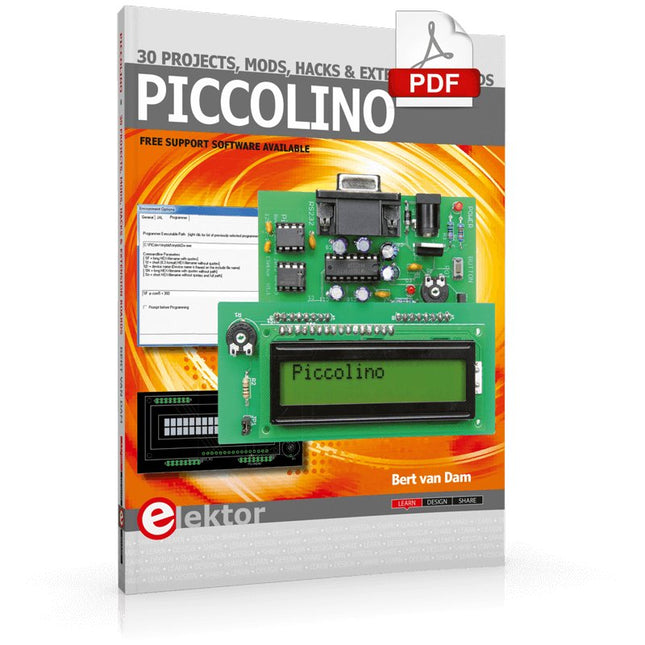
The Piccolino rapid development board can be used to design microcontroller circuits quickly. The Piccolino has a fast 16f887 PIC microcontroller, voltage regulator, and communications module, and can be easily extended using its four headers.
This e-book contains 30 projects based on the Piccolino. We'll use its unique communications facilities and get the Piccolino to communicate with programs on a PC. On the PC, we use the free programming language Small Basic. You can use this to create Windows programs with buttons and graphs quickly. You will learn how to analyze components such as inductors, capacitors, and OPAMPs, and how to display the measurement results in a graphical format. This will help you to design your circuits easily.
We will then start to adapt to the Piccolino. We'll add components to it to make it more powerful, with extra features such as flow control and digital to analog conversion. The clear instructions will enable you to design and build your adaptations. This way you can make your custom designed Piccolino.
We'll end up making an extension: a PCB that that can be mounted on the Piccolino headers. As an example, we'll design and build an extension for an LCD. You can use the included board layout to make your PCB or have it made for you. At the same time, you will learn how to make your extensions. The only limitation is your imagination!
The clear descriptions along with circuit diagrams and photos, will make the building of these projects an enjoyable experience. Each project has a clear explanation of the reasons why it was designed in a particular way. This helps you learn a lot about the Piccolino, as well as Small Basic, and the components that are used in this e-book. You can adapt the projects to suit your requirements or combine several projects.
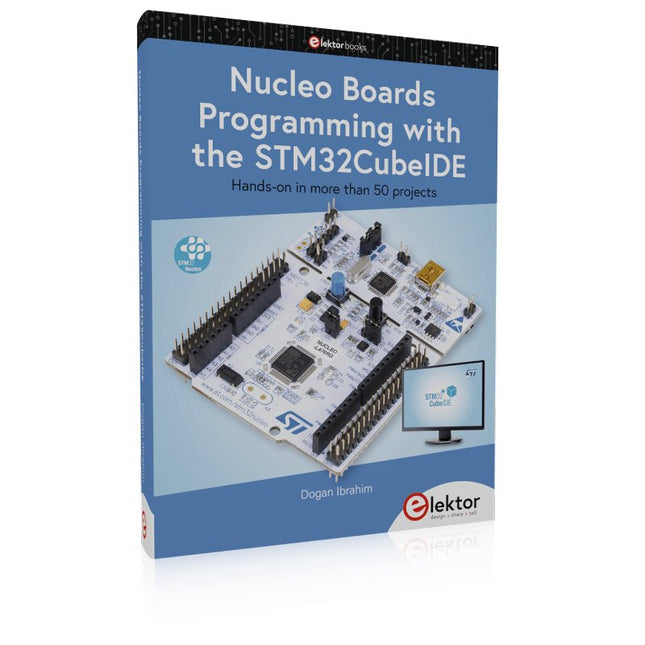
Hands-on in more than 50 projects
STM32 Nucleo family of processors are manufactured by STMicroelectronics. These are low-cost ARM microcontroller development boards. This book is about developing projects using the popular STM32CubeIDE software with the Nucleo-L476RG development board. In the early Chapters of the book the architecture of the Nucleo family is briefly described.
The book covers many projects using most features of the Nucleo-L476RG development board where the full software listings for the STM32CubeIDE are given for each project together with extensive descriptions. The projects range from simple flashing LEDs to more complex projects using modules, devices, and libraries such as GPIO, ADC, DAC, I²C, SPI, LCD, DMA, analogue inputs, power management, X-CUBE-MEMS1 library, DEBUGGING, and others. In addition, several projects are given using the popular Nucleo Expansion Boards. These Expansion Boards plug on top of the Nucleo development boards and provide sensors, relays, accelerometers, gyroscopes, Wi-Fi, and many others. Using an expansion board together with the X-CUBE-MEMS1 library simplifies the task of project development considerably.
All the projects in the book have been tested and are working. The following sub-headings are given for each project: Project Title, Description, Aim, Block Diagram, Circuit Diagram, and Program Listing for the STM32CubeIDE.
In this book you will learn about
STM32 microcontroller architecture;
the Nucleo-L476RG development board in projects using the STM32CubeIDE integrated software development tool;
external and internal interrupts and DMA;
DEBUG, a program developed using the STM32CubeIDE;
the MCU in Sleep, Stop, and in Standby modes;
Nucleo Expansion Boards with the Nucleo development boards.
What you need
a PC with Internet connection and a USB port;
STM32CubeIDE software (available at STMicroelectronics website free of charge)
the project source files, available from the book’s webpage hosted by Elektor;
Nucleo-L476RG development board;
simple electronic devices such as LEDs, temperature sensor, I²C and SPI chips, and a few more;
Nucleo Expansion Boards (optional).
Cette clé USB contient une sélection de plus de 300 articles liés à Arduino publiés dans le magazine Elektor. Le contenu comprend à la fois des articles de fond et des projets sur les sujets suivants :
Développement logiciel et matériel : tutoriels sur le développement logiciel avec l’IDE Arduino, Atmel Studio, les shield, et les concepts essentiels de programmation.
Apprentissage : le Microcontroller Bootcamp propose une approche structurée pour programmer des systèmes embarqués.
Acquisition et mesure de données : projets comme un enregistreur de données 16 bits, un tachymètre pour tour, et un analyseur de réseau électrique pour capturer et analyser des signaux en temps réel.
Communication sans fil : apprenez à mettre en œuvre des réseaux sans fil, créer une interface Android, et communiquer efficacement avec des microcontrôleurs.
Robotique et automatisation : le Arduino Nano Robot Controller, des cartes de support pour l'automatisation, et l'exploration de divers shield Arduino pour enrichir les fonctionnalités.
Projets à construire soi-même : Des projets uniques tels qu’un projecteur laser, une horloge et un thermomètre Numitron, un récepteur TBF, Theremino, et des interfaces LED tactiles mettent en valeur des applications créatives.
Que vous soyez débutant ou expérimenté, cette collection est une ressource précieuse pour apprendre, expérimenter et repousser les limites de la technologie Arduino.