
Résultats de la recherche pour "raspberry or pi or 5 or ultimate or starter or kit or 4 or gb"
-
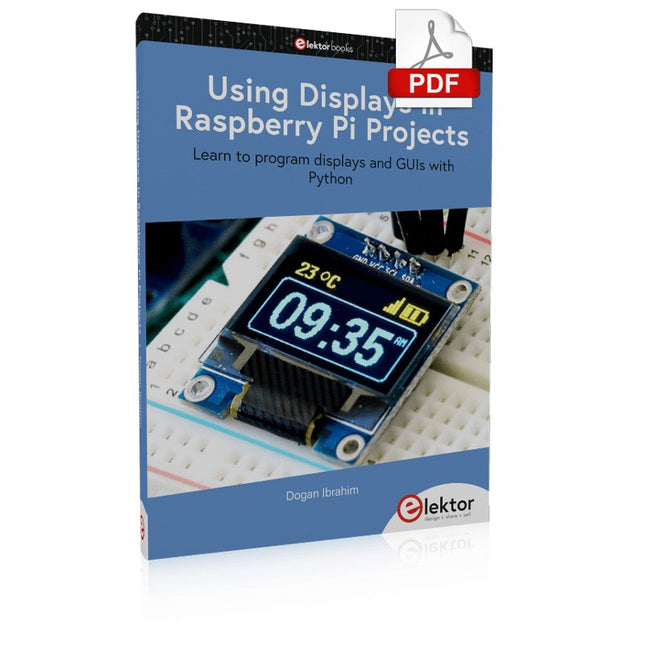
Elektor Digital Using Displays in Raspberry Pi Projects (E-book)
Learn to program displays and GUIs with Python This book is about Raspberry Pi 4 display projects. The book starts by explaining how to install the latest Raspbian operating system on an SD card, and how to configure and use the GPIO ports. The core of the book explains the following topics in simple terms with fully tested and working example projects: Simple LED projects Bar graph LED projects Matrix LED projects Bitmap LED projects LED strips LCDs OLED displays E-paper displays TFT displays 7-inch touch screen GUI Programming with Tkinder One unique feature of this book is that it covers almost all types of display that readers will need to use in their Raspberry Pi based projects. The operation of each project is fully given, including block diagrams, circuit diagrams, and commented full program listings. It is therefore an easy task to convert the given projects to run on other popular platforms, such as Arduino or PIC microcontrollers. Python program listings of all Raspberry Pi projects developed in this book are available for download at Elektor.com. Readers can use these programs in their projects. Alternatively, they can modify the programs to suit their applications.
€ 32,95
Membres : € 29,66
-

Elektor Publishing Das offizielle Raspberry Pi Handbuch
Von den Machern von MagPi, dem offiziellen Raspberry Pi Magazin Starten Sie jetzt mit dem Raspberry Pi 5, dem neuesten und besten Minicomputer von Raspberry Pi – und lernen Sie, mit diesem unglaublichen Computer zu programmieren und Projekte zu erstellen. In diesem Buch finden Sie außerdem jede Menge kreative Ideen und Tipps, die Sie mit dem Raspberry Pi 4, dem Raspberry Pi Zero 2 W und dem Raspberry Pi Pico W umsetzen können. Mit den neuesten Reviews, Tutorials, Projekten, Anleitungen und mehr ist dies Ihre ultimative Ressource für den Raspberry Pi! 228 Seiten über Raspberry Pi Alles, was Sie über den Raspberry Pi 5 wissen müssen Erste Schritte für jeden Raspberry Pi Viel Spaß mit Elektronik und dem Pico W Inspirierende Projekte für Ihre nächste Bauidee Lernen Sie MicroPython, indem Sie ein Handheld bauen Erste Schritte mit dem Raspberry Pi Camera Modul Künstliche Intelligenz: Bauen Sie Ihren eigenen GPT Chatbot
€ 34,80
Meilleur prix
-

Elecrow Elecrow Kit de démarrage AI pour Jetson Orin Nano
Plateforme tout-en-un d'apprentissage et de développement en IA pour l'Edge Intelligence Ce kit de démarrage IA basé sur NVIDIA Jetson est une plateforme polyvalente pour l'apprentissage, le développement et l'expérimentation pratique de l'IA en périphérie (Edge AI). Conçu pour être utilisé avec le NVIDIA Jetson Orin Nano, le kit associe un écran IPS de 11,6 pouces, une caméra motorisée (pan-tilt) de 8 mégapixels et un système d'interaction vocale basé sur l'IA. Il comprend 30 modules fonctionnels et 38 cours Python soigneusement élaborés, allant du niveau débutant au niveau avancé. Le contenu pédagogique couvre les fondamentaux de Python, la technologie des capteurs, la vision par IA et la reconnaissance d'images. Grâce à des exercices pratiques étape par étape — allant de la programmation de base aux applications concrètes de vision par ordinateur — ce kit constitue une plateforme idéale pour les étudiants, les makers, les développeurs et toute personne souhaitant explorer l'intelligence artificielle et l'Edge Computing. Remarque : Le NVIDIA Jetson Orin Nano n'est pas inclus. Caractéristiques Conçu pour le NVIDIA Jetson Orin Nano Module d'interaction vocale par IA Caméra 8 MP avec contrôle panoramique et inclinaison Prend en charge le suivi d'objets et de visages Aucune soudure ni câblage complexe requis Écran IPS intégré de 11,6 pouces 30 modules fonctionnels 38 leçons Python étape par étape Interfaces d'extension I²C, UART et GPIO Mallette de transport incluse Spécifications Processeur principal Jetson Orin Nano Nombre de capteurs 30 Conception de la carte de capteurs Carte de capteurs intégrée ; aucune soudure ni câblage complexe requis Écran Écran IPS de 11,6 pouces Résolution de l'écran 1366 x 768 Caméra IMX219 8 MP Interfaces d'extension 2x I²C, 1x UART, 1x IO D13, 1x IO D12 Environnement de programmation Basé sur Python Nombre de tutoriels 38 tutoriels créatifs Public cible Étudiants, enseignants, passionnés de matériel informatique Scénarios d'application Idéal pour apprendre la programmation d'IA et les bases de la Jetson Orin Nano Dimensions 300 x 200 x 100 mm Liste des modules Module Quantité Capteur de température et d'humidité 1 pièce Bouton-poussoir 4 pièces Capteur de distance à ultrasons 1 pièce Capteur de luminosité 1 pièce Potentiomètre linéaire 1 pièce Buzzer 1 pièce Écran LCD 1 pièce Télécommande infrarouge 1 pièce Relais 1 pièce Module NFC 1 pièce Capteur de mouvement PIR 1 pièce Joystick 1 pièce Afficheur 4 chiffres 1 pièce LED 1 pièce Microphone 1 pièce Haut-parleur 1 paire Moteur vibrant 1 pièce Capteur tactile 1 pièce Matrice RVB 8x8 1 pièce Capteur de pression atmosphérique 1 pièce Capteur d'inclinaison 1 pièce Moteur pas à pas 1 pièce Accéléromètre et gyroscope 1 pièce Capteur de gaz (MQ2) 1 pièce Capteur à effet Hall 1 pièce Encodeur rotatif 1 pièce Commutateur photoélectrique en U 1 pièce Thermistance NTC 1 pièce Servomoteur 2 pièces Caméra monoculaire 1 pièce Inclus 1x Elecrow Kit de démarrage AI pour Jetson Orin Nano 1x Télécommande infrarouge 1x Carte NFC 1x Carte SD 128 Go 1x Câble GPIO 40 broches 2x Câble FPC 22 broches 2x Câble FPC 24 broches 1x Carte adaptateur Jetson DP et USB Non inclus NVIDIA Jetson Orin Nano Téléchargements Manual Wiki OpenClaw Install and Config Guide
€ 249,00
Membres : € 224,10
-
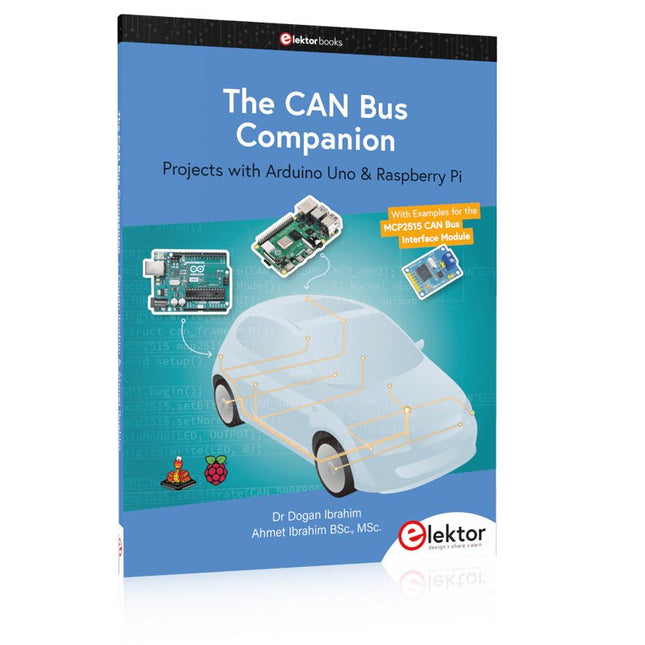
Elektor Publishing The CAN Bus Companion
This book details the use of the Arduino Uno and the Raspberry Pi 4 in practical CAN bus based projects. Using either the Arduino Uno or the Raspberry Pi with off-the-shelf CAN bus interface modules considerably ease developing, debugging, and testing CAN bus based projects. This book is written for students, practicing engineers, enthusiasts, and for everyone else wanting to learn more about the CAN bus and its applications. The book assumes that the reader has some knowledge of basic electronics. Knowledge of the C and Python programming languages and programming the Arduino Uno using its IDE and Raspberry Pi will be useful, especially if the reader intends to develop microcontroller-based projects using the CAN bus. The book should be a useful source of reference material for anyone interested in finding answers to questions such as: What bus systems are available for the automotive industry? What are the principles of the CAN bus? How can I create a physical CAN bus? What types of frames (or data packets) are available in a CAN bus system? How can errors be detected in a CAN bus system and how dependable is a CAN bus system? What types of CAN bus controllers exist? How do I use the MCP2515 CAN bus controller? How do I create 2-node Arduino Uno-based CAN bus projects? How do I create 3-node Arduino Uno-based CAN bus projects? How do I set the acceptance masks and acceptance filters? How do I analyze data on the CAN bus? How do I create 2-node Raspberry Pi-based CAN bus projects? How do I create 3-node Raspberry Pi-based CAN bus projects?
€ 39,95
Membres : € 35,96
-

Elektor Digital Sensoren am Raspberry Pi (PDF)
Dieses Buch richtet sich an jeden, der seinen Raspberry Pi mit dem Windows 10 IoT Core betreiben will. Wie das geht, zeigt der Autor mit dem Entwicklungssystem Visual Studio und Visual Basic als Programmiersprache. Inzwischen gibt es eine große Auswahl an kleinen Sensor-Modulen, die problemlos an den Raspberry Pi angeschlossen werden können – auch wenn sie mitunter für andere Systeme beworben werden, wie etwa für den Arduino. Nicht ohne Grund: Einplatinencomputer sind ohne zusätzliche Peripherie für Elektroniker ziemlich nutzlos. Sie stellen zwar die Rechenleistung und ein Betriebssystem bereit, können aber so gut wie gar nicht mit ihrer Umgebung kommunizieren. Damit ein Computer auch Einfluss auf seine Umwelt nehmen kann, sind Sensoren und Aktoren erforderlich, die von einer Software gesteuert werden, die man selber erstellen kann. Als Einstieg in die Materie wird in diesem Buch auf das auch bei Elektor erhältliche 37 Module umfassende Sensor-Kit zurückgegriffen. In diesem populären Set sind die Sensoren auf einer kleinen Platine montiert und mit Steckverbindern ausgestattet, was den Anschluss via Breadboard oder Drahtbrücken vereinfacht. Mit den auch für Einsteiger einfach anzuwendenden Sensor-Modulen lassen sich schnell erste Erfolge erzielen, ohne dass man groß in die Materie der Elektronik einsteigen muss. Die Funktionsweise und Beschaltung der einzelnen Sensoren wird ausführlich erklärt und ihre Verwendung durch die gut dokumentierten Visual Basic-Beispielprogramme leicht nachvollziehbar gemacht.
€ 29,80
Membres : € 26,82
-

Elektor Digital Raspberry Pi programmeren met C (E-book)
Dit boek gaat over de Raspberry Pi, en over het programmeren in C. De programmeertaal C en het besturingssysteem Linux (Raspbian) passen uitstekend bij elkaar. Alles wat we nodig hebben om in C te programmeren wordt meegeleverd met het besturingssysteem van de Raspberry Pi. In dit boek leert u hoe C gebruikt wordt met de Raspberry Pi, en krijgt u een overzicht van de taal. WiringPi is een softwarebibliotheek voor de Raspberry Pi waarmee C hardware-uitbreidingen kan benaderen. Die bibliotheek wordt gebruikt om sensoren uit te lezen en om extra hardware aan te sturen. U gaat experimenteren met LED’s en schakelaars, met motoren, met geluid en met sensoren voor temperatuur, luchtdruk, en luchtvochtigheid. Met een Linux-systeem kunt u een webserver maken, inclusief interactieve websites met PHP en WiringPi. Daarom is ook een beknopt overzicht van HTML en PHP in het boek opgenomen. In de voorbeelden worden sensoren via het web uitgelezen en worden apparaten bestuurd. In het laatste voorbeeld wordt een temperatuurlogger gemaakt. Die meet elk kwartier de temperatuur. Een tabel met de meetwaarden kan via het web worden uitgelezen. Alle voorbeeldprogramma’s kunnen worden gedownload van de website van Elektor.
€ 29,95
Membres : € 26,96
-
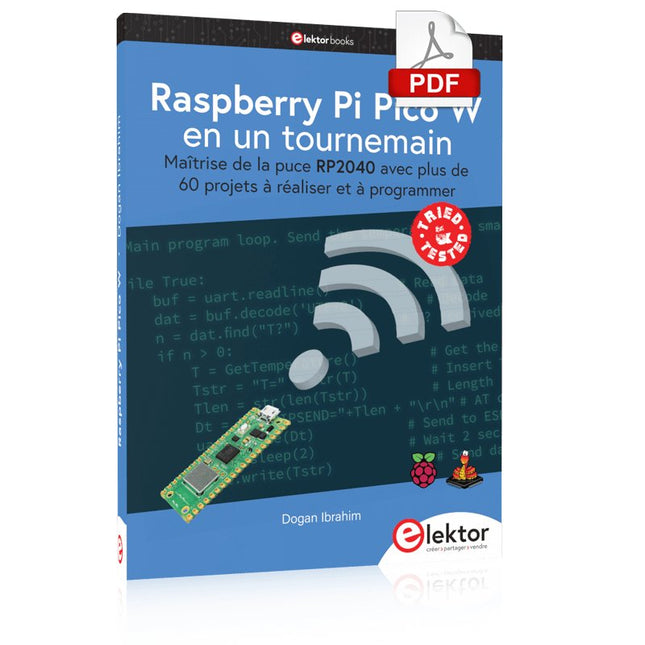
Elektor Digital Raspberry Pi Pico W en un tournemain (PDF)
Maîtrise de la puce RP2040 avec plus de 60 projets à réaliser et à programmer Les cartes Raspberry Pi Pico et Pico W sont animées par un microcontrôleur ARM Cortex M0+ RP2040 à double coeur, rapide, efficace et peu coûteux, qui fonctionne jusqu'à 133 MHz et dispose de 264 Ko de SRAM et de 2 Mo de mémoire Flash. Outre une vaste mémoire, le Pico et le Pico W disposent de nombreuses broches GPIO et d'interfaces telles que CA/N, SPI, I²C, UART, MLI, de fonctions de temporisation, d'une interface de débogage matériel et d'un capteur de température interne. La carte Raspberry Pi Pico W comporte en plus une puce CYW43439 Bluetooth et Wi-Fi d'Infineon. Au moment de la rédaction de ce livre, le micrologiciel Bluetooth pour le Pico W n'était pas encore disponible. Le Wi-Fi à 2,4 GHz est toutefois entièrement pris en charge avec les protocoles 802.11b/g/n. Ce livre est une introduction à l'utilisation du Raspberry Pi Pico W avec le langage de programmation MicroPython. Les quelque soixante projets testés et opérationnels sont présentés à l'aide de l'environnement de développement intégré (EDI) Thonny. Les sujets abordés sont nombreux : Installation de MicroPython sur le Raspberry Pi Pico depuis un PC Interruptions de l'horloge et interruptions externes Convertisseur analogique-numérique (CA/N) Capteurs de température interne et externe Capteurs externes (pression, humidité, pouls, à ultrasons) Enregistrement de données MLI, UART, I²C et SPI Bluetooth, Wi-Fi et applis sur smarphone Convertisseur numérique-analogique (CN/A) Tous les projets ont été testés et éprouvés. Ils peuvent être mis en oeuvre sur le Raspberry Pi Pico ainsi que sur le Raspberry Pi Pico W. Toutefois les projets avec une liaison Wi-Fi ne fonctionnent que sur le Pico W. Une petite expérience en programmation et en électronique est nécessaire pour suivre les projets. De brèves descriptions, des schémas fonctionnels, des schémas détaillés du câblage des montages et des listings MicroPython complets sont fournis pour tous les projets.
€ 34,95
Membres : € 31,46
-
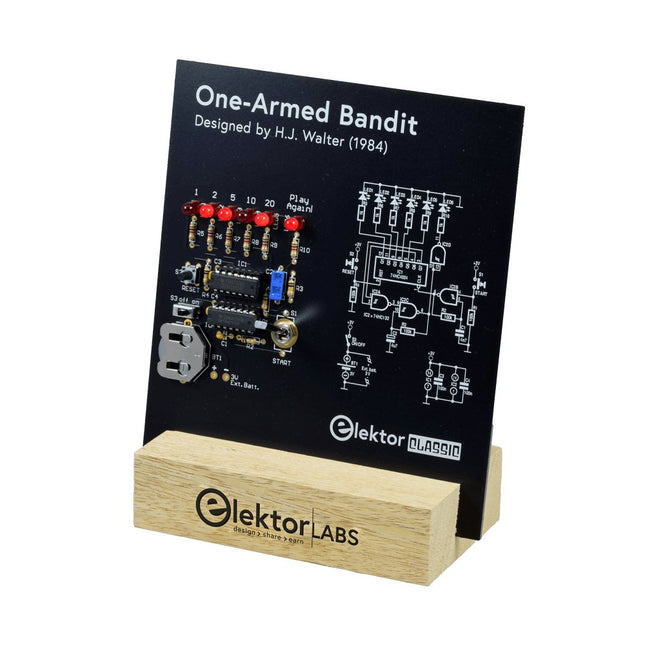
Elektor Labs Bandit Manchot Elektor
Tirez le Levier pour le Score Maximum ! Ce Classique de Circuit Elektor de 1984 présente une application ludique des circuits logiques de la série CMOS 400x en combinaison avec des LEDs, une combinaison très populaire à l'époque. Le projet imite une machine à sous à chiffres tournants. Le Jeu Pour jouer, convenez d'abord du nombre de manches. Le Joueur 1 actionne le levier de l'interrupteur aussi longtemps qu'il le souhaite et le relâche. Les LEDs affichent ensuite le score qui est la somme des chiffres 50-20-10-5 allumés. Si la LED Jouer Encore ! s'allume, le Joueur 1 a une autre manche 'gratuite'. Sinon, c'est au tour du Joueur 2. Les joueurs tiennent compte de leurs scores, et le score le plus élevé l'emporte. Caractéristiques LEDs Indiquent le Score Plusieurs Joueurs et Jouer Encore ! Symboles de Circuit Patrimoine d'Elektor Testé et Approuvé par les Laboratoires Elektor Projet Éducatif et Geek Pièces Montage Traditionnel Seulement Inclus Carte de Circuit Imprimé Tous les Composants Socle en Bois Liste des Composants Résistances (5%, 250 mW) R1,R2,R3,R4 = 100kΩ R5,R6,R7,R8,R9,R10 = 1kΩ Condensateurs C1 = 4.7nF, 10%, 50V, 5mm C2 = 4.7μF, 10%, 63V, axial C3,C4 = 100nF, 10 %, 50V, céramique X7R, 5mm Semi-conducteurs LED1-LED6 = rouge, 5mm (T1 3/4) IC1 = 74HC4024 IC2 = 74HC132 Divers S1 = interrupteur, bascule, levier de 21mm, SPDT, momentané S2 = interrupteur, tactile, 24V, 50mA, 6x6mm S3 = interrupteur, glissière, SPDT IC1,IC2 = support de circuit intégré, DIP14 BT1 = pince de maintien de batterie CR2032 montée sur circuit imprimé Socle de Bureau PCB 230098-1 Non inclus : BT1 = pile bouton CR2032
€ 39,95€ 24,95Meilleur prix
-
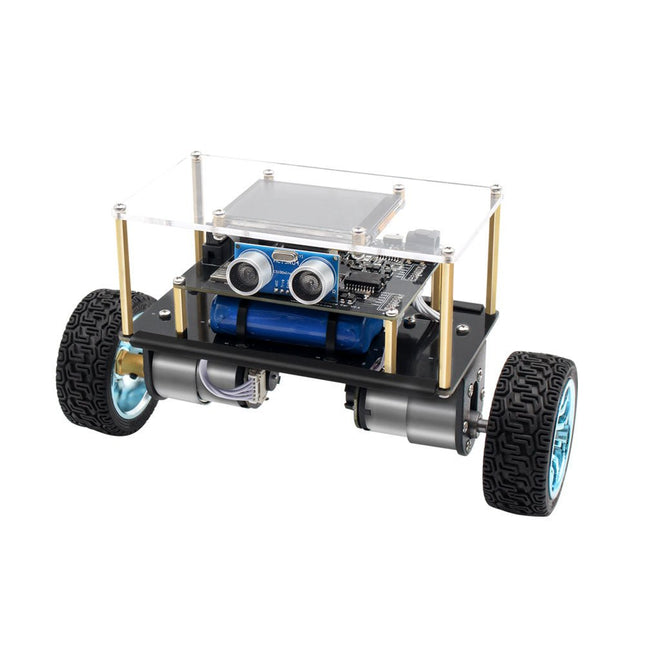
Elektor Labs Elektor Mini-Wheelie Robot auto-équilibrant
Robot à équilibrage sur deux roues compatible Arduino et alimenté par ESP32 L'Elektor Mini-Wheelie est une plateforme robotique expérimentale autonome et auto-équilibrée. Basé sur un microcontrôleur ESP32-S3, le robot auto-équilibré est entièrement programmable à l'aide de l'environnement Arduino et de bibliothèques open source. Ses capacités sans fil lui permettent d'être contrôlé à distance via Wi-Fi, Bluetooth ou ESP-NOW ou de communiquer avec un utilisateur ou même un autre robot. Un transducteur à ultrasons est disponible pour détecter les obstacles. Son écran couleur peut être utilisé pour afficher de jolies expressions faciales ou, pour les utilisateurs les plus terre-à-terre, des messages de débogage énigmatiques. Le robot est livré en kit complet avec des pièces à assembler soi-même. Tout est inclus, même un tournevis. Remarque : Le Mini-Wheelie est une plateforme de développement pédagogique destinée à l'apprentissage, à l'expérimentation et au développement de la robotique. Il n'est pas considéré comme un jouet pour enfants, et ses caractéristiques, sa documentation et le public auquel il s'adresse reflètent cet objectif. Le produit est destiné aux étudiants, aux éducateurs et aux développeurs qui souhaitent explorer la robotique, la programmation et l'intégration de matériel dans un cadre éducatif. Spécifications Microcontrôleur ESP32-S3 avec Wi-Fi et Bluetooth MPU6050 unité de mesure inertielle (IMU) à 6 axes Deux moteurs électriques 12 V à commande indépendante avec tachymètre Transducteur à ultrasons Écran couleur TFT 2,9 pouces (320 x 240) Emplacement pour carte MicroSD Moniteur de puissance de la batterie Batterie Li-Po rechargeable 3S (11,1 V/2200 mAh) Chargeur de batterie inclus Logiciel Open Source basé sur Arduino Dimensions (L x L x H) : 23 x 8 x 13 cm Inclus 1x Carte mère ESP32-S3 + module MPU6050 1x Carte LCD (2,9 pouces) 1x Capteur à ultrasons 1x Batterie (2200 mAh) 1x Chargeur de batterie 1x Kit de pneus moteur 1x Tableau de caisse 1x Tableau acrylique 1x Tournevis 1x Bande de protection 1x Câble flexible B (8 cm) 1x Câble flexible A (12 cm) 1x Câble flexible C 4x Colonnes A en cuivre (25 mm) 4x Colonnes B en cuivre (55 mm) 4x Colonnes C en cuivre (5 mm) 2x Colonnes en plastique et nylon 8x Vis A (10 mm) 24 Vis B (M3x5) 8x Noix 24x Rondelles métalliques 2x Attaches zippées 1x Carte MicroSD (32 Go) Téléchargements Documentation
€ 89,95
Membres : € 80,96
-
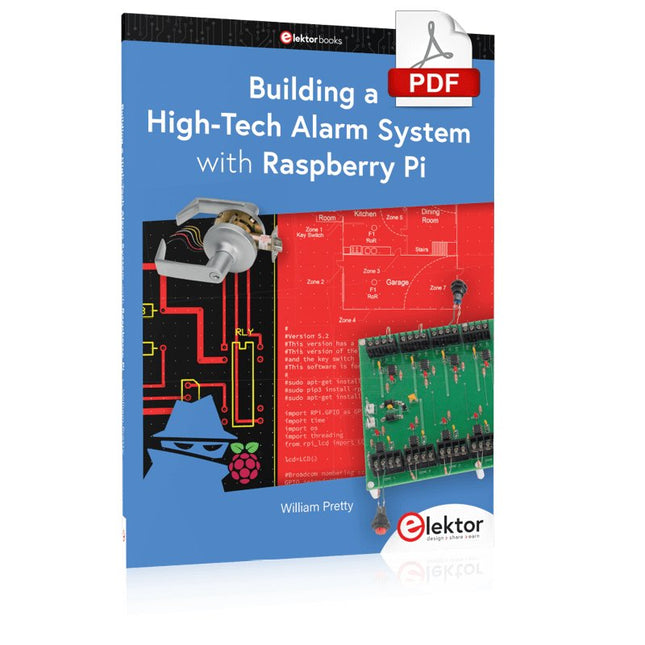
Elektor Digital Building a High-Tech Alarm System with Raspberry Pi (E-book)
This book discusses the basic components of any alarm system. All alarm systems have two basic functions. First, they monitor their environment looking for a change such as a door or window opening or someone moving about in the room. Second, they alert the legal owner or user to this change. The system described in this book uses a scanning type software to detect intruders. It behaves like a guard dog, pacing up and down the fence line on the lookout for either an intruder or a familiar person. If you have an alarm key, you can disarm the system and enter. With the scanning method, the software is easy to write and explain. It can scan eight alarm zones plus two special fire zones in about one second. You don’t have to be an electrical engineer to install an alarm system, just a decent carpenter, painter, and plasterer! Because this alarm system runs on 12 volts, you don’t have to be a licensed electrician either to install it. The alarm system presented here uses Python software on the Raspberry Pi combined with some elementary electronic circuits. The code described in the book, as well as CAD files and a bill of materials for the alarm panel, are available for free downloading. The book provides the reader with examples of typical configurations coming straight from the author‘s experience. After reviewing the hardware components typically used in common alarm systems, the author shows how to plan one yourself. To implement a modular alarm, no matter if it is for a single house or for a business or restaurant, the book shows how to skillfully combine a Raspberry Pi with small auxiliary electronic circuits. These are not installation instructions but food for thought that will enable readers to find a solution to their needs.
€ 24,95
Membres : € 22,46
-

Elektor Bundles Logic Analyzer im Einsatz (Bundle)
Buch: Logic Analyzer im Einsatz Schritt-für-Schritt-Anleitungen führen Sie in die Analyse moderner Protokolle von I²C, SPI, UART, RS-232, NeoPixel, WS28xx, HD44780 und 1-Wire ein. Anhand von zahlreichen Experimentierschaltungen mit dem Raspberry Pi Pico, Arduino Uno und dem Bus Pirate üben Sie die praxisnahe Anwendung gängiger USB-Logikanalysatoren ein. Alle in diesem Buch vorgestellten Experimentierschaltungen wurden vollständig getestet und sind funktionsfähig. Die notwendigen Programmlistings sind enthalten, es sind keine besonderen Programmier- oder Elektronikkenntnisse für diese Schaltungen notwendig. Es werden die Programmiersprachen MicroPython und C mit den Entwicklungsumgebungen Thonny und Arduino IDE eingesetzt. Dieses Buch verwendet mehrere Modelle flexibler und weit verbreiteter USB-Logikanalysatoren und zeigt die Stärken und Schwächen jeder Preisklasse. Sie werden kennenlernen, welche Kriterien für Ihre Arbeit wichtig sind und in der Lage sein, das für Sie passende Gerät zu finden. Egal ob Arduino, Raspberry Pi oder Raspberry Pi Pico: Die abgebildeten Beispielschaltungen ermöglichen einen schnellen Start in die Protokollanalyse und können auch als Grundlage für eigene weitere Experimente dienen. Sie werden alle wichtigen Begriffe und Zusammenhänge kennenlernen, eigene Experimente durchführen, selbstständig Protokolle analysieren und nach der Lektüre dieses Buches – im Bereich der digitalen Signale und Protokolle – ein umfassendes Wissen aufgebaut haben. USB Logic Analyzer (8 Kanäle, 24 MHz) Dieser USB Logic Analyzer ist ein 8-Kanal-Logikanalysator, bei dem jeder Eingang doppelt für die analoge Datenaufzeichnung dient. Es eignet sich perfekt zum Debuggen und Analysieren von Signalen wie I²C, UART, SPI, CAN und 1-Wire. Dabei wird ein digitaler Eingang, der mit einem zu testenden Gerät (DUT) verbunden ist, mit einer hohen Abtastrate abgetastet. Die Verbindung zum PC erfolgt via USB. Technische Daten Kanäle 8 digitale Kanäle Maximale Abtastrate 24 MHz Maximale Eingangsspannung 0 V ~ 5 V Betriebstemperatur 0°C ~ 70°C Eingangsimpedanz 1 MΩ || 10 pF Unterstützte Protokolle I²C, SPI, UART, CAN, 1-Wire etc. PC-Verbindung USB Abmessungen 55 x 28 x 14 mm Downloads Software Dieses Bundle enthält: Buch: Logic Analyzer im Einsatz (Einzelpreis: 40 €) USB Logic Analyzer (8 Kanäle, 24 MHz) (Einzelpreis: 20 €) USB-Kabel Jumper Wire Ribbon Kabel
€ 59,95€ 49,95Meilleur prix
-
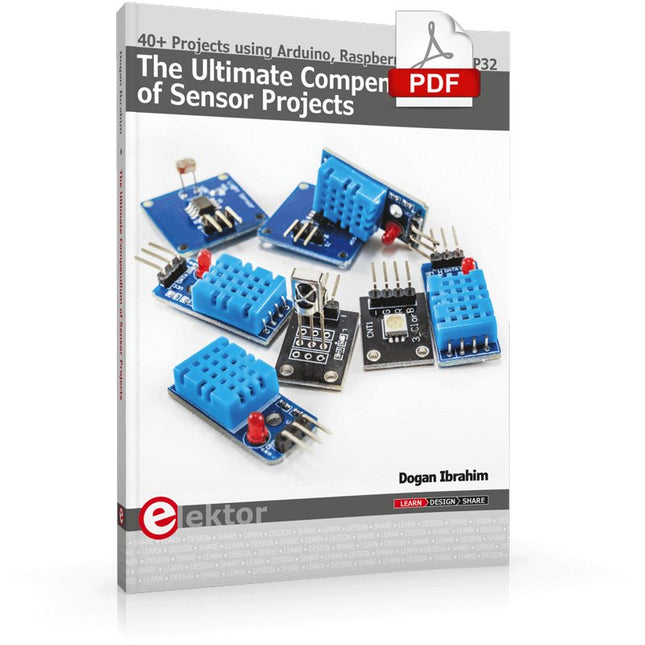
Elektor Digital The Ultimate Compendium of Sensor Projects (E-book)
40+ Projects using Arduino, Raspberry Pi and ESP32 This book is about developing projects using the sensor-modules with Arduino Uno, Raspberry Pi and ESP32 microcontroller development systems. More than 40 different sensors types are used in various projects in the book. The book explains in simple terms and with tested and fully working example projects, how to use the sensors in your project. The projects provided in the book include the following: Changing LED brightness RGB LEDs Creating rainbow colours Magic wand Silent door alarm Dark sensor with relay Secret key Magic light cup Decoding commercial IR handsets Controlling TV channels with IT sensors Target shooting detector Shock time duration measurement Ultrasonic reverse parking Toggle lights by clapping hands Playing melody Measuring magnetic field strength Joystick musical instrument Line tracking Displaying temperature Temperature ON/OFF control Mobile phone-based Wi-Fi projects Mobile phone-based Bluetooth projects Sending data to the Cloud The projects have been organized with increasing levels of difficulty. Readers are encouraged to tackle the projects in the order given. A specially prepared sensor kit is available from Elektor. With the help of this hardware, it should be easy and fun to build the projects in this book.
€ 34,95
Membres : € 31,46


