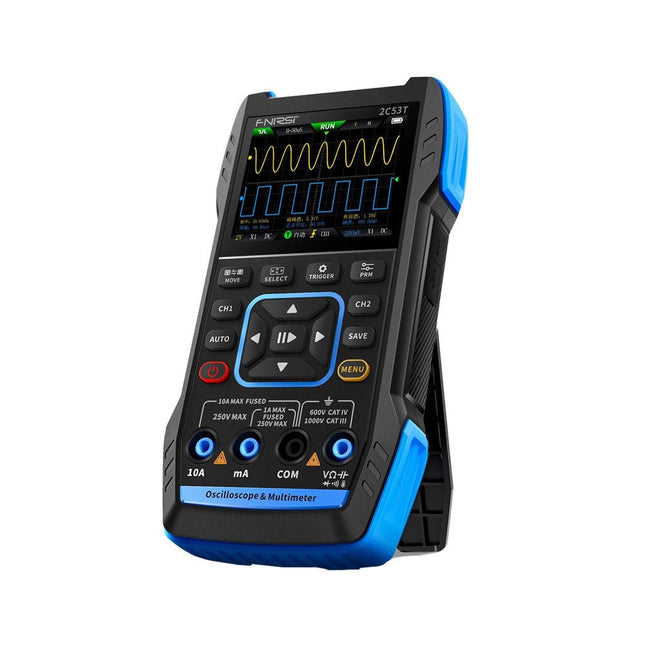
Le FNIRSI 2C53T, une version améliorée de son prédécesseur à 10 MHz, est un appareil 3-en-1 compact et polyvalent. Il combine un oscilloscope double canal de 50 MHz, un multimètre True RMS à 4,5 chiffres et un générateur de signaux avec 13 types de formes d'onde, ce qui en fait un outil essentiel pour les professionnels de la maintenance et de la recherche.
Oscilloscope : offre une bande passante de 50 MHz, un taux d'échantillonnage de 250 MS/s, une protection de ±400 V, une architecture FPGA + ARM + ADC et une sauvegarde de forme d'onde pour l'analyse.
Multimètre : True RMS à 4,5 chiffres avec 19999 points, prend en charge les mesures de tension AC/DC, de courant, de capacité, de résistance, de diode et de continuité.
Générateur de signaux : produit 13 types de signaux jusqu'à 50 KHz, avec fréquence, amplitude et rapport cyclique réglables.
Avec un écran LCD de 2,8 pouces, une batterie de 3000 mAh (autonomie de 6 heures) et une conception portable, il offre des fonctionnalités puissantes dans un boîtier convivial.
Spécifications
Oscilloscope
Canaux
2
Bande passante analogique
50 MHz
Taux d'échantillonnage en temps réel
250 Méch/s
Profondeur de stockage
1 Kpts
Impédance
1 MΩ
Plage de base de temps
10ns-20s
Sensibilité verticale
10 mV/div-10 V/div (x1)
Tension maximale mesurée
±400 V
Mode de déclenchement
Auto/Normal/Single
Type de déclencheur
Rising edge, Falling edge
Mode d'affichage
Y-T/Rolling/X-Y
Méthode de couplage
AC/DC
Persistance
OFF, 500ms, 1s, ∞
Mathématiques
8 Opérations de base + FFT
Supporté
Enregistrement de capture d'écran de forme d'onde, exportation de l'image de forme d'onde, mesure du curseur, rémanence infinie
Multimètre
Tension CC
1.9999V/19.999V/199.99V/1000V
±(0.5%+3)
Tension CA
1.9999V/19.999V/199.99V/750.0V
±(1%+3)
Courant CC
19.999mA/199.99mA/1.9999A/9.999A
±(1.2%+3)
Courant alternatif
19.999mA/199.99mA/1.9999A/9.999A
±(1.5%+3)
Résistance
19.999MΩ/1.9999MΩ/199.99KΩ/19.999KΩ
±(0.5%+3)
1.9999KΩ/199.99Ω
±(2.0%+3)
Capacitance
999.9uF/99.99uF/9.999uF/999.9nF/99.99nF/9.999nF
±(2.0%+5)
9.999mF/99.99mF
±(5.0%+20)
Température
−55~1300°C
±(2.5%+5)
Test de continuité
Oui
Diode
Oui
Générateur de signaux
13 formes d'onde de signal
Onde sinusoïdale, onde rectangulaire, onde en dents de scie, demi-onde, onde complète, onde positive, onde inversée, montée exponentielle, chute exponentielle, DC, multi-audio, impulsion Sinker, onde de Lorentz
Fréquence de sortie
0-50 KHz
Amplitude de sortie
0-3 V
Cycle de service de sortie
0-100%
Général
Écran
Écran couleur HD 2,8"
Résolution
320 x 240
Charge
USB-C (5 V/1 A)
Batterie
Batterie au lithium 3000 mAh
Autonomie en veille
6 heures
Langues
Anglais, chinois
Dimensions
167 x 89 x 35 mm
Poids
300 g
Différences entre la nouvelle version et l'ancienne version
Modèle
2C53T Upgrade
2C53T Prédécesseur
Bande passante
50 MHz
10 MHz
Mode d'affichage
Y-T/Rolling/X-Y
Y-T/Rolling
Mathématiques
8 Opérations de base + FFT
N/A
Fonction du curseur
Oui
N/A
Graphique XY de Lissau
Oui
N/A
Fonction de rémanence
Oui
N/A
Précision du multimètre
19999 points
9999 points
Générateur de signaux
50 KHz
2 MHz
Inclus
1x FNIRSI 2C53T Oscilloscope (50 MHz)
2x Sondes d'oscilloscope P6100 (10X)
1x Sonde multimètre
1x Sonde à pince crocodile
1x Câble de chargement USB-C
1x Sac de rangement
1x Manuel
Téléchargements
Manual
Firmware V1.2.0
Livre : Logic Analyzers in Practice
Step-by-step instructions guide you through the analysis of modern protocols such as I²C, SPI, UART, RS-232, NeoPixel, WS28xx, HD44780 and 1-Wire. With the help of numerous experimental circuits based on the Raspberry Pi Pico, Arduino Uno and the Bus Pirate, you will learn the practical application of popular USB logic analyzers.
All the experimental circuits presented in this book have been fully tested and are fully functional. The necessary program listings are included – no special programming or electronics knowledge is required for these circuits. The programming languages used are MicroPython and C along with the development environments Thonny and Arduino IDE.
This book uses several models of flexible and widely available USB logic analyzers and shows the strengths and weaknesses of each price range.
You will learn about the criteria that matter for your work and be able to find the right device for you.
Whether Arduino, Raspberry Pi or Raspberry Pi Pico, the example circuits shown allow you to get started quickly with protocol analysis and can also serve as a basis for your own experiments.
After reading this book, you will be familiar with all the important terms and contexts, conduct your own experiments, analyze protocols independently, culminating in a comprehensive knowledge set of digital signals and protocols.
Analyseur logique USB (8 voies, 24 MHz)
Cet analyseur logique USB est un analyseur logique à 8 voies avec chaque entrée à double usage pour l'enregistrement de données analogiques. Idéal pour le débogage et l'analyse de signaux tels que I²C, UART, SPI, CAN et 1-Wire. Il fonctionne en échantillonnant une entrée numérique connectée à un dispositif en test (DUT) à une fréquence d'échantillonnage élevée. La connexion au PC se fait via USB.
Spécifications
Voies
8 voies numériques
Fréquence d'échantillonnage maximale
24 MHz
Tension d'entrée maximale
0 V ~ 5 V
Température de fonctionnement
0°C ~ 70°C
Impédance d'entrée
1 MΩ || 10 pF
Protocoles pris en charge
I²C, SPI, UART, CAN, 1-Wire, etc.
Connexion au PC
USB
Dimensions
55 x 28 x 14 mm
Télechargements
Software
Cette offre groupée contient :
Livre 'Logic Analyzers in Practice' (prix normal : 35 €)
Analyseur logique USB (8 voies, 24 MHz) (prix normal : 20 €)
Câble USB
Nappe de fils de liaison
Elektor GREEN en GOLD leden kunnen deze uitgave hier downloaden.
Nog geen lid? Klik hier om een lidmaatschap af te sluiten.
CaptureCountobjectdetector en -teller op de Raspberry Pi 5
Spanningsreferentie met Arduino Pro Minilineariseer en kalibreer analoge ingangen
FPGA’s voor beginnersvan MCU naar FPGA-programmering
Update: STM32 Wireless Innovation Design Contest 2024
Bluetooth LE met MAUIbesturingsapps voor Android en co.
Port Expander breakout-boardmeer I/O’s op je development board
AI-specialistmachine learning met de Jetson Nano
2024: een AI-odysseeeen eerste verkenning van TensorFlow
262.144 manieren om Game of Life te spelenlezersproject in het kort
Uit het leven gegrepende Chinese draak
Draaien met die (DC-borstel)motor!voorbeeldprojecten uit de Elektor Motor Control Development Bundle
ESP32/RS-232-adapterdraadloze verbinding voor klassieke meetinstrumenten
Alle begin......gaat verder met de opamp
Aanbevolen ESP-bibliotheken
Piëzo-elektrische componentenvreemde onderdelen
Slimme objecttellereenvoudige beeldherkenning met Edge Impulse
Oplossingen voor de lastigste uitdagingen bij embedded ontwikkeling
ESP32 Terminalhandheld met aanraakscherm
Aan de slag met Zephyr RTOSkrachtig – maar lastig...
Bekroonde ethiekeen vraaggesprek met Alexander Gerfer, CTO van Würth Elektronik eiSos, over het faciliteren van innovatie en bewust gedrag
Project 2.0correcties, updates en brieven van lezers
Open-Source-Code mit Arduino IDE und PlatformIO
Autonomes Fahren: GPS, Accelerometer, Gyroskop
PS3-Controller
Mikrocontroller wie der Arduino und Einplatinenrechner wie der Raspberry Pi haben sich zu beliebten Komponenten entwickelt. Dritter im Bunde ist der ESP32 der Firma Espressif. Mikrocontroller dieser Baureihe zeichnen sich durch eine Vielzahl implementierter Funktionen aus, die bei einem Arduino konventioneller Prägung mit einem Atmel-AVR-Mikrocontroller erst mit weiterer Hardware möglich sind. Prominentes Beispiel sind hier die WiFi- und Bluetooth-Funktionalitäten. Gegenüber einem Raspberry Pi zeichnen sie sich durch einen deutlich geringeren Preis aus.
Allgemeine Informationen für die Realisierung eines Roboterauto-Projekts mit dem ESP32 sind leicht zu finden. Dabei handelt es sich aber oft nur um Ausführungen zu einem Teilaspekt, ohne inhaltliche oder funktionale Abstimmung. So ist nicht nur die Beschaffung der benötigten Informationen mühselig und zeitaufwändig, sie kann auch außerordentlich fehlerträchtig sein.
Ansatzpunkt dieses Buches ist, diese Lücke zu schließen. Es geht auf verschiedene Möglichkeiten eines Chassis ein, vermittelt nötige Kenntnisse und führt schrittweise von einer einfachen Motorsteuerung zu einem komplexen sensor- und sprachgesteuerten Roboterauto. Hacks rund um GPS und eine PlayStation 3 runden die Sache ab.
Inhalt
Bei der Reihenfolge der Kapitel wurde versucht – beginnend bei der Darstellung von grundlegenden Informationen – über die Lösung einfacher Aufgaben zu etwas anspruchsvolleren Techniken zu führen.
Der Mikrocontroller ESP32
Die Software erstellen
Die Stromversorgung
Rund um die Hardware
Das Chassis
Der Gleichstrommotor
Kabellose Steuerung über WiFi
Mit Sensoren Hindernisse erkennen
Eine eigene Roboterauto-App
Servo und Lichtsensor
GPS
Accelerometer / Gyroskop
PS3-Controller
Roboterauto-App
Hinweis zur Software
Die Dateien haben das Suffix (.cpp). Grund ist die Entwicklung mit PlatformIO. Mit Copy & Paste sollten sie auch in der Arduino-IDE verwendet werden können.
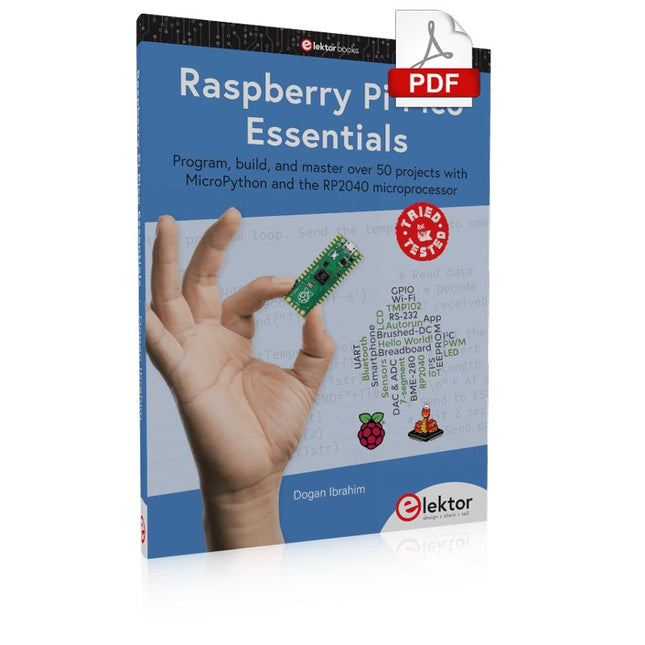
Program, build, and master over 50 projects with MicroPython and the RP2040 microprocessor The Raspberry Pi Pico is a high-performance microcontroller module designed especially for physical computing. Microcontrollers differ from single-board computers, like the Raspberry Pi 4, in not having an operating system. The Raspberry Pi Pico can be programmed to run a single task very efficiently within real-time control and monitoring applications requiring speed. The ‘Pico’ as we call it, is based on the fast, efficient, and low-cost dual-core ARM Cortex-M0+ RP2040 microcontroller chip running at up to 133 MHz and sporting 264 KB of SRAM, and 2 MB of Flash memory. Besides its large memory, the Pico has even more attractive features including a vast number of GPIO pins, and popular interface modules like ADC, SPI, I²C, UART, and PWM. To cap it all, the chip offers fast and accurate timing modules, a hardware debug interface, and an internal temperature sensor. The Raspberry Pi Pico is easily programmed using popular high-level languages such as MicroPython and or C/C++. This book is an introduction to using the Raspberry Pi Pico microcontroller in conjunction with the MicroPython programming language. The Thonny development environment (IDE) is used in all the projects described. There are over 50 working and tested projects in the book, covering the following topics: Installing the MicroPython on Raspberry Pi Pico using a Raspberry Pi or a PC Timer interrupts and external interrupts Analogue-to-digital converter (ADC) projects Using the internal temperature sensor and external temperature sensor chips Datalogging projects PWM, UART, I²C, and SPI projects Using Wi-Fi and apps to communicate with smartphones Using Bluetooth and apps to communicate with smartphones Digital-to-analogue converter (DAC) projects All projects given in the book have been fully tested and are working. Only basic programming and electronics experience is required to follow the projects. Brief descriptions, block diagrams, detailed circuit diagrams, and full MicroPython program listings are given for all projects described. Readers can find the program listings on the Elektor web page created to support the book.
IMAGE PROCESSING WITH THE NVIDIA JETSON NANO (PART 2)Image Recognition Using Edge Impulse
ELEKTOR JUMPSTARTER NEWSUpcoming Campaigns
AN OPEN-SOURCE GPS TRACKING PLATFORMTraccar Maps Vehicle Tracking Without the Need for a Third-Party Cloud Server
JOY-IT LCR-T7 MULTI-FUNCTION TESTERTesting Passives, Discrete Semiconductors and IR Remote Controls
NOISE SYNTHESIZERFrom Noise to Music with the PRBSynth1
STARTING OUT IN ELECTRONICSEasier than Imagined! ... Continuing with the Coil
UNDERSTANDING THE NEURONS IN NEURAL NETWORKS (PART 2)Logical Neurons
ISSUES WITH SECURITY? FIGHT FIRE WITH FIRE!Flashbulb-Protected Analogue Memory Add-on For the Tamper-Evident Box LCR METER POSTER
BLUETOOTH BEACONS IN PRACTICEBeacons Light the Way Ahead
C PROGRAMMING ON RASPBERRY PICommunicating over Wi-Fi (Sample Chapter)
EMC PRE-COMPLIANCE TEST FOR YOUR DC-POWERED PROJECT (PART 2)The Hardware and How to Use It
HANDS ON THE PARALLAX PROPELLER 2 (PART 5)Inside the Smart Pin
MODBUS OVER WLAN (PART 1)Hardware and Programming
HOMELAB TOURSWhere the Junior Computer Is Brought to Life Again
BUILD YOUR OWN HIGH-PRECISION CALIBRATOR-10 V to +10 V, 0 to 40 mA, 0.001%
ARDUINO NANO RP2040 CONNECTRaspberry Pi RP2040 + Wi-Fi + Bluetooth THE PHYSICAL BODY OF ARTIFICIAL INTELLIGENCE
ERR-LECTRONICSCorrections, Updates and Readers’ Letters
CREATE GUIS WITH PYTHONIntroducing guizero
CO2 METER KIT FOR THE CLASSROOMAn ESP8266-Based Device from the University of Applied Sciences Aachen
NOSTALGIC MK484 MW/LW RADIO...Always Fun to Build!
ELEKTOR @ 60Let There Be Light!
HEXADOKUThe Original Elektorized Sudoku
Ce cours complet de programmation de microcontrôleurs basé sur l’Arduino Uno comprend un manuel, un kit de composants, des projets pratiques ainsi qu’un cours en ligne complet avec simulations. Il est idéal pour apprendre pas à pas la programmation des systèmes embarqués avec Arduino grâce à une approche pratique.
Une introduction pratique aux systèmes embarqués avec l’Arduino Uno
Ce cours s’adresse aux débutants en systèmes embarqués recherchant une approche structurée et basée sur des exemples.
Un kit de composants comprenant des LED et des résistances, des interrupteurs, des capteurs et actionneurs, des afficheurs, une breadboard et des fils est inclus. Ceux-ci sont utilisés dans le cours pour illustrer des applications concrètes.
Aucune expérience préalable avec Arduino ou le développement embarqué n’est requise. Chaque section propose des exemples pratiques et des mini-projets conçus pour renforcer les concepts clés et encourager l’exploration. À la fin du cours, vous serez capable non seulement de reproduire les exemples, mais aussi de développer vos propres idées et applications.
Que allez-vous apprendre ?
Programmation de microcontrôleurs avec Arduino en utilisant la carte Uno R3
Utilisation des entrées/sorties numériques, lecture de boutons et encodeurs, commande de LED et relais
Lecture des entrées analogiques, tensions et capteurs analogiques
Génération de signaux analogiques et PWM
Utilisation des communications série comme UART, I²C et SPI pour piloter des afficheurs et lire des capteurs numériques et cartes SD
Gestion du temps
Utilisation des interruptions
Entrées capteurs en temps réel et contrôle via boutons, LED et afficheurs
Commande d’actionneurs comme relais et servomoteurs
À qui s’adresse ce cours ?
Étudiants et autodidactes explorant les systèmes embarqués
Makers et passionnés d’IoT souhaitant améliorer leurs compétences en hardware
Formateurs et enseignants à la recherche de matériel pédagogique prêt à l’emploi
Contenu de la boîte
Accès au cours complet sur la plateforme Elektor Academy Pro
Carte microcontrôleur Uno R3 + câble USB
Livre : Programming Microcontrollers in C/C++ Using Arduino
Fichiers de projet téléchargeables pour chaque module
Boîte de composants :
2× LED, rouge, 5 mm
LED, verte, 5 mm
3× résistance, 470 Ω, 0,25 W
LDR
Potentiomètre, 10 kΩ, linéaire
Bouton-poussoir
Module encodeur rotatif
Module relais
Capteur DHT22 (température & humidité)
Afficheur 7 segments 4 digits compatible TM1637
MPU-6050 IMU avec connecteurs
Afficheur OLED I²C compatible SSD1306
Adaptateur carte micro SD avec connecteur
Buzzer
Micro servo SG90
Écran TFT SPI 240×320 compatible ILI9341
20× fils jumper
Breadboard
Tous les cours de programmation (et différences de contenu)
Cours
Arduino
Raspberry Pi Pico with Arduino C/C++
ESP32 with Arduino C/C++
Raspberry Pi Pico with MicroPython
ESP32 with MicroPython
Cours en ligne
Access to Arduino Course
Access to Pico with Arduino C/C++ Course
Access to ESP32 with Arduino C/C++ Course
Access to Pico with MicroPython Course
Access to ESP32 with MicroPython Course
Carte
Uno R3
Raspberry Pi Pico
ESP32
Raspberry Pi Pico
ESP32
Livre
Programming Microcontrollers in C/C++ Using Arduino
Programming Microcontrollers in C/C++ Using Arduino
Programming Microcontrollers in C/C++ Using Arduino
Programming Microcontrollers in MicroPython
Programming Microcontrollers in MicroPython
Kit
Boîte de composants (40 pièces)
Boîte de composants (40 pièces)
Boîte de composants (40 pièces)
Boîte de composants (40 pièces)
Boîte de composants (40 pièces)
Buch: Logic Analyzer im Einsatz
Schritt-für-Schritt-Anleitungen führen Sie in die Analyse moderner Protokolle von I²C, SPI, UART, RS-232, NeoPixel, WS28xx, HD44780 und 1-Wire ein. Anhand von zahlreichen Experimentierschaltungen mit dem Raspberry Pi Pico, Arduino Uno und dem Bus Pirate üben Sie die praxisnahe Anwendung gängiger USB-Logikanalysatoren ein.
Alle in diesem Buch vorgestellten Experimentierschaltungen wurden vollständig getestet und sind funktionsfähig. Die notwendigen Programmlistings sind enthalten, es sind keine besonderen Programmier- oder Elektronikkenntnisse für diese Schaltungen notwendig. Es werden die Programmiersprachen MicroPython und C mit den Entwicklungsumgebungen Thonny und Arduino IDE eingesetzt.
Dieses Buch verwendet mehrere Modelle flexibler und weit verbreiteter USB-Logikanalysatoren und zeigt die Stärken und Schwächen jeder Preisklasse. Sie werden kennenlernen, welche Kriterien für Ihre Arbeit wichtig sind und in der Lage sein, das für Sie passende Gerät zu finden.
Egal ob Arduino, Raspberry Pi oder Raspberry Pi Pico: Die abgebildeten Beispielschaltungen ermöglichen einen schnellen Start in die Protokollanalyse und können auch als Grundlage für eigene weitere Experimente dienen.
Sie werden alle wichtigen Begriffe und Zusammenhänge kennenlernen, eigene Experimente durchführen, selbstständig Protokolle analysieren und nach der Lektüre dieses Buches – im Bereich der digitalen Signale und Protokolle – ein umfassendes Wissen aufgebaut haben.
USB Logic Analyzer (8 Kanäle, 24 MHz)
Dieser USB Logic Analyzer ist ein 8-Kanal-Logikanalysator, bei dem jeder Eingang doppelt für die analoge Datenaufzeichnung dient. Es eignet sich perfekt zum Debuggen und Analysieren von Signalen wie I²C, UART, SPI, CAN und 1-Wire. Dabei wird ein digitaler Eingang, der mit einem zu testenden Gerät (DUT) verbunden ist, mit einer hohen Abtastrate abgetastet. Die Verbindung zum PC erfolgt via USB.
Technische Daten
Kanäle
8 digitale Kanäle
Maximale Abtastrate
24 MHz
Maximale Eingangsspannung
0 V ~ 5 V
Betriebstemperatur
0°C ~ 70°C
Eingangsimpedanz
1 MΩ || 10 pF
Unterstützte Protokolle
I²C, SPI, UART, CAN, 1-Wire etc.
PC-Verbindung
USB
Abmessungen
55 x 28 x 14 mm
Downloads
Software
Dieses Bundle enthält:
Buch: Logic Analyzer im Einsatz (Einzelpreis: 40 €)
USB Logic Analyzer (8 Kanäle, 24 MHz) (Einzelpreis: 20 €)
USB-Kabel
Jumper Wire Ribbon Kabel
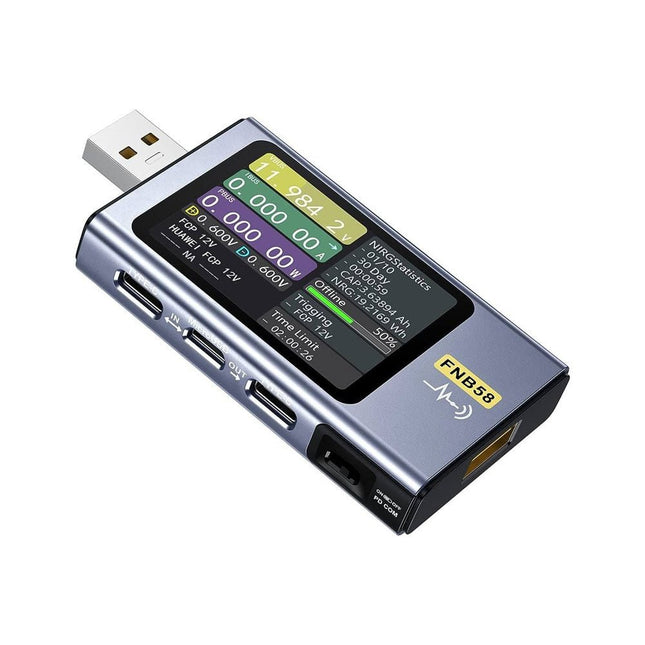
Le testeur USB FNB58 (avec Bluetooth) est un appareil de mesure de tension et de courant USB complet et très précis. Il est doté d'un écran TFT couleur HD de 2,0 pouces, d'interfaces USB-A, micro USB et USB-C intégrées. Avec cet appareil, vous pouvez mesurer l'alimentation électrique ou la consommation d'énergie de produits, ainsi que la puissance de charge des téléphones portables et des alimentations électriques. Vous pouvez également déterminer le protocole de charge rapide des chargeurs.
Caractéristiques
Interfaces USB-A et USB-C
Écran HD de 2,0 pouces
Données en un coup d'œil
Compatibilité étendue
Détection de données ultra précise
Exploration de la technologie de charge rapide
Détection automatique du protocole (PD2.0, 3.0, 3.1, PPS, QC2.0, 3.0, FCP, SCP, AFC, PE, DASH VOOC, SuperVOOC, et bien plus)
Interface utilisateur simple, facile à utiliser
4 courbes de fonction (courbe de tension et de courant en temps réel, enregistrement de courbe hors ligne, courbe de tension D+/D-, mesure de l'ondulation de l'alimentation électrique à haute vitesse)
Détection de câble
Calcul de la capacité de la batterie enregistrement d'énergie (10 groupes)
Connectivité PC pour l'enregistrement de données et les mises à jour du micrologiciel
Application Bluetooth pour les appareils Android
Spécifications
Plage de tension
4-28 V
Plage de courant
0-7 A
Plage de puissance
0-120 W
Résistance interne équivalente à la charge
0-9999,9 Ω
Tension D+/D-
0-3,3 V
Capacité
0-9999,99 Ah
Consommation d'énergie
0-9999,99 Wh
Résistance du câble
0-9999,9 Ω
Interfaces
micro USB, USB-A, USB-C
Dimensions
42 x 13 x 82 mm
Téléchargements
Manual
Firmware V0.68
Open-Source-Code mit Arduino IDE und PlatformIO
Autonomes Fahren: GPS, Accelerometer, Gyroskop
PS3-Controller
Mikrocontroller wie der Arduino und Einplatinenrechner wie der Raspberry Pi haben sich zu beliebten Komponenten entwickelt. Dritter im Bunde ist der ESP32 der Firma Espressif. Mikrocontroller dieser Baureihe zeichnen sich durch eine Vielzahl implementierter Funktionen aus, die bei einem Arduino konventioneller Prägung mit einem Atmel-AVR-Mikrocontroller erst mit weiterer Hardware möglich sind. Prominentes Beispiel sind hier die WiFi- und Bluetooth-Funktionalitäten. Gegenüber einem Raspberry Pi zeichnen sie sich durch einen deutlich geringeren Preis aus.
Allgemeine Informationen für die Realisierung eines Roboterauto-Projekts mit dem ESP32 sind leicht zu finden. Dabei handelt es sich aber oft nur um Ausführungen zu einem Teilaspekt, ohne inhaltliche oder funktionale Abstimmung. So ist nicht nur die Beschaffung der benötigten Informationen mühselig und zeitaufwändig, sie kann auch außerordentlich fehlerträchtig sein.
Ansatzpunkt dieses Buches ist, diese Lücke zu schließen. Es geht auf verschiedene Möglichkeiten eines Chassis ein, vermittelt nötige Kenntnisse und führt schrittweise von einer einfachen Motorsteuerung zu einem komplexen sensor- und sprachgesteuerten Roboterauto. Hacks rund um GPS und eine PlayStation 3 runden die Sache ab.
Inhalt
Bei der Reihenfolge der Kapitel wurde versucht – beginnend bei der Darstellung von grundlegenden Informationen – über die Lösung einfacher Aufgaben zu etwas anspruchsvolleren Techniken zu führen.
Der Mikrocontroller ESP32
Die Software erstellen
Die Stromversorgung
Rund um die Hardware
Das Chassis
Der Gleichstrommotor
Kabellose Steuerung über WiFi
Mit Sensoren Hindernisse erkennen
Eine eigene Roboterauto-App
Servo und Lichtsensor
GPS
Accelerometer / Gyroskop
PS3-Controller
Roboterauto-App
Hinweis zur Software
Die Dateien haben das Suffix (.cpp). Grund ist die Entwicklung mit PlatformIO. Mit Copy & Paste sollten sie auch in der Arduino-IDE verwendet werden können.
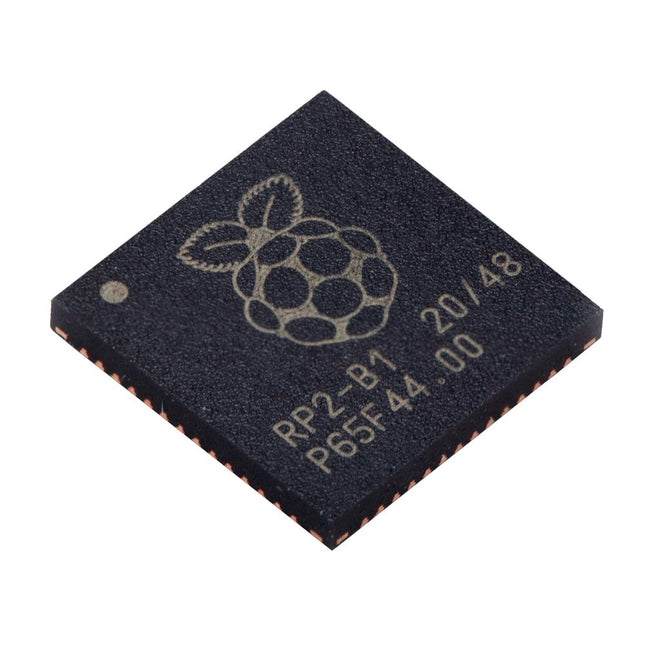
Caractéristiques techniques Dual ARM Cortex-M0+ @ 133 MHz 264 kB on-chip SRAM dans six blocs indépendants Prise en charge de jusqu'à 16 Mo de mémoire Flash hors puce via un bus QSPI dédié. Contrôleur DMA AHB crossbar entièrement connecté Périphériques interpolateurs et diviseurs d’entiers Régulateur LDO sur puce programmable pour générer la tension de base./li> 2x PLL sur puce pour générer les horloges USB et centrales 30x broches GPIO, dont 4 utilisables comme entrées analogiques Périphériques 2x UARTs 2x contrôleurs SPI 2x contrôleurs I²C 16x canaux PWM Contrôleur USB 1.1 et PHY, avec prise en charge de l'hôte et du dispositif 8x Machines d’état PIO Ce que vous recevrez 10x puces RP2040
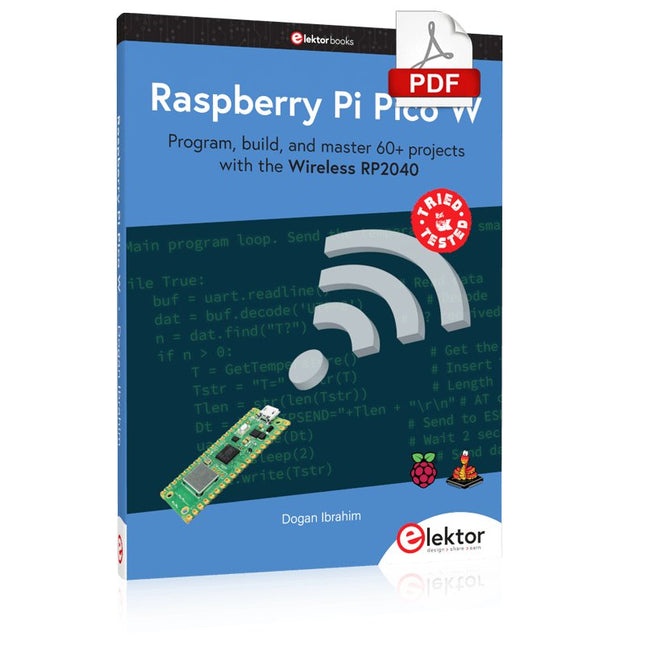
Program, build, and master 60+ projects with the Wireless RP2040
The Raspberry Pi Pico and Pico W are based on the fast, efficient, and low-cost dual-core ARM Cortex M0+ RP2040 microcontroller chip running at up to 133 MHz and sporting 264 KB of SRAM and 2 MB of Flash memory. Besides spacious memory, the Pico and Pico W offer many GPIO pins, and popular peripheral interface modules like ADC, SPI, I²C, UART, PWM, timing modules, a hardware debug interface, and an internal temperature sensor.
The Raspberry Pi Pico W additionally includes an on-board Infineon CYW43439 Bluetooth and Wi-Fi chipset. At the time of writing this book, the Bluetooth firmware was not yet available. Wi-Fi is however fully supported at 2.4 GHz using the 802.11b/g/n protocols.
This book is an introduction to using the Raspberry Pi Pico W in conjunction with the MicroPython programming language. The Thonny development environment (IDE) is used in all of the 60+ working and tested projects covering the following topics:
Installing the MicroPython on Raspberry Pi Pico using a Raspberry Pi or a PC
Timer interrupts and external interrupts
Analogue-to-digital converter (ADC) projects
Using the internal temperature sensor and external sensor chips
Using the internal temperature sensor and external temperature sensor chips
Datalogging projects
PWM, UART, I²C, and SPI projects
Using Bluetooth, WiFi, and apps to communicate with smartphones
Digital-to-analogue converter (DAC) projects
All projects are tried & tested. They can be implemented on both the Raspberry Pi Pico and Raspberry Pi Pico W, although the Wi-Fi-based subjects will run on the Pico W only. Basic programming and electronics experience are required to follow the projects. Brief descriptions, block diagrams, detailed circuit diagrams, and full MicroPython program listings are given for all projects.