From Theory to Practical Applications in Wireless Energy Transfer and Harvesting
Wireless power transmission has gained significant global interest, particularly with the rise of electric vehicles and the Internet of Things (IoT). It’s a technology that allows the transfer of electricity without physical connections, offering solutions for everything from powering small devices over short distances to long-range energy transmission for more complex systems.
Wireless Power Design provides a balanced mix of theoretical knowledge and practical insights, helping you explore the potential of wireless energy transfer and harvesting technologies. The book presents a series of hands-on projects that cover various aspects of wireless power systems, each accompanied by detailed explanations and parameter listings.
The following five projects guide you through key areas of wireless power:
Project 1: Wireless Powering of Advanced IoT Devices
Project 2: Wireless Powered Devices on the Frontline – The Future and Challenges
Project 3: Wireless Powering of Devices Using Inductive Technology
Project 4: Wireless Power Transmission for IoT Devices
Project 5: Charging Robot Crawler Inside the Pipeline
These projects explore different aspects of wireless power, from inductive charging to wireless energy transmission, offering practical solutions for real-world applications. The book includes projects that use simulation tools like CST Microwave Studio and Keysight ADS for design and analysis, with a focus on practical design considerations and real-world implementation techniques.
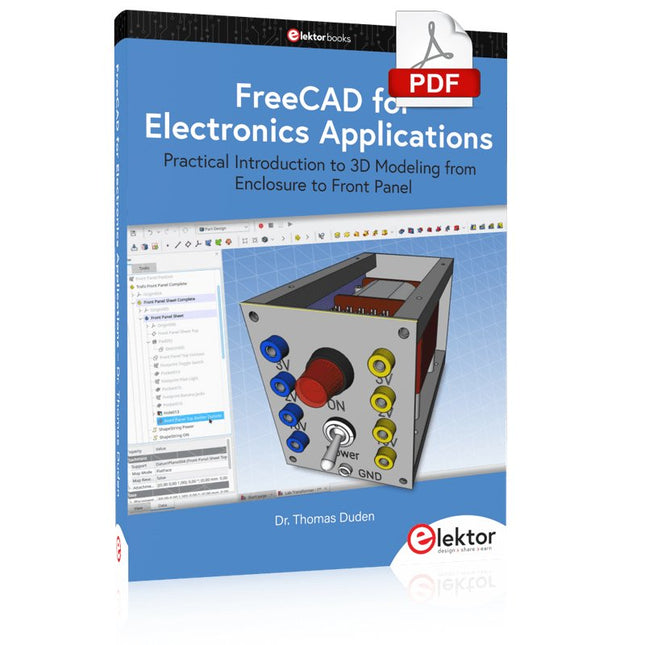
Practical Introduction to 3D Modeling from Enclosure to Front Panel
Embedding a vintage component, creating a professional looking home for a circuit board, or even designing a complex apparatus complete with a chassis – these and many other challenges turn into a stimulating pleasure with FreeCAD. Once you have internalized the basic processes, there are virtually no limits to your imagination.
Starting to use a new software is never straightforward – especially with a tool as versatile as FreeCAD. Manageable, but at the same time easily usable individual components provide the starting point in this book. Putting these components together later results in assemblies.
In the FreeCAD universe, a workable trajectory is demonstrated. The described procedure is illustrative so the examples are easily applied to custom tasks. The devices were made by the author and illustrated with photos.
Creating a 3D design is requiring some effort but the initial investment pays off soon. Besides the impressive spatial representation of the projects, the extracted drawings yield a solid base for documentation and production. Extended FreeCAD capabilities like the unfolding of sheet metal parts enormously add to efficiency and pushes models forward into practical assembly.
Soon you will definitely not want to do without FreeCAD!
Der PC wird schon lange nicht mehr nur als einfacher Computer verwendet, sondern hat sich zu einem Universalwerkzeug entwickelt. Dieses Buch richtet sich an diejenigen, die vorhandene oder selbstgebaute Hardware über den Computer steuern wollen.
Der Einsatz von Visual Basic für die schnelle Entwicklung von Elektronikapplikationen öffnet Ihnen eine Welt, die über die Anschlüsse des PCs hinausreicht.
Sobald Sie sich mit Visual Basic, seiner Entwicklungsumgebung und den angebotenen Toolsets vertraut gemacht haben, werden Dinge wie die serielle Kommunikation, Druckerports, Bitbanging, Protokoll-Emulation, die ISA-, USB- und Ethernet-Schnittstellen und die Fernsteuerung von Mess- und Testaufbauten über den GPIB-Bus in allen Einzelheiten behandelt. Zu jedem Punkt gibt es einen übersichtlichen und lauffähigen Programmcode und wo nötig existieren Schaltpläne, mit denen Sie Ihr Projekt in kurzer Zeit einsatzfähig machen können.
Darüber hinausgehend erläutert dieses Buch den Umgang mit Debug-Tools bei der Suche nach Hardware-Adressen, den Aufbau einer Verbindung über TCP/IP- und UDP-Sockets und Sie lernen sogar eigene Internetserver zu programmieren. Oder wollen Sie Ihre Hardware über USB oder Ethernet anbinden und mit Visual Basic steuern? Auch die Kommunikation zwischen Programmen, DDE und das neue Grafik-Interface von Windows XP werden behandelt.
Alle Programmbeispiele lassen sich mit Visual Basic 5.0, 6.0, .NET oder 2005 kompilieren. Auch die Unterschiede zwischen Visual Basic Classic und Visual Basic NET/2005 sind ausführlich erläutert.
L’OWON SDS1102 est un oscilloscope numérique de table abordable qui combine de solides performances avec des fonctions de mesure essentielles. Cet oscilloscope à 2 canaux offre une bande passante de 100 MHz, une fréquence d’échantillonnage de 1 GS/s, un écran LCD de 7 pouces et une profondeur mémoire de 10 kpts, ce qui en fait un choix pratique pour les tests électroniques quotidiens, le dépannage et l’enseignement.
Le SDS1102 dispose d’un système de déclenchement simplifié avec déclenchement sur niveau et sur front, ce qui facilite la capture et l’analyse des signaux courants. Il est conçu pour les applications qui ne nécessitent pas une grande profondeur mémoire ni des fonctions de déclenchement avancées, et offre une solution simple et économique pour l’analyse de signaux de base.
Caractéristiques
Bande passante : 100 MHz
2 voies
Taux d'échantillonnage : 1 GS/s
Boîtier ultra-fin
Écran LCD haute résolution de 7 pouces
Prise en charge de SCPI et LabVIEW
Spécifications
Bande passante
100 MHz
Échelle horizontale (s/div)
5 ns/div - 1000 s/div
Canal
2
Sensibilité verticale
5 mV/div - 5 V/div (en entrée)
Précision du Gain DC
3%
Résolution Verticale(A/D)
8 bits (2 canaux simultanément)
Entrée
Impédance d'entrée
1 MΩ, 10 pF
Couplage d'entrée
AC, DC, GND
Tension d'entrée maximale
±400 V, CATI, CATII
Sondes passives
х1; х10
Facteur d'atténuation de la sonde
х1; х10; х100; х1000
Système de déclenchement
Mode de déclenchement
Auto, Normal, Single
Type de déclenchement
Edge, Video
Source de déclenchement Edge
CH1, CH2
Video Trigger
Type d'échantillonnage
Real-time
Taux d'échantillonnage
1 GS/s
Taux d'échantillonnage Equivalent
No
Longueur d'onde
10K pts
Interpolation
sin(x)/x
Measurement and Mathematical Treatment System
Mesure automatique
Vpp, Vavg, RMS, Frequency, Period, Vmax, Vmin, Vtop, Vbase, Width, Overshoot, Pre-shoot Rise time, Fall time, +Width, -Width, +Duty, -Duty, Delay A→B, Delay A→B, area, cycle area
Fonctions mathématiques
Addition, Soustraction, Multiplication, Division, FFT
Caractéristiques générales
Type d'affichage
7" color LCD
Résolution d'affichage
800 x 480
Puissance
100-240 V, 45-440 Hz, <15 W
Dimensions
301 x 70 x 152 mm
Poids
1,1 kg
Inclus
1x OWON SDS1102 Oscilloscope
2x Sondes d'oscilloscope
1x Réglage de la sonde
1x Cordon d'alimentation secteur
1x Câble USB
1x CD-Rom
1x Guide rapide
Télechargements
Quick Guide
Manual
PC Software
SCPI Commands
Schaltungen, Software und Empfangspraxis
Die Kurzwellen-Empfangstechnik entwickelt sich ständig weiter. Im Mai 2007 wurde von Elektor das "Software Defined Radio mit USB-Schnittstelle" vorgestellt. Ziel war ein möglichst einfacher Empfänger, der durch den Einsatz geeigneter Software überzeugende Empfangsergebnisse liefert. Die benötigten Programme stehen auf der Elektor-Website und im Internet gratis zur Verfügung. Schon nach wenigen Monaten hatte dieser neue Empfänger eine weite Verbreitung gefunden. Zahlreiche Software-Autoren unterstützten das Projekt. Auch Bedienungshinweise, Erweiterungen sowie Tipps und Tricks findet man im Netz.
Die Vielfalt der Möglichkeiten erschwert die Orientierung. Deshalb wurde dieses Buch geschrieben. Das Ziel ist ein Überblick über Aufbau, Software und Bedienung des SDR. Außerdem werden Selbstbauprojekte vorgestellt, die es erlauben, mit geringsten Kosten eigene Empfänger zu entwerfen; denn das Thema entwickelt sich laufend weiter...
A Small Basic Approach
There are many different PC programming languages available on the market. Some have beautiful names; some have easy to use development tools. Others have incredible power. They all have one thing in common: they assume that you have, or want to have, a knack for technology and difficult to read commands.
In this book we take a practical approach to programming. We assume that you simply want to write a PC program, and write it quickly. Not in a professional environment, not in order to start a new career, but for plain and simple fun... or just to get a task done.
Therefore we use Small Basic. You will have an application up and running in a matter of minutes. You will understand exactly how it works and be able to write text programs, graphical user interfaces, and advanced drivers. It is so simple; you don't even need to be an adult!
Mastering Surface Mount Technology takes you on a crash course in techniques, tips and know-how to successfully introduce surface mount technology in your workflow. Even if you are on a budget you too can jumpstart your designs with advanced fine pitch parts.
Besides explaining methodology and equipment, attention is given to SMT parts technologies and soldering methods. In a step by step way, several projects introduce you to handling surface mount parts and the required skills to successfully build SMT assemblies. Many practical tips and tricks are disclosed that bring surface mount technology into everyone's reach without breaking the bank.
Retro Radio is een praktijkboek voor beginners en uitermate geschikt voor iedereen die wel eens een radio zou willen bouwen en meer wil weten over de radiotechniek. Na een inleiding in de beginselen van de techniek en de radio-ontvangst op de korte golf komen een aantal eenvoudige radio-ontwerpen aan bod. Het gaat om radio’s voor de middengolf en korte golf, waarbij de KG radio’s geschikt zijn voor de ontvangst van Single Side Band signalen.
Het “retro” karakter dankt het boek aan het feit dat de gepubliceerde schakelingen klassiekers zijn uit de analoge radiotechniek. Ze zijn geïnspireerd door schakelingen uit de jaren ’50 en de begintijd van de radiotechniek. De auteur grijpt terug op de radio in zijn meest elementaire vorm. Al het “overbodige” is uit de schakelingen weggelaten. Er wordt gewerkt met spoelen, afstemcondensatoren, keramische filters en spoelfilters. Alle schakelingen zijn gebouwd met gewone transistors en een veldeffecttransistor. Elektronische chips worden niet gebruikt. Overigens is aan de nieuwste ontwikkelingen niet helemaal voorbij gegaan. Er is ook een SDR ontwerp opgenomen.
Een greep uit de schema’s: een kristalradio, verschillende middengolf ontvangers (ook met een radiobuis), een “oer” schema geïnspireerd door de begintijd van de radio, twee korte golf ontvangers met SSB (2-12 MHz en 6-17 MHz) en een ontvanger voor de 80 meter band. Verder is in dit boek bijzonder veel aandacht besteed aan de praktische constructie van de radio’s en zijn er verschillende eenvoudige meetapparaten beschreven die dienst kunnen doen bij het ontwerpen en testen van radio’s (meetzender, absorptiemeter, transistortester e.d.).
Inhalt
Theorie & Anwendung
Thermische Simulation von LED-Systemen
LUVLED
100 LEDs
LEDs ans Netz
Laserstrukturierung von TCOs
Ha(l)lo LED
Wärmemanagement bei LEDs
3D-Laserscanning mit Linienlaser und Smart Camera
Selbstbauprojekte
Lichtbögen für die Modelleisenbahn
LED-Anwendungen mit Arduino
LED-Treiber für Maglite-Taschenlampe
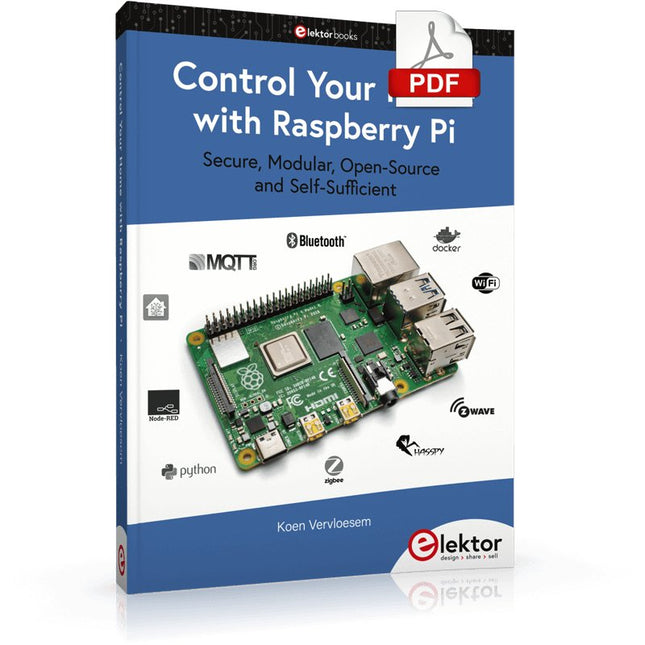
Secure, Modular, Open-Source and Self-Sufficient
Ever since the Raspberry Pi was introduced, it has been used by enthusiasts to automate their homes. The Raspberry Pi is a powerful computer in a small package, with lots of interfacing options to control various devices. This book shows you how you can automate your home with a Raspberry Pi. You’ll learn how to use various wireless protocols for home automation, such as Bluetooth, 433.92 MHz radio waves, Z-Wave, and Zigbee. Soon you’ll automate your home with Python, Node-RED, and Home Assistant, and you’ll even be able to speak to your home automation system. All this is done securely, with a modular system, completely open-source, without relying on third-party services. You’re in control of your home, and no one else.
At the end of this book, you can install and configure your Raspberry Pi as a highly flexible home automation gateway for protocols of your choice, and link various services with MQTT to make it your own system. This DIY (do it yourself) approach is a bit more laborious than just installing an off-the-shelf home automation system, but in the process, you can learn a lot, and in the end, you know exactly what’s running your house and how to tweak it. This is why you were interested in the Raspberry Pi in the first place, right?
Turn your Raspberry Pi into a reliable gateway for various home automation protocols.
Make your home automation setup reproducible with Docker Compose.
Secure all your network communication with TLS.
Create a video surveillance system for your home.
Automate your home with Python, Node-RED, Home Assistant and AppDaemon.
Securely access your home automation dashboard from remote locations.
Use fully offline voice commands in your own language.
Download the software and view the errata for the book on GitHub.