
Résultats de la recherche pour "raspberry or pi or 400 or buffer or board"
-
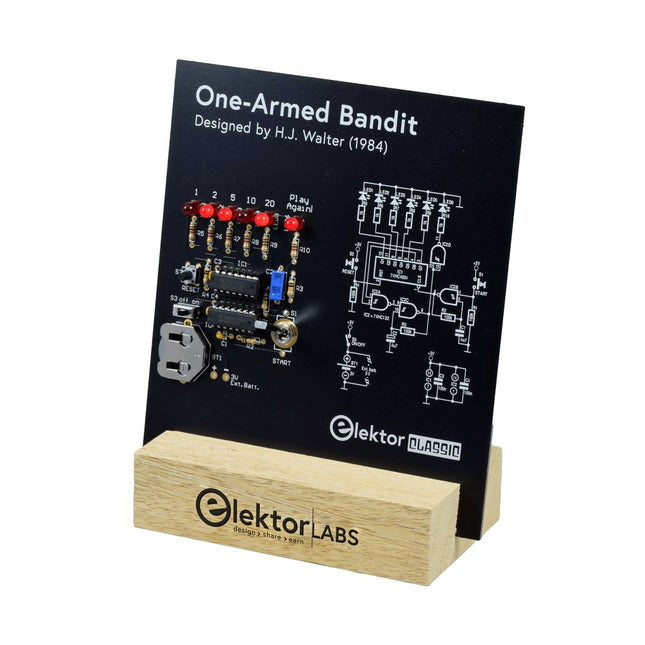
Elektor Labs Bandit Manchot Elektor
Tirez le Levier pour le Score Maximum ! Ce Classique de Circuit Elektor de 1984 présente une application ludique des circuits logiques de la série CMOS 400x en combinaison avec des LEDs, une combinaison très populaire à l'époque. Le projet imite une machine à sous à chiffres tournants. Le Jeu Pour jouer, convenez d'abord du nombre de manches. Le Joueur 1 actionne le levier de l'interrupteur aussi longtemps qu'il le souhaite et le relâche. Les LEDs affichent ensuite le score qui est la somme des chiffres 50-20-10-5 allumés. Si la LED Jouer Encore ! s'allume, le Joueur 1 a une autre manche 'gratuite'. Sinon, c'est au tour du Joueur 2. Les joueurs tiennent compte de leurs scores, et le score le plus élevé l'emporte. Caractéristiques LEDs Indiquent le Score Plusieurs Joueurs et Jouer Encore ! Symboles de Circuit Patrimoine d'Elektor Testé et Approuvé par les Laboratoires Elektor Projet Éducatif et Geek Pièces Montage Traditionnel Seulement Inclus Carte de Circuit Imprimé Tous les Composants Socle en Bois Liste des Composants Résistances (5%, 250 mW) R1,R2,R3,R4 = 100kΩ R5,R6,R7,R8,R9,R10 = 1kΩ Condensateurs C1 = 4.7nF, 10%, 50V, 5mm C2 = 4.7μF, 10%, 63V, axial C3,C4 = 100nF, 10 %, 50V, céramique X7R, 5mm Semi-conducteurs LED1-LED6 = rouge, 5mm (T1 3/4) IC1 = 74HC4024 IC2 = 74HC132 Divers S1 = interrupteur, bascule, levier de 21mm, SPDT, momentané S2 = interrupteur, tactile, 24V, 50mA, 6x6mm S3 = interrupteur, glissière, SPDT IC1,IC2 = support de circuit intégré, DIP14 BT1 = pince de maintien de batterie CR2032 montée sur circuit imprimé Socle de Bureau PCB 230098-1 Non inclus : BT1 = pile bouton CR2032
€ 39,95€ 15,98Meilleur prix
-

Elektor Digital Raspberry Pi (überarbeitete und erweiterte Neuauflage | PDF)
Raspberry Pi (Neuauflage) | E-book
€ 34,80
Membres : € 31,32
-

Elektor Special: Robotics and Automation
AI in Practice Dive into the fascinating world of robotics and automation! This Elektor Special shows you how to build your own robots with creativity, a little know-how, and affordable technology. From your first DIY project with Arduino or Raspberry Pi to intelligent systems with AI – this issue makes modern robotics understandable and accessible. Discover practical instructions, inspiring projects, and exciting insights into the maker scene. Learn how experimentation, community, and openness give rise to true innovation – and why robotics is so much more than just a technical hobby. Contents Imagination turns into reality Arduino-controlled Drawing Robot GalaxyRVR Mars Rover Kit for Arduino YDLIDAR X4Pro Lidar xHuskyLens AI Camera DOF Robot Arm with Raspberry Pi Pico Manufacturing Robots with Fischertechnik Pneumatic Industrial Robot Why Do We Keep Building Robot Dogs? Elektor Mini-Wheelie Robot Vehicles and Autonomous Driving
€ 19,95
Membres : € 17,96
-

Red Pitaya Kit de démarrage Red Pitaya STEMlab 125-14 PRO Gen 2 (avec livre)
Cette offre groupée comprend le kit de démarrage Red Pitaya STEMlab 125-14 PRO Gen 2 et le nouveau livre « Experimenting with Red Pitaya STEMlab Gen 2 ». Le kit de démarrage Red Pitaya STEMlab 125-14 PRO Gen 2 est une plateforme puissante et flexible destinée aux applications de traitement du signal, d'acquisition de données et de mesure électronique. Conçu pour les ingénieurs, les développeurs, les chercheurs et les enseignants, ce kit fournit tout le nécessaire pour commencer à développer des systèmes avancés de mesure et de contrôle. Au cœur du kit se trouve la carte STEMlab 125-14 PRO Gen 2, une version améliorée et ultra-légère. Équipée du SoC Xilinx Zynq-7010 avec 512 Mo de RAM, elle combine la programmabilité d’un FPGA avec la puissance de traitement d’un processeur ARM pour permettre la mise en œuvre d’instruments haute performance et de solutions de traitement de signaux personnalisées. La carte offre une résolution ADC et DAC de 14 bits, un taux d’échantillonnage de 125 MS/s, une plage d’entrée de ±20 V et une bande passante pouvant atteindre 60 MHz. Son frontal analogique à faible bruit amélioré, sa connectivité USB-C et sa conception compacte la rendent adaptée aux applications exigeantes telles que le développement RF, les systèmes radar, la recherche en photonique, la radio logicielle (SDR) et l’automatisation industrielle. Le kit de démarrage comprend tous les accessoires essentiels pour une utilisation immédiate : une carte microSD avec système d’exploitation préinstallé, une alimentation, un câble Ethernet pour l’accès à distance, deux sondes d’oscilloscope de 100 MHz et des adaptateurs SMA-BNC pour des connexions de signaux flexibles. Le kit de démarrage Red Pitaya STEMlab 125-14 PRO Gen 2 constitue une excellente plateforme pour le prototypage rapide, le développement FPGA, l'instrumentation de mesure et l'expérimentation électronique avancée. Caractéristiques Résolution ADC et DAC 14 bits Fréquence d'échantillonnage de 125 MS/s Plage d'entrée de ±20 V Bande passante jusqu'à 60 MHz SoC Xilinx Zynq-7010 (FPGA + processeur ARM) 512 Mo de RAM Frontières analogiques à faible bruit Applications Développement et tests RF Radar et systèmes sans fil Radio logicielle (Software Defined Radio, SDR) Photonique et recherche optique Automatisation industrielle et systèmes de contrôle Analyse et instrumentation du signal Rapide prototypage de systèmes de mesure électroniques Spécifications Processeur Dual core ARM Cortex-A9 FPGA SoC AMD Xilinx Zynq-7010 RAM 512 Mo (4 Go) Stockage Carte microSD (jusqu'à 32 Go) Système d'exploitation Red Pitaya OS basé sur Linux Résolution ADC 14 bits DAC Résolution 14 bits Bande passante 60 MHz (CC) Fréquence d'échantillonnage 125 Méch/s Nombre d'entrées analogiques 2 Nombre de sorties analogiques 2 Plage de tension d'entrée ±1 V (BT) / ±20 V (HT) Impédance d'entrée 1 MΩ / 10 Ω pF Plage de tension de sortie ±1 V Ethernet 1 port Gigabit Ethernet (RJ45) USB 2 ports USB-C 2.0 (alimentation et console) E/S numériques 16 E/S à usage général (3,3 V) Interfaces de communication I²C, SPI, UART, CAN Alimentation 5 V/3 A via USB-C Dimensions 106,8 x 60,0 x 17,9 mm Inclus 1x Carte Red Pitaya STEMlab 125-14 PRO Gen 2 2x Sondes d'oscilloscope 100 MHz 2x Adaptateurs SMA vers BNC 1x Carte microSD avec système d'exploitation préinstallé 1x Alimentation USB-C 1x Câble Ethernet Téléchargements Documentation Schematics Livre : Experimenting with Red Pitaya STEMlab Gen 2 Avec ce nouveau livre, Red Pitaya va bien au-delà d’une simple carte polyvalente. Il devient un puissant instrument de laboratoire pour la mesure, l’analyse et le contrôle de précision. Des bases du développement de projets électroniques, de la surveillance, du contrôle et de la conception jusqu’aux tests, ce livre vous guide pas à pas à travers tout ce que vous devez savoir pour exploiter pleinement le potentiel du matériel et des logiciels Red Pitaya. L’ouvrage présente des projets en temps réel basés sur FPGA, développés sur PC à l’aide de l’environnement Vivado, puis transférés sur Red Pitaya pour exécution et test. Vous découvrirez des performances améliorées, des capacités d’E/S étendues, des fonctionnalités FPGA optimisées ainsi que des options de connectivité avancées, ouvrant de nouvelles perspectives pour la mesure, la surveillance et le contrôle de précision dans vos applications embarquées. Dans ce livre, vous découvrirez : Une analyse approfondie de l’architecture et du design matériel de Red Pitaya Des expériences électroniques utilisant Red Pitaya pour la mesure et la surveillance Des projets pratiques utilisant le langage de programmation Python Des conseils pratiques pour la programmation FPGA avec Red Pitaya Des projets FPGA Red Pitaya utilisant le Verilog HDL sous Vivado IDE La conception pratique de projets électroniques incluant mesure et tests Des exemples pas à pas reliant la théorie à la mise en œuvre réelle Que vous conceviez vos propres circuits électroniques, développiez des outils d’analyse de signaux ou créiez des systèmes de contrôle ou de surveillance en temps réel, ce livre vous apporte les connaissances et la confiance nécessaires pour maîtriser et personnaliser pleinement la plateforme Red Pitaya.
€ 799,00
Meilleur prix
-

Elektor Digital Elektor Special: Raspberry Pi und Pico (PDF)
Inhalt Projekte Pico-VoiceSprachverfremdung und Soundeffekte mit dem Raspberry Pi Pico Navi mit Vibrations-Feedback POV-Anzeige Impulsbreitenmodulation (PWM) mit dem Raspberry Pi Pico Verwendung von Wi-Fi mit dem Raspberry Pi Pico „Hello World“ vom Raspberry Pi Pico und RP2040Ein Blick auf den ersten Mikrocontroller der Raspberry Pi Foundation Einfacher Ein-Aus-Temperaturregler mit Raspberry-Pi-HAT Multitasking mit dem Raspberry PiBeispiel: Ampelsteuerung Das Raspberry-Pi-LinealSpaß mit einem Laufzeitsensor Puffer-Board für Raspberry Pi (Mk. 1)Nie wieder defekte I/O-Ports FM-Radio mit RDSEin HAT für den Raspberry Pi LoRa mit dem Raspberry Pi PicoViel Spaß mit MicroPython! Tutorials Qt für Raspberry Pi Raspberry Pi Pico Programmierungmit MicroPython und Thonny Raspberry Pi Full StackRPi und RF24 als Herzstück eines Sensornetzwerks Raspberry Pi – Bash-Befehle in der Übersicht Community Java auf dem Raspberry PiEin Interview mit Buch-Autor Frank Delporte Reviews Buchvorstellung: Raspberry Pi for Radio Amateurs Secure-Boot-Lösung für Raspberry PiViel Sicherheit zum vernünftigen Preis Review: SmartPi – Smartmeter-Erweiterung für Raspberry Pi Review: RPi-HAT Enviro+Umweltdaten messen mit Raspberry Pi und der HAT Enviro+ Review: Raspberry Pi 4Alles neu und doch gut? Schnelles 3,5“-Touch-Display für RPiMehr Leistung ohne Aufpreis
€ 11,90
Membres : € 10,71
-
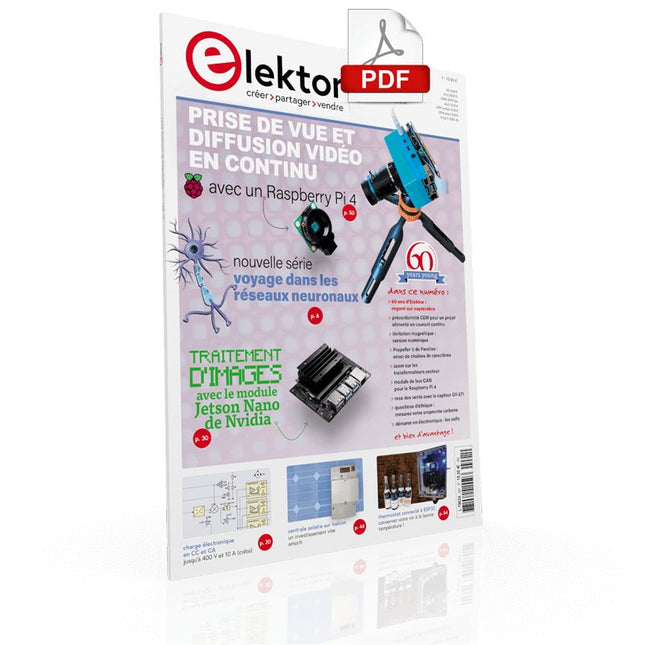
Elektor Digital Elektor septembre/octobre 2021 (PDF)
VOYAGE DANS LES RÉSEAUX NEURONAUX (1ÈRE PARTIE)Les neurones artificielsTEST DE PRÉCONFORMITÉ CEM POUR UN PROJET ALIMENTÉ EN COURANT CONTINUPartie 1 : RSIL double continuCHARGE ÉLECTRONIQUE EN CC ET CAJusqu'à 400 V et 10 A (crête)DÉMARRER EN ÉLECTRONIQUE (9)N'ayez pas peur du choc... un peu de « self control » suffit !TRAITEMENT D'IMAGES AVEC LE MODULE JETSON NANO DE NVIDIA (1ÈRE PARTIE)Matériel et logicielZOOM SUR LES TRANSFORMATEURS SECTEURComportement transitoire à l'allumage et l'extinction« YES WE CAN » AVEC PICAN 3Module de bus CAN pour le Raspberry Pi 4CENTRALE SOLAIRE SUR BALCONUn investissement vite amortiPRISE DE VUE ET DIFFUSION VIDÉO EN CONTINU AVEC UN RASPBERRY PI 4La caméra Raspberry Pi HQ en actionUTILISATION D'ÉCRANS DANS LES PROJETS RASPBERRY PIExtrait : écrans à diodes électroluminescentes organiques (OLED)PROPELLER 2 DE PARALLAX (4)Envoi de chaînes de caractères60 ANS D'ELEKTORRegard sur septembreDANS L'ANTRE DE…Menno van der Veen et de ses tubes amplificateursCIRCUITS HYBRIDESROSE DES VENTS AVEC LE CAPTEUR GY-271Ou pourquoi il faut faire des huit pour calibrer un capteurMESUREZ VOTRE EMPREINTEÉlectronique et émissions de gaz à effet de serreTHERMOSTAT CONNECTÉ À ESP32Conservez votre vin à la bonne température !LÉVITATION MAGNÉTIQUE, VERSION NUMÉRIQUEComparateur analogique remplacé par un ESP32 PicoULTIMATE ARDUINO UNO HARDWARE MANUAL - FR TRANSLATIONExtrait : chargeur d'amorçage du microcontrôleur principalMICROPYTHON POUR L'ESP32 ET SES COPAINSPartie 2 : piloter facilement les écrans matricielsCARTE MADMACHINE SWIFTIOUn langage récent pour du matériel tout nouveauSUR LE VIFPassions incertainesHEXADOKUCasse-tête pour elektorniciens
€ 10,95
-
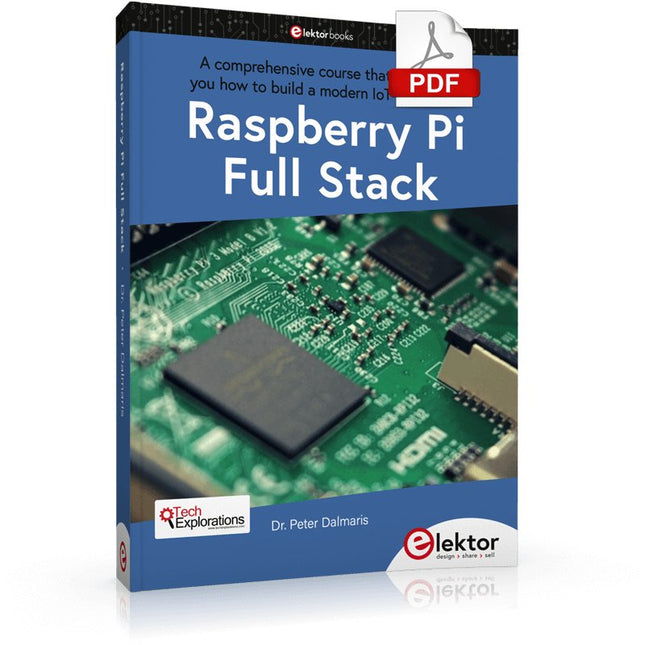
Elektor Digital Raspberry Pi Full Stack (E-book)
Ce livre vous emmène dans une visite éclair du développement d'applications Web full-stack à l'aide de Raspberry Pi. Vous apprendrez à créer une application à partir de zéro. Vous acquerrez de l'expérience et des connaissances sur les technologies, notamment : Le système d'exploitation Linux et la ligne de commande. Le langage de programmation Python. Les broches d'entrée-sortie à usage général (GPIO) du Raspberry Pi. Le serveur Web Nginx. Micro-framework Flask Python pour les applications Web. JQuery et CSS pour créer des interfaces utilisateur. Gérer les fuseaux horaires. Création de graphiques avec Plotly et Google Charts. Enregistrement des données avec Google Sheet. Développement d'applets avec IFTTT. Sécuriser votre application avec SSL. Recevez des messages texte sur votre téléphone avec Twilio. Ce livre vous apprend également comment configurer à distance un nœud de capteur Arduino sans fil et en collecter des données. Votre application Web Raspberry Pi sera capable de traiter les données du nœud Arduino de la même manière qu'elle traite les données de son capteur intégré. Raspberry Pi Full Stack vous enseigne de nombreuses compétences essentielles à la création d'applications Web et Internet des objets. L'application que vous construirez dans ce projet est une plate-forme sur laquelle vous pourrez vous développer. Ce n'est que le début de ce que vous pouvez faire avec un Raspberry Pi et les composants logiciels et matériels que vous apprendrez. Ce livre est soutenu par l'auteur à travers un espace de discussion dédié.
€ 34,95
Membres : € 31,46
-
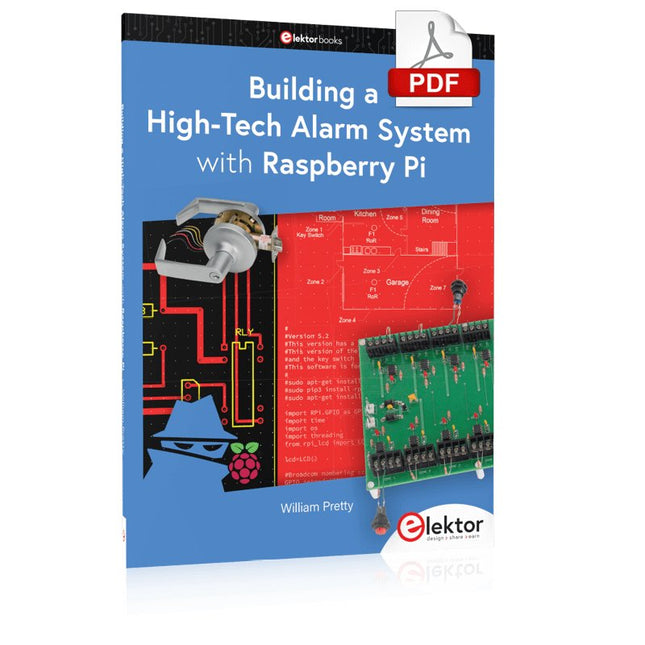
Elektor Digital Building a High-Tech Alarm System with Raspberry Pi (E-book)
This book discusses the basic components of any alarm system. All alarm systems have two basic functions. First, they monitor their environment looking for a change such as a door or window opening or someone moving about in the room. Second, they alert the legal owner or user to this change. The system described in this book uses a scanning type software to detect intruders. It behaves like a guard dog, pacing up and down the fence line on the lookout for either an intruder or a familiar person. If you have an alarm key, you can disarm the system and enter. With the scanning method, the software is easy to write and explain. It can scan eight alarm zones plus two special fire zones in about one second. You don’t have to be an electrical engineer to install an alarm system, just a decent carpenter, painter, and plasterer! Because this alarm system runs on 12 volts, you don’t have to be a licensed electrician either to install it. The alarm system presented here uses Python software on the Raspberry Pi combined with some elementary electronic circuits. The code described in the book, as well as CAD files and a bill of materials for the alarm panel, are available for free downloading. The book provides the reader with examples of typical configurations coming straight from the author‘s experience. After reviewing the hardware components typically used in common alarm systems, the author shows how to plan one yourself. To implement a modular alarm, no matter if it is for a single house or for a business or restaurant, the book shows how to skillfully combine a Raspberry Pi with small auxiliary electronic circuits. These are not installation instructions but food for thought that will enable readers to find a solution to their needs.
€ 24,95
Membres : € 22,46
-

Elektor Digital Logic Analyzers in Practice (E-book)
PC USB Logic Analyzers with Arduino, Raspberry Pi, and Co. Step-by-step instructions guide you through the analysis of modern protocols such as I²C, SPI, UART, RS-232, NeoPixel, WS28xx, HD44780 and 1-Wire. With the help of numerous experimental circuits based on the Raspberry Pi Pico, Arduino Uno and the Bus Pirate, you will learn the practical application of popular USB logic analyzers. All the experimental circuits presented in this book have been fully tested and are fully functional. The necessary program listings are included – no special programming or electronics knowledge is required for these circuits. The programming languages used are MicroPython and C along with the development environments Thonny and Arduino IDE. This book uses several models of flexible and widely available USB logic analyzers and shows the strengths and weaknesses of each price range. You will learn about the criteria that matter for your work and be able to find the right device for you. Whether Arduino, Raspberry Pi or Raspberry Pi Pico, the example circuits shown allow you to get started quickly with protocol analysis and can also serve as a basis for your own experiments. After reading this book, you will be familiar with all the important terms and contexts, conduct your own experiments, analyze protocols independently, culminating in a comprehensive knowledge set of digital signals and protocols.
€ 29,95
Membres : € 26,96
-

Elektor Special: Sensors for Weather and the Environment
Build your textbook weather station or conduct environmental research together with the whole world. With many practical projects for Arduino, Raspberry Pi, NodeMCU, ESP32, and other development boards. Weather stations have enjoyed great popularity for decades. Every current and even every long discontinued electronics magazine has regularly featured articles on building your own weather station. Over the years, they have become increasingly sophisticated and can now be fully integrated into an automated home — although this often requires loyalty to an (expensive) brand manufacturer across all components. With your own weather and environmental data, you can keep up and measure things that no commercial station can. It’s also fun: expand your knowledge of electronics, current microcontroller development boards and programming languages in a fun and meaningful way. For less than 10 euros you can get started and record your first environmental data — with time and growing interest, you will continue to expand your system. In this Edition Which Microcontroller Fits My Project? The Right Development Environment Tracking Wind and Weather Weather Display with OpenWeatherMap and Vacuum Fluorescent Display Volatile Organic Compounds in the Air We Breathe Working with MQ Sensors: Measuring Carbon Monoxide — Odorless but Toxic CO2 Traffic Light with ThingSpeak IoT Connection An Automatic Plant Watering System Good Indoor Climate: Temperature and Humidity are Important criteria Classy Thermometer with Vintage Tube Technology Nostalgic Weather House for the Whole Family Measuring Air Pressure and Temperature Accurately Sunburn Warning Device DIY Sensor for Sunshine Duration Simple Smartphone Says: Fog or Clear View? Identifying Earthquakes Liquid Level Measurement for Vessels and Reservoirs Water pH Value Measurement Detecting Radioactive Radiation GPS: Sensor Location Service Across the Globe Saving and Timestamping Log Files on SD Cards LoRaWAN, The Things Network, and ThingSpeak Operating a LoRaWAN Gateway for TTN Defying "Wind and Weather" Mega Display with Weather Forecasz
€ 19,95
Membres : € 17,96
-

Elektor Digital PID-basierte digitale Regelungstechnik mit Raspberry Pi und Arduino Uno (PDF)
Der Arduino Uno ist ein Open-Source-Mikrocontroller-Entwicklungssystem, das Hardware, eine integrierte Entwicklungsumgebung (IDE) und eine Vielzahl von Bibliotheken umfasst. Es wird von einer riesigen Gemeinschaft von Programmierern, Elektronikern, Enthusiasten und Akademikern unterstützt. Insbesondere die Bibliotheken erleichtern die Programmierarbeit und reduzieren die Entwicklungszeiten, da sie das Erstellen von Programmen erheblich erleichtern. Der Raspberry Pi 4 kann in vielen Projekten wie Audio- und Videoanwendungen, aber auch in Industriesteuerungen, Robotik, Spielen usw. eingesetzt werden. Dazu bietet er auch WiFi- und Bluetooth-Fähigkeiten, wodurch er sich zudem hervorragend für internetbasierte Steuerungs- und Überwachungsanwendungen eignet. In diesem Buch werden sowohl der Raspberry Pi 4 als auch der Arduino Uno in PID-basierten automatischen Steuerungsanwendungen eingesetzt. Nach einer grundlegenden Theorie der Regelsysteme werden funktionierende und getestete Projekte zur Steuerung realer Systeme mit PID-Reglern vorgestellt. Die Open-Loop-Eigenschaften, die Abstimmung der PID-Parameter und das Closed-Loop-Zeitverhalten der Systeme werden zusammen mit Blockdiagrammen, Schaltplänen und PID-Regelalgorithmen ausführlich diskutiert. Vollständige Programme für den Raspberry Pi und den Arduino Uno runden die im Buch vorgestellten Projekte ab. Die Regelsysteme können problemlos auch auf andere Projekte angewendet werden und die für den Raspberry Pi 4 angegebenen Programme sollten auch mit anderen Modellen der Raspberry Pi-Familie reibungslos funktionieren. Das Buch behandelt folgende Themen: Steuer- und Regelsysteme Analoge und digitale Sensoren Übertragungsfunktionen und zeitkontinuierliche Systeme Systemantwortfunktionen erster und zweiter Ordnung Zeitdiskrete digitale Systeme Zeitkontinuierliche PID-Regler Zeitdiskrete PID-Regler Zweipunkt-Temperaturregelung mit Raspberry Pi und Arduino Uno PID-basierte Temperaturregelung mit Raspberry Pi und Arduino Uno Motorsteuerung mit Raspberry Pi und Arduino Uno Wasserstandsregelung mit Raspberry Pi und Arduino Uno PID-basierte LED-Helligkeitsregelung mit Raspberry Pi und Arduino Uno
€ 32,80
Membres : € 29,52
-

Elektor Digital Elektor September/October 2021 (PDF)
UNDERSTANDING THE NEURONS IN NEURAL NETWORKS (PART 1)Artificial Neurons EMC PRE-COMPLIANCE TEST FOR YOUR DC-POWERED PROJECT (PART 1)Dual DC LISN ELECTRONIC LOAD FOR DC AND ACUp to 400 V and 10 A (Peak) STARTING OUT IN ELECTRONICSEasier Than Imagined! ...Taking on the Choke! IMAGE PROCESSING WITH THE NVIDIA JETSON NANO (PART 1)The Hardware and Software AN IN-DEPTH LOOK AT MAINS TRANSFORMERSHow Do They Behave When They Are Switched On and Off? YES WE CAN WITH PICAN 3A CAN Bus HAT for the Raspberry Pi 4 BALCONY POWER PLANTDIY Solar Balcony = Speedy Payback! IMAGING AND VIDEO-STREAMING WITH A RASPBERRY PI 4The Raspberry Pi High-Quality Camera in Practice USING DISPLAYS IN RASPBERRY PI PROJECTSSample Chapter: Organic Light Emitting Diode Displays (OLED) HANDS ON THE PARALLAX PROPELLER 2 (PART 4)Sending Strings ELEKTOR @ 60A Look Back at Previous Septembers HOMELAB TOURSIn the Friesian Countryside, Where the Tubes Bloom ... HYBRIDSPeculiar Parts, the series A COMPASS ROSE USING THE GY-271Or Why We Move in Figures of Eight to Calibrate a Sensor FINDING YOUR FOOTPRINTCalculate the Carbon Footprint of Your Electronics ESP32-CONNECTED THERMOSTATKeep Your Wine at the Right Temperature! MAGNETIC LEVITATION THE DIGITAL WAYESP32 Pico Replaces the Analog Comparator ULTIMATE ARDUINO UNO HARDWARE MANUALSample Chapter: Main Microcontroller Bootloader MICROPYTHON FOR THE ESP32 AND FRIENDS (PART 2)Control Matrix Displays Easily MADMACHINE SWIFTIO BOARDModern Language Meets Modern Hardware FROM LIFE’S EXPERIENCEOn-Again, Off-Again Relationship HEXADOKUThe Original Elektorized Sudoku
€ 7,50


