
Résultats de la recherche pour "4tronix OR mars OR rover OR robot OR kit OR for OR raspberry OR pi OR zero"
-

Elektor Publishing Logic Analyzers in Practice
PC USB Logic Analyzers with Arduino, Raspberry Pi, and Co. Step-by-step instructions guide you through the analysis of modern protocols such as I²C, SPI, UART, RS-232, NeoPixel, WS28xx, HD44780 and 1-Wire. With the help of numerous experimental circuits based on the Raspberry Pi Pico, Arduino Uno and the Bus Pirate, you will learn the practical application of popular USB logic analyzers. All the experimental circuits presented in this book have been fully tested and are fully functional. The necessary program listings are included – no special programming or electronics knowledge is required for these circuits. The programming languages used are MicroPython and C along with the development environments Thonny and Arduino IDE. This book uses several models of flexible and widely available USB logic analyzers and shows the strengths and weaknesses of each price range. You will learn about the criteria that matter for your work and be able to find the right device for you. Whether Arduino, Raspberry Pi or Raspberry Pi Pico, the example circuits shown allow you to get started quickly with protocol analysis and can also serve as a basis for your own experiments. After reading this book, you will be familiar with all the important terms and contexts, conduct your own experiments, analyze protocols independently, culminating in a comprehensive knowledge set of digital signals and protocols.
€ 34,95
Membres : € 31,46
-

Elektor Digital Elektor Mei/Juni 2020 (PDF)
Open-netwerk weerstation mk2deel 1: inleiding en hardware-elementen AI voor beginners (1)objectherkenning met het Maixduino-board Universele triac-stuurmodule met ATmegaschakelen en dimmen van verschillende belastingen Hoe... iets van GitHub downloadenGitHub Voor Dummies My IoT-Button: de knop voor het netdeel 2: prototyping met board en cloud TMS0280 spraaksynthesizervreemde onderdelen Interactiefcorrecties & updates | vragen & antwoorden BASIC voor ESP32/ESP8266 (2)zandloper met ESP8266 en Annex WiFi RDS Developer’s Zonetips & trucs, vakkunstigheden en andere nuttige informatie BalBot: een zelfbalancerende robotmoderne versnellingssensoren vergemakkelijken de bouw Alle begin......hoeft niet zo moeilijk te zijn Wie het kleine niet eertuit de ideeënbus van Elektor Verzendbox met manipulatie-indicatiegegevens veilig met de post verzenden Nieuwe Nauwkeurige Nixie-klok: verbeteringentechnisch nieuwsbulletin voor nieuwe en bestaande enthousiaste gebruikers Multitasking met de ESP32 (3)software-timers Met de vos in het IoT (4)inrichten van het dashboard Start-up update: het Elektor Investment Program Review: Elektronische USB-belasting Joy-IT HD35test de belastbaarheid van USB-poorten CAN-bus + Arduino houden zonnepanelen in de gatenlokaliseer panelen in grote arrays die onderhoud nodig hebben Analoge elektronica ontwerpencase-study #1 – deel 3: optimalisatie van de responsie van de voorversterker en compromissen Sound Blinkdraagbare zelfbouwspeaker met LED-lichtshow USB-stroombewakingintelligente bescherming voor USB-poorten Oost West Lab Besteen blik in het allerheiligste, waar onbevoegden geen toegang hebben... Review: Labvoeding PeakTech 6080 Aveel voeding voor weinig geld Een grote uitdagingveilige producten in het IoT-tijdperk Elektor 1,2-GHz-universeelteller (1992/93)voorbij de magische 1GHz-grens Hexadoku
€ 9,95
-

Red Pitaya Kit de démarrage Red Pitaya STEMlab 125-14 PRO Gen 2 (avec livre)
Cette offre groupée comprend le kit de démarrage Red Pitaya STEMlab 125-14 PRO Gen 2 et le nouveau livre « Experimenting with Red Pitaya STEMlab Gen 2 ». Le kit de démarrage Red Pitaya STEMlab 125-14 PRO Gen 2 est une plateforme puissante et flexible destinée aux applications de traitement du signal, d'acquisition de données et de mesure électronique. Conçu pour les ingénieurs, les développeurs, les chercheurs et les enseignants, ce kit fournit tout le nécessaire pour commencer à développer des systèmes avancés de mesure et de contrôle. Au cœur du kit se trouve la carte STEMlab 125-14 PRO Gen 2, une version améliorée et ultra-légère. Équipée du SoC Xilinx Zynq-7010 avec 512 Mo de RAM, elle combine la programmabilité d’un FPGA avec la puissance de traitement d’un processeur ARM pour permettre la mise en œuvre d’instruments haute performance et de solutions de traitement de signaux personnalisées. La carte offre une résolution ADC et DAC de 14 bits, un taux d’échantillonnage de 125 MS/s, une plage d’entrée de ±20 V et une bande passante pouvant atteindre 60 MHz. Son frontal analogique à faible bruit amélioré, sa connectivité USB-C et sa conception compacte la rendent adaptée aux applications exigeantes telles que le développement RF, les systèmes radar, la recherche en photonique, la radio logicielle (SDR) et l’automatisation industrielle. Le kit de démarrage comprend tous les accessoires essentiels pour une utilisation immédiate : une carte microSD avec système d’exploitation préinstallé, une alimentation, un câble Ethernet pour l’accès à distance, deux sondes d’oscilloscope de 100 MHz et des adaptateurs SMA-BNC pour des connexions de signaux flexibles. Le kit de démarrage Red Pitaya STEMlab 125-14 PRO Gen 2 constitue une excellente plateforme pour le prototypage rapide, le développement FPGA, l'instrumentation de mesure et l'expérimentation électronique avancée. Caractéristiques Résolution ADC et DAC 14 bits Fréquence d'échantillonnage de 125 MS/s Plage d'entrée de ±20 V Bande passante jusqu'à 60 MHz SoC Xilinx Zynq-7010 (FPGA + processeur ARM) 512 Mo de RAM Frontières analogiques à faible bruit Applications Développement et tests RF Radar et systèmes sans fil Radio logicielle (Software Defined Radio, SDR) Photonique et recherche optique Automatisation industrielle et systèmes de contrôle Analyse et instrumentation du signal Rapide prototypage de systèmes de mesure électroniques Spécifications Processeur Dual core ARM Cortex-A9 FPGA SoC AMD Xilinx Zynq-7010 RAM 512 Mo (4 Go) Stockage Carte microSD (jusqu'à 32 Go) Système d'exploitation Red Pitaya OS basé sur Linux Résolution ADC 14 bits DAC Résolution 14 bits Bande passante 60 MHz (CC) Fréquence d'échantillonnage 125 Méch/s Nombre d'entrées analogiques 2 Nombre de sorties analogiques 2 Plage de tension d'entrée ±1 V (BT) / ±20 V (HT) Impédance d'entrée 1 MΩ / 10 Ω pF Plage de tension de sortie ±1 V Ethernet 1 port Gigabit Ethernet (RJ45) USB 2 ports USB-C 2.0 (alimentation et console) E/S numériques 16 E/S à usage général (3,3 V) Interfaces de communication I²C, SPI, UART, CAN Alimentation 5 V/3 A via USB-C Dimensions 106,8 x 60,0 x 17,9 mm Inclus 1x Carte Red Pitaya STEMlab 125-14 PRO Gen 2 2x Sondes d'oscilloscope 100 MHz 2x Adaptateurs SMA vers BNC 1x Carte microSD avec système d'exploitation préinstallé 1x Alimentation USB-C 1x Câble Ethernet Téléchargements Documentation Schematics Livre : Experimenting with Red Pitaya STEMlab Gen 2 Avec ce nouveau livre, Red Pitaya va bien au-delà d’une simple carte polyvalente. Il devient un puissant instrument de laboratoire pour la mesure, l’analyse et le contrôle de précision. Des bases du développement de projets électroniques, de la surveillance, du contrôle et de la conception jusqu’aux tests, ce livre vous guide pas à pas à travers tout ce que vous devez savoir pour exploiter pleinement le potentiel du matériel et des logiciels Red Pitaya. L’ouvrage présente des projets en temps réel basés sur FPGA, développés sur PC à l’aide de l’environnement Vivado, puis transférés sur Red Pitaya pour exécution et test. Vous découvrirez des performances améliorées, des capacités d’E/S étendues, des fonctionnalités FPGA optimisées ainsi que des options de connectivité avancées, ouvrant de nouvelles perspectives pour la mesure, la surveillance et le contrôle de précision dans vos applications embarquées. Dans ce livre, vous découvrirez : Une analyse approfondie de l’architecture et du design matériel de Red Pitaya Des expériences électroniques utilisant Red Pitaya pour la mesure et la surveillance Des projets pratiques utilisant le langage de programmation Python Des conseils pratiques pour la programmation FPGA avec Red Pitaya Des projets FPGA Red Pitaya utilisant le Verilog HDL sous Vivado IDE La conception pratique de projets électroniques incluant mesure et tests Des exemples pas à pas reliant la théorie à la mise en œuvre réelle Que vous conceviez vos propres circuits électroniques, développiez des outils d’analyse de signaux ou créiez des systèmes de contrôle ou de surveillance en temps réel, ce livre vous apporte les connaissances et la confiance nécessaires pour maîtriser et personnaliser pleinement la plateforme Red Pitaya.
€ 799,00
Meilleur prix
-

Elektor Digital Raspberry Pi Pico (DE) PDF
Mehr als 50 Grundlagenprojekte mit MicroPython und dem RP2040-Mikrocontroller Der Raspberry Pi Pico ist eine leistungsstarke Mikrocontroller-Platine, die speziell für das Physical Computing – also hardwarenahe Anwendungen – entwickelt wurde. Der Raspberry Pi Pico kann so programmiert werden, dass er eine einzelne Aufgabe sehr effizient ausführt und ermöglicht so schnelle Steuerungs- und Überwachungsanwendungen in Echtzeit. Der 'Pico', wie wir ihn nennen, basiert auf dem schnellen, effizienten und kostengünstigen Dual-Core ARM Cortex-M0+ RP2040 Mikrocontroller-Chip, der mit bis zu 133 MHz läuft und über 264 KB SRAM und 2 MB Flash-Speicher verfügt. Neben dem großen Speicher hat der Pico noch weitere attraktive Eigenschaften, darunter eine große Anzahl von GPIO-Pins sowie gängige Schnittstellen wie ADC, SPI, I²C, UART und PWM. Als Krönung bietet der Chip schnelle und genaue Timer, eine Hardware-Debug-Schnittstelle und einen internen Temperatursensor. Zur Programmierung lassen sich leicht die gängigen Hochsprachen wie MicroPython oder C/C++ verwenden. Dieses Buch ist eine Einführung in die Verwendung des Pico mit der Programmiersprache MicroPython. In allen Projekten wird die Thonny-Entwicklungsumgebung (IDE) eingesetzt. Über 50 Projekte decken folgende Themen ab: Installation von MicroPython auf dem Raspberry Pi Pico Timer-Interrupts und externe Interrupts Projekte mit Analog-Digital-Wandler (ADC) Verwendung des internen sowie externer Temperatursensoren Datenlogger Projekte zur PWM, UART, I²C-Bus und SPI-Bus Wi-Fi und Bluetooth für die Kommunikation mit Smartphones Projekte mit dem Digital-Analog-Wandler (DAC) Alle in diesem Buch vorgestellten Projekte wurden vollständig getestet und sind funktionsfähig. Es werden keine Programmier- oder Elektronikkenntnisse vorausgesetzt, um sie nachzuvollziehen. Für alle beschriebenen Projekte gibt es kurze Beschreibungen, Blockdiagramme, detaillierte Schaltpläne und vollständige MicroPython-Programmlistings. Die Listings sind auch auf der zum Buch gehörenden Elektor-Webseite zu finden.
€ 32,80
Membres : € 29,52
-
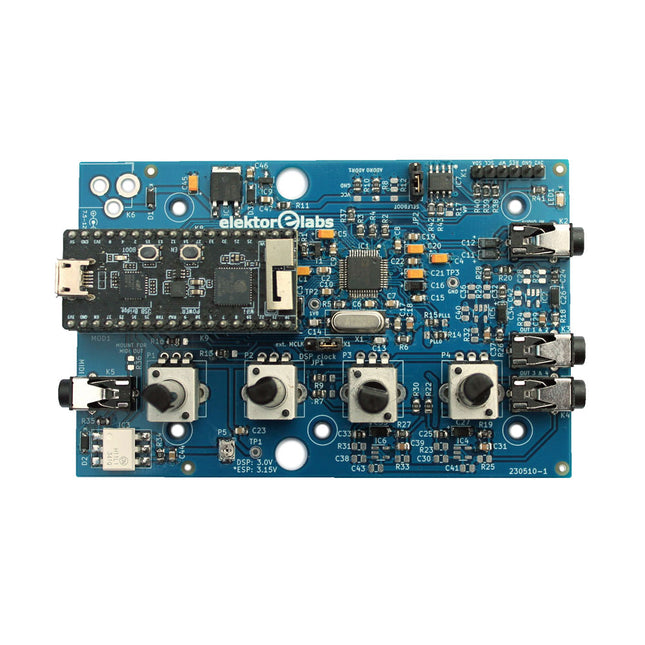
Elektor Labs Elektor Audio DSP FX Processor (Nouvelle Révision)
Le Elektor Audio DSP FX Processor combine un microcontrôleur ESP32 et un DSP Audio ADAU1701 d'Analog Devices. Outre un noyau DSP programmable par l'utilisateur, l'ADAU1701 intègre des convertisseurs analogique-numérique et numérique-analogique de haute qualité et dispose d'un port I²S. Cela le rend approprié comme interface audio de haute qualité pour l'ESP32. Les programmes pour l'ESP32 peuvent être créés avec Arduino, Platform IO, CMake ou en utilisant Espressif IDF d'une autre manière. Les programmes pour les DSP audio ADAU7101 sont créés avec l'outil de programmation visuelle gratuit SigmaStudio en glissant et déposant des blocs d'algorithmes prédéfinis sur un canevas. Applications Sink audio Bluetooth/Wi-Fi (par ex. haut-parleur) et source Pédale d'effet guitare (stomp box) Synthétiseur musical Générateur de sons/fonctions Filtre cross-over programmable pour haut-parleurs Processeur d'effets audio avancé (réverbération, chorus, pitch shifting, etc.) Appareil audio connecté à Internet Plate-forme d'expérimentation DSP MIDI sans fil Convertisseur MIDI vers CV et bien d'autres... Spécifications Processeur audio numérique ADAU1701 28/56 bits, 50 MIPS prenant en charge des taux d'échantillonnage allant jusqu'à 192 kHz Microcontrôleur double cœur ESP32 32 bits avec Wi-Fi 802.11b/g/n et Bluetooth 4.2 BR/EDR et BLE 2 entrées audio 24 bits (2 V RMS, 20 kΩ) 4 sorties audio 24 bits (0,9 V RMS, 600 Ω) 4x potentiomètres de contrôle Entrée et sortie MIDI Port d'extension I²C Fonctionnement multimode Alimentation : USB 5 V CC ou 7,5-12 V CC (prise cylindrique, broche centrale GND) Consommation de courant (moyenne) : 200 mA Inclus 1x Carte Audio DSP FX Processor (assemblée) 1x ESP32-PICO-KIT 2x Cavaliers 2x Connecteurs à 18 broches (female) 4x Potentiomètres de 10 Ko Téléchargements Documentation GitHub
€ 99,95€ 84,95Meilleur prix
-
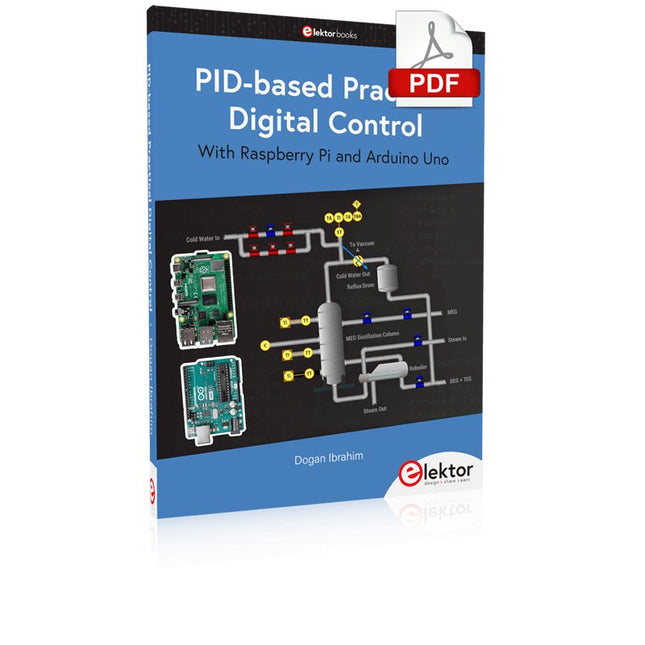
Elektor Digital PID-based Practical Digital Control with Raspberry Pi and Arduino Uno (E-book)
The Arduino Uno is an open-source microcontroller development system encompassing hardware, an Integrated Development Environment (IDE), and a vast number of libraries. It is supported by an enormous community of programmers, electronic engineers, enthusiasts, and academics. The libraries in particular really smooth Arduino programming and reduce programming time. What’s more, the libraries greatly facilitate testing your programs since most come fully tested and working. The Raspberry Pi 4 can be used in many applications such as audio and video media devices. It also works in industrial controllers, robotics, games, and in many domestic and commercial applications. The Raspberry Pi 4 also offers Wi-Fi and Bluetooth capability which makes it great for remote and Internet-based control and monitoring applications. This book is about using both the Raspberry Pi 4 and the Arduino Uno in PID-based automatic control applications. The book starts with basic theory of the control systems and feedback control. Working and tested projects are given for controlling real-life systems using PID controllers. The open-loop step time response, tuning the PID parameters, and the closed-loop time response of the developed systems are discussed together with the block diagrams, circuit diagrams, PID controller algorithms, and the full program listings for both the Raspberry Pi and the Arduino Uno. The projects given in the book aim to teach the theory and applications of PID controllers and can be modified easily as desired for other applications. The projects given for the Raspberry Pi 4 should work with all other models of Raspberry Pi family. The book covers the following topics: Open-loop and closed-loop control systems Analog and digital sensors Transfer functions and continuous-time systems First-order and second-order system time responses Discrete-time digital systems Continuous-time PID controllers Discrete-time PID controllers ON-OFF temperature control with Raspberry Pi and Arduino Uno PID-based temperature control with Raspberry Pi and Arduino Uno PID-based DC motor control with Raspberry Pi and Arduino Uno PID-based water level control with Raspberry Pi and Arduino Uno PID-based LED-LDR brightness control with Raspberry Pi and Arduino Uno
€ 32,95
Membres : € 29,66
-

Elektor Publishing Das offizielle Raspberry Pi Handbuch
Von den Machern von MagPi, dem offiziellen Raspberry Pi Magazin Starten Sie jetzt mit dem Raspberry Pi 5, dem neuesten und besten Minicomputer von Raspberry Pi – und lernen Sie, mit diesem unglaublichen Computer zu programmieren und Projekte zu erstellen. In diesem Buch finden Sie außerdem jede Menge kreative Ideen und Tipps, die Sie mit dem Raspberry Pi 4, dem Raspberry Pi Zero 2 W und dem Raspberry Pi Pico W umsetzen können. Mit den neuesten Reviews, Tutorials, Projekten, Anleitungen und mehr ist dies Ihre ultimative Ressource für den Raspberry Pi! 228 Seiten über Raspberry Pi Alles, was Sie über den Raspberry Pi 5 wissen müssen Erste Schritte für jeden Raspberry Pi Viel Spaß mit Elektronik und dem Pico W Inspirierende Projekte für Ihre nächste Bauidee Lernen Sie MicroPython, indem Sie ein Handheld bauen Erste Schritte mit dem Raspberry Pi Camera Modul Künstliche Intelligenz: Bauen Sie Ihren eigenen GPT Chatbot
€ 34,80
Meilleur prix
-
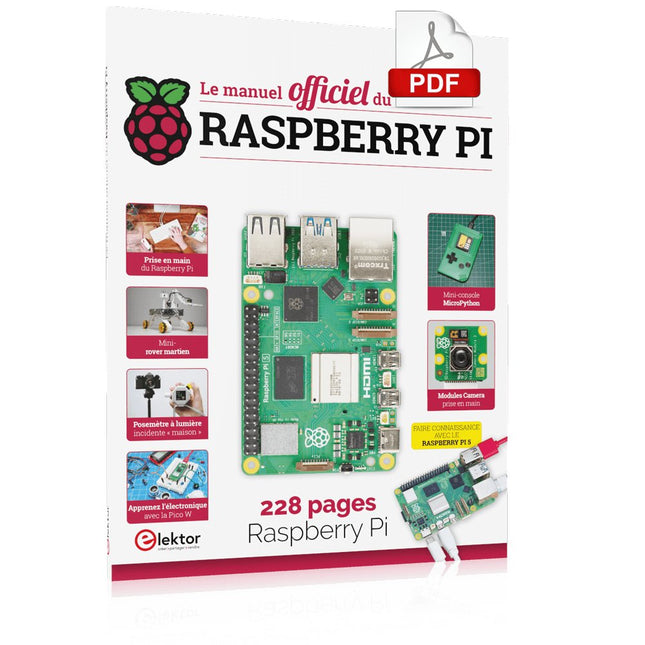
Elektor Digital Le manuel officiel du Raspberry Pi (PDF)
Réalisés par les créateurs du MagPi, le magazine officiel de Raspberry Pi Démarrez avec le Raspberry Pi 5, le dernier-né et le plus performant de la famille des nano-ordinateurs Raspberry Pi. Apprenez à coder et à réaliser des projets avec cet ordinateur étonnant. Dans ce manuel dédié au Raspberry Pi 5, nous vous proposons aussi de nombreuses idées de projets également réalisables avec le Raspberry Pi 4, le Raspberry Pi Zero 2 W et le Raspberry Pi Pico W. Avec des tutoriels, des projets pratiques, des essais techniques, des guides et bien plus encore, il s’agit de la ressource ultime pour le Raspberry Pi ! 228 pages sur le Raspberry Pi Tout ce que vous devez savoir sur le Raspberry Pi 5 Prise en main de tous les Raspberry Pi Amusez-vous et apprenez l’électronique avec le Pico W Des projets inspirants pour vous donner des idées de réalisations Apprenez μPython en construisant une mini-console Démarrez avec le module caméra Raspberry Pi Intelligence artificielle, codage de son propre agent ChatGP
€ 29,95
Membres : € 26,96
-

Elektor Digital Elektor March/April 2022 (PDF)
Build Your Own RISC-V ControllerFirst Steps with the NEORV32 RISC-V Softcore for Low-Cost FPGAs How to Use Arduino’s Serial PlotterPlotting Graphs With Arduino Is Easy CLUE from AdafruitA Smart Solution for IoT Projects Buffer Board for the Raspberry Pi 400Protect the I/Os Raspberry Pi RP2040 Boards Aplenty A Handbook on DIY Electronic Security and EspionageSRAM Heated or Deep-Frozen Component IdentificationTips & Tricks, Best Practices and Other Useful Information DIY Touchless Light Switch Starting out in ElectronicsMatching and Transforming What’s New in Embedded Development?Rust and Keeping IoT Deployments Updated Infographics How the Industrial and Automotive Sectors Will Benefit from 5G Moving Coil RelaysPeculiar Parts, the series HomeLab ToursEverything Revolves Around the Tools... Understanding the Neurons in Neural Networks (Part 4)Embedded Neurons Magnetic Levitation the Very Easy WayThe Third and Most Compact Version PLC Programming with the Raspberry Pi and the OpenPLC ProjectVisualization of PLC Programs with AdvancedHMI From Life's ExperiencePack Up and Leave Under Your RadarMicrocontrollers You Should Know About Monitor and Debug Over the AirA Solution for Arduino, ESP32 and Co. Portable Temperature- and Humidity-Measuring DeviceUsing Ready-Made Modules Lithium Battery Pack RepairSave Money + More Power! GUIs with PythonMeme-Generator Three Questions to Build OnWhy, What, and Who? HexadokuThe Original Elektorized Sudoku
€ 7,50
-
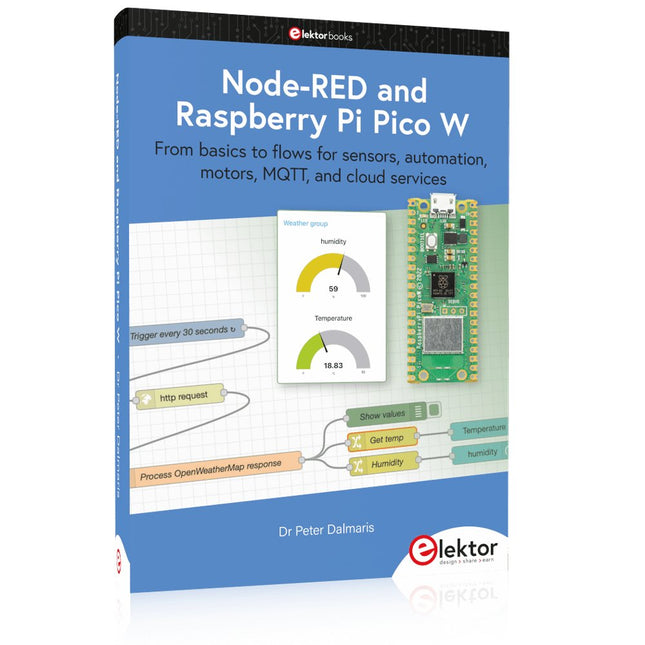
Elektor Publishing Node-RED and Raspberry Pi Pico W
From basics to flows for sensors, automation, motors, MQTT, and cloud services This book is a learning guide and a reference. Use it to learn Node-RED, Raspberry Pi Pico W, and MicroPython, and add these state-of-the-art tools to your technology toolkit. It will introduce you to virtual machines, Docker, and MySQL in support of IoT projects based on Node-RED and the Raspberry Pi Pico W. This book combines several elements into a platform that powers the development of modern Internet of Things applications. These elements are a flow-based server, a WiFi-enabled microcontroller, a high-level programming language, and a deployment technology. Combining these elements gives you the tools you need to create automation systems at any scale. From home automation to industrial automation, this book will help you get started. Node-RED is an open-source flow-based development tool that makes it easy to wire together devices, APIs, and online services. Drag and drop nodes to create a flowchart that turns on your lights at sunset or sends you an email when a sensor detects movement. Raspberry Pi Pico W is a version of the Raspberry Pi Pico with added 802.11n Wi-Fi capability. It is an ideal device for physical computing tasks and an excellent match to the Node-RED. Quick book facts Project-based learning approach. Assumes no prior knowledge of flow-based programming tools. Learn to use essential infrastructure tools in your projects, such as virtual machines, Docker, MySQL and useful web APIs such as Google Sheets and OpenWeatherMap. Dozens of mini-projects supported by photographs, wiring schematics, and source code. Get these from the book GitHub repository. Step-by-step instructions on everything. All experiments are based on the Raspberry Pi Pico W. A Wi-Fi network is required for all projects. Hardware (including the Raspberry Pi Pico W) is available as a kit. Downloads GitHub
€ 49,95
Membres : € 44,96
-

Elektor Mars/Avril 2026 (FR)
Le téléchargement intégral de ce numéro est disponible pour nos membres GOLD et GREEN sur le site Elektor Magazine ! Pas encore membre ? Cliquez ici. programmation PIO sur le Raspberry Pi PicoNeuf instructions, de multiples possibilités l'IA en ligne de commandeDéveloppement, compilation et validation de projets embarqués depuis le terminal le Scrutiny DebuggerDéboguer, visualiser et tester du code C/C++ embarqué carte breakout Sigfox (1)Développement d’une BoB radio alimentation à faible bruit (2)Construction, assemblage et mise en œuvre pratique générateur de signaux simple basé sur le RP2040Signaux analogiques et numériques à la découverte du futur de la domotique avec Matter et l’IA EdgeLes dernières versions de Matter et l’essor de l’IA en périphérie de réseau (edge) donnent-ils enfin aux ingénieurs les outils nécessaires pour construire les maisons intelligentes et parfaitement intégrées promises aux utilisateurs ? capteurs de pression différentielleLa maintenance prédictive appliquée aux systèmes CVC la sécurité dès la conceptionPrincipes d’ingénierie pour limiter les défaillances la sécurité des systèmes embarqués n’est plus une option la CRA et la PQC redéfinissent les priorités de la sécurité embarquéePourquoi même les petites entreprises IoT et industrielles doivent prévoir une mise à niveau embedded world 2026Entretien avec Benedikt Weyerer, directeur d’embedded world prise en main du bus I3CUtilisation de matériel de ST et Microchip le projet BLEnkyPrototypage rapide d’applications Bluetooth Low Energy modulation de largeur d’impulsionDu thermostat tout ou rien à un signal analogique continu filtré audiotroniqueDes circuits audio agréables à l’écoute, à réaliser soi-même sur le vifLisez donc le manuel ! carte émetteur-récepteur audio ESP32 (4)Réglage des horloges et une option filaire 2026 : une odyssée de l’IAConséquences du vibe coding charge CC symétriqueCharge CC symétrique, statique ou dynamique comptage de visages avec MaixCAMUne méthode simple pour estimer la taille d’un public
€ 16,50
-

Elektor Digital PIO-Programmierung mit dem Raspberry Pi Pico (PDF)
Praxisnahe Projekte, Profi-Tricks und eigene Anwendungen Dieses Buch führt Sie Schritt für Schritt in die faszinierende Welt der State Machines ein und zeigt, wie Sie Hardware direkt und effizient ansteuern können – jenseits klassischer CPU-gesteuerter Ansätze. In diesem Buch lernen Sie: LEDs und NeoPixel kreativ steuern: Blinken, Dimmen, Farbwechsel und komplexe Animationen Taster und Encoder zuverlässig auslesen und in Echtzeit in Ihre Projekte integrieren Analoge Eingänge (ADC) nutzen und Signale digital steuern Servos präzise ansteuern und Bewegungsabläufe automatisieren SPI mit PIO umsetzen, um Displays, Sensoren und Module anzusteuern Menüsysteme und Submenüs auf SPI-Displays realisieren, inklusive Navigation über mehrere Taster PWM, Signalgenerierung und Frequenzsteuerung für akustische oder visuelle Effekte Debugging-Strategien und Tipps, um Ihre PIO-Programme effizient zu entwickeln Alle Beispiele sind praxisnah, sofort umsetzbar und zuverlässig. Mit klaren Anleitungen, Hintergrundwissen und fertigen Codebeispielen lernen Sie, die PIO-Fähigkeiten des Pico maximal zu nutzen – egal ob für Maker-Projekte, Prototypen oder professionelle Anwendungen. Erleben Sie, wie Sie komplexe Hardwaresteuerung elegant mit dem Pico realisieren können – schneller, flexibler und leistungsfähiger als je zuvor.
€ 29,80
Membres : € 26,82


