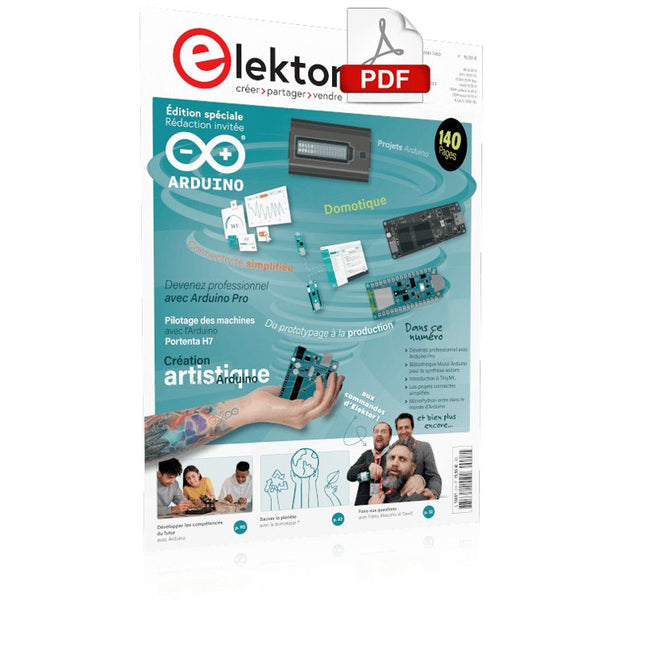
Le téléchargement intégral de ce numéro est disponible pour nos membres GOLD et GREEN sur le site Elektor Magazine !Pas encore membre ? Cliquez ici.Arduino Portenta Machine Control et Arduino Portenta H7démonstration avec une passerelle CAN vers MQTTle kit LCR-mètre 2 MHz d'Elektorrejoignez David Cuartielles, cofondateur d'Arduino, en direct !MicroPython entre dans le monde de l'ArduinoLes projets connectés simplifiésPlongez dans l'Arduino CloudIntroduction à TinyMLPlus gros n'est pas toujours mieuxArduino K-Wayl'écriture des croquis Arduino en net progrèsArduino en questionsdébuter avec le Portenta X8gestion sécurisée des logiciels avec les conteneurscréez, déployez et maintenez des applications évolutives et sécuriséesavec Arduino Portenta X8 équipé du mini processeur d'applications i.MX 8M de NXP et de l'élément de sécurité EdgeLock SE050comment j'ai automatisé ma maisonFabio Violante, PDG d'Arduino, partage ses solutionssimulateur Altair 8800simulation matérielle d'un ordinateur ancienMS-DOS sur le Portenta H7exécuter des logiciels old-school sur du matériel modernecultivez-le vous-mêmeune jardinière numérique d'intérieur tout-en-unSauver la planète avec la domotique ?MQTT sur l'Arduino Nano RP2040 Connectdevenez professionnel avec Arduino Proles fours intelligents font un bond dans le futurTagvance conçoit des chantiers de construction plus sûrs avec ArduinoSantagostino respire facilementavec une surveillance à distance qui tire parti de l'IA pour une maintenance prédictivela sécurité atteint des sommets avec la solution basée sur les cartes MKR de RIoT Securel'open-source apporte au monde du progrès dans la gestion de l'eauSensoDétecter la déforestation grâce à l'analyse sonoreBibliothèque Mozzi Arduino pour la synthèse sonoreLe point de vue de Tim Barrassles nouveaux Portenta X8 (avec Linux !) et Max Carrier redéfinissent le champ des possiblescomment l'utilisation d'Arduino aide les étudiants à acquérir des compétences futuresBien s'équiper pour mieux travaillerl'importance de la robotique dans l'enseignementLoRa fiabilise l'IdOla carte Portenta Machine control en détailrétro-gaming avec Arduboyréduire l'utilisation de l'eau sur les pistes d'équitationun IdO pour surveiller en permanence les niveaux d'humidité et de température du solle projet Panettonesystème de gestion et de maintien d'un ferment au levainSupporting Arduino ResellersSpace Invaders avec Arduinocréation artistique dans l'environnement Arduinodes idées inspirantes d'artistes et de designersArduino Product CatalogueL'avenir de l'Arduino
Build Your Own RISC-V ControllerFirst Steps with the NEORV32 RISC-V Softcore for Low-Cost FPGAs
How to Use Arduino’s Serial PlotterPlotting Graphs With Arduino Is Easy
CLUE from AdafruitA Smart Solution for IoT Projects
Buffer Board for the Raspberry Pi 400Protect the I/Os Raspberry Pi RP2040 Boards Aplenty
A Handbook on DIY Electronic Security and EspionageSRAM Heated or Deep-Frozen
Component IdentificationTips & Tricks, Best Practices and Other Useful Information DIY Touchless Light Switch
Starting out in ElectronicsMatching and Transforming
What’s New in Embedded Development?Rust and Keeping IoT Deployments Updated Infographics How the Industrial and Automotive Sectors Will Benefit from 5G
Moving Coil RelaysPeculiar Parts, the series
HomeLab ToursEverything Revolves Around the Tools...
Understanding the Neurons in Neural Networks (Part 4)Embedded Neurons
Magnetic Levitation the Very Easy WayThe Third and Most Compact Version
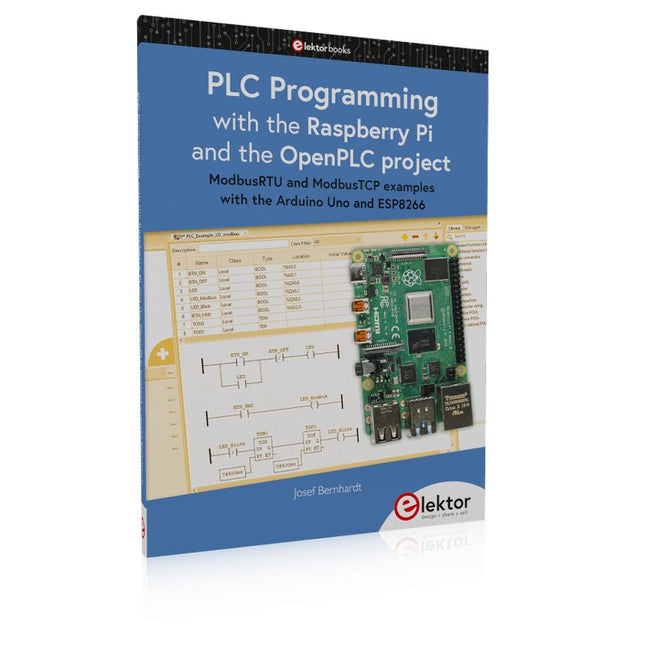
PLC Programming with the Raspberry Pi and the OpenPLC ProjectVisualization of PLC Programs with AdvancedHMI
From Life's ExperiencePack Up and Leave
Under Your RadarMicrocontrollers You Should Know About
Monitor and Debug Over the AirA Solution for Arduino, ESP32 and Co.
Portable Temperature- and Humidity-Measuring DeviceUsing Ready-Made Modules
Lithium Battery Pack RepairSave Money + More Power!
GUIs with PythonMeme-Generator
Three Questions to Build OnWhy, What, and Who?
HexadokuThe Original Elektorized Sudoku
Example projects with Node-RED, MQTT, WinCC SCADA, Blynk, and ThingSpeak
This comprehensive guide unlocks the power of Modbus TCP/IP communication with Arduino. From the basics of the Modbus protocol right up to full implementation in Arduino projects, the book walks you through the complete process with lucid explanations and practical examples.
Learn how to set up Modbus TCP/IP communication with Arduino for seamless data exchange between devices over a network. Explore different Modbus functions and master reading and writing registers to control your devices remotely. Create Modbus client and server applications to integrate into your Arduino projects, boosting their connectivity and automation level.
With detailed code snippets and illustrations, this guide is perfect for beginners and experienced Arduino enthusiasts alike. Whether you‘re a hobbyist looking to expand your skills or a professional seeking to implement Modbus TCP/IP communication in your projects, this book provides all the knowledge you need to harness the full potential of Modbus with Arduino.
Projects covered in the book:
TCP/IP communication between two Arduino Uno boards
Modbus TCP/IP communication within the Node-RED environment
Combining Arduino, Node-RED, and Blynk IoT cloud
Interfacing Modbus TCP/IP with WinCC SCADA to control sensors
Using MQTT protocol with Ethernet/ESP8266
Connecting to ThingSpeak IoT cloud using Ethernet/ESP8266
USB-Logikanalysatoren am PC mit Arduino, Raspberry Pi und Co
Schritt-für-Schritt-Anleitungen führen Sie in die Analyse moderner Protokolle von I²C, SPI, UART, RS-232, NeoPixel, WS28xx, HD44780 und 1-Wire ein. Anhand von zahlreichen Experimentierschaltungen mit dem Raspberry Pi Pico, Arduino Uno und dem Bus Pirate üben Sie die praxisnahe Anwendung gängiger USB-Logikanalysatoren ein.
Alle in diesem Buch vorgestellten Experimentierschaltungen wurden vollständig getestet und sind funktionsfähig. Die notwendigen Programmlistings sind enthalten, es sind keine besonderen Programmier- oder Elektronikkenntnisse für diese Schaltungen notwendig. Es werden die Programmiersprachen MicroPython und C mit den Entwicklungsumgebungen Thonny und Arduino IDE eingesetzt.
Dieses Buch verwendet mehrere Modelle flexibler und weit verbreiteter USB-Logikanalysatoren und zeigt die Stärken und Schwächen jeder Preisklasse. Sie werden kennenlernen, welche Kriterien für Ihre Arbeit wichtig sind und in der Lage sein, das für Sie passende Gerät zu finden.
Egal ob Arduino, Raspberry Pi oder Raspberry Pi Pico: Die abgebildeten Beispielschaltungen ermöglichen einen schnellen Start in die Protokollanalyse und können auch als Grundlage für eigene weitere Experimente dienen.
Sie werden alle wichtigen Begriffe und Zusammenhänge kennenlernen, eigene Experimente durchführen, selbstständig Protokolle analysieren und nach der Lektüre dieses Buches – im Bereich der digitalen Signale und Protokolle – ein umfassendes Wissen aufgebaut haben.
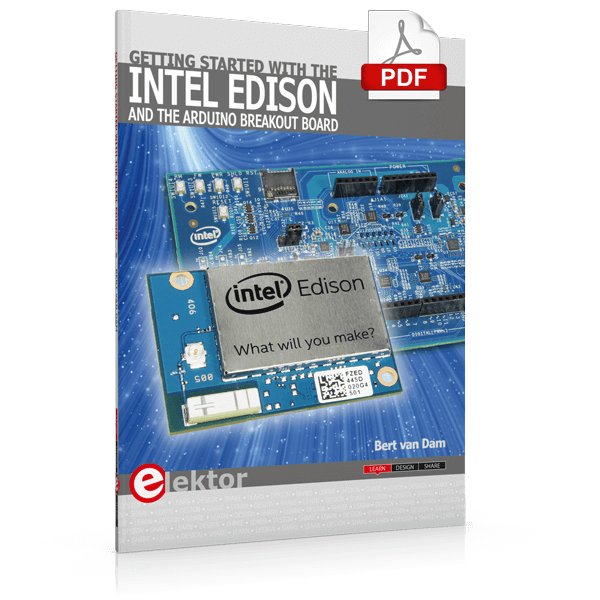
The Internet of Things is rapidly gaining interest, and that has fueled the development of the Edison. A tiny computer, the size of a postage stamp, with a lot of power and built-in wireless communication capabilities.
In this eBook we will help you get up-to-speed with the Edison, by installing the software both on the Edison as well as on your Windows PC. We will use the Edison Arduino break-out board because it is easy to work with. We will discuss Linux, Arduino C++ and Python, and show examples of how the Edison can interface with other hardware. We will use Wi-Fi and Bluetooth to set up wireless connections, and show you a trick to program sketches over Wi-Fi.
Once you have completed this book your Edison will be up and running with the latest software version, and you will have sufficient knowledge of both hardware and software to start making your own applications. You will even be able to program the Edison over USB and wireless both in Arduino C++ and Python.
This is not a projects eBook, but a toolbox that will allow you to explore the wonderful world of the Intel Edison!
A Reference and User Guide for the Arduino Uno Hardware and Firmware
A manual providing up-to-date hardware information for the popular Arduino Uno, the easy to use open-source electronics platform used by hobbyists, makers, hackers, experimenters, educators and professionals.
Get all the information that you need on the hardware and firmware found on Arduino Uno boards in this handy reference and user guide.
ldeal for the workbench or desktop
Contains all of the Arduino Uno hardware information in one place
Covers Arduino / Genuino Uno revision 3 and earlier boards
Easily find hardware technical specifications with explanations
Pin reference chapter with interfacing examples
Diagrams and illustrations for easy reference to alternate pin functions and hardware connections
Learn to back up and restore firmware on the board, or load new firmware
Basic fault finding and repair procedures for Arduino Uno boards
Power supply circuits simplified and explained
Mechanical dimensions split into five easy to reference diagrams
Contains circuit diagrams, parts list and board layout reference to easily locate components
Mit diesem Buch erweitert der Leser seine Mikrocontroller-Kenntnisse auf Grund eigener Erfahrungen und Erfolgserlebnisse und wird dazu noch ganz nebenbei in die Welt des Arduino und seiner Entwicklungsumgebung eingeführt. Am Ende dieses vergnüglichen und fast spielerischen Lehrgangs stellen Begriffe wie I/O, Speicherplatz, Interrupts, Kommunikationsstandards, A/D-Konverter (und vieles mehr) keine Geheimnisse mehr dar und der Leser ist in der Lage, auch andere Mikrocontroller zu programmieren. Mit anderen Worten: ein erstes Mikrocontroller-Buch mit Happy End.
Dieses Buch ist für Sie geeignet, wenn Sie Anfänger auf dem Gebiet der Mikrocontroller sind, als Arduino-User bzw. -Enthusiast Ihre Kenntnisse vertiefen möchten, Elektronik studieren oder als Lehrer inspiriert werden möchten.
Neues Konzept:
Dieses Buch überrascht mit einem völlig neuen Konzept an Schaltungsbeispielen: Mit speziellen Arduino-Anwendungen vertreiben Sie störende Freunde und Familienmitglieder sicher und zuverlässig aus Ihrer Umgebung und machen so Schluss mit lästigen gesellschaftlichen Verpflichtungen, so dass Sie in Zukunft Ihre komplette Freizeit nur noch der Programmierung von Mikrocontrollern widmen können.
Originelle Anwendungsbeispiele
Geringe Hardware-Kosten
Freie und offene Software (Open Source)
Open-Source-Code mit Arduino IDE und PlatformIO
Autonomes Fahren: GPS, Accelerometer, Gyroskop
PS3-Controller
Mikrocontroller wie der Arduino und Einplatinenrechner wie der Raspberry Pi haben sich zu beliebten Komponenten entwickelt. Dritter im Bunde ist der ESP32 der Firma Espressif. Mikrocontroller dieser Baureihe zeichnen sich durch eine Vielzahl implementierter Funktionen aus, die bei einem Arduino konventioneller Prägung mit einem Atmel-AVR-Mikrocontroller erst mit weiterer Hardware möglich sind. Prominentes Beispiel sind hier die WiFi- und Bluetooth-Funktionalitäten. Gegenüber einem Raspberry Pi zeichnen sie sich durch einen deutlich geringeren Preis aus.
Allgemeine Informationen für die Realisierung eines Roboterauto-Projekts mit dem ESP32 sind leicht zu finden. Dabei handelt es sich aber oft nur um Ausführungen zu einem Teilaspekt, ohne inhaltliche oder funktionale Abstimmung. So ist nicht nur die Beschaffung der benötigten Informationen mühselig und zeitaufwändig, sie kann auch außerordentlich fehlerträchtig sein.
Ansatzpunkt dieses Buches ist, diese Lücke zu schließen. Es geht auf verschiedene Möglichkeiten eines Chassis ein, vermittelt nötige Kenntnisse und führt schrittweise von einer einfachen Motorsteuerung zu einem komplexen sensor- und sprachgesteuerten Roboterauto. Hacks rund um GPS und eine PlayStation 3 runden die Sache ab.
Inhalt
Bei der Reihenfolge der Kapitel wurde versucht – beginnend bei der Darstellung von grundlegenden Informationen – über die Lösung einfacher Aufgaben zu etwas anspruchsvolleren Techniken zu führen.
Der Mikrocontroller ESP32
Die Software erstellen
Die Stromversorgung
Rund um die Hardware
Das Chassis
Der Gleichstrommotor
Kabellose Steuerung über WiFi
Mit Sensoren Hindernisse erkennen
Eine eigene Roboterauto-App
Servo und Lichtsensor
GPS
Accelerometer / Gyroskop
PS3-Controller
Roboterauto-App
Hinweis zur Software
Die Dateien haben das Suffix (.cpp). Grund ist die Entwicklung mit PlatformIO. Mit Copy & Paste sollten sie auch in der Arduino-IDE verwendet werden können.
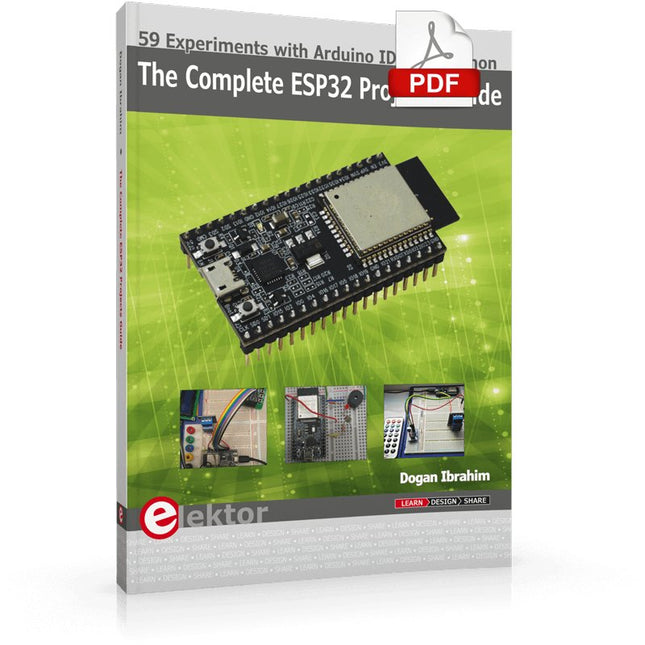
59 Experiments with Arduino IDE and Python
The main aim of this book is to teach the Arduino IDE and MicroPython programming languages in ESP32 based projects, using the highly popular ESP32 DevKitC development board. Many simple, basic, and intermediate level projects are provided in the book using the Arduino IDE with ESP32 DevKitC. All projects have been tested and work. Block diagrams, circuit diagrams, and complete program listings of all projects are given with explanations. In addition, several projects are provided for programming the ESP32 DevKitC using MicroPython. The projects provided in this book are designed to teach the following features of the ESP32 processor:
GPIOs
Touch sensors
External interrupts
Timer interrupts
I²C and I²S
SPI
PWM
ADC
DAC
UART
Hall sensor
Temperature sensor
Infrared controller
Reading and writing to SD card
Reading and writing to flash memory
RTC timer
Chip ID
Security and encryption
Wi-Fi and network programming
Bluetooth BLE programming
Communication mobile devices
Low power design
ESP-IDF programming
The projects have been organized with increasing levels of difficulty. Readers are encouraged to tackle the projects in the order given. A specially prepared hardware kit (SKU 18305) is available from Elektor. With the help of this hardware, it should be easy and fun to build the projects in this book.
ModbusRTU and ModbusTCP examples with the Arduino Uno and ESP8266
Introduction to PLC programming with OpenPLC, the first fully open source Programmable Logic Controller on the Raspberry Pi, and Modbus examples with Arduino Uno and ESP8266
PLC programming is very common in industry and home automation. This book describes how the Raspberry Pi 4 can be used as a Programmable Logic Controller. Before taking you into the programming, the author starts with the software installation on the Raspberry Pi and the PLC editor on the PC, followed by a description of the hardware.
You'll then find interesting examples in the different programming languages complying with the IEC 61131-3 standard. This manual also explains in detail how to use the PLC editor and how to load and execute the programs on the Raspberry Pi. All IEC languages are explained with examples, starting with LD (Ladder Diagram) over ST (Structured Control Language) to SFC (Special Function Chart). All examples can be downloaded from the author's website.
Networking gets thorough attention too. The Arduino Uno and the ESP8266 are programmed as ModbusRTU or ModbusTCP modules to get access to external peripherals, reading sensors and switching electrical loads. I/O circuits complying with the 24 V industry standard may also be of interest for the reader.
The book ends with an overview of commands for ST and LD. After reading the book, the reader will be able to create his own controllers with the Raspberry Pi.
In dit boek worden een serie spannende en leuke projecten voor de Arduino behandeld, zoals een stil alarm, mensensensor, lichtmeter, besturing van een motor, internet en draadloze bediening (via een radioverbinding). In tegenstelling tot veel gratis projecten op internet zijn de projecten in dit boek in de praktijk getest, en werken gegarandeerd!
U kunt dit boek gebruiken als projectenboek, en de 45 projecten nabouwen en in de praktijk inzetten. Door de duidelijke uitleg, schema's en zelfs foto's van de opstelling op is het nabouwen een erg leuke bezigheid. De foto's zijn gemaakt van een werkende opstelling, dus u weet zeker dat ze kloppen.
U kunt de projecten in dit boek ook met elkaar combineren om zo uw eigen projecten te maken. Per project wordt duidelijk uitgelegd waarom het project op die manier is uitgevoerd. Al doende leert u veel over het project en de gebruikte onderdelen, en kunt u het project zelf aanpassen en uitbreiden naar uw eigen wensen.
Daarnaast is het boek ook als naslagwerk inzetbaar. Via de index vindt u gemakkelijk projecten die als voorbeeld voor het gebruik van C++ opdrachten en Arduino-functionaliteit kunnen dienen. Zelfs als u alle projecten gemaakt hebt zal dit boek om die reden nog lang een plekje naast uw PC behouden.
Your First Steps with an ESP32-C3 and the IoTA Wi-Fi Button and Relay IoT Cloud a la Arduino
Dual Geiger-Müller Tube Arduino ShieldA High Sensitivity, Very Low-Power Radiation Sensor
CO2 GuardA DIY Approach to Monitoring Air Quality
MonkMakes Air Quality Kit for Raspberry PiMeasures Temperature and eCO2
Starting Out in ElectronicsWelcome to the Diode
Tips & Tricks for Testing ComponentsNo Expensive Equipment Required
Reducing the Power Consumption of Your Mole RepellerAn ATtiny13 Replaces a 555
Light Switch DeLuxA Solution for High-Precision Light-Controlled Switching
The Challenges in Bringing IoT Solutions to MarketWorries Around Security, Scalability, and Competition Infographics 5-6/2022
Preferably Wired After AllTips for Developing a 1 Gbit/s Interface in an Industrial Environment Bringing Real-Time Object Detection to MCUs with Edge Impulse FOMO
Traveling-Wave TubesPeculiar Parts, the Series
Narrowband Internet of ThingsStandards, Coverage, Agreements, and Modules
Dragino LPS8 Indoor GatewaySpeedy LoRaWAN Gateway Setup
Explore ATtiny Microcontrollers Using C and Assembly LanguageSample Chapter: ATtiny I/O Ports
Err-lectronicsCorrections, Updates and Readers’ Letters
LoRa GPS Tracker UpdateReceive and Show Location Using a Raspberry Pi
Circuit Simulation with TINA Design Suite & TINACloudSample Chapter: Sinusoidal Oscillators
From Life’s ExperienceAssembly Line Work
The WinUI Graphics Framework for Windows AppsA Small Demo Application
GUIs with PythonWorst GUI of the world
Off-Grid Solar SystemsElectrical Energy Independent of the Mains Grid
The 10-Year SmartphoneRenew Your Expectations
HexadokuThe Original Elektorized Sudoku