
Résultats de la recherche pour "porsche OR flat OR six OR boxer OR engine"
-

Elektor Digital Technical Modeling with OpenSCAD (E-book)
Create Models for 3D Printing, CNC Milling, Process Communication and Documentation Engineers dread designing 3D models using traditional modeling software. OpenSCAD takes a refreshing and completely different approach. Create your models by arranging geometric solids in a JavaScript-like language, and use them with your 3D printer, CNC mill, or process communication. OpenSCAD differs from other design systems in that it uses programmatical modeling. Your model is made up of primitives that are invoked using a C-, Java- or Python-like language. This approach to model design is close to the “mechanical work” done in the real world and appeals to engineers and others who are not a member of the traditional creative class. OpenSCAD also provides a wide variety of comfort functions that break the 1:1 relationship between code and geometry. This book demonstrates the various features of the programming language using practical examples such as a replacement knob for a LeCroy oscilloscope, a wardrobe hanger, a container for soap dispensers, and various other real-life examples. Written by an engineer with over 15 years of experience, this book is intended for Linux and Windows users alike. If you have programming experience in any language, this book will have you producing practical three-dimensional objects in short order!
€ 29,95
Membres : € 26,96
-

OWON OWON SDS1104 Oscilloscope à 4 canaux (100 MHz)
L’oscilloscope OWON SDS1104 est un choix pratique pour les ingénieurs, techniciens, étudiants et passionnés qui ont besoin d’une analyse précise des signaux sans le coût d’instruments haut de gamme. Avec sa bande passante de 100 MHz et sa fréquence d’échantillonnage de 1 Géch/s, il capture de manière fiable les signaux de basse à moyenne fréquence, ce qui le rend parfaitement adapté au développement électronique, au dépannage et à l’enseignement. Équipé d’un écran TFT couleur de 7 pouces, le SDS1104 offre une visualisation claire des formes d’onde, tandis que les fonctions de mesure automatique et l’analyse FFT aident les utilisateurs à évaluer rapidement les paramètres de fréquence, de tension et de synchronisation. Les opérations mathématiques avancées, les mesures par curseurs et les multiples modes de déclenchement apportent une flexibilité supplémentaire, faisant de cet oscilloscope un outil polyvalent pour un large éventail de scénarios de test. Spécifications Bandwidth 100 MHz Sample Rate 1 GS/s Horizontal Scale (s/div) 5ns/div - 1000s/div, step by 1 - 2 - 5 Channel 4 Display 7" color LCD, 800 x 480 pixels Input Coupling DC, AC and GND Vertical Resolution (A/D) Vertical Resolution (A/D) Vertical Sensitivity 5mV/div - 5V/div (at input) Trigger Type Edge, Video Trigger Mode Auto, Normal and Single Waveform Math +, -, x, ÷, invert, FFT Fuse 2A, T class, 250 V Dimension (W x H x D) 301 x 152 x 70 mm Weight 1.1 kg Inclus 1x OWON SDS1104 Oscilloscope 1x Mains power cord 1x CD Rom 1x Quickstart Guide 1x USB Cable 4x Oscilloscope probe 1x Probe Adjust Téléchargements Datasheet Manual
€ 246,94
-
Elektor Digital Internet of Things (E-book)
The Internet of Things (IoT) is a new concept in intelligent automation and intelligent monitoring using the Internet as the communications medium. The “Things” in IoT usually refer to devices that have unique identifiers and are connected to the Internet to exchange information with each other. Such devices usually have sensors and/or actuators that can be used to collect data about their environments and to monitor and control their environments. The collected data can be processed locally or it can be sent to centralized servers or to the cloud for remote storage and processing. For example, a small device at the size of a matchbox can be used to collect data about the temperature, relative humidity and the atmospheric pressure. This data can be sent and stored in the cloud. Anyone with a mobile device can then access and monitor this data at any time and from anywhere on Earth provided there is Internet connectivity. In addition, users can for example, adjust the central heating remotely using their mobile devices and accessing the cloud. This book is written for students, for practising engineers and for hobbyists who want to learn more about the building blocks of an IoT system and also learn how to setup an IoT system using these blocks. Chapter 1 is an introduction to the IoT systems. In Chapter 2, the basic concepts and possible IoT architectures are discussed. The important parts of any IoT system are the sensors and actuators and they are described briefly in Chapter 3. The devices in an IoT system usually communicate with each other and the important aspect of IoT communication is covered in Chapter 4. Chapter 5 proceeds with the features of some of the commonly used development kits. One of these, the Clicker 2 for PIC18FJ manufactured by mikroElektronika, can be used as a processor in IoT systems and its features are described in detail in Chapter 6. A popular microcontroller C language, mikroC Pro for PIC gets introduced in Chapter 7. Chapter 8 covers the use of a click board with the Clicker 2 for PIC18FJ development kit. Similarly, the use of a sensor click board is described as a project in Chapter 9, and an actuator board in Chapter 10. Chapters 11 and 12 cover Bluetooth and Wi-Fi technologies in microcontroller based systems, and the remaining chapters of the book demo the creation of a simple Wi-Fi based IoT system with cloud-based data storage. This book has been written with the assumption that the reader has taken a course on digital logic design and has been exposed to writing programs using at least one high-level programming language. Knowledge of the C programming language will be very useful. Also, familiarity with at least one member of the PIC series of microcontrollers (e.g. PIC16 or PIC18) will be an advantage. The knowledge of assembly language programming is not required because all the projects in the book are based on using the C language. If you are a total beginner in programming you can still access the e-book, but first you are advised to study introductory books on microcontrollers.
€ 34,95
Membres : € 31,46
-
Elektor Digital Acoustics in Performance (E-book)
All you need to know about good acoustics and sound systems in performance and worship spaces! Everyone knows that the ability to hear music in balance and to understand speech is essential in any space used for performance or worship. Unfortunately, in the early 21st century, we find that buildings with good acoustics are the exception rather than the rule. Much of the fault leading to this result can be traced to the widespread perception that acoustics is a black art. In fact, scientific acoustics as developed in the last century is a well-defined engineering practice that can lead to predictable excellent results. A basic, non-engineering understanding of acoustics will help building owners, theater managers, ministers and teachers of music, performers, and other professionals to achieve their goals of excellent acoustics in venues with which they work. Performers having a basic understanding of acoustics will be able to make the most of the acoustics of the venue in which they perform. This book helps those responsible for providing good acoustics in performance and worship spaces to understand the variables and choices entailed in proper acoustic design for performance and worship. Practicing acoustical consultants will find the book a useful reference as well. The level of presentation is comfortable and straightforward without being simplistic. If correct acoustical principles are incorporated into the design, renovation, and maintenance of performance and worship venues, good acoustics will be the result.
€ 24,95
Membres : € 22,46
-
Elektor Digital Electronics for Space (E-book)
Space, the final frontier, will become more and more popular. The space industry is continually growing and new products and services will be required. Innovation is needed for the development of this industry. Today it is no longer possible to follow all the events in field of space. The space market is growing and activities are increasing, especially the market for small-satellites. This book wants to help close the gap and encourage electronic engineers to enter into the fascinating field of space electronics. One of the main difficulties is finding people with knowledge of space electronics design. Nowadays companies have to invest a lot of time and resources to instruct electronic engineers with no experience of space. Only a brief and basic introduction of this topic is typically achieved at university in space engineering lectures. Professionals with practical experience and the necessary theoretical knowledge are scarce. Companies from the space sector are searching for staff with knowledge of space electronics. This book will bring space closer aspiring to the space electronic hobbyists.
€ 24,95
Membres : € 22,46
-
Elektor Bundles KiCad Like A Pro (offre groupée)
Cette offre groupée contient les deux volumes de « KiCad Like a Pro » (4e édition 2024). Dans Fundamentals and Projects (prix normal : 49,95 €), vous apprendrez à utiliser KiCad grâce à une approche pratique, vous aidant à devenir rapidement productif et à commencer à concevoir vos propres cartes. Advanced Projects and Recipes (prix normal : 44,95 €) vous permet de mettre en pratique vos nouvelles compétences KiCad en vous mettant au défi avec une série de projets réels. La dernière version de KiCad, le meilleur outil gratuit de CAO au monde, est dotée de fonctionnalités que l'on ne trouve généralement que dans les outils de CAO commerciaux coûteux. Cette suite d'applications multiplateformes moderne, construite autour d'éditeurs de schémas et de conception, avec des applications auxiliaires, est un outil PCB stable et mature. KiCad 8 est parfait pour les ingénieurs et les créateurs en électronique. Voici les améliorations et fonctionnalités les plus importantes de KiCad 8, à la fois en surface et sous le capot : Interface utilisateur moderne, entièrement repensée par rapport aux versions précédentes Vérificateurs de règles électriques et de conception améliorés et personnalisables Éditeur de thèmes vous permettant de personnaliser KiCad sur votre écran Possibilité d'importer des projets depuis Eagle, CADSTART, etc. API de script Python Simulateur de circuit SPICE intégré amélioré Schémas multi-feuilles Les filtres définissent les éléments sélectionnables Le routeur interactif amélioré vous aide à dessiner des pistes simples et des paires différentielles avec précision Des outils nouveaux ou améliorés pour dessiner des pistes, mesurer des distances, régler les longueurs de piste, etc. Interactif avancé routeur Générateur de nomenclature intégré Visionneuse 3D réaliste avec fonction de lancer de rayons Gouttes d'eau personnalisables Gestionnaire de plug-ins pour une installation rapide de thèmes, de bibliothèques et de fonctionnalités telles que les autorouteurs et les générateurs de nomenclature Le premier livre KiCad Like A Pro – Fundamentals and Projects vous apprendra à utiliser KiCad grâce à une approche pratique. Il vous aidera à devenir productif rapidement et à commencer à concevoir vos propres cartes. Des exemples de projets illustrent les fonctionnalités de base de KiCad, même si vous n'avez aucune connaissance préalable de la conception de PCB. L'auteur décrit l'intégralité du flux de travail, de la saisie des schémas aux subtilités de la finalisation des fichiers pour la production de PCB, et offre des conseils judicieux sur le processus. Le deuxième livre KiCad Like A Pro – Advanced Projects and Recipes vous aidera à mettre en pratique vos nouvelles compétences KiCad en vous mettant au défi dans une série de projets du monde réel. Les projets sont soutenus par un ensemble complet de recettes avec des instructions détaillées sur la façon de réaliser une variété de tâches simples et complexes. Concevez les PCB pour une alimentation solaire, une matrice de LED, un enregistreur de données alimenté par Arduino et une carte ESP32 personnalisée. Comprenez les détails les plus fins du routeur interactif, comment gérer les équipes de projet KiCad avec Git, comment utiliser un autorouter sur des PCB à 2 et 4 couches, et bien plus encore.
-
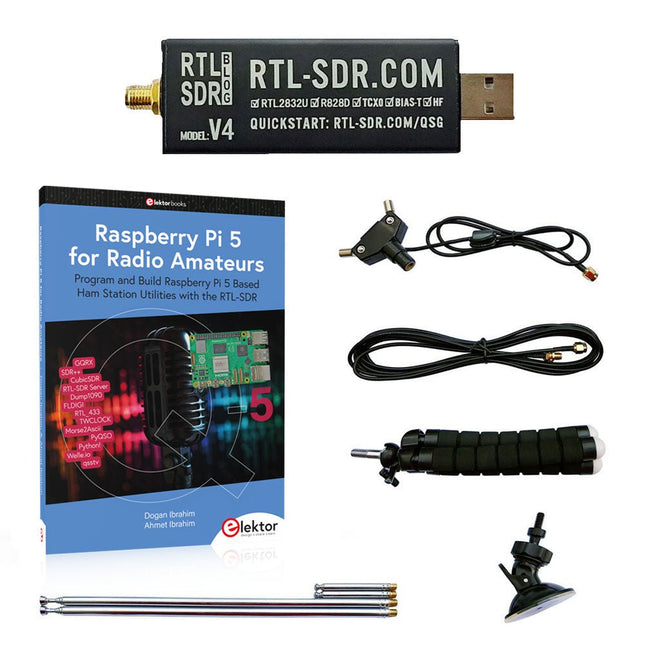
Elektor Bundles Raspberry Pi 5 RTL-SDR V4 (offre groupée)
Programmez et construisez des utilitaires, des outils et des instruments de station radio amateur basés sur Raspberry Pi ! La version améliorée du RTL-SDR V4 permet de recevoir des signaux radio entre 500 kHz et 1,75 GHz provenant de stations utilisant différentes bandes (notamment la diffusion en ondes courtes (SW), moyennes (MW) et longues (LW)), de services de radiodiffusions, de services publics de contrôle du trafic aérien, de PMR, de SRD, d'ISM, de CB, de satellites météorologiques et de radioastronomie. Le livre Raspberry Pi 5 for Radio Amateurs présente en détail l'utilisation du kit RTL-SDR avec un Raspberry Pi. Cette offre groupée contient : RTL-SDR V4 (avec kit d'antenne dipôle) (prix normal : 75 €) Raspberry Pi 5 for Radio Amateurs (prix normal : 40 €) RTL-SDR V4 (Software Defined Radio) avec kit antenne dipôle La clé RTL-SDR est un appareil au coût abordable qui peut être utilisé comme scanner radio associé à un ordinateur, pour recevoir les signaux radio locaux entre 500 kHz et 1,75 GHz. La version RTL-SDR V4 apporte plusieurs améliorations par rapport aux appareils de marques génériques, en particulier l’utilisation d’un chip tuner R828D, la présence d’un filtre d’entrée triplexé, d’un filtre coupe-bande, de composants aux tolérances améliorées, d’un oscillateur compensé en température à stabilité de 1 PPM (TCXO), d’un connecteur SMA F, d’un boitier en aluminium avec refroidissement passif, d’un circuit d’injection de tension continue en T, d’une alimentation améliorée, et d’un convertisseur HF élévateur. RTL-SDR V4 est fourni avec un kit antenne dipôle portable. C’est un atout pour débuter, car elle permet la réception des stations terrestres et des satellites. Son installation à l’extérieur est facile, elle est conçue pour un usage portable temporaire à l’extérieur. Caractéristiques Réception HF améliorée : V4 utilise maintenant un convertisseur élévateur au lieu d’un circuit échantillonneur direct. Cela évite le phénomène de fréquence de repli de Nyquist se situant vers 14,4 MHz, une meilleure sensibilité et un gain HF ajustable. Tout comme pour V3, la fréquence limite basse de réception est de 500 kHz, et un signal reçu très fort nécessite l’utilisation d’un filtre atténuateur en entrée. Filtrage amélioré : La V4 utilise le circuit de réception R828D qui possède trois entrées. L’entrée munie d’un connecteur SMA a été triplexée en 3 bandes : HF, VHF et UHF. Les trois bandes sont ainsi isolées, ce qui minimise la diminution de la sensibilité et la présence de fréquences images, provoquées par les interférences dues aux stations de radiodiffusions puissantes en dehors de la bande reçue. Filtrage x2 amélioré : En plus du triplexage, une broche d’entrée aboutissant à un drain ouvert peut être utilisée, permettant l’ajout d’un filtre coupe-bande pour éliminer les interférences sur les bandes de radiodiffusion AM, FM ou DAB. Un tel filtre permet d’obtenir une atténuation limitée à quelques décibels, mais demeure efficace. Amélioration du bruit de phase sur les signaux puissants : La conception améliorée de l’alimentation permet de réduire le bruit de phase provenant de celle-ci. Dissipation calorifique réduite : Autre avantage résultant de l’amélioration du circuit d’alimentation, la consommation électrique est réduite, minimisant de fait la génération de chaleur, par rapport à la V3. Inclus 1x Clé RTL-SDR V4 (R828D RTL2832U 1PPM TCXO SMA) 2x Antennes télescopiques de 23 cm à 1 m 2x Antennes télescopiques de 5 cm à 13 cm 1x Embase d’antenne équipée d’un câble RG174 de 60 cm 1x Câble prolongateur RG174 de 3 m 1x Trépied de montage flexible 1x Ventouse de fixation Téléchargements Datasheet User Guide Quick Start Guide SDR# User Guide Dipole Antenna Guide Livre : Raspberry Pi 5 for Radio Amateurs Les dispositifs RTL-SDR (V3 et V4) ont gagné en popularité parmi les radioamateurs en raison de leur faible coût et de leurs nombreuses fonctionnalités. Un système de base peut consister en un dispositif RTL-SDR USB (dongle) avec une antenne appropriée, un ordinateur Raspberry Pi 5, un adaptateur d'entrée-sortie audio externe USB et un logiciel installé sur l'ordinateur Raspberry Pi 5. Avec une installation aussi modeste, il est possible de recevoir des signaux allant d'environ 24 MHz à plus de 1,7 GHz. Ce livre s'adresse aux radioamateurs et aux étudiants en ingénierie électronique, ainsi qu'à toute personne souhaitant apprendre à utiliser le Raspberry Pi 5 pour construire des projets électroniques. Le livre convient aussi bien aux débutants qu'aux lecteurs expérimentés. Une certaine connaissance du langage de programmation Python est nécessaire pour comprendre et éventuellement modifier les projets présentés dans le livre. Chaque projet est accompagné d'un schéma fonctionnel, d'un schéma de circuit et d'une liste complète de programmes Python, ainsi que d'une description détaillée. Les programmes RTL-SDR populaires suivants sont examinés en détail et accompagnés de guides d'installation étape par étape pour une utilisation pratique sur un Raspberry Pi 5: SimpleFM GQRX SDR++ CubicSDR RTL-SDR Server Dump1090 FLDIGI Quick RTL_433 aldo xcwcp GPredict TWCLOCK CQRLOG klog Morse2Ascii PyQSO Welle.io Ham Clock CHIRP xastir qsstv flrig XyGrib FreeDV Qtel (EchoLink) XDX (DX-Cluster) WSJT-X L'application du langage de programmation Python sur la dernière plateforme Raspberry Pi 5 empêche l'utilisation des programmes du livre sur les versions plus anciennes des ordinateurs Raspberry Pi.
-
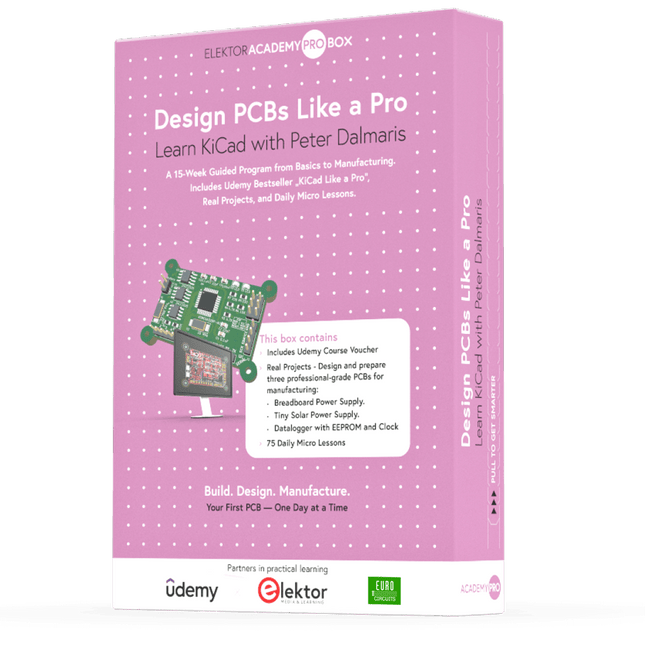
Elektor Academy Pro Design PCBs Like a Pro
Apprenez KiCad avec Peter Dalmaris La boîte Academy Pro « Design PCBs like a Pro » propose un programme de formation complet et structuré en conception de PCB, alliant apprentissage en ligne et mise en pratique. Basé sur la formation KiCad de Peter Dalmaris, ce programme de 15 semaines intègre des leçons vidéo, des supports papier (2 livres) et des projets pratiques afin de garantir aux participants non seulement une compréhension théorique, mais aussi le développement des compétences nécessaires à sa mise en pratique. Contrairement aux formations classiques, la Box Academy Pro propose un parcours d'apprentissage guidé avec des étapes hebdomadaires et des composants physiques pour concevoir, tester et produire des PCB fonctionnels. Cette approche favorise un apprentissage plus approfondi et une meilleure mémorisation des connaissances. Cette box est idéale pour les ingénieurs, les étudiants et les professionnels qui souhaitent développer une expertise pratique en conception de PCB à l'aide d'outils open source. Avec la possibilité de faire fabriquer leur projet final, les participants terminent le programme avec des résultats concrets, prêts à être utilisés, testés ou développés. Learn by doing Développez vos compétences. Concevez de vraies cartes. Générez des fichiers Gerber. Passez votre première commande. Ce n'est pas une simple formation : c'est un parcours complet, de l'idée au produit. Ce que vous apprenez/recevez Une connaissance pratique des outils KiCad Concevoir vos propres circuits imprimés en toute confiance Un circuit imprimé entièrement manufacturable, fabriqué par vos soins Que contient la boîte (cours) ? Les deux volumes de « KiCad Like a Pro » (d'une valeur de 105 €) Vol 1 : Fundamentals and Projects Vol 2 : Advanced Projects and Recipes Code promo pour rejoindre la formation en ligne KiCad 9, best-seller de Peter Dalmaris sur Udemy, avec plus de 20 heures de formation vidéo. Vous réaliserez trois projets de conception complets : Alimentation pour platine d'expérimentation Mini-alimentation solaire Enregistreur de données avec EEPROM et horloge Bon d'achat Eurocircuits pour la production de circuits imprimés (d'une valeur de 85 € hors TVA) Matériel pédagogique (de cette boîte/ce cours) Programme d'apprentissage de 15 semaines ▶ Cliquez ici pour ouvrir Week 1: Setup, Fundamentals, and First Steps in PCB Design Week 2: Starting Your First PCB Project – Schematic Capture Week 3: PCB Layout – From Netlist to Board Design Week 4: Design Principles, Libraries, and Workflow Week 5: Your First Real-World PCB Project Week 6: Custom Libraries – Symbols, Footprints, and Workflow Week 7: Advanced Tools – Net Classes, Rules, Zones, Routing Week 8: Manufacturing Files, BOMs, and PCB Ordering Week 9: Advanced Finishing Techniques – Graphics, Refinement, and Production Quality Week 10: Tiny Solar Power Supply – From Schematic to Layout Week 11: Tiny Solar Power Supply – PCB Layout and Production Prep Week 12: ESP32 Clone Project – Schematic Design and Layout Prep Week 13: ESP32 Clone – PCB Layout and Manufacturing Prep Week 14: Final Improvements and Advanced Features Week 15: Productivity Tools, Simulation, and Automation Cours KiCad avec 18 leçons sur Udemy (par Peter Dalmaris) ▶ Cliquez ici pour ouvrir Introduction Getting started with PCB design Getting started with KiCad Project: A hands-on tour of KiCad (Schematic Design) Project: A hands-on tour of KiCad (Layout) Design principles and PCB terms Design workflow and considerations Fundamental KiCad how-to: Symbols and Eeschema Fundamental KiCad how-to: Footprints and Pcbnew Project: Design a simple breadboard power supply PCB Project: Tiny Solar Power Supply Project: MCU datalogger with build-in 512K EEPROM and clock Recipes KiCad 9 new features and improvements Legacy (from previous versions of KiCad) KiCad 7 update (Legacy) (Legacy) Gettings started with KiCad Bonus lecture À propos de l'auteur Le Dr Peter Dalmaris, titulaire d'un doctorat, est enseignant, ingénieur électricien et créateur. Créateur de cours vidéo en ligne sur l'électronique DIY et auteur de plusieurs ouvrages techniques, il est explorateur technologique en chef depuis 2013 chez Tech Explorations, l'entreprise qu'il a fondée à Sydney (en Australie). Sa mission est d'explorer les technologies et de contribuer à l'éducation du monde. Qu'est-ce qu'Elektor Academy Pro ? Elektor Academy Pro propose des solutions d’apprentissage spécialisées, conçues pour les professionnels, les équipes d’ingénieurs et les experts techniques du secteur de l’électronique et des systèmes embarqués. Elle permet aux individus et aux organisations d’approfondir leurs connaissances pratiques, de perfectionner leurs compétences et de garder une longueur d’avance grâce à des ressources de haute qualité et des outils de formation concrets. Des projets réels aux formations animées par des spécialistes, en passant par des analyses techniques approfondies, Elektor donne aux ingénieurs les moyens de relever les défis actuels du secteur. Notre offre de formation inclut des livres Academy, des coffrets Pro, des webinaires, des conférences et des magazines B2B spécialisés – tous conçus pour favoriser le développement professionnel. Que vous soyez ingénieur, expert R&D ou décideur technique, Elektor Academy Pro fait le lien entre la théorie et la pratique, vous aide à maîtriser les technologies émergentes et à faire progresser l’innovation dans votre entreprise.
-
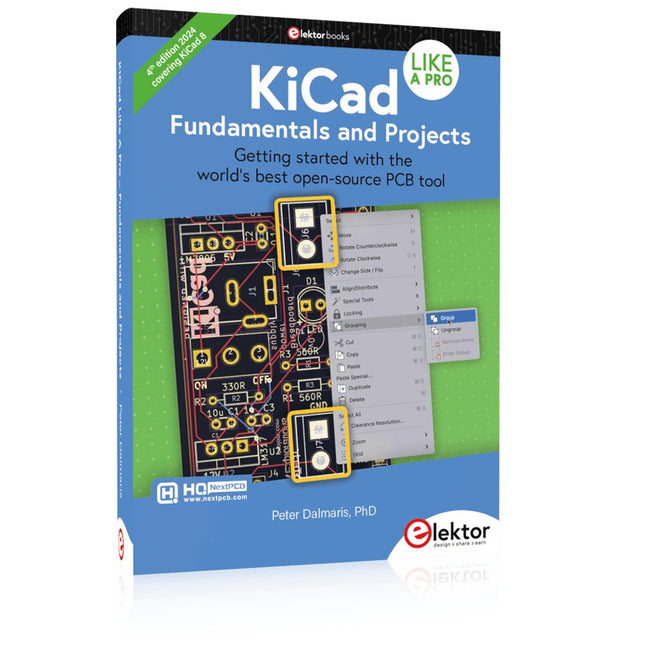
Elektor Publishing KiCad Like A Pro – Fundamentals and Projects
Getting started with the world’s best open-source PCB tool The latest iteration of KiCad, the world’s best free-to-use Printed Circuit Board tool, is packed with features usually found only in expensive commercial CAD tools. This modern, cross-platform application suite built around schematic and design editors, with auxiliary applications is a stable and mature PCB tool. KiCad 8 is a perfect fit for electronic engineers and makers. Here are the most significant improvements and features in KiCad 8, both over and under the hood: Modern user interface, completely redesigned from earlier versions Improved and customizable electrical and design rule checkers Theme editor allowing you to customize KiCad on your screen Ability to import projects from Eagle, CADSTART, and more Python scripting API Improved integrated SPICE circuit simulator Multi-sheet schematics Filters define selectable elements Enhanced interactive router helps you draw single tracks and differential pairs with precision New or enhanced tools to draw tracks, measure distances, tune track lengths, etc. Advanced interactive router Built-in bill of materials generator Realistic ray-tracing capable 3D viewer Customizable teardrops Plug-in manager for quick installation of themes, libraries and functionalities such as autorouters and BOM generators This book will teach you to use KiCad through a practical approach. It will help you become productive quickly and start designing your own boards. Example projects illustrate the basic features of KiCad, even if you have no prior knowledge of PCB design. The author describes the entire workflow from schematic entry to the intricacies of finalizing the files for PCB production and offers sound guidance on the process. Further full-fledged projects, of incremental difficulty, will be presented in a second book, together with a variety of advanced recipes.
-

Elektor Publishing KiCad Like A Pro – Advanced Projects and Recipes
Mastering PCB design with real-world projects This book builts on KiCad Like a Pro – Fundamentals and Projects and aims to help you practice your new KiCad skills by challenging you in a series of real-world projects. The projects are supported by a comprehensive set of recipes with detailed instructions on how to achieve a variety of simple and complex tasks. Design the PCBs for a solar power supply, an LED matrix array, an Arduino-powered datalogger, and a custom ESP32 board. Understand the finer details of the interactive router, how to manage KiCad project teams with Git, how to use an autorouter on 2 and 4-layer PCBs, and much more. KiCad 8 is a modern, cross-platform application suite built around schematic and design editors. This stable and mature PCB tool is a perfect fit for electronic engineers and makers. With KiCad 8, you can create PCBs of any complexity and size without the constraints associated with the commercial packages. Here are the most significant improvements and features in KiCad 8, both over and under the hood: Modern user interface, completely redesigned from earlier versions Improved and customizable electrical and design rule checkers Theme editor allowing you to fully customize the look of KiCad on your screen Ability to import projects from Eagle, CADSTART, and more An improved and tightly integrated SPICE circuit simulator Autorouting with the Freerouting plugin Filters define which elements of a layout are selectable Enhanced interactive router helps you draw single tracks and differential pairs with precision New or enhanced tools to draw tracks, measure distances, tune track lengths, etc. Enhanced tool for creating filled zones A customizable coordinate system facilitates data exchange with other CAD applications Realistic ray-tracing capable 3D viewer Differential pair routing Rich repositories of symbol, footprint, and 3D shape libraries Python scripting API for programmatic customization and extensions Improved footprint wizard for fast custom footprints


