Elektor GREEN en GOLD leden kunnen deze uitgave hier downloaden.
Nog geen lid? Klik hier om een lidmaatschap af te sluiten.
PIO programmeren op de Raspberry Pi PicoNegen instructies, veel mogelijkheden
AI buiten de browser brengenAI-CLI's gebruiken voor het coderen, compileren en valideren van embedded projecten
De Scrutiny DebuggerDebuggen, visualiseren en testen van code in Embedded C/C++
Sigfox breakout board (1)Een zelfgebouwde radio BoB
Low-Noise voeding (2)Constructie, montage en praktische implementatie
Eenvoudige signaalgenerator met de RP2040Analoge en digitale signalen voor ongeveer €10
De toekomst van slimme huizen verkennen met Matter en Edge AIBieden de nieuwste updates van Matter en de opkomst van Edge AI technici eindelijk de tools om de intelligente, slimme huizen te bouwen die gebruikers zijn beloofd?
Differentiële druksensorenVoorspellend onderhoud in HVAC-systemen
Security by designTechnische basisprincipes beperken storingen
Embedded security is niet langer optioneel
CRA en PQC herzien prioriteiten voor embedded securityWaarom zelfs kleine IoT- en industriële bedrijven een upgradeplan nodig hebben
embedded world 2026Een interview met Benedikt Weyerer, Executive Director embedded world
Praktijkervaring met I3CGebruik van hardware van ST en Microchip
Het BLEnky-projectSnelle prototyping voor Bluetooth Low Energy toepassingen
Pulsbreedtemodulatievan een eenvoudige aan/uit-thermostaat naar een rimpelloos DC-signaal
AudiotronicaOorstrelende elektronica voor zelfbouw
Uit het leven gegrepenRead the f...ing manual!
ESP32 audio transceiver board (Deel 4)Afstemmen van de kloksignalen en een bekabelde versie
2026: An AI OdysseyDe kater van Vibe-Coding in 2025
Symmetrische DC-belastingStatische of dynamische en symmetrische gelijkstroombelasting
Gezichten tellen met MaixCAMEen eenvoudige methode om de omvang van het publiek vast te leggen
Elektor GREEN en GOLD leden kunnen deze uitgave hier downloaden.
Nog geen lid? Klik hier om een lidmaatschap af te sluiten.
Kleine warmtebeeldcameraeen op Arduino UNO gebaseerde DHZ-oplossing
Project-update #3: ESP32-gebaseerde energiemeterintegratie en test met Home Assistant
2024: een AI-odysseeobjectdetectie verbeteren met verfijnde technieken
De Raspberry Pi gaat AInieuwe kit bevat M.2 HAT+ met AI-versneller
Sensoren voor weerstationswat is de beste keuze?
Lees uw analoge watermeter uit met AI (1)koppel uw oude watermeter met het IoT!
GSM-alarmdraadloze garagebeveiliging
Low-power Thread-devices geoptimaliseerd en onder de loep genomenweinig vermogen... weinig inspanning?
Uit het leven gegrepende genderkloof
Zelfbouw-nevelkamermaak onzichtbare straling zichtbaar
SparkFun Thing Plus Mattereen veelzijdig Matter-gebaseerd IoT development board
IoT-retrofittenRS232-apparaten klaarstomen voor Industry 4.0
Stimuleer het IoT met 8-bit MCU’s
Technologie stimuleert duurzaamheidvooruitgang leidt in veel toepassingen tot efficiënter energiegebruik
AWS voor Arduino en co. (1)AWS IoT ExpressLink in de praktijk
Luchtstroomdetector met alleen een Arduinozonder externe sensoren!
Lekdetectorverbonden met de Arduino-cloud
Kristallenvreemde onderdelen
Universele logger voor de tuinAI-tuinieren komt een stapje dichterbij
Analoge 1kHz-generatorsinussen met geringe vervorming
Miletus: webapps offline gebruikeninclusief toegang tot het systeem en het apparaat!
Van 4G naar 5Gis het echt zo eenvoudig?
Alle begin......gaat symmetrisch
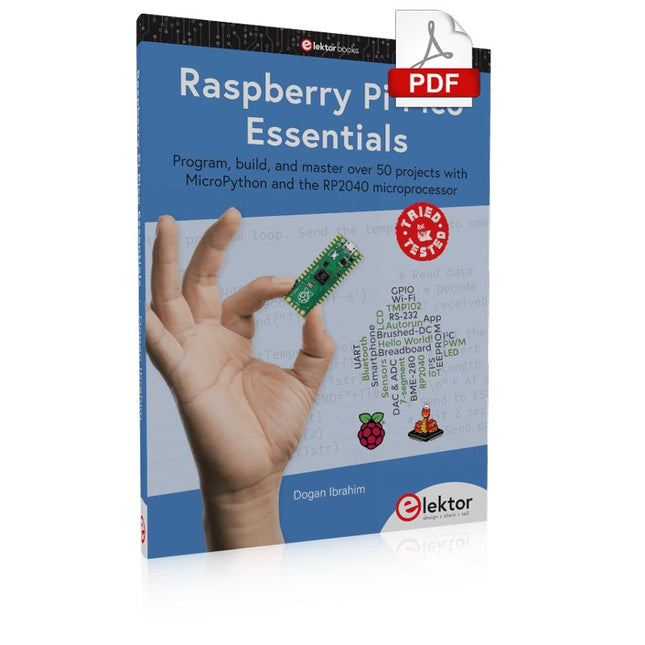
Program, build, and master over 50 projects with MicroPython and the RP2040 microprocessor The Raspberry Pi Pico is a high-performance microcontroller module designed especially for physical computing. Microcontrollers differ from single-board computers, like the Raspberry Pi 4, in not having an operating system. The Raspberry Pi Pico can be programmed to run a single task very efficiently within real-time control and monitoring applications requiring speed. The ‘Pico’ as we call it, is based on the fast, efficient, and low-cost dual-core ARM Cortex-M0+ RP2040 microcontroller chip running at up to 133 MHz and sporting 264 KB of SRAM, and 2 MB of Flash memory. Besides its large memory, the Pico has even more attractive features including a vast number of GPIO pins, and popular interface modules like ADC, SPI, I²C, UART, and PWM. To cap it all, the chip offers fast and accurate timing modules, a hardware debug interface, and an internal temperature sensor. The Raspberry Pi Pico is easily programmed using popular high-level languages such as MicroPython and or C/C++. This book is an introduction to using the Raspberry Pi Pico microcontroller in conjunction with the MicroPython programming language. The Thonny development environment (IDE) is used in all the projects described. There are over 50 working and tested projects in the book, covering the following topics: Installing the MicroPython on Raspberry Pi Pico using a Raspberry Pi or a PC Timer interrupts and external interrupts Analogue-to-digital converter (ADC) projects Using the internal temperature sensor and external temperature sensor chips Datalogging projects PWM, UART, I²C, and SPI projects Using Wi-Fi and apps to communicate with smartphones Using Bluetooth and apps to communicate with smartphones Digital-to-analogue converter (DAC) projects All projects given in the book have been fully tested and are working. Only basic programming and electronics experience is required to follow the projects. Brief descriptions, block diagrams, detailed circuit diagrams, and full MicroPython program listings are given for all projects described. Readers can find the program listings on the Elektor web page created to support the book.
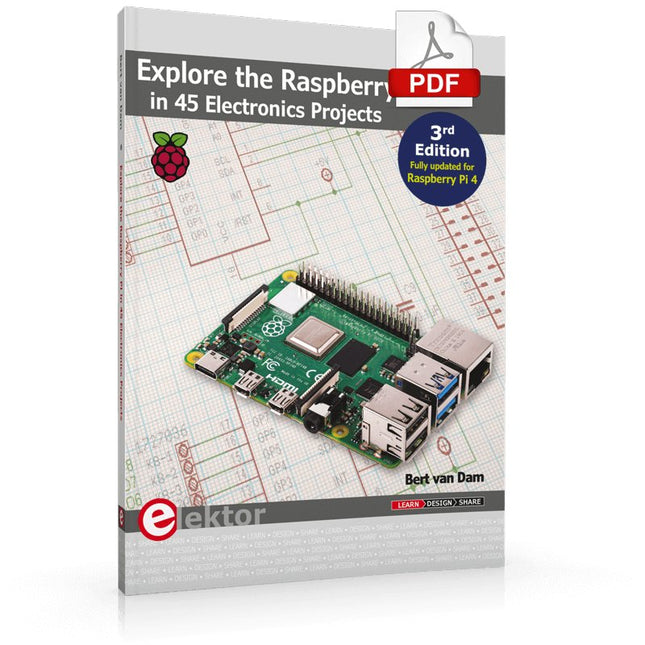
3rd Edition – Fully updated for Raspberry Pi 4
The Raspberry Pi is a very cheap but complete computer system that allows all sorts of electronics parts and extensions to be connected. This book addresses one of the strongest aspects of the Raspberry Pi: the ability to combine hands-on electronics and programming.
Combine hands-on electronics and programming
After a short introduction to the Raspberry Pi you proceed with installing the required software. The SD card that can be purchased in conjunction with this book contains everything to get started with the Raspberry Pi. At the side of the (optional) Windows PC, software is used which is free for downloading. The book continues with a concise introduction to the Linux operating system, after which you start programming in Bash, Python 3 and Javascript. Although the emphasis is on Python, the coverage is brief and to the point in all cases – just enabling you to grasp the essence of all projects and start adapting them to your requirements. All set, you can carry on with fun projects.
The book is ideal for self-study
No fewer than 45 exciting and compelling projects are discussed and elaborated in detail. From a flashing lights to driving an electromotor; from processing and generating analog signals to a lux meter and a temperature control. We also move to more complex projects like a motor speed controller, a web server with CGI, client-server applications and Xwindows programs.
Each project has details of the way it got designed that way
The process of reading, building, and programming not only provides insight into the Raspberry Pi, Python, and the electronic parts used, but also enables you to modify or extend the projects any way you like. Also, feel free to combine several projects into a larger design.
Open-Source-Code mit Arduino IDE und PlatformIO
Autonomes Fahren: GPS, Accelerometer, Gyroskop
PS3-Controller
Mikrocontroller wie der Arduino und Einplatinenrechner wie der Raspberry Pi haben sich zu beliebten Komponenten entwickelt. Dritter im Bunde ist der ESP32 der Firma Espressif. Mikrocontroller dieser Baureihe zeichnen sich durch eine Vielzahl implementierter Funktionen aus, die bei einem Arduino konventioneller Prägung mit einem Atmel-AVR-Mikrocontroller erst mit weiterer Hardware möglich sind. Prominentes Beispiel sind hier die WiFi- und Bluetooth-Funktionalitäten. Gegenüber einem Raspberry Pi zeichnen sie sich durch einen deutlich geringeren Preis aus.
Allgemeine Informationen für die Realisierung eines Roboterauto-Projekts mit dem ESP32 sind leicht zu finden. Dabei handelt es sich aber oft nur um Ausführungen zu einem Teilaspekt, ohne inhaltliche oder funktionale Abstimmung. So ist nicht nur die Beschaffung der benötigten Informationen mühselig und zeitaufwändig, sie kann auch außerordentlich fehlerträchtig sein.
Ansatzpunkt dieses Buches ist, diese Lücke zu schließen. Es geht auf verschiedene Möglichkeiten eines Chassis ein, vermittelt nötige Kenntnisse und führt schrittweise von einer einfachen Motorsteuerung zu einem komplexen sensor- und sprachgesteuerten Roboterauto. Hacks rund um GPS und eine PlayStation 3 runden die Sache ab.
Inhalt
Bei der Reihenfolge der Kapitel wurde versucht – beginnend bei der Darstellung von grundlegenden Informationen – über die Lösung einfacher Aufgaben zu etwas anspruchsvolleren Techniken zu führen.
Der Mikrocontroller ESP32
Die Software erstellen
Die Stromversorgung
Rund um die Hardware
Das Chassis
Der Gleichstrommotor
Kabellose Steuerung über WiFi
Mit Sensoren Hindernisse erkennen
Eine eigene Roboterauto-App
Servo und Lichtsensor
GPS
Accelerometer / Gyroskop
PS3-Controller
Roboterauto-App
Hinweis zur Software
Die Dateien haben das Suffix (.cpp). Grund ist die Entwicklung mit PlatformIO. Mit Copy & Paste sollten sie auch in der Arduino-IDE verwendet werden können.
La plateforme ROS la plus populaire au monde
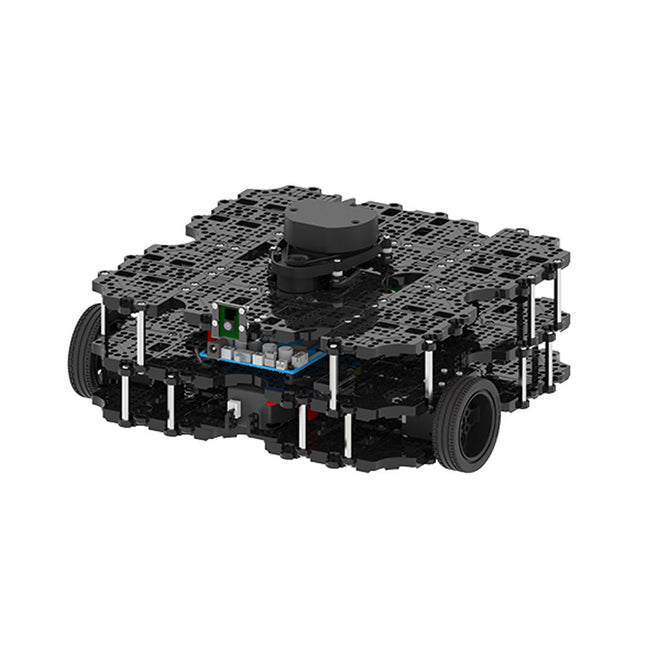
TurtleBot est le robot open source le plus populaire pour l'éducation et la recherche. La nouvelle génération de TurtleBot3 est un petit robot mobile, peu coûteux, entièrement programmable et basé sur ROS. Il est destiné à être utilisé pour l'éducation, la recherche, les loisirs et le prototypage de produits.
Coût abordable
TurtleBot a été développé pour répondre aux besoins économiques des écoles, des laboratoires et des entreprises. TurtleBot3 est le robot le plus abordable parmi les robots mobiles SLAM équipés d'un capteur de distance laser 360° LDS-01.
Norme ROS
La marque TurtleBot est gérée par Open Robotics, qui développe et maintient ROS. Aujourd'hui, ROS est devenu la plateforme de référence pour tous les roboticiens du monde. TurtleBot peut être intégré à des composants robotiques existants basés sur ROS, mais TurtleBot3 peut être une plateforme abordable pour ceux qui veulent commencer à apprendre ROS.
Extensibilité
TurtleBot3 encourage les utilisateurs à personnaliser sa structure mécanique à l'aide d'options alternatives : carte embarquée open source (en tant que carte de contrôle), ordinateur et capteurs. TurtleBot3 Waffle Pi est une plate-forme à deux roues à entraînement différentiel, mais sa structure et sa mécanique peuvent être personnalisées de nombreuses façons : voitures, vélos, remorques, etc. Développez vos idées au-delà de l'imagination avec différents SBC, capteurs et moteurs sur une structure évolutive.
Actionneur modulaire pour robot mobile
TurtleBot3 est capable d'obtenir des données spatiales précises en utilisant 2 DYNAMIXEL dans les articulations des roues. Les DYNAMIXEL de la série XM peuvent être utilisés selon l'un des 6 modes de fonctionnement (série XL : 4 modes de fonctionnement) : Mode de contrôle de la vitesse pour les roues, mode de contrôle du couple ou mode de contrôle de la position pour les articulations, etc. DYNAMIXEL peut même être utilisé pour fabriquer un manipulateur mobile qui est léger mais qui peut être contrôlé avec précision grâce au contrôle de la vitesse, du couple et de la position. DYNAMIXEL est un composant c?ur qui rend TurtleBot3 parfait. Il est facile à assembler, à entretenir, à remplacer et à reconfigurer.
Carte de contrôle ouverte pour ROS
La carte de contrôle est open-source au niveau du matériel et du logiciel pour la communication ROS. La carte de contrôle OpenCR1.0 est suffisamment puissante pour contrôler non seulement les capteurs DYNAMIXEL mais aussi les capteurs ROBOTIS qui sont fréquemment utilisés pour des tâches de reconnaissance de base de manière rentable. Différents capteurs tels que les capteurs tactiles, les capteurs infrarouges, les capteurs de couleur et bien d'autres sont disponibles. L'OpenCR1.0 possède un capteur IMU à l'intérieur de la carte afin d'améliorer la précision du contrôle pour d'innombrables applications. La carte dispose d'alimentations de 3,3 V, 5 V et 12 V pour renforcer les gammes d'appareils informatiques disponibles.
Source ouverte
Le matériel, le micrologiciel et le logiciel de TurtleBot3 sont des logiciels libres, ce qui signifie que les utilisateurs sont invités à télécharger, modifier et partager les codes sources. Tous les composants de TurtleBot3 sont fabriqués en plastique moulé par injection afin de réduire les coûts, mais les données de CAO 3D sont également disponibles pour l'impression 3D.
Spécifications
Vitesse de translation maximale
0.26 m/s
Vitesse de rotation maximale
1.82 rad/s (104.27 deg/s)
Charge utile maximale
30 kg
Taille (L x L x H)
281 x 306 x 141 mm
Poids (+ SBC + batterie + capteurs)
1.8 kg
Seuil de montée
Max 10 mm
Durée d'utilisation prévue
2 h
Temps de charge prévu
2 h 30 m
SBC (ordinateur à carte unique)
Raspberry Pi 4 (2 Go RAM)
MCU
32-bit ARM Cortex-M7 with FPU (216 MHz, 462 DMIPS)
Contrôleur à distance
RC-100B + BT-410 Set (Bluetooth 4, BLE)
Actionneur
XL430-W210
LDS (capteur de distance laser)
360 Laser Distance Sensor LDS-01 or LDS-02
Caméra
Raspberry Pi Camera Module v2.1
IMU
Gyroscope 3 axesAccelerometer 3 axes
Connecteurs d'alimentation
3.3 V/800 mA5 V/4 A12 V/1 A
Connecteurs d'extension
GPIO 18 brochesArduino 32 broches
Périphériques
3x UART, 1x bus CAN, 1x SPI, 1x I²C, 5x CAN, 4x 5-pin OLLO
Ports DYNAMIXEL
3x RS485, 3x TTL
Audio
Plusieurs séquences programmables
LED programmables
4x User LED
LED d'état
1x Board status LED1x Arduino LED1x Power LED
Boutons et interrupteurs
2x boutton poussoir, 1x bouton Reset, 2x DIPswitch
Batterie
Lithium polymer 11.1 V 1800 mAh / 19.98 Wh 5C
Connexion PC
USB
Mise à jour du micrologiciel
par USB / par JTAG
Adaptateur d'alimentation (SMPS)
Entrée: 100-240 VCA 50/60 Hz, 1.5 A @maxSortie: 12 VCC, 5 A
Téléchargements
Programmation de robots ROS
GitHub
Manuel électronique
Communauté
Dit boek gaat over de Raspberry Pi, en over het programmeren in C. De programmeertaal C en het besturingssysteem Linux (Raspbian) passen uitstekend bij elkaar. Alles wat we nodig hebben om in C te programmeren wordt meegeleverd met het besturingssysteem van de Raspberry Pi.
In dit boek leert u hoe C gebruikt wordt met de Raspberry Pi, en krijgt u een overzicht van de taal.
WiringPi is een softwarebibliotheek voor de Raspberry Pi waarmee C hardware-uitbreidingen kan benaderen. Die bibliotheek wordt gebruikt om sensoren uit te lezen en om extra hardware aan te sturen. U gaat experimenteren met LED’s en schakelaars, met motoren, met geluid en met sensoren voor temperatuur, luchtdruk, en luchtvochtigheid.
Met een Linux-systeem kunt u een webserver maken, inclusief interactieve websites met PHP en WiringPi. Daarom is ook een beknopt overzicht van HTML en PHP in het boek opgenomen. In de voorbeelden worden sensoren via het web uitgelezen en worden apparaten bestuurd. In het laatste voorbeeld wordt een temperatuurlogger gemaakt. Die meet elk kwartier de temperatuur. Een tabel met de meetwaarden kan via het web worden uitgelezen.
Alle voorbeeldprogramma’s kunnen worden gedownload van de website van Elektor.
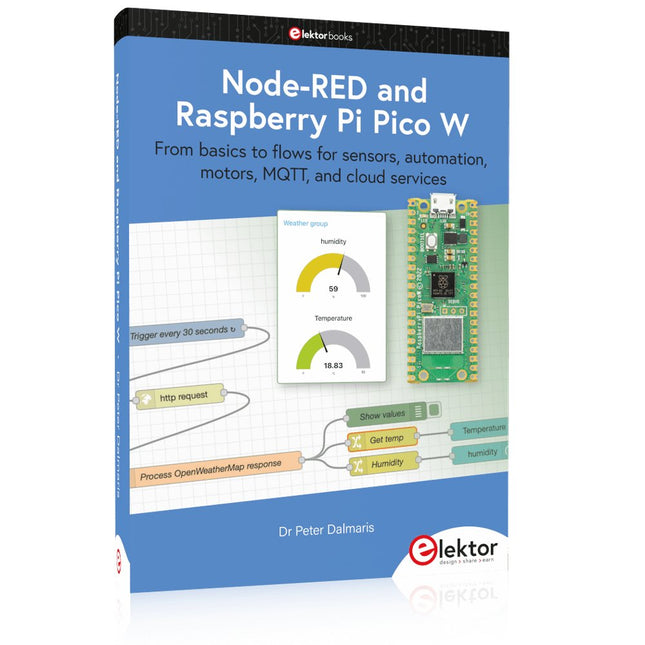
From basics to flows for sensors, automation, motors, MQTT, and cloud services
This book is a learning guide and a reference. Use it to learn Node-RED, Raspberry Pi Pico W, and MicroPython, and add these state-of-the-art tools to your technology toolkit. It will introduce you to virtual machines, Docker, and MySQL in support of IoT projects based on Node-RED and the Raspberry Pi Pico W.
This book combines several elements into a platform that powers the development of modern Internet of Things applications. These elements are a flow-based server, a WiFi-enabled microcontroller, a high-level programming language, and a deployment technology. Combining these elements gives you the tools you need to create automation systems at any scale. From home automation to industrial automation, this book will help you get started.
Node-RED is an open-source flow-based development tool that makes it easy to wire together devices, APIs, and online services. Drag and drop nodes to create a flowchart that turns on your lights at sunset or sends you an email when a sensor detects movement. Raspberry Pi Pico W is a version of the Raspberry Pi Pico with added 802.11n Wi-Fi capability. It is an ideal device for physical computing tasks and an excellent match to the Node-RED.
Quick book facts
Project-based learning approach.
Assumes no prior knowledge of flow-based programming tools.
Learn to use essential infrastructure tools in your projects, such as virtual machines, Docker, MySQL and useful web APIs such as Google Sheets and OpenWeatherMap.
Dozens of mini-projects supported by photographs, wiring schematics, and source code. Get these from the book GitHub repository.
Step-by-step instructions on everything.
All experiments are based on the Raspberry Pi Pico W. A Wi-Fi network is required for all projects.
Hardware (including the Raspberry Pi Pico W) is available as a kit.
Downloads
GitHub
35 projecten met Raspberry Pi en wireless Arduino
Internet of Things (alles aan het internet) is een trend die zich niet meer laat keren. We willen alles in huis met onze mobiel of tablet doen, van Facebook tot TV kijken, van lichten bedienen tot de temperatuur in de gaten houden.
In dit boek laten we in 35 leuke en handige projecten zien hoe u op eenvoudige wijze zelf een Internet of Things systeem kunt aanleggen. We gaan in op de hardware (de perfecte combinatie van Raspberry Pi en Arduino) en de software om bediening via internet mogelijk te maken.
We maken gebruik van Wi-Fi en radioverbindingen zodat er geen kabels dwars door uw huis hoeven. Wanneer u deze projecten maakt heeft u een compleet Internet of Things systeem waarmee u van alles in uw huis kunt bedienen en bekijken. Bijvoorbeeld of er post in de brievenbus ligt en of de auto in de garage staat. U kunt op vanaf de bank het licht aandoen en het alarm bedienen. Door de heldere uitleg kunt u de projecten eenvoudig aanpassen om bijvoorbeeld uw koffiezetautomaat of tv op afstand aan te zetten. Via de index vindt u gemakkelijk creatieve projecten die als voorbeeld kunnen dienen, zodat u zelfstandig alles met het internet kunt verbinden.
Multitasking and multiprocessing have become a very important topic in microcontroller-based systems, namely in complex commercial, domestic, and industrial automation applications. As the complexity of projects grows, more functionalities are demanded from the projects. Such projects require the use of multiple inter-related tasks running on the same system and sharing the available resources, such as the CPU, memory, and input-output ports. As a result of this, the importance of multitasking operations in microcontroller-based applications has grown steadily over the last few years. Many complex automation projects now make use of some form of a multitasking kernel.
This book is project-based and its main aim is to teach the basic features of multitasking using the Python 3 programming language on Raspberry Pi. Many fully tested projects are provided in the book using the multitasking modules of Python. Each project is described fully and in detail. Complete program listings are given for each project. Readers should be able to use the projects as they are, or modify them to suit their own needs.
The following Python multitasking modules have been described and used in the projects:
Fork
Thread
Threading
Subprocess
Multiprocessing
The book includes simple multitasking projects such as independently controlling multiple LEDs, to more complex multitasking projects such as on/off temperature control, traffic lights control, 2-digit, and 4-digit 7-segment LED event counter, reaction timer, stepper motor control, keypad based projects, car park controller, and many more. The fundamental multitasking concepts such as process synchronization, process communication, and memory sharing techniques have been described in projects concerning event flags, queues, semaphores, values, and so on.
This book is about DC electric motors and their use in Arduino and Raspberry Pi Zero W based projects. The book includes many tested and working projects where each project has the following sub-headings:
Title of the project
Description of the project
Block diagram
Circuit diagram
Project assembly
Complete program listing of the project
Full description of the program
The projects in the book cover the standard DC motors, stepper motors, servo motors, and mobile robots. The book is aimed at students, hobbyists, and anyone else interested in developing microcontroller based projects using the Arduino Uno or the Raspberry Pi Zero W.
One of the nice features of this book is that it gives complete projects for remote control of a mobile robot from a mobile phone, using the Arduino Uno as well as the Raspberry Pi Zero W development boards. These projects are developed using Wi-Fi as well as the Bluetooth connectivity with the mobile phone. Readers should be able to move a robot forward, reverse, turn left, or turn right by sending simple commands from a mobile phone. Full program listings of all the projects as well as the detailed program descriptions are given in the book. Users should be able to use the projects as they are presented, or modify them to suit to their own needs.
Pfiffige Projekte zum Messen, Steuern und Regeln
Der Raspberry Pi dominiert seit vielen Jahren die Maker-Szene. Frei verfügbare I/O-Pins machten ihn zu einem der beliebtesten Prozessorboards aller Zeiten. Allerdings verfügt der klassische Raspberry Pi über keinerlei Analogeingänge. Eine direkte Messung analoger Werte ist damit nicht möglich. So können weder Photodioden noch NTCs oder Hallsensoren etc. unmittelbar ausgelesen werden. Zudem sind die Pins direkt, d. h. ohne Treiber oder Schutzschaltung, mit den freiliegenden Kontakten verbunden. Dadurch kann der zentrale Controller und damit der gesamte Raspberry Pi schnell zerstört werden.
Mit dem Pico können diese Probleme elegant gelöst werden. Er kann als sogenanntes „Frontend“ problemlos vielfältige Messaufgaben übernehmen. Zudem ist der Pico deutlich preisgünstiger als ein klassischer Raspberry Pi 4. Falls eine Fehlbeschaltung zur Zerstörung des Pico führt, ist dies vor allem für nicht-professionelle Anwender relativ leicht zu verkraften. Der klassische Raspberry Pi und der Pico werden so zum idealen Duo.
Das Buch führt entsprechend in das weite und hochaktuelle Gebiet der modernen Controllertechnik anhand der beiden Boards „Raspberry Pi 4“ und „Raspberry Pi Pico“ ein. Neben einer tiefergehenden Einführung in die Arbeits- und Funktionsweise der Controllerboards selbst wird insbesondere auch auf die Messwerterfassung und -verarbeitung mit digitalen Prozessoren eingegangen. Insbesondere die Kombination beider Systeme bietet vielfältige und hochinteressante Möglichkeiten.
Praktische Projekte aus dem Inhalt:
USB-Verbindung zwischen Raspberry Pi 4 und Pico
I²C-Kommunikation und Pico als I²C-Device
Voltmeter und Computerthermometer
Pico W als Web-Server und WLAN-Scanner
Frequenzmesser und -generatoren
OLED-Displays an Pico und Raspberry Pi 4
Energiesparmonitor
Welche Astronauten sind im Orbit?
Mini-Monitor für den aktuellen Bitcoin-Kurs