Example projects with Node-RED, MQTT, WinCC SCADA, Blynk, and ThingSpeak
This comprehensive guide unlocks the power of Modbus TCP/IP communication with Arduino. From the basics of the Modbus protocol right up to full implementation in Arduino projects, the book walks you through the complete process with lucid explanations and practical examples.
Learn how to set up Modbus TCP/IP communication with Arduino for seamless data exchange between devices over a network. Explore different Modbus functions and master reading and writing registers to control your devices remotely. Create Modbus client and server applications to integrate into your Arduino projects, boosting their connectivity and automation level.
With detailed code snippets and illustrations, this guide is perfect for beginners and experienced Arduino enthusiasts alike. Whether you‘re a hobbyist looking to expand your skills or a professional seeking to implement Modbus TCP/IP communication in your projects, this book provides all the knowledge you need to harness the full potential of Modbus with Arduino.
Projects covered in the book:
TCP/IP communication between two Arduino Uno boards
Modbus TCP/IP communication within the Node-RED environment
Combining Arduino, Node-RED, and Blynk IoT cloud
Interfacing Modbus TCP/IP with WinCC SCADA to control sensors
Using MQTT protocol with Ethernet/ESP8266
Connecting to ThingSpeak IoT cloud using Ethernet/ESP8266
ModbusRTU and ModbusTCP examples with the Arduino Uno and ESP8266
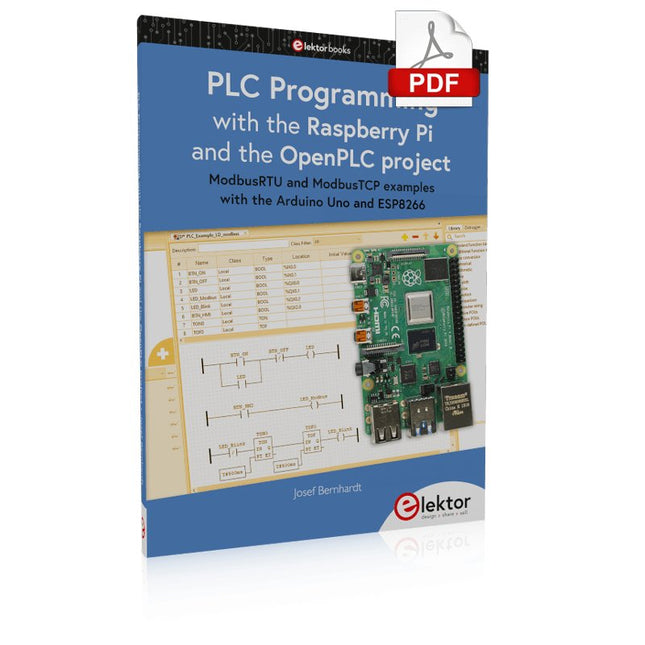
Introduction to PLC programming with OpenPLC, the first fully open source Programmable Logic Controller on the Raspberry Pi, and Modbus examples with Arduino Uno and ESP8266
PLC programming is very common in industry and home automation. This book describes how the Raspberry Pi 4 can be used as a Programmable Logic Controller. Before taking you into the programming, the author starts with the software installation on the Raspberry Pi and the PLC editor on the PC, followed by a description of the hardware.
You'll then find interesting examples in the different programming languages complying with the IEC 61131-3 standard. This manual also explains in detail how to use the PLC editor and how to load and execute the programs on the Raspberry Pi. All IEC languages are explained with examples, starting with LD (Ladder Diagram) over ST (Structured Control Language) to SFC (Special Function Chart). All examples can be downloaded from the author's website.
Networking gets thorough attention too. The Arduino Uno and the ESP8266 are programmed as ModbusRTU or ModbusTCP modules to get access to external peripherals, reading sensors and switching electrical loads. I/O circuits complying with the 24 V industry standard may also be of interest for the reader.
The book ends with an overview of commands for ST and LD. After reading the book, the reader will be able to create his own controllers with the Raspberry Pi.
Cette offre groupée comprend l'Arduino UNO Q (2 Go) et le livre « Arduino UNO Q and AI ».
L'Arduino UNO Q est la première carte UNO dotée d'une architecture hybride à double cœur, combinant un puissant processeur Linux et un microcontrôleur temps réel, ce qui permet d'allier puissance de calcul avancée et contrôle précis sur une seule et même carte.
Équipée d’un MPU Qualcomm Dragonwing QRB2210 fonctionnant sous Debian Linux et d’un microcontrôleur STM32U585 pour les tâches en temps réel, l’UNO Q est conçue pour les applications de nouvelle génération. De l’Edge Computing et l’IA à la robotique et l’automatisation, elle offre des performances élevées sans sacrifier la facilité d’utilisation.
Il suffit de connecter vos périphériques pour commencer – aucun matériel supplémentaire n'est nécessaire.
Caractéristiques
Architecture double cœur : MPU Linux + MCU temps réel
Qualcomm Dragonwing QRB2210 avec prise en charge de Debian Linux
Microcontrôleur STM32U585 pour le contrôle déterministe
Exécute les sketches Arduino via le système d'exploitation Zephyr
Idéal pour l'IA, l'IoT, la robotique et les projets industriels
Spécifications
Microprocesseur (MPU)
Qualcomm Dragonwing QRB2210 :Quad-core Arm Cortex-A53 à 2,0 GHzAccélérateur graphique 3D Adreno GPU2× ISP (13 MP + 13 MP ou 25 MP) à 30 fps
Microcontrôleur (MCU)
STM32U585Arm Cortex-M33 jusqu'à 160 MHz2 Mo de mémoire flash786 Ko de SRAM
RAM
2 Go LPDDR4
Alimentation
Connecteur USB-C : 5 V max à 3 ATension d'entrée (VIN) : 7-24 V
Mémoire
16 Go eMMC
USB
1 port USB-C avec commutation hôte/périphérique, interrupteur d'alimentation et sortie vidéo
Connectivité
Wi-Fi 5 (2,4/5 GHz) avec antenne intégréeBluetooth 5.1 avec antenne intégrée Antenne
Interfaces
I²C/I³CSPIPWMCANUARTPSSIGPIOJTAGADC
Vidéo
Sortie vidéo via USB-CBroches MIPI DSI sur connecteur JMEDIA
Supplémentaire
4× LED RVB contrôlables par l'utilisateur8× 13 Matrice de LED bleues1× connecteur Qwiic (3,3 V, I²C)1× bouton-poussoir utilisateurJCTL : Débogage à distance du microprocesseur Connecteur
Audio
Entrée microphone / Sortie casque / Sortie ligne sur JMISC
Système d'exploitation MPU
Linux Debian avec support amont
Système d'exploitation temps réel
Arduino Core sur Zephyr OS
Conteneurisation
Prise en charge de Docker et Docker Compose
Systèmes d'exploitation compatibles avec Arduino App Lab
Windows : Windows 10 ou version ultérieure (64 bits)macOS : macOS 11 ou version ultérieure (64 bits)Linux : Ubuntu 22.04 ou version ultérieure et Debian Trixie (64 bits)
Dimensions
68,85 × 53,34 mm (format UNO)
Téléchargements
Datasheet
User Manual
Pinout
Schematics
Livre : Arduino UNO Q and AI – Learn to Build Intelligent Embedded Systems
Développez des systèmes embarqués plus intelligents avec l’Arduino UNO Q. Ce livre vous fournit les outils, les connaissances et la confiance nécessaires pour transformer vos idées en solutions intelligentes et fonctionnelles grâce à la plateforme Arduino UNO Q. Découvrez comment créer des systèmes embarqués intelligents avec l’Arduino UNO Q et l’IA.
Exploitez tout le potentiel de l’Arduino UNO Q, une plateforme de nouvelle génération qui associe la puissance temps réel du microcontrôleur STM32U585 à la flexibilité du microprocesseur Qualcomm Dragonwing QRB2210.
Apprenez à prototyper rapidement des applications concrètes en utilisant l’Arduino IDE pour le contrôle embarqué bas niveau et Python dans Arduino App Lab pour le développement haut niveau.
Gagnez en assurance grâce à des projets pratiques qui vous guident pas à pas, des fonctionnalités de base de la carte jusqu’à des systèmes entièrement opérationnels.
Explorez des exemples prêts à l’emploi basés sur l’IA dans Arduino App Lab et découvrez comment ils peuvent accélérer votre développement et réduire le délai de mise sur le marché.
Entrez dans le monde de l’Edge AI avec une introduction claire et pratique à Edge Impulse Studio – aucune expérience préalable en IA n’est requise.
Suivez un workflow complet et concret pour créer une application d’IA de reconnaissance de mots-clés, couvrant la collecte de données, l’entraînement du modèle, l’optimisation et l’inférence embarquée avec Edge Impulse Studio.
Faites le lien entre systèmes embarqués et apprentissage automatique et apprenez à intégrer l’intelligence directement dans votre matériel.
Idéal pour les ingénieurs en systèmes embarqués, les enseignants, les étudiants et les makers souhaitant rester à la pointe du développement de produits basés sur l’IA.
Cette offre groupée contient :
Arduino UNO Q (2 Go) (d'une valeur de 50 €)
Livre : Arduino UNO Q and AI (d'une valeur de 35 €)
Cette clé USB contient une sélection de plus de 300 articles liés à Arduino publiés dans le magazine Elektor. Le contenu comprend à la fois des articles de fond et des projets sur les sujets suivants :
Développement logiciel et matériel : tutoriels sur le développement logiciel avec l’IDE Arduino, Atmel Studio, les shield, et les concepts essentiels de programmation.
Apprentissage : le Microcontroller Bootcamp propose une approche structurée pour programmer des systèmes embarqués.
Acquisition et mesure de données : projets comme un enregistreur de données 16 bits, un tachymètre pour tour, et un analyseur de réseau électrique pour capturer et analyser des signaux en temps réel.
Communication sans fil : apprenez à mettre en œuvre des réseaux sans fil, créer une interface Android, et communiquer efficacement avec des microcontrôleurs.
Robotique et automatisation : le Arduino Nano Robot Controller, des cartes de support pour l'automatisation, et l'exploration de divers shield Arduino pour enrichir les fonctionnalités.
Projets à construire soi-même : Des projets uniques tels qu’un projecteur laser, une horloge et un thermomètre Numitron, un récepteur TBF, Theremino, et des interfaces LED tactiles mettent en valeur des applications créatives.
Que vous soyez débutant ou expérimenté, cette collection est une ressource précieuse pour apprendre, expérimenter et repousser les limites de la technologie Arduino.
Einführung in die SPS-Programmierung mit dem Open-Source-Projekt auf dem Raspberry Pi und Modbus-Beispiele mit dem Arduino Uno und ESP8266
Die SPS-Programmierung ist heute in der Industrie und in der Hausautomation sehr weit verbreitet. In diesem Buch beschreibt der Autor, wie der Raspberry Pi 4 als SPS eingesetzt werden kann. Angefangen mit der Softwareinstallation auf dem Raspberry Pi und dem SPS-Editor auf dem PC geht es nach einer Beschreibung der Hardware an das Programmieren.
Es folgen interessante Beispiele nach IEC 61131-3 in den verschiedenen Programmiersprachen. Ausführlich wird auch erklärt, wie der SPS-Editor benutzt wird und wie die Programme auf den Raspberry Pi geladen und ausgeführt werden. Angefangen mit der Programmierung mit KOP (Kontaktplan) über ST (Structured Control Language) bis zu AS (Special Function Chart) werden alle IEC-Sprachen mit Beispielen behandelt. Diese können auf der Website des Autors heruntergeladen werden.
Auch die Vernetzung kommt nicht zu kurz. Der Arduino Uno und der ESP8266 werden als ModbusRTU- bzw. ModbusTCP-Module programmiert, um Zugriff auf externe Peripherie zu erhalten. Damit ist es möglich, Sensoren einzulesen und Verbraucher zu schalten. Interessant dürften auch E/A-Schaltungen sein, die dem 24V-Industriestandard entsprechen.
Befehlsübersichten für ST und KOP runden das Buch ab.
Nach dem Durcharbeiten des Buches ist der Leser in der Lage, eigene SPS-Steuerungen mit dem Raspberry Pi zu verwirklichen.
Ce cours complet de programmation de microcontrôleurs STM32 comprend un manuel, un kit de composants, des projets pratiques et une formation en ligne approfondie. Il est idéal pour apprendre étape par étape la programmation de systèmes embarqués avec Arduino grâce à une approche pratique.
Une introduction pratique aux systèmes embarqués avec le STM32
Ce cours s'adresse aux débutants dans le domaine des systèmes embarqués qui recherchent une méthode structurée et basée sur des exemples pour se lancer. Un kit de composants est inclus ; il contient notamment des LED, des résistances, des interrupteurs, des capteurs, des actionneurs, des afficheurs, une plaque d'essai (breadboard) et des fils de connexion. Ces éléments sont utilisés tout au long du cours pour illustrer des exemples d'applications.
Aucune expérience préalable d'Arduino ou du développement de systèmes embarqués n'est requise. Chaque section propose des exemples pratiques et des mini-projets conçus pour consolider les concepts clés et encourager une exploration plus approfondie. À l'issue de la formation, vous serez capable non seulement de reproduire les exemples présentés, mais aussi de les enrichir grâce à vos propres idées et applications.
Que allez-vous apprendre ?
Programmation de microcontrôleurs STM32 en C/C++ avec l'IDE Arduino
Utilisation des entrées/sorties numériques, lecture de boutons et encodeurs, commande de LED et relais
Lecture des entrées analogiques, tensions et capteurs analogiques
Génération de signaux analogiques et PWM
Utilisation des communications série comme UART, I²C et SPI pour piloter des afficheurs et lire des capteurs numériques et cartes SD
Gestion du temps
Utilisation des interruptions
Entrées capteurs en temps réel et contrôle via boutons, LED et afficheurs
Commande d’actionneurs comme relais et servomoteurs
Déboguer des programmes à l'aide de points d'arrêt et de l'exécution pas à pas
À qui s’adresse ce cours ?
Étudiants et autodidactes explorant les systèmes embarqués
Makers et passionnés d’IoT souhaitant améliorer leurs compétences en hardware
Formateurs et enseignants à la recherche de matériel pédagogique prêt à l’emploi
Contenu de la boîte
Accès au cours complet sur la plateforme Elektor Academy Pro
Carte microcontrôleur STM32 NUCLEO-F411RE
Livre : Arduino for STM32
Fichiers de projet téléchargeables pour chaque module
Boîte de composants :
2× LED, rouge, 5 mm
LED, verte, 5 mm
3× résistance, 470 Ω, 0,25 W
LDR
Potentiomètre, 10 kΩ, linéaire
Bouton-poussoir
Module encodeur rotatif
Module relais
Capteur DHT22 (température & humidité)
Afficheur 7 segments 4 digits compatible TM1637
MPU-6050 IMU avec connecteurs
Afficheur OLED I²C compatible SSD1306
Adaptateur carte micro SD avec connecteur
Buzzer
Micro servo SG90
Écran TFT SPI 240×320 compatible ILI9341
20× fils jumper
Breadboard
ModbusRTU and ModbusTCP examples with the Arduino Uno and ESP8266
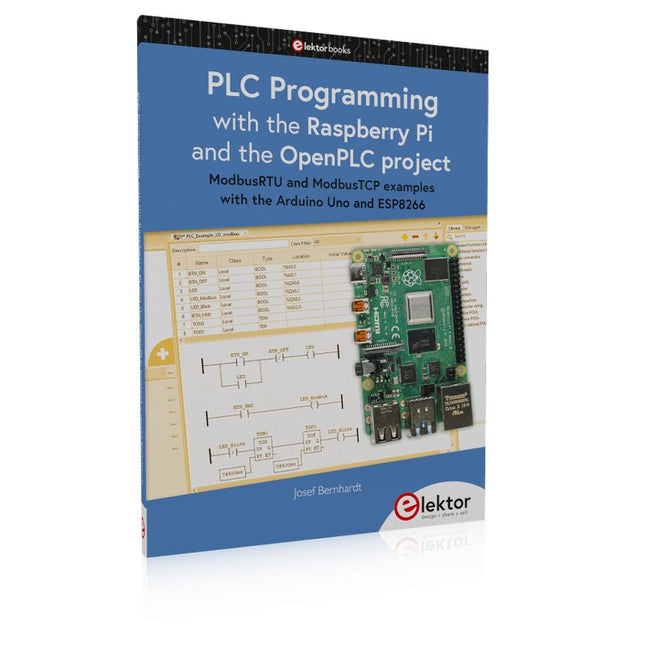
Introduction to PLC programming with OpenPLC, the first fully open source Programmable Logic Controller on the Raspberry Pi, and Modbus examples with Arduino Uno and ESP8266
PLC programming is very common in industry and home automation. This book describes how the Raspberry Pi 4 can be used as a Programmable Logic Controller. Before taking you into the programming, the author starts with the software installation on the Raspberry Pi and the PLC editor on the PC, followed by a description of the hardware.
You'll then find interesting examples in the different programming languages complying with the IEC 61131-3 standard. This manual also explains in detail how to use the PLC editor and how to load and execute the programs on the Raspberry Pi. All IEC languages are explained with examples, starting with LD (Ladder Diagram) over ST (Structured Control Language) to SFC (Special Function Chart). All examples can be downloaded from the author's website.
Networking gets thorough attention too. The Arduino Uno and the ESP8266 are programmed as ModbusRTU or ModbusTCP modules to get access to external peripherals, reading sensors and switching electrical loads. I/O circuits complying with the 24 V industry standard may also be of interest for the reader.
The book ends with an overview of commands for ST and LD. After reading the book, the reader will be able to create his own controllers with the Raspberry Pi.
Livre : Mastering the Arduino Uno R4
Basée sur le processeur ATmega328P 8 bits économique, la carte Arduino Uno R3 est sans doute la plus populaire de la famille Arduino, et ce modèle robuste nous accompagne depuis de nombreuses années. Onze ans plus tard, son successeur tant attendu, l'Arduino Uno R4, a vu le jour. Elle est conçue autour d'un microcontrôleur Arm Cortex-M4 32 bits cadencé à 48 MHz et offre une mémoire SRAM et Flash considérablement étendue. De plus, un convertisseur analogique-numérique (CAN) plus précis et un nouveau convertisseur numérique-analogique (CNA) ont été ajoutés. La carte Uno R4 prend également en charge le bus CAN grâce à une interface dédiée.
Deux versions de la carte sont disponibles : Uno R4 Minima et Uno R4 WiFi. Ce livre explique comment utiliser ces nouvelles cartes pour développer de nombreux projets variés et intéressants avec seulement quelques composants et modules externes. Tous les projets décrits dans ce livre ont été entièrement testés sur la carte Uno R4 Minima ou la carte Uno R4 WiFi, selon le cas.
Les sujets abordés incluent la lecture, le contrôle et le pilotage de nombreux composants et modules du kit ainsi que sur la carte Uno R4 correspondante, y compris
LED
Afficheurs à 7 segments (utilisant des interruptions programmées)
LCD
Capteurs
Lecteur RFID
Clavier 4×4
Horloge en temps réel (RTC)
Joystick
Matrice de LED 8×8
Moteurs
DAC (convertisseur numérique-analogique)
Matrice LED
Connectivité Wi-Fi
UART série
Bus CAN
Contrôleur et récepteur infrarouge
Simulateurs
… le tout de manière créative et pédagogique, le fonctionnement du projet et les logiciels associés étant expliqués en détail.
Arduino Uno R4 WiFi
La carte Arduino Uno R4 est équipée du processeur Renesas RA4M1 ARM Cortex-M4 32 bits, offrant une puissance de traitement, une mémoire et des fonctionnalités considérablement améliorées. La version WiFi intègre un module WiFi ESP32-S3 en plus du RA4M1, élargissant ainsi les possibilités créatives des makers et des ingénieurs.
L'Arduino Uno R4 fonctionne à 48 MHz, soit trois fois plus que la populaire Uno R3. De plus, la mémoire SRAM a été augmentée de 2 Ko à 32 Ko et la mémoire flash de 32 Ko à 256 Ko afin de prendre en charge des projets plus complexes. Suite aux retours de la communauté, le port USB est désormais de type USB-C et la tension d'alimentation maximale a été portée à 24 V, avec une conception thermique optimisée. La carte comprend un bus CAN et un port SPI, permettant aux utilisateurs de réduire le câblage et d'effectuer des tâches en parallèle en connectant plusieurs shields. Un convertisseur numérique-analogique (CNA) analogique 12 bits est également intégré.
Spécifications
Microcontrôleur
Renesas RA4M1 (ARM Cortex-M4)
USB
USB-C
Port de programmation
Broches
Broches d'E/S numériques
14
Broches
Broches d'entrée analogiques
6
CNA
1
TCR
1
Broches PWM
6
Communication
UART
1x
I²C
1x
SPI
1x
Connecteur I²C Qwiic
1x
CAN
1x Bus CAN
Alimentation
Tension de fonctionnement du circuit
5 V
Tension d'entrée (VIN)
6-24 V
Courant continu par broche d'E/S
8 mA
Fréquence d'horloge
Noyau principal
48 MHz
Mémoire
RA4M1
256 ko Flash, 32 ko RAM
Matrice LED
12 x 8 (96 LED rouges)
Dimensions
68,9 x 53,4 mm
Téléchargements
Datasheet
Schematics
Cette offre groupée contient :
Livre : Mastering the Arduino Uno R4 (d'une valeur de 45 €)
Arduino Uno R4 WiFi (d'une valeur de 30 €)
Mit dem Elektor Arduino Nano Trainingsboard (MCCAB) eigene Projekte realisieren
Der Mikrocontroller ist das wohl faszinierendste Teilgebiet der Elektronik, denn aufgrund der Vielzahl von Funktionen, die er auf seinem Chip vereinigt, ist er für den Entwickler ein universelles Multi-Tool zur Realisierung seiner Projekte. Praktisch jedes Gerät des täglichen Gebrauchs wird heute von einem Mikrocontroller gesteuert. Für einen elektronischen Laien blieb es aufgrund der Komplexität bisher allerdings ein Wunschtraum, eigene Ideen mit einem Mikrocontroller zu realisieren. Das Arduino-Konzept hat den Einsatz von Mikrocontrollern weitgehend vereinfacht, sodass jetzt auch Laien eigene Elektronik-Ideen mit einem Mikrocontroller verwirklichen können.
Buch & Hardware im Bundle: 'Learning by Doing'
Dieses im Bundle mitgelieferte Buch (im großen A4-Format) zeigt, wie man auch ohne große Erfahrung in Elektronik und Programmiersprachen eigene Projekte mit einem Mikrocontroller realisieren kann. Es ist ein Mikrocontroller-Praxiskurs für Einsteiger, denn nach einem Überblick über die Interna des Mikrocontrollers und einer Einführung in die Programmiersprache C liegt der Schwerpunkt des Kurses auf den praktischen Übungen. Der Leser eignet sich die erforderlichen Kenntnisse durch 'Learning by Doing' an: in dem umfangreichen Praxisteil mit 12 Projekten und 46 Übungen wird das im vorderen Teil des Buches Gelernte mit vielen Beispielen unterlegt. Die Übungen sind dabei so aufgebaut, dass der Bearbeiter eine Aufgabenstellung erhält, die er mit seinem im Theorieteil des Buches aufgebauten Wissen löst. Für jede Übung gibt es anschließend eine ausführlich erklärte und kommentierte Musterlösung, die dem Bearbeiter bei Problemen weiterhilft und die er mit seiner eigenen Lösung vergleichen kann.
Arduino IDE
In der Arduino IDE, einer Software-Entwicklungsumgebung, die kostenlos auf den eigenen PC heruntergeladen werden kann und die das gesamte Softwarepaket enthält, das für ein eigenes Mikrocontroller-Projekt benötigt wird, schreibt der Bearbeiter mit dem Editor der IDE seine Programme („Apps“) in der Programmiersprache C. Der in die Arduino IDE integrierte Compiler übersetzt sie in die Bits und Bytes, die der Mikrocontroller versteht und die dann über ein USB-Kabel in den Speicher des Mikrocontrollers auf dem Elektor Arduino Nano Trainingsboard (MCCAB) geladen werden.
Externe Sensoren, Motoren oder Baugruppen abfragen oder steuern
Das Elektor Arduino Nano Trainingsboard (MCCAB) enthält neben einem Mikrocontrollermodul Arduino Nano alle für die Übungen benötigten Bauteile wie Leuchtdioden, Schalter, Taster, akustische Signalgeber usw. Auch externe Sensoren, Motoren oder Baugruppen können mit diesem Mikrocontroller-Übungssystem abgefragt oder gesteuert werden.
Technische Daten (Arduino Nano Trainingsboard MCCAB)
Stromversorgung
Über die USB-Verbindung des zur Erstellung der Programme sowieso angeschlossenen PCs oder ein externes Netzteil (nicht im Lieferumfang enthalten)
Betriebsspannung
+5 Vcc
Eingangsspannung
Alle Eingänge
0 V bis +5 V
VX1 und VX2
+8 V bis +12 V (nur bei Verwendung eines externen Netzteils)
Mikrocontrollermodul
Arduino Nano
Hardwareperipherie
LCD
2x16 Zeichen
Potenziometer P1 & P2
JP3: Auswahl der Betriebsspannung von P1 & P2
Verteiler
SV4: Verteiler für die BetriebsspannungenSV5, SV6: Verteiler für die Ein-/Ausgänge des Mikrocontrollers
Schalter und Taster
RESET-Taster auf dem Arduino Nano-Modul6x Tastschalter K1 … K66x Schiebeschalter S1 … S6JP2: Verbindung der Schalter mit den Eingängen des Mikrocontrollers
Summer
Piezo-Summer Buzzer1 mit Steckbrücke auf JP6
Leuchtanzeigen
LED L auf dem Arduino Nano-Modul, verbunden mit GPIO D1311x LED: Zustandsanzeige für die Ein-/AusgängeJP6: Verbindung der LEDs LD10 … LD20 mit den GPIOs D2 … D12
Serielle SchnittstellenSPI & I²C
JP4: Auswahl des Signals an Pin X der SPI-Steckerleiste SV12SV9 bis SV12: SPI-Interface (3,3 V/5 V) bzw. I²C-Interface
Schaltausgang für externe Geräte
SV1, SV7: Schaltausgang (maximal +24 V/160 mA, extern zugeführt)SV2: 2x13 Pins zum Anschluss externer Module
3x3 LED-Matrix (9 rote LEDs)
SV3: Spalten der 3x3 LED-Matrix (Ausgänge D6 … D8)JP1: Verbindung der Reihen mit den GPIOs D3 … D5
Software
Library MCCABLib
Steuerung der Hardware-Komponenten (Schalter, Taster, Leuchtdioden, 3x3 LED-Matrix, Summer) auf dem MCCAB Trainingsboard
Betriebstemperatur
bis +40 °C
Abmessungen
100 x 100 x 20 mm
Technische Daten (Arduino Nano)
Mikrocontroller
ATmega328P
Architektur
AVR
Betriebsspannung
5 V
Flashspeicher
32 KB, davon 2 KB vom Bootloader belegt
SRAM
2 KB
Taktfrequenz
16 MHz
Analoge IN-Pins
8
EEPROM
1 KB
DC-Strom pro I/O-Pin
40 mA an einem I/O-Pin, insgesamt maximal 200 mA an allen Pins gemeinsam
Eingangsspannung
7-12 V
Digitale I/O-Pins
22 (6 davon sind PWM-fähig)
PWM-Ausgänge
6
Stromverbrauch
19 mA
Abmessungen
18 x 45 mm
Gewicht
7 g
Lieferumfang
Elektor Arduino Nano MCCAB Trainingsboard
Arduino Nano
Buch: Mikrocontroller-Praxiskurs für Arduino-Einsteiger
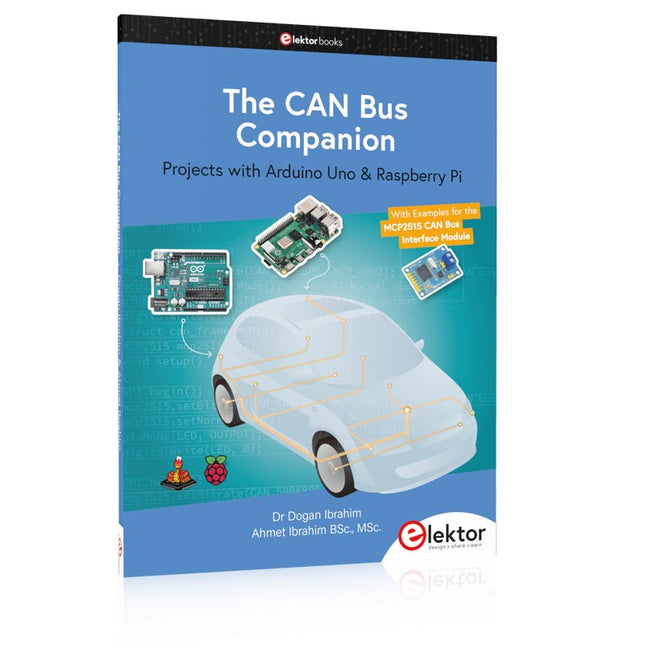
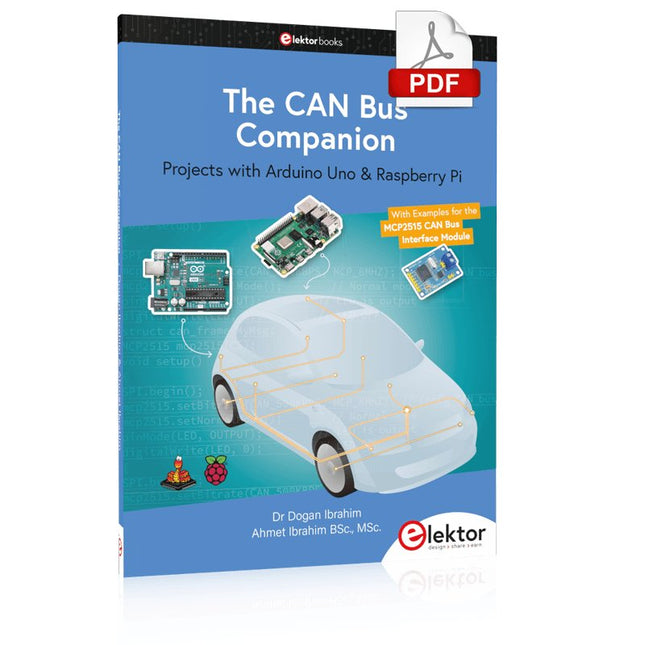
This book details the use of the Arduino Uno and the Raspberry Pi 4 in practical CAN bus based projects. Using either the Arduino Uno or the Raspberry Pi with off-the-shelf CAN bus interface modules considerably ease developing, debugging, and testing CAN bus based projects.
This book is written for students, practicing engineers, enthusiasts, and for everyone else wanting to learn more about the CAN bus and its applications. The book assumes that the reader has some knowledge of basic electronics. Knowledge of the C and Python programming languages and programming the Arduino Uno using its IDE and Raspberry Pi will be useful, especially if the reader intends to develop microcontroller-based projects using the CAN bus.
The book should be a useful source of reference material for anyone interested in finding answers to questions such as:
What bus systems are available for the automotive industry?
What are the principles of the CAN bus?
How can I create a physical CAN bus?
What types of frames (or data packets) are available in a CAN bus system?
How can errors be detected in a CAN bus system and how dependable is a CAN bus system?
What types of CAN bus controllers exist?
How do I use the MCP2515 CAN bus controller?
How do I create 2-node Arduino Uno-based CAN bus projects?
How do I create 3-node Arduino Uno-based CAN bus projects?
How do I set the acceptance masks and acceptance filters?
How do I analyze data on the CAN bus?
How do I create 2-node Raspberry Pi-based CAN bus projects?
How do I create 3-node Raspberry Pi-based CAN bus projects?
Projects with Arduino Uno & Raspberry Pi with Examples for the MCP2515 CAN Bus Interface Module
This book details the use of the Arduino Uno and the Raspberry Pi 4 in practical CAN bus based projects. Using either the Arduino Uno or the Raspberry Pi with off-the-shelf CAN bus interface modules considerably ease developing, debugging, and testing CAN bus based projects.
This book is written for students, practicing engineers, enthusiasts, and for everyone else wanting to learn more about the CAN bus and its applications. The book assumes that the reader has some knowledge of basic electronics. Knowledge of the C and Python programming languages and programming the Arduino Uno using its IDE and Raspberry Pi will be useful, especially if the reader intends to develop microcontroller-based projects using the CAN bus.
The book should be a useful source of reference material for anyone interested in finding answers to questions such as:
What bus systems are available for the automotive industry?
What are the principles of the CAN bus?
How can I create a physical CAN bus?
What types of frames (or data packets) are available in a CAN bus system?
How can errors be detected in a CAN bus system and how dependable is a CAN bus system?
What types of CAN bus controllers exist?
How do I use the MCP2515 CAN bus controller?
How do I create 2-node Arduino Uno-based CAN bus projects?
How do I create 3-node Arduino Uno-based CAN bus projects?
How do I set the acceptance masks and acceptance filters?
How do I analyze data on the CAN bus?
How do I create 2-node Raspberry Pi-based CAN bus projects?
How do I create 3-node Raspberry Pi-based CAN bus projects?
The Arduino Uno is an open-source microcontroller development system encompassing hardware, an Integrated Development Environment (IDE), and a vast number of libraries. It is supported by an enormous community of programmers, electronic engineers, enthusiasts, and academics. The libraries in particular really smooth Arduino programming and reduce programming time. What’s more, the libraries greatly facilitate testing your programs since most come fully tested and working.
The Raspberry Pi 4 can be used in many applications such as audio and video media devices. It also works in industrial controllers, robotics, games, and in many domestic and commercial applications. The Raspberry Pi 4 also offers Wi-Fi and Bluetooth capability which makes it great for remote and Internet-based control and monitoring applications.
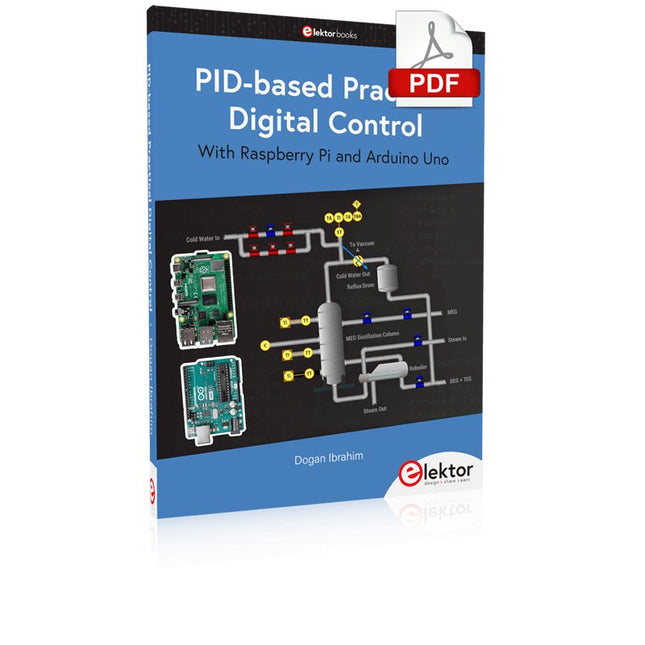
This book is about using both the Raspberry Pi 4 and the Arduino Uno in PID-based automatic control applications. The book starts with basic theory of the control systems and feedback control. Working and tested projects are given for controlling real-life systems using PID controllers. The open-loop step time response, tuning the PID parameters, and the closed-loop time response of the developed systems are discussed together with the block diagrams, circuit diagrams, PID controller algorithms, and the full program listings for both the Raspberry Pi and the Arduino Uno.
The projects given in the book aim to teach the theory and applications of PID controllers and can be modified easily as desired for other applications. The projects given for the Raspberry Pi 4 should work with all other models of Raspberry Pi family.
The book covers the following topics:
Open-loop and closed-loop control systems
Analog and digital sensors
Transfer functions and continuous-time systems
First-order and second-order system time responses
Discrete-time digital systems
Continuous-time PID controllers
Discrete-time PID controllers
ON-OFF temperature control with Raspberry Pi and Arduino Uno
PID-based temperature control with Raspberry Pi and Arduino Uno
PID-based DC motor control with Raspberry Pi and Arduino Uno
PID-based water level control with Raspberry Pi and Arduino Uno
PID-based LED-LDR brightness control with Raspberry Pi and Arduino Uno