
Products
-
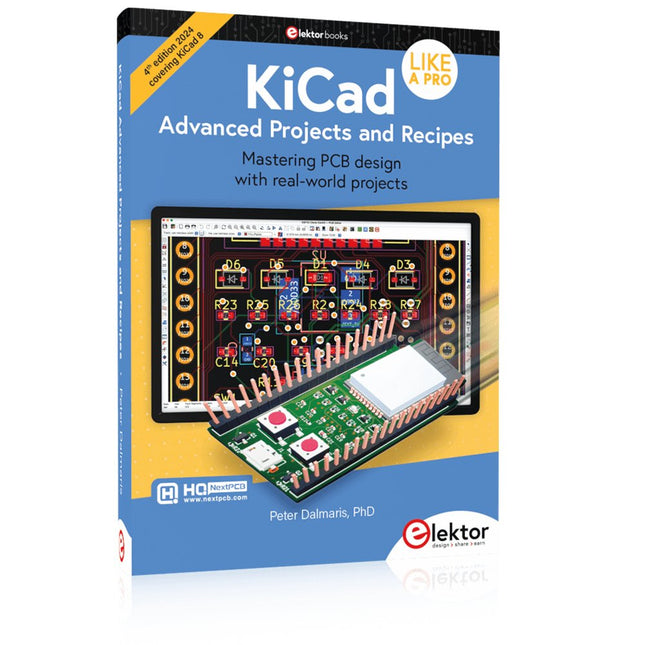
Elektor Publishing KiCad Like A Pro – Advanced Projects and Recipes
Mastering PCB design with real-world projects This book builts on KiCad Like a Pro – Fundamentals and Projects and aims to help you practice your new KiCad skills by challenging you in a series of real-world projects. The projects are supported by a comprehensive set of recipes with detailed instructions on how to achieve a variety of simple and complex tasks. Design the PCBs for a solar power supply, an LED matrix array, an Arduino-powered datalogger, and a custom ESP32 board. Understand the finer details of the interactive router, how to manage KiCad project teams with Git, how to use an autorouter on 2 and 4-layer PCBs, and much more. KiCad 8 is a modern, cross-platform application suite built around schematic and design editors. This stable and mature PCB tool is a perfect fit for electronic engineers and makers. With KiCad 8, you can create PCBs of any complexity and size without the constraints associated with the commercial packages. Here are the most significant improvements and features in KiCad 8, both over and under the hood: Modern user interface, completely redesigned from earlier versions Improved and customizable electrical and design rule checkers Theme editor allowing you to fully customize the look of KiCad on your screen Ability to import projects from Eagle, CADSTART, and more An improved and tightly integrated SPICE circuit simulator Autorouting with the Freerouting plugin Filters define which elements of a layout are selectable Enhanced interactive router helps you draw single tracks and differential pairs with precision New or enhanced tools to draw tracks, measure distances, tune track lengths, etc. Enhanced tool for creating filled zones A customizable coordinate system facilitates data exchange with other CAD applications Realistic ray-tracing capable 3D viewer Differential pair routing Rich repositories of symbol, footprint, and 3D shape libraries Python scripting API for programmatic customization and extensions Improved footprint wizard for fast custom footprints
-

Elektor Digital KiCad Like A Pro – Fundamentals and Projects (E-book)
Getting started with the world’s best open-source PCB tool The latest iteration of KiCad, the world’s best free-to-use Printed Circuit Board tool, is packed with features usually found only in expensive commercial CAD tools. This modern, cross-platform application suite built around schematic and design editors, with auxiliary applications is a stable and mature PCB tool. KiCad 8 is a perfect fit for electronic engineers and makers. Here are the most significant improvements and features in KiCad 8, both over and under the hood: Modern user interface, completely redesigned from earlier versions Improved and customizable electrical and design rule checkers Theme editor allowing you to customize KiCad on your screen Ability to import projects from Eagle, CADSTART, and more Python scripting API Improved integrated SPICE circuit simulator Multi-sheet schematics Filters define selectable elements Enhanced interactive router helps you draw single tracks and differential pairs with precision New or enhanced tools to draw tracks, measure distances, tune track lengths, etc. Advanced interactive router Built-in bill of materials generator Realistic ray-tracing capable 3D viewer Customizable teardrops Plug-in manager for quick installation of themes, libraries and functionalities such as autorouters and BOM generators This book will teach you to use KiCad through a practical approach. It will help you become productive quickly and start designing your own boards. Example projects illustrate the basic features of KiCad, even if you have no prior knowledge of PCB design. The author describes the entire workflow from schematic entry to the intricacies of finalizing the files for PCB production and offers sound guidance on the process. Further full-fledged projects, of incremental difficulty, will be presented in a second book, together with a variety of advanced recipes.
€ 44,95
Membres : € 40,46
-
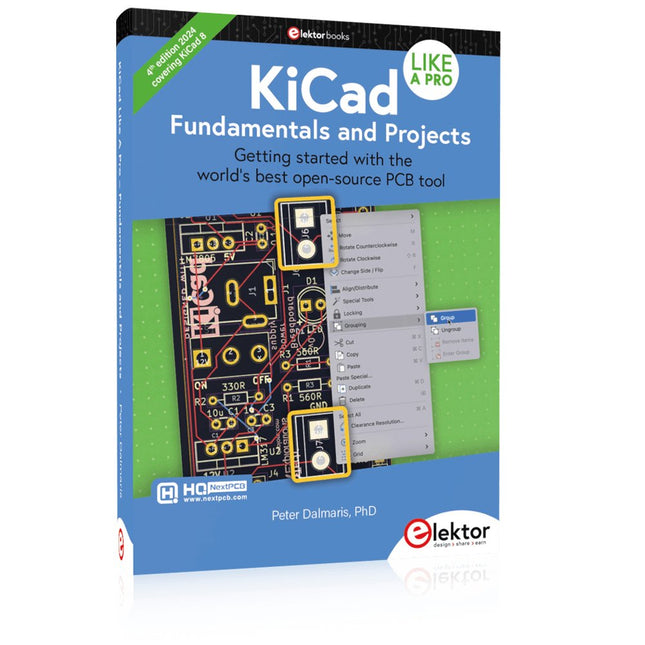
Elektor Publishing KiCad Like A Pro – Fundamentals and Projects
Getting started with the world’s best open-source PCB tool The latest iteration of KiCad, the world’s best free-to-use Printed Circuit Board tool, is packed with features usually found only in expensive commercial CAD tools. This modern, cross-platform application suite built around schematic and design editors, with auxiliary applications is a stable and mature PCB tool. KiCad 8 is a perfect fit for electronic engineers and makers. Here are the most significant improvements and features in KiCad 8, both over and under the hood: Modern user interface, completely redesigned from earlier versions Improved and customizable electrical and design rule checkers Theme editor allowing you to customize KiCad on your screen Ability to import projects from Eagle, CADSTART, and more Python scripting API Improved integrated SPICE circuit simulator Multi-sheet schematics Filters define selectable elements Enhanced interactive router helps you draw single tracks and differential pairs with precision New or enhanced tools to draw tracks, measure distances, tune track lengths, etc. Advanced interactive router Built-in bill of materials generator Realistic ray-tracing capable 3D viewer Customizable teardrops Plug-in manager for quick installation of themes, libraries and functionalities such as autorouters and BOM generators This book will teach you to use KiCad through a practical approach. It will help you become productive quickly and start designing your own boards. Example projects illustrate the basic features of KiCad, even if you have no prior knowledge of PCB design. The author describes the entire workflow from schematic entry to the intricacies of finalizing the files for PCB production and offers sound guidance on the process. Further full-fledged projects, of incremental difficulty, will be presented in a second book, together with a variety of advanced recipes.
-
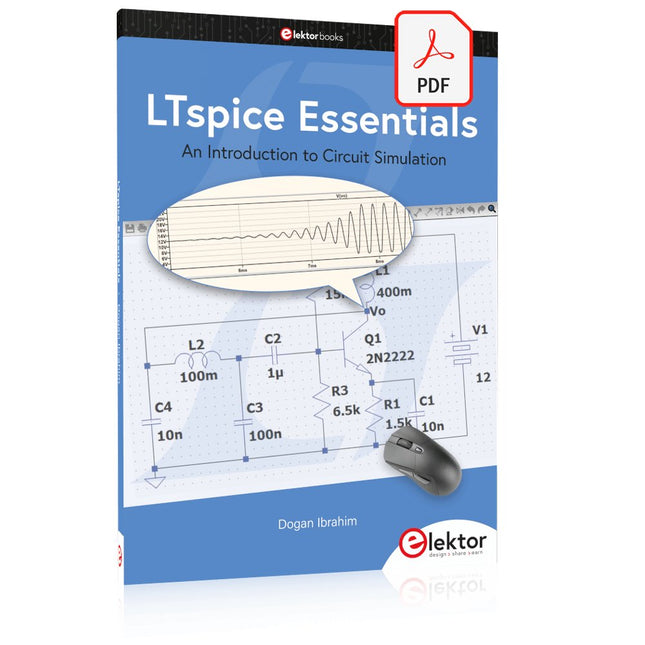
Elektor Digital LTspice Essentials (E-book)
An Introduction to Circuit Simulation LTspice, developed by Analog Devices, is a powerful, fast, and free SPICE simulator, schematic capture, and waveform viewer with a large database of components supported by SPICE models from all over the world. Drawing a schematic in LTspice is easy and fast. Thanks to its powerful graphing features, you can visualize the voltages and currents in a circuit, and also the power consumption of its components and much more. This book is about learning to design and simulate electronic circuits using LTspice. Among others, the following topics are treated: DC and AC circuits Signal diodes and Zener diodes Transistor circuits including oscillators Thyristor/SCR, diac, and triac circuits Operational amplifier circuits including oscillators The 555 timer IC Filters Voltage regulators Optocouplers Waveform generation Digital logic simulation including the 74HC family SPICE modeling LTspice is a powerful electronic circuit simulation tool with many features and possibilities. Covering them all in detail is not possible in a book of this size. Therefore, this book presents the most common topics like DC and AC circuit analysis, parameter sweeping, transfer functions, oscillators, graphing, etc. Although this book is an introduction to LTspice, it covers most topics of interest to people engaged in electronic circuit simulation. The book is aimed at electronic/electrical engineers, students, teachers, and hobbyists. Many tested simulation examples are given in the book. Readers do not need to have any computer programming skills, but it will help if they are familiar with basic electronic circuit design and operation principles. Readers who want to dive deeper can find many detailed tutorials, articles, videos, design files, and SPICE circuit models on the Internet. All the simulation examples used in the book are available as files at the webpage of this book. Readers can use these example circuits for learning or modify them for their own applications.
€ 32,95
Membres : € 29,66
-
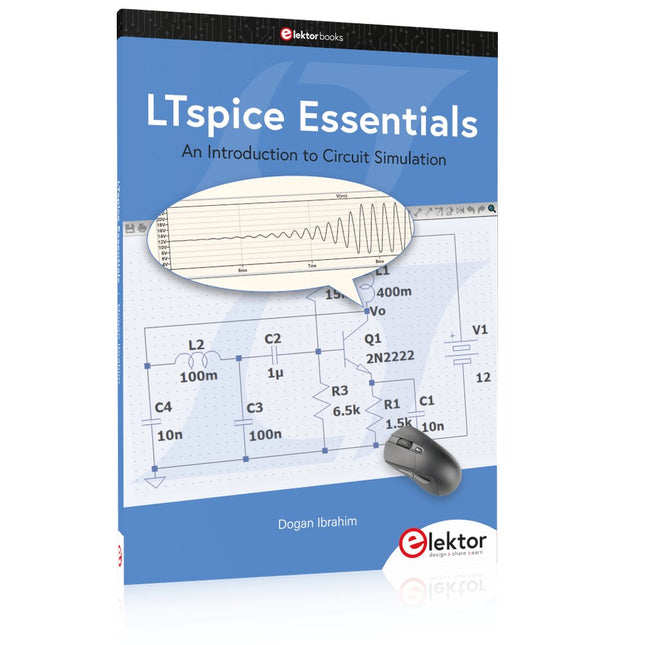
Elektor Publishing LTspice Essentials
An Introduction to Circuit Simulation LTspice, developed by Analog Devices, is a powerful, fast, and free SPICE simulator, schematic capture, and waveform viewer with a large database of components supported by SPICE models from all over the world. Drawing a schematic in LTspice is easy and fast. Thanks to its powerful graphing features, you can visualize the voltages and currents in a circuit, and also the power consumption of its components and much more. This book is about learning to design and simulate electronic circuits using LTspice. Among others, the following topics are treated: DC and AC circuits Signal diodes and Zener diodes Transistor circuits including oscillators Thyristor/SCR, diac, and triac circuits Operational amplifier circuits including oscillators The 555 timer IC Filters Voltage regulators Optocouplers Waveform generation Digital logic simulation including the 74HC family SPICE modeling LTspice is a powerful electronic circuit simulation tool with many features and possibilities. Covering them all in detail is not possible in a book of this size. Therefore, this book presents the most common topics like DC and AC circuit analysis, parameter sweeping, transfer functions, oscillators, graphing, etc. Although this book is an introduction to LTspice, it covers most topics of interest to people engaged in electronic circuit simulation. The book is aimed at electronic/electrical engineers, students, teachers, and hobbyists. Many tested simulation examples are given in the book. Readers do not need to have any computer programming skills, but it will help if they are familiar with basic electronic circuit design and operation principles. Readers who want to dive deeper can find many detailed tutorials, articles, videos, design files, and SPICE circuit models on the Internet. All the simulation examples used in the book are available as files at the webpage of this book. Readers can use these example circuits for learning or modify them for their own applications.
€ 39,95
Membres : € 35,96
-
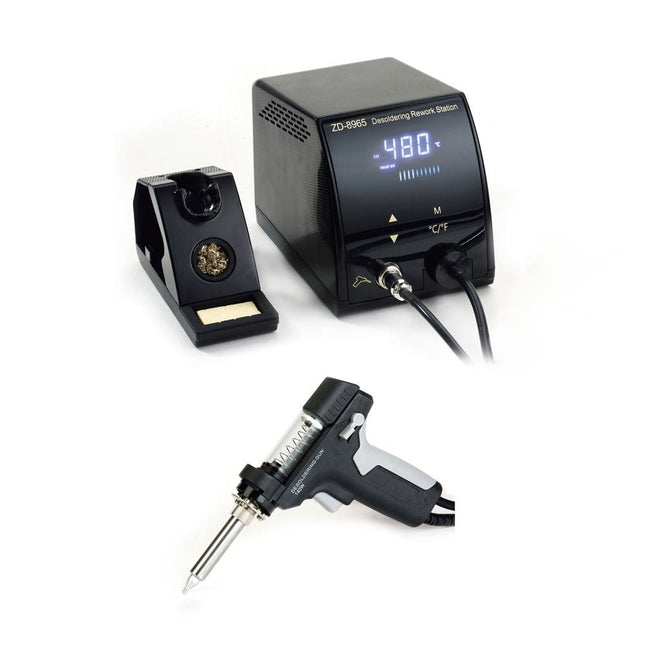
Zhongdi ZD-8965 Station de dessoudage
Le ZD-8965 est une station de dessoudage numérique à température contrôlée équipée d'une protection de mise à la terre et d'un écran LCD pour l'affichage de la température. Sa conception, à la fois compacte et robuste, rend cette station de dessoudage haute performance facile à manipuler d'une seule main. Le ZD-8965 est doté d'un pistolet à souder avec un filtre intégré qui capture tout matériau extrait, permettant un fonctionnement continu en remplaçant simplement les filtres. De plus, un capteur de température est intégré dans la pointe, permettant une réponse rapide aux fluctuations de température pour des performances constantes. Caractéristiques Réglez facilement la température entre 160°C et 480°C à l'aide des boutons haut/bas pratiques sur le panneau avant. Affichage LED pour indiquer la température en °C/°F Comprend une poignée pistolet ergonomique avec une gâchette pour une élimination rapide et efficace des déchets de soudure. Le pistolet à souder amélioré comprend une gâchette arrière, ce qui le rend exceptionnellement pratique pour remplacer et nettoyer les composants. Livré avec un pistolet à souder de haute qualité et un support robuste. Équipé d'un chauffage robuste qui garantit des performances de dessoudage optimales à chaque fois. Spécifications Station Alimentation en tension 220-240 V Puissance 140 W Pression sous vide 600 mm HG Pistolet à dessouder Puissance 140 W (18 V DC)Indice de chauffe : 140 W Température 160-480°C Élément chauffant Chauffage en céramique Inclus 1x ZD-8965 Station de dessoudage 2x Pannes à souder de rechange 3x Aiguilles de nettoyage pour pannes à dessouder 3x Filtre de rechange pour pistolet à dessouder 1x Filtre de rechange pour station de dessoudage 1x Manuel
€ 98,18
-

Electron Plus Picoampèremètre à source Electron Plus SPA100
Ce picoampèremètre source très sensible est conçu pour mesurer et enregistrer de très faibles courants jusqu'à la gamme des pA, ce qui en fait un instrument idéal pour les applications scientifiques et de recherche, notamment en physique, en science des matériaux et en microscopie électronique. Doté de toutes les fonctionnalités à un prix abordable, le SPA100 allie sensibilité, précision et stabilité pour permettre aux utilisateurs de mesurer de faibles courants avec une grande précision et d'obtenir facilement des tensions de polarisation pour l'expérimentation. Le SPA100 peut également servir de mesureur de résistance ultra-haute, mesurant avec précision jusqu'à la gamme des téraohms. Le SPA100 se connecte à un PC via USB et utilise le logiciel complémentaire SPA, qui permet aux utilisateurs de mesurer, de tracer des graphiques et de capturer des lectures avec des horodatages et des informations sur la stabilité de la mesure. Spécifications Entrée : ±2 mA à ±200 pA sur 8 plages Précision et résolution (2 Hz) : Plage ±2 mA : ±0,1%, résolution <20 nA Plage ±200 uA : ±0,1%, résolution <2 nA Plage ±20 uA : ±0,2%, résolution <200 pA Plage ±2 uA : ±0,2%, résolution <20 pA Plage ±200 nA : ±0,5%, résolution <2 pA Plage ±20 nA : ±0,5%, résolution <200 fA Plage ±2nA : ±1,0%, résolution <20 fA Plage de ±200 pA : ±1,5%, résolution <2 fA Taux d'échantillonnage : 2 Hz (18 bits) ou 10 Hz (16 bits) Filtre réglable : 1 échantillon à 64 échantillons Tension de sortie : -40 V à +40 V (par incréments de 1 V), résistance de sortie 2,7 Kohms Mesure de la résistance : ~1 Kohms à 40 Tohms (par exemple, source de 40 V, mesure de 1 pA) Précision : > ±0,5%, 1 Mohm à 1 Tohm Alimenté via USB 2.0 (l'instrument utilise jusqu'à 0,3 A lorsqu'il est utilisé) Inclus 1x Picoampèremètre à source SPA100 1x Câble USB Téléchargements Manual Software
€ 262,80
-
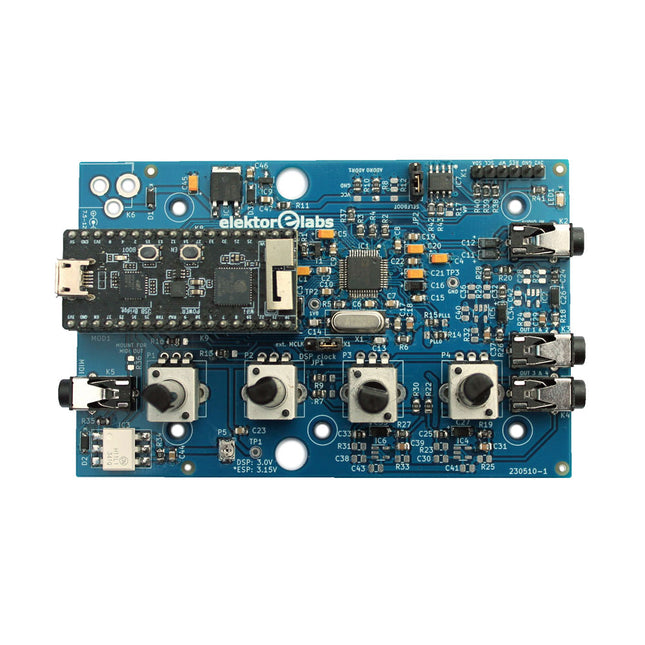
Elektor Labs Elektor Audio DSP FX Processor (Nouvelle Révision)
Le Elektor Audio DSP FX Processor combine un microcontrôleur ESP32 et un DSP Audio ADAU1701 d'Analog Devices. Outre un noyau DSP programmable par l'utilisateur, l'ADAU1701 intègre des convertisseurs analogique-numérique et numérique-analogique de haute qualité et dispose d'un port I²S. Cela le rend approprié comme interface audio de haute qualité pour l'ESP32. Les programmes pour l'ESP32 peuvent être créés avec Arduino, Platform IO, CMake ou en utilisant Espressif IDF d'une autre manière. Les programmes pour les DSP audio ADAU7101 sont créés avec l'outil de programmation visuelle gratuit SigmaStudio en glissant et déposant des blocs d'algorithmes prédéfinis sur un canevas. Applications Sink audio Bluetooth/Wi-Fi (par ex. haut-parleur) et source Pédale d'effet guitare (stomp box) Synthétiseur musical Générateur de sons/fonctions Filtre cross-over programmable pour haut-parleurs Processeur d'effets audio avancé (réverbération, chorus, pitch shifting, etc.) Appareil audio connecté à Internet Plate-forme d'expérimentation DSP MIDI sans fil Convertisseur MIDI vers CV et bien d'autres... Spécifications Processeur audio numérique ADAU1701 28/56 bits, 50 MIPS prenant en charge des taux d'échantillonnage allant jusqu'à 192 kHz Microcontrôleur double cœur ESP32 32 bits avec Wi-Fi 802.11b/g/n et Bluetooth 4.2 BR/EDR et BLE 2 entrées audio 24 bits (2 V RMS, 20 kΩ) 4 sorties audio 24 bits (0,9 V RMS, 600 Ω) 4x potentiomètres de contrôle Entrée et sortie MIDI Port d'extension I²C Fonctionnement multimode Alimentation : USB 5 V CC ou 7,5-12 V CC (prise cylindrique, broche centrale GND) Consommation de courant (moyenne) : 200 mA Inclus 1x Carte Audio DSP FX Processor (assemblée) 1x ESP32-PICO-KIT 2x Cavaliers 2x Connecteurs à 18 broches (female) 4x Potentiomètres de 10 Ko Téléchargements Documentation GitHub
€ 99,95€ 84,95Meilleur prix
-
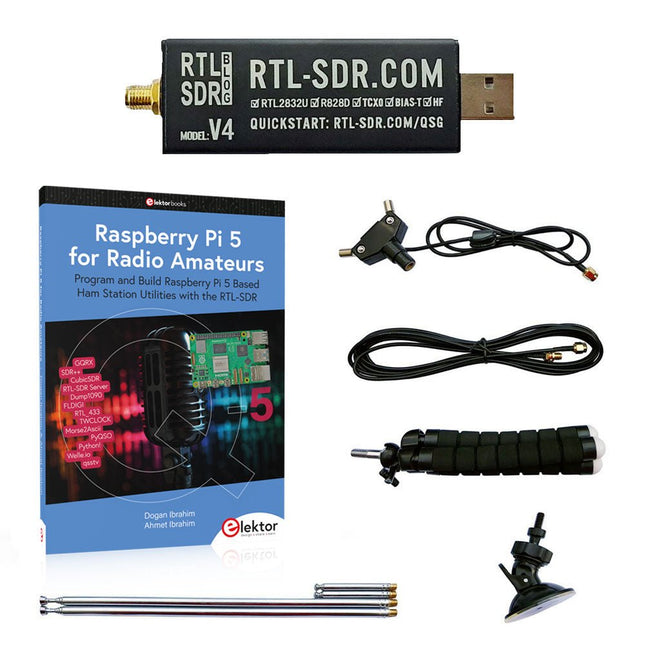
Elektor Bundles Raspberry Pi 5 RTL-SDR V4 (offre groupée)
Programmez et construisez des utilitaires, des outils et des instruments de station radio amateur basés sur Raspberry Pi ! La version améliorée du RTL-SDR V4 permet de recevoir des signaux radio entre 500 kHz et 1,75 GHz provenant de stations utilisant différentes bandes (notamment la diffusion en ondes courtes (SW), moyennes (MW) et longues (LW)), de services de radiodiffusions, de services publics de contrôle du trafic aérien, de PMR, de SRD, d'ISM, de CB, de satellites météorologiques et de radioastronomie. Le livre Raspberry Pi 5 for Radio Amateurs présente en détail l'utilisation du kit RTL-SDR avec un Raspberry Pi. Cette offre groupée contient : RTL-SDR V4 (avec kit d'antenne dipôle) (prix normal : 75 €) Raspberry Pi 5 for Radio Amateurs (prix normal : 40 €) RTL-SDR V4 (Software Defined Radio) avec kit antenne dipôle La clé RTL-SDR est un appareil au coût abordable qui peut être utilisé comme scanner radio associé à un ordinateur, pour recevoir les signaux radio locaux entre 500 kHz et 1,75 GHz. La version RTL-SDR V4 apporte plusieurs améliorations par rapport aux appareils de marques génériques, en particulier l’utilisation d’un chip tuner R828D, la présence d’un filtre d’entrée triplexé, d’un filtre coupe-bande, de composants aux tolérances améliorées, d’un oscillateur compensé en température à stabilité de 1 PPM (TCXO), d’un connecteur SMA F, d’un boitier en aluminium avec refroidissement passif, d’un circuit d’injection de tension continue en T, d’une alimentation améliorée, et d’un convertisseur HF élévateur. RTL-SDR V4 est fourni avec un kit antenne dipôle portable. C’est un atout pour débuter, car elle permet la réception des stations terrestres et des satellites. Son installation à l’extérieur est facile, elle est conçue pour un usage portable temporaire à l’extérieur. Caractéristiques Réception HF améliorée : V4 utilise maintenant un convertisseur élévateur au lieu d’un circuit échantillonneur direct. Cela évite le phénomène de fréquence de repli de Nyquist se situant vers 14,4 MHz, une meilleure sensibilité et un gain HF ajustable. Tout comme pour V3, la fréquence limite basse de réception est de 500 kHz, et un signal reçu très fort nécessite l’utilisation d’un filtre atténuateur en entrée. Filtrage amélioré : La V4 utilise le circuit de réception R828D qui possède trois entrées. L’entrée munie d’un connecteur SMA a été triplexée en 3 bandes : HF, VHF et UHF. Les trois bandes sont ainsi isolées, ce qui minimise la diminution de la sensibilité et la présence de fréquences images, provoquées par les interférences dues aux stations de radiodiffusions puissantes en dehors de la bande reçue. Filtrage x2 amélioré : En plus du triplexage, une broche d’entrée aboutissant à un drain ouvert peut être utilisée, permettant l’ajout d’un filtre coupe-bande pour éliminer les interférences sur les bandes de radiodiffusion AM, FM ou DAB. Un tel filtre permet d’obtenir une atténuation limitée à quelques décibels, mais demeure efficace. Amélioration du bruit de phase sur les signaux puissants : La conception améliorée de l’alimentation permet de réduire le bruit de phase provenant de celle-ci. Dissipation calorifique réduite : Autre avantage résultant de l’amélioration du circuit d’alimentation, la consommation électrique est réduite, minimisant de fait la génération de chaleur, par rapport à la V3. Inclus 1x Clé RTL-SDR V4 (R828D RTL2832U 1PPM TCXO SMA) 2x Antennes télescopiques de 23 cm à 1 m 2x Antennes télescopiques de 5 cm à 13 cm 1x Embase d’antenne équipée d’un câble RG174 de 60 cm 1x Câble prolongateur RG174 de 3 m 1x Trépied de montage flexible 1x Ventouse de fixation Téléchargements Datasheet User Guide Quick Start Guide SDR# User Guide Dipole Antenna Guide Livre : Raspberry Pi 5 for Radio Amateurs Les dispositifs RTL-SDR (V3 et V4) ont gagné en popularité parmi les radioamateurs en raison de leur faible coût et de leurs nombreuses fonctionnalités. Un système de base peut consister en un dispositif RTL-SDR USB (dongle) avec une antenne appropriée, un ordinateur Raspberry Pi 5, un adaptateur d'entrée-sortie audio externe USB et un logiciel installé sur l'ordinateur Raspberry Pi 5. Avec une installation aussi modeste, il est possible de recevoir des signaux allant d'environ 24 MHz à plus de 1,7 GHz. Ce livre s'adresse aux radioamateurs et aux étudiants en ingénierie électronique, ainsi qu'à toute personne souhaitant apprendre à utiliser le Raspberry Pi 5 pour construire des projets électroniques. Le livre convient aussi bien aux débutants qu'aux lecteurs expérimentés. Une certaine connaissance du langage de programmation Python est nécessaire pour comprendre et éventuellement modifier les projets présentés dans le livre. Chaque projet est accompagné d'un schéma fonctionnel, d'un schéma de circuit et d'une liste complète de programmes Python, ainsi que d'une description détaillée. Les programmes RTL-SDR populaires suivants sont examinés en détail et accompagnés de guides d'installation étape par étape pour une utilisation pratique sur un Raspberry Pi 5: SimpleFM GQRX SDR++ CubicSDR RTL-SDR Server Dump1090 FLDIGI Quick RTL_433 aldo xcwcp GPredict TWCLOCK CQRLOG klog Morse2Ascii PyQSO Welle.io Ham Clock CHIRP xastir qsstv flrig XyGrib FreeDV Qtel (EchoLink) XDX (DX-Cluster) WSJT-X L'application du langage de programmation Python sur la dernière plateforme Raspberry Pi 5 empêche l'utilisation des programmes du livre sur les versions plus anciennes des ordinateurs Raspberry Pi.
-
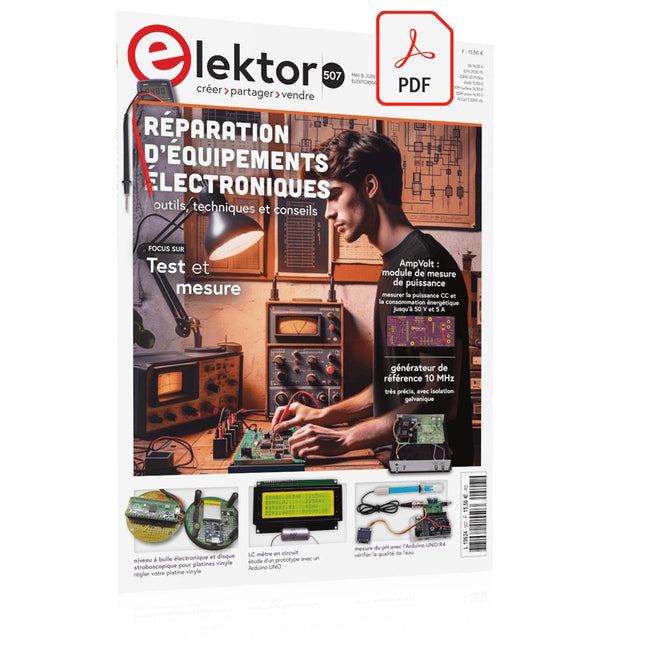
Elektor Digital Elektor Mai/Juin 2024 (PDF)
Le téléchargement intégral de ce numéro est disponible pour nos membres GOLD et GREEN sur le site Elektor Magazine ! Pas encore membre ? Cliquez ici. STM32 Wireless Innovation Design Contest Winners : les gagnants LC mètre en circuitétude de prototype AmpVolt : module de mesure de puissance (1)mesure de la puissance CC et de la consommation énergétique jusqu'à 50 V et 5 A Embedded world 2024 réparation d'équipements électroniquesoutils, techniques et conseils démarrer en électronique...plus de théorie sur les ampli-op un générateur de signaux simplePure synthèse numérique directe Sparkplug en un coup d'œilune spécification pour les données MQTT contrôleur de tube cathodique éclairage à commande radarcomment éclairer automatiquement un escalier en détectant une présence humaine niveau à bulle électronique et disque stroboscopique actif pour platines vinylerégler votre platine vinyle avec cet outil tout-en-un explorer les défis et la valeur commerciale de l’électronique open source le connecteur circulaire codé Aune solution de choix pour les applications industrielles The Arduino-Inside Measurement Labun instrument de test et de mesure 8 en 1 pour le labo d’électronique analyseur de gain-phase avec une carte sonpour les fréquences de 100 Hz à 90 kHz mesure du pH avec l'Arduino UNO R4vérifier la qualité de l'eau sur le vifdouble détente oscilloscope numérique FNIRSI 1014Dde bonnes performances pour des budgets serrés 2024 : l'odyssée de l'IAdétection d'objets générateur de référence 10 MHztrès précis, avec distributeur et isolation galvanique mise à jour #2 : compteur d'énergie basé sur l'ESP32quelques améliorations projet 2.0corrections, Mises à jour, et Courrier des lecteurs entretien avec Eben Upton, PDG de Raspberry PiRaspberry Pi 5 et au delà
€ 10,95
-

Generic Kit LC-mètre
Ce kit LC-mètre est un projet de bricolage facile à construire, éducatif et divertissant pour mesurer l'inductance (L) des bobines et des inductances, la capacité (C) des condensateurs, d'autres composants passifs et la fréquence des signaux. Spécifications Alimentation USB CC 5 V Plage de mesure de capacité des petits condensateurs non polarisés 1 pF~2200 pF Plage de mesure de capacité des condensateurs électrolytiques 1 µF~12000 µF Plage de mesure d'inductance 1 µH~1 H Plage de mesure de fréquence 20 Hz~400 kHz Dimensions (platine) 91 x 80 mm Dimensions (boîtier) 106 x 91 x 28 mm Inclus Platine double face Tous les composants requis, y compris l'écran LCD Six plaques acryliques transparentes prédécoupées Vis et écrous
-
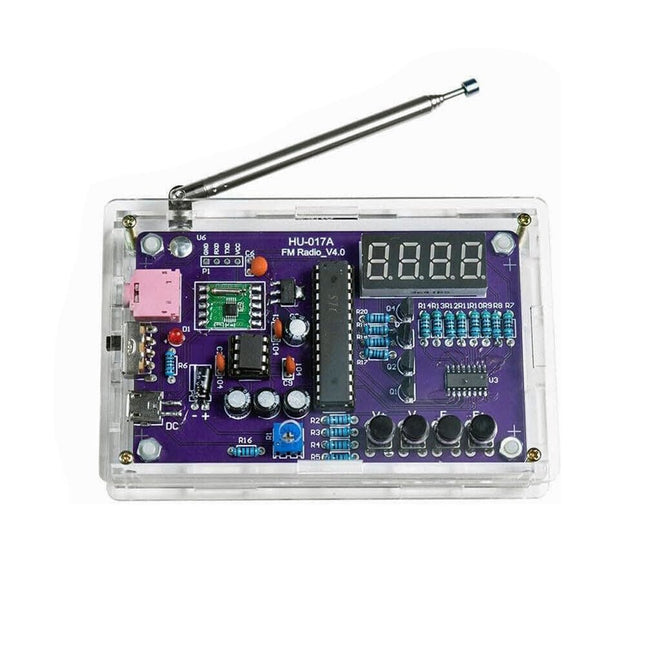
Generic Kit radio FM
Ce kit à monter soi-même (HU-017A) est un récepteur radio FM sans fil possédant un affichage à 4 chiffres et 7 segments. Il fonctionne dans la bande de fréquence mondiale de réception FM de 87,0-108,0 MHz, ce qui permet de l'utiliser dans n'importe quel pays ou région. Le kit offre deux modes d'alimentation, ce qui vous permet de l'utiliser à la maison comme aussi en extérieur. Ce montage électronique fait maison vous aidera à comprendre les circuits et à perfectionner vos compétences en matière de soudage. Caractéristiques Radio FM 87,0-108,0 MHz : Processeur de données FM RDA5807 intégré avec une bande de fréquence de réception FM standard. La fréquence FM peut être réglée à l'aide des touches F+ et F-. Réglage du volume : Deux méthodes de réglage du volume – bouton et potentiomètre. Ils proposent 15 niveaux de volume. Sortie audio active et passive : Le kit dispose d'un amplificateur de puissance intégré de 0,5 W pour alimenter directement des haut-parleurs de 8 Ω. Il émet également des signaux audio vers des casques ou des haut-parleurs dotés d'interfaces AUX, ce qui permet une écoute personnelle ou public de l'audio FM. Equipé d'une antenne FM dédiée de 25 cm et d'un afficheur (en rouge) à 4 chiffres et 7 segments pour l'affichage en temps réel de la fréquence radio FM. Le boîtier transparent acrylique protège le circuit imprimé interne. Deux méthodes d'alimentation sont prises en charge : 5 V USB et 2 piles de 1,5 V (AA). Soudage à la main : Le kit est livré avec divers composants qui doivent être installés manuellement. Ceci permet d'exercer et de perfectionner ses compétences en matière de soudure, et est également adapté aux amateurs d'électronique, aux débutants ainsi qu'à des fins d'éducation. Spécifications Tension d'exploitation DC 3 V/5 V Impédance de sortie 8 Ω Puissance de sortie 0,5 W Canal de sortie Mono Fréquence de réception 87.0 MHz~108.0 MHz Précision de la féquence 0.1 MHz Température d'exploitation −40°C à +85°C Taux d'humidité d'exploitation 5% à 95% d'humidité relative Dimensions 107 x 70 x 23 mm IMPORTANT : Retirez les piles lorsque vous alimentez la radio via USB ! Inclus 1x circuit imprimé 1x récepteur FM RDA5807M 1x microcontrôleur STC15W404AS 1x socle pour IC 1x registreà décalage 74HC595D 1x amplificateur TDA2822M 1x socle pour IC 1x convertisseur de tension 3,3 V AMS1117 18x résistances à film métallique 1x potentiomètre 4x condensateurs céramiques 5x condensateurs électrolytiques 4x transistors S8550 1x DEL rouge 1x afficheur à 4 chiffres et 7 segments 1x interrupteur à bascule 1x prise CMS Micro USB 1x antenne radio 1x prise audio AUX 4x boutons noirs 4x capuchons de bouton 1x haut-parleur 0,5 W/8 Ω 1x fil rouge/noir 2x adhésifs doubles face 1x boîtier pour piles AA 1x câble USB 6x plaquettes acryliques 4x vis entretoises en nylon 4x vis M3 4x écrous M3 4x vis M2x22 mm 1x vis M2x6 mm 5x écrous M2
-

Andonstar Andonstar Max Station Upgrade Set pour les modèles AD409
Faites évoluer votre Andonstar AD409, AD409 Pro ou AD409 Pro-ES vers le modèle Max grâce à ce kit d'amélioration. La nouvelle station Max surdimensionnée offre un vaste espace de travail, ce qui la rend idéale pour les projets de plus grande envergure et pour les tâches de soudure professionnelles. Inclus 1x Support avec 2 LED 1x Tapis de réparation 1x Porteur 1x Colonne 1x Porte-outil 1x Coups de main à souder
€ 59,50
-

Elektor Digital CAN et CAN FD (E-book)
Tout sur les protocoles et leur mise en œuvre avec Arduino Initialement destiné aux véhicules routiers, le réseau CAN (« Controller Area Network ») et son successeur le réseau CAN FD (« Flexible Data ») ont vu leurs champs d’application s’élargir à de nouveaux domaines. L’industrie propose de nombreux modules microcontrôleurs dotés d’une interface CAN et/ou CAN FD. L’environnement de développement Arduino a démocratisé la programmation de ces modules et il existe des bibliothèques qui implémentent un pilote CAN et/ou un pilote CAN FD. La première partie dresse un rapide historique des réseaux CAN et CAN FD et expose la problématique des lignes de transmission en abordant succinctement leur théorie et présentant des résultats de simulation Spice. La deuxième partie est consacrée au réseau CAN, en détaillant successivement la fonction logique du réseau, les transcepteurs, les contrôleurs, la topologie la plus classique (le bus) et d’autres moins courantes, les répéteurs et les passerelles. Les aspects particuliers du protocole, tels que le bit stuffing, l’arbitrage, les trames d’erreur, la détection des erreurs sont exposés. La discussion de la fiabilité du protocole est illustrée par des exemples mettant en évidence ses faiblesses. La troisième partie présente le protocole CAN FD, ses deux variantes CAN FD ISO et CAN FD non ISO, leurs fiabilités, leurs faiblesses, mises en évidence par des exemples. Différents transcepteurs et contrôleurs CAN FD sont décrits. La quatrième partie est dédiée aux applications : comment utiliser les services d’un pilote, concevoir une messagerie, utiliser un analyseur logique. Deux exemples d’application terminent cette partie. Ce livre s’adresse aux amateurs et aux ingénieurs non spécialistes pour comprendre les possibilités qu’offre un réseau CAN et comment on le met en œuvre. Un enseignant trouvera des informations pour approfondir ses connaissances et pour concevoir des travaux pratiques. Une connaissance des microcontrôleurs, de leur programmation, de l’électronique numérique aidera à la lecture des schémas. La connaissance du langage C++ et du langage de simulation électronique Spice facilitera la compréhension des programmes qui sont décrits dans le livre. Tous les codes source sont disponibles sur le dépôt GitHub de l’auteur. Téléchargements GitHub
€ 34,95
Membres : € 31,46
-
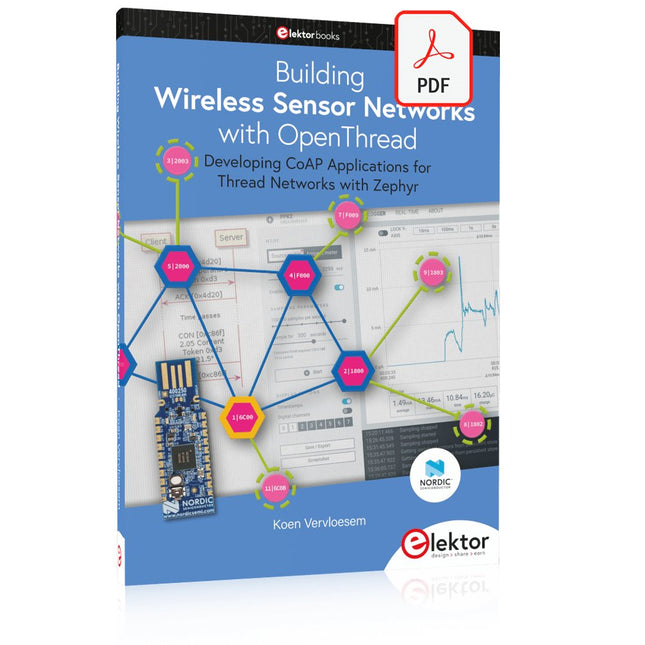
Elektor Digital Building Wireless Sensor Networks with OpenThread (E-book)
Developing CoAP applications for Thread networks with Zephyr This book will guide you through the operation of Thread, the setup of a Thread network, and the creation of your own Zephyr-based OpenThread applications to use it. You’ll acquire knowledge on: The capture of network packets on Thread networks using Wireshark and the nRF Sniffer for 802.15.4. Network simulation with the OpenThread Network Simulator. Connecting a Thread network to a non-Thread network using a Thread Border Router. The basics of Thread networking, including device roles and types, as well as the diverse types of unicast and multicast IPv6 addresses used in a Thread network. The mechanisms behind network discovery, DNS queries, NAT64, and multicast addresses. The process of joining a Thread network using network commissioning. CoAP servers and clients and their OpenThread API. Service registration and discovery. Securing CoAP messages with DTLS, using a pre-shared key or X.509 certificates. Investigating and optimizing a Thread device’s power consumption. Once you‘ve set up a Thread network with some devices and tried connecting and disconnecting them, you’ll have gained a good insight into the functionality of a Thread network, including its self-healing capabilities. After you’ve experimented with all code examples in this book, you’ll also have gained useful programming experience using the OpenThread API and CoAP.
€ 32,95
Membres : € 29,66
-
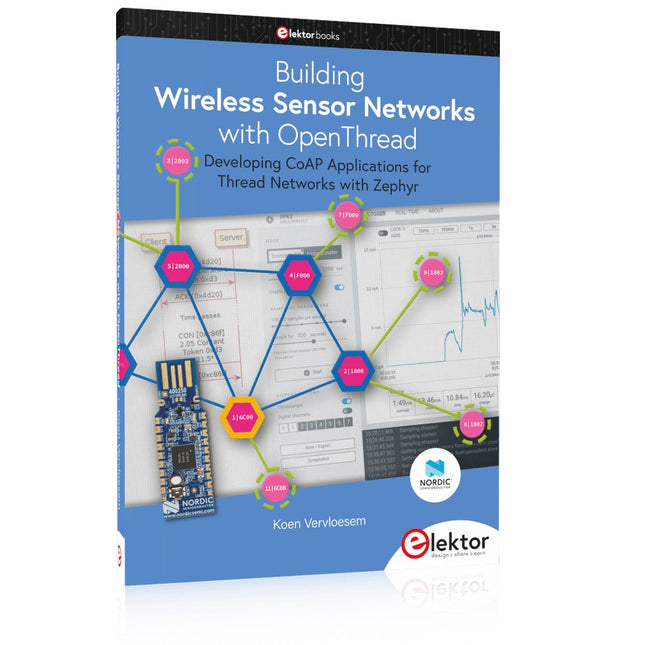
Elektor Publishing Building Wireless Sensor Networks with OpenThread
Developing CoAP applications for Thread networks with Zephyr This book will guide you through the operation of Thread, the setup of a Thread network, and the creation of your own Zephyr-based OpenThread applications to use it. You’ll acquire knowledge on: The capture of network packets on Thread networks using Wireshark and the nRF Sniffer for 802.15.4. Network simulation with the OpenThread Network Simulator. Connecting a Thread network to a non-Thread network using a Thread Border Router. The basics of Thread networking, including device roles and types, as well as the diverse types of unicast and multicast IPv6 addresses used in a Thread network. The mechanisms behind network discovery, DNS queries, NAT64, and multicast addresses. The process of joining a Thread network using network commissioning. CoAP servers and clients and their OpenThread API. Service registration and discovery. Securing CoAP messages with DTLS, using a pre-shared key or X.509 certificates. Investigating and optimizing a Thread device’s power consumption. Once you‘ve set up a Thread network with some devices and tried connecting and disconnecting them, you’ll have gained a good insight into the functionality of a Thread network, including its self-healing capabilities. After you’ve experimented with all code examples in this book, you’ll also have gained useful programming experience using the OpenThread API and CoAP.
€ 39,95
Membres : € 35,96
-
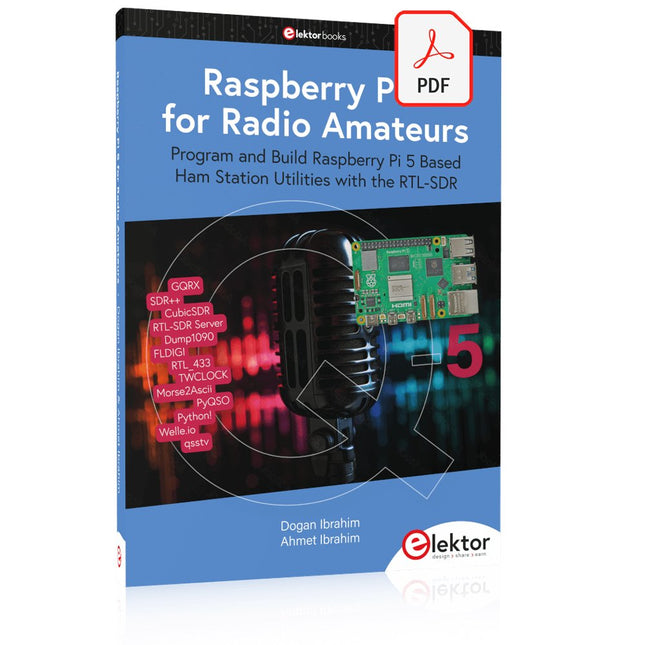
Elektor Digital Raspberry Pi 5 for Radio Amateurs (E-book)
Program and Build Raspberry Pi 5 Based Ham Station Utilities with the RTL-SDR The RTL-SDR devices (V3 and V4) have gained popularity among radio amateurs because of their very low cost and rich features. A basic system may consist of a USB based RTL-SDR device (dongle) with a suitable antenna, a Raspberry Pi 5 computer, a USB based external audio input-output adapter, and software installed on the Raspberry Pi 5 computer. With such a modest setup, it is possible to receive signals from around 24 MHz to over 1.7 GHz. This book is aimed at amateur radio enthusiasts and electronic engineering students, as well as at anyone interested in learning to use the Raspberry Pi 5 to build electronic projects. The book is suitable for both beginners through experienced readers. Some knowledge of the Python programming language is required to understand and eventually modify the projects given in the book. A block diagram, a circuit diagram, and a complete Python program listing is given for each project, alongside a comprehensive description. The following popular RTL-SDR programs are discussed in detail, aided by step-by-step installation guides for practical use on a Raspberry Pi 5: SimpleFM GQRX SDR++ CubicSDR RTL-SDR Server Dump1090 FLDIGI Quick RTL_433 aldo xcwcp GPredict TWCLOCK CQRLOG klog Morse2Ascii PyQSO Welle.io Ham Clock CHIRP xastir qsstv flrig XyGrib FreeDV Qtel (EchoLink) XDX (DX-Cluster) WSJT-X The application of the Python programming language on the latest Raspberry Pi 5 platform precludes the use of the programs in the book from working on older versions of Raspberry Pi computers.
€ 32,95
Membres : € 29,66
-
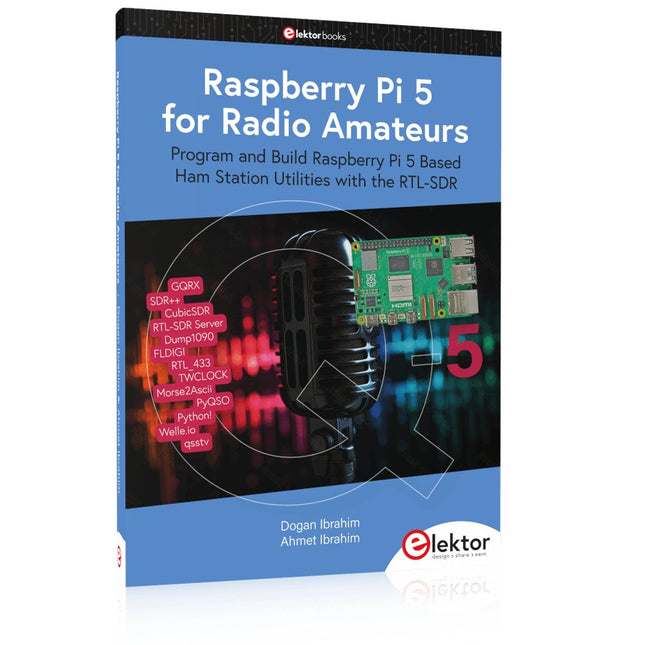
Elektor Publishing Raspberry Pi 5 for Radio Amateurs
Program and Build Raspberry Pi 5 Based Ham Station Utilities with the RTL-SDR The RTL-SDR devices (V3 and V4) have gained popularity among radio amateurs because of their very low cost and rich features. A basic system may consist of a USB based RTL-SDR device (dongle) with a suitable antenna, a Raspberry Pi 5 computer, a USB based external audio input-output adapter, and software installed on the Raspberry Pi 5 computer. With such a modest setup, it is possible to receive signals from around 24 MHz to over 1.7 GHz. This book is aimed at amateur radio enthusiasts and electronic engineering students, as well as at anyone interested in learning to use the Raspberry Pi 5 to build electronic projects. The book is suitable for both beginners through experienced readers. Some knowledge of the Python programming language is required to understand and eventually modify the projects given in the book. A block diagram, a circuit diagram, and a complete Python program listing is given for each project, alongside a comprehensive description. The following popular RTL-SDR programs are discussed in detail, aided by step-by-step installation guides for practical use on a Raspberry Pi 5: SimpleFM GQRX SDR++ CubicSDR RTL-SDR Server Dump1090 FLDIGI Quick RTL_433 aldo xcwcp GPredict TWCLOCK CQRLOG klog Morse2Ascii PyQSO Welle.io Ham Clock CHIRP xastir qsstv flrig XyGrib FreeDV Qtel (EchoLink) XDX (DX-Cluster) WSJT-X The application of the Python programming language on the latest Raspberry Pi 5 platform precludes the use of the programs in the book from working on older versions of Raspberry Pi computers.
€ 39,95
Membres : € 35,96
-

Elektor Digital Coding Modbus TCP/IP for Arduino (E-book)
Example projects with Node-RED, MQTT, WinCC SCADA, Blynk, and ThingSpeak This comprehensive guide unlocks the power of Modbus TCP/IP communication with Arduino. From the basics of the Modbus protocol right up to full implementation in Arduino projects, the book walks you through the complete process with lucid explanations and practical examples. Learn how to set up Modbus TCP/IP communication with Arduino for seamless data exchange between devices over a network. Explore different Modbus functions and master reading and writing registers to control your devices remotely. Create Modbus client and server applications to integrate into your Arduino projects, boosting their connectivity and automation level. With detailed code snippets and illustrations, this guide is perfect for beginners and experienced Arduino enthusiasts alike. Whether you‘re a hobbyist looking to expand your skills or a professional seeking to implement Modbus TCP/IP communication in your projects, this book provides all the knowledge you need to harness the full potential of Modbus with Arduino. Projects covered in the book: TCP/IP communication between two Arduino Uno boards Modbus TCP/IP communication within the Node-RED environment Combining Arduino, Node-RED, and Blynk IoT cloud Interfacing Modbus TCP/IP with WinCC SCADA to control sensors Using MQTT protocol with Ethernet/ESP8266 Connecting to ThingSpeak IoT cloud using Ethernet/ESP8266
€ 32,95
Membres : € 29,66
-
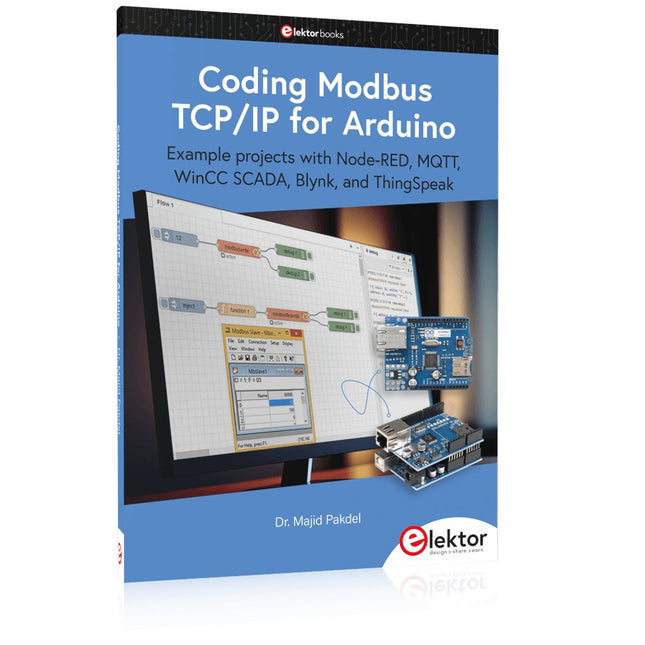
Elektor Publishing Coding Modbus TCP/IP for Arduino
Example projects with Node-RED, MQTT, WinCC SCADA, Blynk, and ThingSpeak This comprehensive guide unlocks the power of Modbus TCP/IP communication with Arduino. From the basics of the Modbus protocol right up to full implementation in Arduino projects, the book walks you through the complete process with lucid explanations and practical examples. Learn how to set up Modbus TCP/IP communication with Arduino for seamless data exchange between devices over a network. Explore different Modbus functions and master reading and writing registers to control your devices remotely. Create Modbus client and server applications to integrate into your Arduino projects, boosting their connectivity and automation level. With detailed code snippets and illustrations, this guide is perfect for beginners and experienced Arduino enthusiasts alike. Whether you‘re a hobbyist looking to expand your skills or a professional seeking to implement Modbus TCP/IP communication in your projects, this book provides all the knowledge you need to harness the full potential of Modbus with Arduino. Projects covered in the book: TCP/IP communication between two Arduino Uno boards Modbus TCP/IP communication within the Node-RED environment Combining Arduino, Node-RED, and Blynk IoT cloud Interfacing Modbus TCP/IP with WinCC SCADA to control sensors Using MQTT protocol with Ethernet/ESP8266 Connecting to ThingSpeak IoT cloud using Ethernet/ESP8266
-

Andonstar Andonstar AD409 Max-ES 10,1" Microscope numérique HDMI (avec endoscope)
L'Andonstar AD409 Max-ES est doté d'une lentille métallique de haute qualité et d'un design de filtre UV unique. Fabriqué à partir de matériaux de qualité industrielle de premier ordre, il offre une précision et une durabilité inégalées, garantissant une expérience produit fiable. Le filtre UV placé devant la lentille métallique bloque la chaleur, la fumée et la poussière de soudure, protégeant ainsi la lentille et la rendant parfaite pour les professionnels du soudage et de la maintenance. L'AD409 Max-ES comprend une station Max surdimensionnée (46 x 37 x 47,5 cm) et un ensemble d'outils avancés, élargissant la zone de la station de soudage de 370%. Cette mise à niveau répond aux exigences des tâches de soudure professionnelles et offre un espace de travail suffisant pour les projets plus importants. Le porte-outils facile à utiliser maintient les outils à portée de main, garantissant qu'ils sont toujours accessibles. De plus, l'aide à la soudure grâce aux pinces rotatives simplifie les tâches de soudure et de réparation, améliorant ainsi l'efficacité et la commodité. L'endoscope offre une vue panoramique à 360°. Cela permet une observation claire des composants de tous les côtés et à l'intérieur des tuyaux, éliminant les angles morts et garantissant des inspections approfondies. Caractéristiques Lentille en métal de haute qualité et conception unique de filtre UV Nouvelle station Max Porte-outils et mains utiles pour le soudage faciles à utiliser Microscope avec endoscope, vue panoramique à 360° Le microscope numérique HDMI professionnel prend en charge plusieurs méthodes de sortie LED réglables à 8 niveaux Télécommande sans fil pratique Spécifications Taille de l’écran 10,1 pouces (1280x800) Capteur d’image 4 MP Sortie vidéo UHD 2880x2160 (24fps)FHD 1920x1080 (60fps/30fps)HD 1280x720 (120fps) Format vidéo MP4 Agrandissement Jusqu'à 300 fois (moniteur HDMI de 27 pouces) Résolution photo Max. 24 MP (5600x4200) Format de la photo JPG Plage de mise au point Min. 5 cm Fréquence d'images Max. 120fps Interface vidéo HDMI Stockage carte microSD (jusqu'à 64 Go) Support PC Windows, logiciel PC avec mesure Prise en charge des téléphones mobiles et des tablettes Prise en charge de la connexion WiFi et des mesures Source d'alimentation 5 V DC Source lumineuse 2 LED avec le support Endoscope Oui Taille du support 46 x 37 x 47,5 cm Inclus 1x Andonstar AD409 Max-ES Microscope numérique 1x Endoscope 1x Support avec 2 LED 1x Filtre UV (déjà assemblé dans l'objectif) 1x Tapis de soudure 1x Porteur 1x Colonne 1x Porte-outil 1x Coups de main à souder 1x Adaptateur d'alimentation 1x Câble d'alimentation 1x Câble HDMI 1x Câble USB 1x Télécommande IR 1x Manual Downloads Manuel Logiciel
€ 399,00€ 339,00Meilleur prix
-
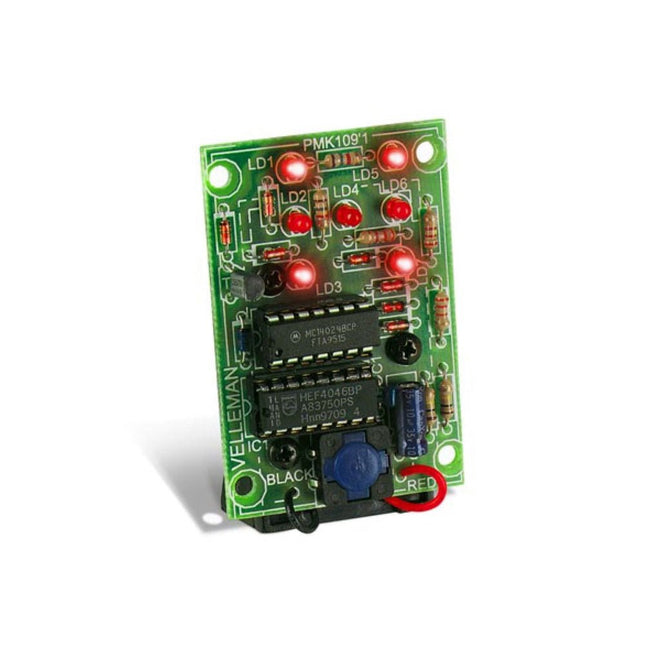
Velleman Whadda dé électronique
This electronic dice with 7 red LEDs rolls when the push button is released and works with a 9 V battery (not included). Downloads Manual
€ 6,45
-

Velleman Whadda kit arbre de Noël 3D
Le kit Whadda 3D Xmas Tree est destiné aux amateurs et aux débutants intéressés par la soudure et l'électronique. Avec ce kit DIY, vous pouvez construire un sapin de Noël LED festif. Caractéristiques 16 LED rouges clignotantes LED vertes et jaunes supplémentaires fournies pour personnaliser votre arbre Peut être accroché et alimenté par des fils Fonctionne sur 12 V CC (par exemple dans les voitures) Spécifications Faible consommation d'énergie 8 mA Alimentation Pile 9 V (non incluse) Dimensions 102 x 88 x 80 mm Poids 65 g Téléchargements Manuel
€ 10,86
-
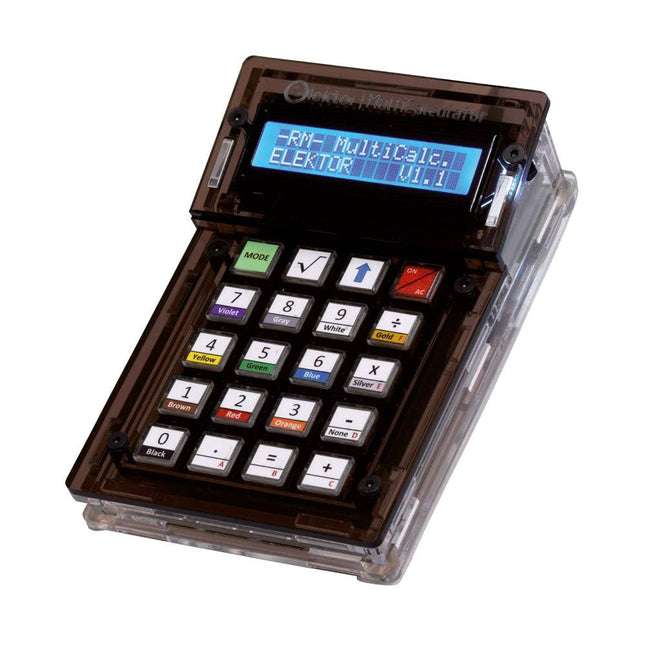
Elektor Labs Elektor Arduino MultiCalculator
Le kit Elektor MultiCalculator est une calculatrice multifonction basée sur Arduino qui va au-delà des calculs de base. Il offre 22 fonctions, dont la mesure de la lumière et de la température, l'analyse différentielle de la température et le décodage de la télécommande IR NEC. L'Elektor MultiCalculator est un outil pratique à utiliser dans vos projets ou à des fins pédagogiques. Le kit comprend un module Pro Mini comme unité de calcul. Le PCB est facile à assembler à l’aide de composants traversants. Le boîtier se compose de 11 panneaux acryliques et de matériel de montage pour un assemblage facile. De plus, l'appareil est équipé d'un écran LCD alphanumérique 16x2, de 20 boutons et de capteurs de température. L'Elektor MultiCalculator est programmable avec l'IDE Arduino via un connecteur PCB à 6 voies. La calculatrice peut être programmée avec un adaptateur de programmation et elle est alimentée via USB-C. Modes de fonctionnement Calculatrice Code de résistance à 4 anneaux Code de résistance à 5 anneaux Conversion de décimal en hexadécimal et caractères (ASCII) Conversion d'hexadécimaux en décimaux et caractères (ASCII) Conversion de décimal en binaire et caractères (ASCII) Conversion binaire en décimal et hexadécimal Calcul de Hz, nF, réactance capacitive (XC) Calcul de Hz, µH, réactance inductive (XL) Calcul de la résistance de deux résistances connectées en parallèle Calcul de la résistance de deux résistances connectées en série Calcul d'une résistance parallèle inconnue Mesure de la température Mesure différentielle de température T1 et T2 et Delta(δ) Mesure de la lumière Chronomètre avec fonction temps au tour Compteur d'articles Décodage de la télécommande IR NEC Conversion AWG (American Wire Gauge) Lancer les dés Personnaliser le message de démarrage Étalonnage de la température Spécifications Langues des menus : Anglais, néerlandais Dimensions : 92 x 138 x 40 mm Durée de construction : environ 5 heures Inclus Composants PCB et traversants Feuilles acryliques prédécoupées avec toutes les pièces mécaniques Module microcontrôleur Pro Mini (ATmega328/5 V/16 MHz) Adaptateur de programmation Capteurs de température étanches Câble USB-C Téléchargements Software


